

Agents Need Their ONNX Moment
There’s a pattern that keeps repeating in software. Everyone focuses on the building problem. Frameworks emerge, mature, and become genuinely good. Then the constraint flips.
We saw this with neural networks. PyTorch and TensorFlow were great for building models, but deploying them meant dealing with different formats, runtimes, and infrastructure headaches.
ONNX emerged to bridge that gap.
The same pattern is unfolding with Agents right now.
Frameworks like LangGraph, CrewAI, and LlamaIndex are mature enough that building an agent is no longer the hardest part.
The hard part is operating them in production:
Which agent should handle this request?
How to apply guardrails consistently?
How to swap models without refactoring?
How to close the loop between observability and continuous learning?
These aren’t Agent problems. These operational problems.
And when frameworks own that layer, you’re locked into one framework’s abstractions and quirks as the system evolves.
Here’s a useful mental model:
Inner loop is business logic: prompts, tools, reasoning.
Outer loop is plumbing: routing, orchestration, guardrails, observability.
Most frameworks blur this boundary. One approach I find interesting is moving the outer loop into a separate infra layer entirely.
Plano is an open-source project (5k+ stars) that does exactly this.
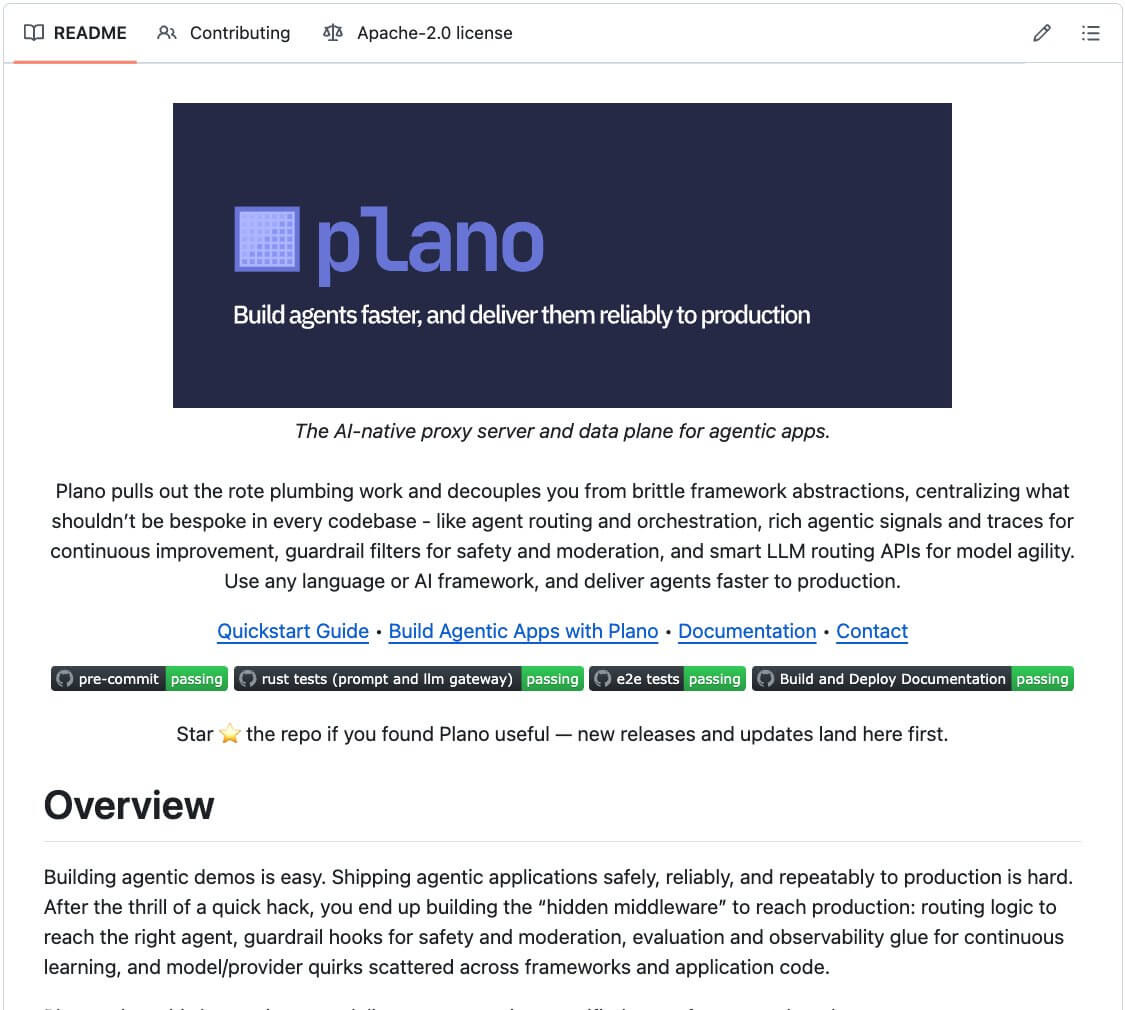
It acts as a data plane between your app and your agents/LLMs, handling routing, orchestration, and guardrails at the infra level.
Instead of brittle if/else chains, Plano uses small, purpose-built LLMs that route based on natural language preferences:
llm_providers:
- model: openai/gpt-4o
  routing_preferences:
    name: complex_reasoning
    description: deep analysis & reasoning

- model: deepseek/deepseek-coder
  routing_preferences:
    name: code_generation
    description: generating code and scripts
Adding a new model means adding a few lines to the config. Guardrails follow the same pattern through Filter Chains: define them once, apply them everywhere.
And the application code stays untouched throughout.
Plano is fully open-source under Apache 2.0.
You can find the GitHub repo here →
Don’t forget to star it.
Build an automatic form-filling agent
Filling out tax forms manually is both tedious and prone to errors.
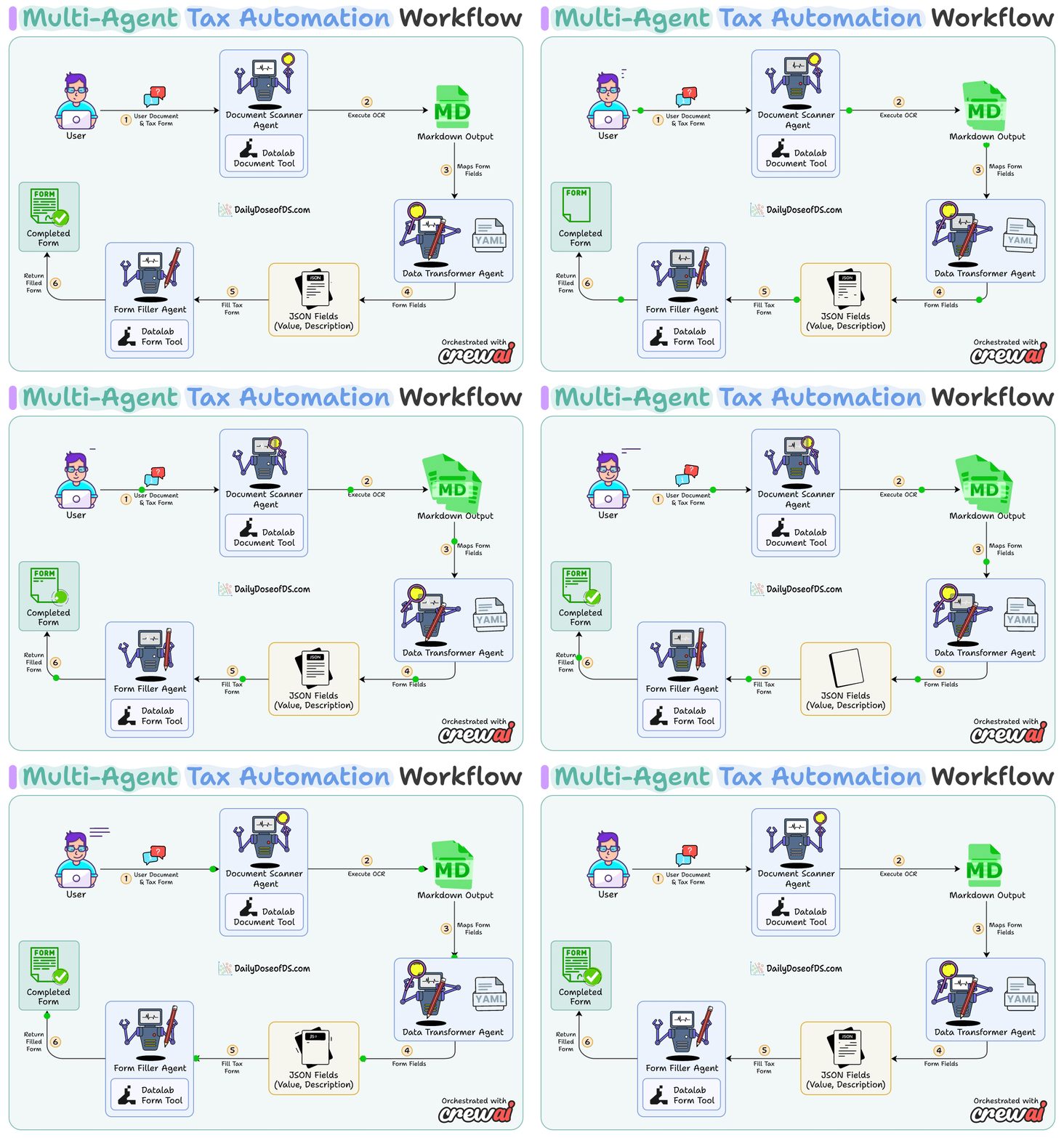
Today, we’re going to learn, how use AI agents automate the entire process from scanning your identity document to submitting a completed form.
Tech stack:
Datalab for AI-powered document conversion and intelligent form filling
CrewAI for multi-agent orchestration
MiniMax M2.1 as LLM
Here’s a quick demo of what we’re building today:
System Overview:
Upload source and form PDFs, then select a schema
OCR converts the source PDF to markdown
Structures text using the schema
Use AI-powered field matching to fill the tax form
Output a completed PDF
Now, let’s dive into the code!
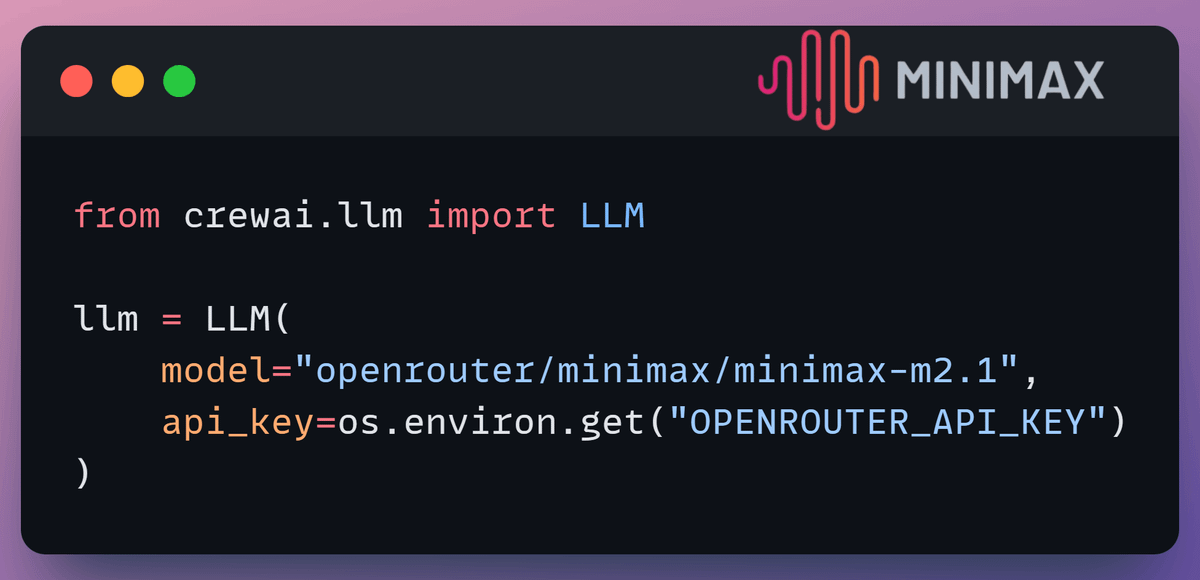
1. Define LLM
We use MiniMax-M2.1 to power all three agents in the workflow. It’s fast, capable, and cost-effective for structured data tasks.
Check this out 👇
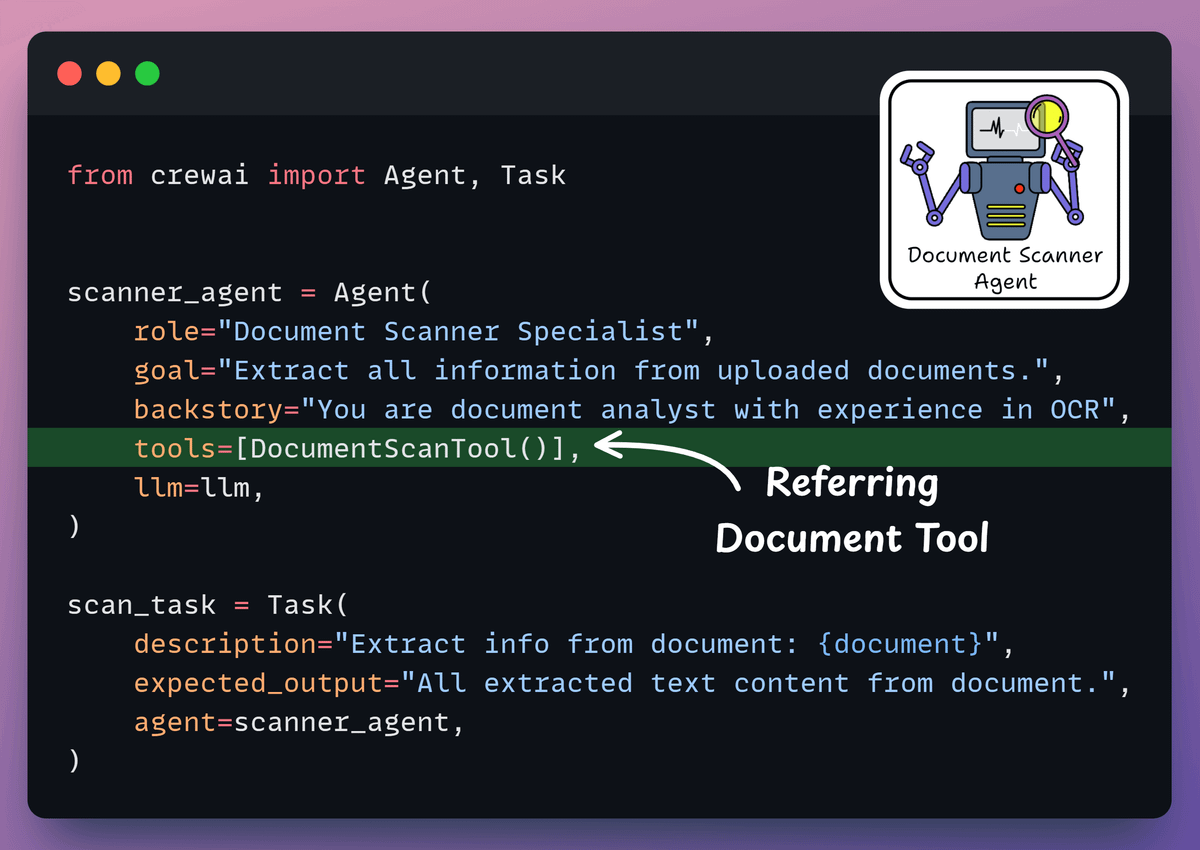
2. Define Document Scanner Agent
Agent scans the uploaded identity document using Datalab’s Document Conversion tool.
It extracts all raw text content from the document via OCR, with high accuracy, even from poorly scanned documents.
Check this out 👇
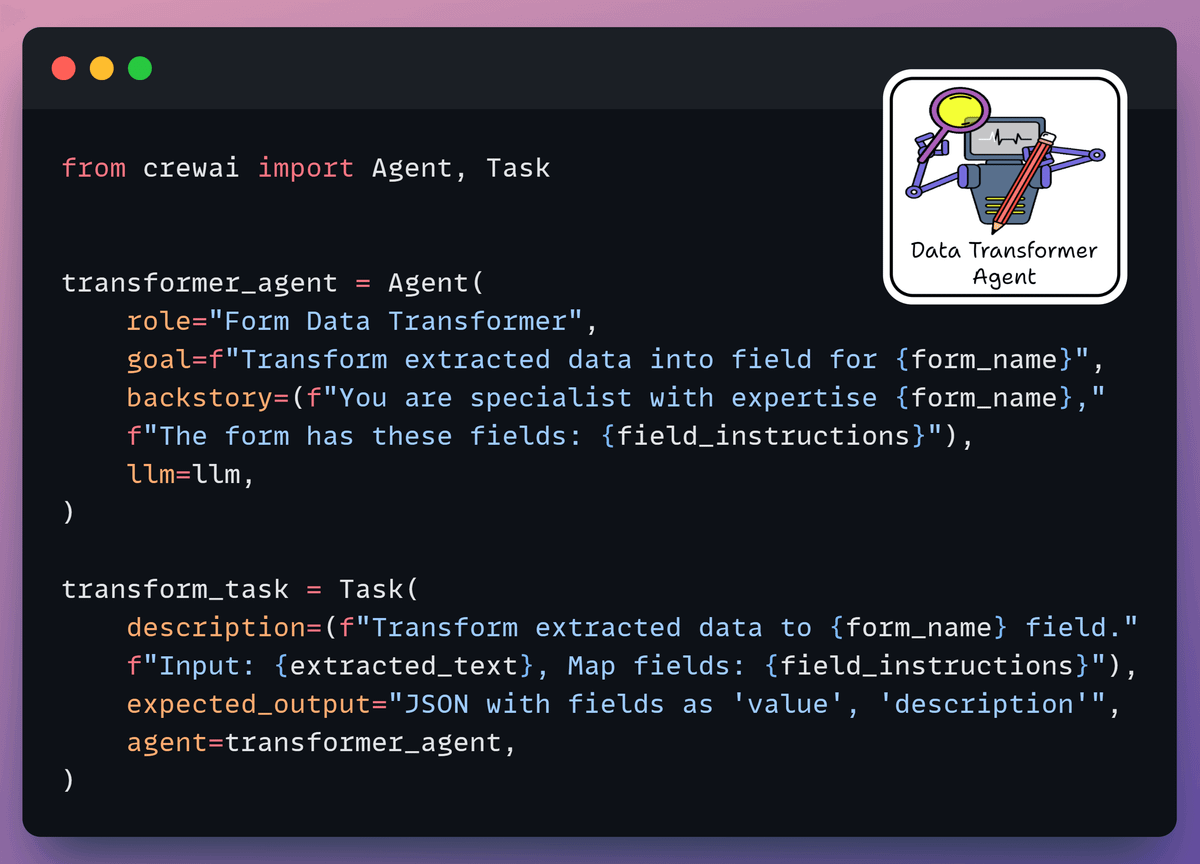
3. Define Form Data Transformer Agent
Agent processes raw data, transforming it into the exact field format required by the tax form.
Each field is assigned a value and a semantic description for precise mapping, as guided by the YAML schema definition.
Check this out 👇
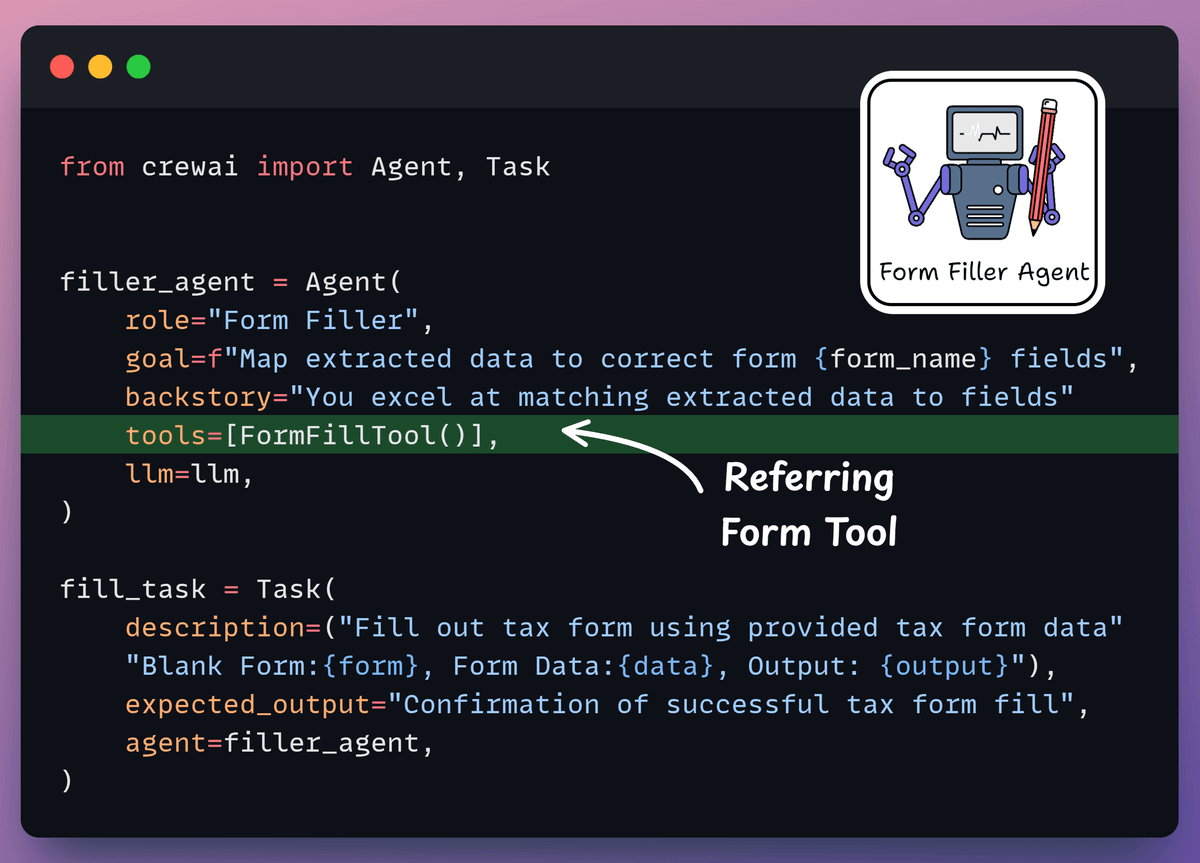
4. Define Form Filler Agent
Agent maps the structured data to the correct PDF form fields and generates the completed tax form using Datalab’s AI-powered semantic field matching.
Check this out 👇
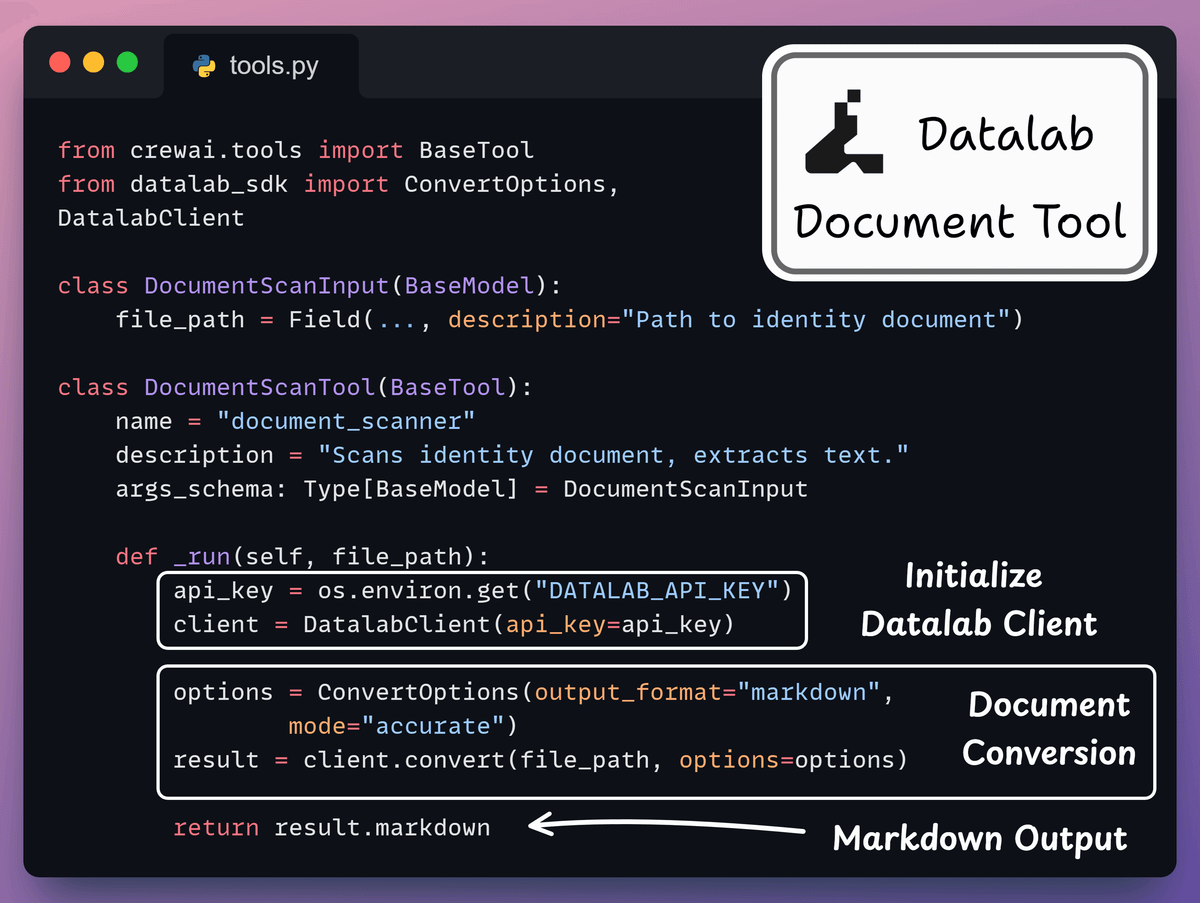
5. Define Document Scan Tool
A custom tool powered by the Datalab SDK. It takes a document file path, sends it to Datalab’s Document Conversion, and returns extracted text in markdown format.
It handles complex layouts, handwriting, and low-quality scans with high accuracy.
Check this out 👇
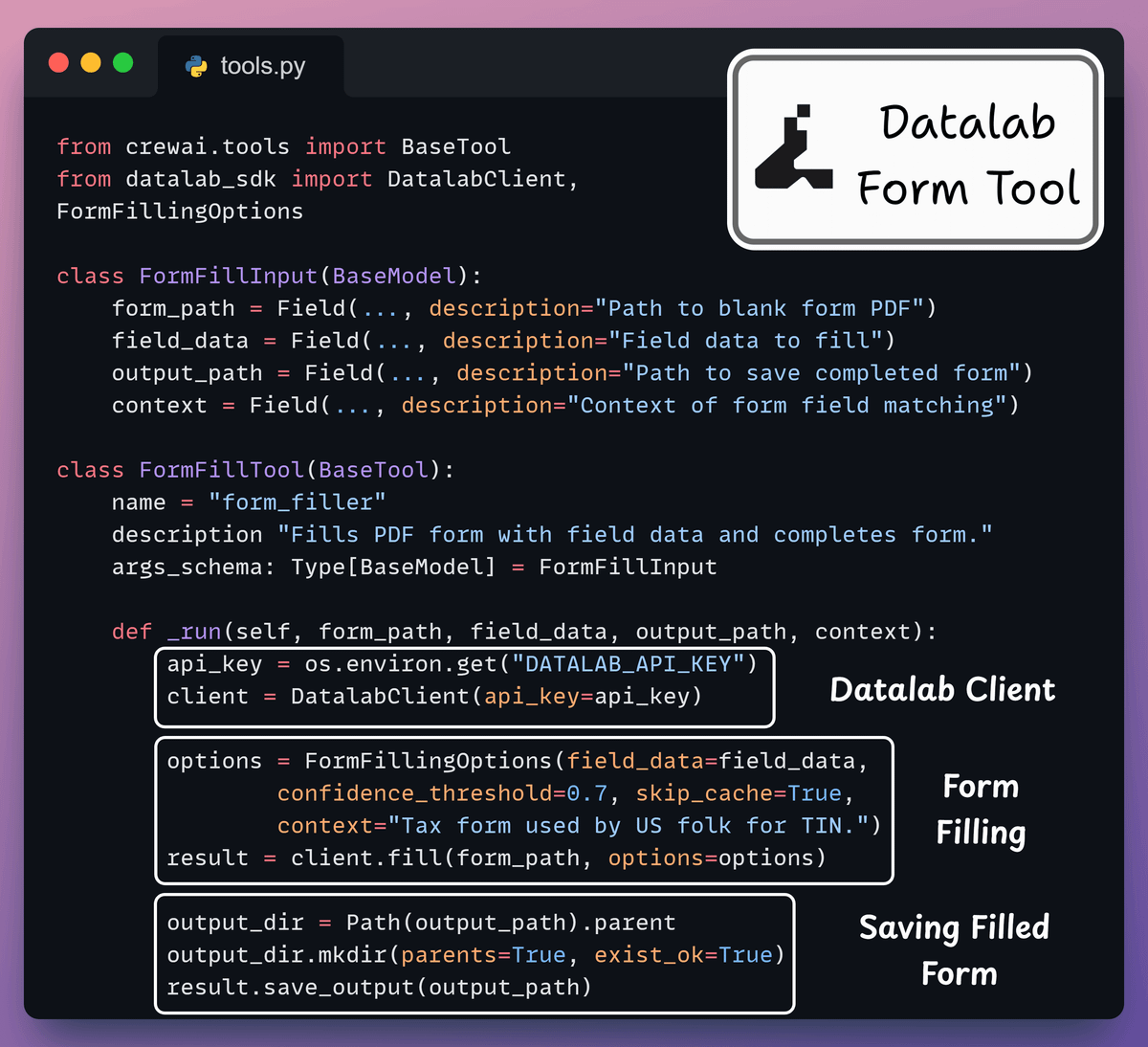
6. Define Tax Form Fill Tool
Another Datalab-powered tool processes a blank PDF form, structured field data, and an output path.
Leveraging AI-powered semantic matching, it accurately maps your data fields to the correct PDF form fields; no need to know the internal PDF field names.
Check this out 👇
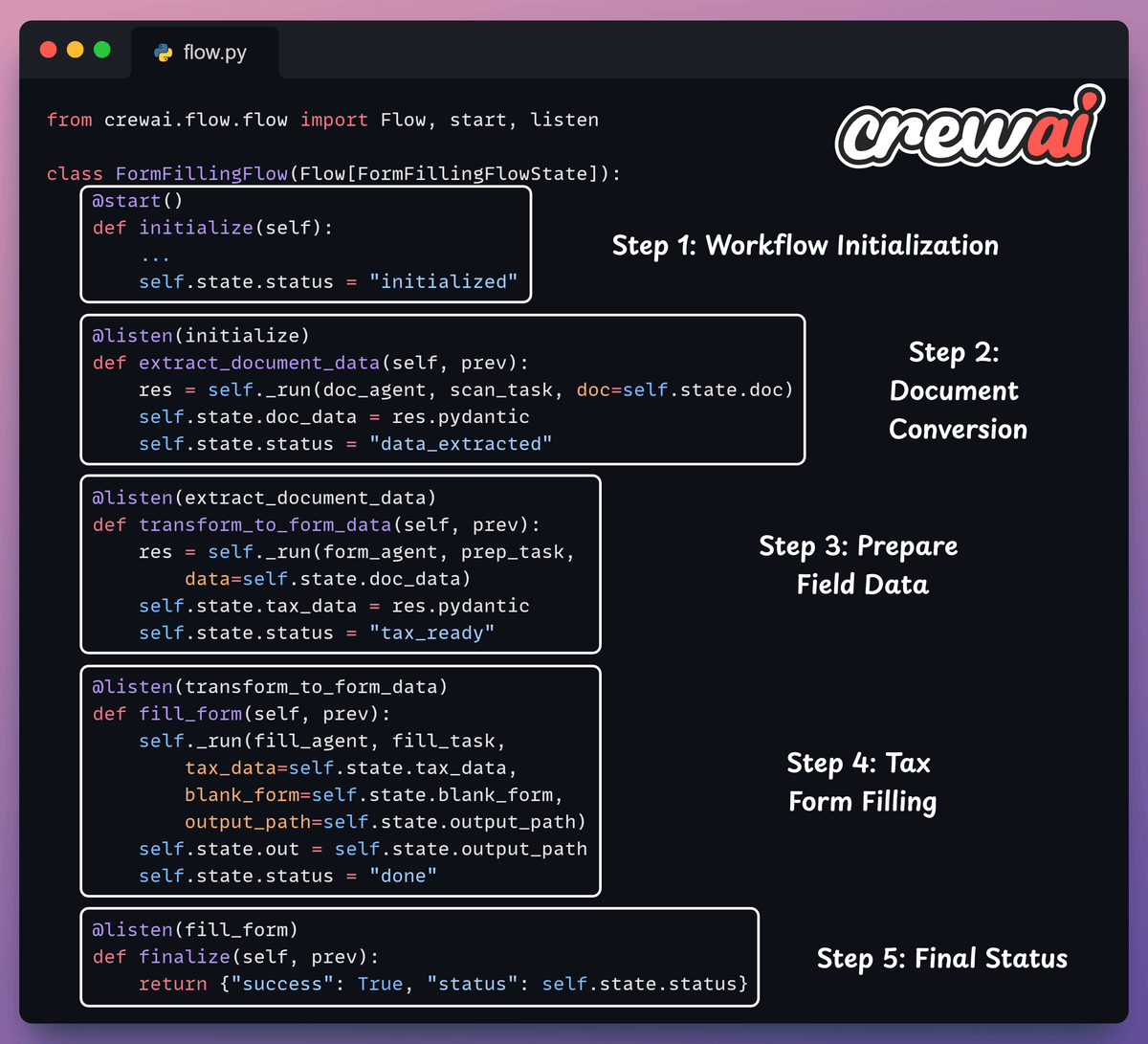
7. Create CrewAI Agentic Flow
Finally, we connect all three agents within a workflow using CrewAI Flows.
The flow consists of four steps: initialize → extract document data → prepare form data → fill the tax form.
Each step listens to the previous one and passes its state forward.
Check this out 👇
8. Run Flow
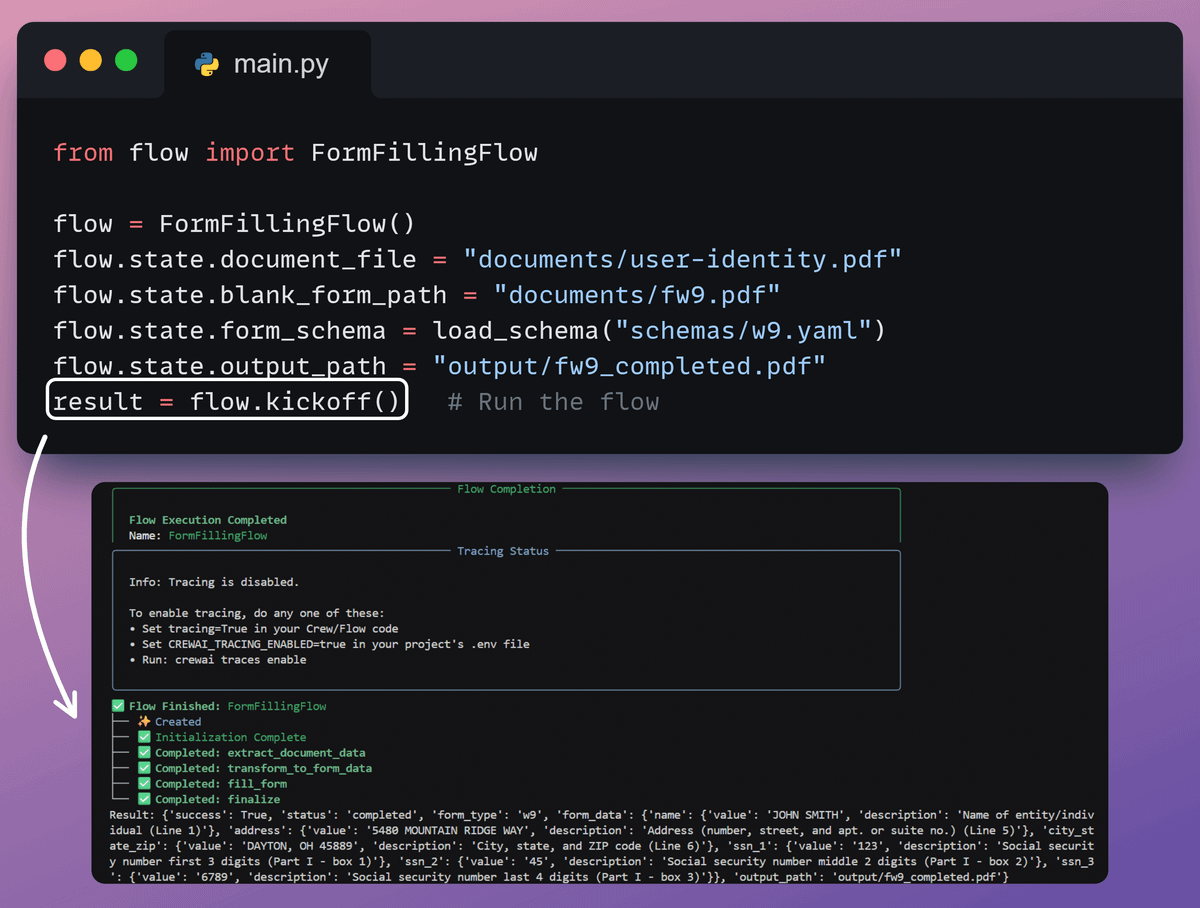
Done! Let’s see our multi-agent tax form filling workflow in action! 🚀
Check this 👇
9. Streamlit UI
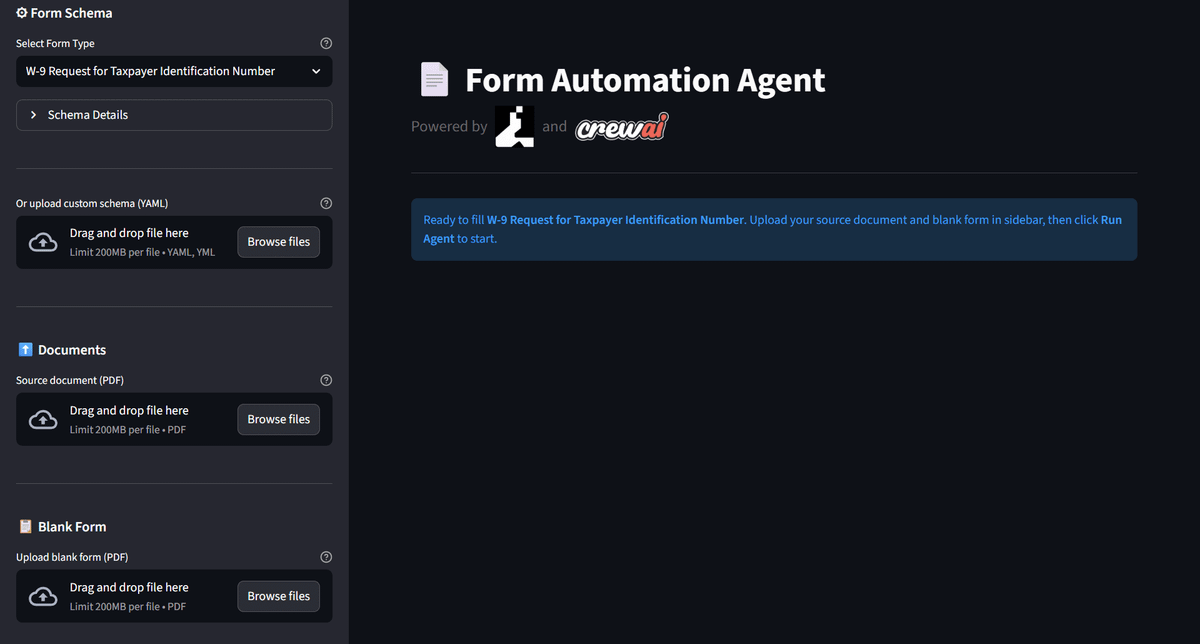
We also present this in a sleek Streamlit UI:
To recap, here’s the system overview for your reference:
Upload source and form PDFs, then select a schema
OCR converts the source PDF to markdown
Structures text using the schema
Use AI-powered field matching to fill the tax form
Output a completed PDF
And in order to achieve this, we were using the highly capable OCR models from Datalab (open-source) and their capability to automatically fill forms.