

Build browser automations in every language
Browser automation with Stagehand unlocks the ability to do complex open-ended tasks without having to write a lot of code.
The latest update now allows you to build browser automations in several other programming languages.
This includes new SDKs in Python, Go, Ruby, Rust, Java, and more.
Build Portable ML Models with ONNX
Most ML teams train models in PyTorch or TensorFlow, but production systems don’t care about it.
They care about speed, portability, and stability.
This disconnect between training and serving is where most deployment headaches begin.
You might train a model in PyTorch, but your inference stack could be a C++ service, a mobile device, a GPU-optimized runtime, or a CPU-only production environment.
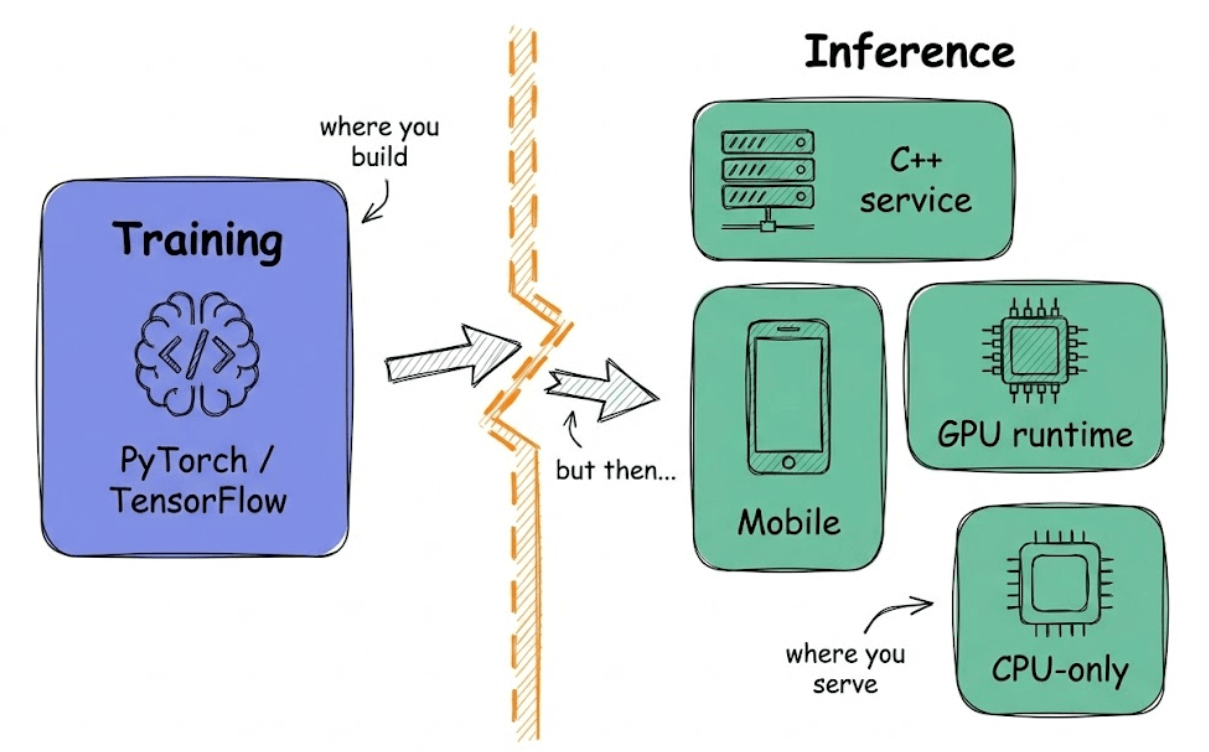
Without a common format, every framework-to-runtime transition becomes a custom engineering problem, and teams end up rewriting export logic for each deployment target.
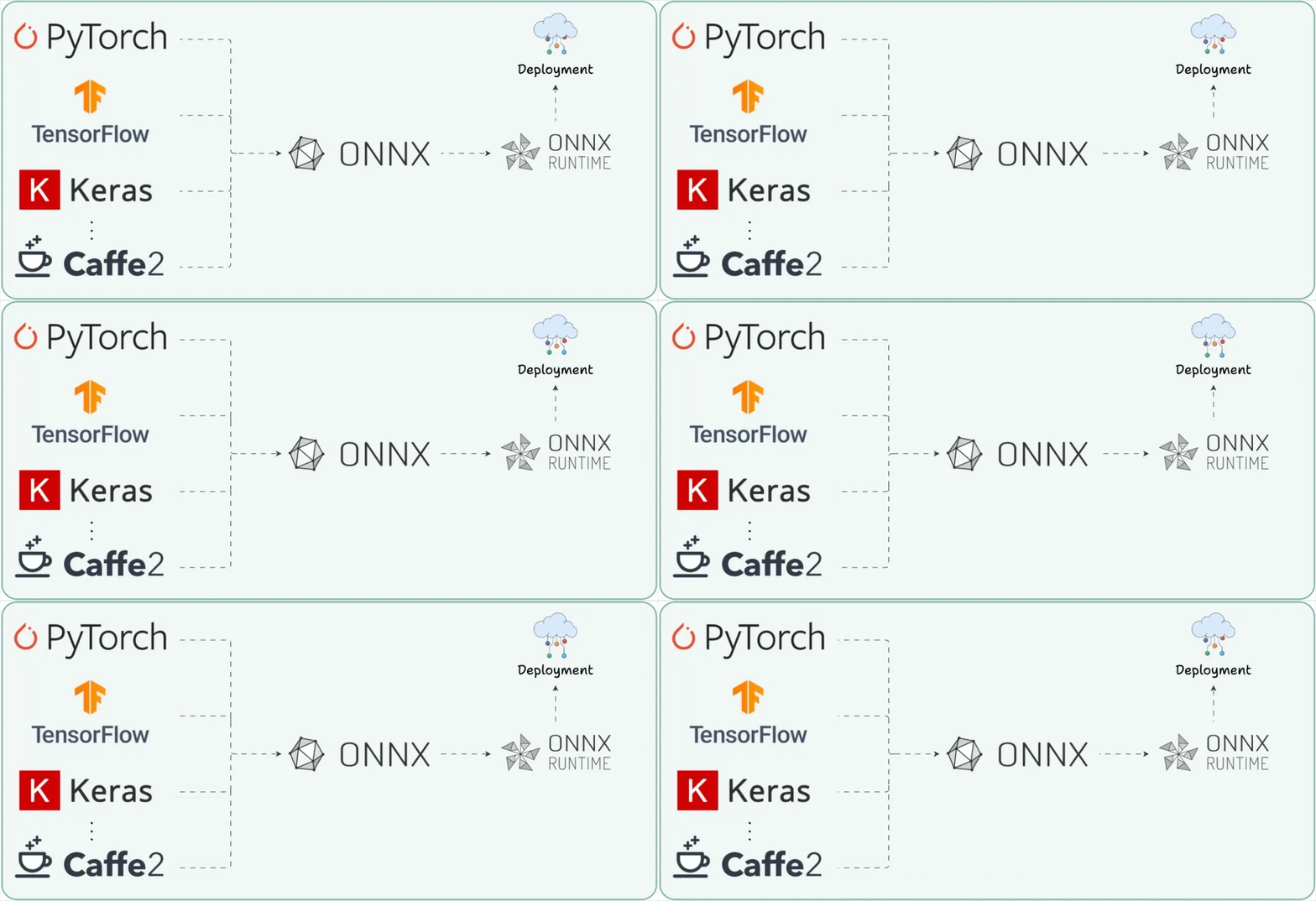
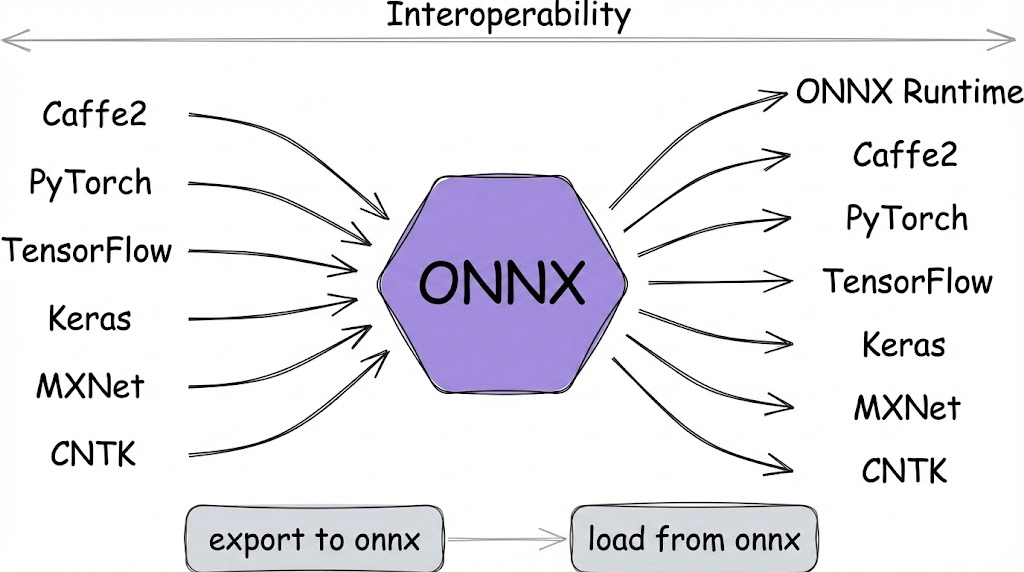
This is exactly the problem ONNX (Open Neural Network Exchange) was built to solve, and the visual below captures why it exists in the first place.
Let’s break it down.
On a side note, we’ve already covered ONNX in depth as part of our 18-part MLOps course, where we walk through several such concepts and tools step-by-step.
What ONNX actually is
ONNX acts as a framework-agnostic intermediate representation that sits between training and deployment.
An ONNX model is essentially a saved computation graph with standardized operators, explicit tensor shapes, metadata, and all weights baked in.
Think of it as a neutral language for neural networks.
PyTorch and TensorFlow can export to ONNX, and production runtimes can consume from ONNX, which makes models portable across training frameworks and deployment targets.
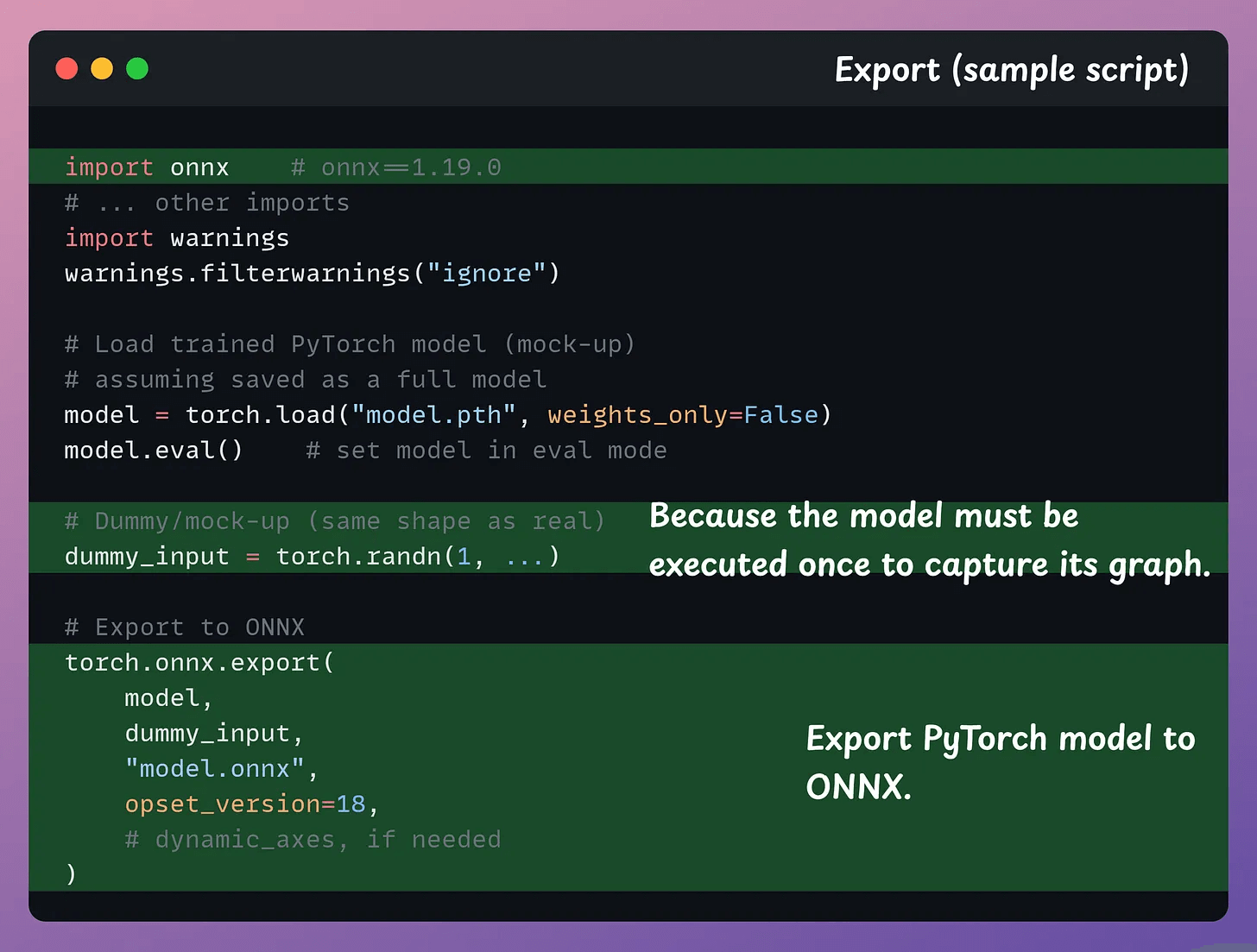
Why operator standardization matters
Every framework has its own internal representation for operations.
ONNX defines a common operator set so exporters can map framework-specific ops to a shared vocabulary.
Where ONNX Runtime comes in
ONNX by itself is just a format, a way to represent models.
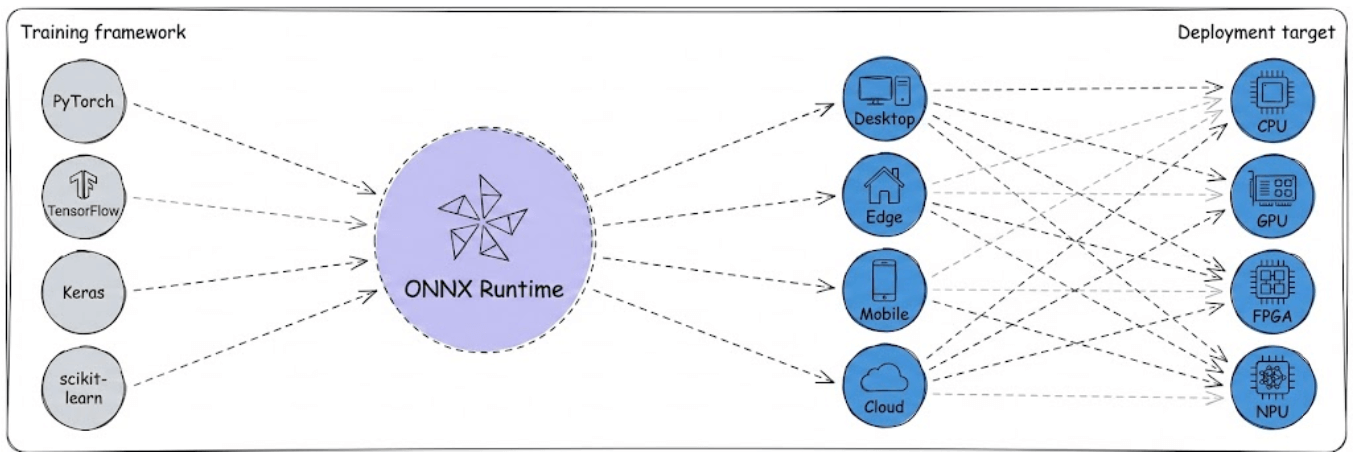
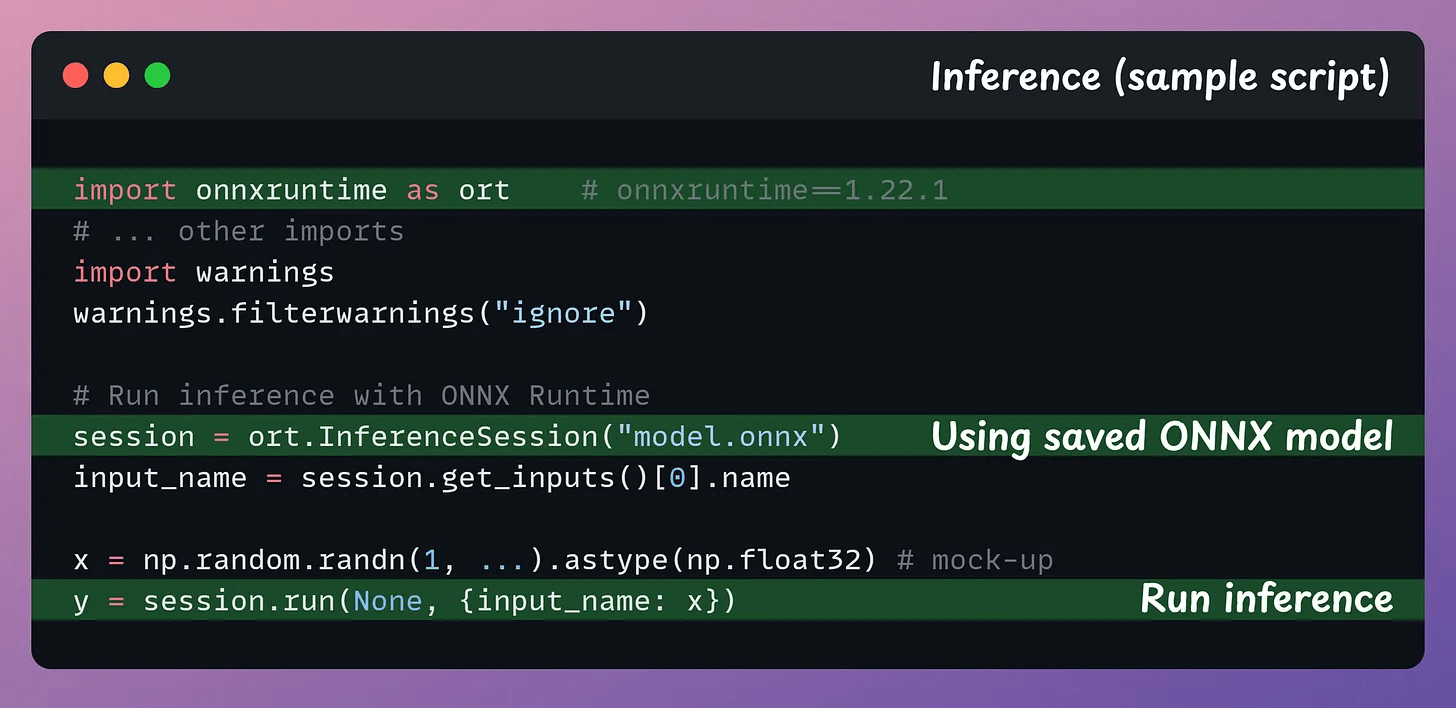
ONNX Runtime (ORT) is the execution engine that turns that format into fast inference.
Under the hood, ORT loads the ONNX graph, applies graph-level optimizations, partitions the graph across hardware backends, and executes each subgraph efficiently.
All of this happens automatically once you load and run the model.
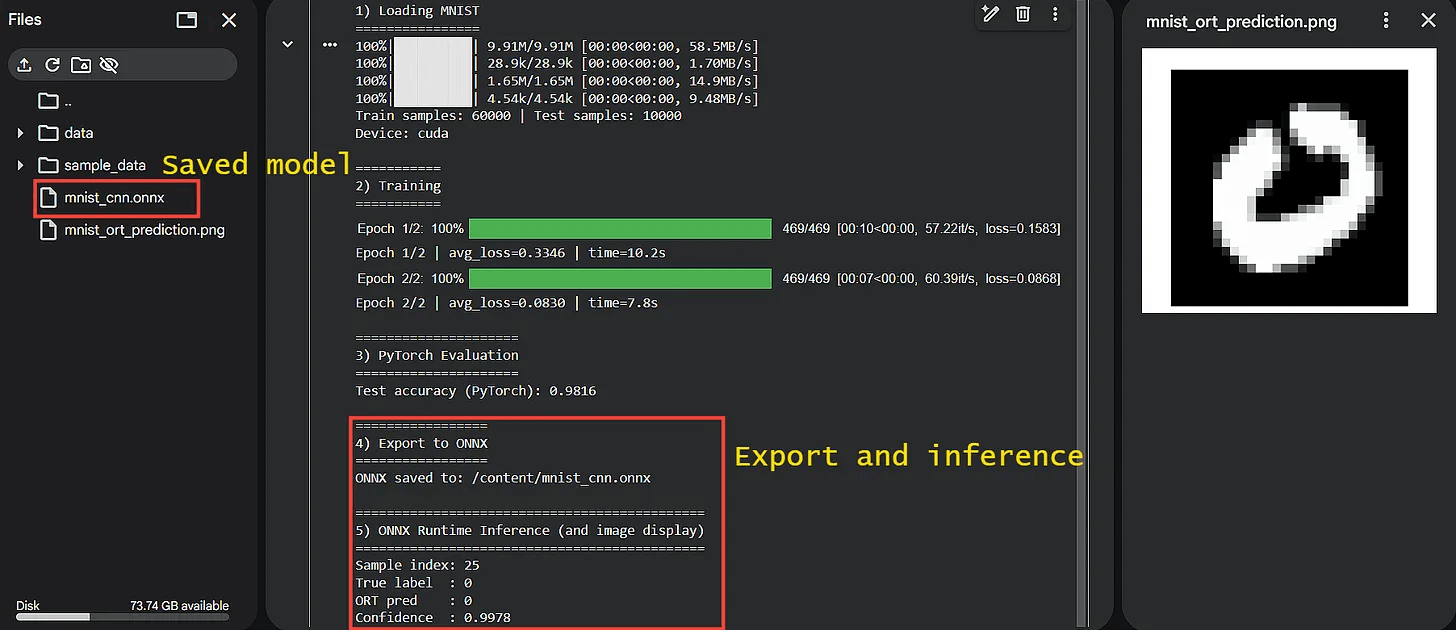
Here’s a glimpse of the output when we use ONNX and ORT for simple MNIST label prediction:
That said, ONNX isn’t magic since there are some important caveats to know about.
Not every framework op maps perfectly to ONNX operators
Execution Provider coverage varies across hardware targets
Graph partitioning is heuristic-based, not guaranteed optimal
Startup time can increase depending on model complexity
Mixed precision inference can introduce small numerical drift
Custom ops require additional engineering effort to support
ONNX simplifies deployment significantly, but it doesn’t remove the need for careful validation before going to production.
If you remember just one thing, remember this flow:
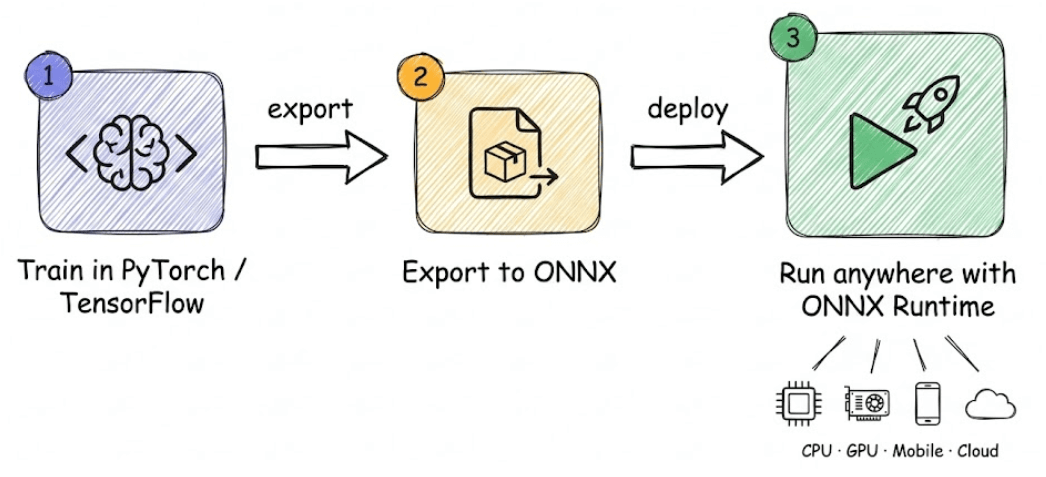
Train model in PyTorch or TensorFlow
Export to ONNX
Run anywhere using ONNX Runtime
That’s the bridge ONNX provides between the framework you love and the runtime you need.
👉 Over to you: Where did you use ONNX recently, and what’s stopping you from using it more?
Ollama meets Anthropic
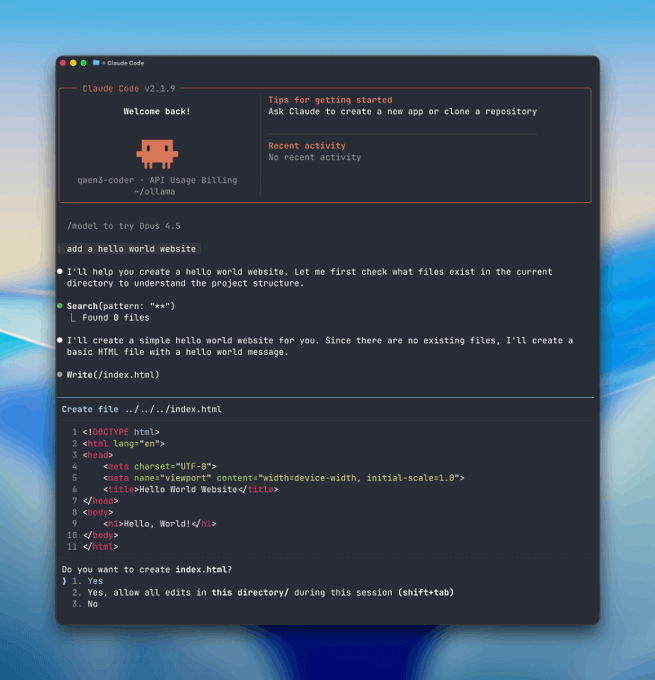
ollama is now compatible with the anthropic messages API. which means you can use Claude Code with open-source models.
think about that for a second. the entire Claude harness:
the agentic loops
the tool use
the coding workflows
…all powered by private LLMs running on your own machine.
Learn more in this blog by Ollama →
Thanks for reading!