

Mistral Open-Sourced a 4B Text-to-Speech Model
Mistral open-sourced Voxtral TTS, a 4B-parameter text-to-speech model that clones voices from just 3 seconds of reference audio.
The architecture is a hybrid of autoregressive semantic token generation (built on Ministral 3B) and flow-matching for acoustic tokens. It is just 8 GB in BF16, fits on a single 16GB GPU.
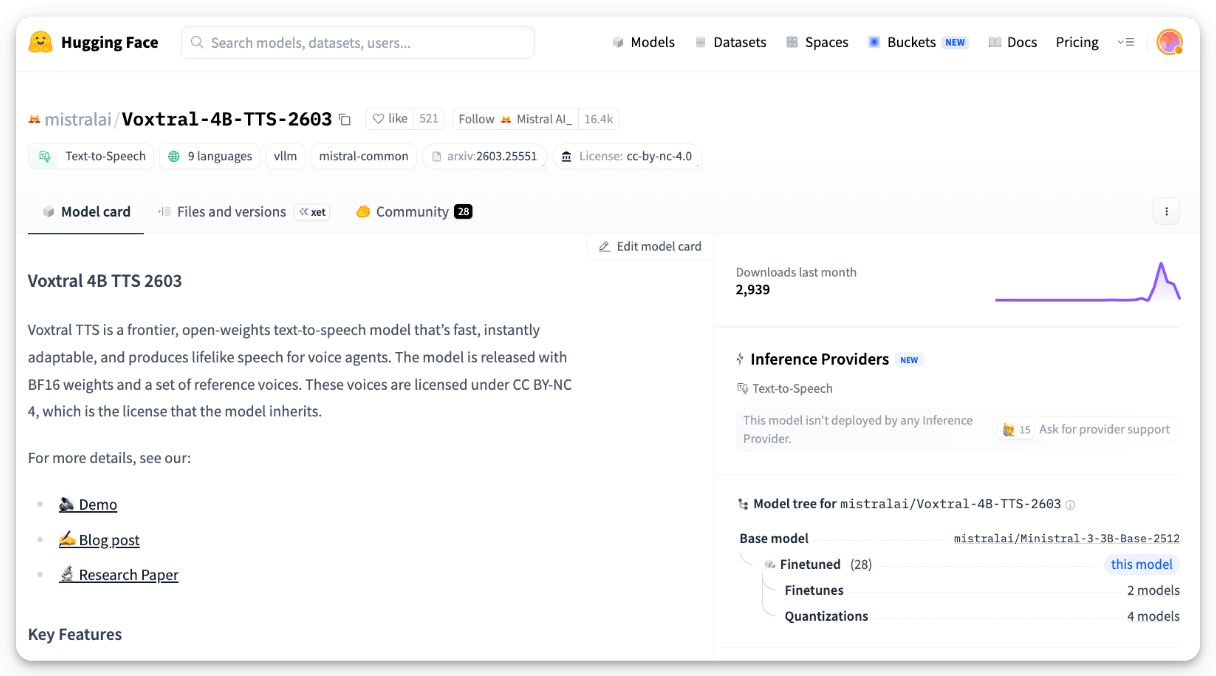
In human evals by native speakers, it scored a 68.4% win rate over ElevenLabs Flash v2.5 for zero-shot voice cloning across 9 languages, with a model latency of 70ms.
The model is open-weights and you can self-host the entire voice pipeline without sending audio to a third party.
Weights on HuggingFace are available here →
And you can read the research paper here →
Claude vs. Claude Code vs. Cowork
Anthropic now offers three distinct ways to interact with Claude, and each one targets a fundamentally different workflow. Think of it as: Chat for thinking, Code for building, and Cowork for doing.
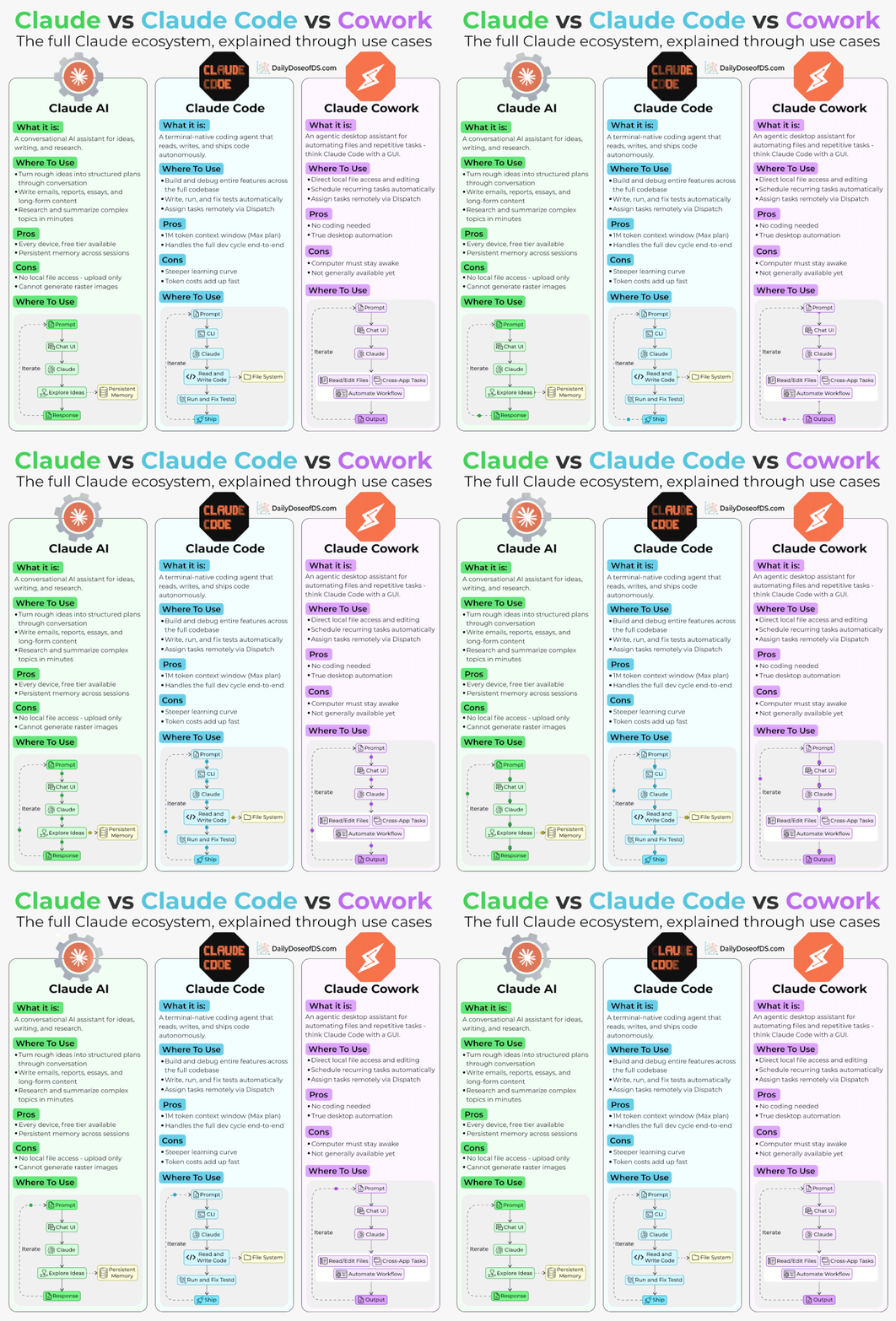
If you’ve been confused about which one to use and when, this newsletter will clear that up in under two minutes.
Here’s a quick breakdown:
1) Claude Chat
This is the conversational AI assistant most people already know. You type a prompt, Claude responds, and you iterate together.
Turn rough ideas into structured plans through conversation
Write emails, reports, essays, and long-form content
Research and summarize complex topics in minutes
Analyze documents, PDFs, and images
Build interactive prototypes through Artifacts
The key here is that everything happens through conversation. You’re thinking with Claude, not delegating work to it.
It’s available on every device, has a free tier, and supports persistent memory across sessions.
The tradeoff is that it has no direct access to your local files (upload only), and it can’t generate raster images natively.
2) Claude Code
This is a terminal-native coding agent. You describe what you want in plain English, and Claude reads your codebase, writes code, runs tests, fixes errors, and ships the result.
Build and debug entire features across the full codebase
Write, run, and fix tests automatically
Manage git workflows and create pull requests
Spawn multiple parallel agents working on different parts of a task simultaneously
It handles the full development cycle end-to-end, from planning to execution to testing. With the CLAUDE(.)md configuration file, you can teach it your project’s conventions, patterns, and constraints so it writes code the way your team expects.
The tradeoff is a steeper learning curve compared to Chat, and token costs can add up during heavy sessions.
3) Claude Cowork
This is the newest addition. Anthropic describes it as Claude Code for the rest of your work.
It’s an agentic desktop assistant that automates file management and repetitive tasks through a GUI. You describe an outcome, and Claude plans, executes, and delivers finished work: formatted documents, organized file systems, spreadsheets with working formulas, and synthesized research.
Direct local file access and editing (no upload/download cycle)
Schedule recurring tasks automatically
Assign tasks remotely via Dispatch from your phone
Computer Use lets Claude control your screen directly
It runs inside a sandboxed virtual machine on your computer, so Claude can only access folders you explicitly grant. You don’t need to know how to code to use it.
The tradeoff is that your computer must stay awake for tasks to run, and it’s still in research preview.
Here’s how to think about choosing between them:
If you need to think through a problem or get writing/research help, use Chat
If you’re building software and want an autonomous coding partner, use Code
If you have a clearly defined deliverable that involves local files and desktop workflows, use Cowork
All three are included in the same subscription starting at $20/month, which makes it one of the highest-leverage subscriptions in productivity software right now.
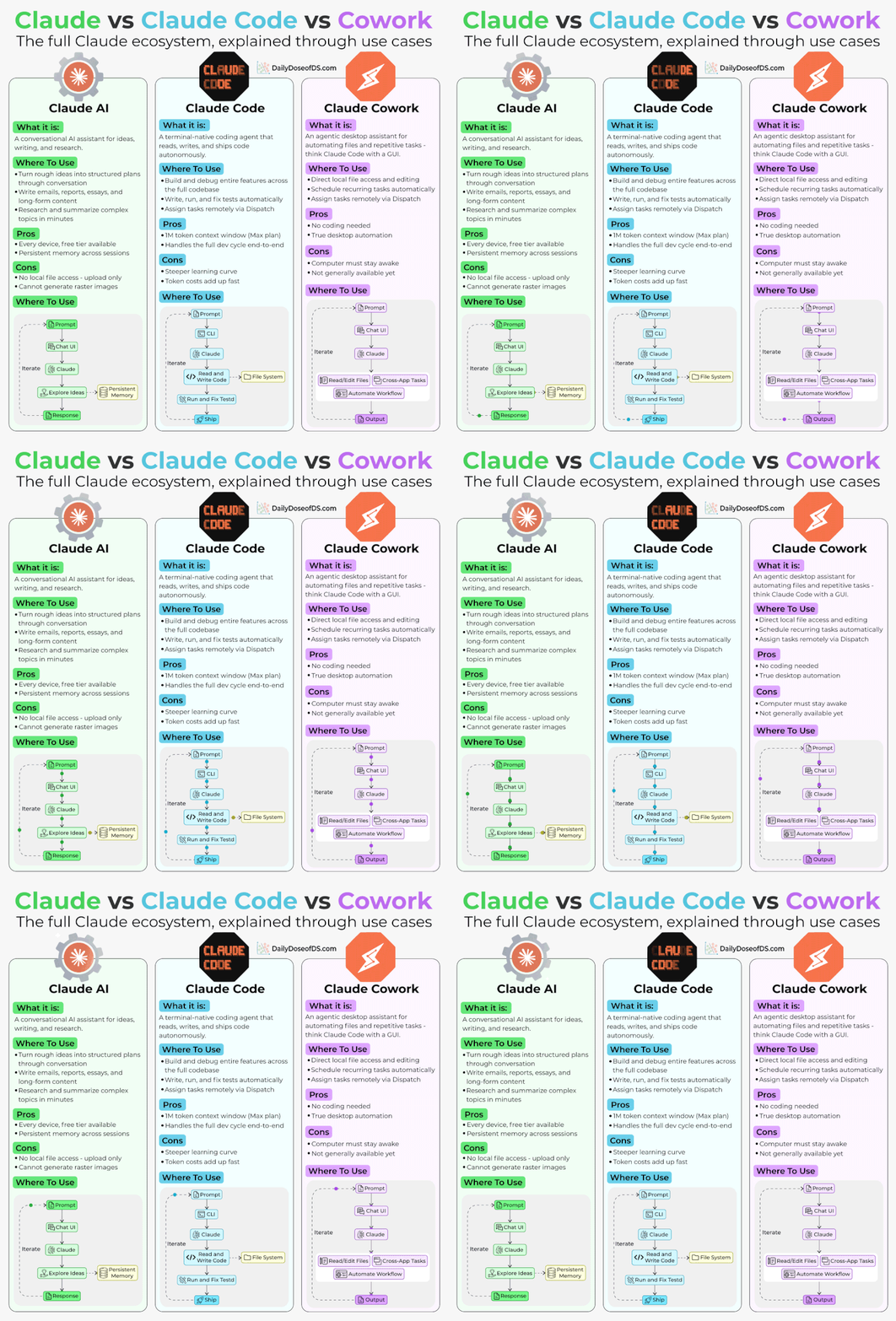
We’ve put together a visual below that maps the workflow of each product side by side.
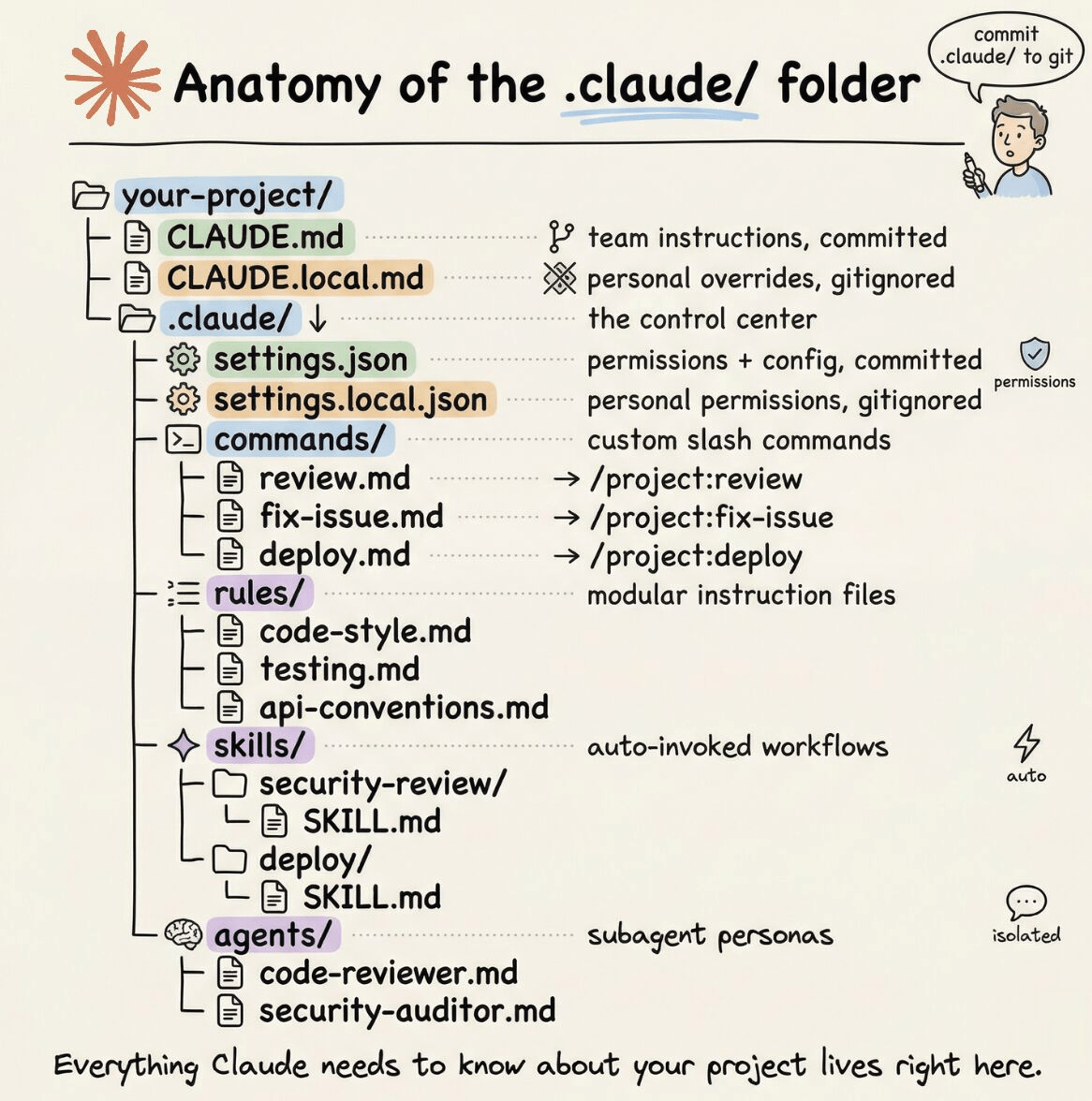
If you want to go deeper into Claude Code specifically, we wrote a detailed article covering the anatomy of the .claude/ folder, a complete guide to CLAUDE.md, custom commands, skills, agents, and permissions, and how to set them all up properly.
Thanks for reading!