

The New SOTA for Document OCR
Chandra OCR 2 just hit 85.9% on the olmOCR bench, making it the current SOTA for document-to-markdown extraction.
It’s a 4B parameter model (down from 9B in v1) that runs on a single GPU, and converts PDFs/images into markdown, HTML, or JSON with full bounding box layout coordinates.
Here’s what it handles well:
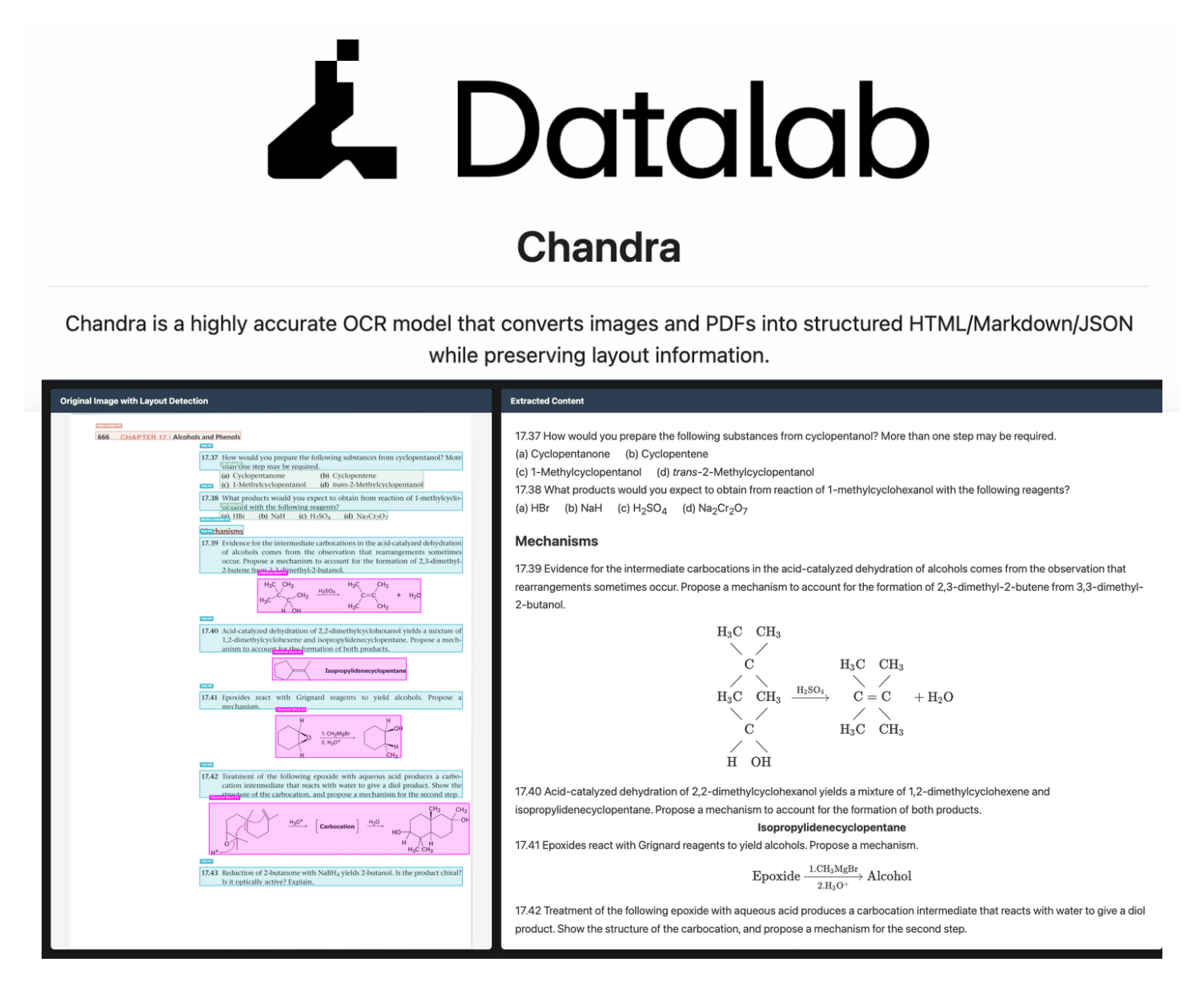
Complex tables with merged cells, colspan/rowspan preserved in output
Math equations rendered as inline and block LaTeX
Handwritten text and cursive that traditional OCR pipelines typically fail on
Forms with checkboxes and field-value pairs reconstructed accurately
90+ language support with a 12% multilingual accuracy gain over v1
It supports vLLM for production throughput and HuggingFace Transformers for local inference.
We are testing it thoroughly and will publish a hands-on demo soon.
You can find the GitHub repository here →
Context engineering for Agents
Context engineering is getting important, but we feel that many people still struggle a bit to truly understand what it actually means.
Today, let’s cover everything you need to know about context engineering in a step-by-step manner!
Let’s begin!
Simply put, context engineering is the art and science of delivering the right information, in the right format, at the right time, to your LLM.
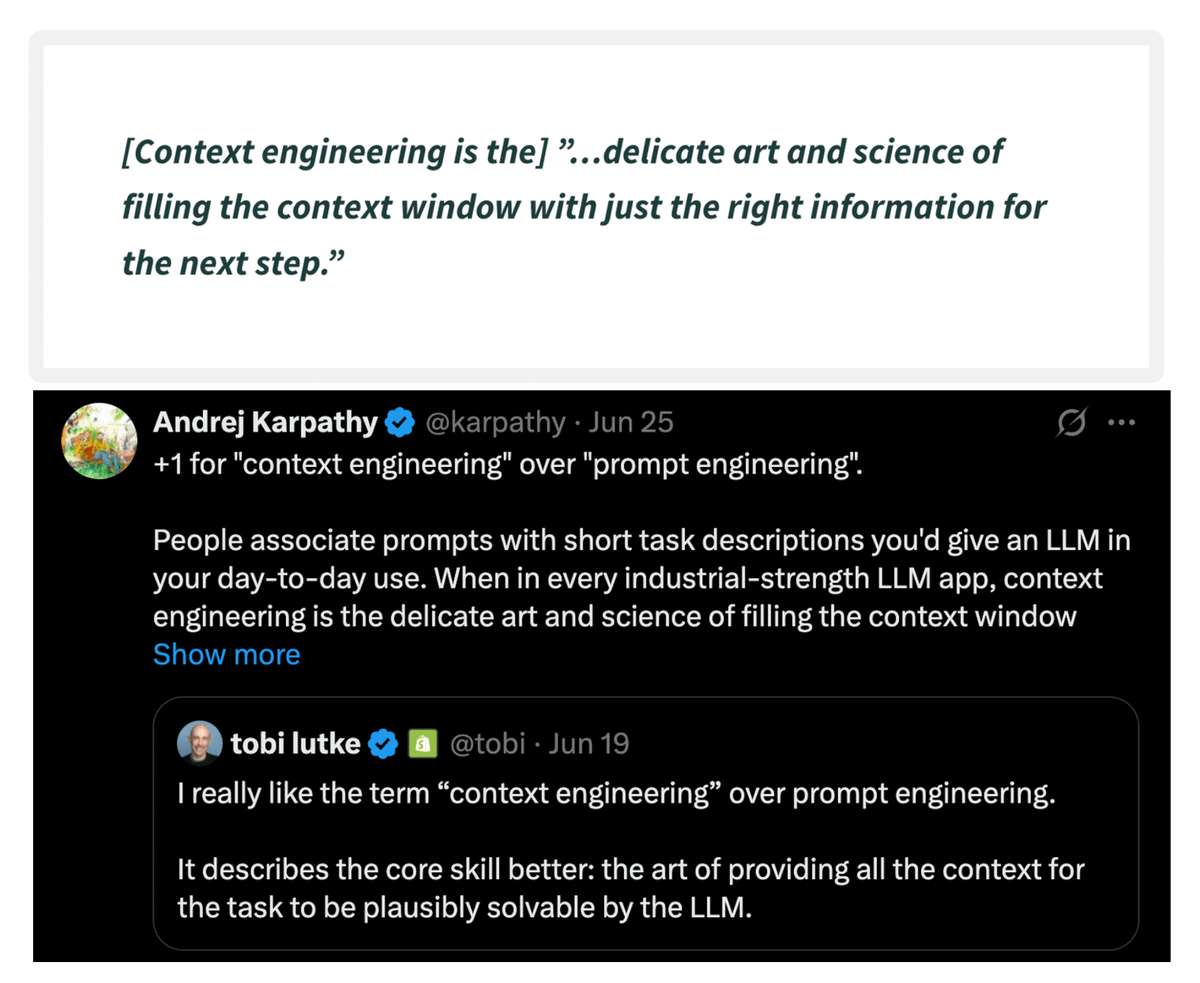
Here’s a quote by Andrej Karpathy on context engineering...
To understand context engineering, it’s essential to first understand the meaning of context.
Agents today have evolved into much more than just chatbots.
The graphic below summarizes the 6 types of contexts an agent needs to function properly, which are:
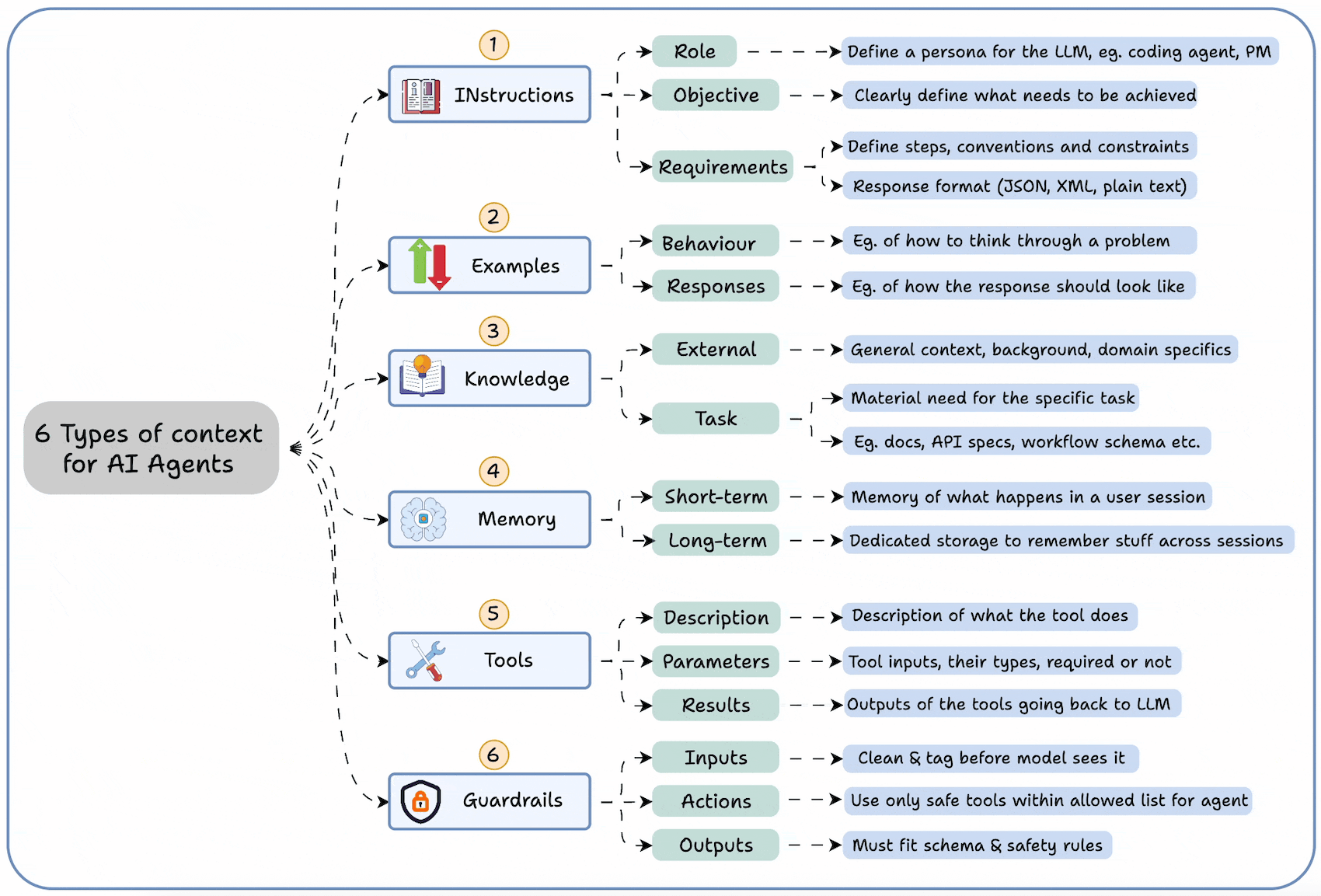
Instructions
Examples
Knowledge
Memory
Tools
Guardrails
This tells you that it’s not enough to simply “prompt” the agents.
You must engineer the input (context).
Think of it this way:
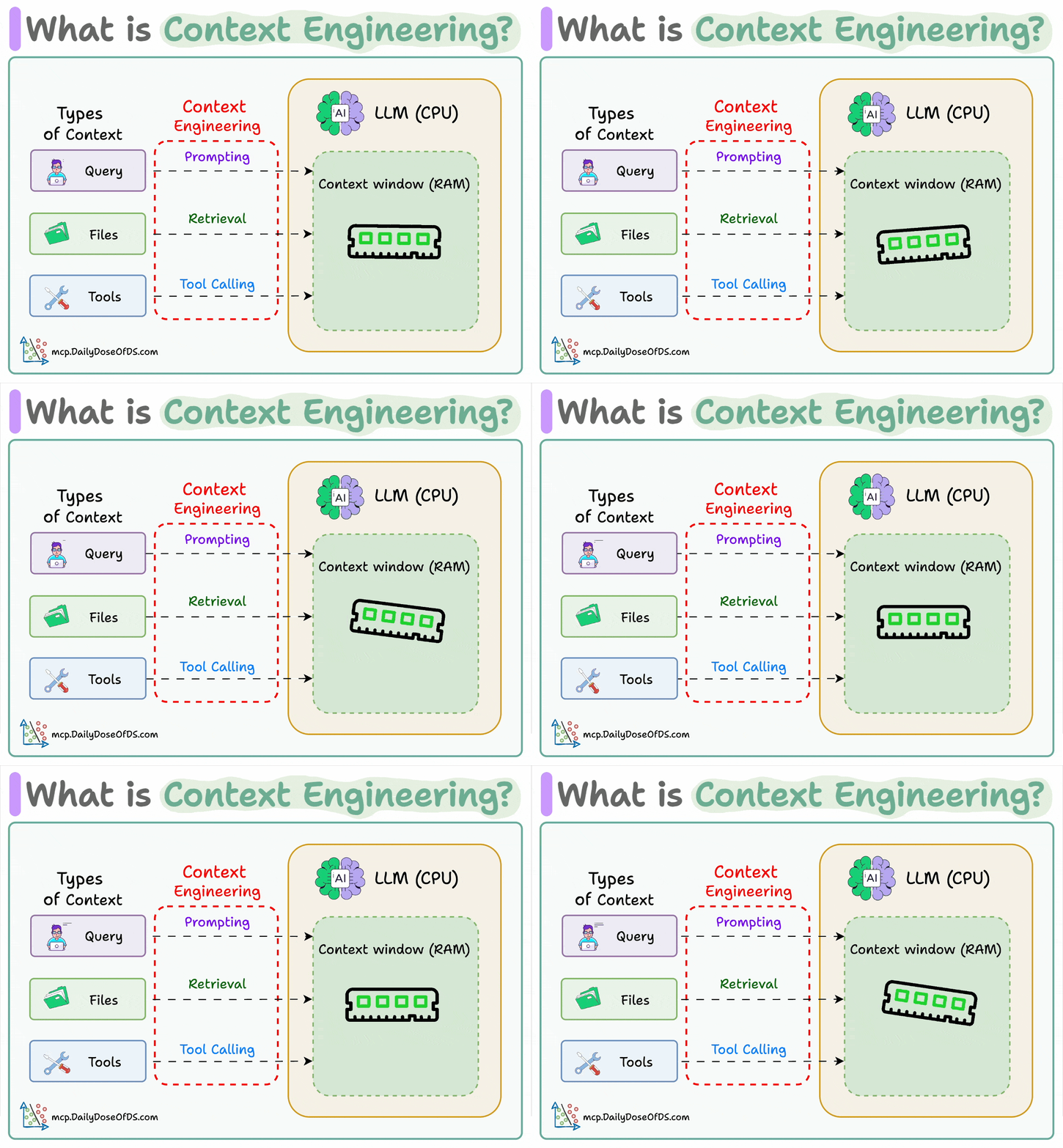
If LLM is a CPU.
Then the context window is the RAM.
You’re essentially programming the “RAM” with the perfect instructions for your AI.
How do we do it?
Context engineering can be broken down into 4 fundamental stages:
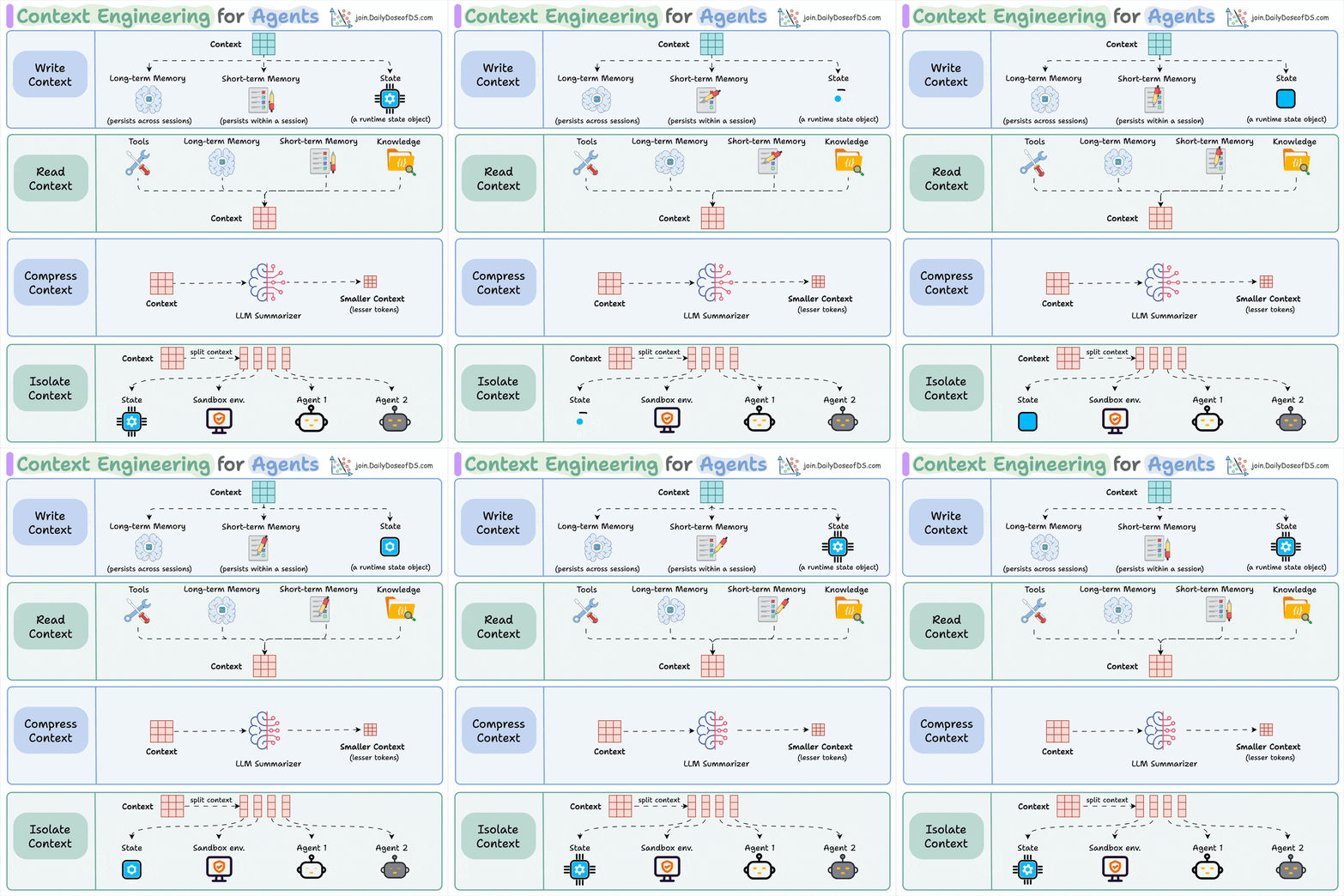
Writing Context
Selecting Context
Compressing Context
Isolating Context
Let’s understand each, one-by-one...
1) Writing context:
Writing context means saving it outside the context window to help an agent perform a task.

You can do so by writing it to:
Long-term memory (persists across sessions)
Short-term memory (persists within a session)
A state object
2) Read context:
Reading context means pulling it into the context window to help an agent perform a task.

Now this context can be pulled from:
A tool
Memory
Knowledge base (docs, vector DB)
3) Compressing context
Compressing context means keeping only the tokens needed for a task.

The retrieved context may contain duplicate or redundant information (multi-turn tool calls), leading to extra tokens & increased cost.
Context summarization helps here.
4) Isolating context
Isolating context involves splitting it up to help an agent perform a task.

Some popular ways to do so are:
Using multiple agents (or sub-agents), each with its own context
Using a sandbox environment for code storage and execution
And using a state object
So essentially, when you are building a context engineering workflow, you are engineering a “context” pipeline so that the LLM gets to see the right information, in the right format, at the right time.
This is exactly how context engineering works!
Nothing fancy.
👉 Over to you: What are your thoughts on context engineering? Have you built something with it yet?
Thanks for reading!