

When an MCP client (like Claude Desktop or Cursor) connects to an MCP server, it dumps all tool definitions (docstrings, parameters, etc.) into the context.
For a server with 60+ tools, that’s easily 10k tokens.
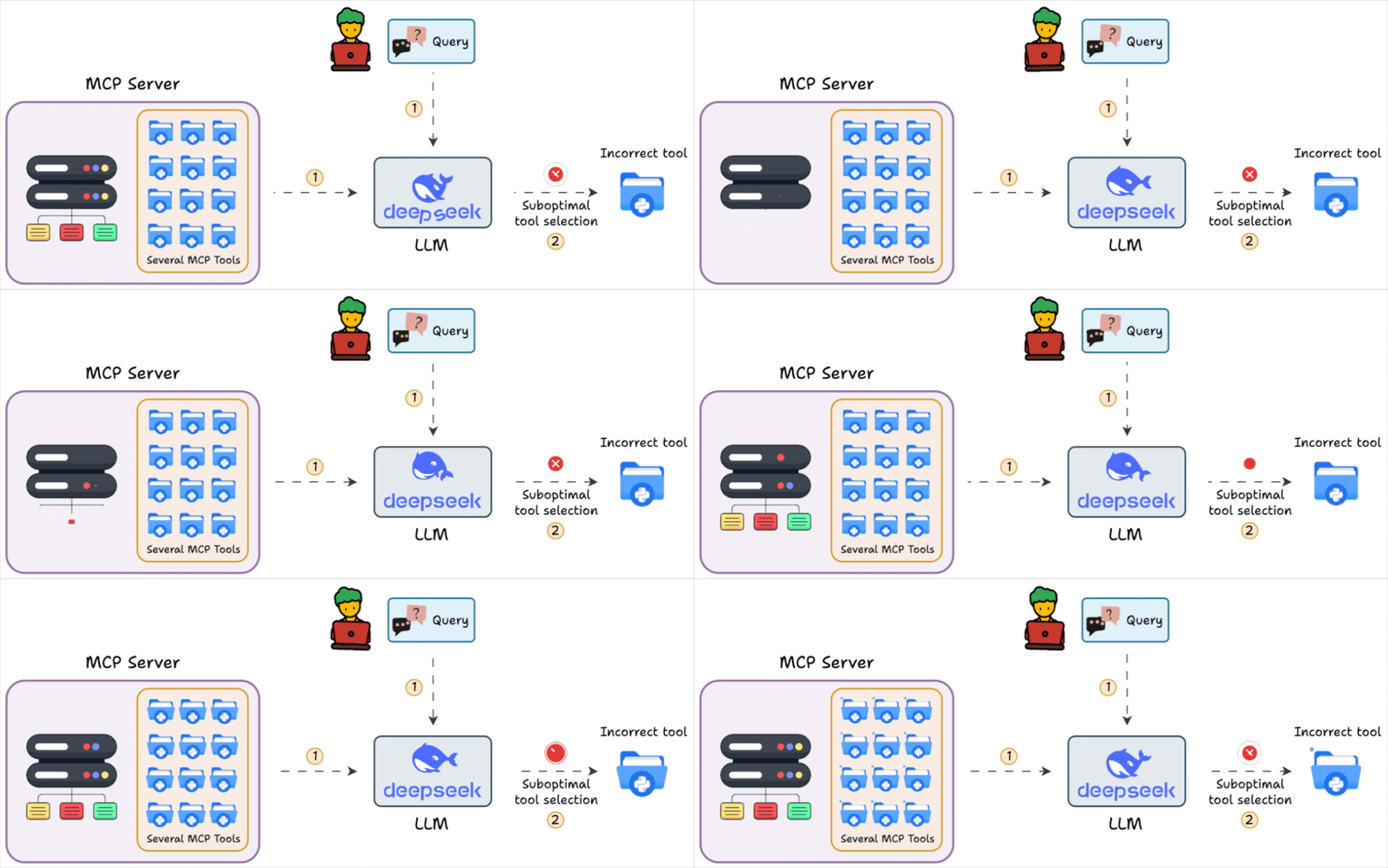
This creates two problems:
Wasted tokens: You pay for tool definitions the Agent will never use.
Reduced accuracy: The LLM gets distracted by irrelevant tools and may hallucinate parameters
Anthropic talked about this problem too in an MCP article they published.
If your usage is specific to web data, we found a series of updates in the Bright Data MCP server (open-source) that solve this elegantly.
In a gist, you can now:
Scope your MCP server to only load relevant tools.
Hand-pick individual tools for surgical precision.
Optimize tool outputs to use 40-80% fewer tokens.
Let’s understand!
1) Use Tool Groups to scope your context
Instead of loading all tools, you can specify Tool Groups that load only relevant capabilities.
Here’s the complete Claude Desktop configuration for a social media agent:
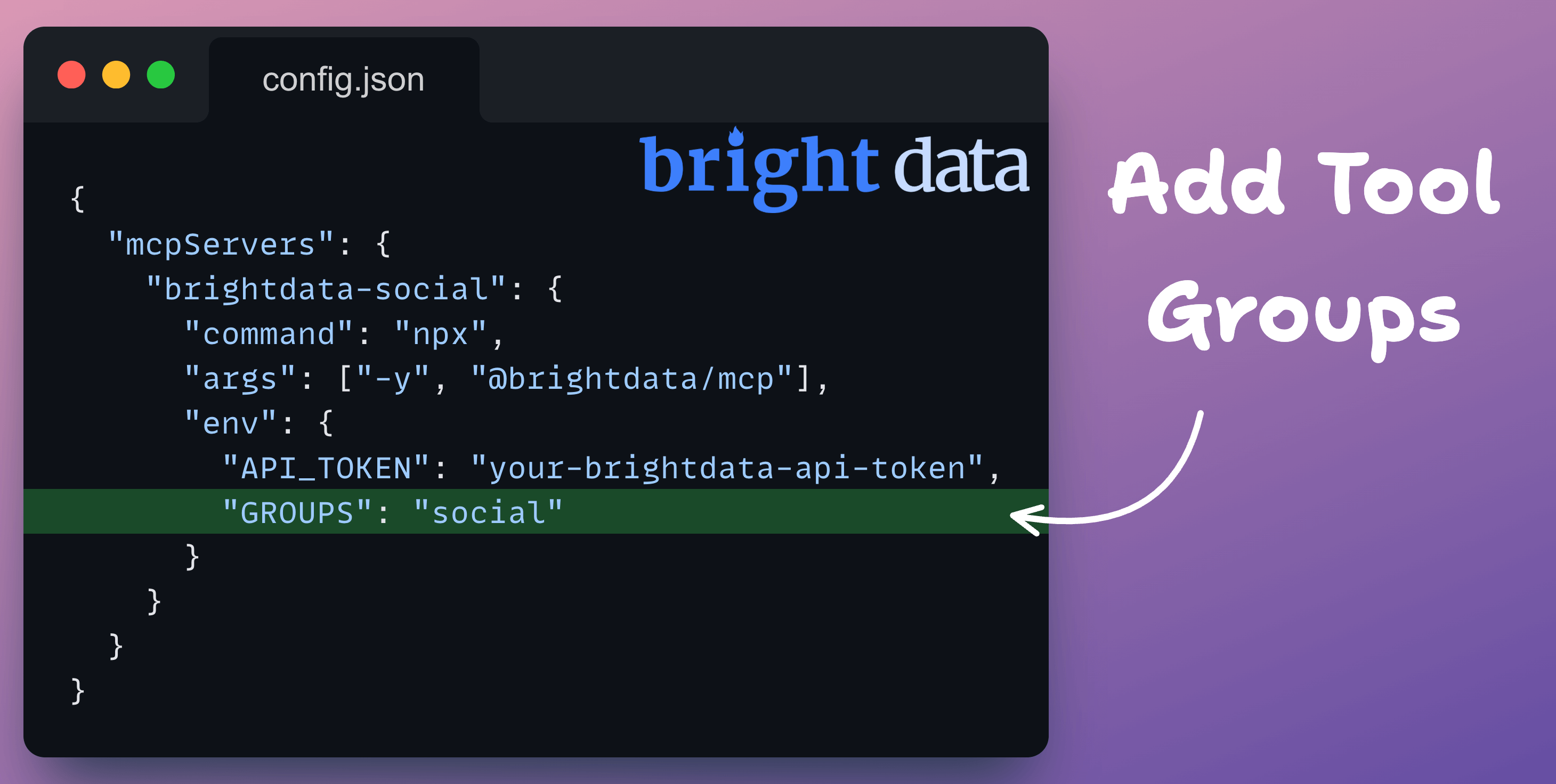
This loads only social tools: LinkedIn, YouTube, Facebook, X, etc., as depicted below:
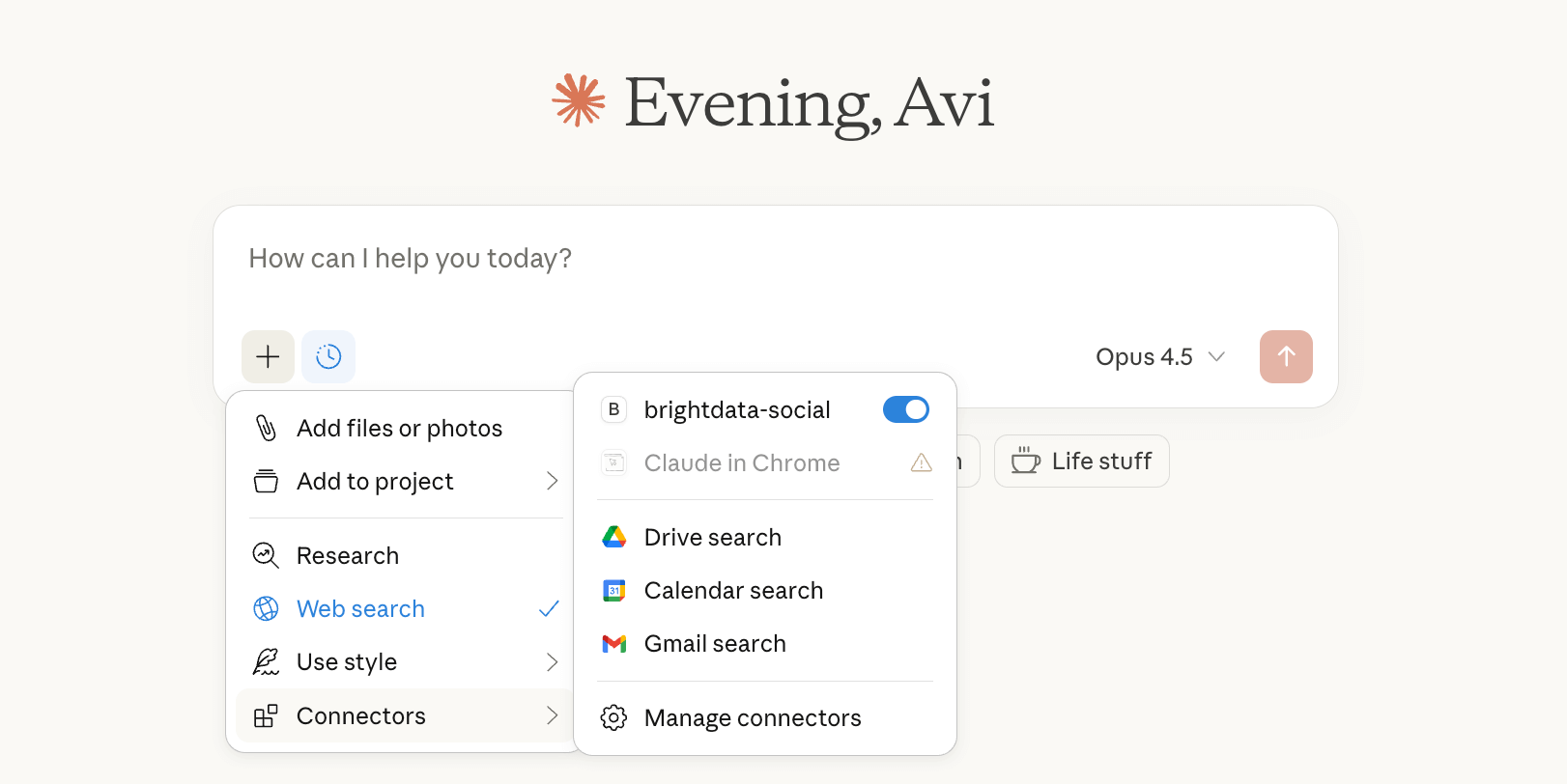
And the impact is evident from the usage below on LinkedIn, which is heavily protected from scrapers:
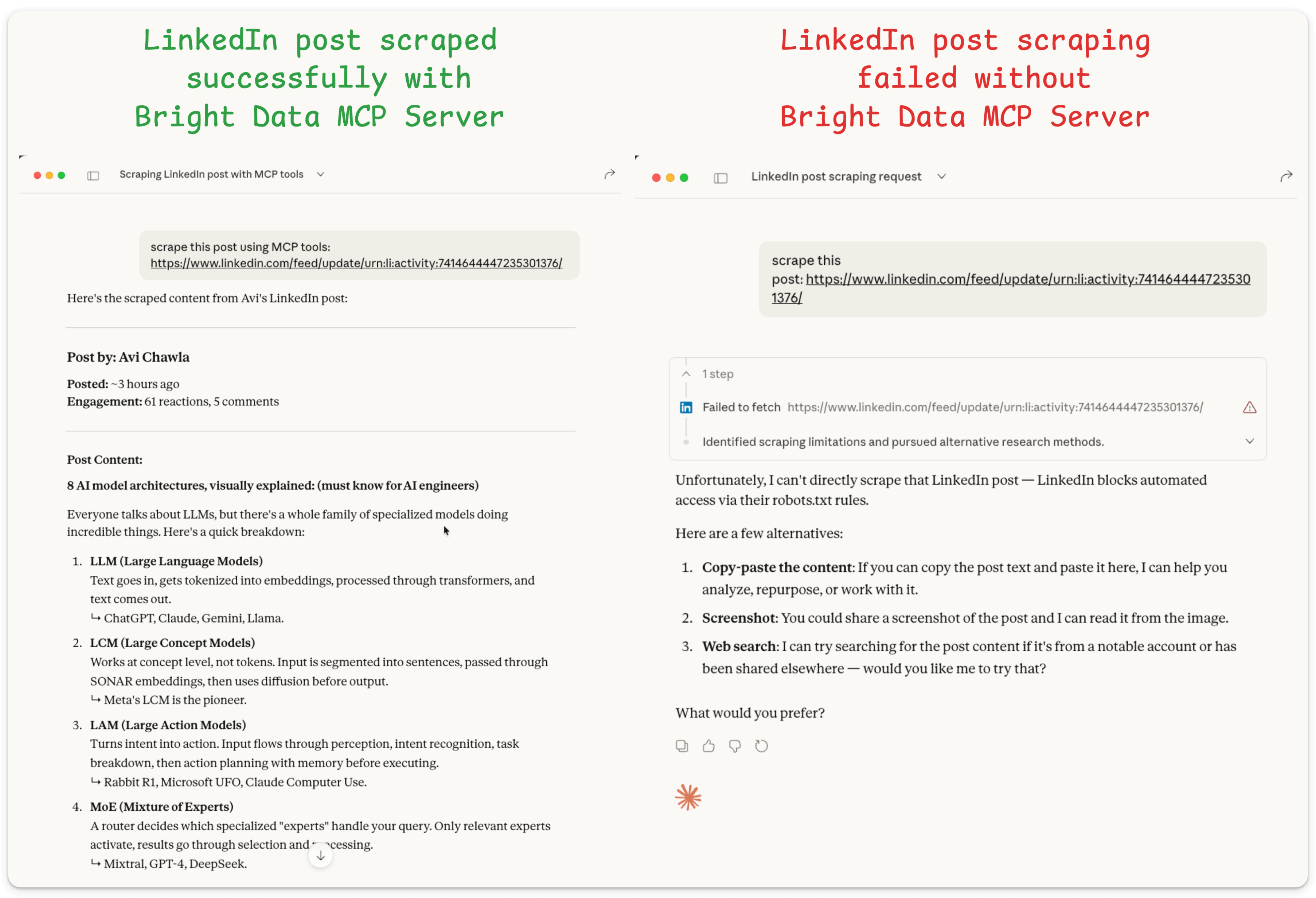
Left: Using the MCP server, the post was scraped successfully
Right: Without the MCP server, Claude failed to scrape it.
The MCP server has been organized into logical groups, like:
ECOMMERCE: Amazon, Walmart, eBay, Google ShoppingSOCIAL_MEDIA: TikTok, Instagram, Facebook, Reddit, X (Twitter)BUSINESS: LinkedIn, Crunchbase, Google Maps, ZillowRESEARCH: GitHub repos, Reuters news, academic sourcesFINANCE: Stock data, market trends, financial newsAPP_STORES: iOS App Store, Google PlayBROWSER: The full Scraping Browser automation suiteADVANCED_SCRAPING: Batch operations and high-throughput utilities
Under the hood, the server dynamically constructs the tool list, reducing MCP tool context tokens by 78-95%.
2) Hand-pick individual tools for maximum precision
Tool Groups are great, but what if you only need 2 specific tools?
Here’s the complete configuration for a price monitoring agent that only needs Amazon, eBay, and Google Shopping:
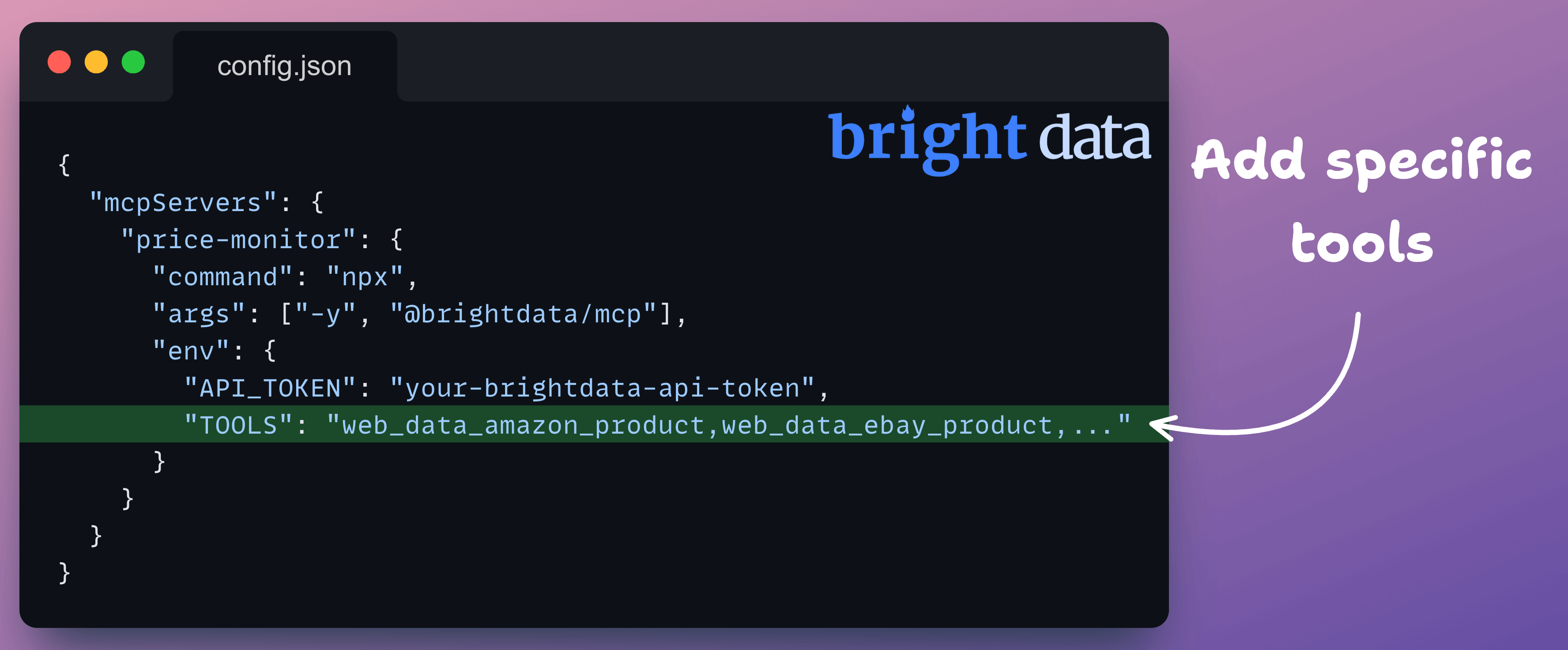
This gives the Agent access to just 2 tools in its context, and instead of several tools clogging the context, you have just 2, leading to laser-focused attention and token usage reduction.
On a side note, Tool Groups and custom tools can be used in conjunction:
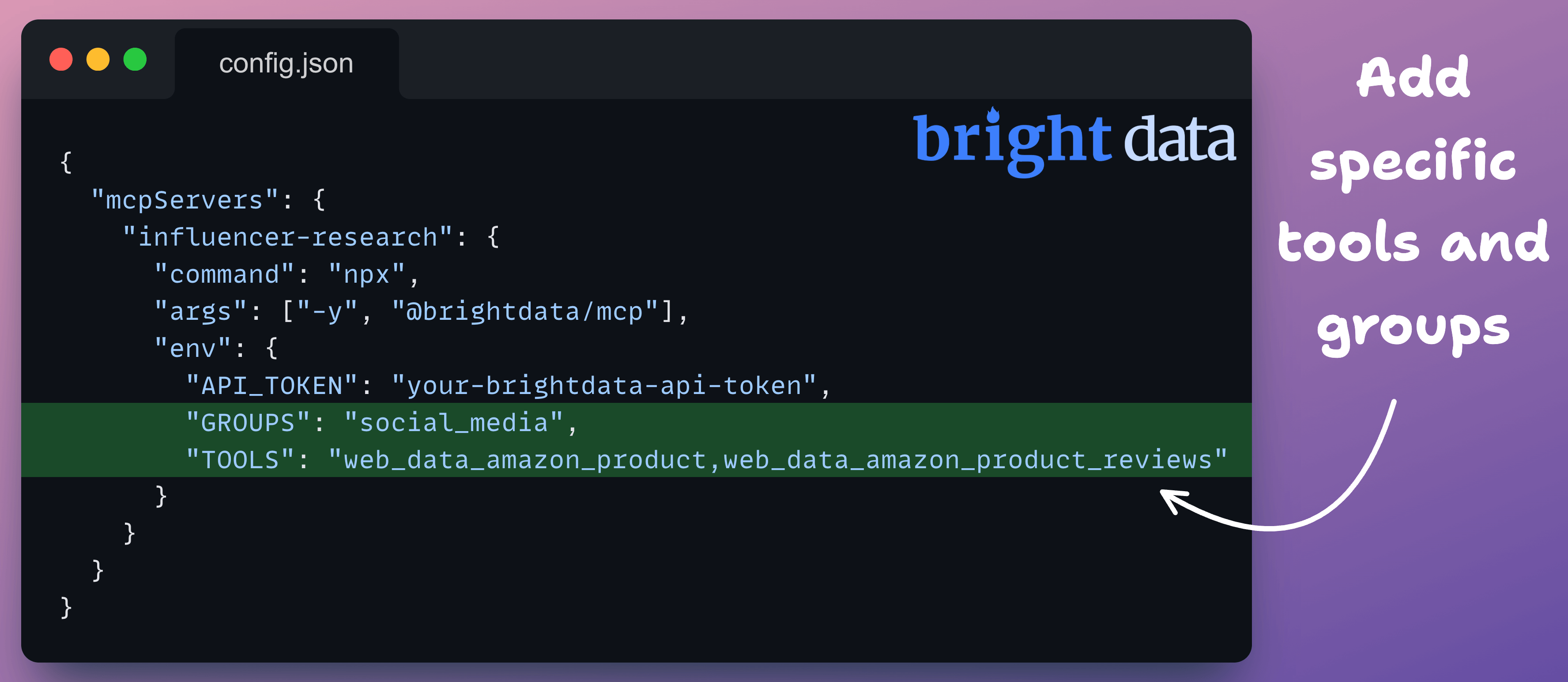
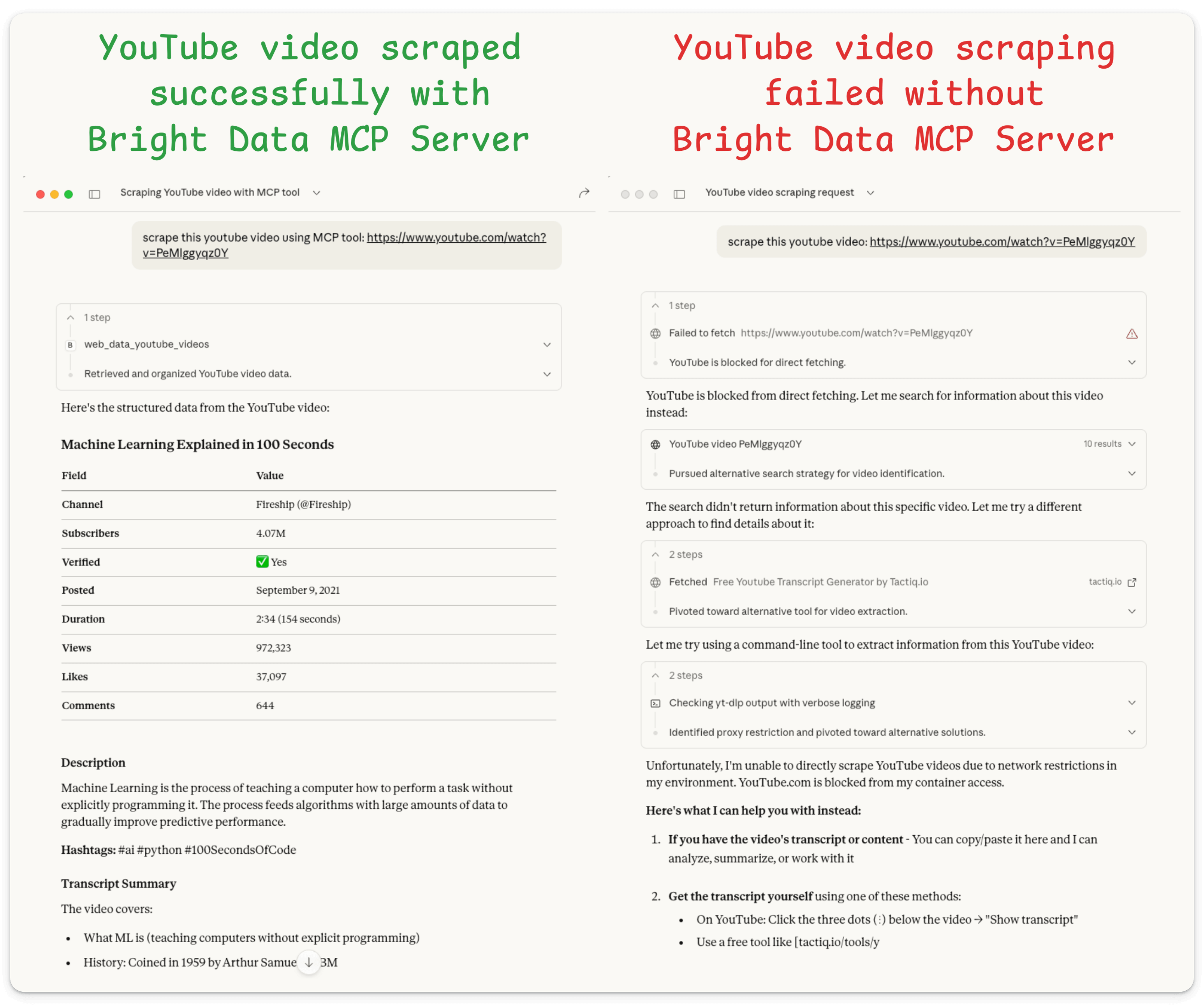
Yet again, we test this on a protected website (YouTube) and the MCP server successfully scrapes the data, which Claude alone failed to do:
4) Optimize tool outputs with Strip-Markdown
Selecting the right tools is only half the optimization, but you can also achieve more gains by optimizing what those tools return.
For instance, when you scrape a web page, raw markdown includes formatting the LLM doesn’t need:
Bold/Italic: **Important** can be made Important.
Image syntax:  becomes alt text (if needed) or empty
Headings: “### Section Title” becomes “Section Title” (preserves text, drops markup)
Code blocks: Reduces backticks and formatting while keeping content
The MCP server natively processes this through remark (an excellent markdown processing library) + strip-markdown:
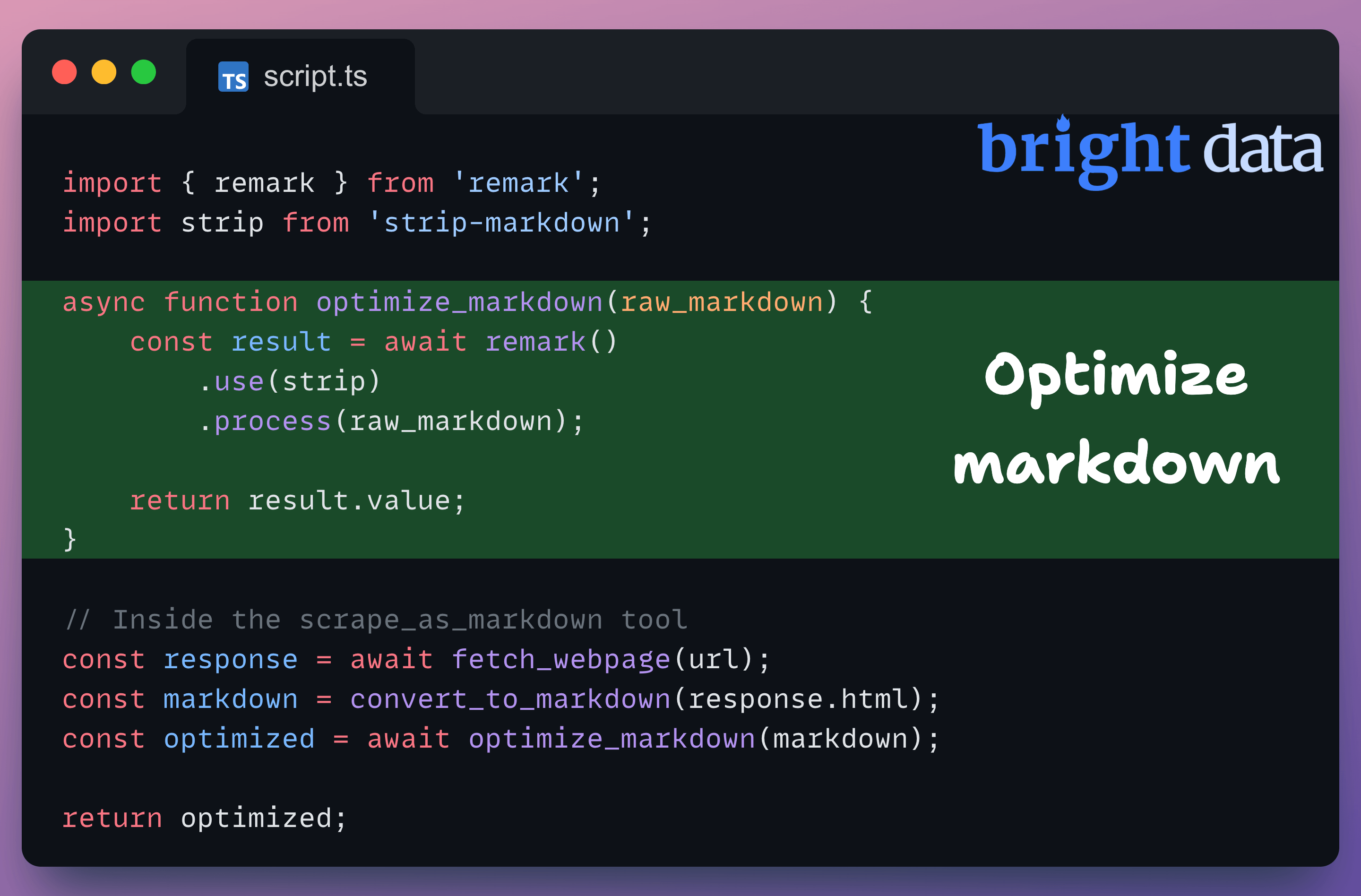
A sample markdown before and after processing is shown below:
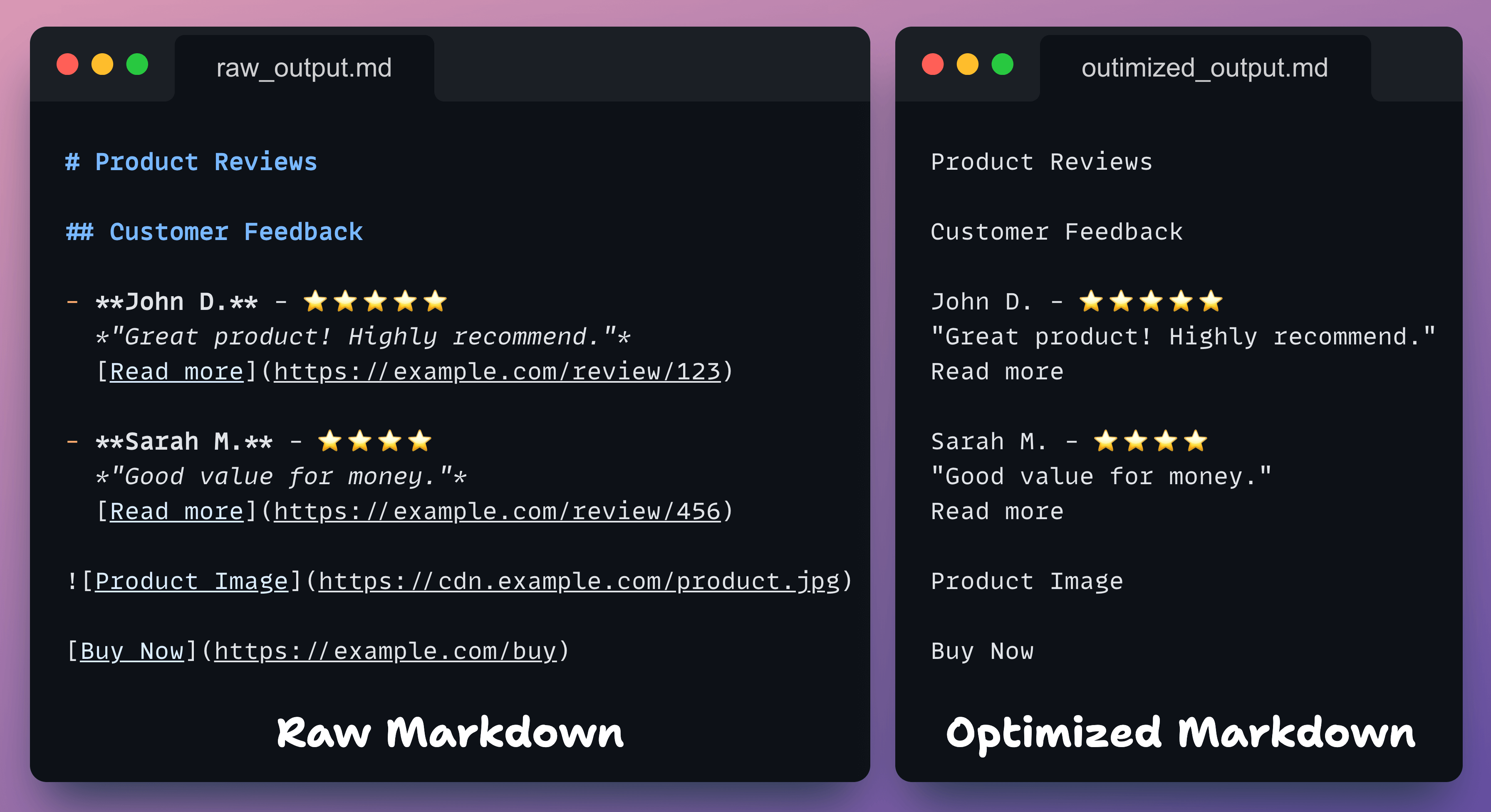
This way, the LLM still gets all the review text, ratings, and context but without link URLs, image paths, or markdown syntax, resulting in ~40% token reduction on scraped pages.
Context engineering is becoming a critical skill for building production-grade agents.
The pattern here is simple:
Scope your tools: Don’t load what you won’t use
Optimize your outputs: Strip formatting the LLM doesn’t need
Use the right infrastructure: Let the MCP server handle the hard parts
If you’re building agents that need web data, this is one of the cleaner solutions we’ve seen.
This is because, as we saw in the mini demos above, when Agents use web-related tools, they run into issues like IP blocks, bot traffic, captcha solvers, etc.
Agents get rate-blocked or rate-limited.
Agents have to deal with JS-heavy or geo-restricted sites.
This hinders the Agent’s execution.
Bright Data MCP server gives you 30+ powerful tools that allow AI agents to access, search, crawl, and interact with the web without getting blocked.
You can find the Bright Data MCP Server on GitHub here →
It also gives you 5,000 requests/month for free, which is perfect for prototyping and everyday AI workflows.
Thanks for reading!