

Context Engineering: Prompt Management, Defense, and Control
Part 6 of the full LLMOps course is now available, where we dive deeper into prompt versioning, defensive prompting, and techniques like verbalized sampling, role prompting, and more.
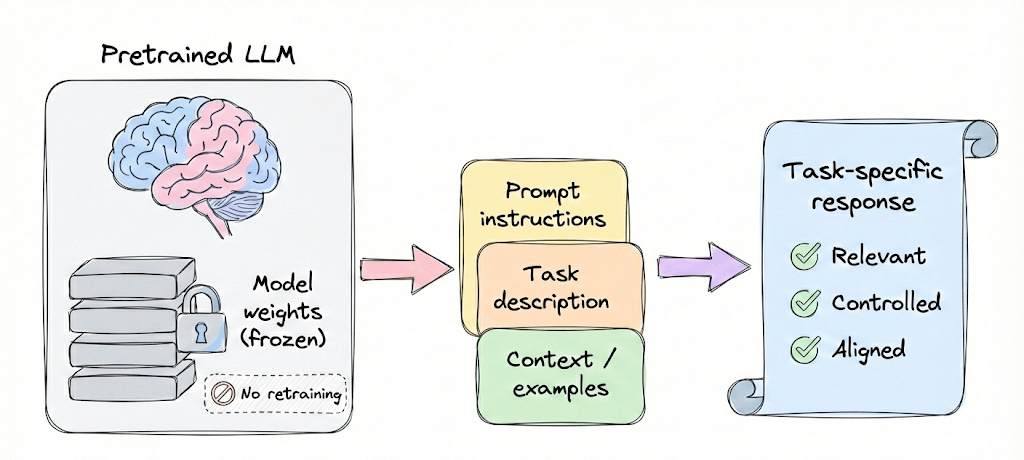
It also covers hands-on code demos to understand prompt versioning with Langfuse, and more.
The AI stack has fundamentally changed.
Traditional ML was about pipelines: data processing, feature engineering, model training, and deployment. You owned every layer.
The new stack is different. The model is an API. The training is prompting and fine-tuning. The evaluation has no ground truth. The costs scale with usage, not computation.
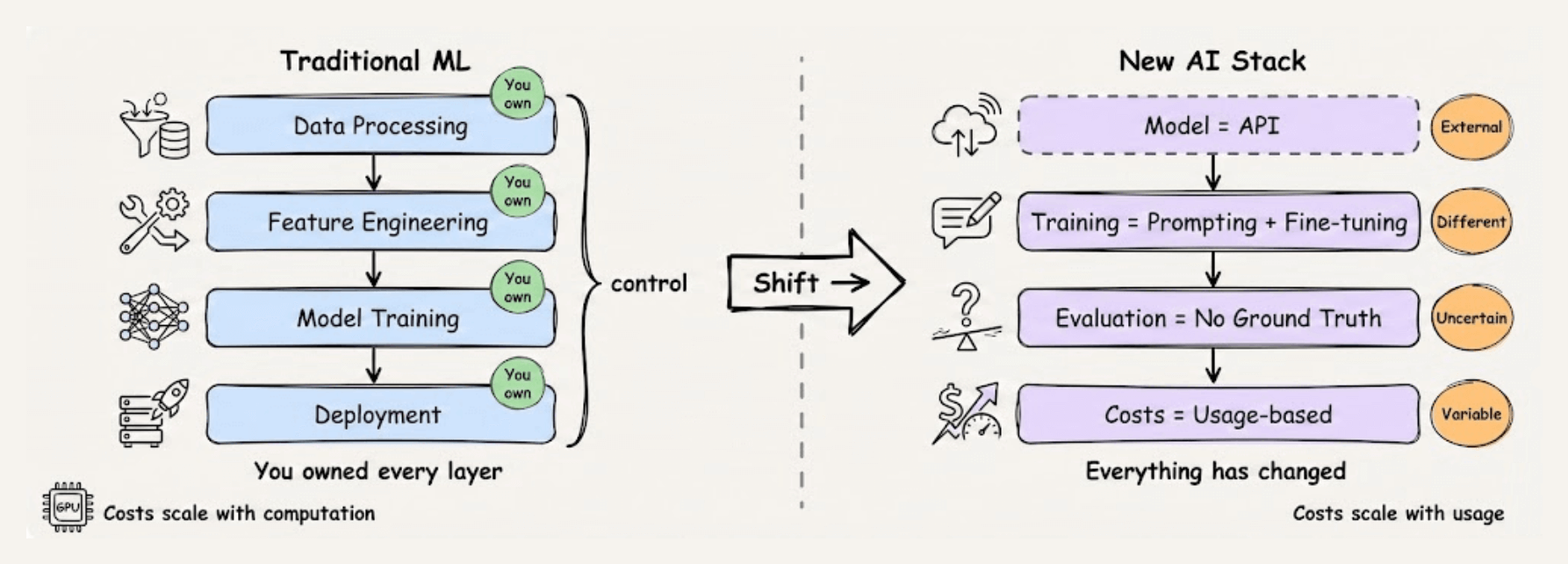
LLMOps is the discipline for this new stack.
This course helps you build a production mindset and intuition for how these systems actually work in production and what it takes to make them reliable, cost-effective, and maintainable.
Each chapter breaks down the concepts you need, backs them with clear examples and diagrams, and gives you hands-on implementations you can actually use.
More importantly, it develops the critical thinking to navigate decisions that have no single right answer, because in LLM systems, the tradeoffs are constant and the playbook is still being written.
Just like the MLOps course, each chapter will clearly explain necessary concepts, provide examples, diagrams, and implementations.
As we progress, we will see how we can develop the critical thinking required for taking our applications to the next stage and what exactly the framework should be for that.
👉 Over to you: What would you like to learn in the LLMOps course?
System prompts are getting outdated!
Here’s a counterintuitive lesson from building real-world Agents:
Writing giant system prompts doesn’t improve an Agent’s performance; it often makes it worse.
For example, you add a rule about refund policies. Then one about tone. Then another about when to escalate. Before long, you have a 2,000-word instruction manual.
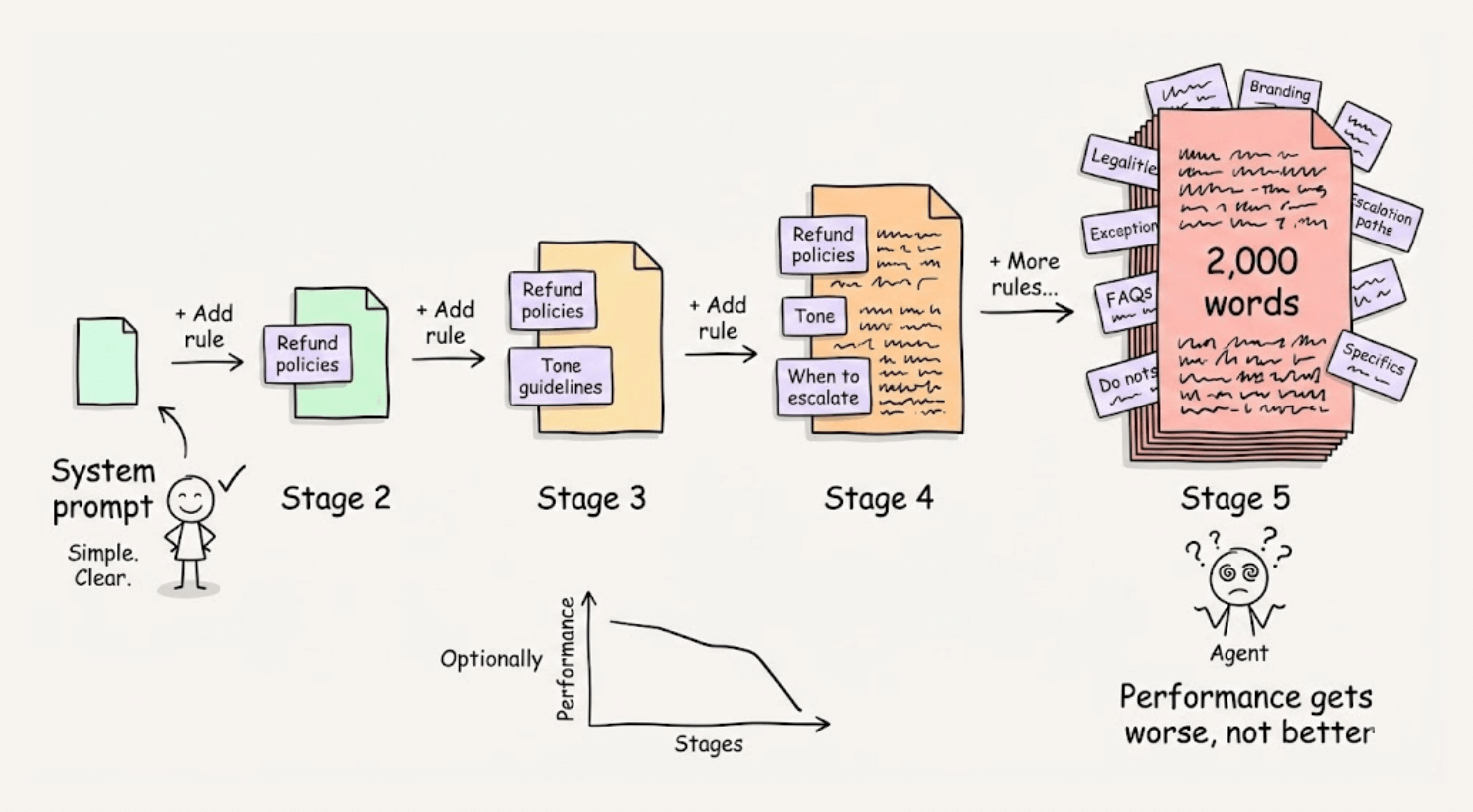
But here’s what we’ve learned: LLMs are extremely poor at handling this.
Recent research also confirms what many of us experience. There’s a “Curse of Instructions.” The more rules you add to a prompt, the worse the model performs at following any single one.
Here’s a better approach: contextually conditional guidelines.
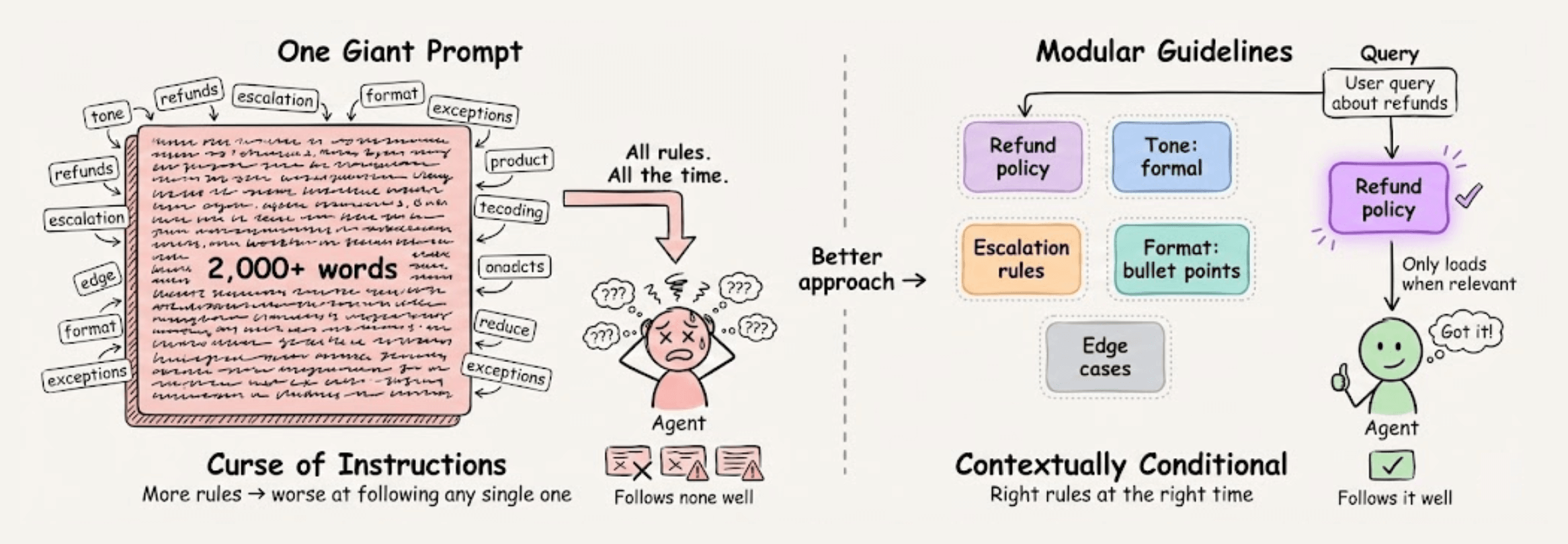
Instead of one giant prompt, break your instructions into modular pieces that only load into the LLM when relevant.
agent.create_guideline( condition=”Customer asks about refunds”, action=”Check order status first to see if eligible”, tools=[check_order_status], )
Each guideline has two parts:
Condition: When does it get loaded?
Action: What should the agent do?
The magic happens behind the scenes. When a query arrives, the system evaluates which guidelines are relevant to the current conversation state.
Only those guidelines get loaded into the model’s context.
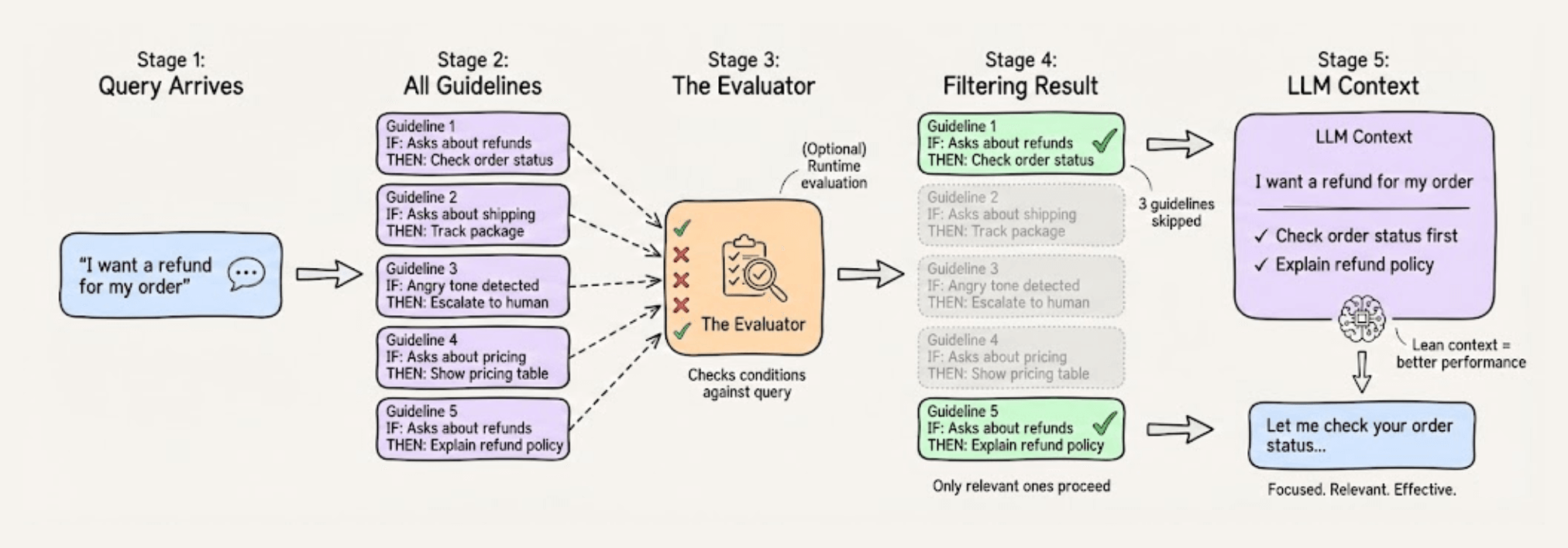
This keeps the LLM’s cognitive load minimal because instead of juggling 50 rules, it focuses on just 3-4 that actually matter at that point.
This results in dramatically better instruction-following.
This approach is called Alignment Modeling. Structuring guidance contextually so agents stay focused, consistent, and compliant.
Instead of waiting for an allegedly smaller model, what matters is having an architecture that respects how LLMs fundamentally work.
This approach is actually implemented in Parlant, a recently trending open-source framework (13k+ stars). You can see the full implementation and try it yourself.
But the core insight applies regardless of what tools you use:
Be more methodical about context engineering and actually explaining what you expect the behavior to be in special cases you care about.
Then agents can become truly focused and useful.
Find the Parlant GitHub repo here →
[Hands-on] MCP-powered Deep Researcher
ChatGPT has a deep research feature. It helps you get detailed insights on any topic.
Today, let us show you how you can build a local alternative to it.
The video below gives you a quick demo of what we are building today and a complete walkthrough!
Tech stack:
Bright Data for deep web research.
CrewAI for multi-agent orchestration.
Ollama to locally serve gpt-oss.
Here’s the system overview:
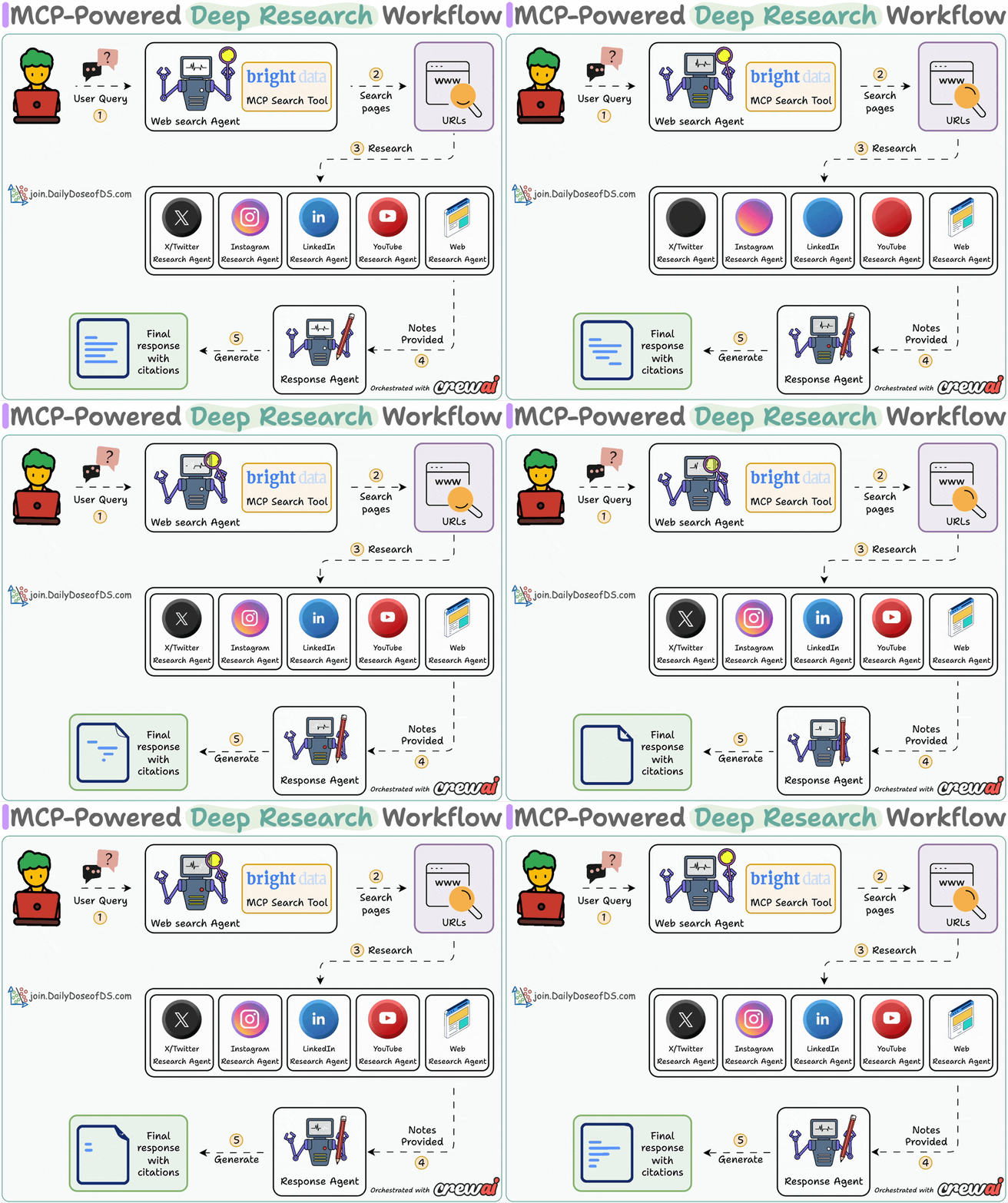
User submits a query
Web agent searches with Bright Data MCP tool
Research agents generate insights using platform-specific tools
Response agent crafts a coherent answer with citations
The code repository is linked later in the issue.
Now, let’s dive into the code!
1️⃣ Setup LLM
We use three LLMs:
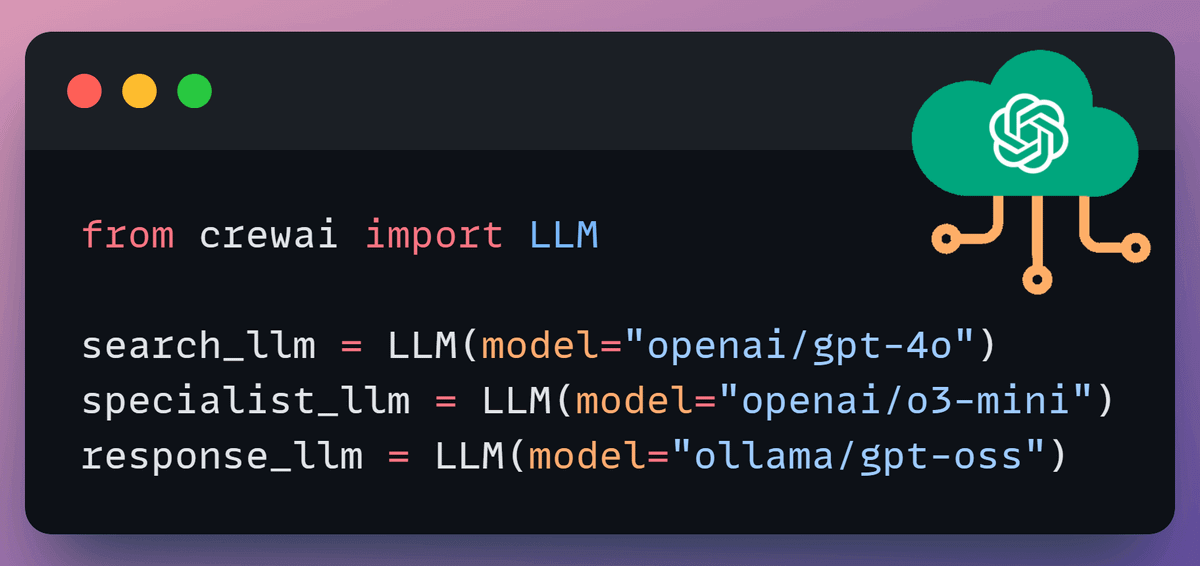
Search LLM uses the Bright Data MCP web search tool
Specialist LLM guides tool use of research agents to get insights
Response LLM creates a comprehensive research output
2️⃣ Define MCP Tools
We’ll use Bright Data to effectively search, extract, and navigate web without getting blocked.
This is achieved by connecting the Bright Data Web MCP server to CrewAI MCP adapter for agent tool use.
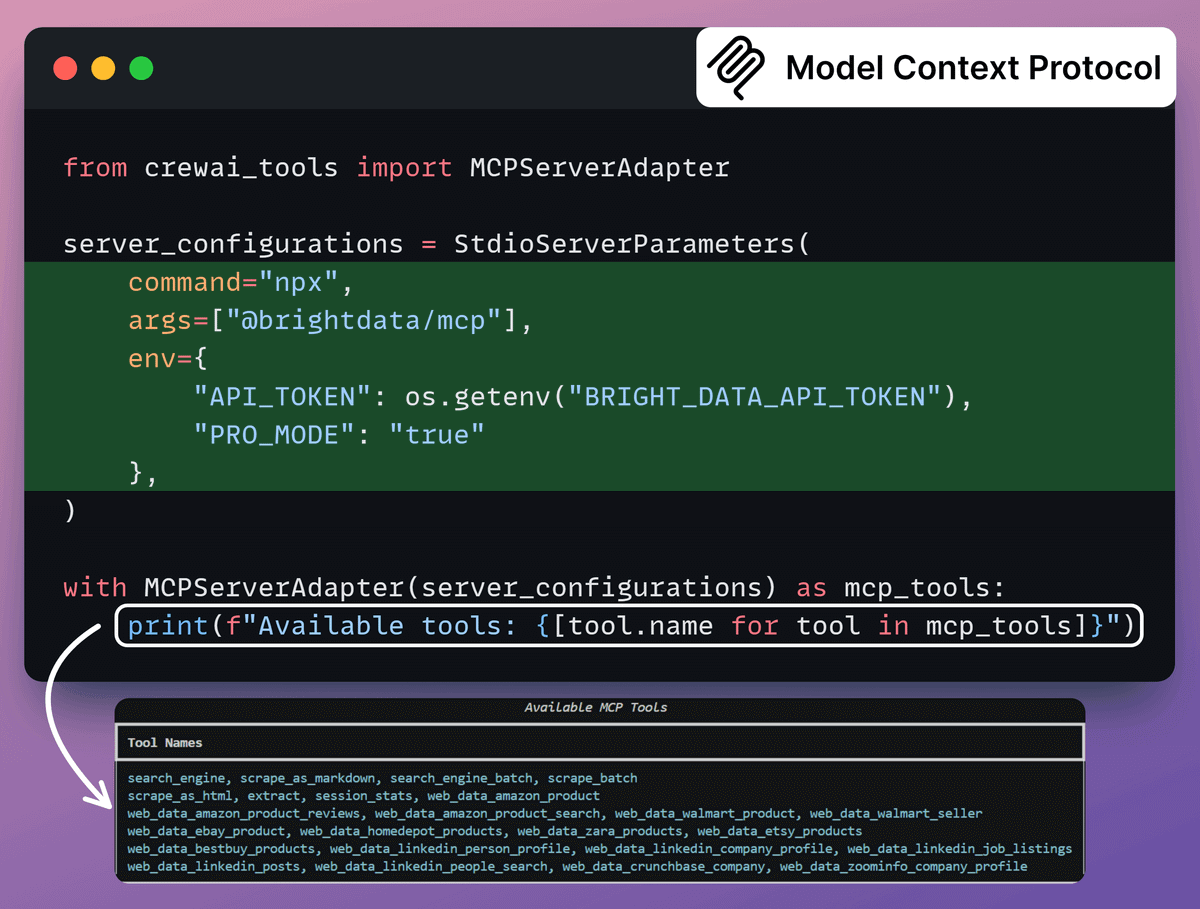
Here’s the GitHub repo for this MCP server →
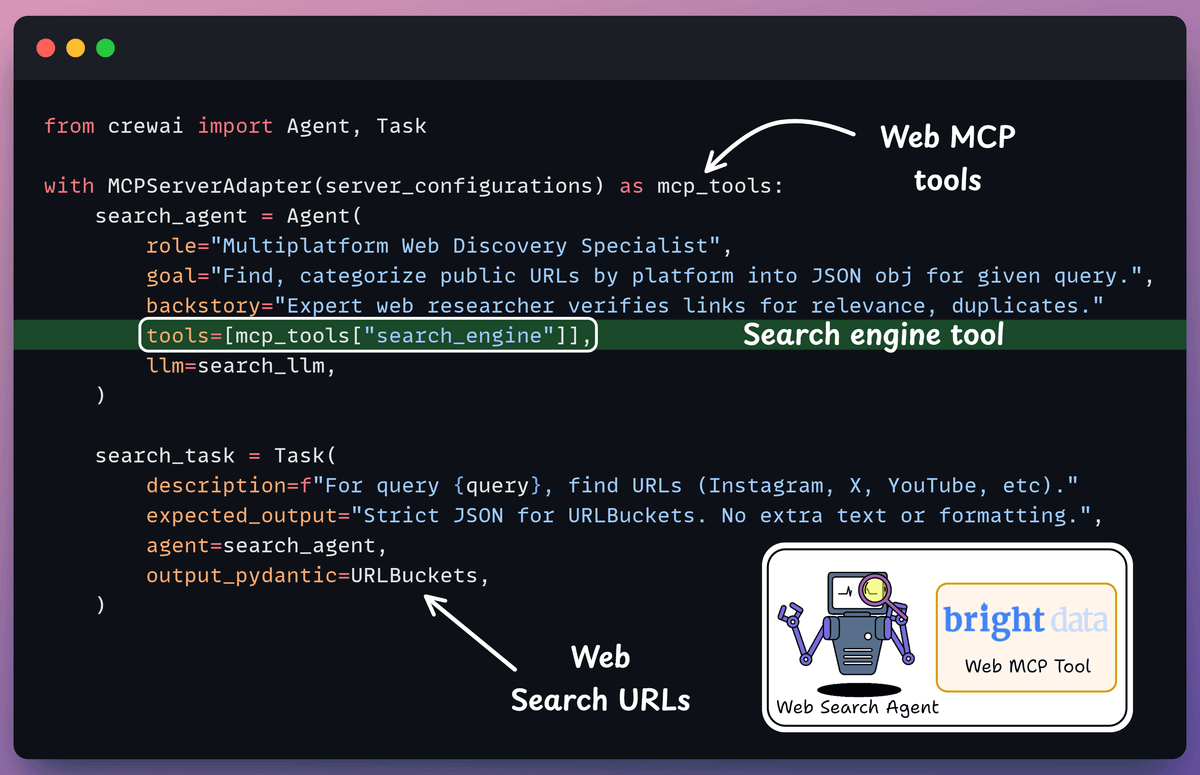
3️⃣ Define Web Search Agent
Web search agent collects current information from internet based on user queries, returning SERP results as web URLs.
This agent uses search engine tool from Bright Data’s Web MCP server, which we discussed earlier.
4️⃣ Define Specialist Research Agent
We’ll have dedicated research agents for each URL source (X, Instagram, YouTube, etc.).
X Agent uses specialized tools from Web MCP to scrape URLs, collecting structured insights from posts with source links.
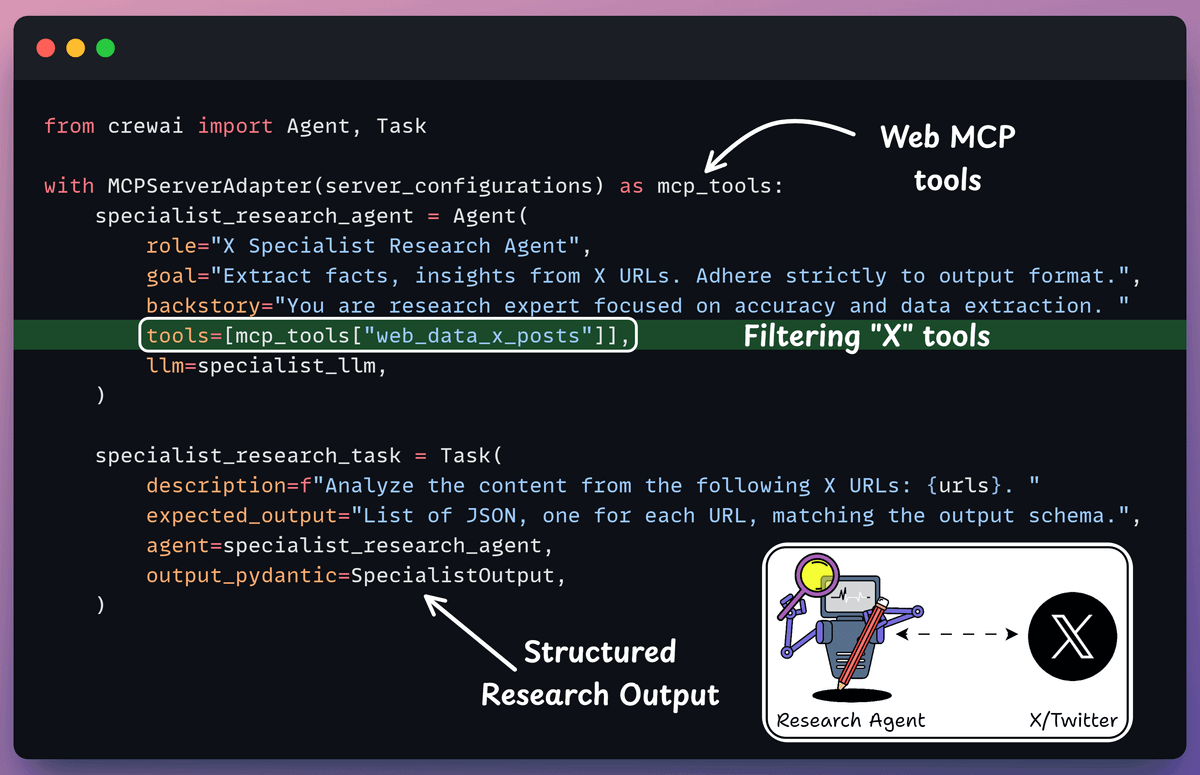
Similarly, we can define the other research specialists:
YouTube, Instagram, and other research agents
The same code is used, which is shared at the end.
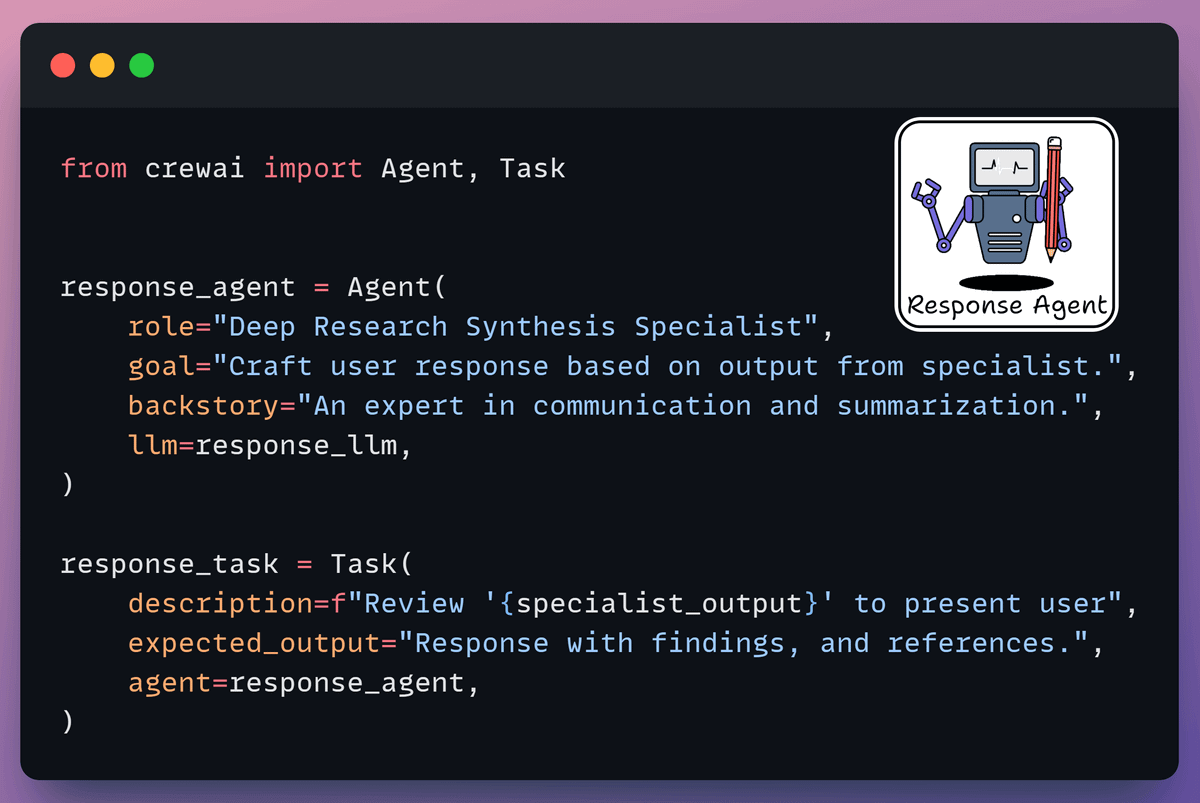
5️⃣ Define Response Synthesis Agent
It utilizes the analyzed results from research specialists to draft coherent responses with citations for the end user.
6️⃣ Create a flow
Finally, we use CrewAI Flows to orchestrate a multi-agent deep research workflow.
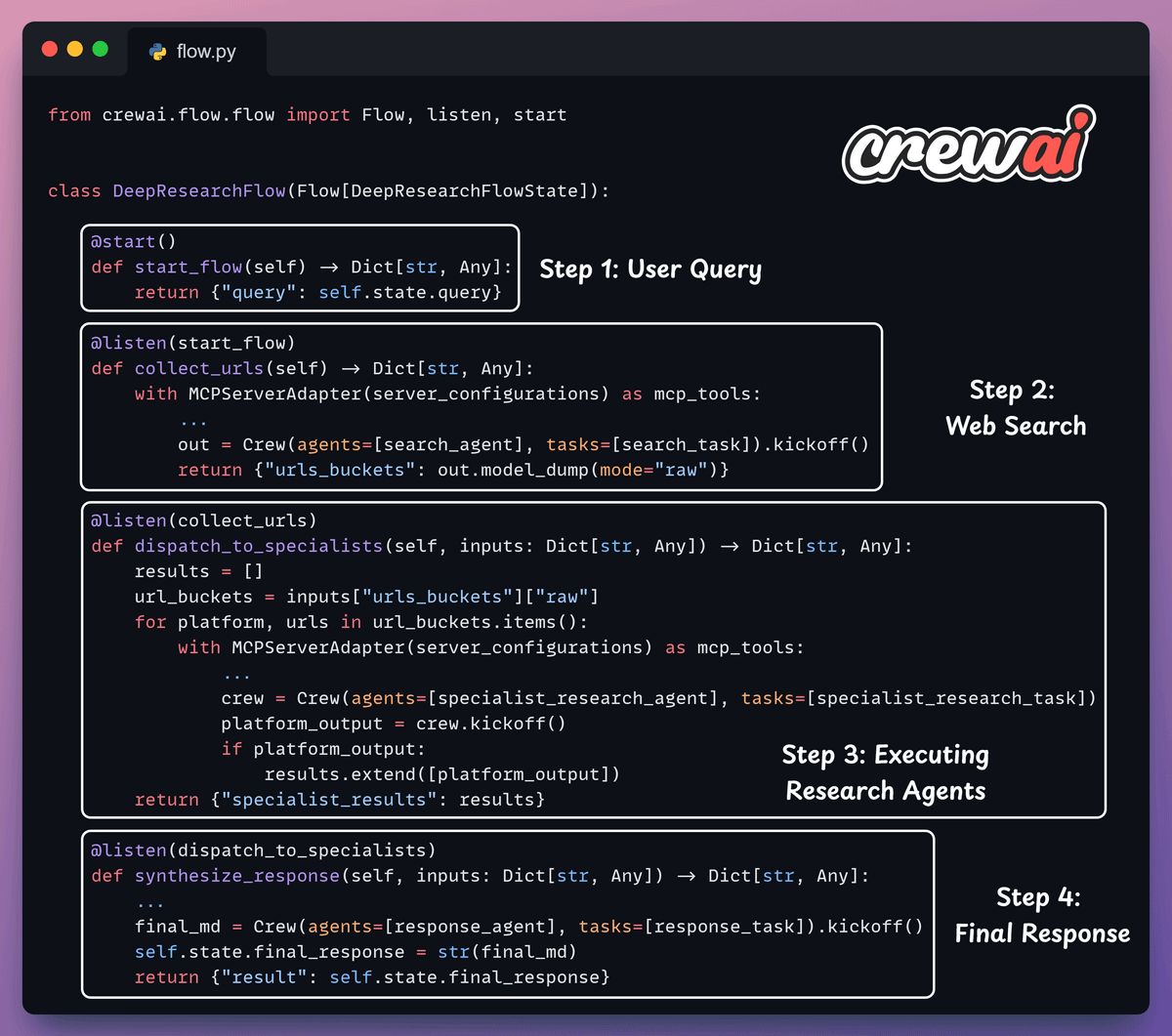
Start web agent to gather URLs from X, YouTube, etc
Run research agents to extract and summarize key insights
Use the response agent to synthesize the cited report
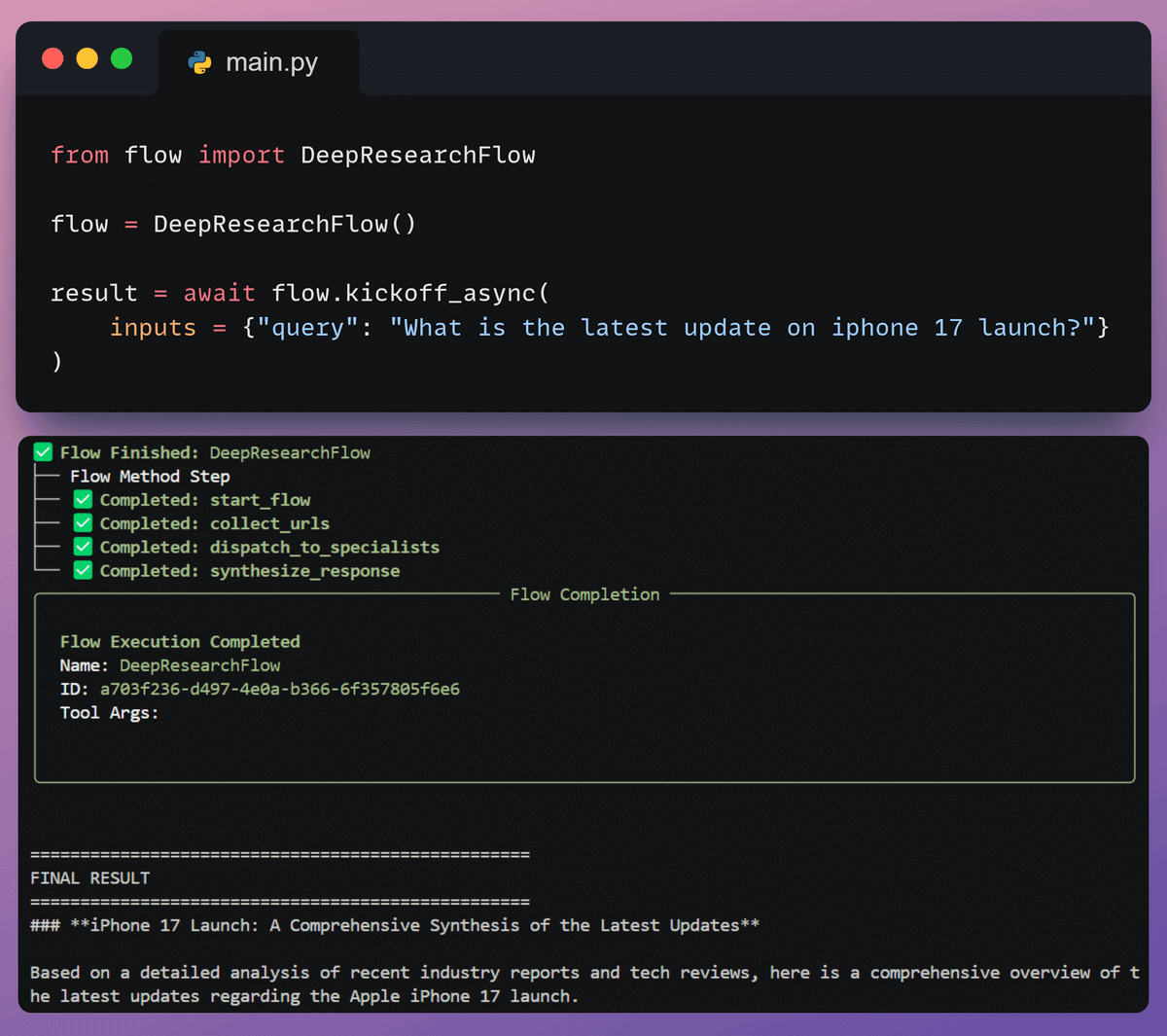
7️⃣ Kick off the workflow
Finally, when we have everything ready, we kick off our workflow.
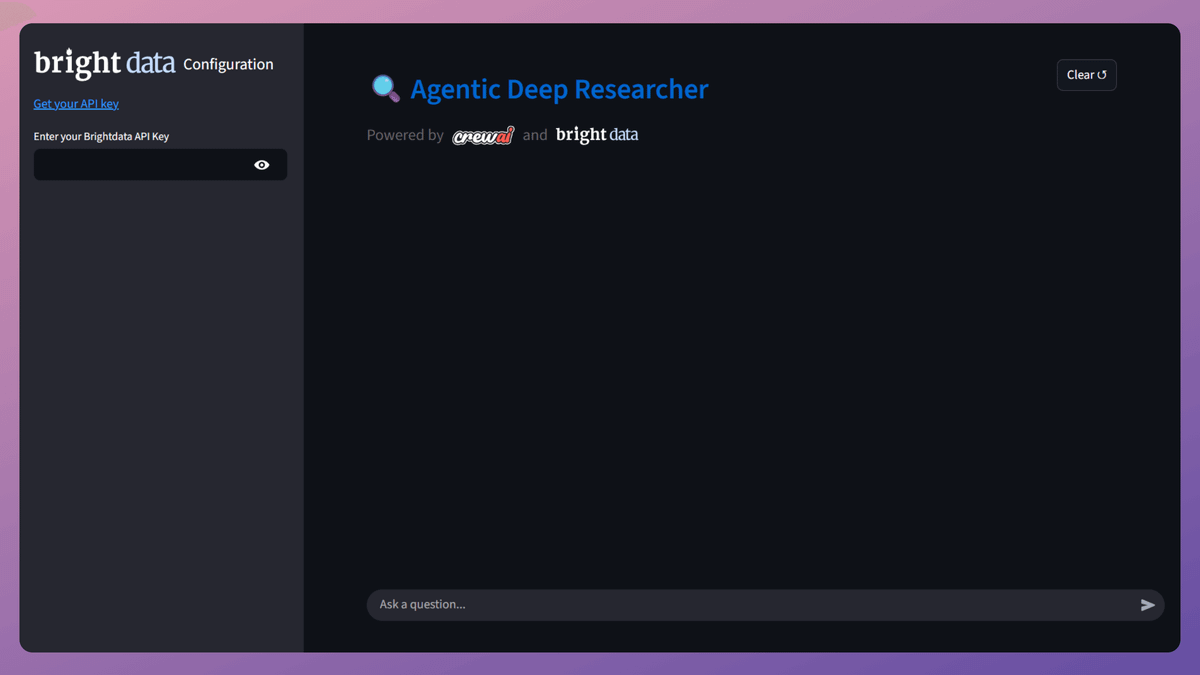
8️⃣ Streamlit UI
To use Deep Researcher as an application, we have also created a nice Streamlit UI.
To build this workflow, we needed to gather information from several sources.
That is why we used Bright Data Web MCP.
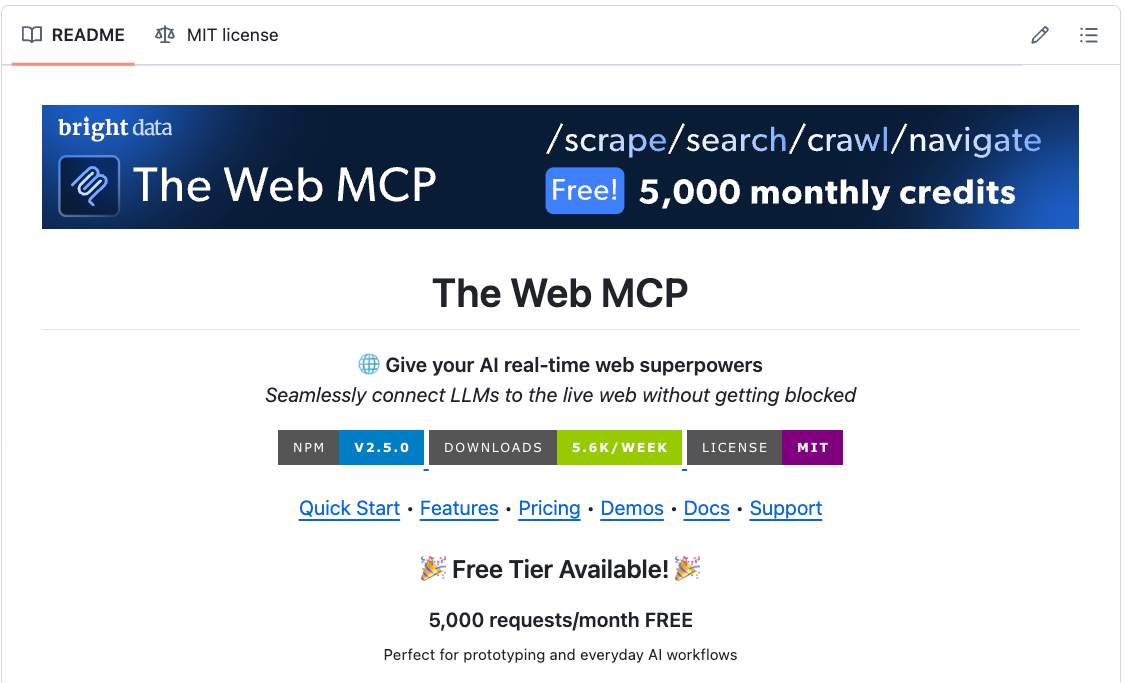
You can get 5000 MCP requests every month for free. Instructions are available in the GitHub repo →
It offers platform-specific MCP tools compatible with all major agent frameworks.
Moreover, it also overcomes challenges that Agents accessing the web often face, like IP blocks and CAPTCHA blocks.
You can find the code for this issue here →
Thanks for reading!