

Context engineering is hitting a new bottleneck!
Most of the work in building production agents today has nothing to do with the model.
Instead, it’s:
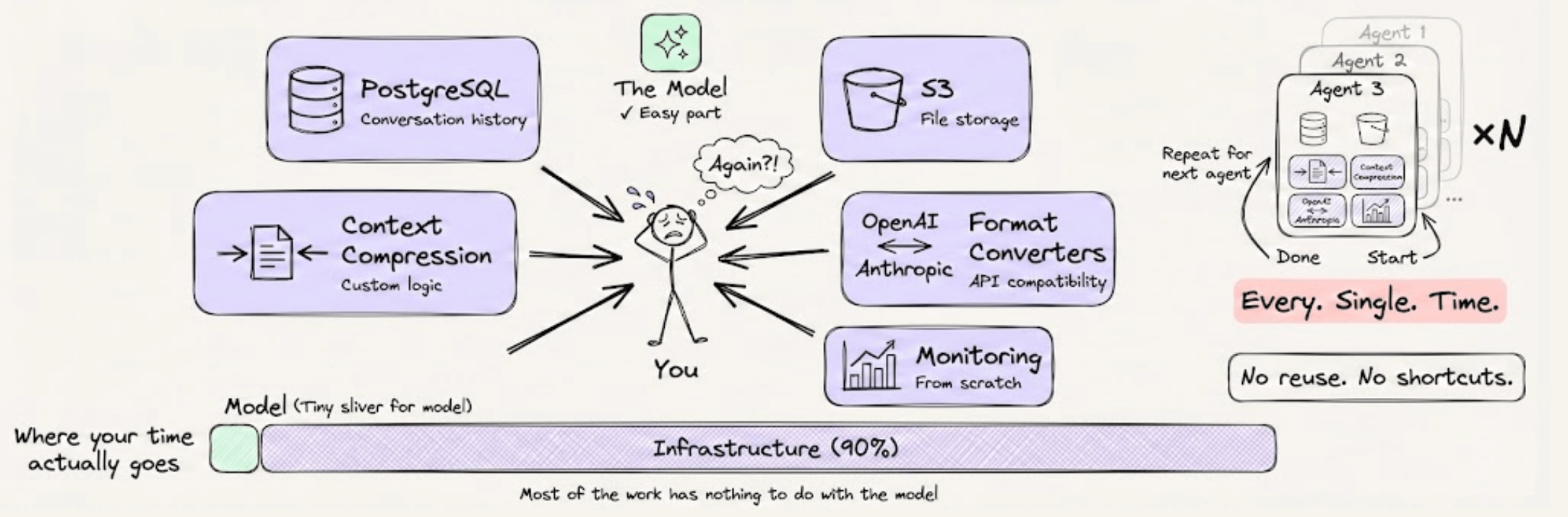
Setting up PostgreSQL for conversation history
Wiring S3 for file storage
Writing custom logic to compress long contexts
Building format converters between OpenAI and Anthropic
Stitching together monitoring from scratch
And you do this separately for every agent you build.
A smarter approach is now actually implemented in Acontext, which is an open-source context data platform, purpose-built for AI agents. Think of it as Supabase, but for agent context.
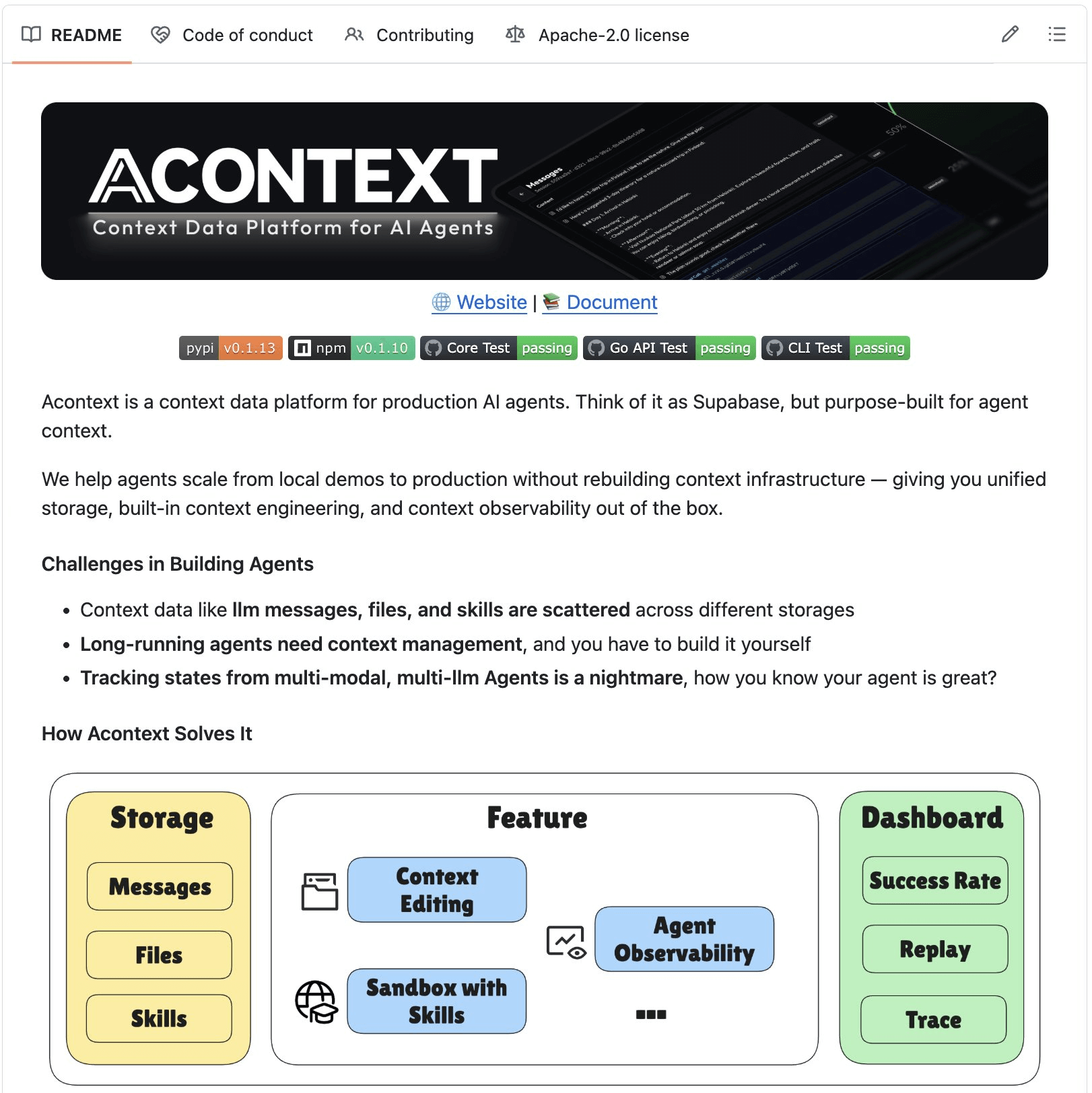
Here’s what makes it powerful:
Devs need to typically code message format converters between OpenAI and Anthropic. Acontext handles this with two APIs:
store_message()saves in any format,get_messages()retrieves in any other. It even compresses and trims tokens on retrieval, while the original messages stay untouched.It has a concept of Agent Skills, where you can upload a skill once (say, “generate Excel files”), mount it in a sandbox, and any agent can reuse it. Basically, an open-source version of Claude’s Skills API, but it works with any LLM.
Agents get a persistent virtual filesystem called a Disk. Your agent can read, write, and share files across sessions.
There’s a dashboard that tracks agent tasks, success rates, and lets you replay full trajectories.
Acontext is framework-agnostic. It works with OpenAI SDK, Claude Agent SDK, Vercel AI SDK, Agno, and smolagents.
This means multiple agents built in different frameworks can share the same sessions, files, and skills through one backend. Agent 2 can literally read what Agent 1 wrote.
Context engineering doesn’t have to take weeks of custom wiring. Acontext brings that down to just a few hours.
Everything is fully open-source, so you can see the full implementation on GitHub and try it yourself.
You can find the GitHub repo here →
Cut OpenClaw cost by 95%
An open source model just released that is:
Better than Opus 4.6 for coding
Faster than Sonnet
State of the art for tool calling
Minimax just dropped M2.5. It scores on par with Opus 4.6 on coding benchmarks. It’s built from the ground up for agentic workflows. And it costs a fraction of what you’d pay for frontier models.
We’re talking about a 95% reduction in cost.
We’ve already switched our entire OpenClaw setup to run on it. Let us show you exactly why, and how you can do the same.
Why Minimax M2.5?
Here’s the problem with running AI agents today.
Frontier models like Opus 4.6 are incredibly capable, but they’re also incredibly expensive. If you want an agent that runs autonomously for hours, handling complex multi-step tasks, your API bill adds up fast.
MiniMax M2.5 solves this problem entirely.
It hits 80.2% on SWE-Bench Verified, putting it right alongside Opus 4.6 in coding performance. It scores 76.3% on BrowseComp for search tasks and 76.8% on BFCL for agentic tool-calling.
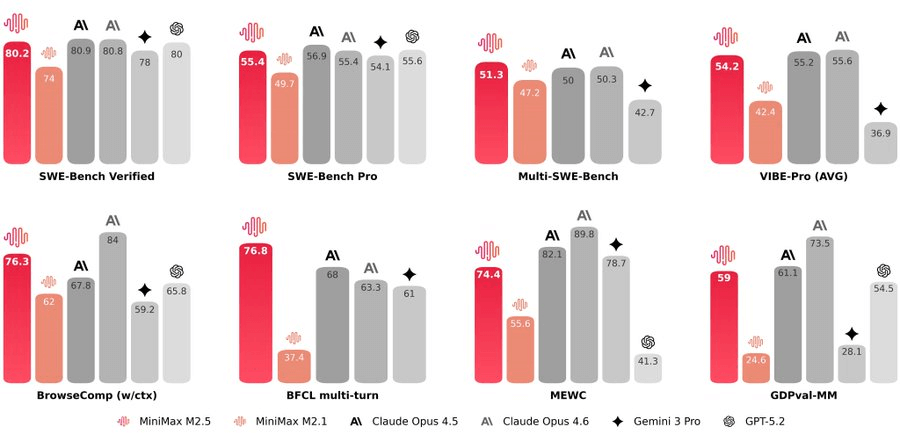
What really stands out is that it’s designed for long-horizon agentic tasks.
This means your OpenClaw agent can independently keep running, planning, and finishing complex tasks without falling apart midway. The model doesn’t lose context. It doesn’t get confused 15 steps into a workflow.
At roughly $1 per hour with 100 tokens per second, you can now scale long-running agents in a way that was never economically feasible before.
And here’s what most people miss. M2.5 only activates 10 billion parameters. That makes it the smallest among all Tier-1 models. So if you’re self-hosting, you get an unparalleled advantage in terms of compute and memory requirements.
We’re not saying it’s better than Opus 4.6 at everything. But for agentic coding and automation workflows, it’s the better choice at a fraction of the cost.
Set Up OpenClaw with Minimax M2.5
The setup is straightforward, and here’s the step-by-step walkthrough.
Step 1: Install OpenClaw
curl -fsSL https://openclaw.ai/install.sh | bashFollow the on-screen instructions. The installer handles everything.
Note: Installation commands may vary by OS. Always grab the latest command from the official site.
Step 2: Pick the model
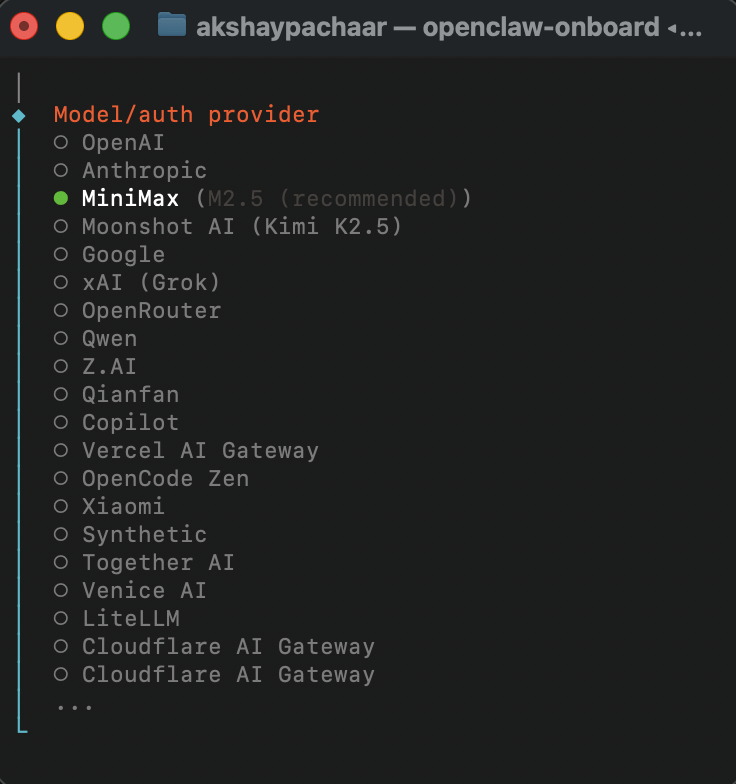
During setup, OpenClaw will prompt you to choose a model.
Select Minimax M2.5. It’s the recommended choice.
Step 3: Set up OAuth or get your API key
To run the full 229B parameter model locally with optimal performance, you need professional-grade equipment. That is why we recommend:
Minimax offers a starter Coding Plan at $8.8/month, which gives you production-grade agentic coding accessible to individual developers.
Step 4: Register Your Telegram Bot
To create your bot:
Open Telegram
Search for Botfather
Start a chat and choose Create New Bot
Assign a name and a unique username
BotFather will create the bot instantly.
Step 5: Copy the Bot Token
After creating the bot, BotFather will provide a Bot Token.
Copy this token, paste it into your terminal when ClawdBot asks for it during channel setup.
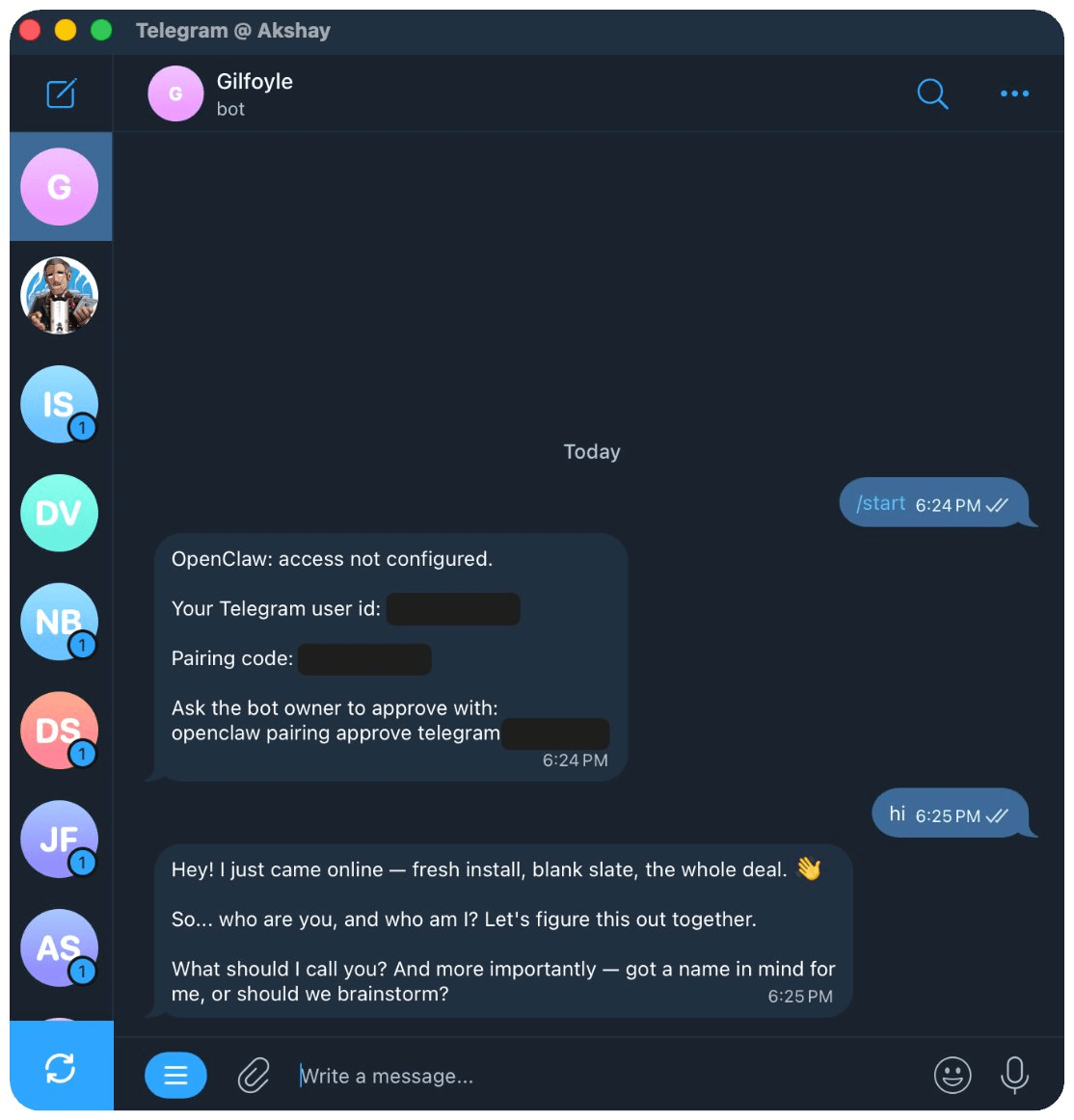
After the setup, you can access it on Telegram, see how we are able chat with our new agent named Gilfoyle:
And that’s all. You can take it from here.
What we’re actually building with this
We don’t just run one agent. We run three.
Think of them as AI employees that work for us around the clock. Each one has a specific role, and we interact with all of them through Telegram.
Neo: Our AI Engineer
Neo is a highly capable software developer who works 24/7.
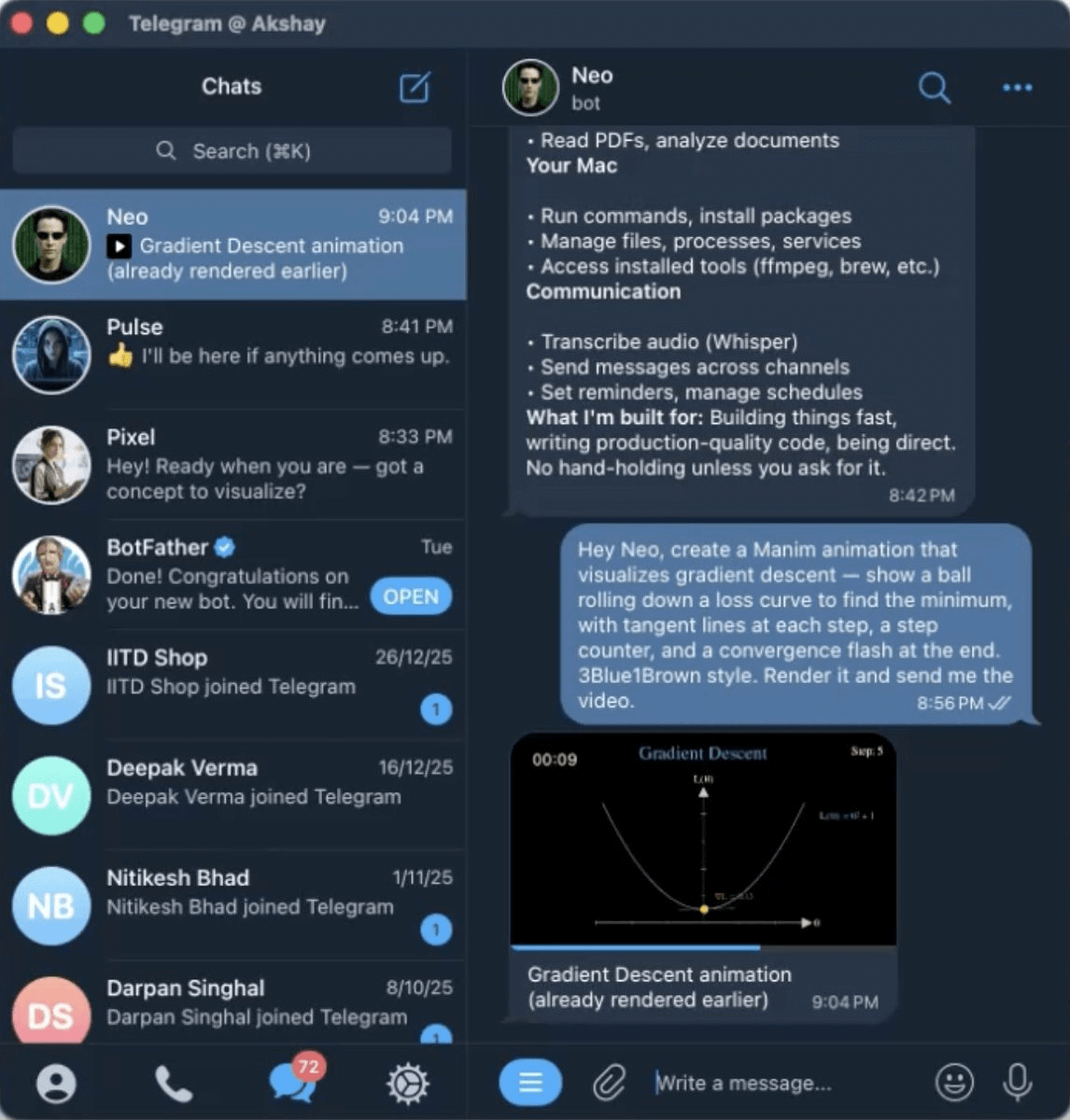
Whether it’s building a feature, fixing a bug, or automating some tedious workflow, we just message Neo, and it gets done.
Because M2.5 excels at long-horizon tasks, Neo can take a complex coding assignment and work through it independently. It plans, writes code, tests, and iterates without us having to babysit every step.
Pulse: Our Deep Researcher
Every morning at 8:30 AM, we get a curated research briefing from Pulse.
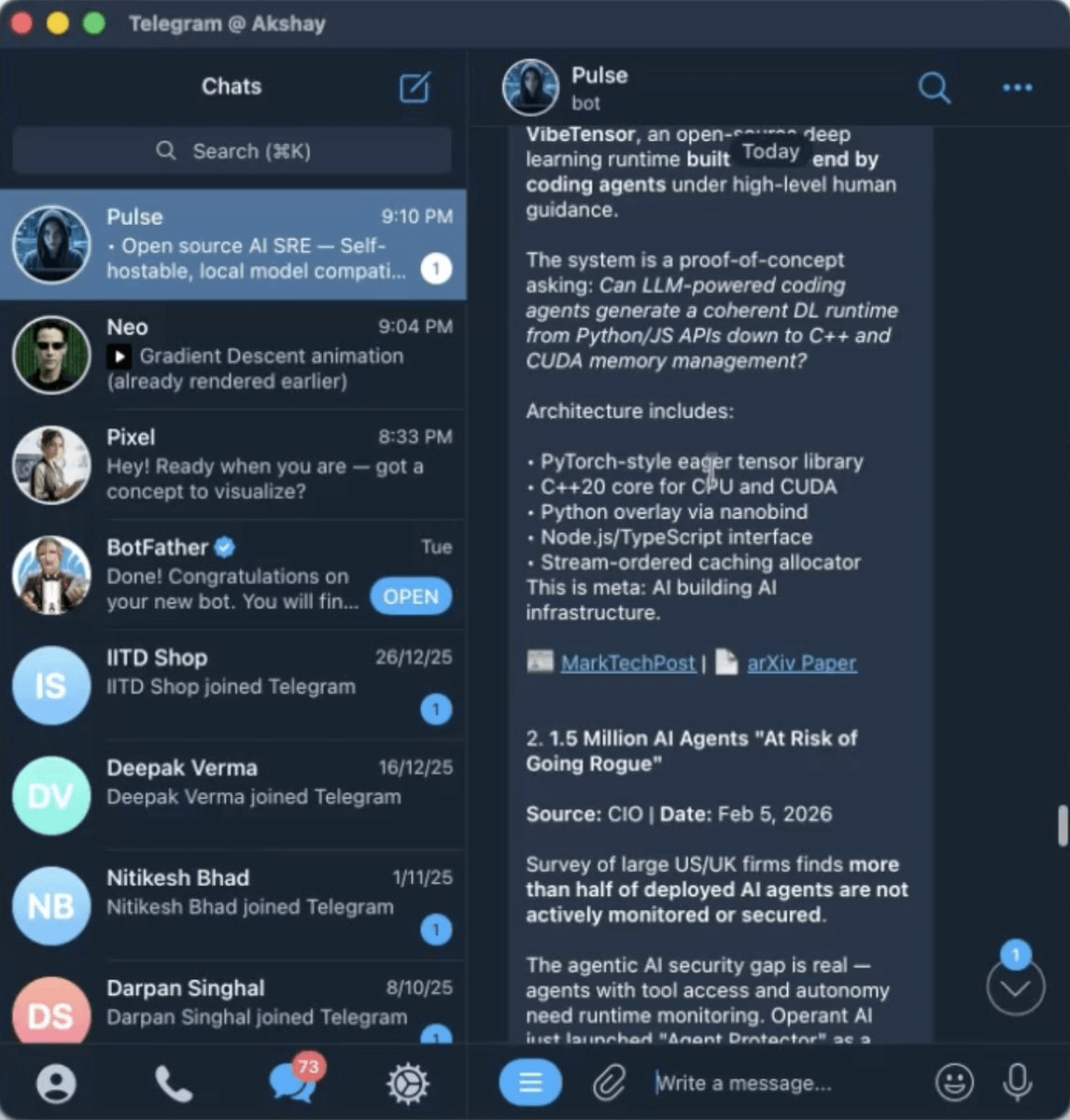
It scans the sources that matter most:
Hugging Face blog and trending models
Trending GitHub repos
Official blogs from major AI labs
Relevant subreddits
Then it distills everything into a clean, actionable summary.
This alone has saved us hours every week. We stay on top of what’s happening in AI and ML without the information overload.
Pixel: Our graphic designer
Pixel understands the Daily Dose of Data Science brand.
It creates educational visuals that have our signature hand-thrown feel. It breaks down complex concepts into simple illustrations. And it keeps everything on-brand and consistent across all our content.
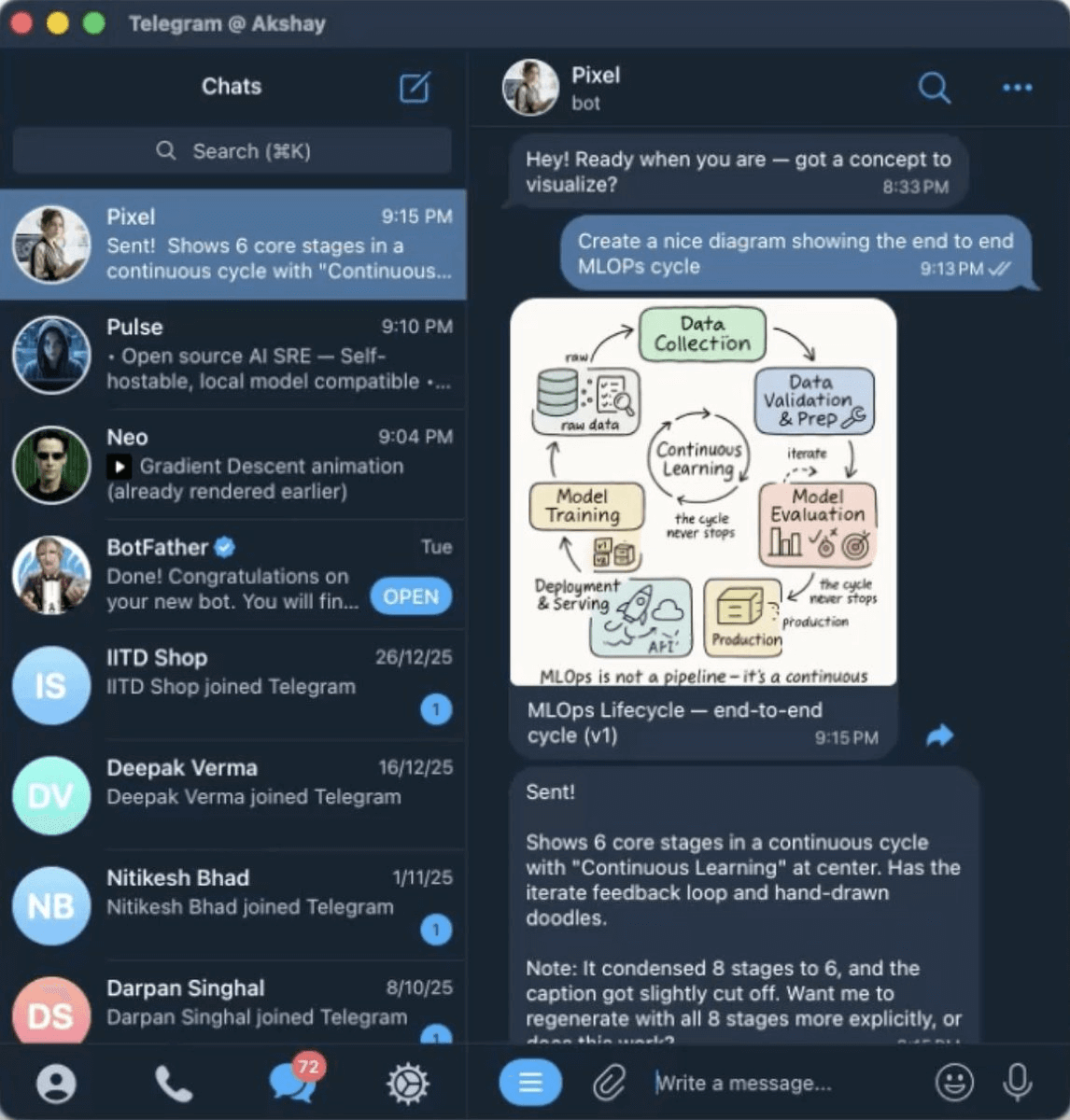
When we need a visual for a newsletter or social post, we message Pixel with the concept. It delivers something that looks like it came from our design team.
All three agents run on Minimax M2.5, available to us through Telegram, at a fraction of what we’d pay with frontier models.
If you want to see the full setup in action, we published a 30-minute YouTube masterclass on OpenClaw where you learn how to create your first agent and then scale from 1 to 10 so they can all collaborate and work 24/7 for you.
We started with Minimax M2.1, switched to Opus 4.6 for better results, and now we’ve been getting consistently strong results with M2.5.
We shall continue testing and sharing what we find.
Check this out:
Stay tuned, we'll be covering more on deploying OpenClaw securely and how you can also optimize the token usage.
Thanks for reading!