

Finally, React gets a native way to talk to agents.
Building agentic UIs is still way harder than it should be.
You’ve got your agent running on the backend - maybe LangGraph, CrewAI, or something custom. Now you need to stream its outputs to your frontend, keep state in sync, handle reconnections, and manage the agent lifecycle.
To solve this, most teams end up writing a ton of custom glue code, like WebSockets here, state management there, and manual event parsing everywhere.
CopilotKit just shipped v1.50, and it addresses exactly this (GitHub repo):
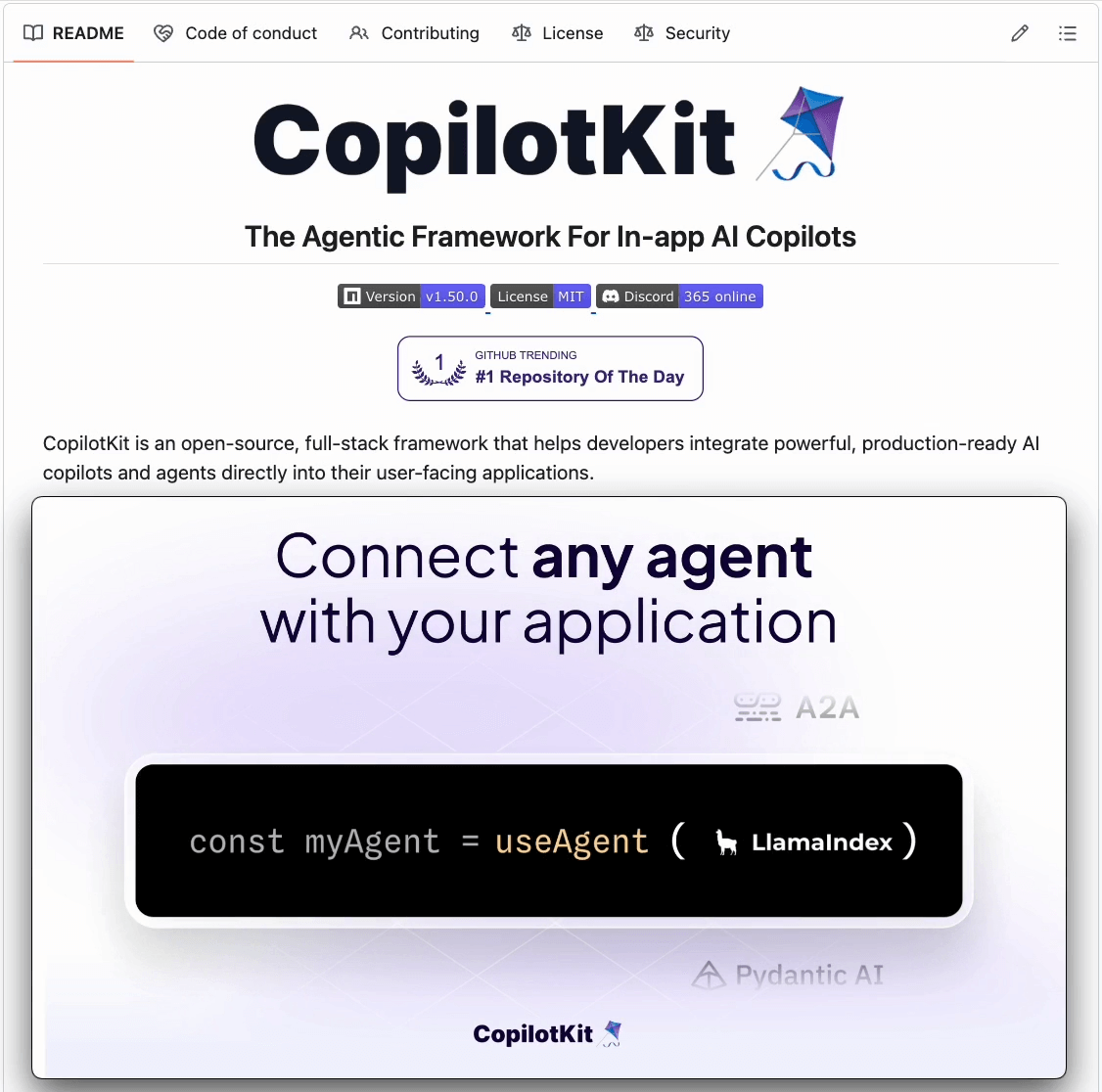
The centerpiece is useAgent(), which is a React hook that gives you a live handle to any agent.
For instance:
const { agent } = useAgent({ agentId: “my-agent” });This one hook handles streaming, state sync, user input, and lifecycle management. Works with any backend that speaks AG-UI (which is basically every major framework now).
They’ve also rebuilt the internals to support threading (resumable conversations), automatic reconnection, and tighter type safety.
If you’re building copilots, assistants, or any agentic workflow - this makes the frontend piece significantly easier.
And everything is fully open-source, so you can see the full implementation on GitHub and try it yourself.
We’ll cover this in a hands-on demo soon!
Detect Production-grade code issues in real-time!
Even though AI is now generating code at light speed, the engineering bottleneck has just moved from writing to reviewing, and now devs spend 90% of their debugging time on AI-generated code.
AI reviewers aren’t that reliable either because they share the same fundamental blind spots as AI generators do:
They pattern match, not proof check.
They validate syntax, not system behavior.
They review code, not consequences.
We have been using the SonarQube MCP Server to solve this.
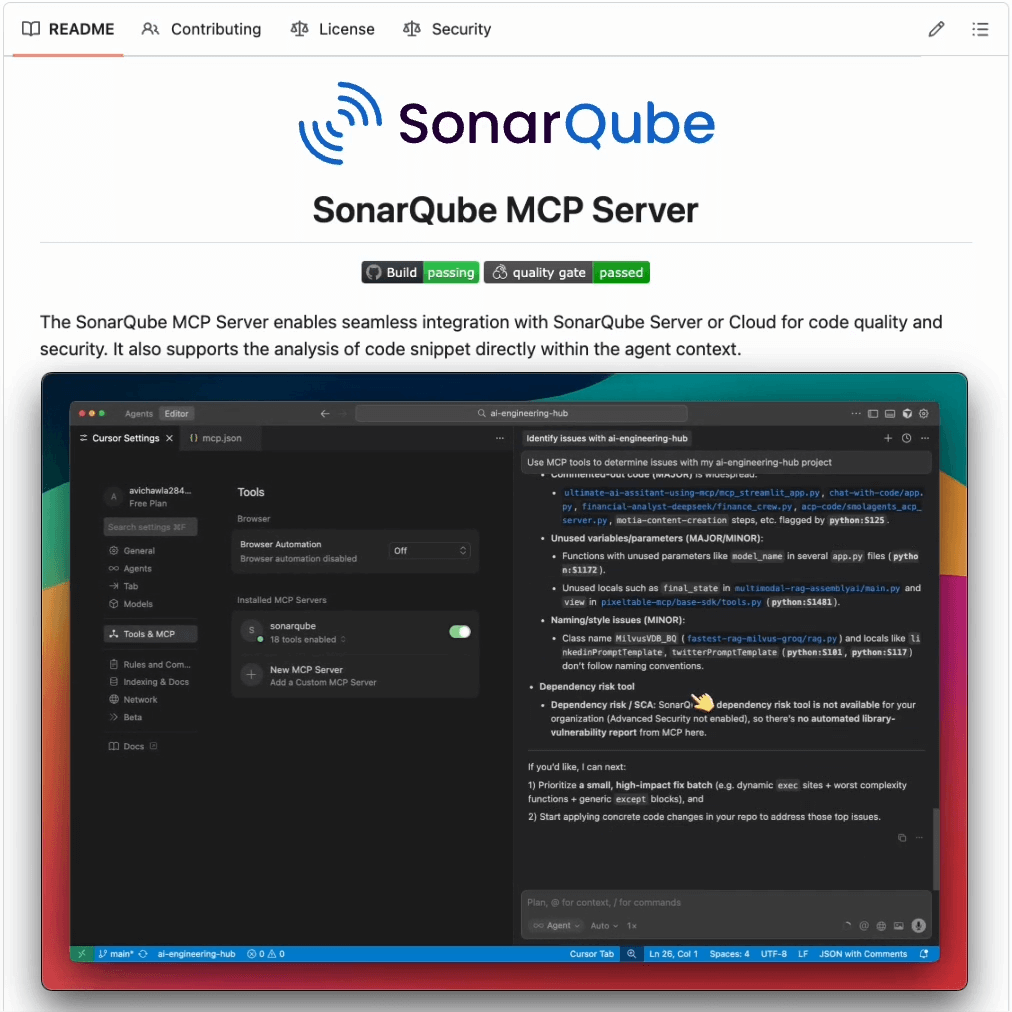
It produces enterprise-grade code analysis and returns instant feedback on bugs, vulnerabilities, and code smells right where you’re working (Claude Code, Cursor, etc.).
Its capabilities have emerged from the 750B+ lines of code SonarQube processes daily, so it has seen every bug pattern that exists.
Here’s a step-by-step walkthrough to get started:
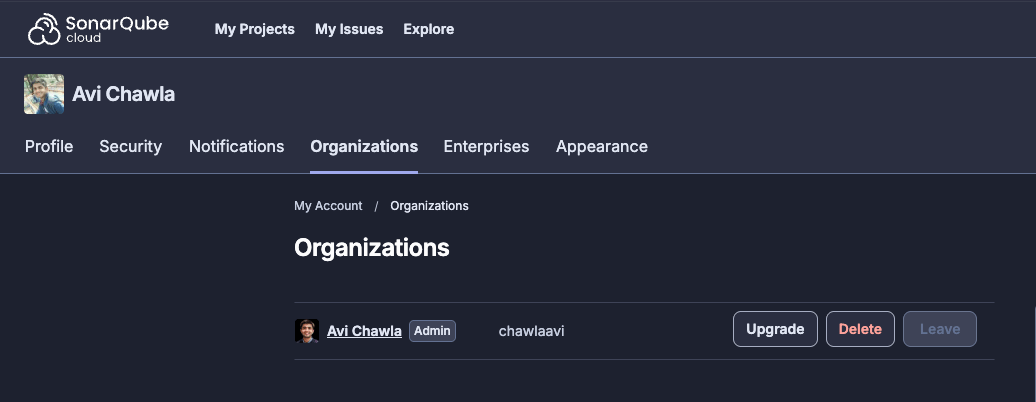
Create an organisation in your account:
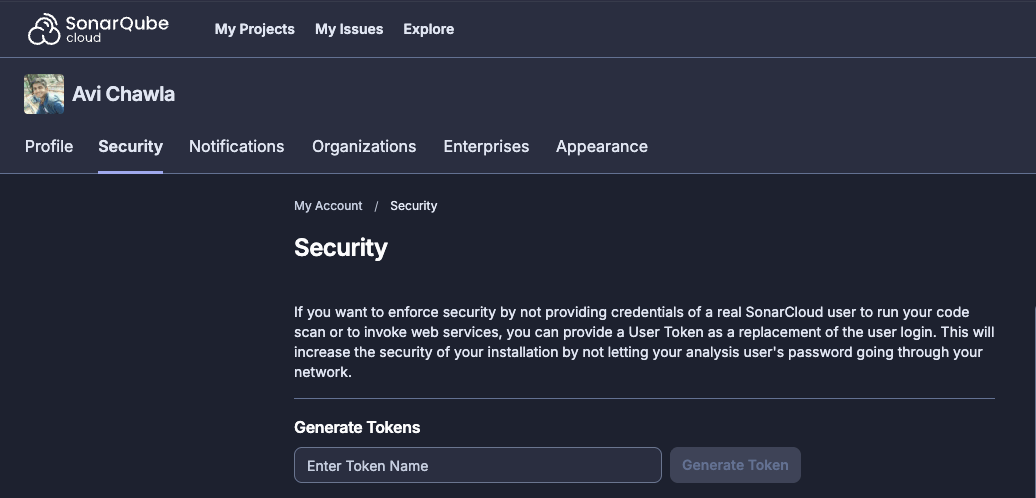
In Security, generate your new token:
Finally, head over to Cursor and add the following MCP config:
{
    “mcpServers”: {
      “sonarqube”: {
        “command”: “docker”,
        “args”: [
          “run”,
          “-i”,
          “--name”,
          “sonarqube-mcp-server”,
          “--rm”,
          “-e”,
          “SONARQUBE_TOKEN”,
          “-e”,
          “SONARQUBE_ORG”,
          “mcp/sonarqube”
        ],
        “env”: {
          “SONARQUBE_TOKEN”: “<your token here>”,
          “SONARQUBE_ORG”: “<your organisation name here>”
        }
      }
    }
  }
You can find the setup steps for other IDEs/Agents in the GitHub repo →
Once done, you will find all the MCP server and its tools successfully integrated:
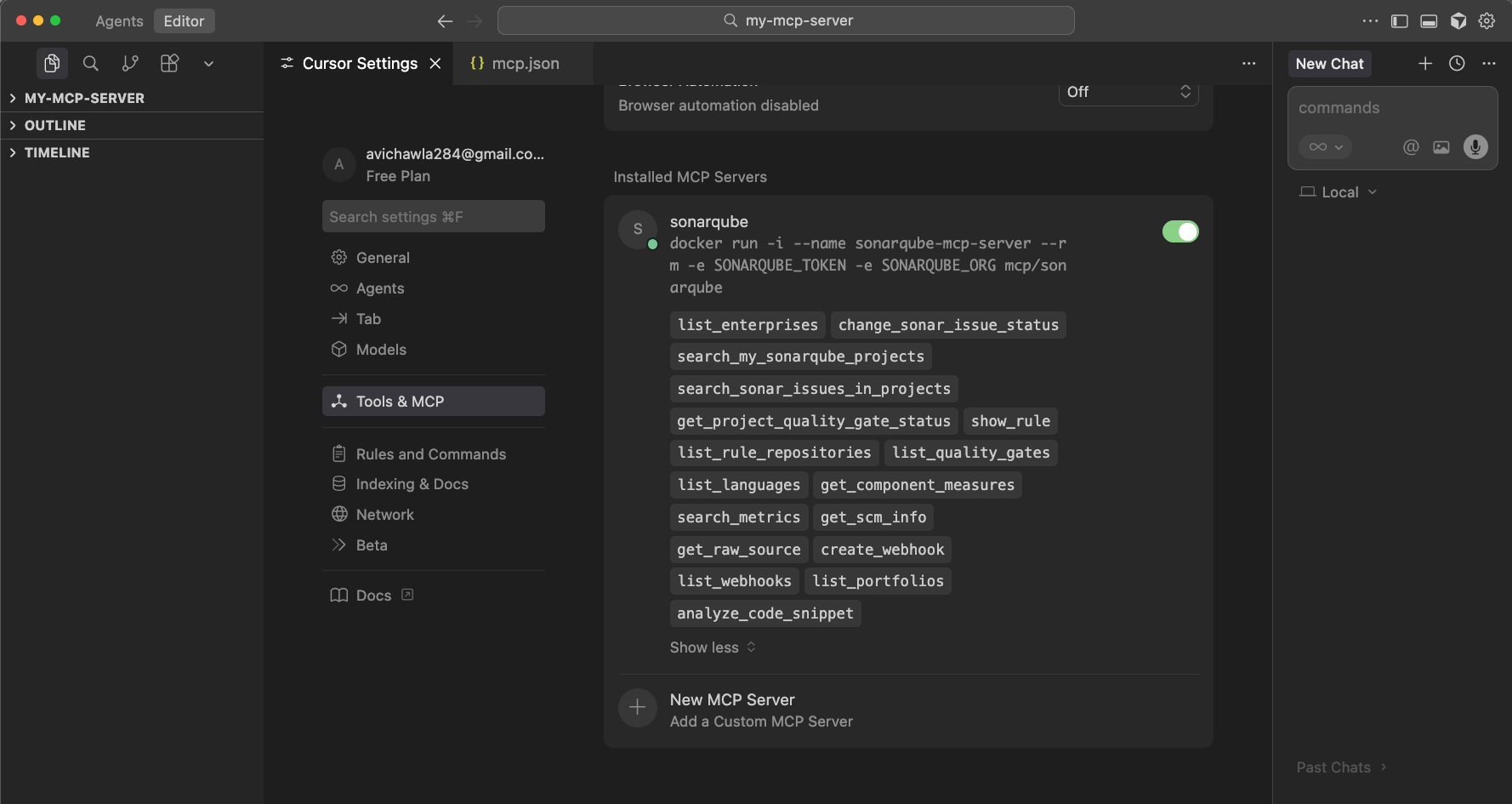
This will now give your coding Agent real-time production-grade code quality issues. These insights are then directly streamed as real-time feedback in your AI-powered IDEs as depicted below:
That said, you can also integrate SonarQube into your CI/CD pipeline.
You can use the SonarQube MCP server to detect:
Security vulnerabilities (SQL injection, XSS, hardcoded secrets)
Code smells and technical debt
Test coverage gaps
Maintainability issues
You can find the GitHub repo here →
View the SonarQube MCP Server product page here →
Thanks for reading!
Generalized Linear Models (GLMs)
A linear regression model makes strict assumptions about the type of data it can model, as depicted below.

These conditions often restrict its applicability to data situations that do not obey the above assumptions.
That is why being aware of its extensions is immensely important.
Generalized linear models (GLMs) precisely do that.
They relax the assumptions of linear regression to make linear models more adaptable to real-world datasets.
If you are interested in learning more about this, I once wrote a detailed guide on this topic here: Generalized Linear Models (GLMs): The Supercharged Linear Regression.
Why GLMs?
The assumed data generation process looks like this:
Firstly, it assumes that the conditional distribution of Y given X is a Gaussian.
Next, it assumes a very specific form for the mean of the above Gaussian. It says that the mean should always be a linear combination of the features (or predictors).

Lastly, it assumes a constant variance for the conditional distribution P(Y|X) across all levels of X. A graphical way of illustrating this is as follows:
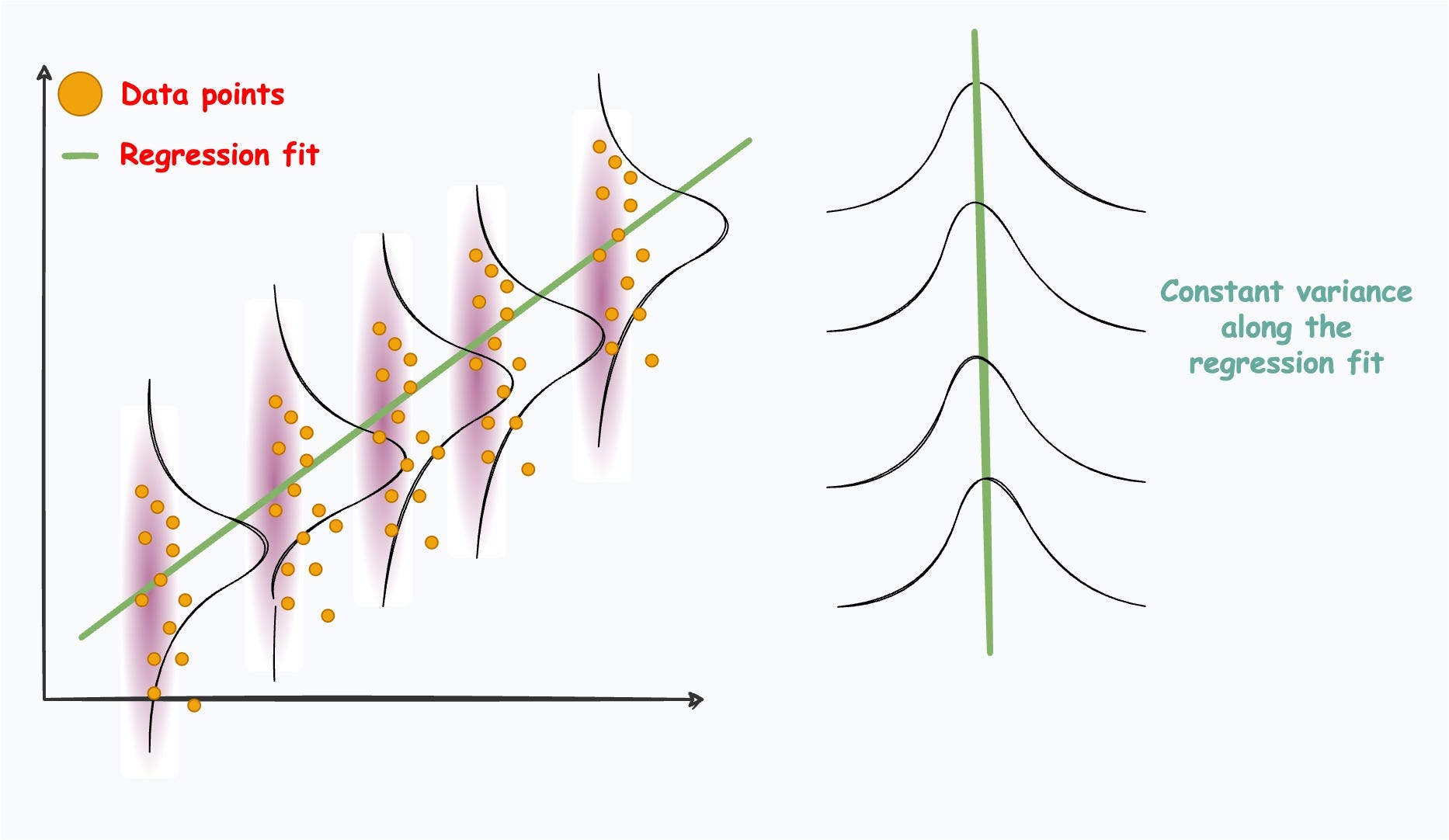
These conditions often restrict its applicability to data situations that do not obey the above assumptions.
In many scenarios, the data might exhibit complex relationships, heteroscedasticity (varying variance), or even follow entirely different distributions altogether.
So if we intend to build linear models, we should formulate better algorithms that can handle these peculiarities.
Generalized linear models (GLMs) precisely do that.
They relax the assumptions of linear regression to make linear models more adaptable to real-world datasets.
More specifically, they consider the following:
What if the distribution isn’t normal but some other distribution?
What if X has a more sophisticated relationship with the mean?

What if the variance varies with X?

The effectiveness of a specific GLM, Poisson regression, over linear regression is evident from the image below:
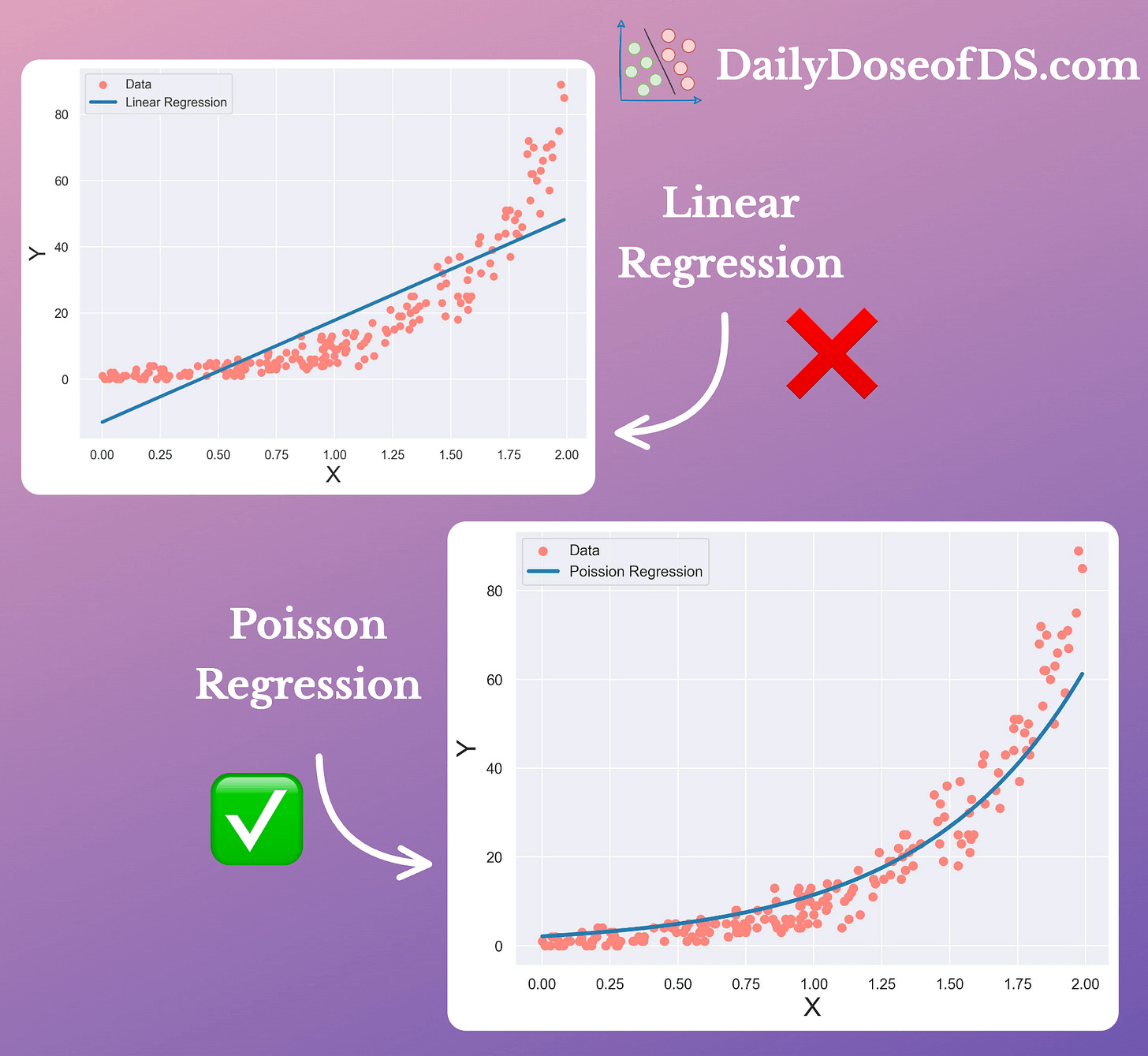
Linear regression assumes the data is drawn from a Gaussian, when in reality, it isn’t. Hence, it underperforms.
Poisson regression adapts its regression fit to a non-Gaussian distribution. Hence, it performs significantly better.
If you are curious to learn more about this, I once wrote a detailed guide on this topic here: Generalized Linear Models (GLMs): The Supercharged Linear Regression.
It covers:
How does linear regression model data?
The limitations of linear regression.
What are GLMs?
What are the core components of GLMs?
How do they relax the assumptions of linear regression?
What are the common types of GLMs?
What are the assumptions of these GLMs?
How do we use maximum likelihood estimates with these GLMs?
How to build a custom GLM for your own data?
Best practices and takeaways.
👉 Interested folks can read it here: Generalized Linear Models (GLMs): The Supercharged Linear Regression.