

AWS’ novel way to build Agents [open-source]
AWS just dropped updates to Strands Agents, an open-source framework that takes a different approach to building agents.
Instead of hardcoding routing logic, error handling, and fallback flows, Strands uses a model-driven approach where the LLM decides how to plan, choose tools, and adapt on its own.
You provide capabilities and guardrails. The model handles the workflow.
What makes it interesting:
TypeScript + Python SDKs with async-friendly workflows
Works with any provider (Bedrock, OpenAI, Anthropic)
Edge device SDK for running agents locally on small devices
Strands Steering to guide agents toward outcomes without massive prompt blocks
Built-in evals for testing behavior before production
It also pairs with AgentCore, AWS’s platform for running agents at scale with built-in policies and monitoring.
Prototype in a few lines, deploy with enterprise-grade infrastructure.
Thanks to AWS for partnering today!
Finally, MCP Servers can deliver UI-rich experiences!
MCP servers in Claude/Cursor typically don’t offer UI experiences, like charts. It’s just text/JSON, like below:
{
  “symbol”: “AAPL”,
  “price”: 178.23,
  “change”: “+2.45%”
}
Displaying this as a visual element isn’t impossible, but most MCP servers make you write the same boilerplate twice, once for the React component and again to register it as an MCP tool.
So you end up with duplicate schemas, manual prop mapping, and a bunch of registration code.
A simplified and direct approach is actually implemented in mcp-use (GitHub repo), a recently trending open-source full-stack MCP framework to build with MCP servers, MCP clients, and AI agents.
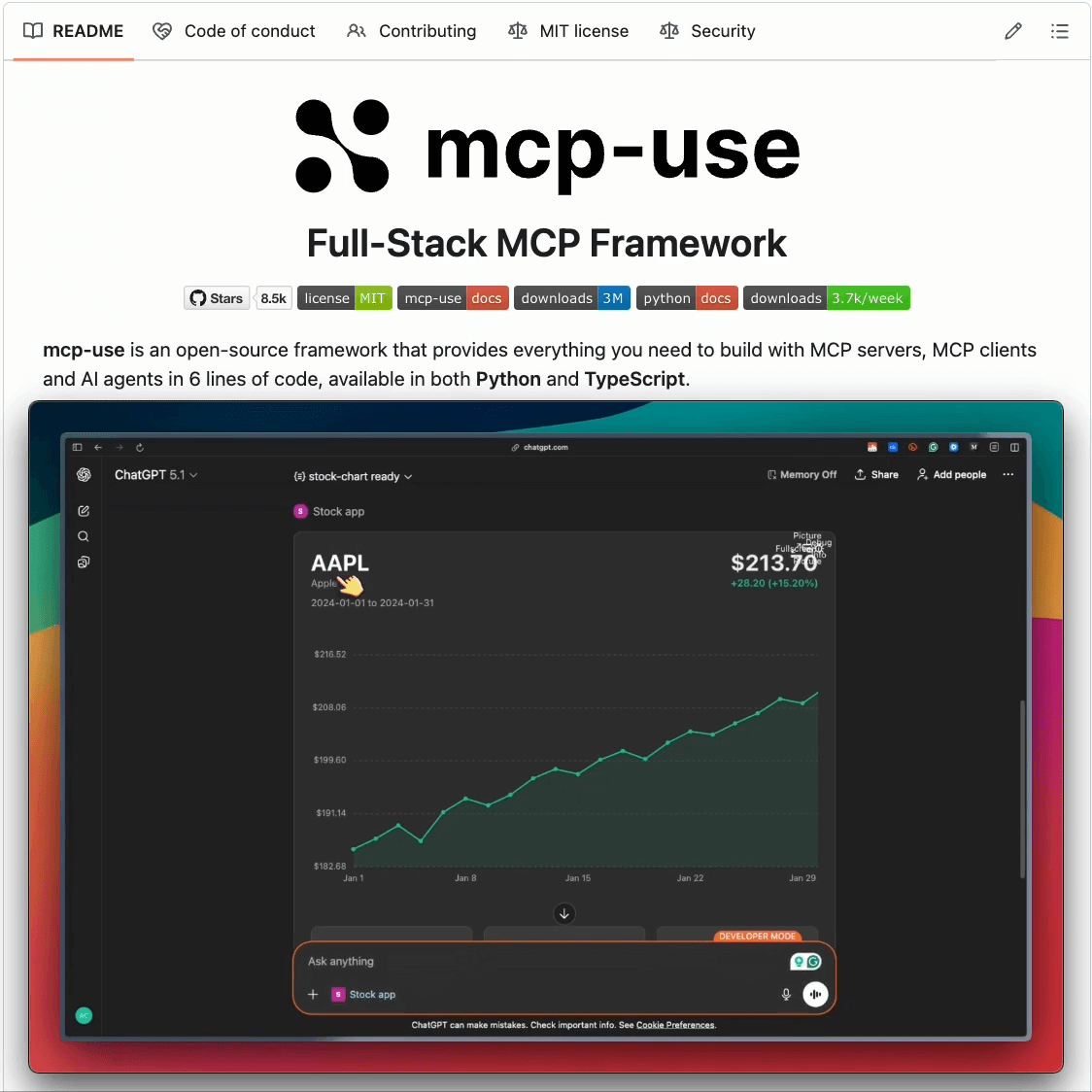
The way mcp-use implements this is that you can create React components that automatically:
Register as MCP tools (callable by Claude/ChatGPT)
Render as interactive widgets in ChatGPT
Support a full React ecosystem (Tailwind, libraries, hooks)
Hot reload during development
Let’s look at it in action by building an interactive stock chart widget that shows closing prices over time!
Start by creating a project as follows:
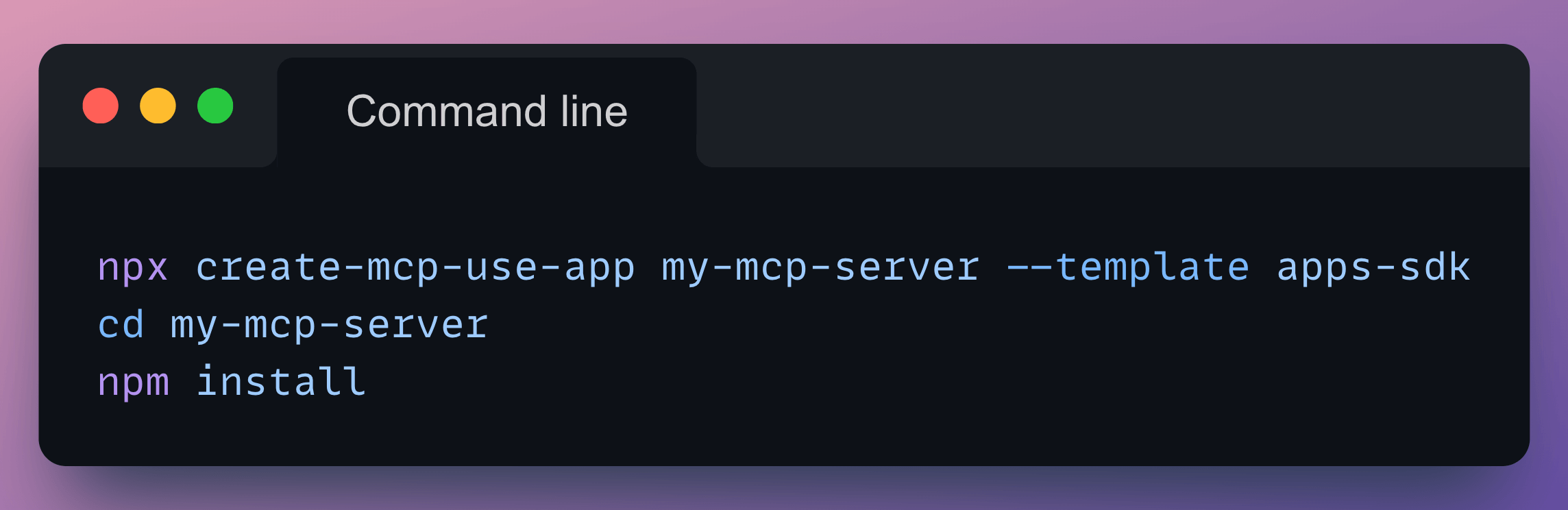
This will generate a project with the following directory structure:
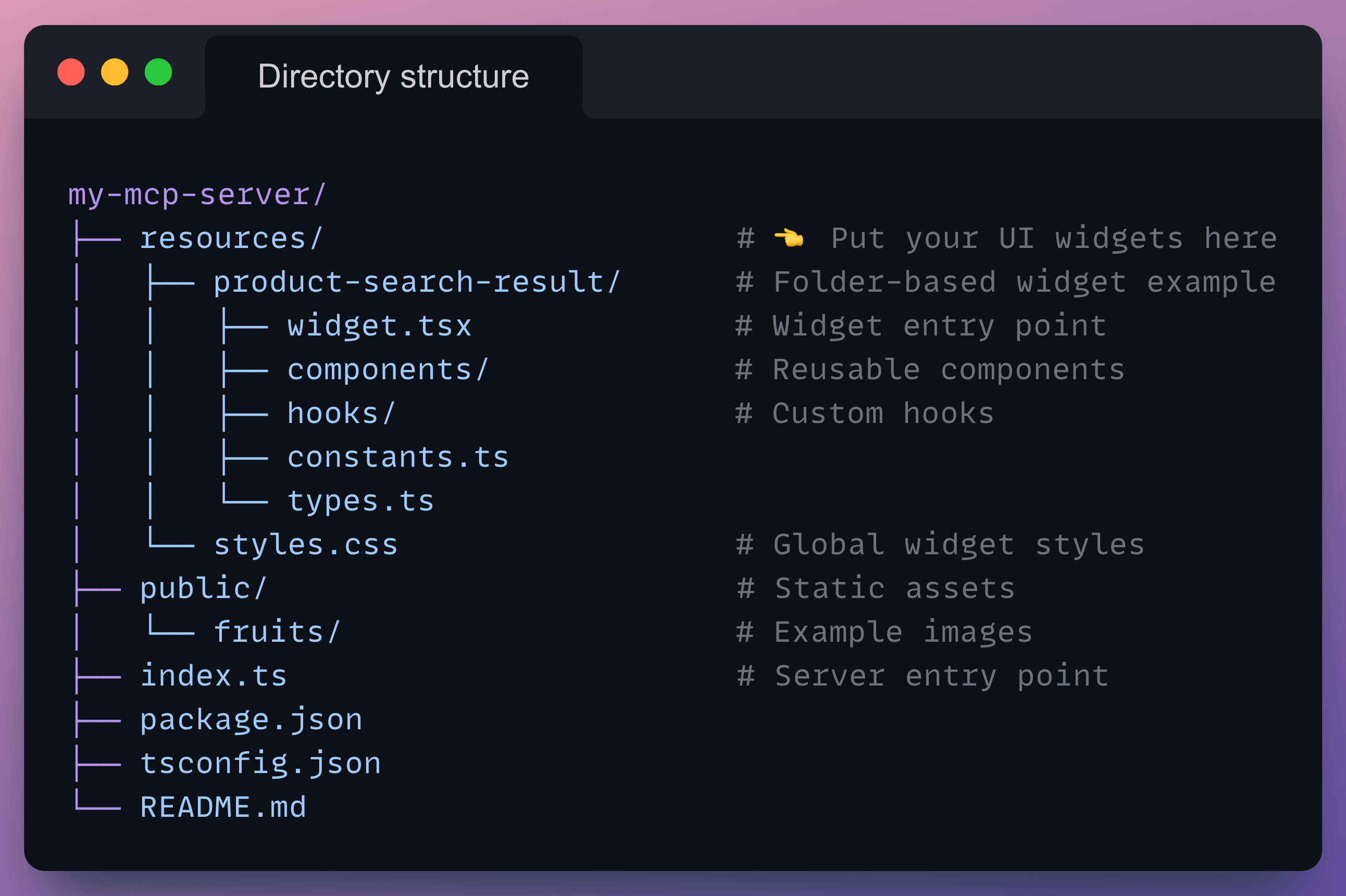
Each .tsx file in the resources/ folder becomes a widget that can be used by MCP clients to render tool output.
For our case, we define a new widget by creating resources/stock-chart.tsx.
You can have a look at the exact code that you need to write in the docs but here’s the gist:
First, define a schema that specifies the arguments your MCP tool expects as inputs. The
.describe()calls tell the AI what each field means, helping it fill parameters correctly.
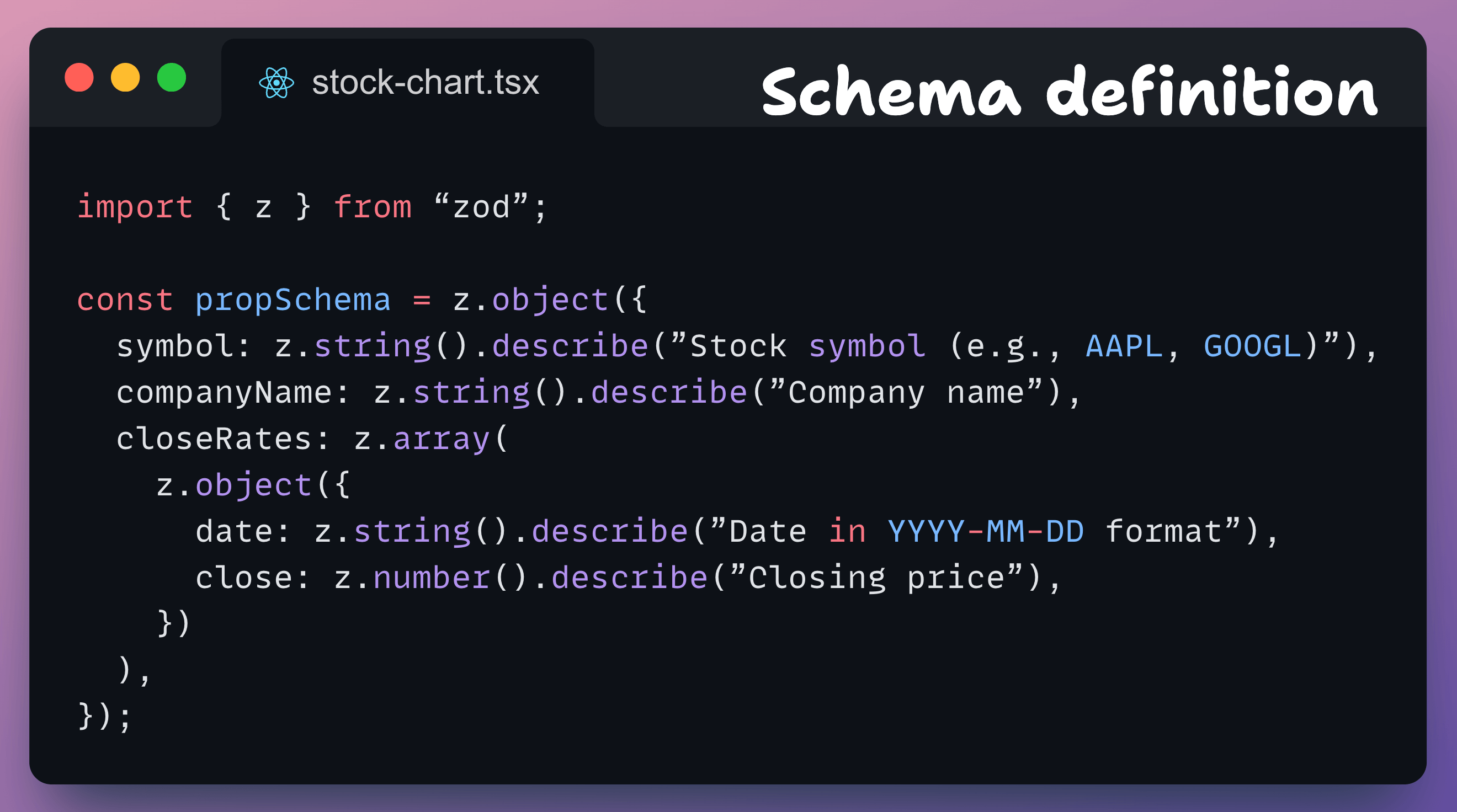
Next, you can use mcp-use to automatically register this as an MCP tool and resource as follows:
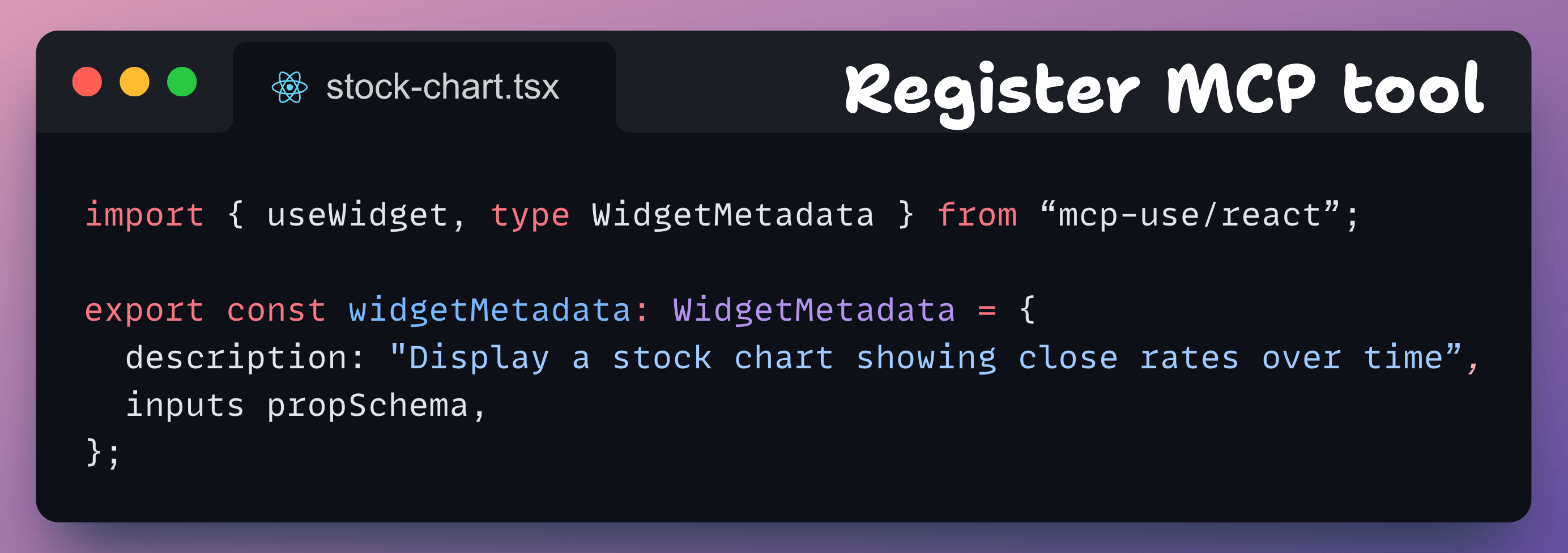
Finally, build your React component:
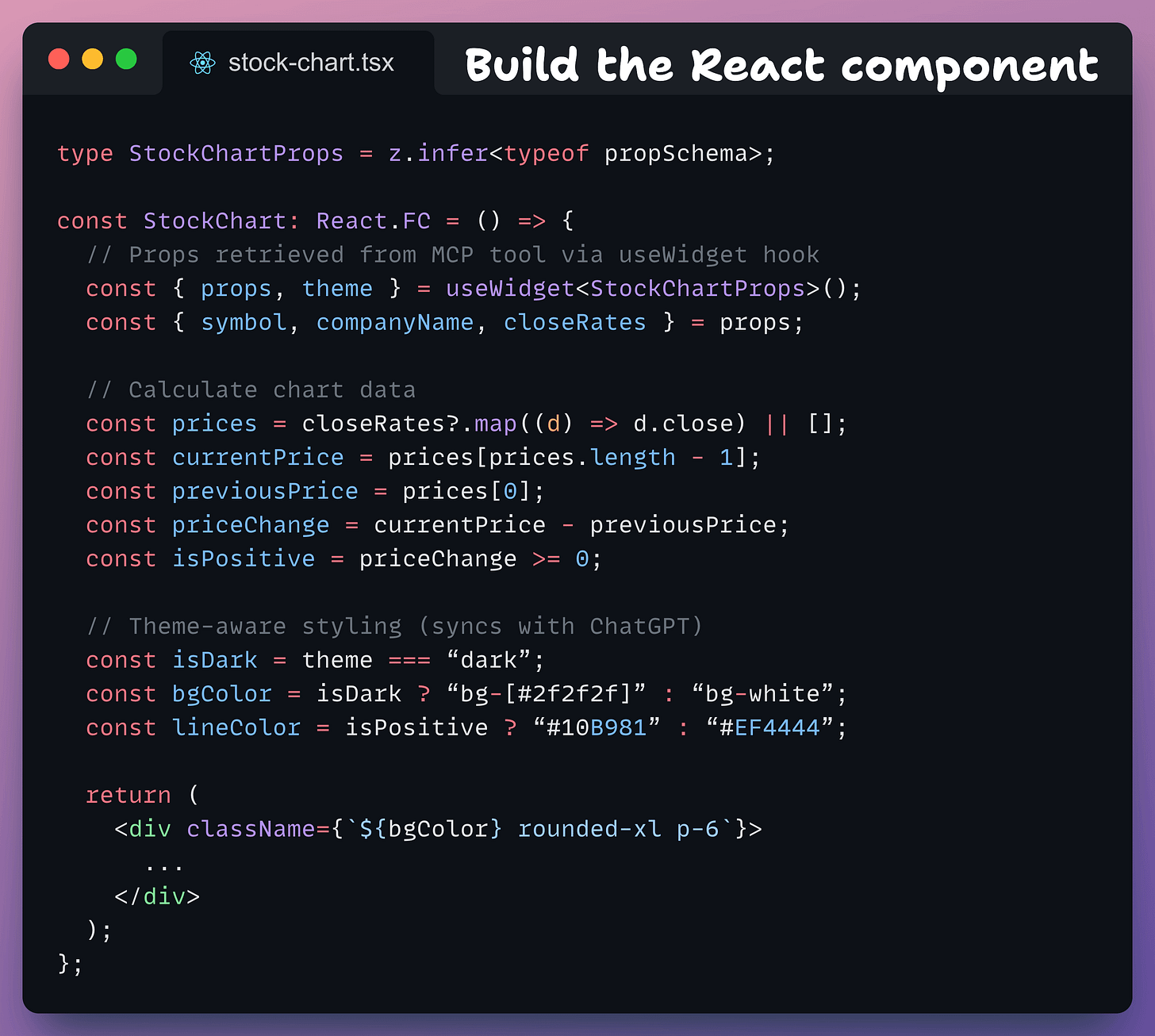
useWidget()retrieves props passed from the MCP tool call (no React props needed)themeautomatically syncs with ChatGPT’s light/dark modeRest is standard React, where you can build your UI however you want (Tailwind, styled-components, Material-UI, etc.)
Done!
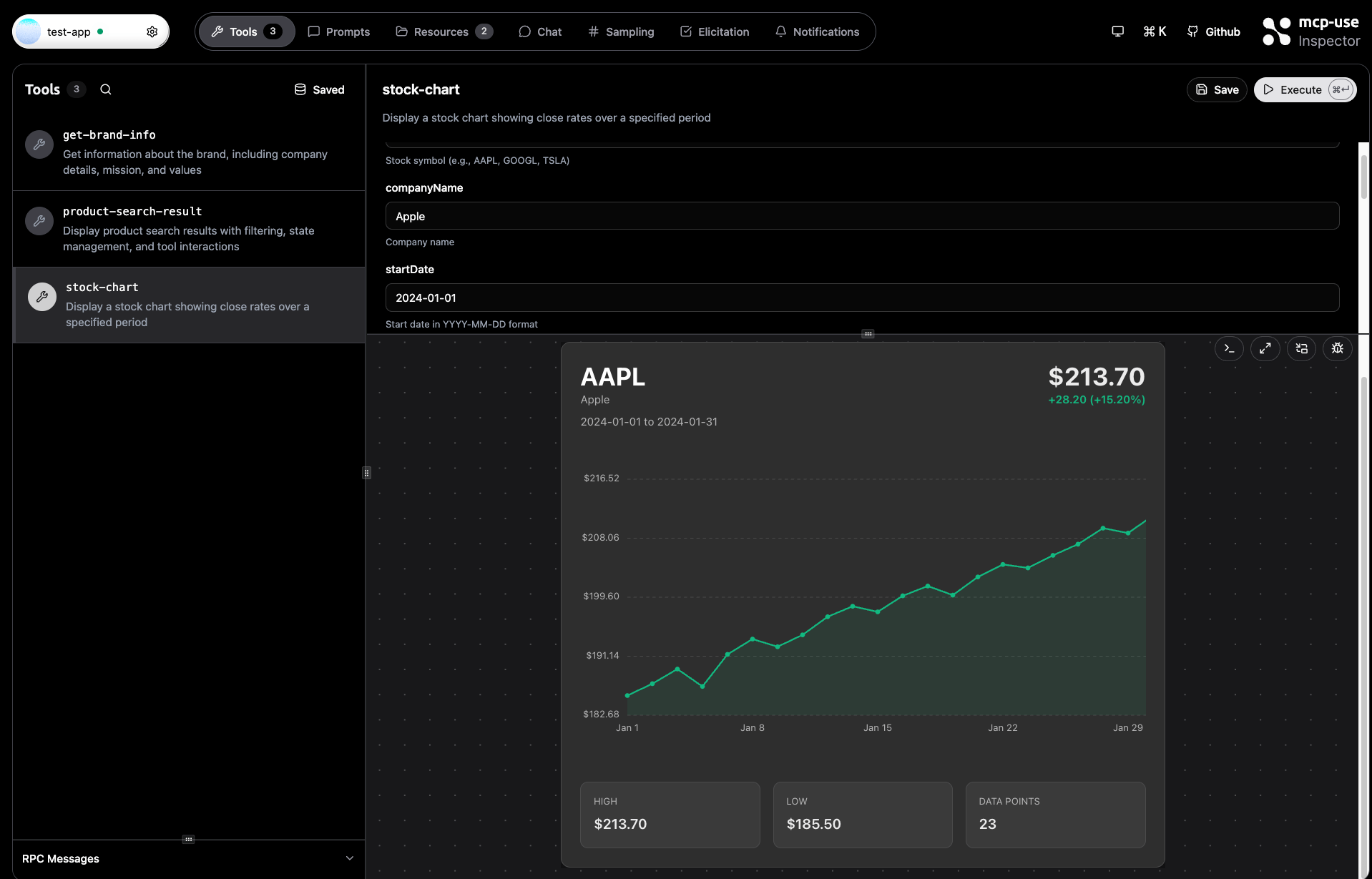
Start the dev server (npm run dev).
This will open the upgraded mcp-use inspector. Upon navigating to Tools, you will find stock-chart automatically registered, and you can test it with sample data:
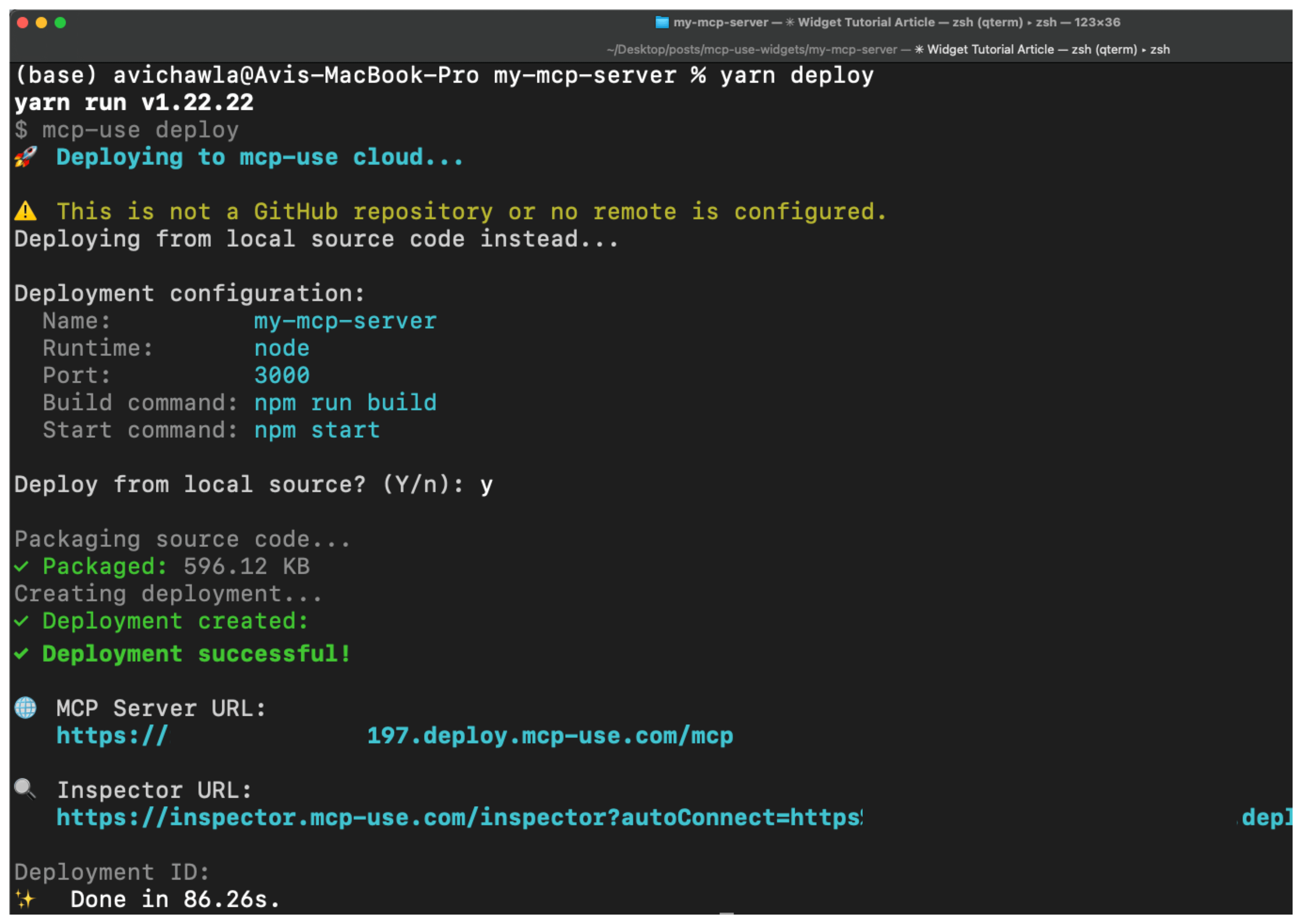
Finally, deploy the MCP server (with yarn deploy):
Add this to ChatGPT as follows:
Settings → Apps & Connectors → Advanced setting → Enable Developer mode.
Settings → Apps & Connectors → Create:
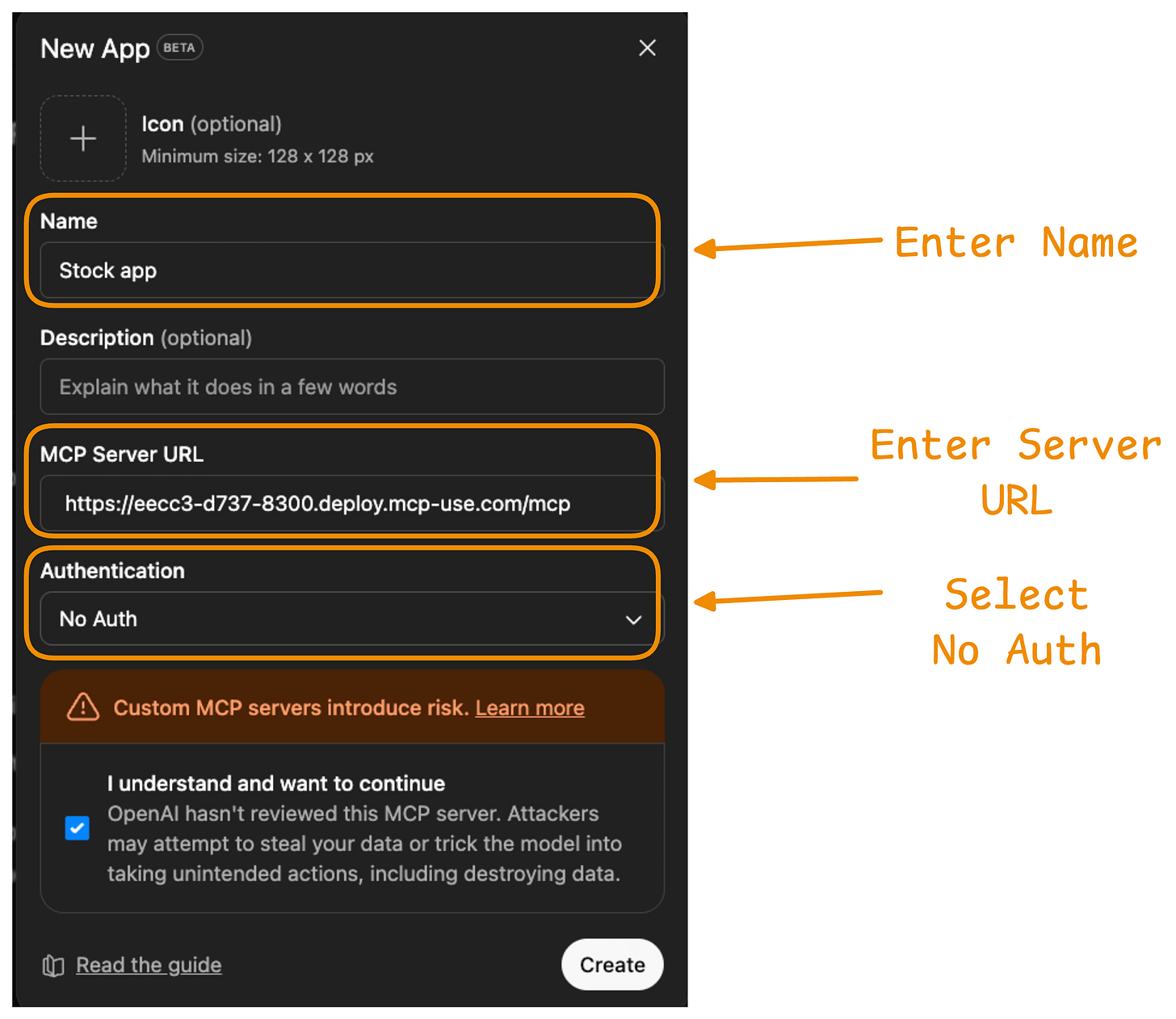
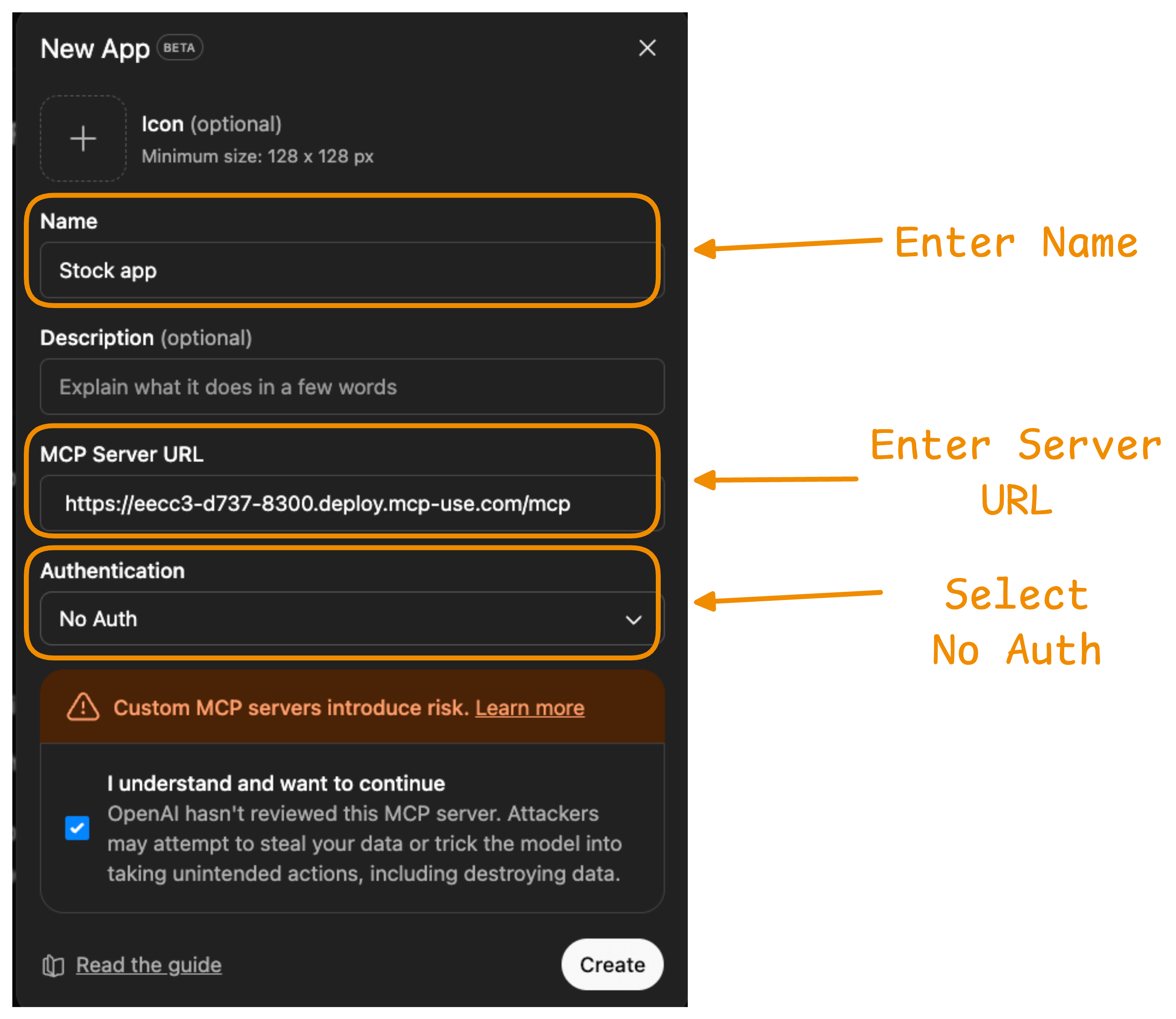
Give a name
Enter MCP Server URL as the Server URL obtained after deployment
Select “No Auth” from “Authentication”
Done!
Now you can get UI elements in ChatGPT as well:
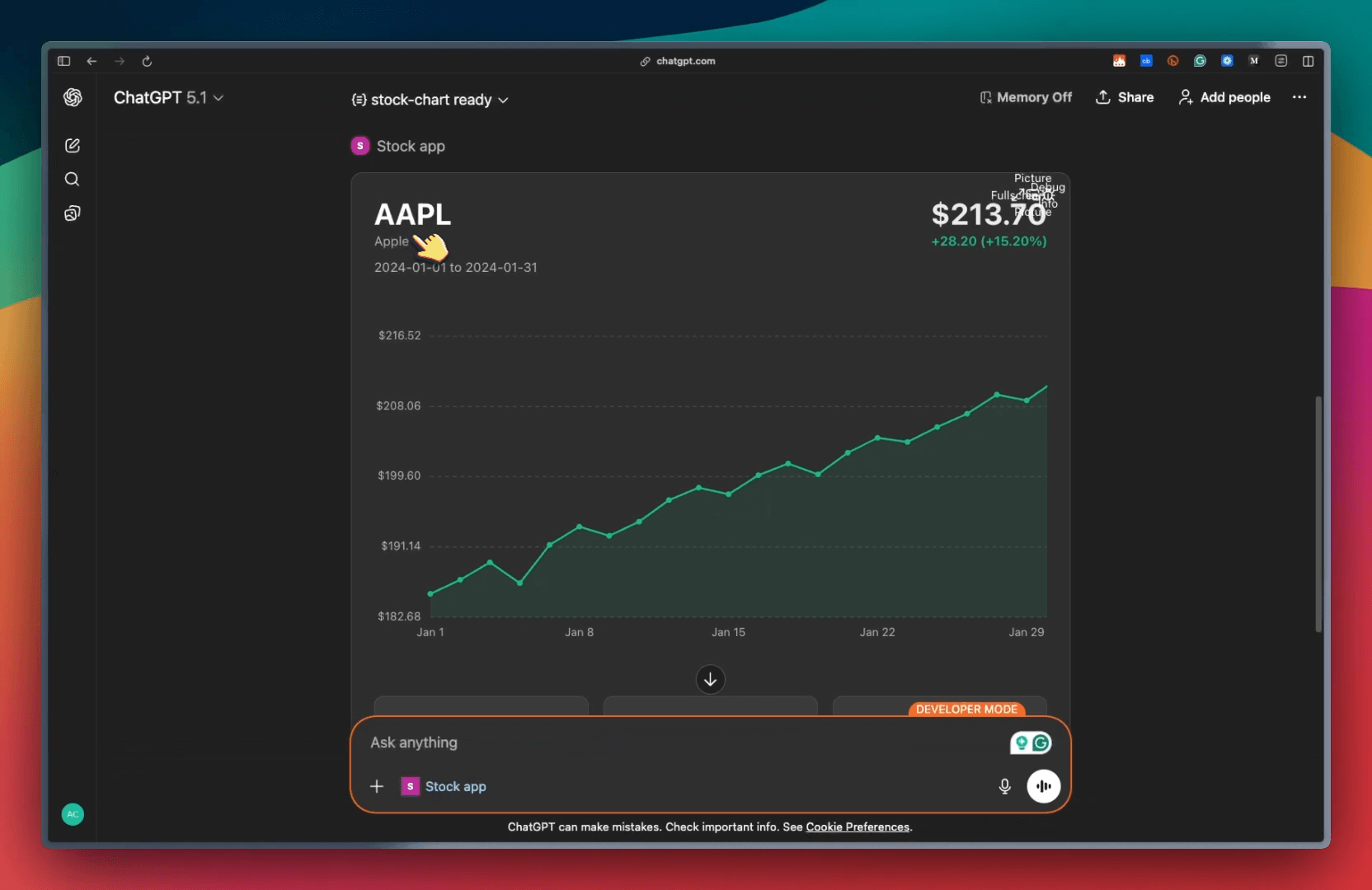
As demonstrated above, this approach has zero boilerplate code.
You just need to drop a React component in the resources/ folder, and mcp-use handles everything like tool registration, props mapping, hot reloading, etc.
Also, the UI Widgets you create with mcp-use are in the MCP Apps standard, which is inspired by MCP-UI and OpenAI’s Apps SDK to allow MCP Servers to display interactive UI elements in conversational MCP clients or chatbots.
You can learn more UI widgets in the docs here →
You can find the mcp-use GitHub repo here → (don’t forget to star it)
Thanks for reading!