

Local experimentation only takes you so far.
At some point, the model needs to leave your machine. It needs to be fine-tuned on proper compute, exported in the right format, and deployed behind an endpoint that can handle real requests.
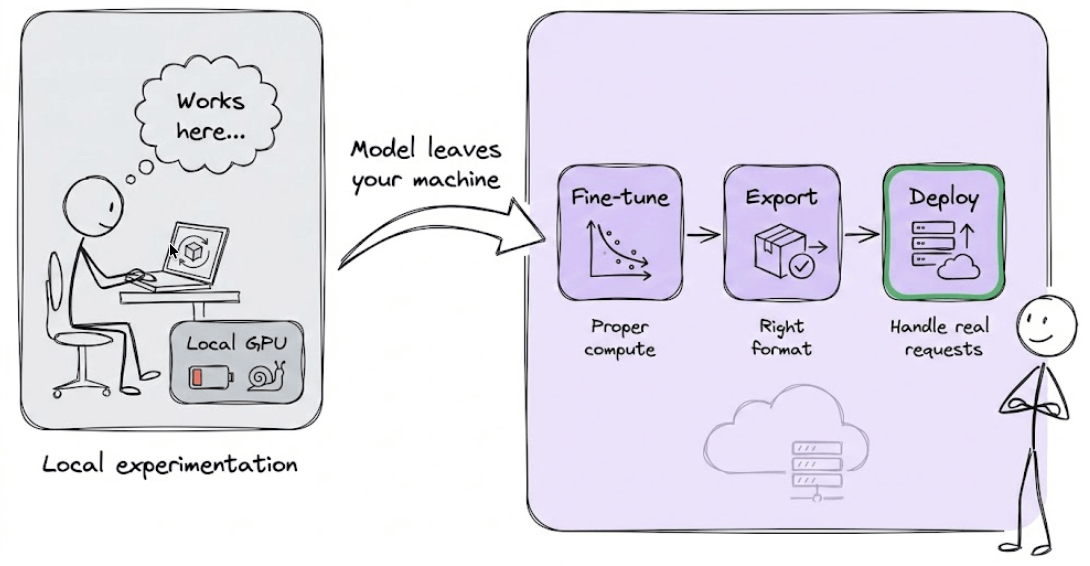
That’s the workflow we are breaking down today.
Today, we shall understand how a large model can be trained efficiently, exported correctly, and served for real inference.
To achieve this, we’ll use:
RunPod for on-demand GPU infra and dedicated environment.
Unsloth for fine-tuning
SGLang for model serving
Let’s begin!
1) Launch a Runpod Pod
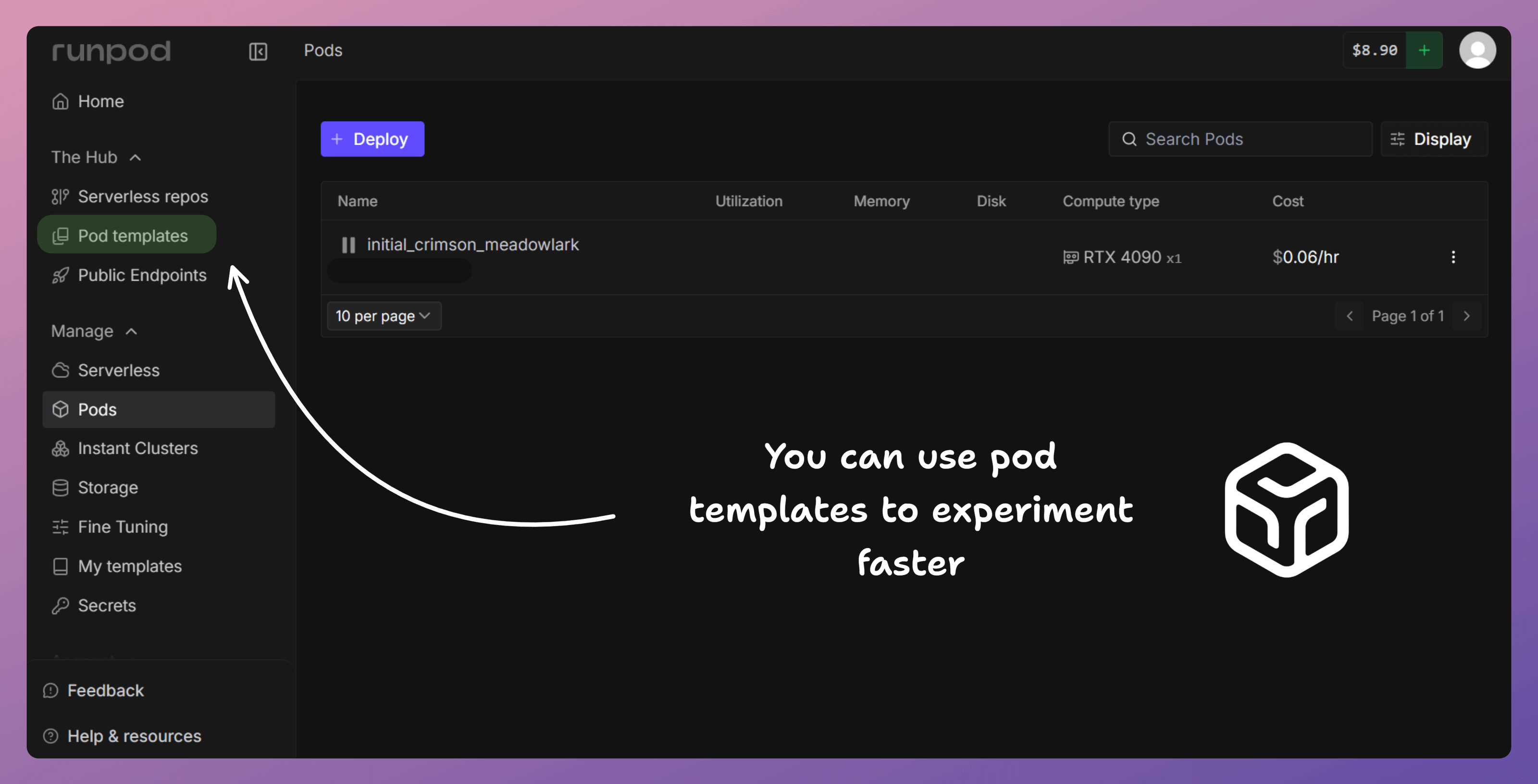
First, we spin up a Runpod Pod with a GPU (e.g., RTX 4090).
This is where everything runs: training and deployment.
Your laptop is just the UI.
2) Open Jupyter inside the Pod
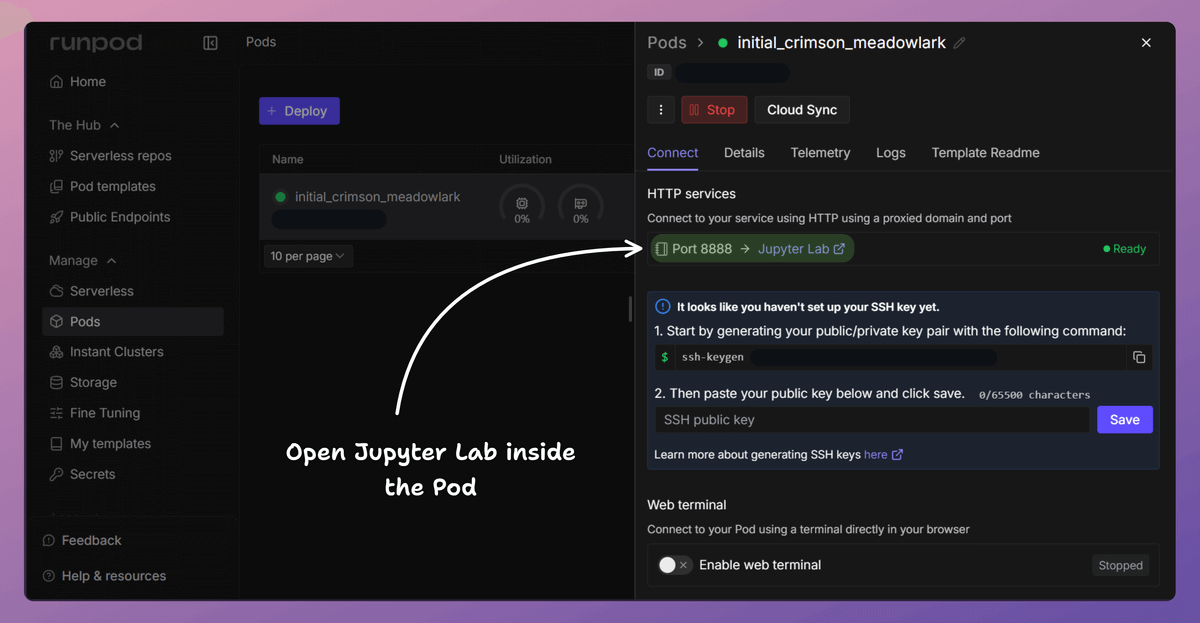
Next, we open Jupyter Lab inside the Pod.
This is where we write and run the notebook, executing all training and deployment code directly on the GPU.
3) Load the model
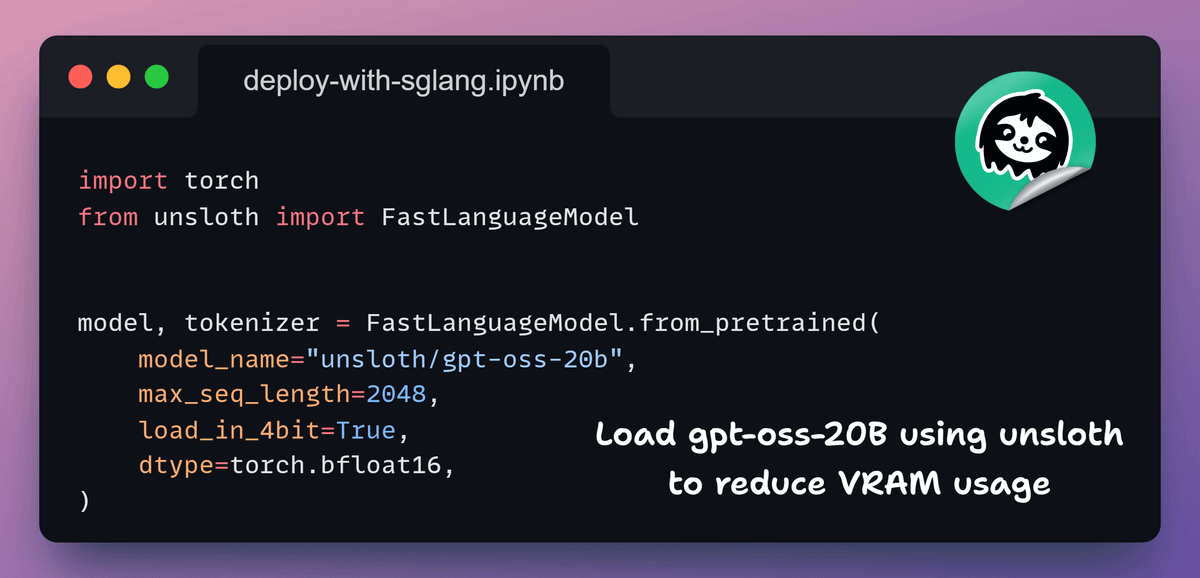
Now we load gpt-oss-20B with Unsloth.
Unsloth applies optimizations at import time and supports memory-efficient loading.
This is what makes working with a 20B model practical.
4) Add LoRA adapters
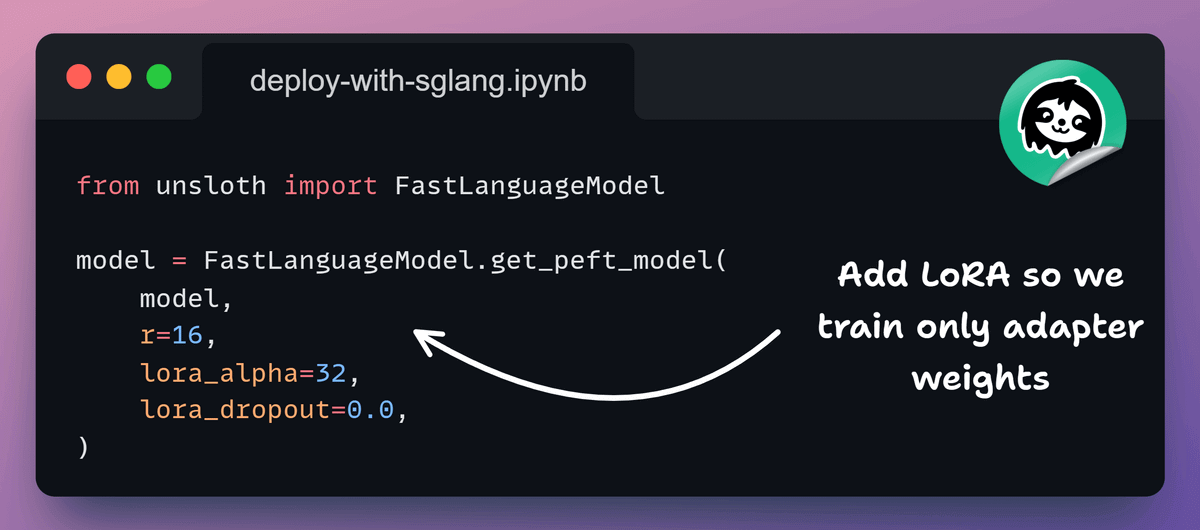
Next, we attach LoRA adapters.
Instead of updating all 20B parameters, we train a small set of additional weights.
The base model stays frozen, which keeps training efficient and stable.
5) Fine-tune the model
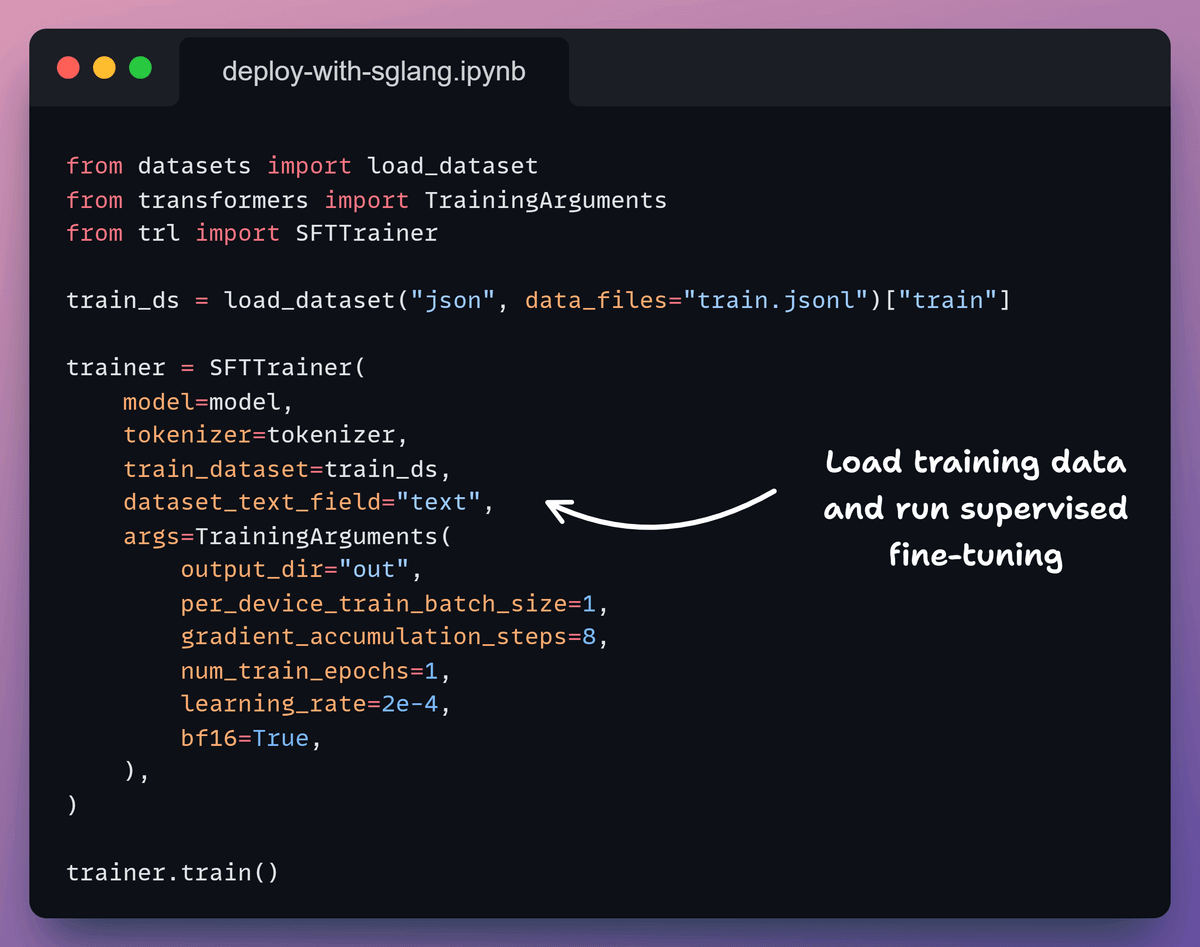
Now we run supervised fine-tuning.
Unsloth’s training loop is optimized for large models, so training stays fast while using far less GPU memory.
The loss decreases, indicating the model is training correctly.
6) Export the trained model
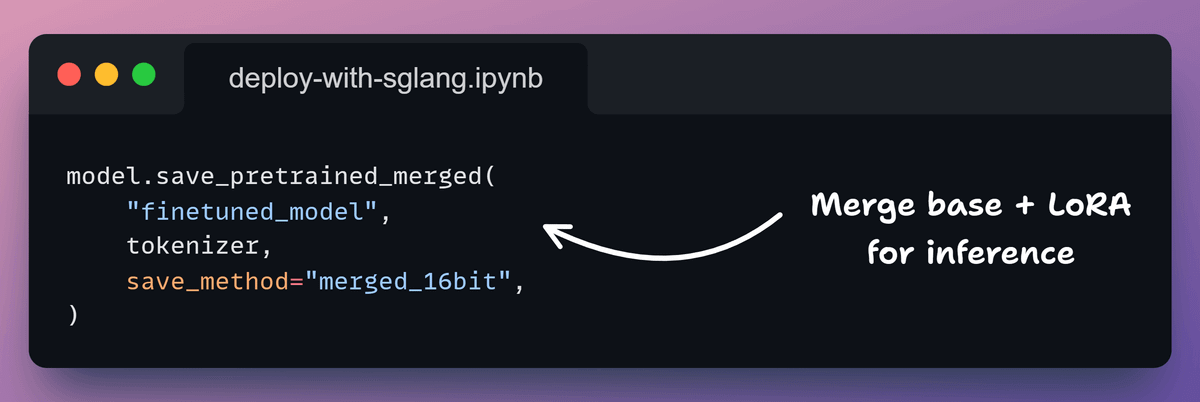
Once training finishes, we export the model for inference.
Here, we save a merged 16-bit checkpoint.
This combines the base model and LoRA adapters into a single artifact that inference engines can load directly.
7) Serve the model with SGLang
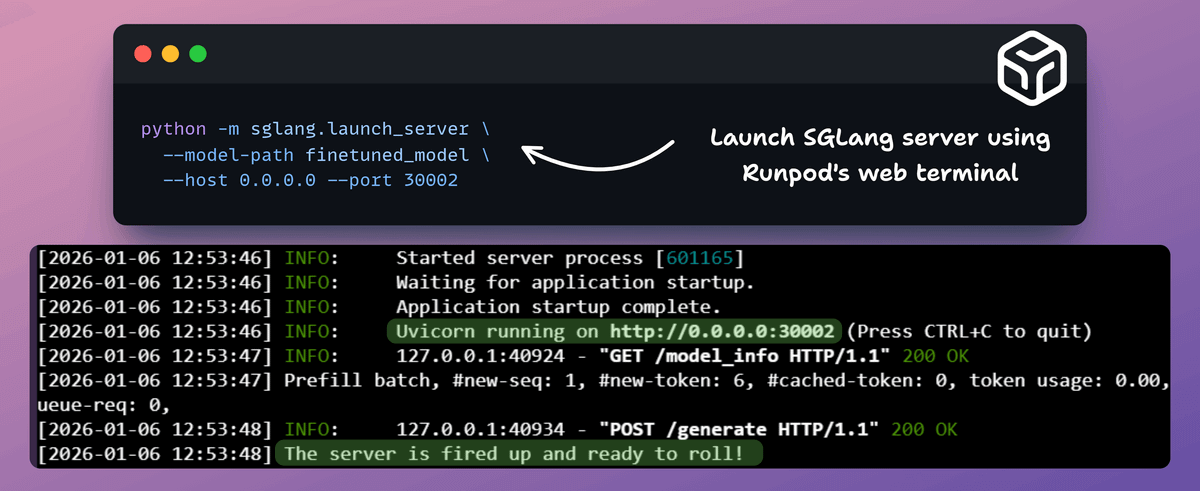
We launch the SGLang server from the Runpod web terminal.
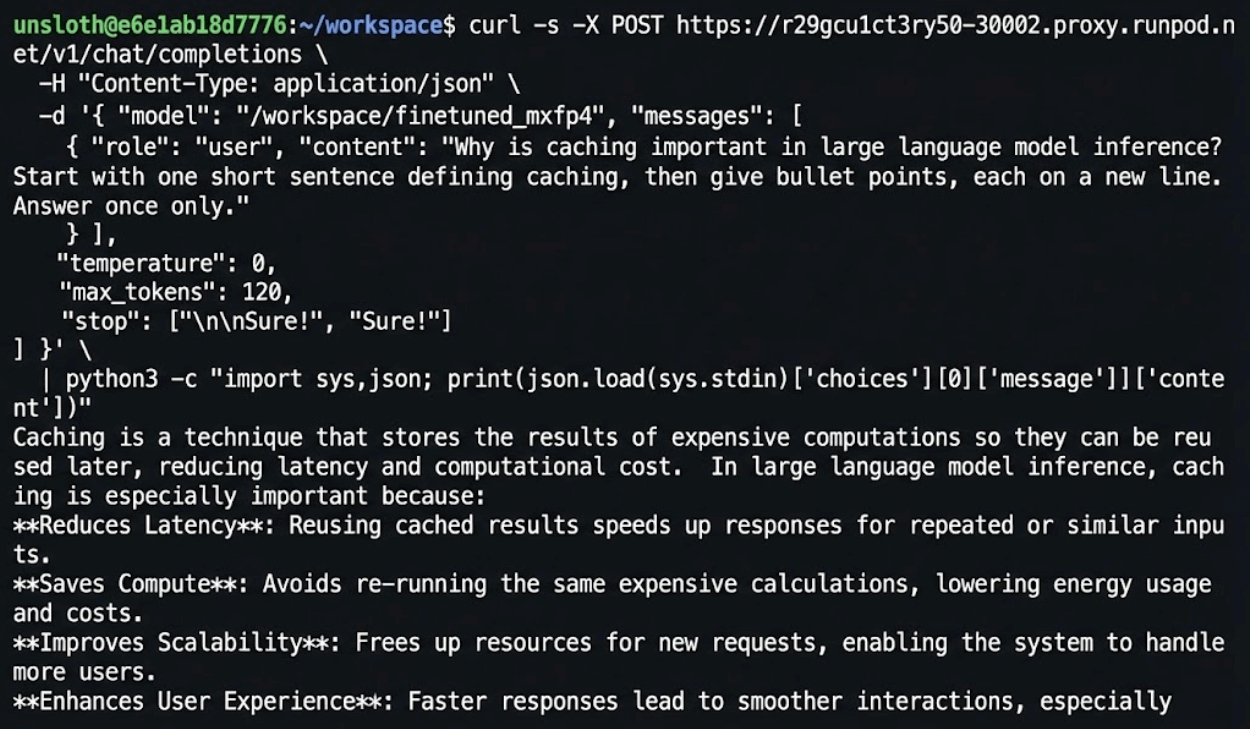
It loads the exported checkpoint and starts an OpenAI-compatible inference server on port 30002.
The logs confirm the server is live and ready to generate tokens.
8) Invoke the model
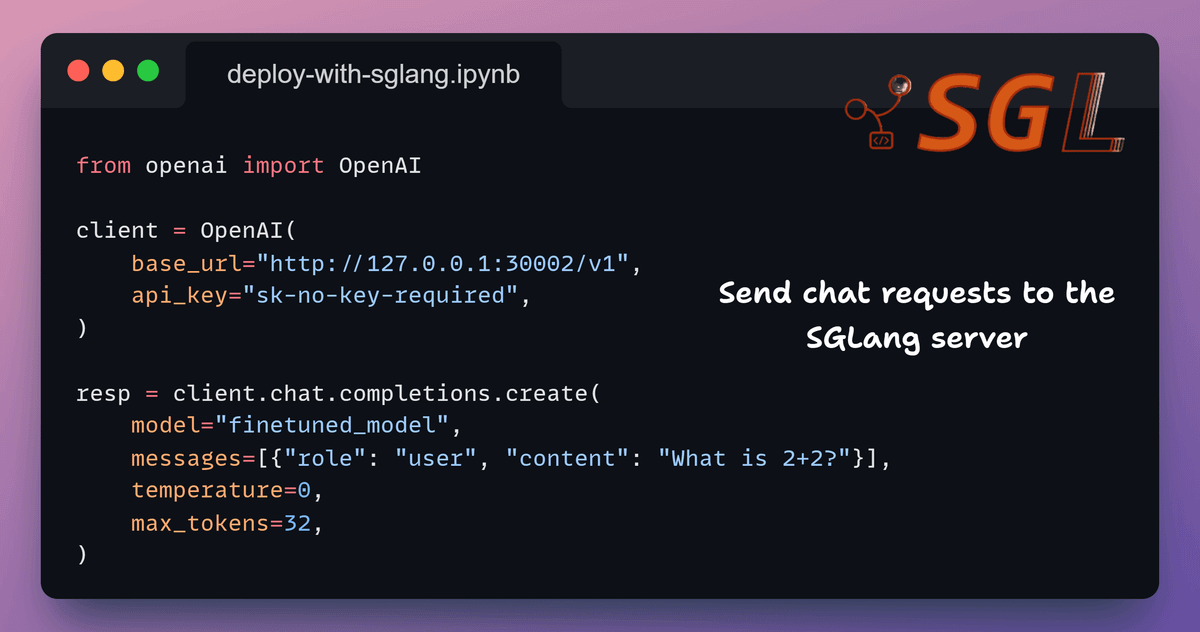
Finally, we send requests using the standard OpenAI client.
Since SGLang exposes an OpenAI-compatible API, no custom tooling is required.
We point the client to the running server and send prompts as usual.
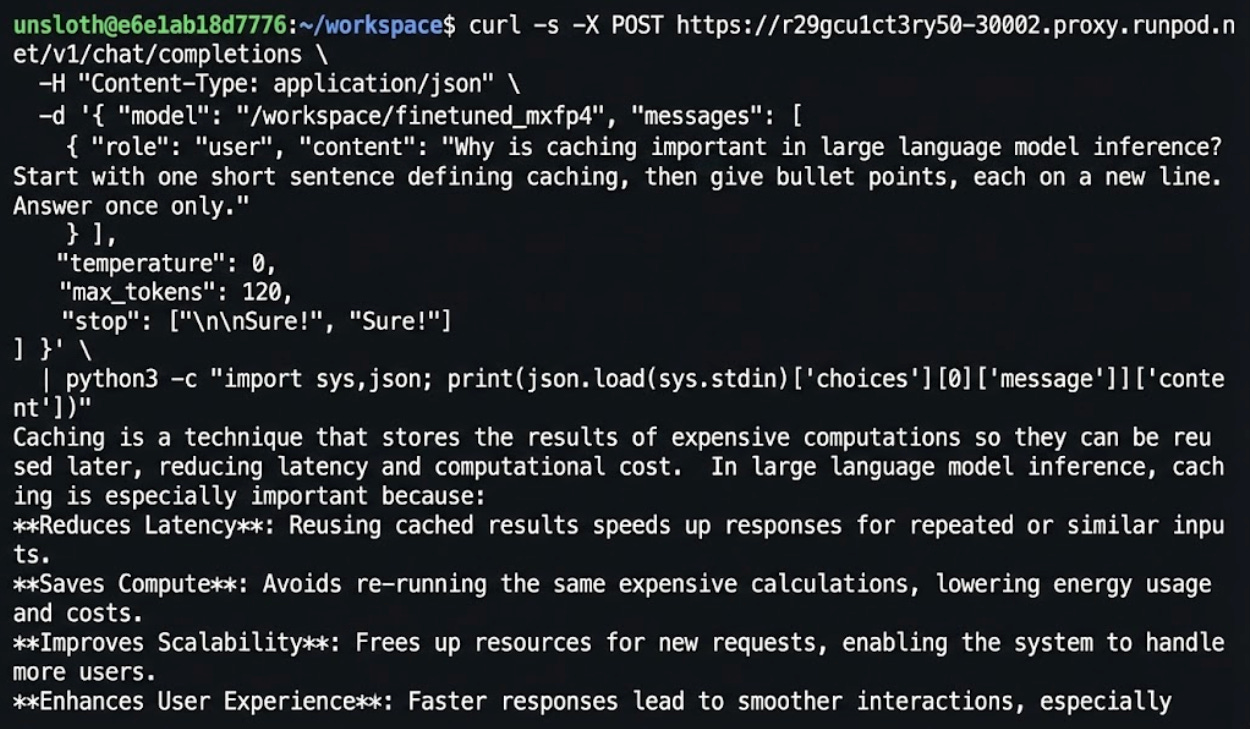
We have now taken gpt-oss-20B from fine-tuning to real inference, all running on an on-demand GPU compute.
The entire workflow we showed above runs on RunPod. Fine-tuning, export, deployment, all on the same infrastructure.
What we appreciate about RunPod is that it stays out of the way.
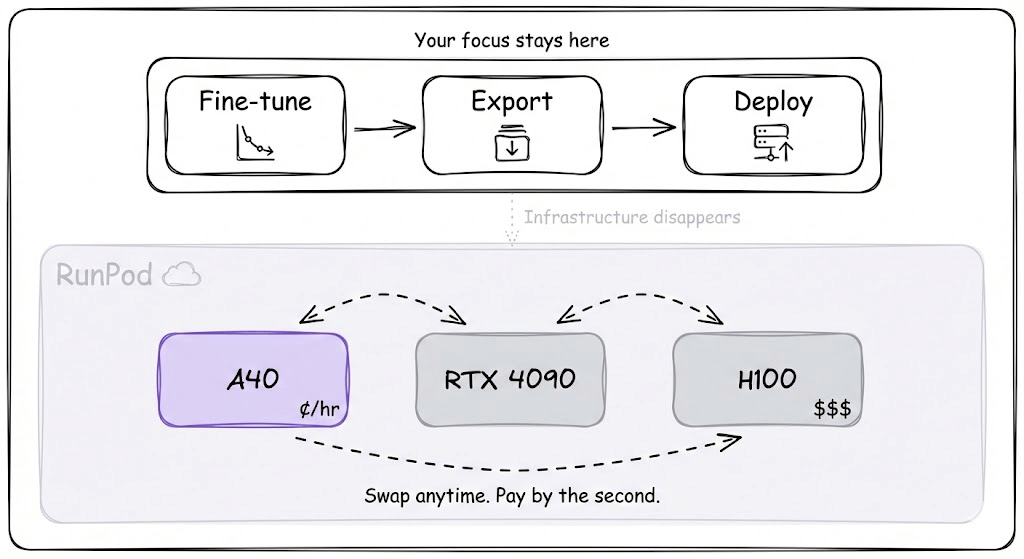
You rent the GPU, do your work, and pay by the second. When you’re prototyping, you use a cheaper GPU.
When you’re ready to scale, the higher-end options are there. The flexibility to move between these without dealing with quotas or approvals makes iteration much faster.
Infrastructure should disappear into the background. RunPod gets close to that ideal.
You can start using RunPod to get fully on-demand infra here →
Thanks to the RunPod team for putting up with us on today’s demo!
Couldn't agree more. Your breakdown of LoRA adapters, training a small set of additional weights, is briliant for explaining efficient large model fine-tuning.