

API collections have always lived separately from the code they describe.
The codebase sits in Git, CI pipelines run on branches and pull requests, but API specs, collections, and tests have historically been managed in Postman’s cloud with their own versioning system and their own sync workflows.
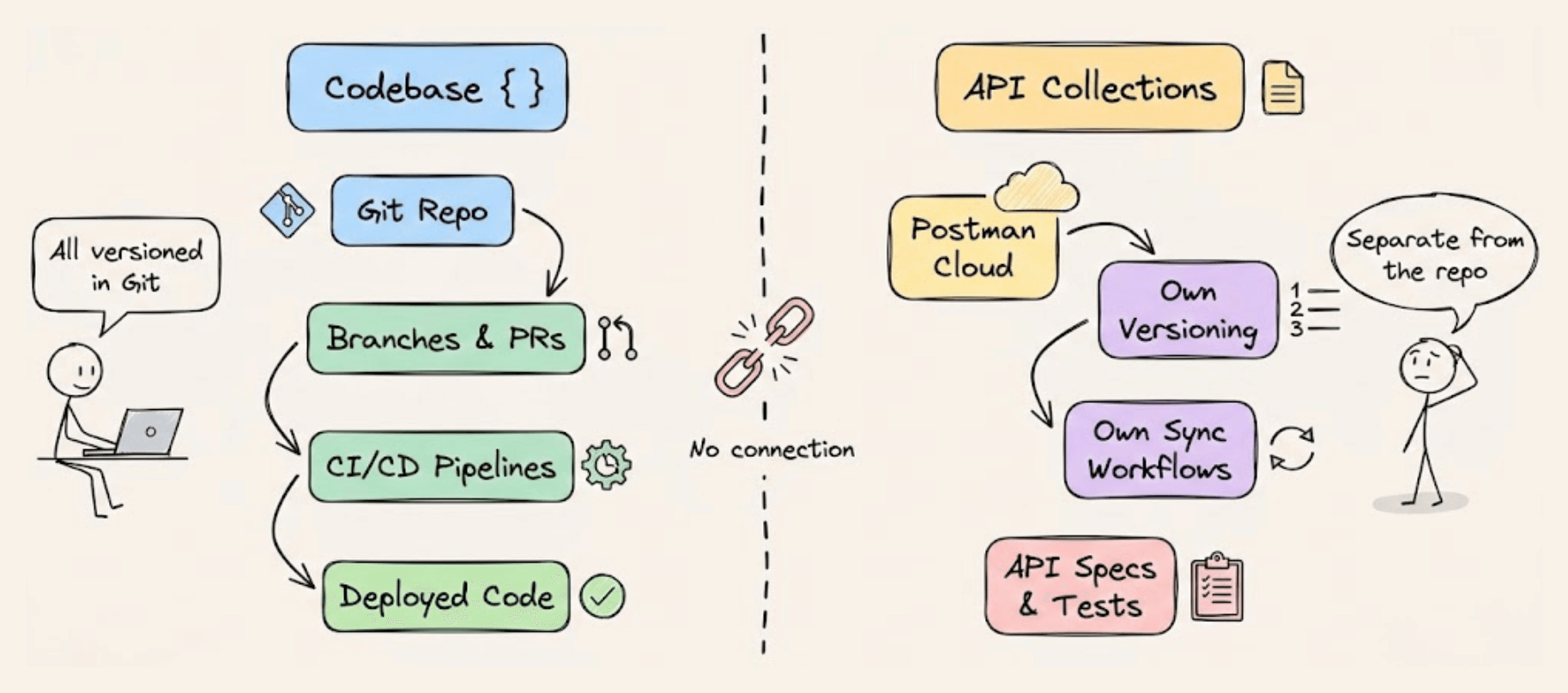
And this has been a source of friction for a long time.
Keeping collections in sync with code changes meant manually exporting, committing, and re-importing, and that process breaks down pretty quickly as teams scale.
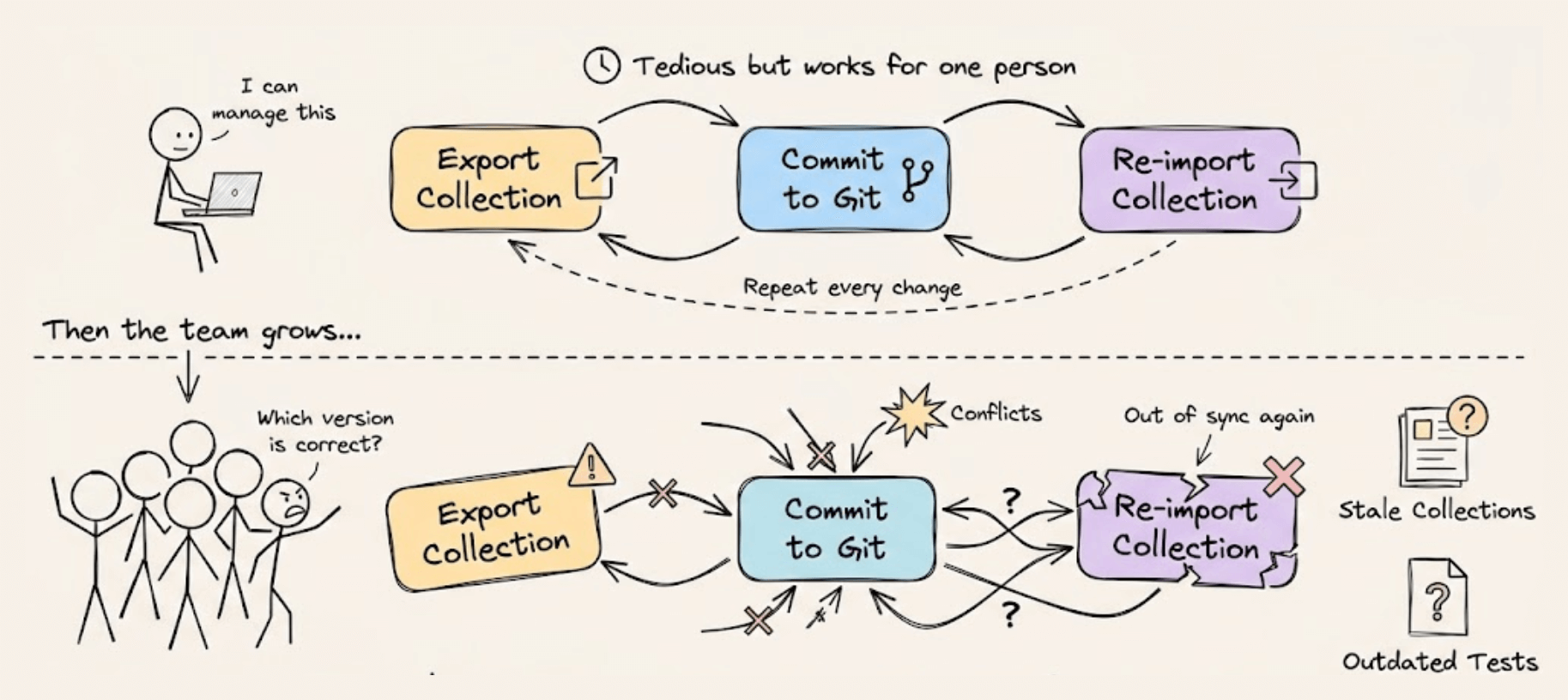
New Postman rethinks this by keeping all your API artifacts live inside your Git, alongside your code, versioned. This means specs, collections, environments, mocks, and tests now live as files in the local filesystem and Git repository, right next to the application code.
Today, let’s do a walkthrough of the most notable updates we found in the release!
Native Git and filesystem integration
Collections, specs, and environments now exist as files inside a .postman folder in the project repo.
They move through branches and pull requests like any other file, which means collection changes can be reviewed in the same PR as the code changes that introduced them.
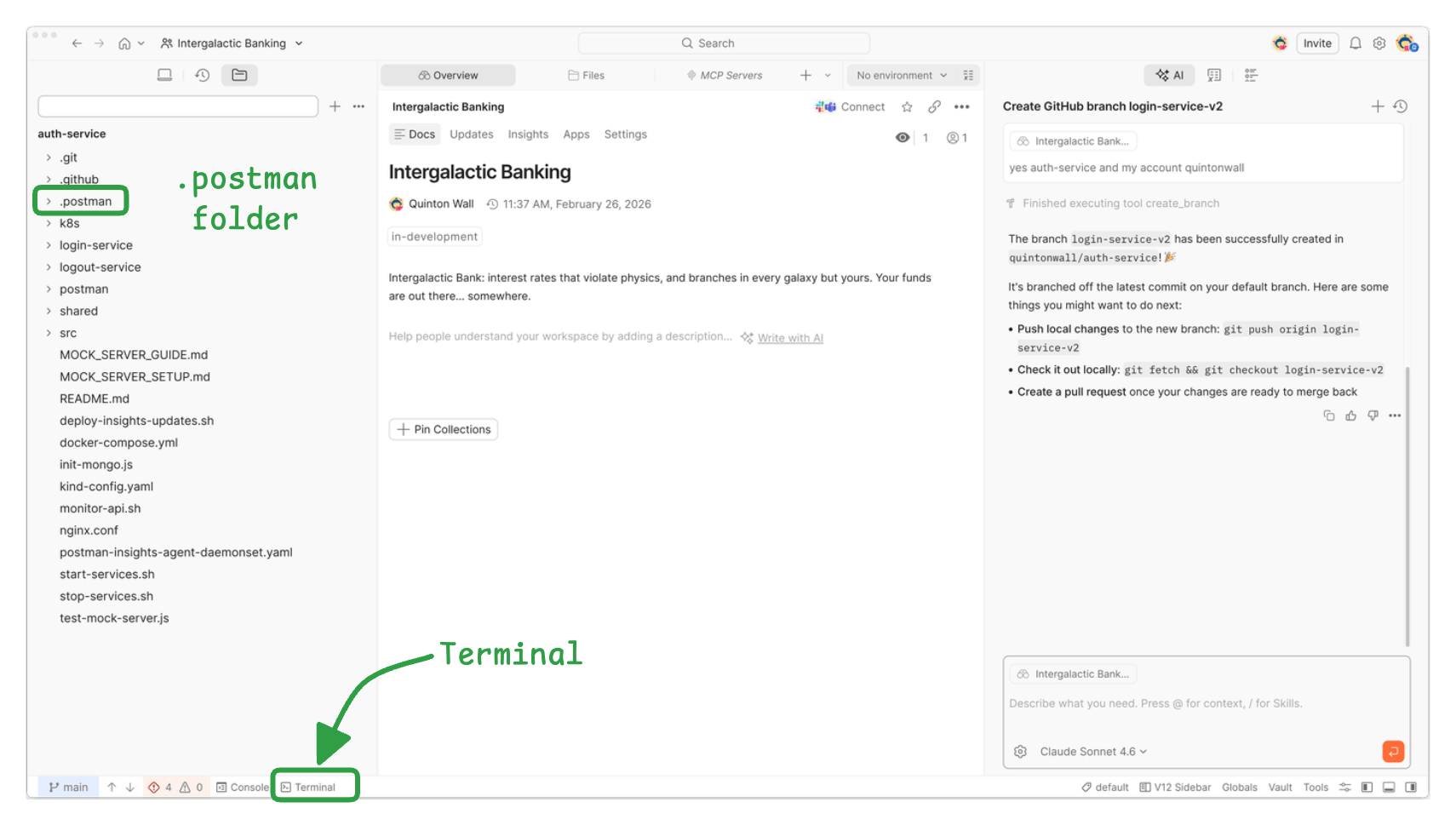
New Postman also added a built-in terminal and file editor, so it’s possible to run Git commands, inspect code, and edit collections all within the same window. The workspace connects directly to a local Git repository, and switching branches in Git automatically reflects in the Postman UI.
There are two views now: a local view (what’s on the filesystem, the builder’s view) and a cloud view (what’s published for consumers of the API).
The recommended workflow is to develop locally, push through Git and CI, and let automation handle syncing to the cloud.
The collection format moved from JSON to YAML
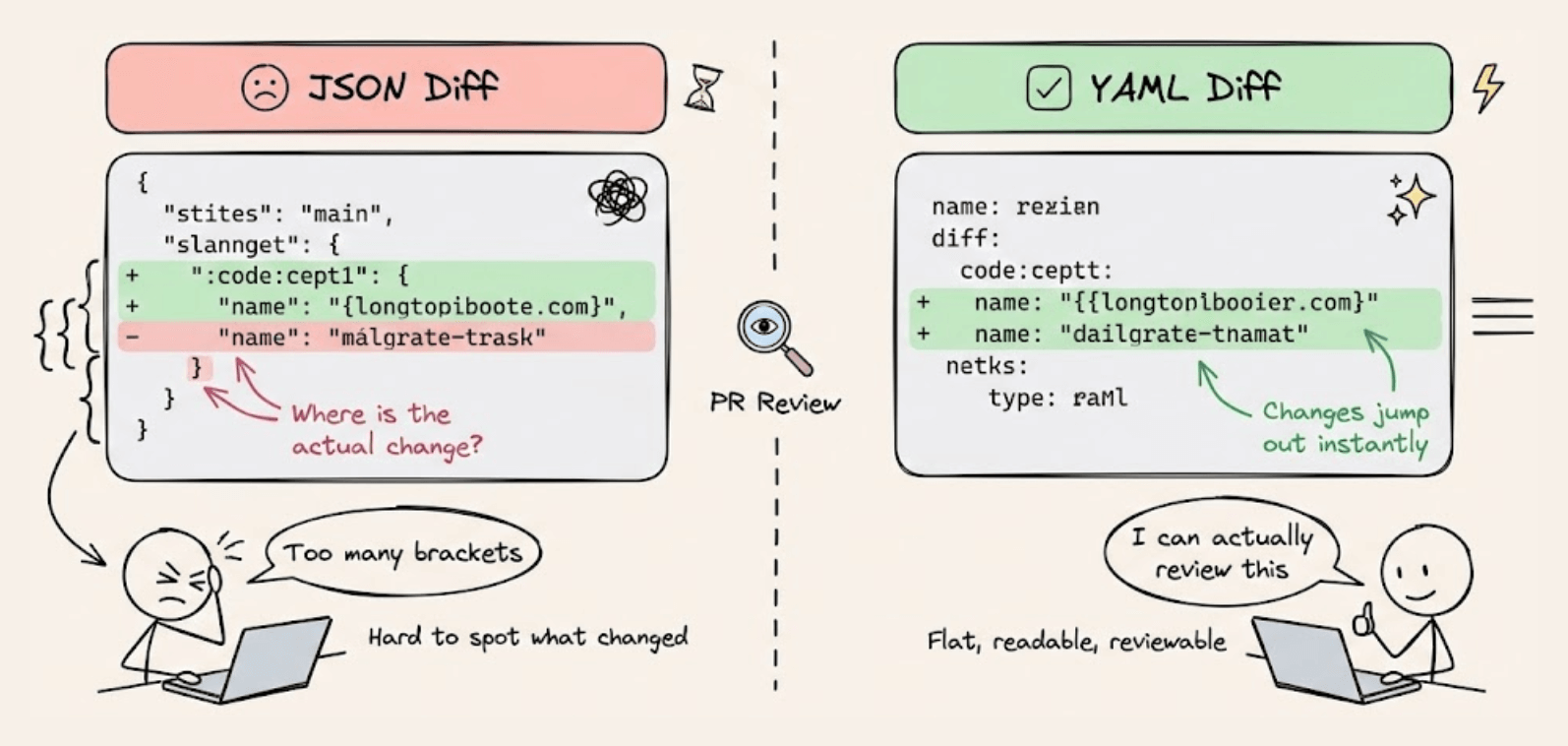
New Postman introduced a V3 collection format that’s YAML-based instead of JSON. This is a practical decision for two reasons.
First, YAML produces much cleaner Git diffs. Reviewing a JSON diff in a pull request with deeply nested brackets and braces is genuinely hard to parse. YAML is flatter and more readable, so it becomes realistic to actually review collection changes in PRs the way we review code.
Second, YAML is easier for LLMs to work with. Since Postman is investing heavily in Agent Mode (more on that below), having collections in a format that AI can reliably read and modify matters quite a bit.
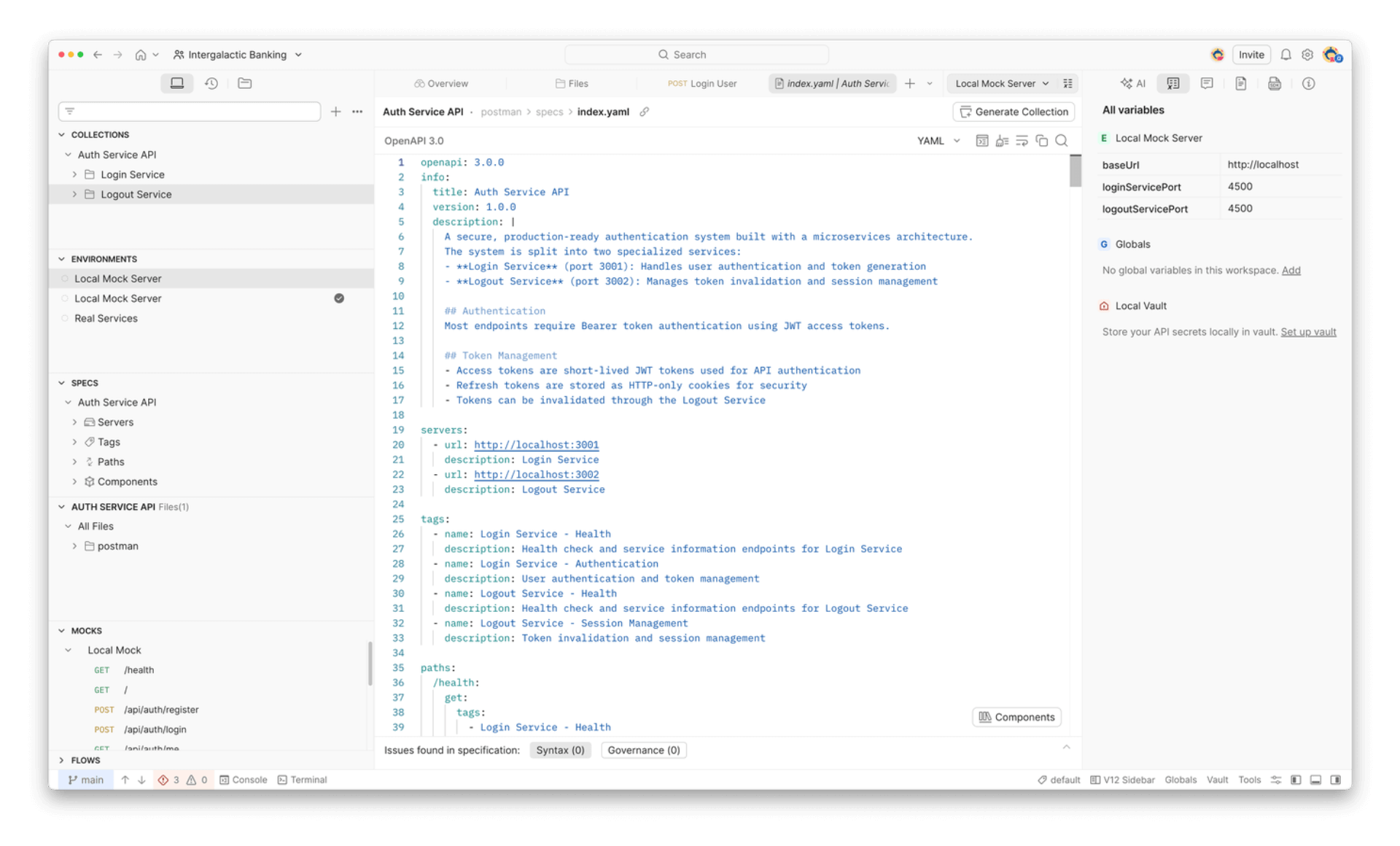
The V3 format also introduces multi-protocol collections. Previously, REST and GraphQL endpoints required separate collections. Now REST, GraphQL, gRPC, and WebSocket requests can all live in the same collection, which simplifies project organization considerably.
Agent Mode now operates across the full API lifecycle
Agent Mode has evolved beyond generating individual tests or documentation. It now coordinates multi-step changes across specs, collections, backend code, and documentation in a single session.
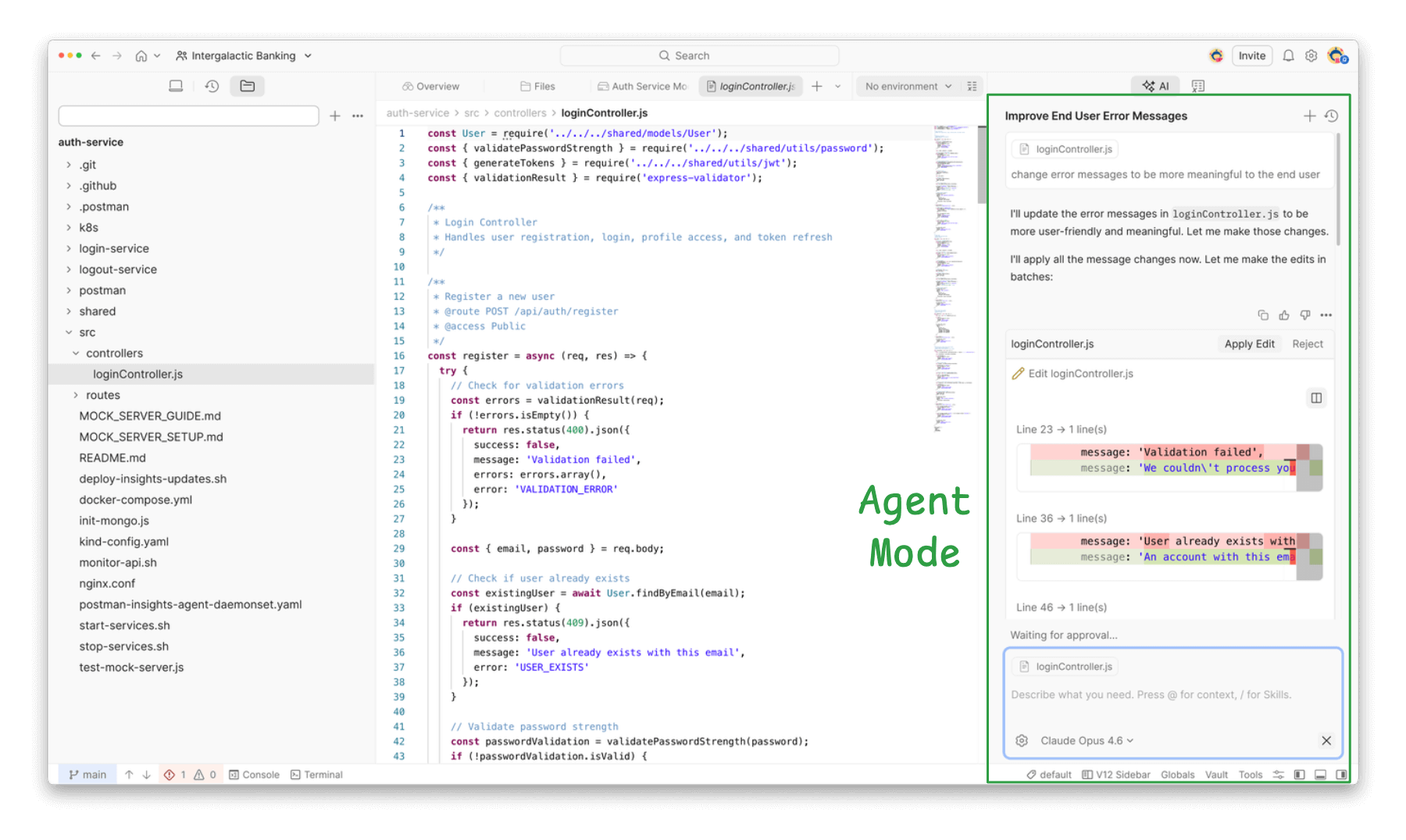
Two realistic examples illustrate this well.
In the first, a local project folder is connected to a Postman workspace. Agent Mode scans the codebase, identifies all API services (Flask backends, Express servers, Kafka endpoints), and generates complete collections with all discovered endpoints. No manual setup required.
In the second, Agent Mode takes an existing v1 OpenAPI spec and performs a full version upgrade. It analyzes the spec, identifies breaking changes across naming conventions, response structures, pagination, and authentication, then generates a clean v2 spec, a detailed migration guide, a new Postman collection aligned with the v2 spec, and even updates the backend routes to use the new v2 paths. Everything stays versioned and reviewable.
What makes this interesting is that Agent Mode isn’t operating on a single artifact in isolation. Instead, it’s reasoning across multiple files and keeping them in sync, which is closer to how a developer actually thinks about API changes.
Local and CI workflows are now unified
A persistent annoyance in API testing has been the disconnect between local testing and CI. Tests written and validated in Postman often had to be partially rewritten or reconfigured to run in a CI pipeline.
New Postman removes this gap. The same collections that run locally also run in CI through the Postman CLI. It’s possible to set up pre-commit hooks that execute collection tests before a commit even goes through, and then the same tests run again in GitHub Actions (or any CI tool) as part of the pipeline.
Once CI passes, the postman workspace push command syncs everything to Postman Cloud, so API consumers always see the latest validated version. The key idea is that there’s one set of tests flowing through the entire pipeline rather than maintaining parallel test setups for different environments.
A redesigned UI with an IDE-native feel
The interface has been rebuilt from scratch around a three-panel layout: navigation on the left, the workbench in the center, and an auto-action panel on the right. It’s designed to feel closer to an IDE than a traditional API client.
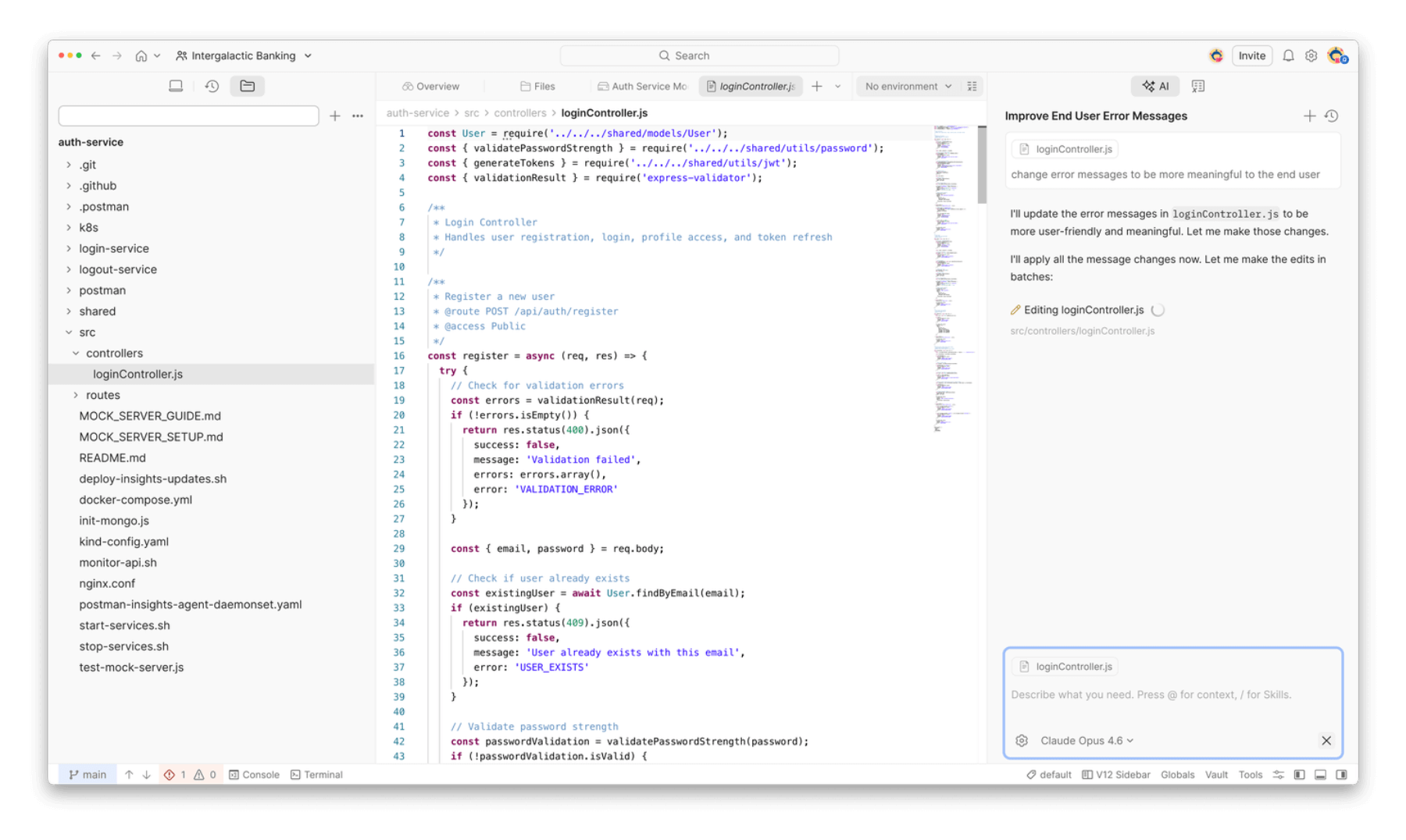
A few smaller but welcome additions: workspaces can now be archived instead of just deleted, search is scoped to individual workspaces, and cloud services like mock servers and monitors are grouped under a dedicated menu
Postman is also encouraging a pattern where each workspace maps to a single API or service rather than bundling unrelated APIs together.
Bring your own LLM
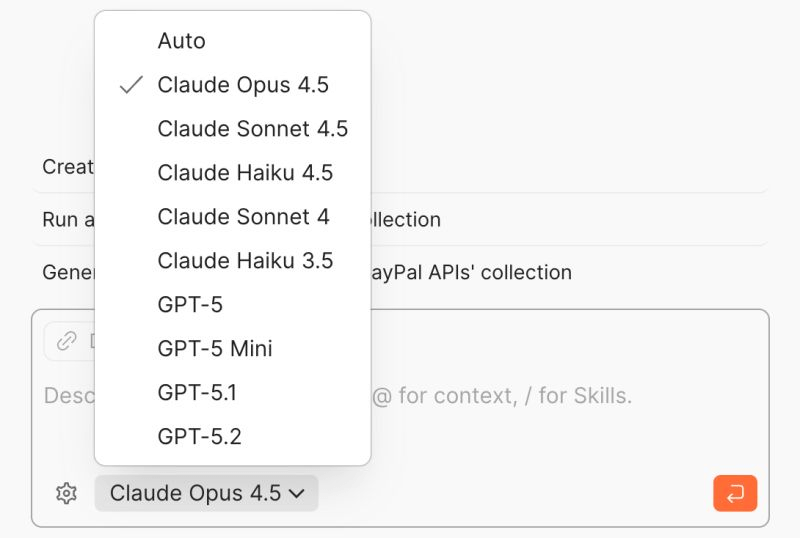
Agent Mode now supports model selection.
It’s possible to use Claude, GPT, or a self-hosted model depending on preference or compliance requirements.
New Postman also added MCP server support, which allows Agent Mode to connect to external tools without custom integrations.
The throughline across all of these updates is pretty clear: Postman is moving API work into the same developer workflow that code already follows.
Git for version control, branches, and PRs for collaboration, CI for validation, and AI for automating the tedious coordination work.
New Postman is now live in Postman, and you can get started here →
Thanks for reading, and to Postman for working with us on today’s issue!