

In today’s newsletter:
Your worst agent bugs never get reported.
Audio RAG with 200x cheaper vector DB costs.
8 prompting techniques to generate better LLM outputs.
Your worst agent bugs never get reported
Nobody files a ticket when an agent retries the same failing tool three times without changing strategy, or burns ten reasoning turns and lands on a worse answer.
There is no exception to catch and no complaint to follow up on.
The trace looks fine unless someone reads it closely, and nobody reads thousands of traces a day.
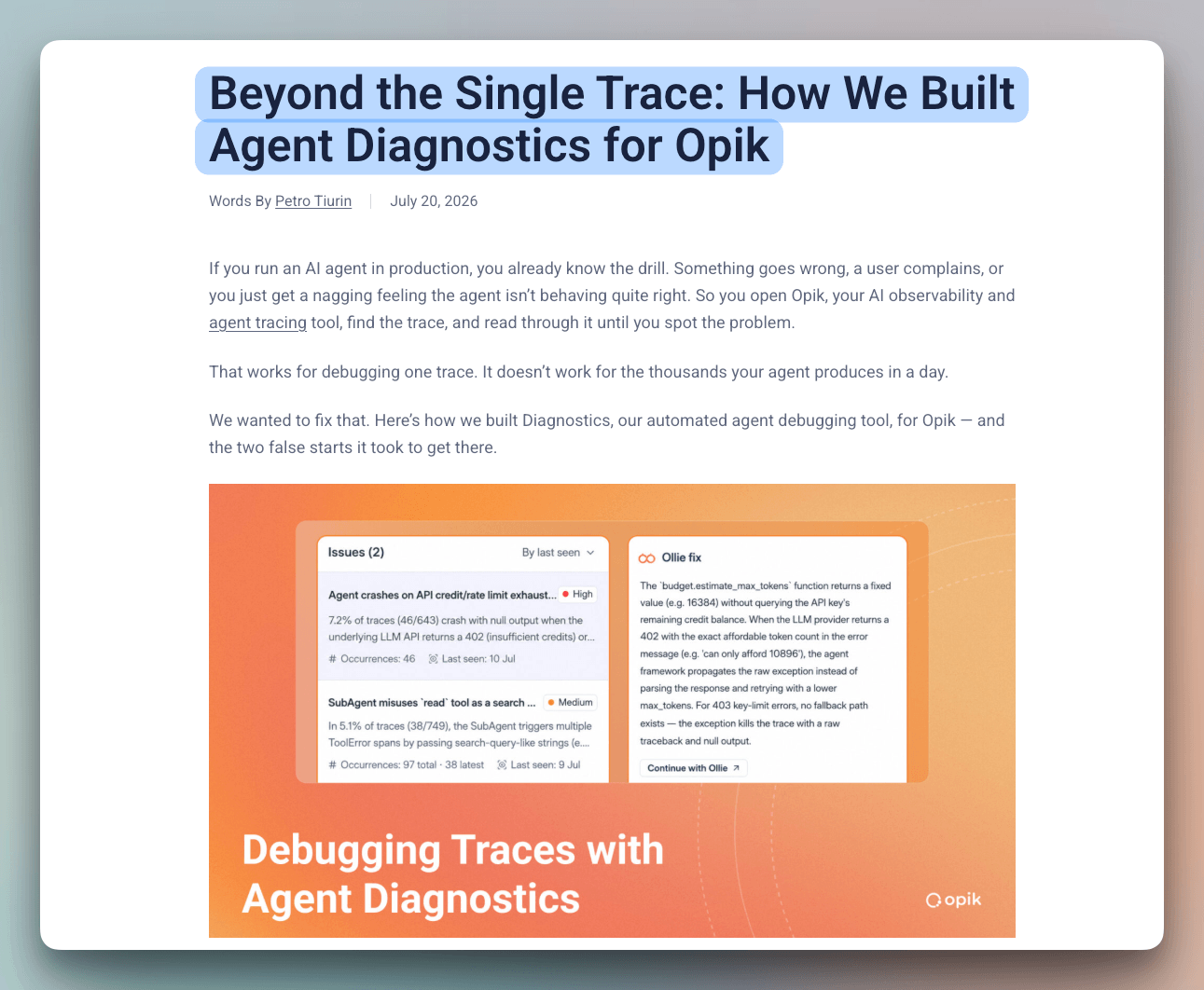
We just read a write-up by Opik’s team on how they built Diagnostics into Opik to go looking for these on its own, including the two approaches they threw out first.
What finally worked was letting the agent run aggregate queries over the trace store instead of reading traces, so every finding arrives with how often it actually happens.
[Hands-on] Audio RAG with 200x Cheaper Vector DB Costs
voyage-context-3 is a contextualized chunk embedding model that produces chunk embeddings with full document context.
This is unlike common chunk embedding models that embed chunks independently.
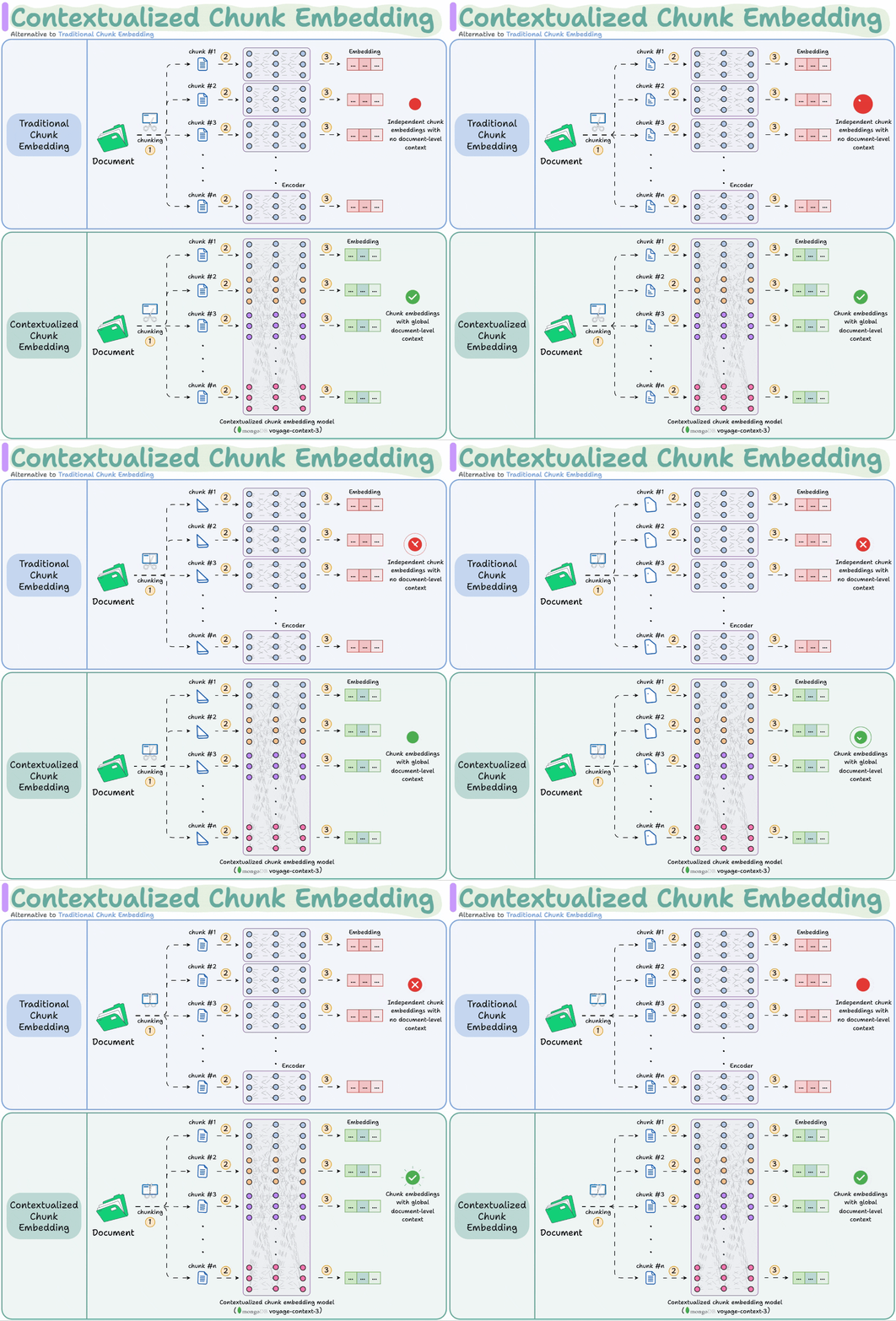
Today, we’ll use this model and Speechmatics to build a RAG system over audio data.
We’ll also use:
Llama Index for orchestration
DeepSeek V3.2 as the LLM
Here’s an overview of our app:
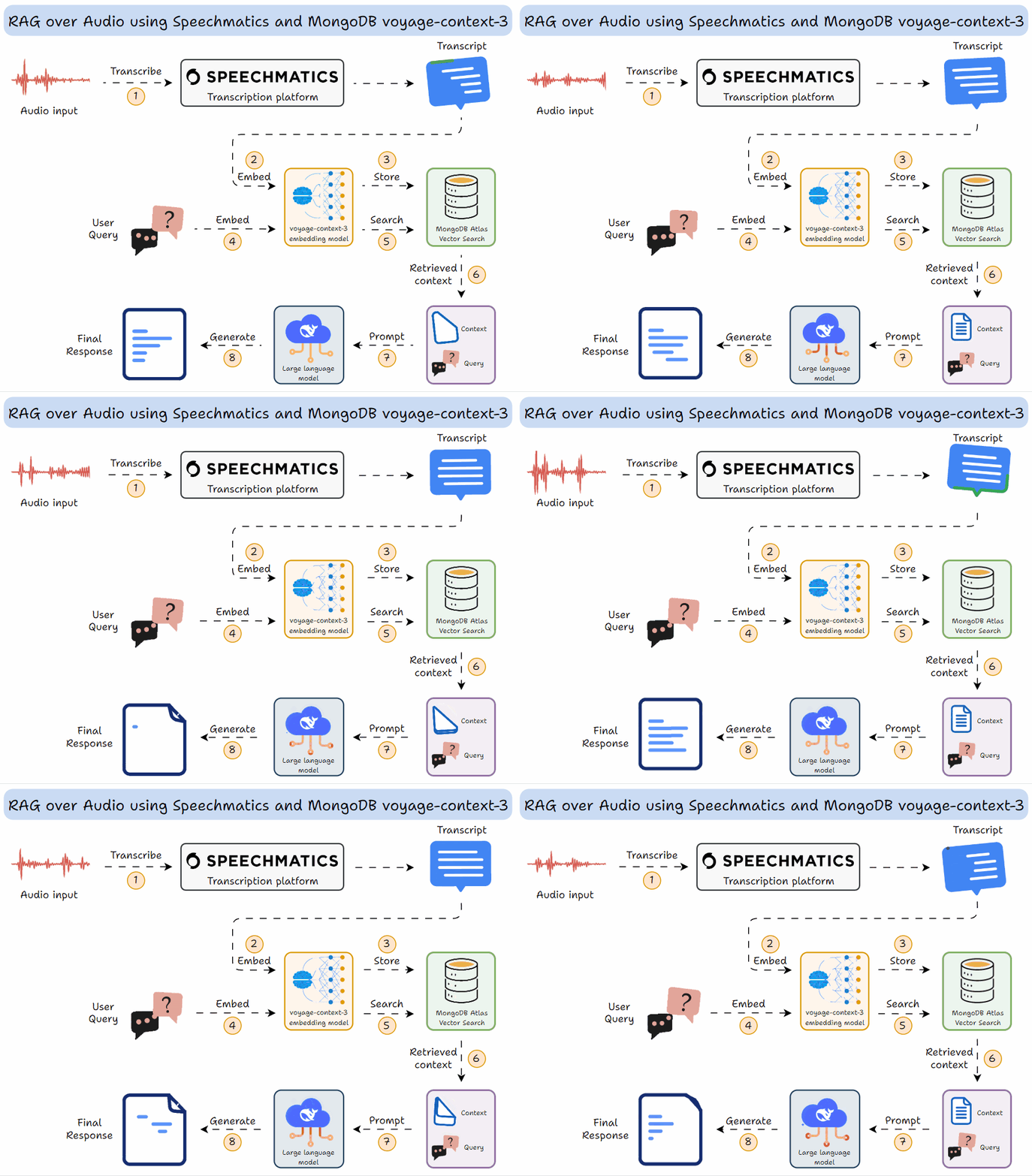
Transcribe the audio using Speechmatics.
Embed the transcript using MongoDB’s voyage-context-3 model.
Store it in a vector DB.
Query the vector DB to get context.
Use DeepSeek V3.2 as the LLM to generate a response.
Now let’s jump into code!
Let’s begin!
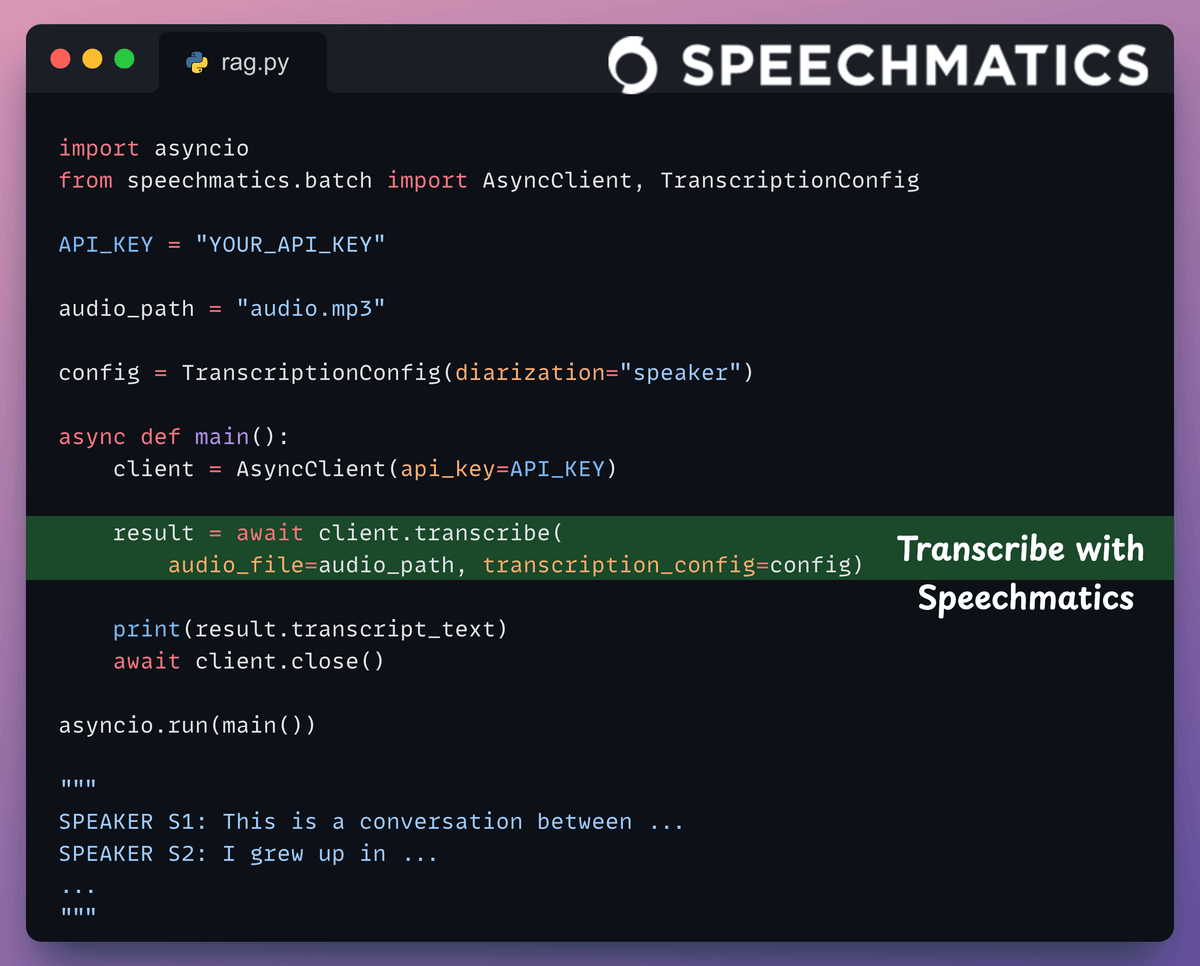
1) Transcription
In an audio RAG setup, reliable speaker-attributed transcription is important for accurate retrieval.
We use Speechmatics, which easily handles messy real-world audio with accents, noise, and overlapping speakers.
2) Embed transcripts and store them in a vector DB
To do this, we:
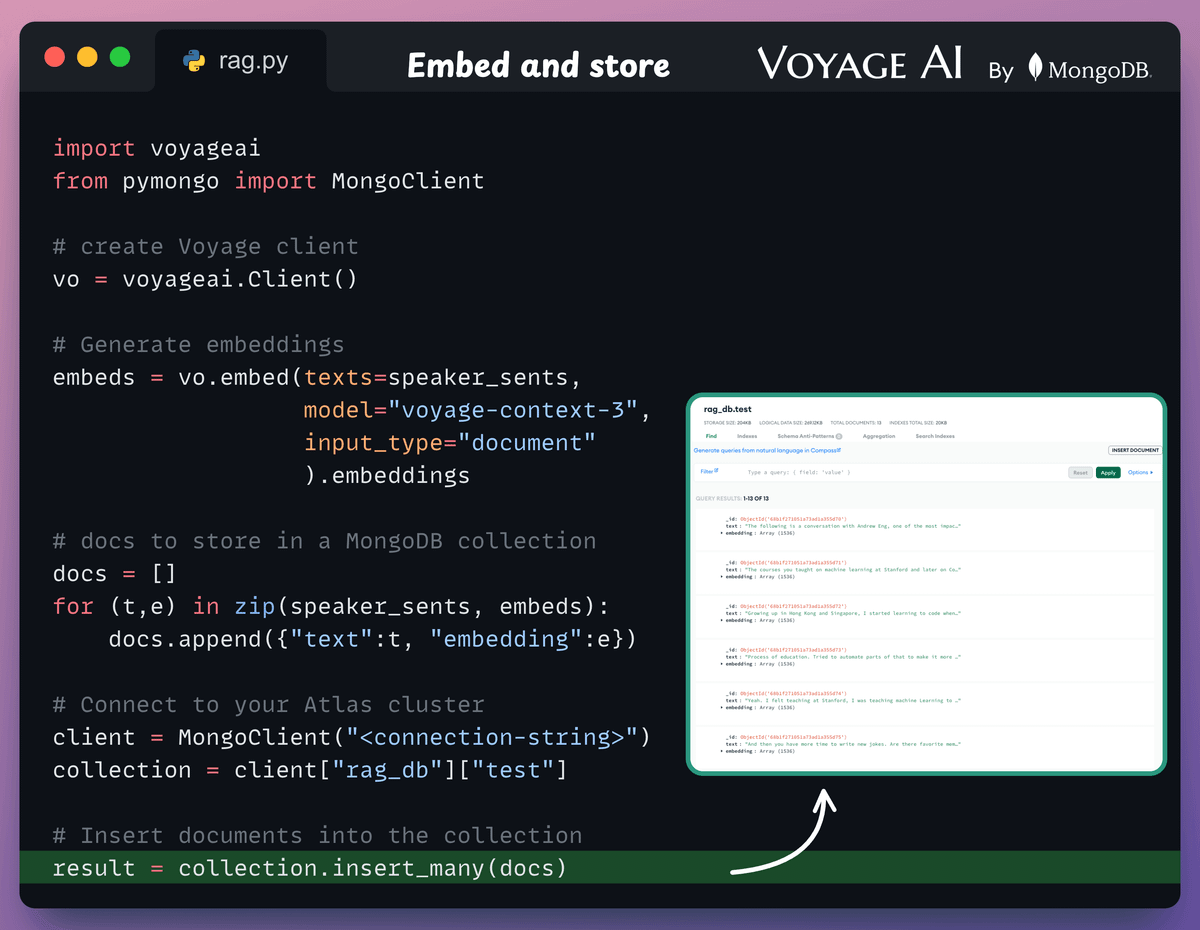
Create a Voyage client and generate embeddings.
Instantiate a MongoDB Atlas Vector Search client.
Create a vector DB collection in the client.
Push the embeddings.
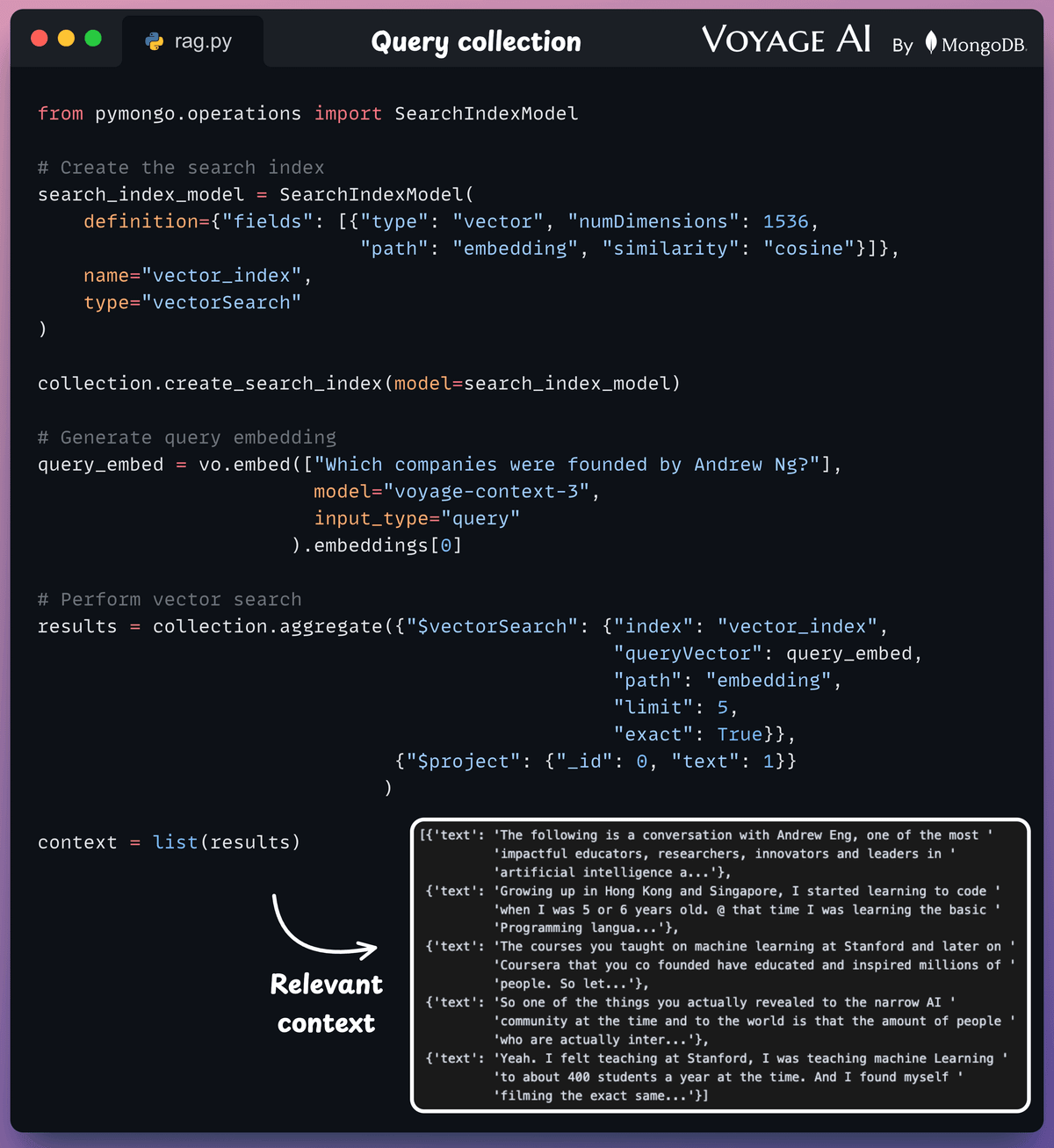
3) Retrieval
Now, to retrieve relevant context from the vector DB, we:
Define a search index.
Convert the text query into an embedding.
Perform vector search to get the relevant context.
4) Generate response
Finally, after retrieving the context:
We construct a prompt.
We use DeepSeek V3.2 served via OpenRouter to generate a response.
Done!
Streamlit UI
To make this accessible, we wrap the entire app in a Streamlit interface.
It’s a simple UI where you can upload and chat with the audio file directly.
👉 Over to you: Which aspect of voyage-context-3 do you find the most interesting?
8 prompting techniques to generate better LLM outputs
Zero-shot prompting (just sending a query with no additional structure) is the default for most people using LLMs.
It’s also where most output quality complaints come from: inconsistent formatting, shallow reasoning, missing constraints, and lack of diversity.
Each of these failure modes maps to a specific prompting technique that fixes it.
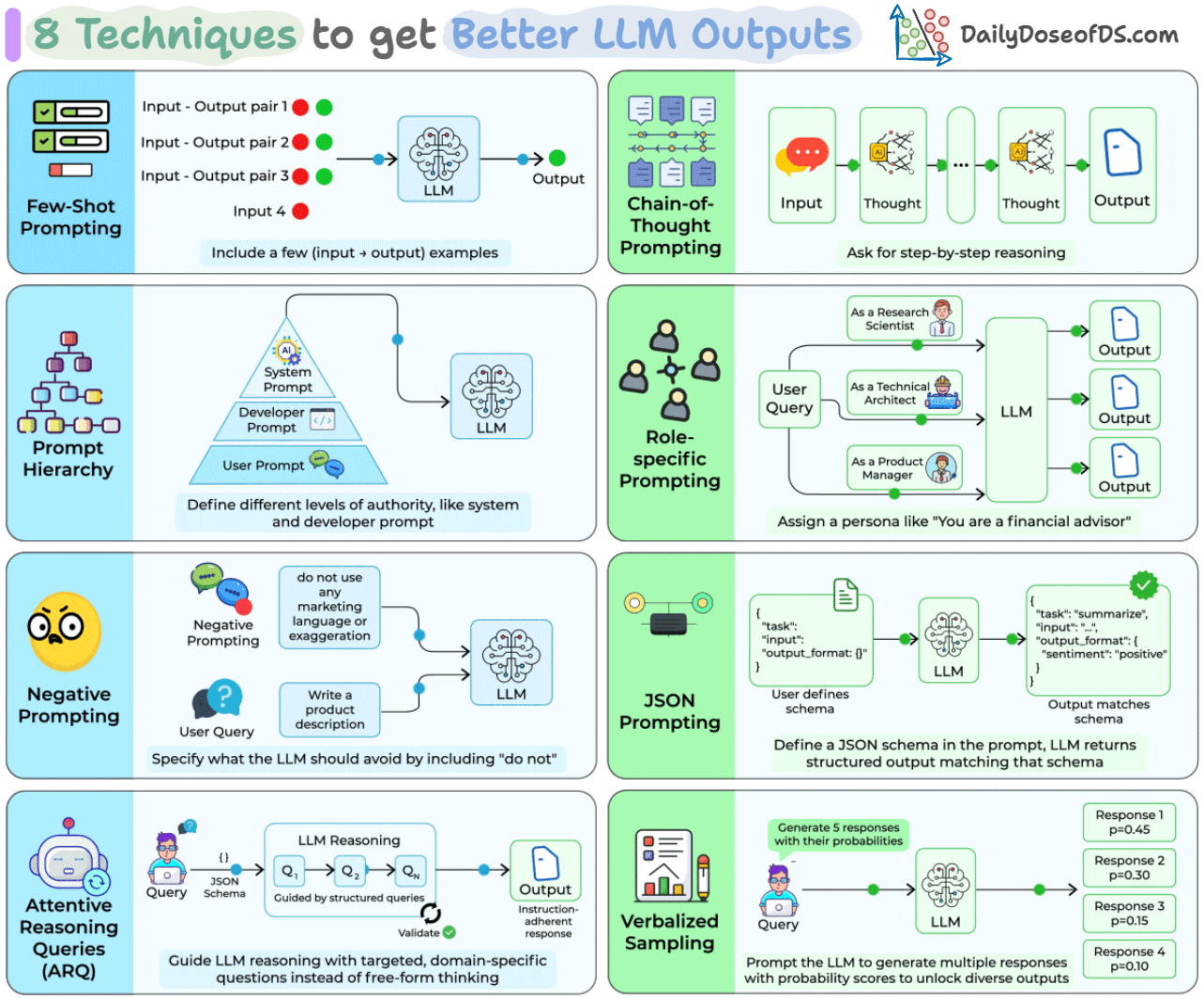
Some have been around for a few years (few-shot, CoT), others are from 2025 research (ARQ hit 90.2% instruction adherence vs. 81.5% for direct prompting; Verbalized Sampling improved output diversity by 1.6-2.1x).
Let’s walk through all eight, how they work, and when each one is the right tool.
Few-shot prompting
Instead of describing what you want, you show the LLM a few input-output examples directly in the prompt. The model picks up the pattern and applies it to your new input.
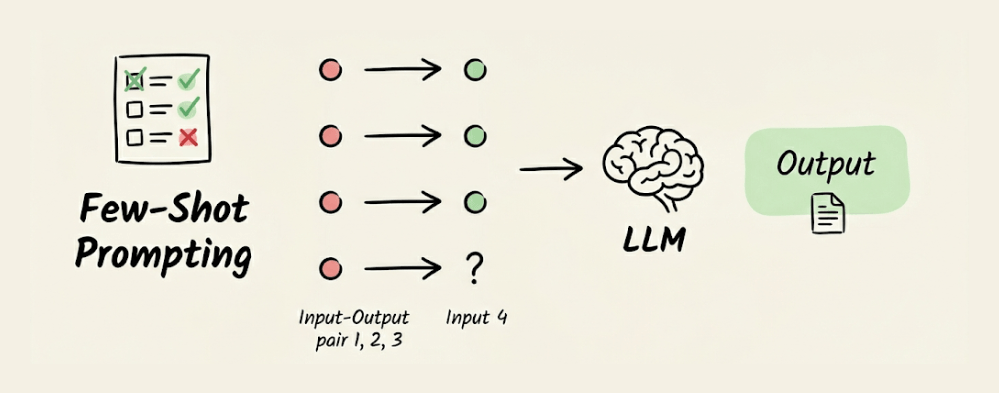
Three to five examples are typically enough. Use this when the task has a specific format: natural language to SQL, text classification into custom categories, or any conversion where showing is easier than telling.
Chain-of-Thought (CoT) prompting
CoT asks the model to reason step by step before producing a final answer. Adding “Let’s think step by step” to prompts improved accuracy on GSM8K math benchmarks from 17.7% to 78.7% with PaLM 540B.
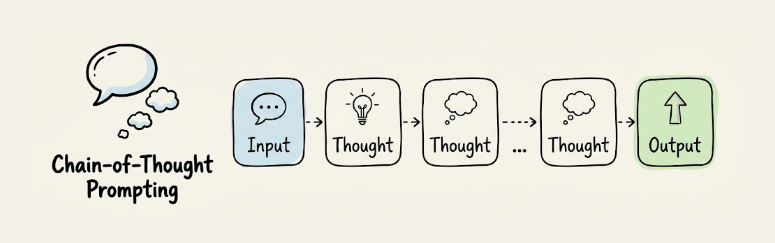
It works because it breaks complex reasoning into smaller, verifiable steps rather than forcing a single-pass answer. Most useful for math, logic, code debugging, or any task that depends on a chain of intermediate conclusions.
We covered it in detail here, along with Self-consistency technique and the Tree of Thought technique →
Prompt hierarchy
LLM APIs expose multiple levels of instruction: system prompts, developer prompts, and user prompts. System prompts set behavioral constraints, developer prompts define task-specific logic, and user prompts carry the actual query.
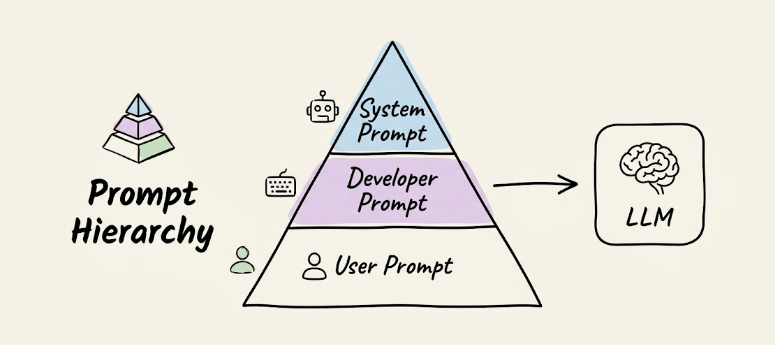
When instructions conflict across levels, the model prioritizes higher levels. This separation of concerns lets you put immutable rules in the system prompt so user inputs can’t override your core constraints.
Role-specific prompting
Assigning a persona (”You are a financial advisor” vs. “You are a security researcher”) shifts the model’s responses toward a specific expertise profile. The model conditions on different subsets of its training data, producing different vocabulary, framing, and decision criteria.
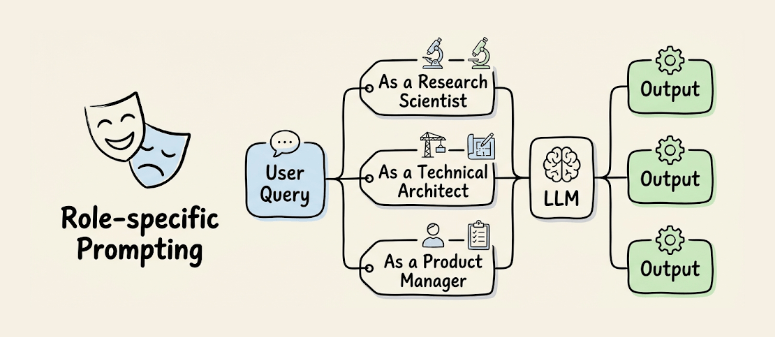
You can also run the same query through multiple personas and compare outputs for diverse perspectives on the same problem.
Negative prompting
Instead of only telling the LLM what to do, you specify what to avoid: “do not use marketing language,” “avoid bullet points,” “do not mention pricing unless asked.” The model treats these as hard constraints during generation.
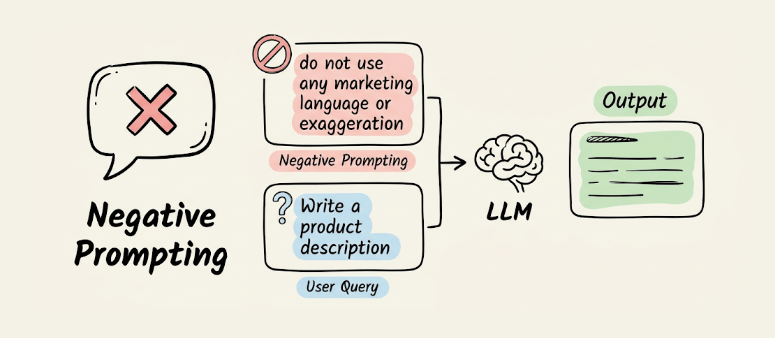
Most useful for content generation where you need to prevent specific failure modes like jargon, hallucinated references, or unnecessary caveats.
JSON prompting
You define a JSON schema in the prompt and instruct the LLM to return its output matching that structure.
Include something like {"task": "summarize", "input": "...", "output_format": {"sentiment": "", "summary": ""}} and the model responds with values filled in.
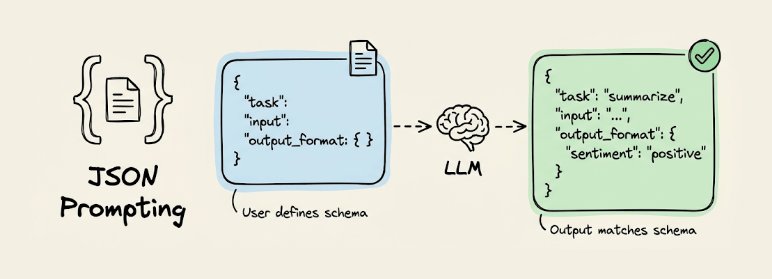
Unlike API-level structured outputs (OpenAI’s response_format, Anthropic’s tool-use), JSON prompting works with any model and any interface because the constraint lives in the prompt itself.
You get ~90%+ schema compliance on capable models without any API-specific setup.
We covered it in detail here →
Attentive reasoning queries (ARQ)
ARQ replaces free-form CoT with targeted, domain-specific questions organized in a predefined JSON schema. Instead of “think step by step,” you give the model a structured checklist it must answer before generating its response.
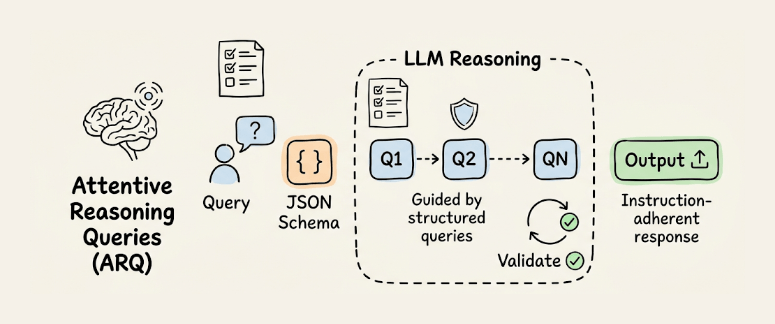
In testing across 87 scenarios within the Parlant framework, ARQ hit 90.2% success rate vs. 86.1% for CoT and 81.5% for direct prompting.
CoT lets the model freely ignore instructions. ARQ reinstates critical constraints at the exact point where reasoning happens, using the recency effect to keep rules in an active context.
We covered it in detail here →
Verbalized sampling
Post-training alignment (RLHF, DPO) causes LLMs to collapse toward a narrow set of “safe” outputs.
Verbalized Sampling fixes this with a single prompt change. Instead of asking for one response, you ask the model to “generate 5 responses with their corresponding probabilities.”
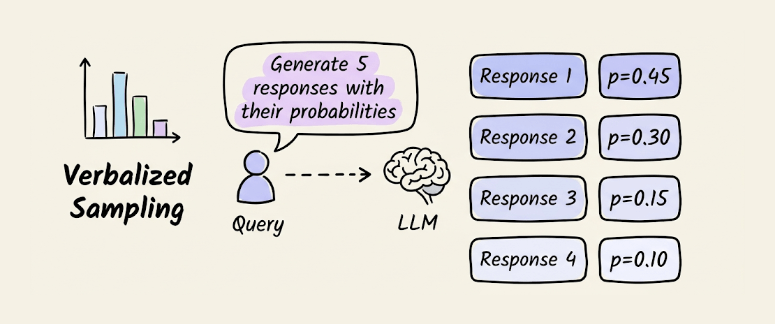
This forces the LLM to verbalize its internal distribution rather than collapsing to the mode.
In experiments mentioned in its research paper, diversity improved by 1.6-2.1x over direct prompting, while human evaluation scores went up by 25.7%. The technique is orthogonal to temperature, so you can stack them.
We covered it in detail here →
These techniques aren’t mutually exclusive. Few-shot + CoT is a common combination. JSON prompting + negative prompting gives you structured outputs with explicit constraints. ARQ is a structured version of CoT designed for multi-turn agent conversations.
The choice depends on the failure mode: inconsistent format (JSON prompting), shallow reasoning (CoT or ARQ), lack of diversity (Verbalized Sampling), unwanted content (Negative prompting), or missing domain expertise (Role-specific prompting).
👉 Over to you: Which of these techniques do you use most in your day-to-day workflows, and have you tried combining any of them?
Good day!