

[Hands-on] Build a 3D Weather Globe with Claude Code
We gave Claude Code one prompt, and it built a full-stack weather intelligence dashboard.
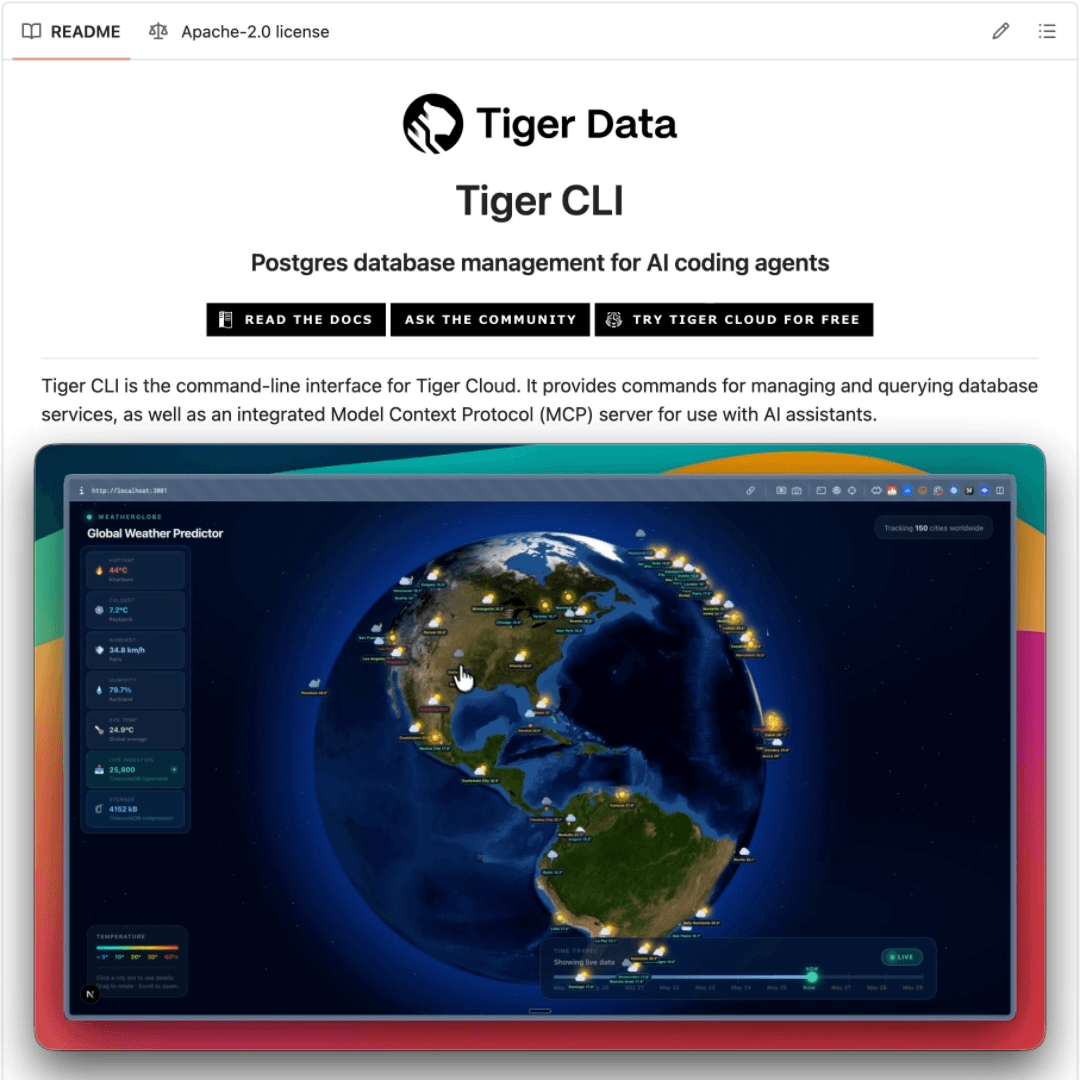
It’s an interactive 3D globe with a day/night cycle using NASA satellite imagery, city lights on the dark hemisphere, weather icons that switch between sun and moon based on local time, and a time travel slider that scrubs through 10 days of data, including a 3-day forecast.
The backend runs on Tiger Cloud by Tiger Data, which gives you managed TimescaleDB on Postgres.
Claude Code provisioned the database, created the schema, seeded the data, and built the frontend in a single session. Let’s walk through the setup, the prompt, and what we built.
Setting up the backend
The entire database infrastructure was provisioned from inside Claude Code using the Tiger CLI MCP server. These are three commands to get started:
# Install Tiger CLI
curl -fsSL https://cli.tigerdata.com | sh

# Authenticate with Tiger Cloud
tiger auth login

# Connect Claude Code to Tiger Cloud via MCP
tiger mcp install claude-code
After restarting Claude Code, it has full access to Tiger Cloud through the MCP server: creating services, running SQL, and querying documentation.
The prompt
The prompt we gave Claude Code covered the full stack in one shot:
Build a real-time weather intelligence dashboard with an interactive
3D globe tracking cities worldwide.

Backend: Use our Tiger Cloud account (via Tiger MCP) to create a
TimescaleDB service. Create a hypertable for hourly weather readings
(city, temperature, humidity, wind speed, weather condition, timestamp).
Set up continuous aggregates for hourly and daily rollups. Seed
realistic weather data for 7 days across 150 cities.

Frontend: Next.js + Three.js. Dark theme. The globe should have
a day/night cycle using NASA satellite imagery, city lights on the
dark side, weather icons (sun/moon based on local time), and a time
travel slider spanning 10 days (7 historical + 3 forecast). Add a
city detail panel with temperature sparklines when clicking a city.
After this, Claude Code provisioned the TimescaleDB service, created the hypertable, set up continuous aggregates, seeded 25,000+ rows of weather data, generated the forecast table, and built the complete Next.js frontend with the Three.js globe.
The time travel slider queries thousands of rows on every position change.
On a regular Postgres table, this would require manual partitioning and index tuning to stay fast as data grows.
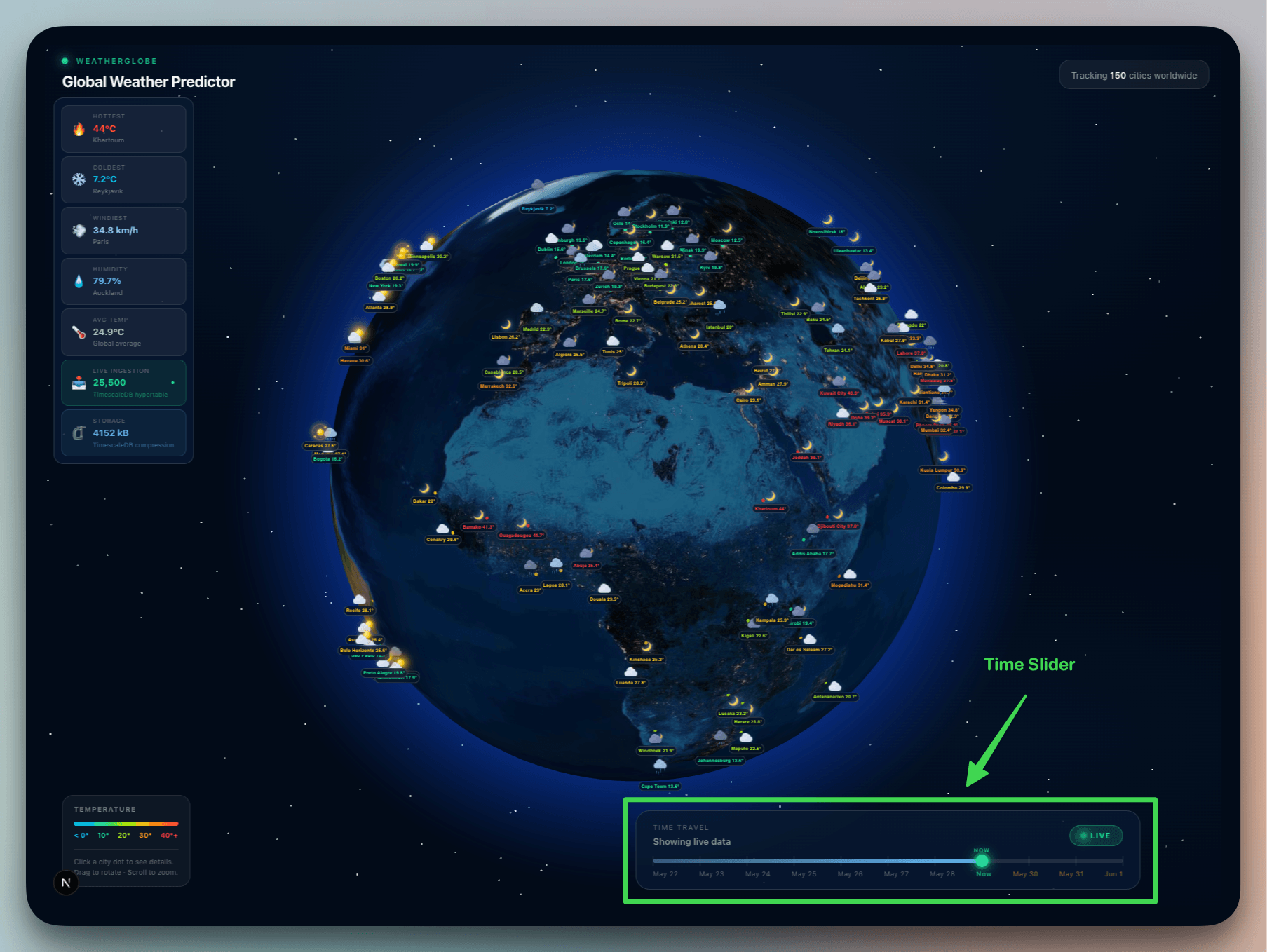
TimescaleDB partitions the data by timestamp automatically, so each query only hits the relevant time chunk. Continuous aggregates serve the trend charts and forecast layer from pre-computed rollups instead of rescanning raw data on every request.
To get started:
# 1. Sign up for Tiger Cloud (link below)

# 2. Install Tiger CLI
curl -fsSL https://cli.tigerdata.com | sh

# 3. Authenticate
tiger auth login

# 4. Connect Claude Code
tiger mcp install claude-code

# 5. Give Claude Code a prompt and let it build
Tiger Cloud gives new users $1,000 in free 30-day credit, no credit card required. That’s enough to run a production TimescaleDB instance for a full month and build whatever you want on top of it.
You can sign up for Tiger Cloud here →
Tiger CLI is open-source (Apache 2.0) and works with Claude Code, Cursor, Codex, Gemini CLI, and VS Code.
👉 Over to you: what would you build if Claude Code could provision your database infrastructure?
Thanks to Tiger Data for working with us on today’s issue!
Claude Code dynamic workflows, explained!
Anthropic recently release Opus 4.8, and everyone is talking about the benchmarks, the honesty improvements, and the cheaper fast mode.
But the feature that shipped alongside it might matter more for how we actually build: Dynamic Workflows in Claude Code.
Here’s what they are, how they differ from subagents and agent teams (which already existed), and why they change the game for large-scale agentic coding.
What are dynamic workflows?
Claude Code already had two multi-agent primitives before this release.

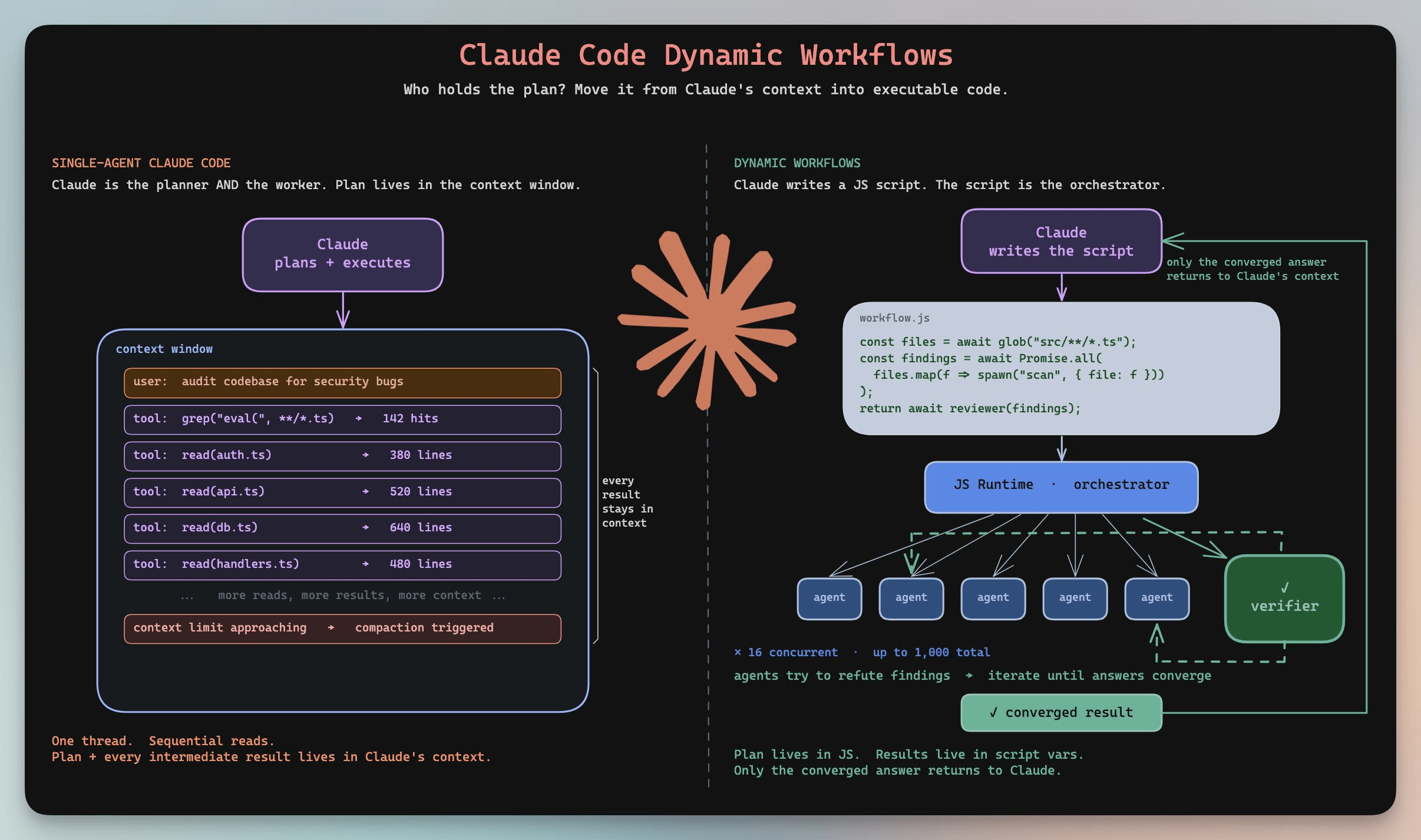
Subagents are lightweight workers spawned from a main session. They do a focused task and report back. But they can’t talk to each other, and the main agent still acts as the bottleneck for orchestration. Every result routes through one context window.
Agent Teams (shipped with Opus 4.6) removed that constraint. Multiple Claude instances coordinate through a shared task list and message each other directly. But they top out at 3-5 teammates practically, sessions don’t survive interruptions (if Claude crashes mid-task, the team is gone), and you still need to design the orchestration upfront.
We published an article on both of the above. You can read it here →
Dynamic Workflows sit above both.
Instead of Claude holding the plan in its context window, it writes a JavaScript orchestration script. That script becomes the plan. A JS runtime executes it, fanning work across tens to hundreds of parallel subagents automatically.
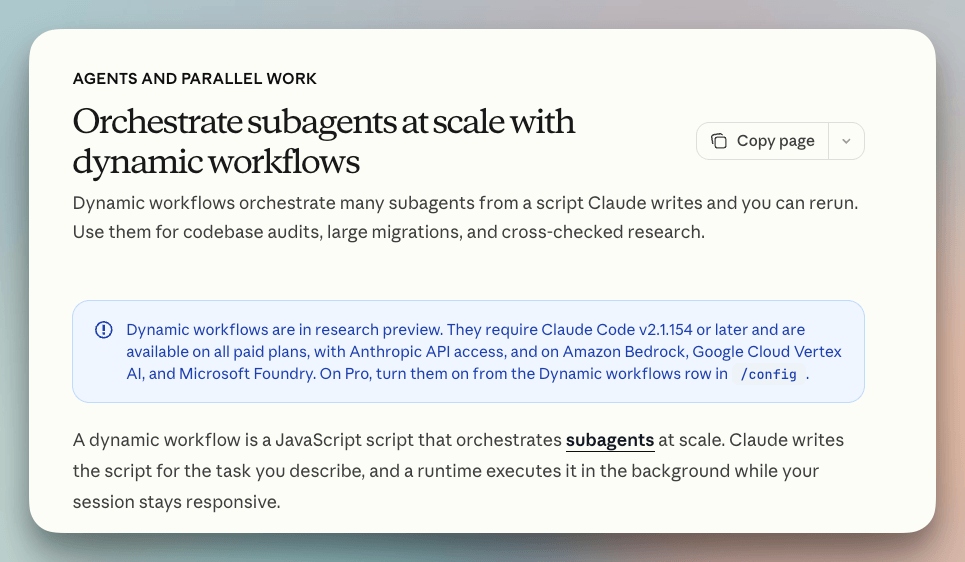
You describe the task. Claude decides how to split it, how many agents to spawn, how to verify results, and what to report back. The orchestration logic moves from the LLM’s memory into executable code.
Claude’s context window only ever sees the final converged answer. Not the intermediate results of hundreds of steps.
This is helpful because of several reasons:
Scale → You can run up to 16 concurrent agents and 1,000 total per workflow, while Subagents max out at a handful and Agent Teams get messy past 5.
Adversarial verification → This allows agents to tackle a problem from independent angles, other agents try to refute their findings, and the system iterates until answers converge. Compare this to subagents which just report back and Agent Teams collaborate but don’t adversarially verify.
Resumability → You can save progress saves continuously. So interrupted jobs pick up where they left off while Agent Teams die with the session.
Zero orchestration burden → You just describe the goal and Claude decides how to split work, how many agents to spawn, and how to verify results.
These are some best practices:
→ Start with a scoped task to calibrate token usage before going full-scale. Workflows consume significantly more tokens than a typical session.
→ Enable auto mode so Claude decides when a workflow is appropriate vs. when a simpler approach works.
→ Use the ultracode setting (effort menu) to let Claude auto-trigger workflows. This also sets reasoning to xhigh.
→ Review the execution plan on first trigger. A poorly scoped prompt will fan out agents unnecessarily.
→ Enterprise plans have workflows off by default. An admin needs to enable them.
As further reading, we published an article on Agent Teams and Subagents recently. You can read it here →
Thanks for reading!