

Surya OCR: SOTA model for document intelligence
Datalab has just released Surya OCR, a state-of-the-art OCR model that scores 83.3% on the olmocr benchmark (top under 3B).
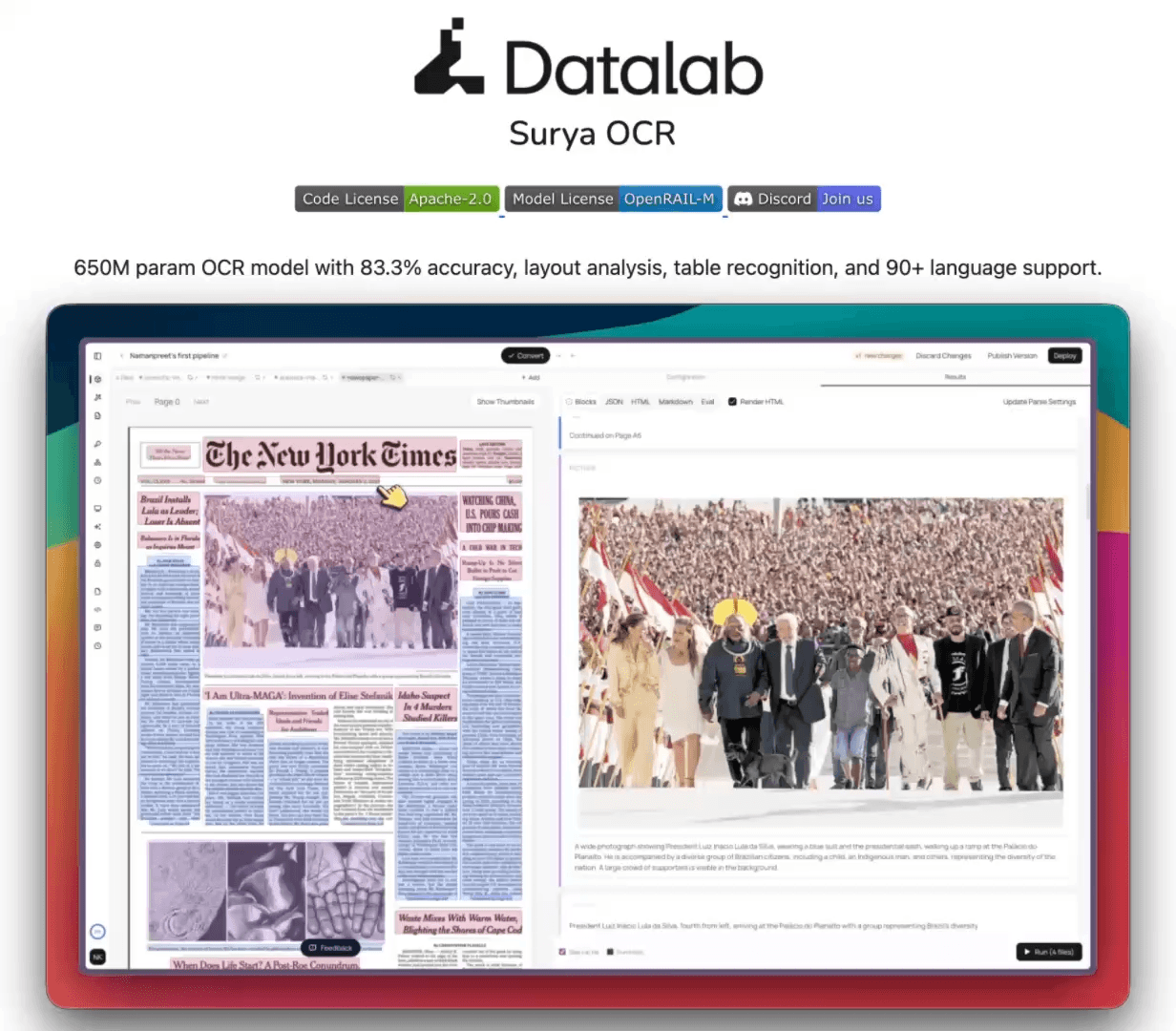
650M params
supports 91 languages
5 pages/s on RTX 5090
runs on CPU, GPU, MPS
83.3% olmocr bench score (top under 3B)
Full layout information
Extracts + captions images and diagrams
Strong handwriting, math, form, and table support
Find the GitHub repo here → (don’t forget to star it ⭐️)
[Hands-on] Collapse CRM pipelines into one table
A table is a passive store. It persists rows and exposes reads and writes, but it has no execution model of its own.
Any logic that operates on a row runs in a separate process and writes the result back.
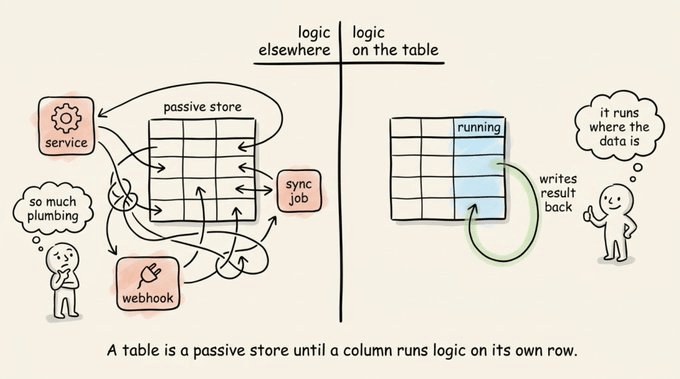
Enrichment pipelines are the clearest example of this, because once the table fills with data, everything useful has to happen outside it.
Take a leads table. The rows can be easily enriched with emails, headcount, and tech stack.
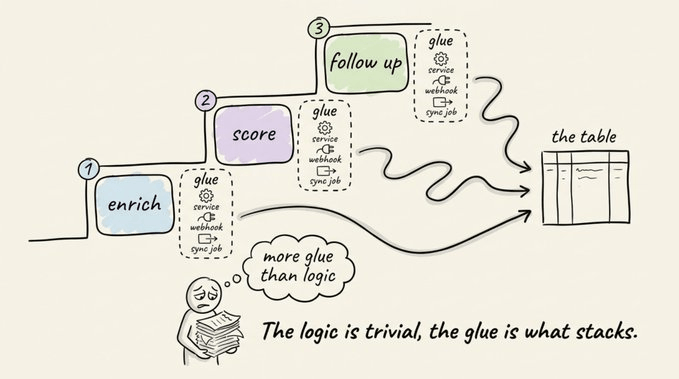
But the mechanisms to score a lead and trigger a follow-up run elsewhere. This requires standing up a service, registering a webhook, and writing a sync job to land the output back on the right row.
Of course, the scoring logic is trivial. But the integration and glue around it is not. And it multiplies per step, since the follow-up adds another service, another webhook, another write path back into the table.
A smart implementation of this now actually exists in Sim (GitHub Repo), which is an open-source (28k+ stars) visual AI workspace for building and running agentic workflows. You can self-host it on Docker.
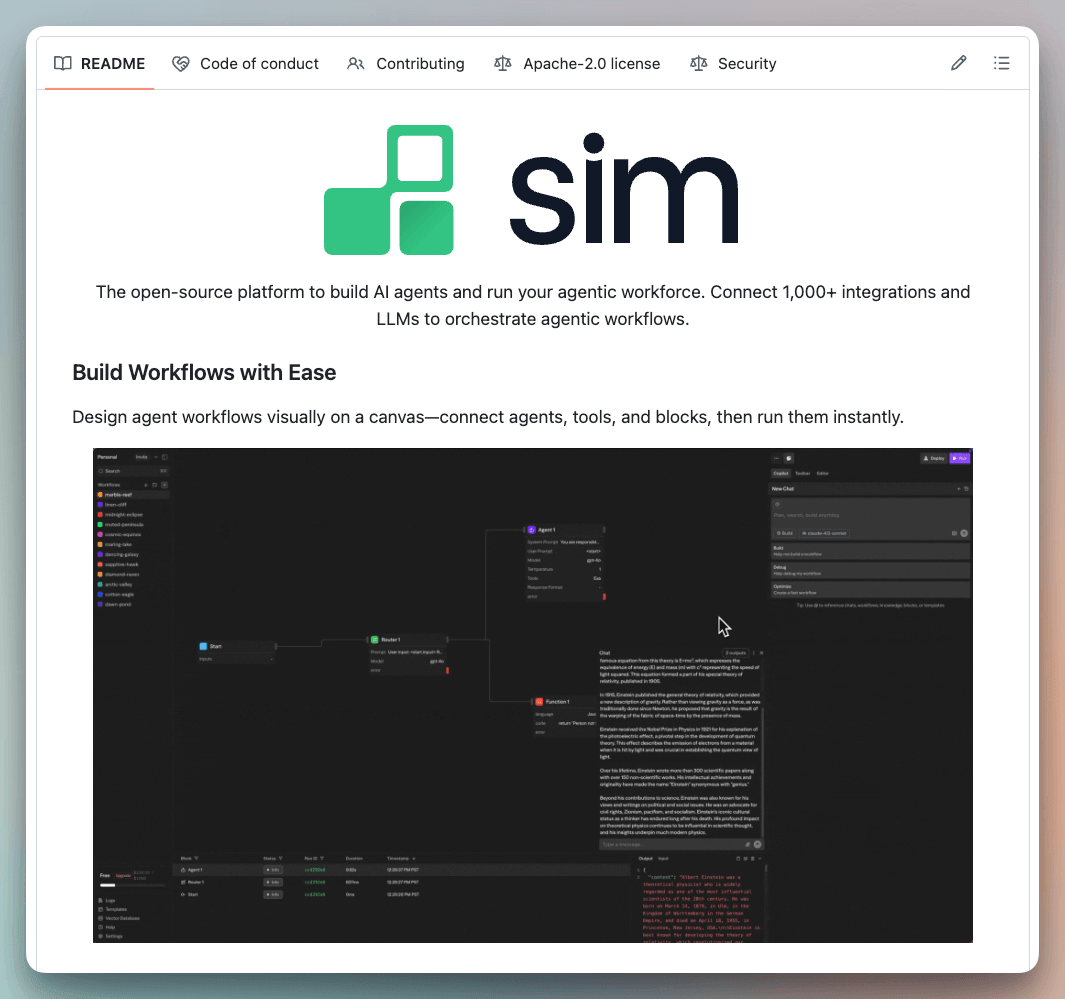
It has three core pieces.
A visual canvas where you connect blocks into a workflow.
Tables that store data and keep it across runs.
Mothership, a natural-language layer that creates tables, wires up blocks, and builds workflows from a plain-English description.
Tables hold typed columns and expose more than ten operations as workflow blocks, like query, insert, upsert, and update.
The new part is that a column can also run a workflow, not just store a value.
Instead of holding a static value, a column can run enrichment or a full workflow against its row, then write the output back into the same row. The execution model that was missing from the table now lives on the table.
So there’s no external service to stand up, a webhook to register, or a sync job to reconcile, because the logic runs where the data already is.
A column can also watch another column and fire when its value changes, so the steps that used to be glued together with webhooks become a chain inside one table.
Let’s walk through how its enrichment columns and workflow columns work, and how one column can trigger the next.
Enrichment columns
An enrichment column lives on the table itself. There is no separate tool to export the rows to and import them back from.
You add it from the column menu, or you describe it to Mothership and let it set up the column. In the demo, Mothership suggests enriching a CRM table with work emails and company data, and the columns fill in row by row.
A few things make this practical day to day.
Each row shows its own live status, so partial results appear as they land instead of in one batch at the end.
The column header configures the output fields. A column can show headcount and hide the raw LinkedIn URL.
Several enrichment columns run on the same table at once.
Every result writes back in place, with no re-import and no sync job.
The demo says Sim pulls from the same data sources Clay does. Treat that as a vendor claim until you test it on real records. The point that holds either way is that the enriched data lands in the table you already work in.
Workflow columns
Enrichment is the smaller idea. The workflow column is where the table starts doing real work.
A workflow in Sim is a chain of blocks. A block can be an AI model call, a database write, a Slack message, or a condition. You build the workflow once on the canvas, then add it as a column type on a table.
When a workflow runs as a column, it takes the full row as input. The column titles and their values get passed in, the workflow runs, and the outputs you pick get written back into columns on the same row.
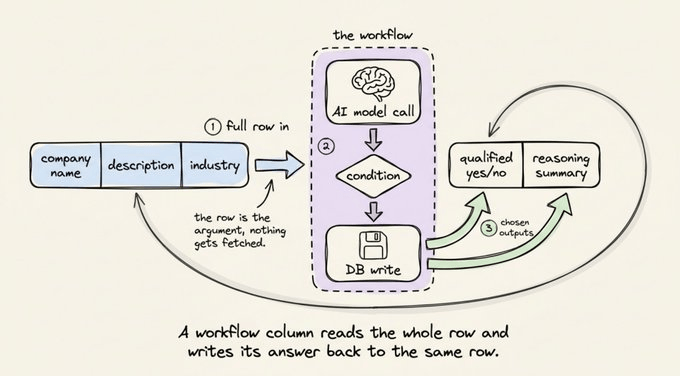
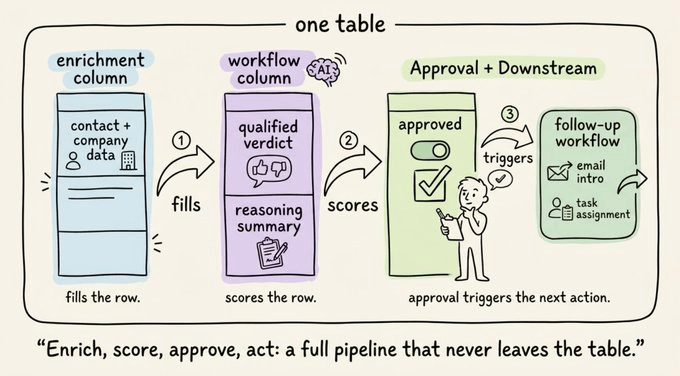
In the demo below, the workflow scores each lead. It passes the company name and description in, runs an AI step against target-customer criteria, and writes back two columns, a short reasoning summary, and a qualified yes/no.
You can also describe the workflow you want by chatting with the table, and Mothership builds it and adds it as a column. That is the part that saves the wiring. The logic that would normally live in a separate tool gets generated from a sentence and dropped onto the table.
You can gate the run with auto-run conditions. In the demo, the scoring workflow fires only once both the industry and description are filled. Rows still waiting on enrichment never trigger, so no model calls are wasted on incomplete data.
Chaining columns
A column’s output can trigger another workflow. One column watches another, and when its value changes, the next workflow runs.
In the demo below, we wire this as an approval gate. The scoring column writes its reasoning and talking points, a reviewer reads them and flips an “approved” field, and that change triggers the next workflow on that row.
Check this out:
That gives you a full pipeline inside one table. Enrichment fills the row, an AI step scores it, a human approves it, and the approval kicks off the next action, with each step reacting to the column before it.
When is this worth it?
Running logic as columns pays off when a job has several steps that depend on each other. Enrichment feeds scoring, scoring feeds an action, and each step needs the previous one to finish on that exact row. Keeping all of it on the table removes the glue that usually holds those steps together.
For a single step, it is overkill. Filling in a missing email needs one action and no coordination, and a spreadsheet with one API call is the simpler choice. The value shows up on a chain, which is exactly where webhooks and sync jobs normally pile up.
Taking it further
The last step in the demo points to something more. An approved row triggers a workflow that calls Mothership as a block, and Mothership builds a brand-new workflow in the workspace, shaped around that one lead.
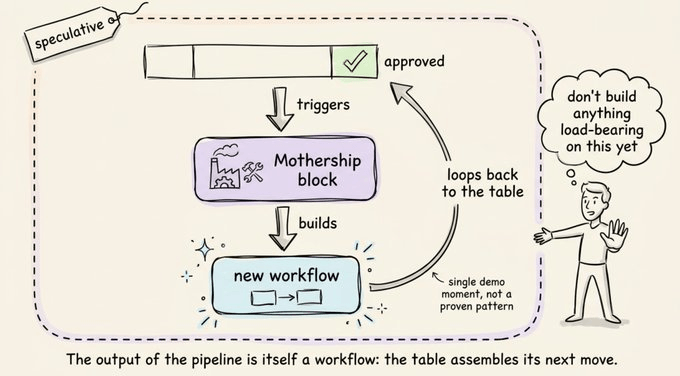
The output of the pipeline is itself a workflow. Instead of ending at a fixed action, the table generates the next piece of automation from the row that triggered it. It is a single demo moment rather than a proven pattern, but it hints at a table that doesn’t just run a pipeline, it assembles one.
To try it out yourself...
Sim is open-source and self-hostable. The repo is at simstudioai/sim (28k+ stars 🌟, Apache 2.0).
Building the full pipeline from scratch takes around 5 minutes. You describe what you need, and Mothership creates the tables, configures the columns and conditions, and adds the workflows. There is no integration code to write by hand.
The Mothership and Tables docs are here →
👉 Over to you: which pipeline would you collapse into a table first, lead scoring, support ticket routing, or content personalization?
Thanks for reading!