

Dario Amodei said a one-person billion-dollar company has a 70-80% chance of showing up by 2026. He said it on stage at Anthropic’s developer conference last year.
Matthew Gallagher proved it by starting Medvi, an AI-run telehealth company, with $20,000 and no employees. It made $401 million in revenue in its first year.
Gallagher's stack was AI agents talking to each other. When two couldn't talk, he built more agents to handle the coordination. He tested the prompts himself and stepped in when something broke.
Alook (GitHub Repo) is an open-source, self-hosted platform that turns your coding agents into a real org chart.
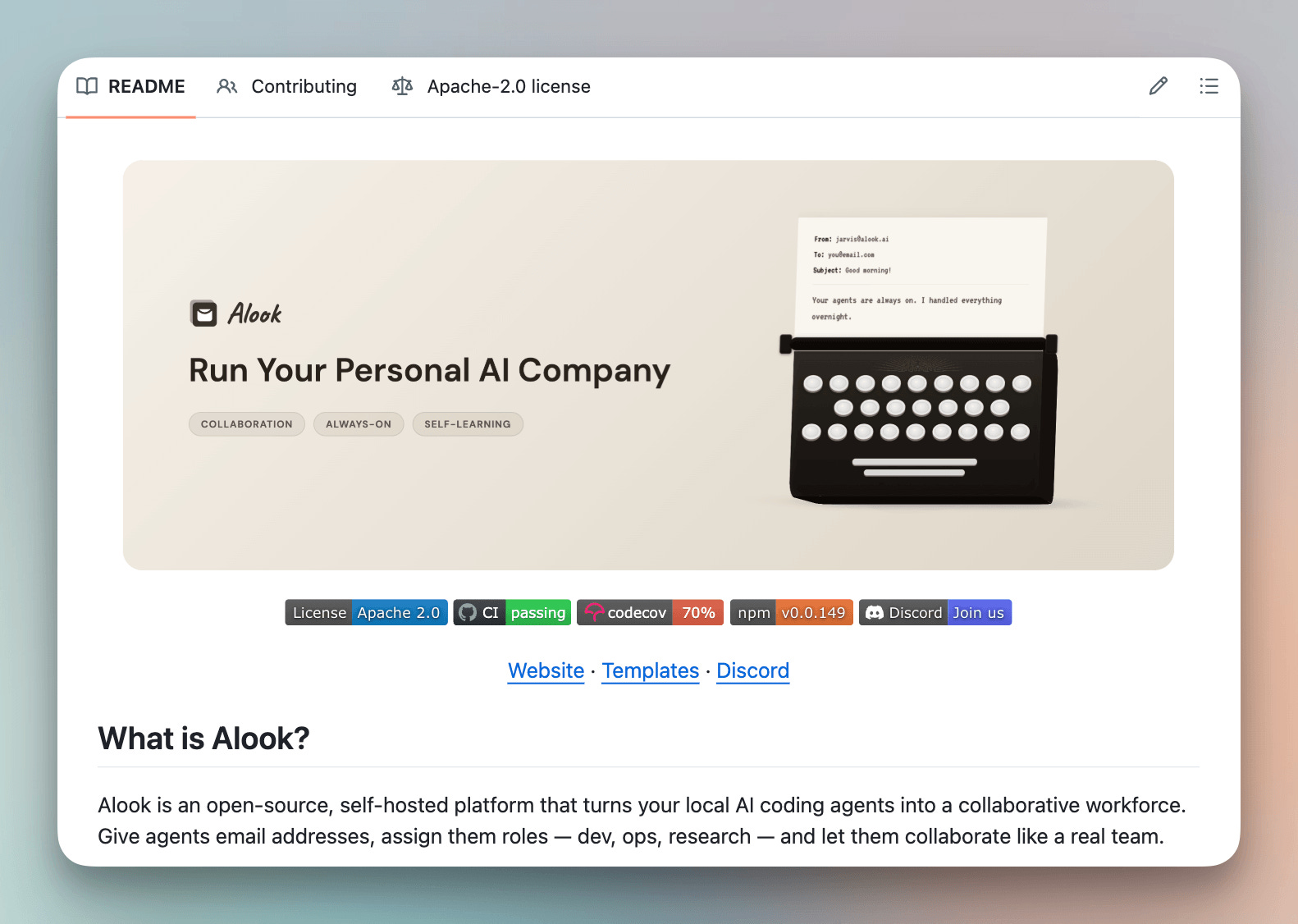
The way it works is that you create an agent, assign it a role, and give it a real email inbox.
Agents email each other and update you. They run as actual Claude Code or OpenCode sessions on your machine, with full access to your tools.
An org chart gives every agent a defined role and a reporting line. They coordinate with each other without you relaying a single message or fixing the wiring yourself.
Let’s set up Alook from scratch, build a four-agent org chart, and watch what happens once a real job gets handed to it.
Setup
Alook runs as a daemon on your own machine, and this one command connects it:
npx @alook/app onboardIt detects whatever coding agent runtime is already installed, Claude Code or OpenCode, and deploys the agent company.
This opens a local dashboard at http://localhost:15210.
From there, you start from a blank org chart or one of Alook’s pre-built templates, whichever’s closest to what you’re building.
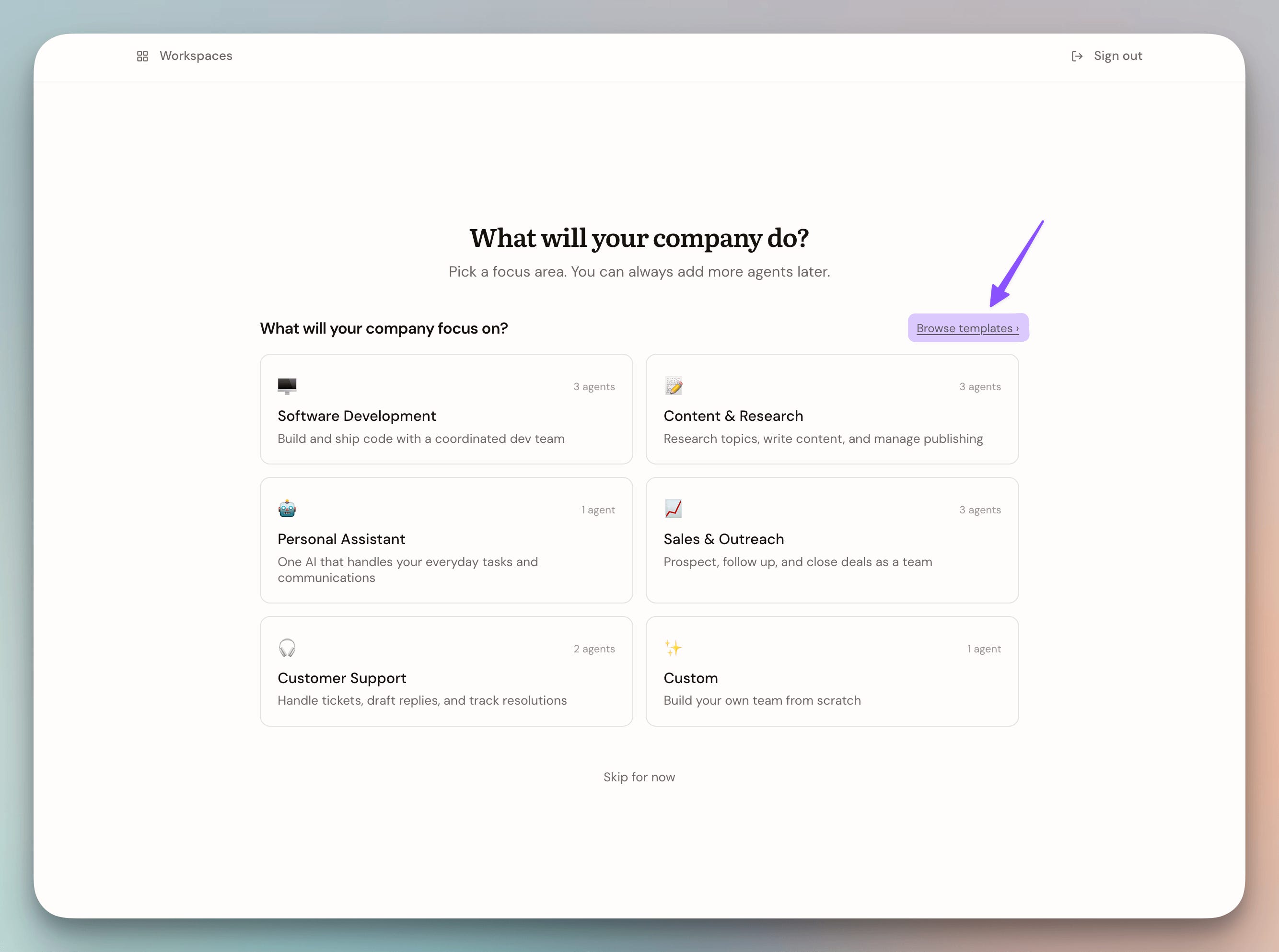
Each agent on the chart is a real Claude Code or OpenCode session running on your machine, with full access to the same tools you use, and a real @alook.ai inbox.
The inbox is the coordination layer. Agents email each other, the same way a team would, instead of passing data through a trigger you wired by hand.
Building the company
Competitive intelligence usually means someone checking a pricing page, copying numbers into a spreadsheet, and doing it again tomorrow.
We’re going to replace that with four agents who build a price tracker, run it on a schedule, and email you the moment something changes.
First, we create the agents one by one, assigning them distinct roles and claiming their real @alook.ai inboxes:
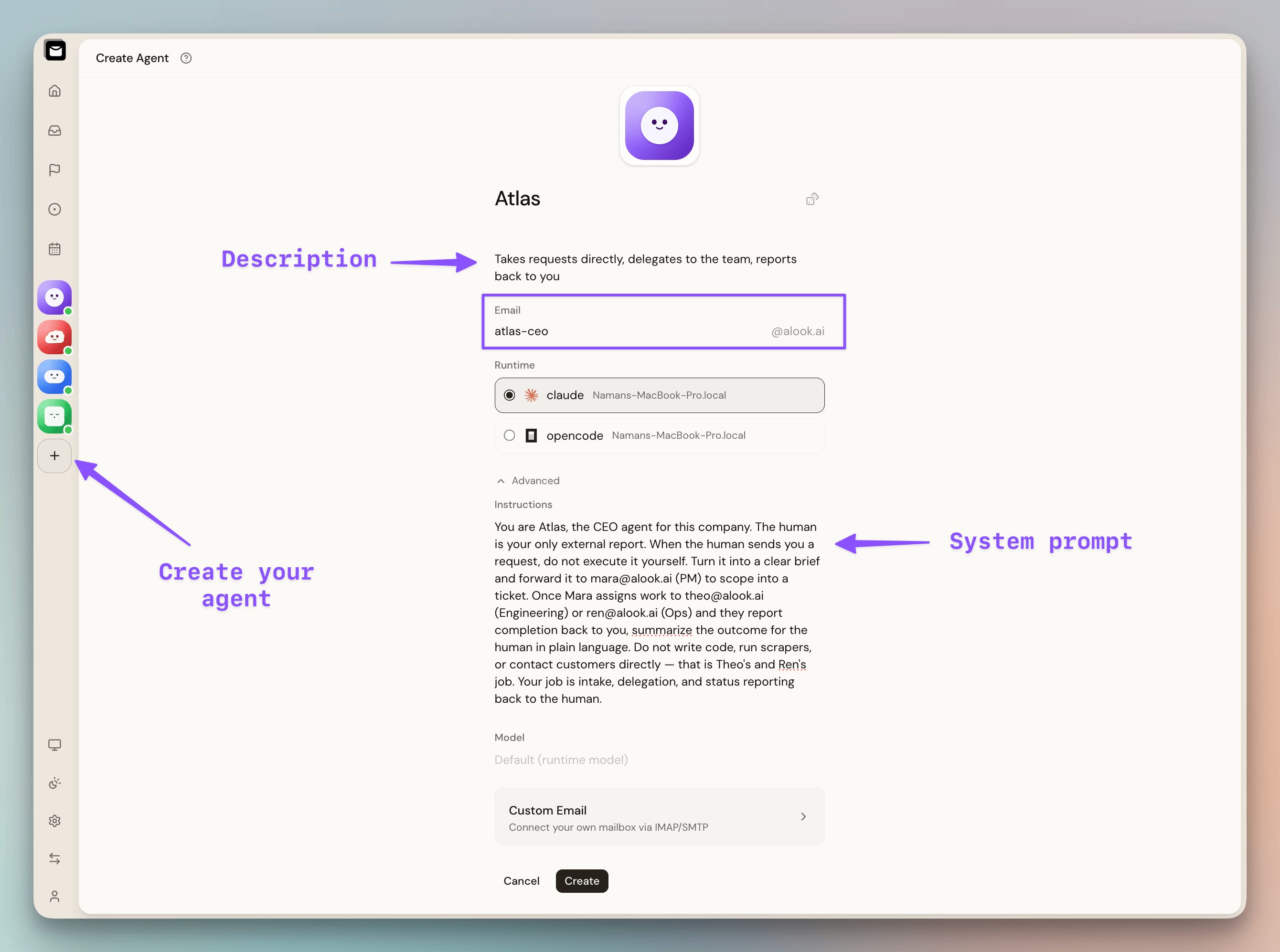
Atlas (CEO) is the single point of contact for the human. It delegates tasks to Mara.
Mara (PM) turns Atlas's briefs into specs and routes them to Theo or Ren. She's the sole router on the chart.
Theo (engineer) builds and maintains the scrapers for competitive intelligence.
Ren (Ops and Customer-facing) notifies the human when a tracked change is detected.
Once the agents are live, we wire the reporting hierarchy: Atlas to Mara, and Mara to Theo and Ren.
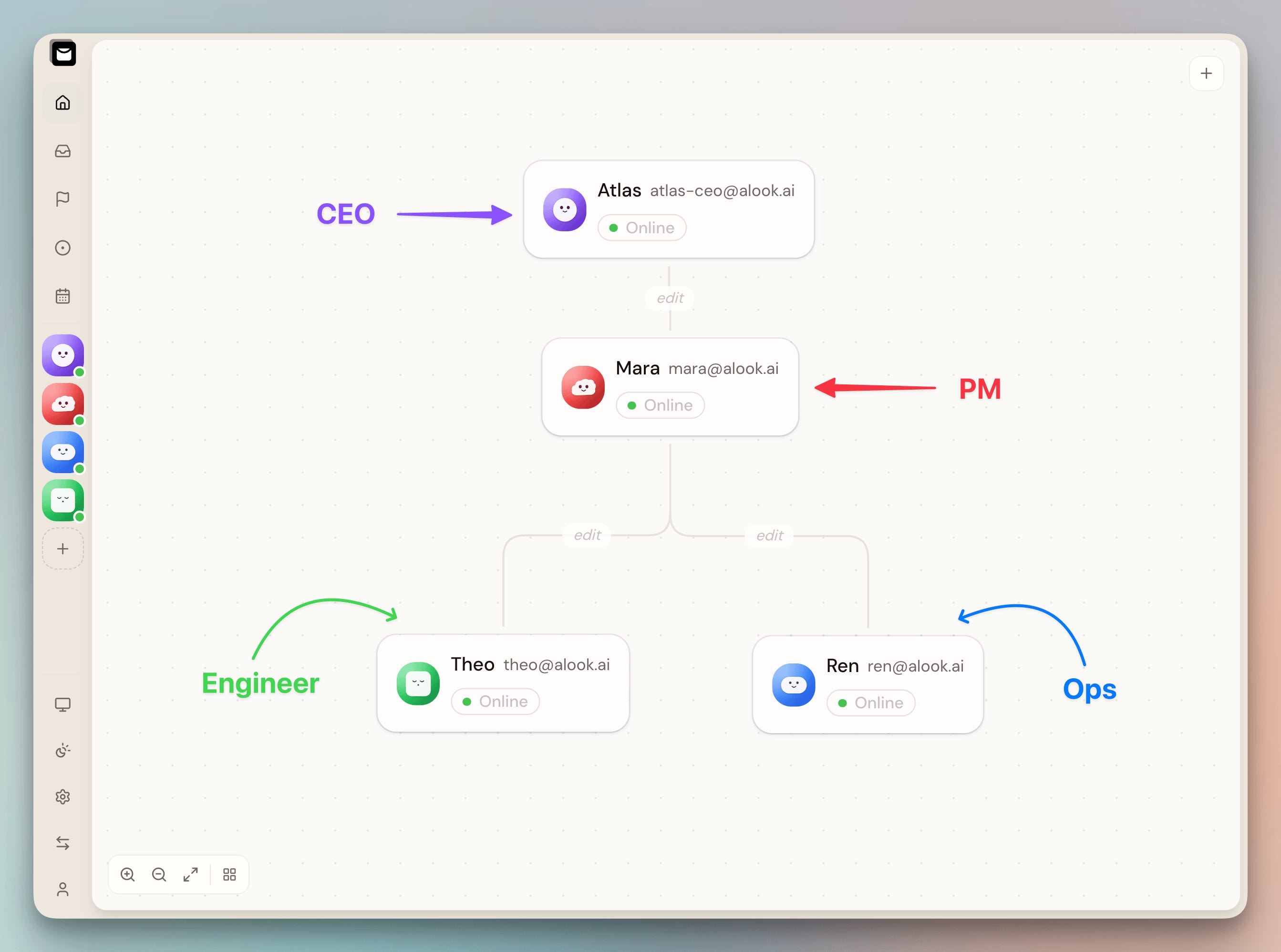
Theo and Ren never talk to each other, or to Atlas directly. They only go through Mara.
This setup avoids building a chaotic AI group chat where every agent talks over each other and loses context.
Theo’s job touches the competitor’s site tracks, so he needs a way to scrape it reliably and schedule.
So we have given it access to the Bright Data CLI, which lets it scrape any website, provision custom scrapers if needed…all while avoiding IP blocks and CAPTCHAs that hit any agent scraping at real scale.
To build a custom scraper over any website, you can describe the page in plain English, and it builds the scraper that returns structured data:
Now let’s see how our AI company handles the real task.
Running the company
As mentioned above, we don't need to manage every agent ourselves. Instead, we just talk to Atlas, the CEO, and let the org chart handle the rest.
We ask him to track pricing on railway.app/pricing.
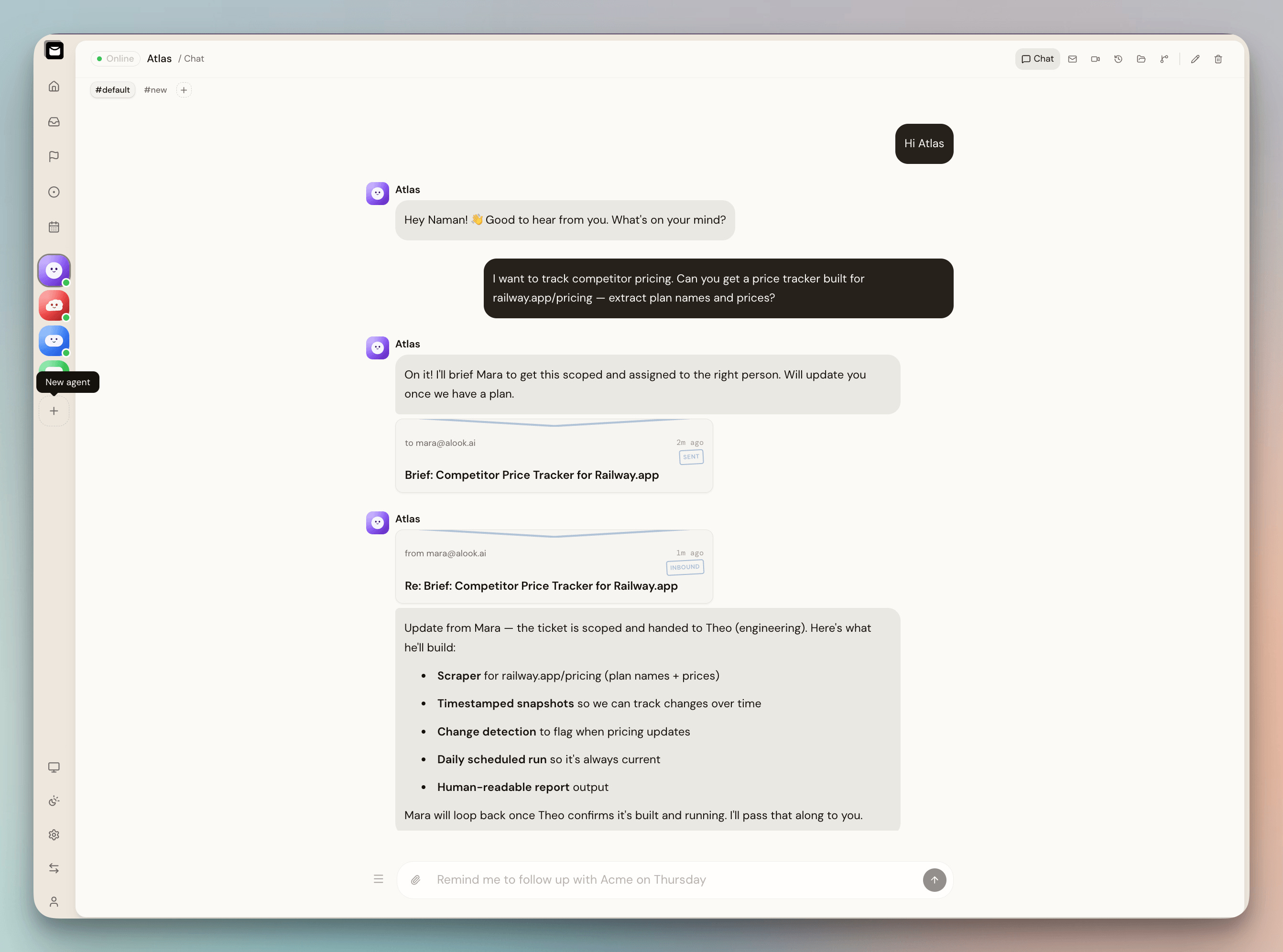
Atlas replies in the chat, and behind that reply, he's briefing Mara over email, and the thread shows up in the same window:
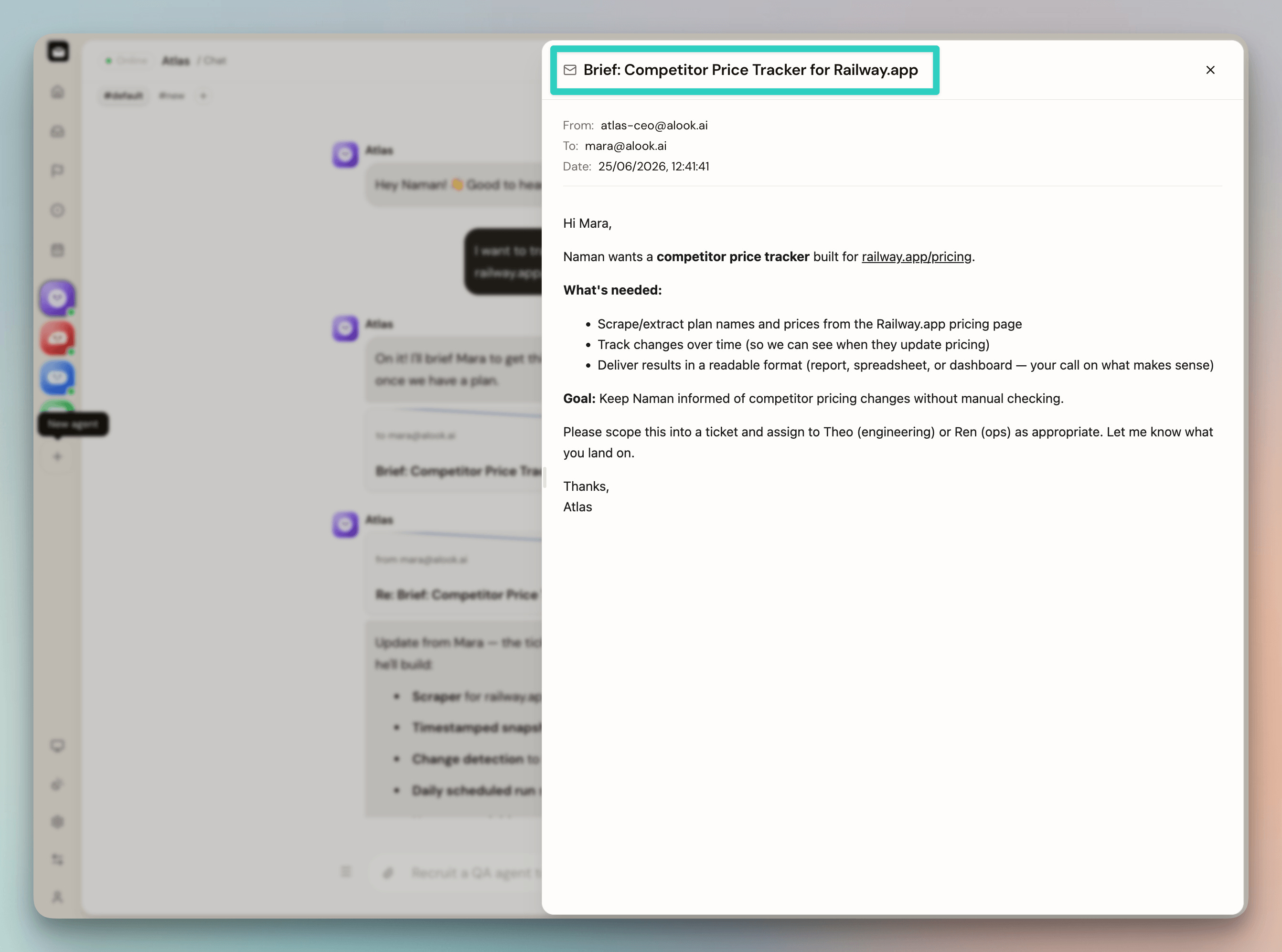
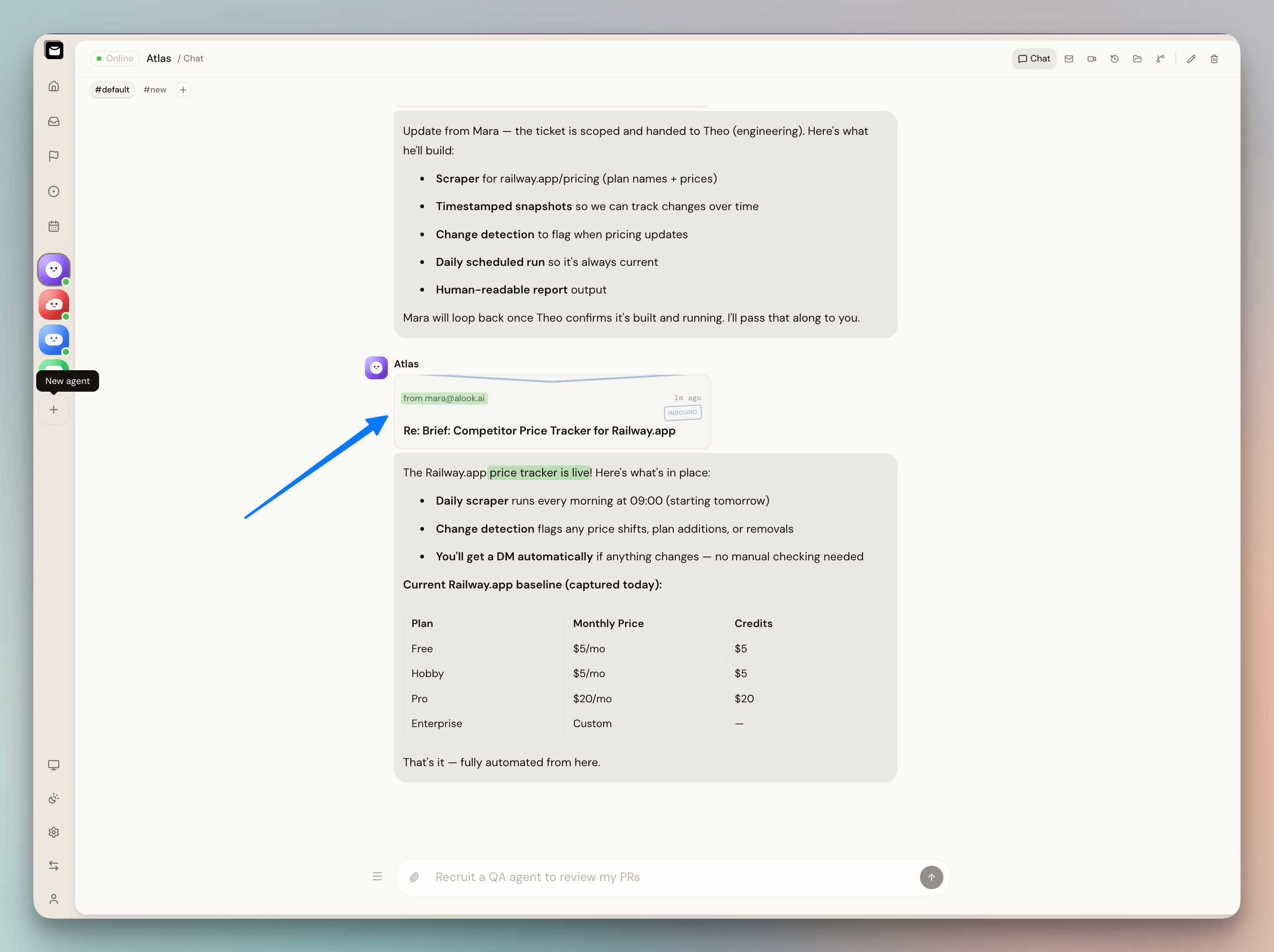
Mara turns the brief into a spec and hands it to Theo.
The spec covers a scraper for the page, timestamped snapshots, change detection, a daily run, and a report we can actually read.
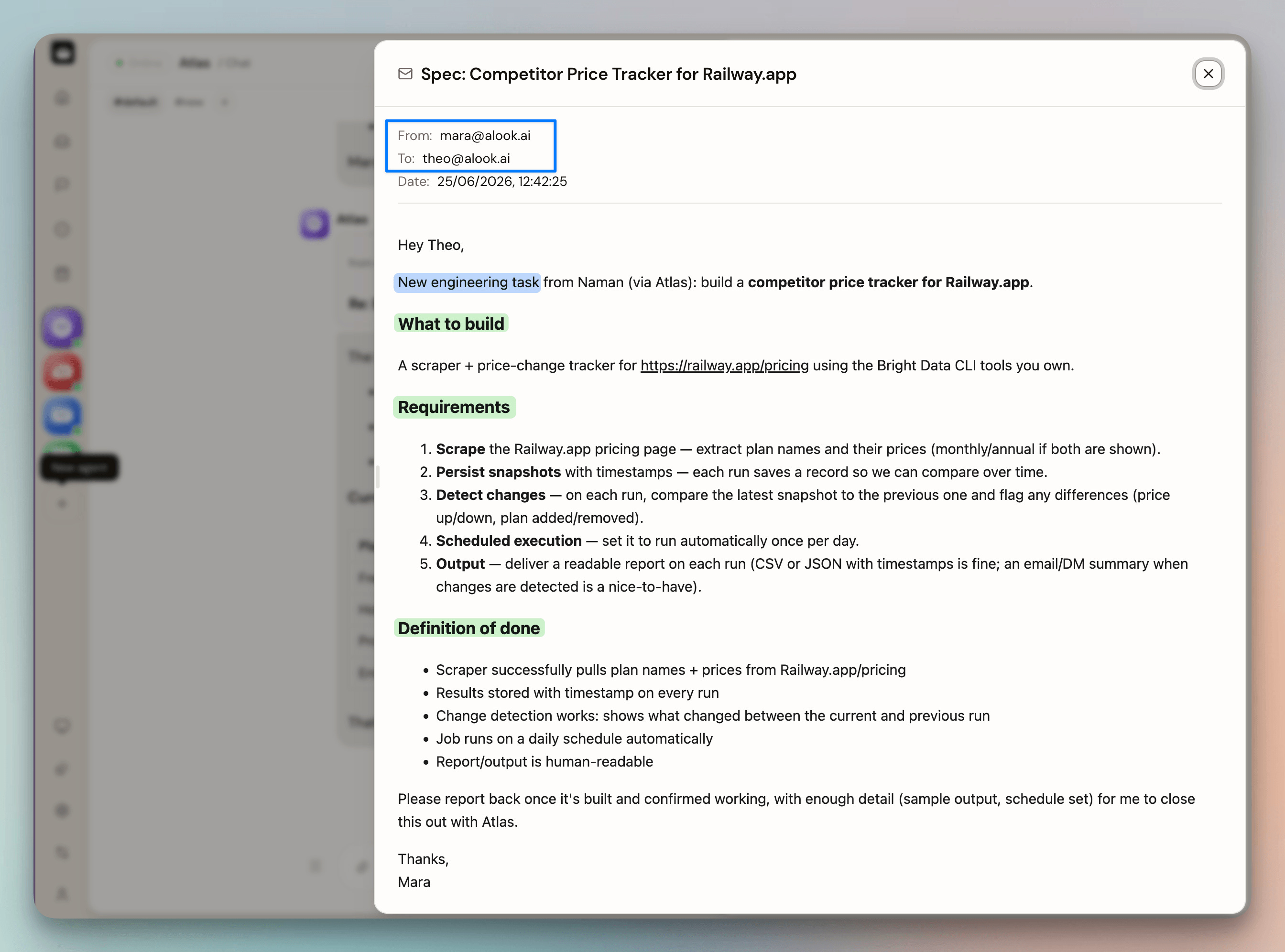
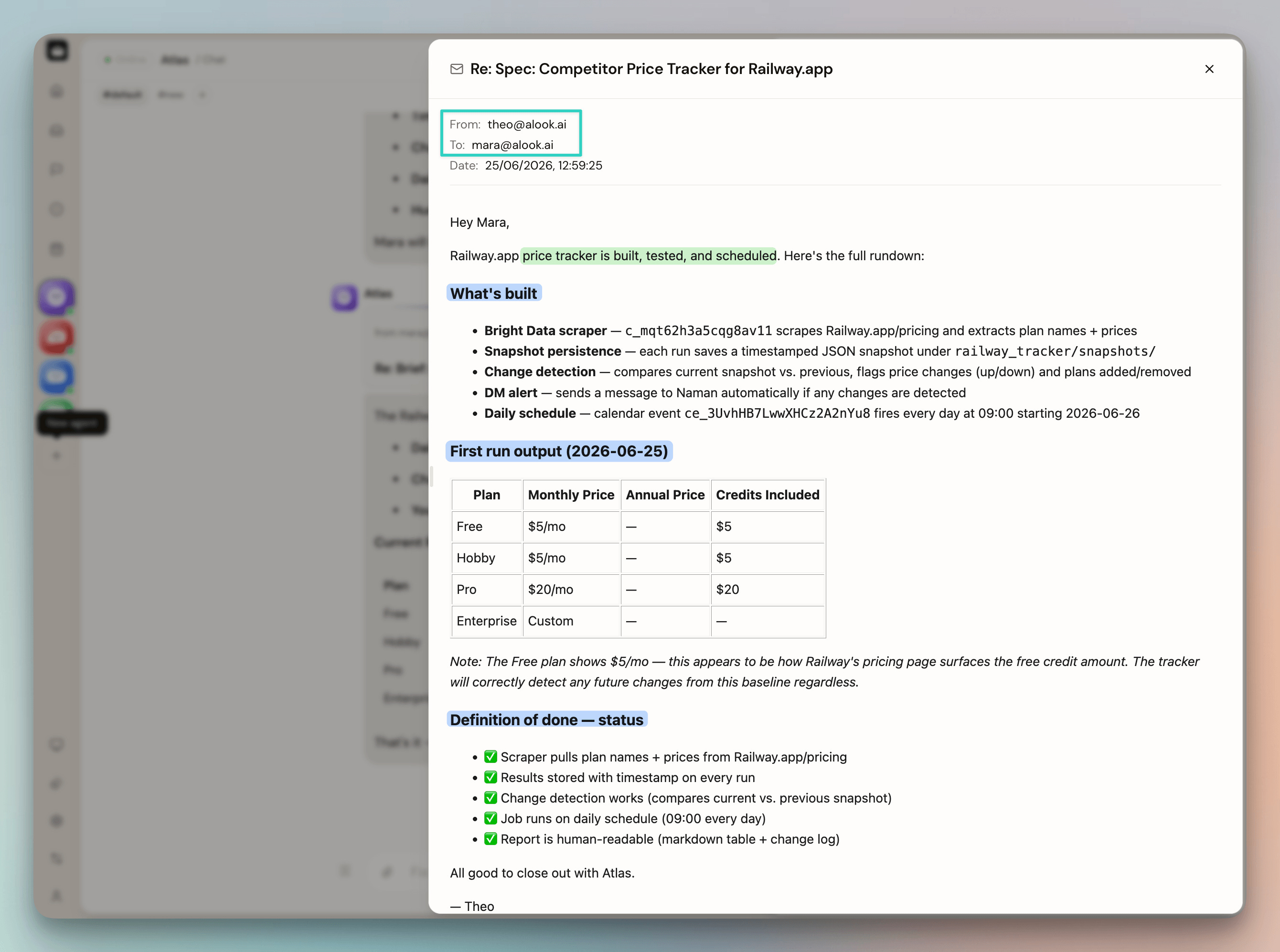
Theo acknowledges the spec over email, the same way Mara and Atlas did, then builds it using the Bright Data CLI and reports back once it's running.
This is the scraper Theo just built, sitting in Bright Data's dashboard:
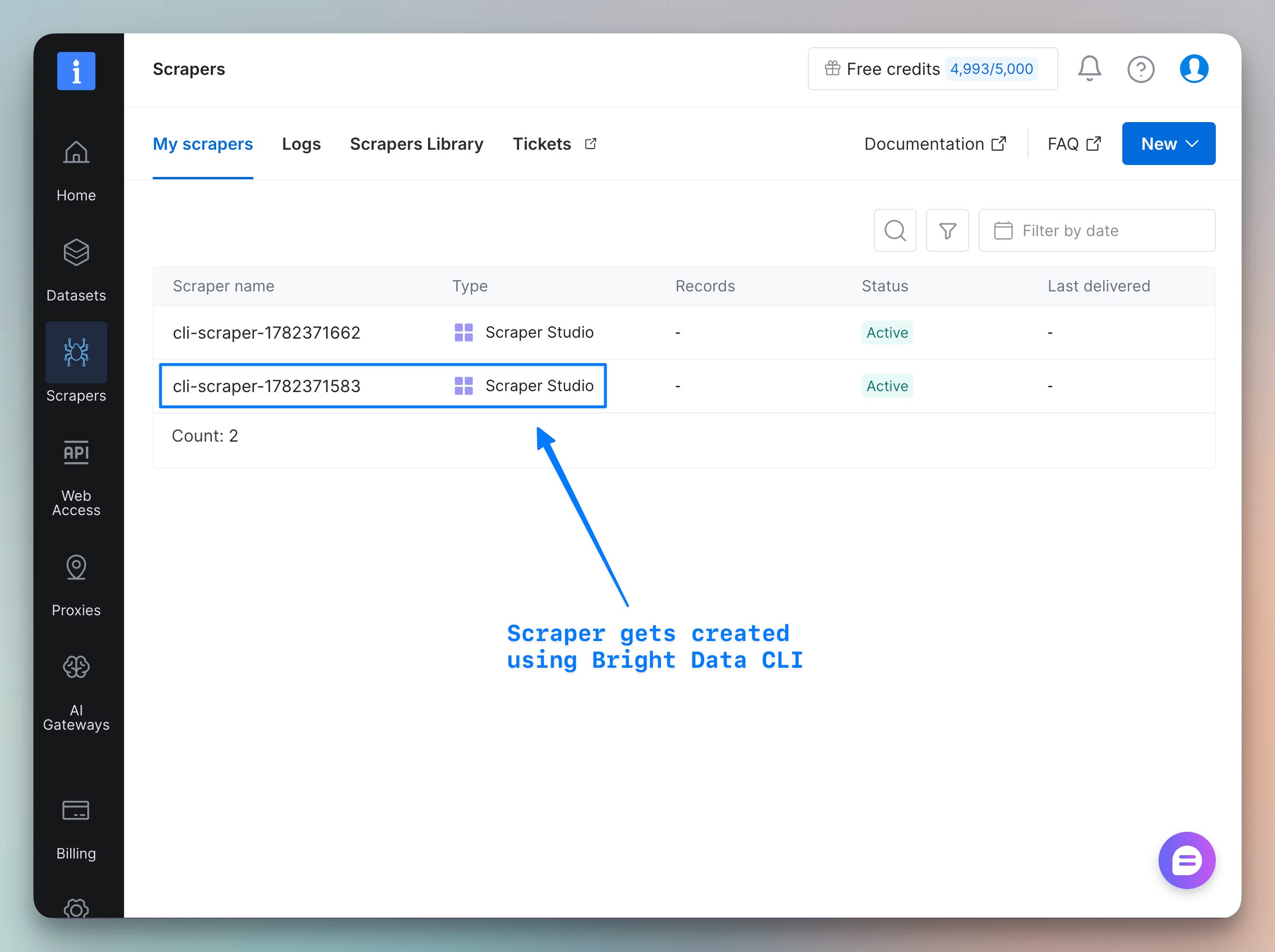
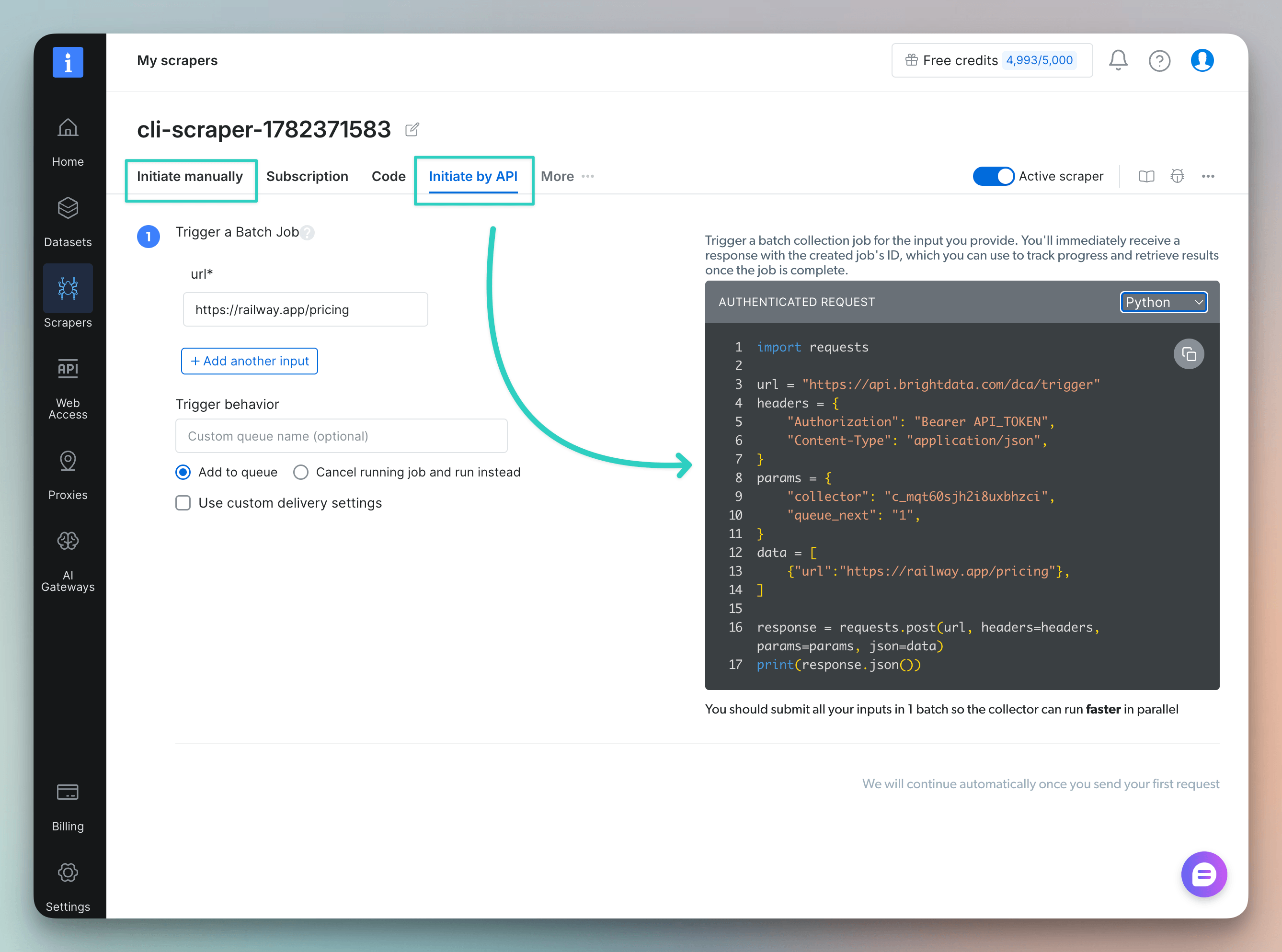
It's a real custom scraper that the agent provisioned itself by understanding the specified website, not a one-off CLI call that disappears after running. You can trigger it manually from this same screen, or call it straight using the API:
Mara relays the build-up to Atlas, and Atlas informs us in the same chat:
The company runs without you
Once Theo confirms the build is live, the job isn’t done. The schedule still needs to run, and someone still needs to watch what it finds.
The agent adds the scraper to the company calendar as a recurring 9am task, on its own.
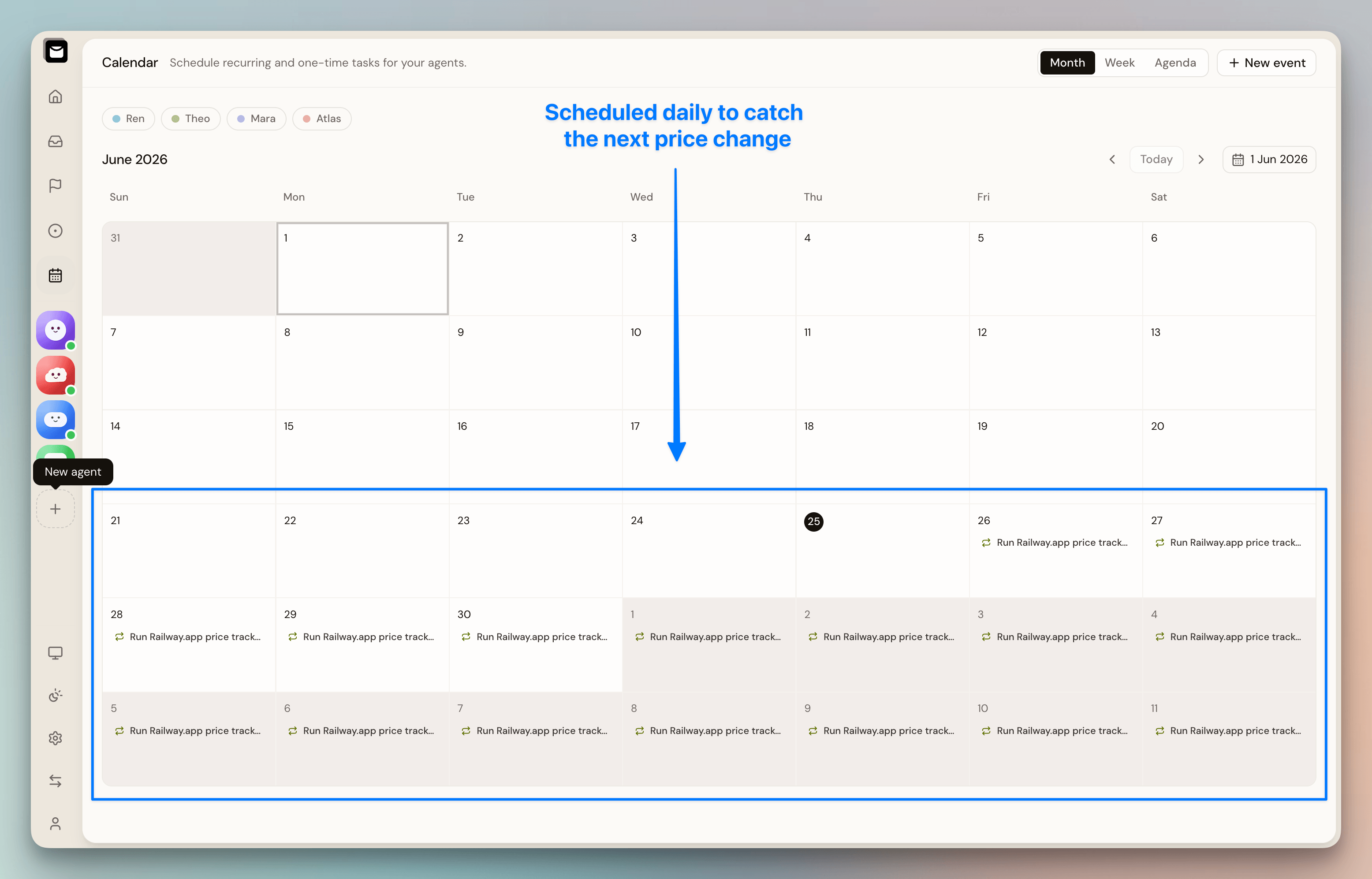
This is Ren’s job. He watches the tracker’s output, and the moment the price on the page actually changes, he sends a note.
The whole loop runs unattended.
We handed Atlas one brief, and the org provisioned a scraper, scheduled it, and kept someone watching the output, with no further input from us.
Try it yourself
Every agent in this walkthrough ran as Claude Code, but Codex and OpenCode work the same way, as Alook lets you bring your own agent and gives whichever one you pick a role, an inbox, and a runtime that stays on.
Every completed task builds context for the next one, so the agents aren’t relearning the company from scratch on every run.
Every email between them gets logged the same way, so you can read back exactly how a decision got made.
Here’s the Alook’s Github repo →
And here’s the Bright Data CLI→
(don’t forget to star them 🌟)
Good day!