

Connect Grok Bot to any agent harness
Finally, you can connect Grok Bot to different agent harnesses and run tasks through their native runtimes.
Devs just open-sourced HarnessRouter, the infrastructure layer that lets Grok Bot run tasks across:
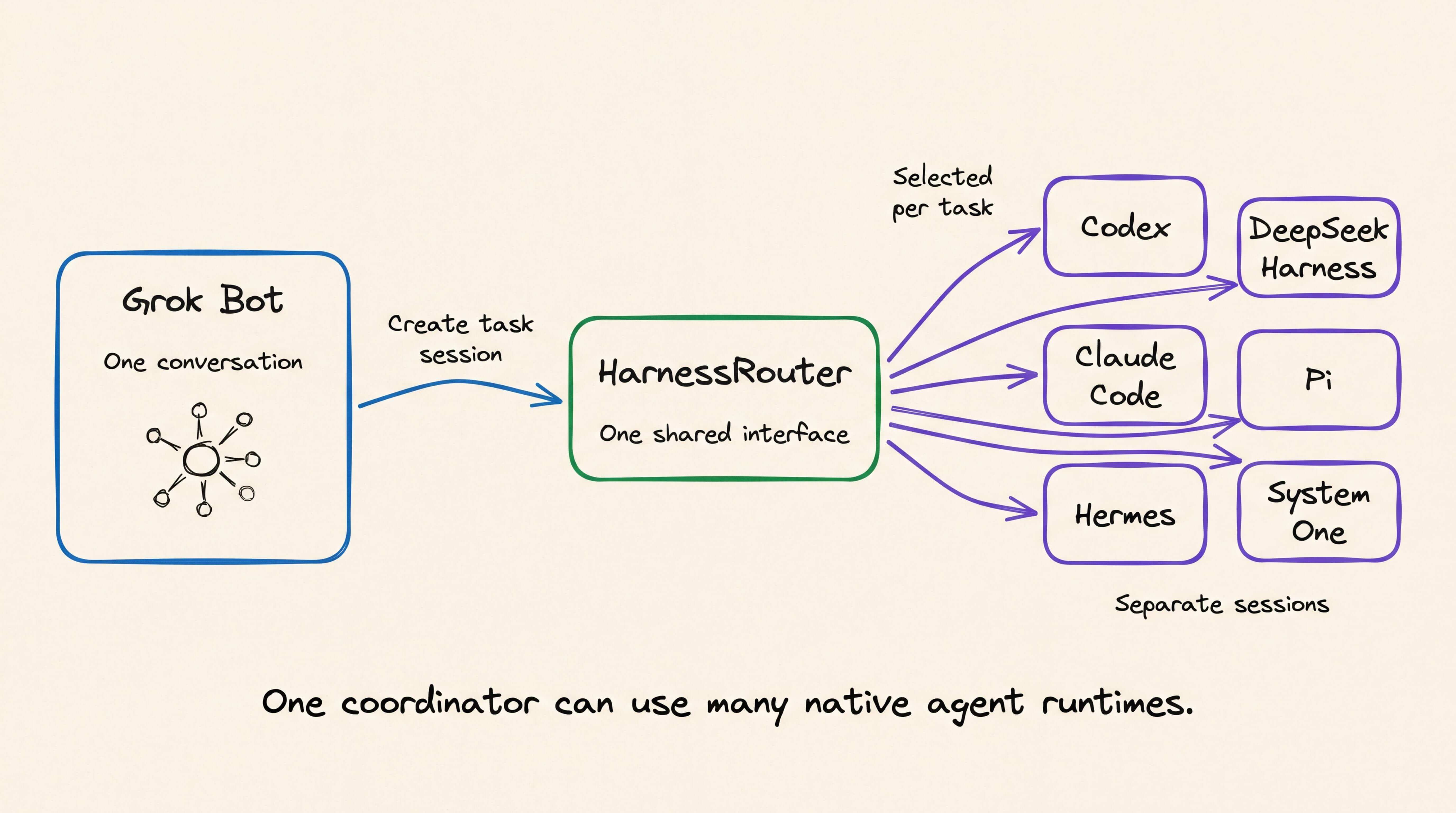
Codex
Hermes
Claude Code
DeepSeek Harness
Pi, and more (including System 1 harnesses)
GitHub repo: github.com/HarnessRouter/harnessrouter
(don’t forget to star it ⭐)
With HarnessRouter, each external specialist gets to use its own harness, model, tools, skills, and agent loop while Grok coordinates the project from one conversation.
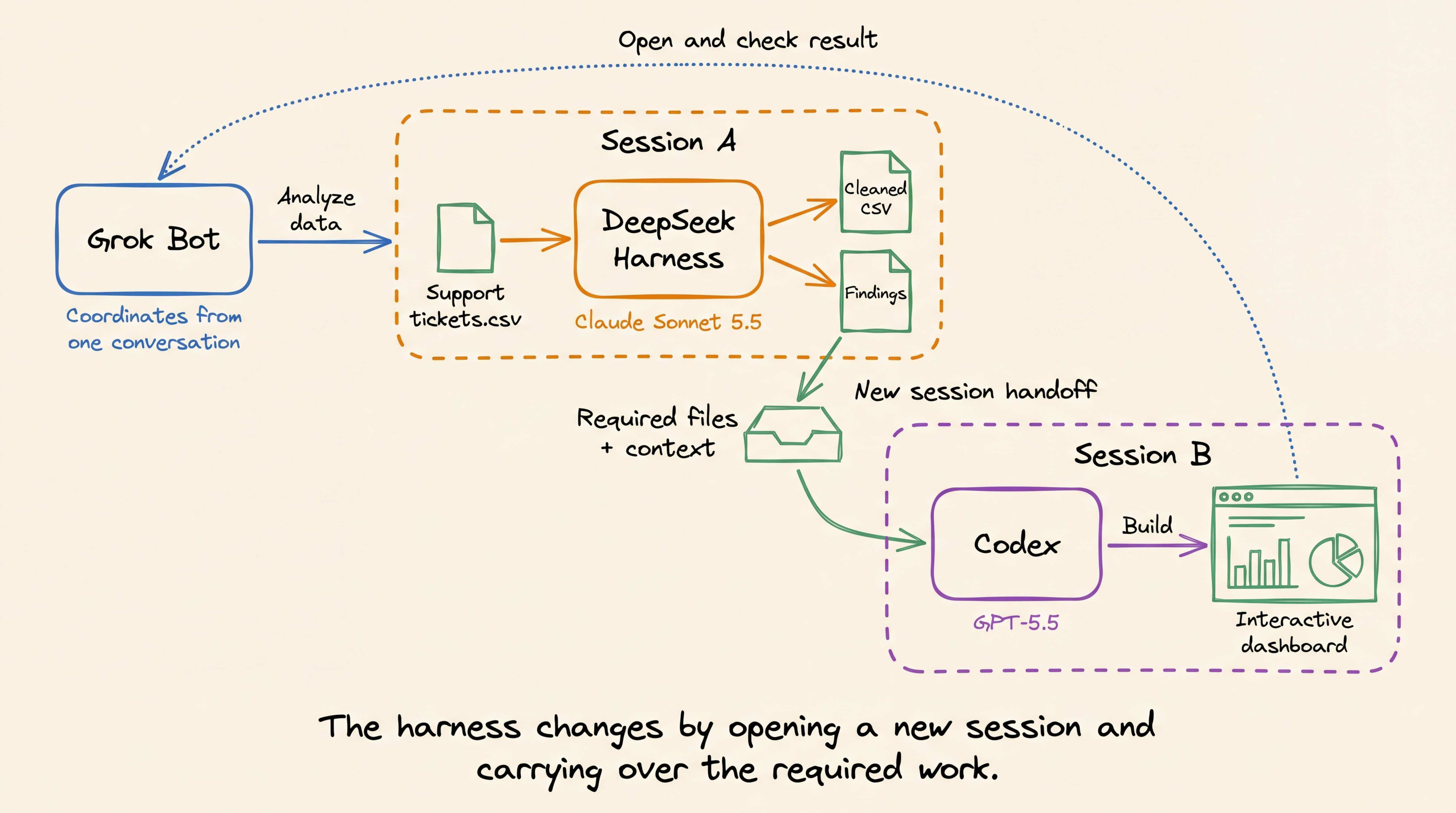
We tested this by asking Grok Bot to turn a support-ticket CSV into an interactive dashboard.
Grok Bot assigned the analysis to DeepSeek Harness with Claude Sonnet 5.5, passed the output to Codex with GPT-5.5, and checked the finished dashboard in its browser.
This differs from simply creating more Bots.
These workers are not additional Grok Bots, and Grok Bot itself does not switch harnesses.
Instead, it remains the coordinator while the delegated tasks run inside separate HarnessRouter sessions with the harness of your choice.
So for another task, you can use Claude Code, Hermes, Pi, etc., without requiring a separate integration for task execution, sessions, streaming, and generated files.
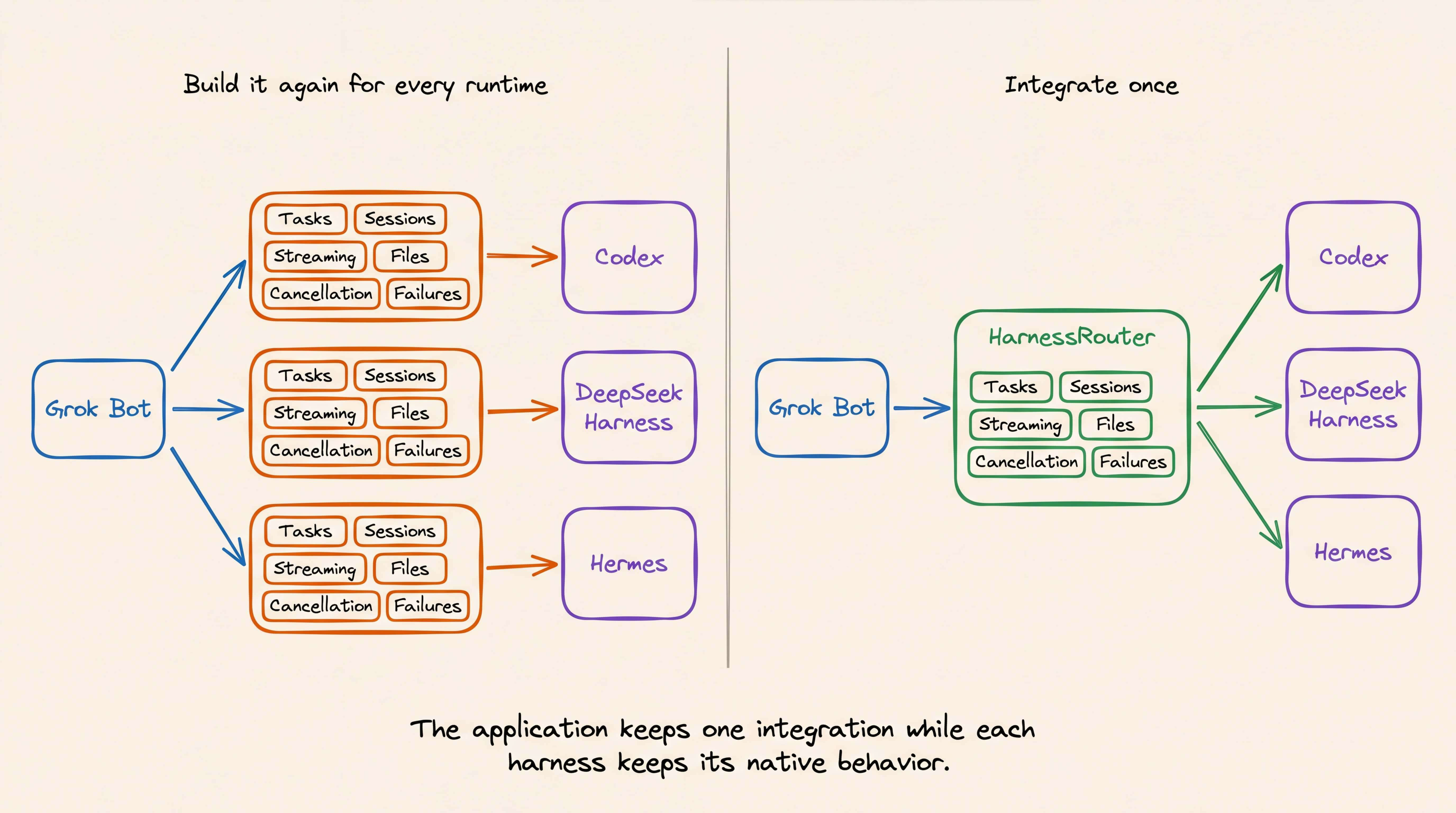
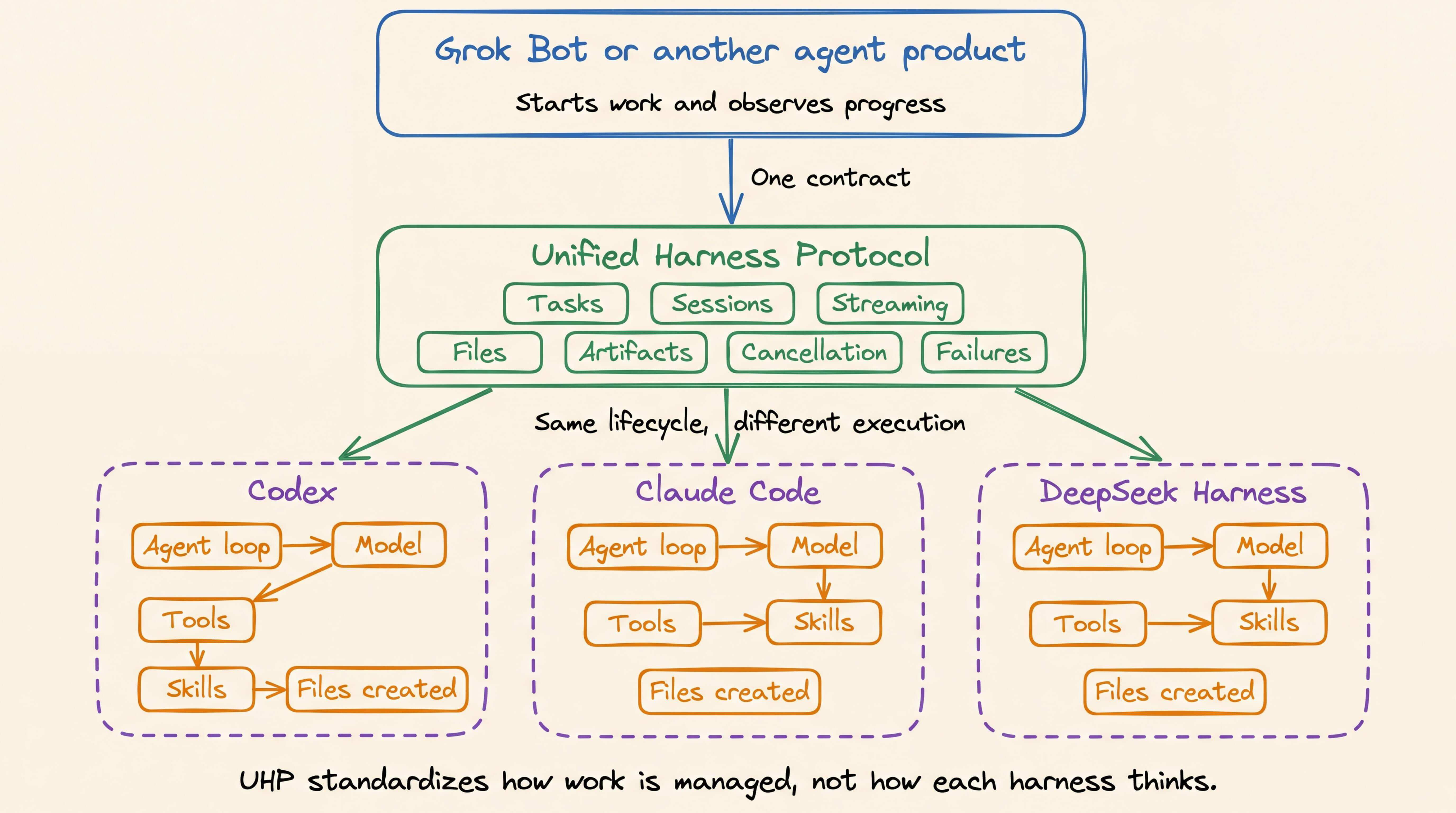
HarnessRouter standardizes all those operations through the Unified Harness Protocol (UHP).
UHP handles sessions, streaming, files, cancellation, and failures through the same interface, regardless of which harness runs the task.
How CUDA graph replay cuts inference overhead
A GPU can finish its work faster than the CPU can tell it what to do next.
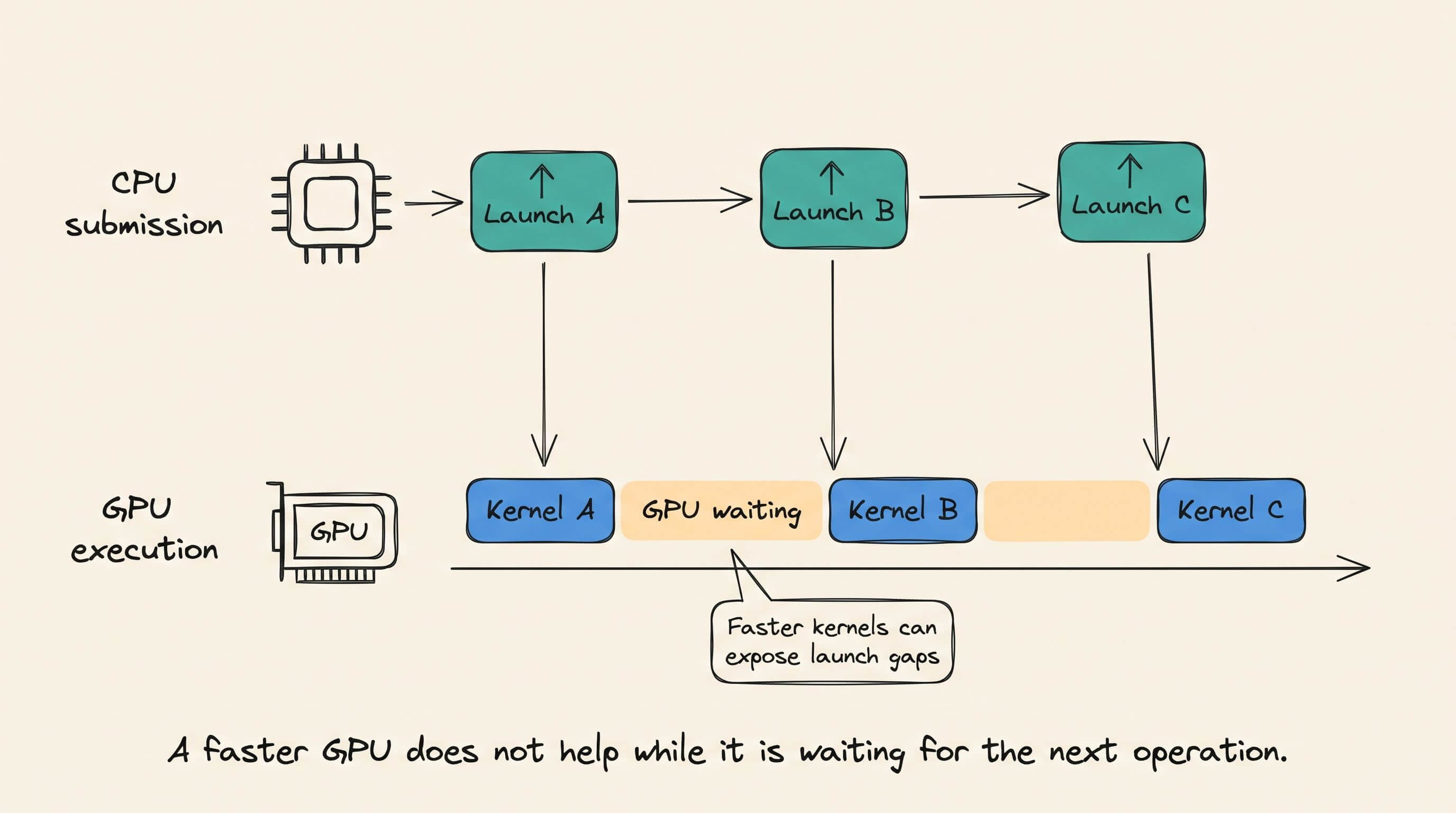
This happens because a model forward pass is not one giant GPU operation.
Instead, it expands into many smaller operations for attention, matrix multiplication, normalization, sampling, and memory movement.
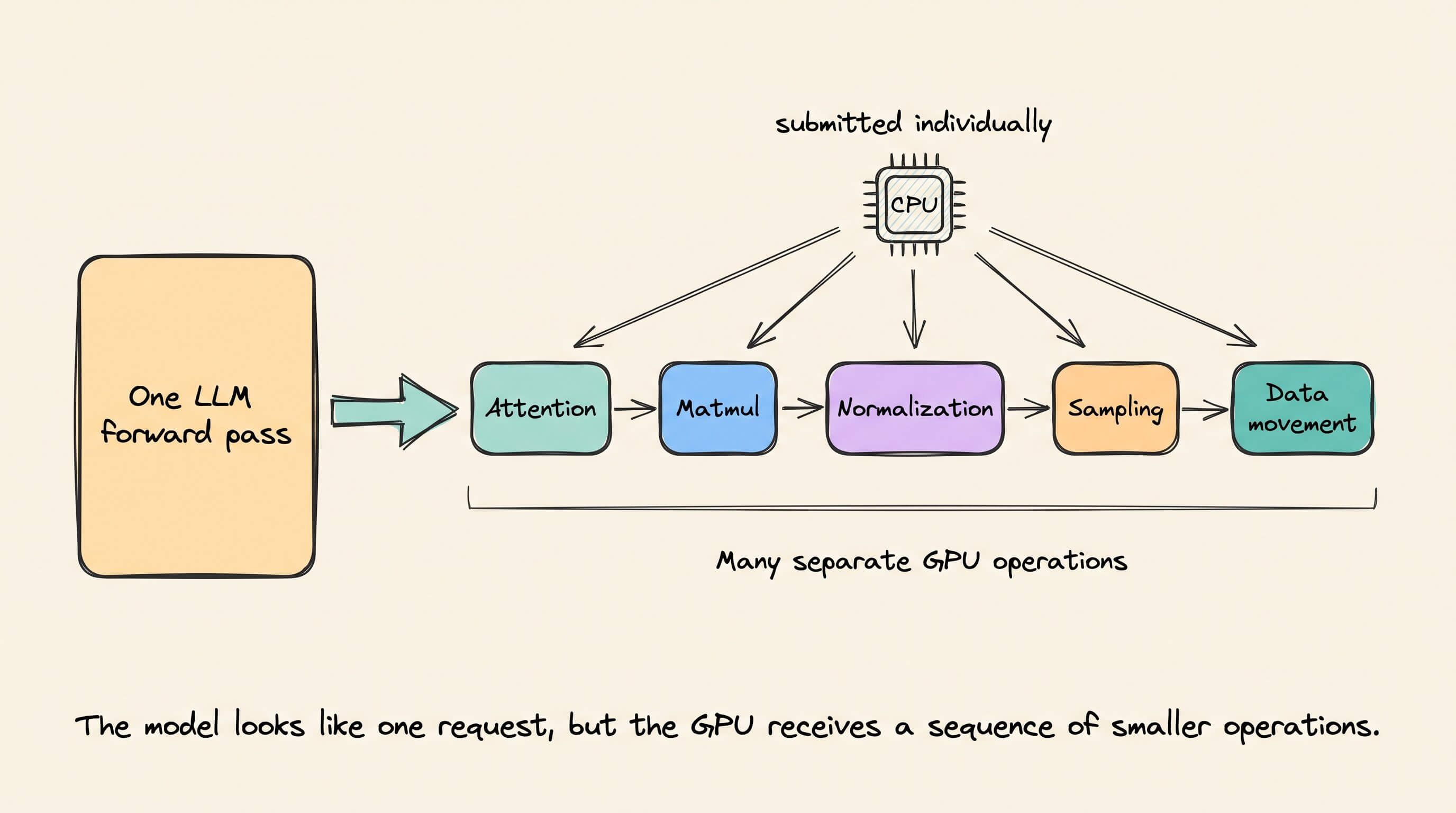
The CPU normally submits these operations one at a time.
It prepares a kernel launch, sends it to the GPU, and then prepares the next one. Every launch passes through the framework, CUDA runtime, and driver.
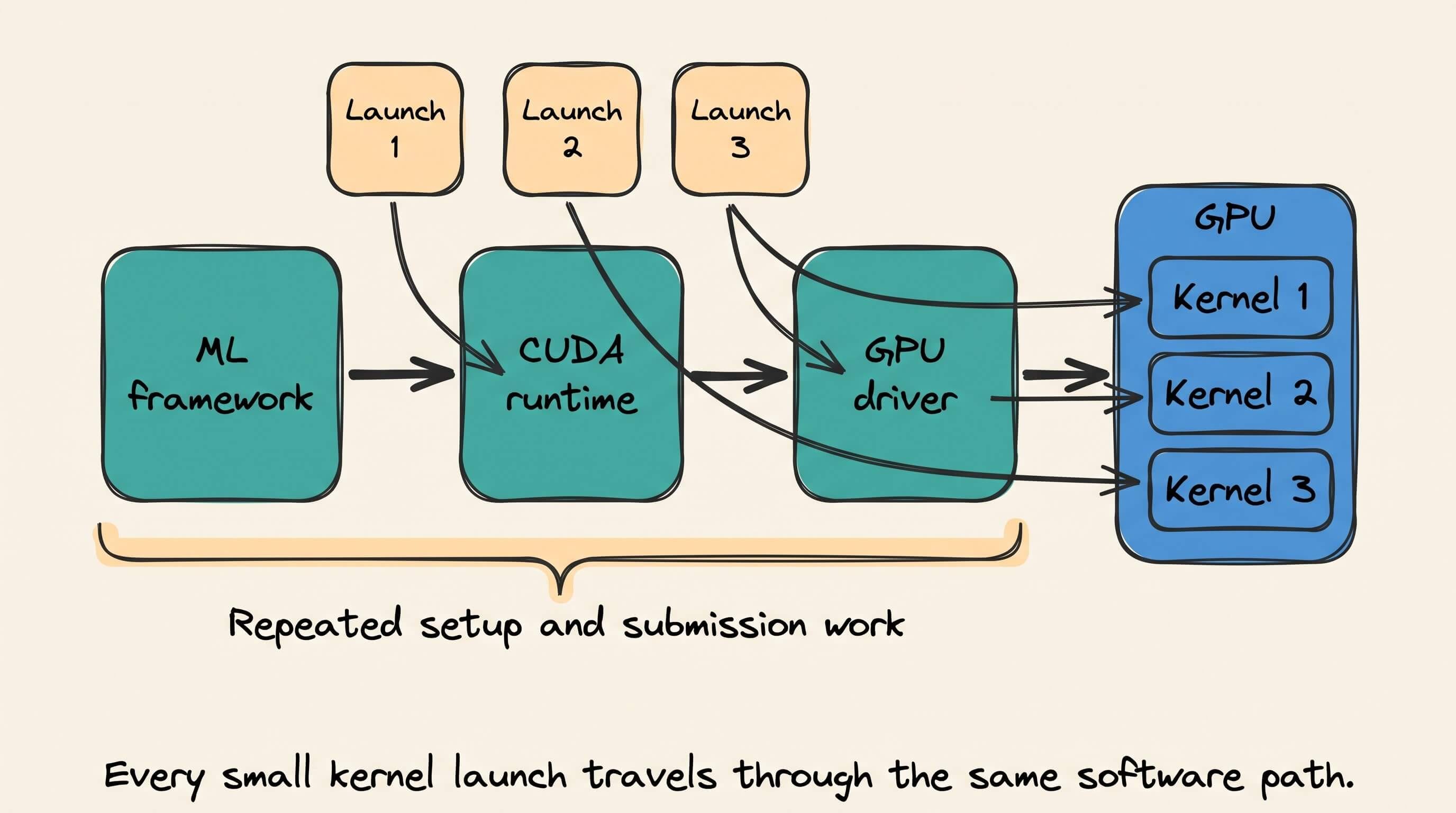
That overhead is small for one operation.
But an LLM executes many short kernels during every decoding step, then repeats a similar sequence for the next generated token.
If the GPU finishes a kernel before the CPU submits the next one, it sits idle.
A profiler shows this as small gaps between GPU operations.
CUDA Graphs were introduced to change how the sequence is submitted.
Basically, a CUDA Graph is a saved execution plan for GPU work.
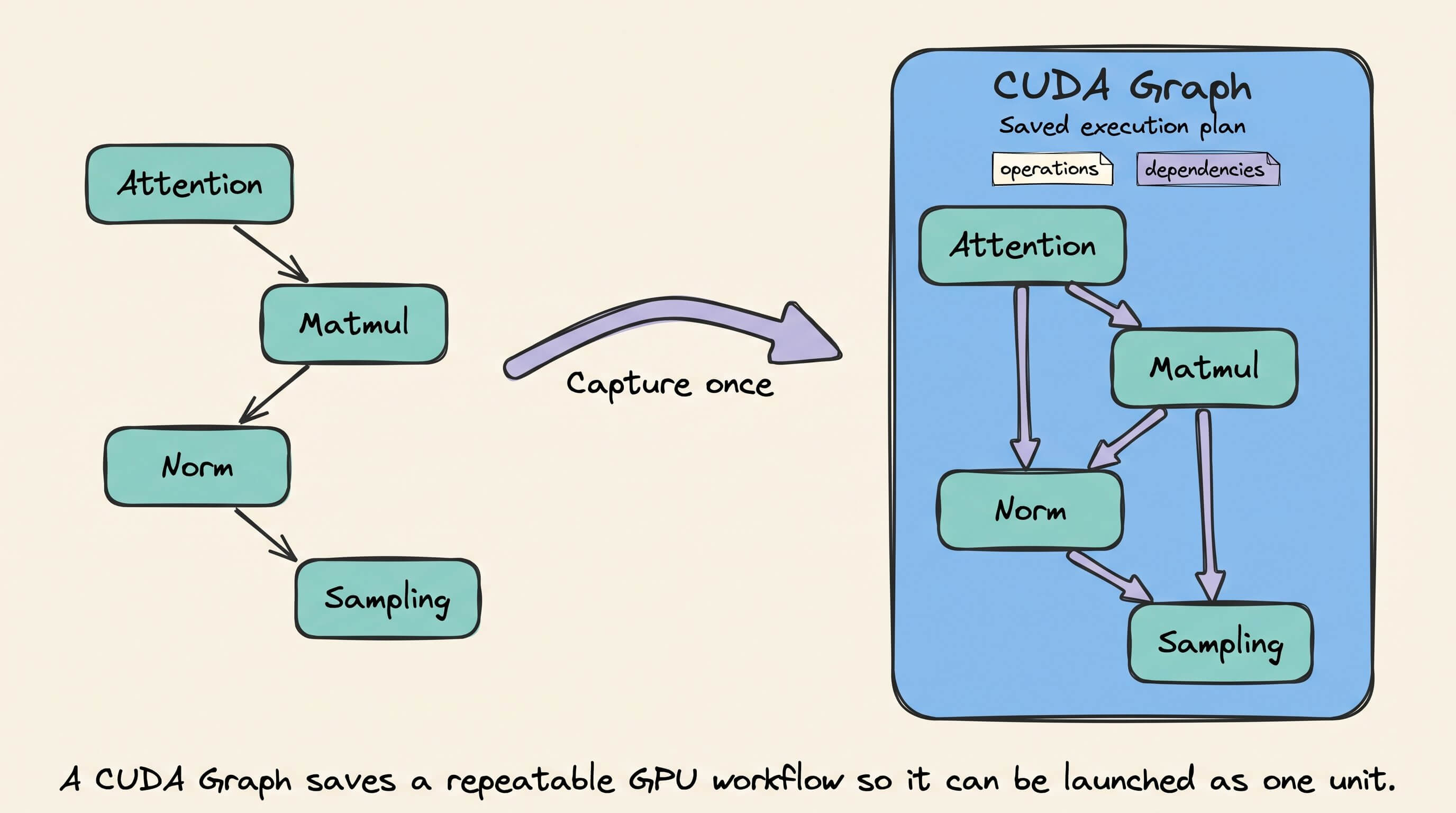
It stores which operations need to run, the arguments they use, and the dependencies between them.
For example, a graph might record this sequence:
Attention → matrix multiplication → normalization → sampling
Instead of rebuilding and submitting that sequence one operation at a time, the application prepares the complete plan once.
CUDA Graph replay is how that saved plan gets used repeatedly.
There are three parts to the process.
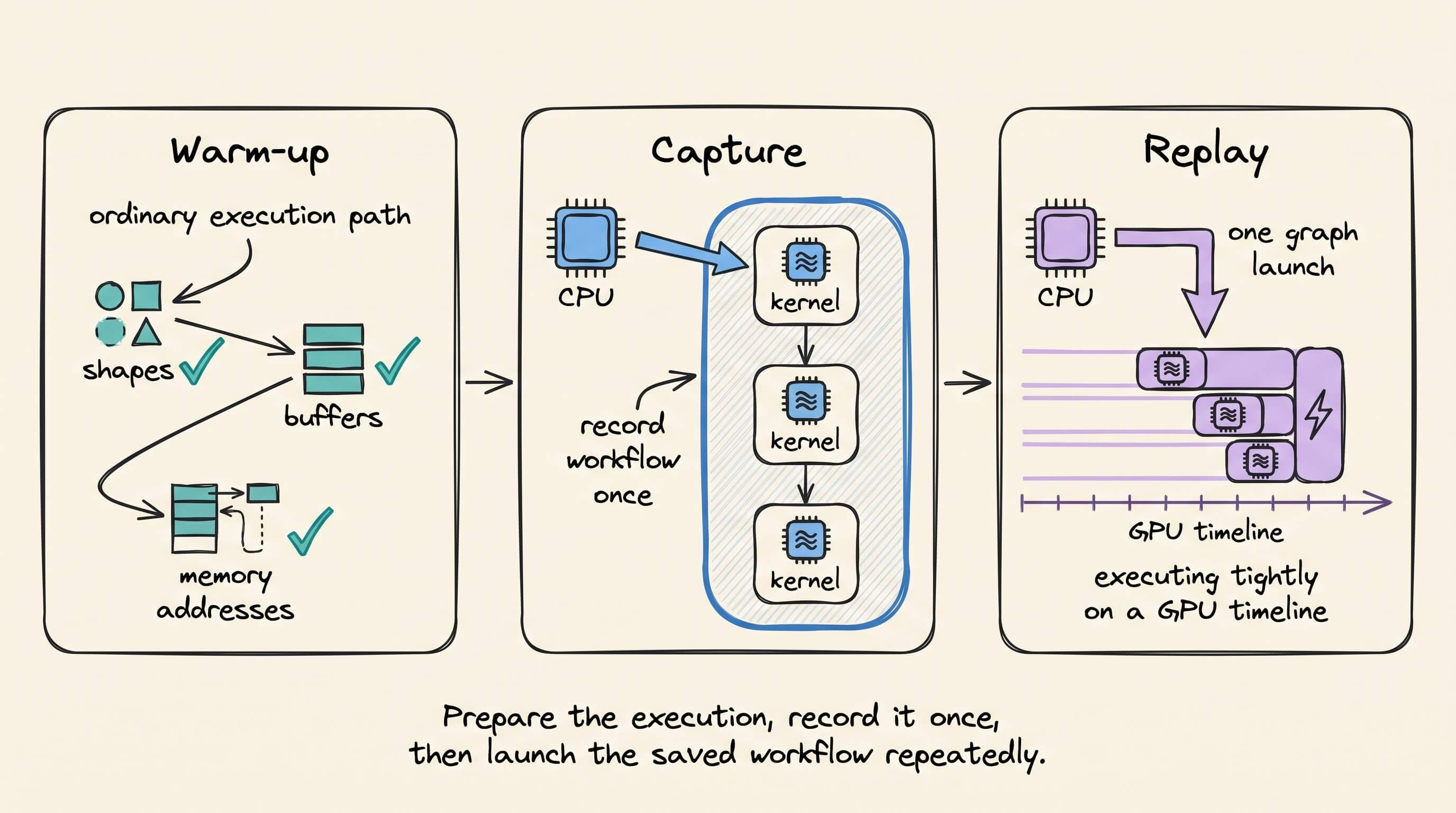
First, the application runs a normal warm-up pass.
Warm-up performs any one-time initialization, selects kernels, allocates buffers, and establishes the tensor shapes and memory addresses the workload will use.
Next, the application captures one execution.
During capture, CUDA watches the operations sent to a stream and records them in a graph. It stores the launch sequence and dependencies, not the output produced by that run.
Finally, the application replays the graph.
Before each replay, new input data is copied into the same input buffers used during capture.
The CPU then makes one graph-launch call. The GPU reruns the recorded operations on that new data and writes the new result into the graph’s output buffers.
So replay does not mean returning an earlier result.
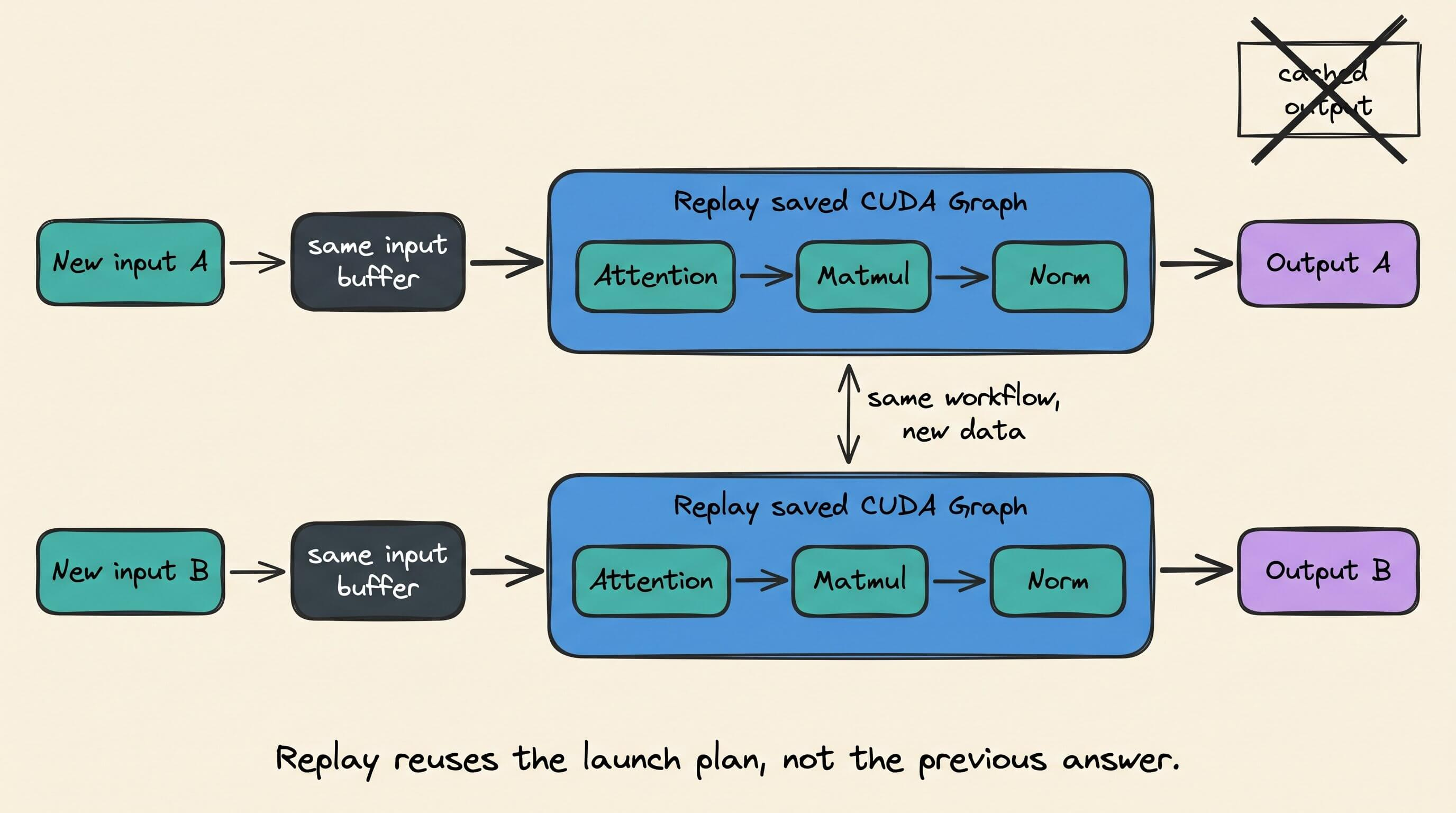
It means rerunning the same GPU workflow without rebuilding and submitting every kernel separately.
This removes much of the repeated work around the kernels.
Framework dispatch, argument setup, driver calls, and individual kernel submissions move out of the steady-state path.
The model still performs almost the same arithmetic. Its weights remain unchanged, and every replay runs the kernels again.
The speedup comes from reducing the time spent starting that work.
This fits LLM decoding well because every decoding step follows a largely repeated path.
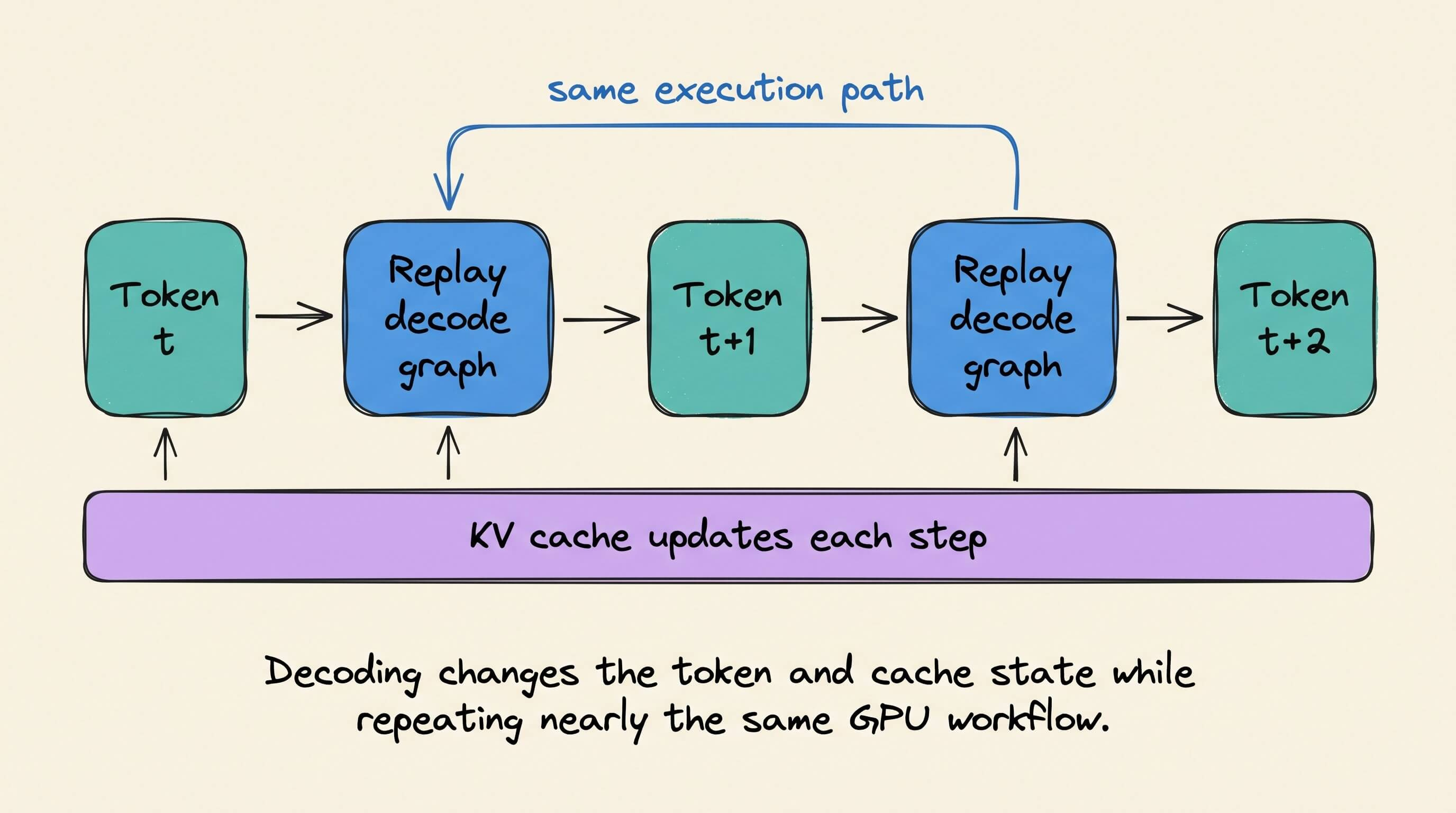
One token is generated, the inputs and cache state are updated, and the model runs again for the next token.
When the execution shape stays compatible, the inference engine can reuse the same captured graph across many decoding steps.
The diagram below shows the process.
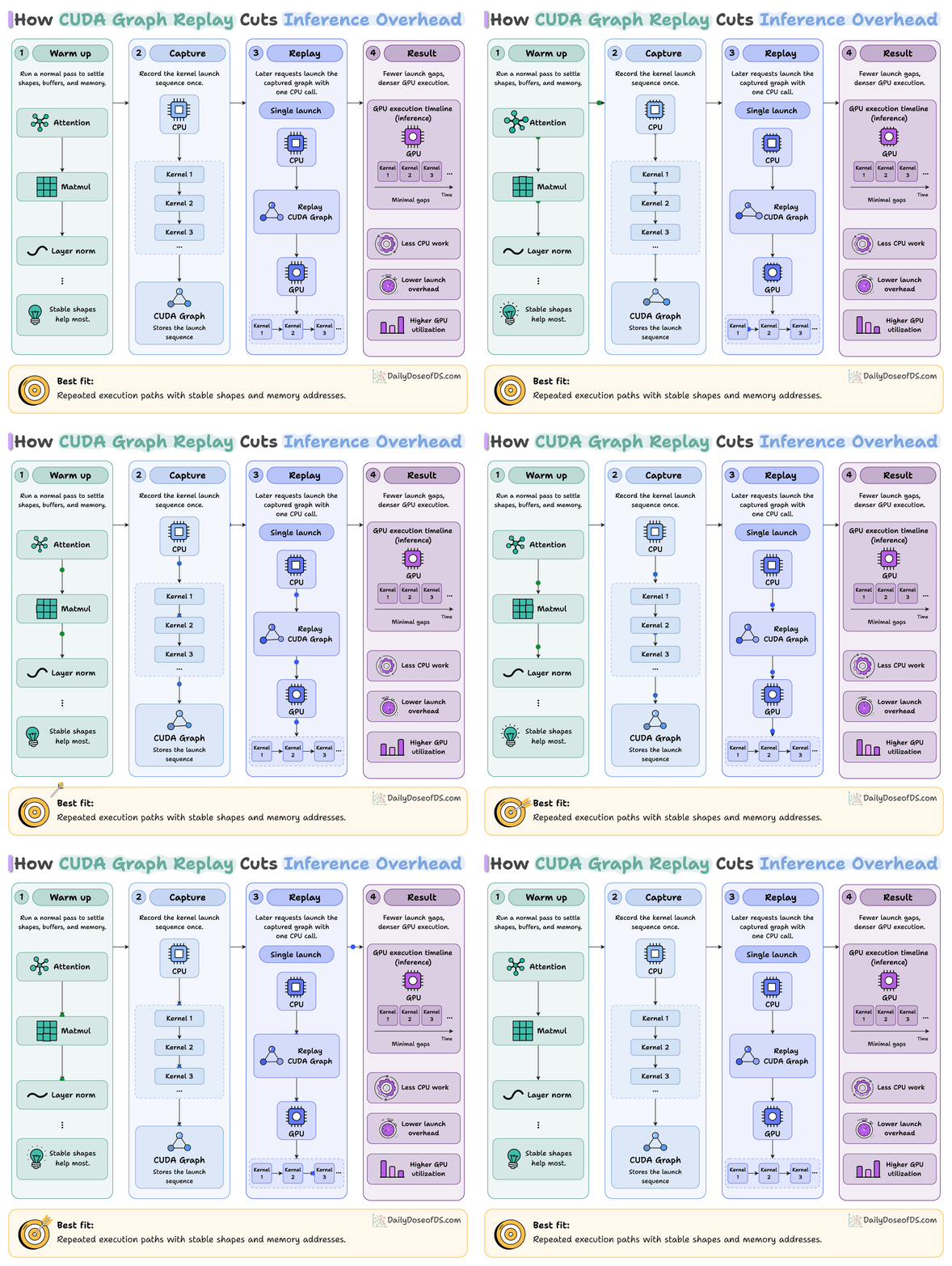
Warm-up prepares stable buffers. Capture saves the launch plan. Replay runs that plan on new input data through one graph-launch call.
The main tradeoff is flexibility.
A captured graph expects compatible kernels, arguments, tensor shapes, control flow, and memory addresses on every replay.
Production inference servers receive different batch sizes and execution cases, so one graph cannot cover everything.
They often capture several graphs for common batch sizes. A batch can use a matching graph, be padded to a captured size, or fall back to normal execution.
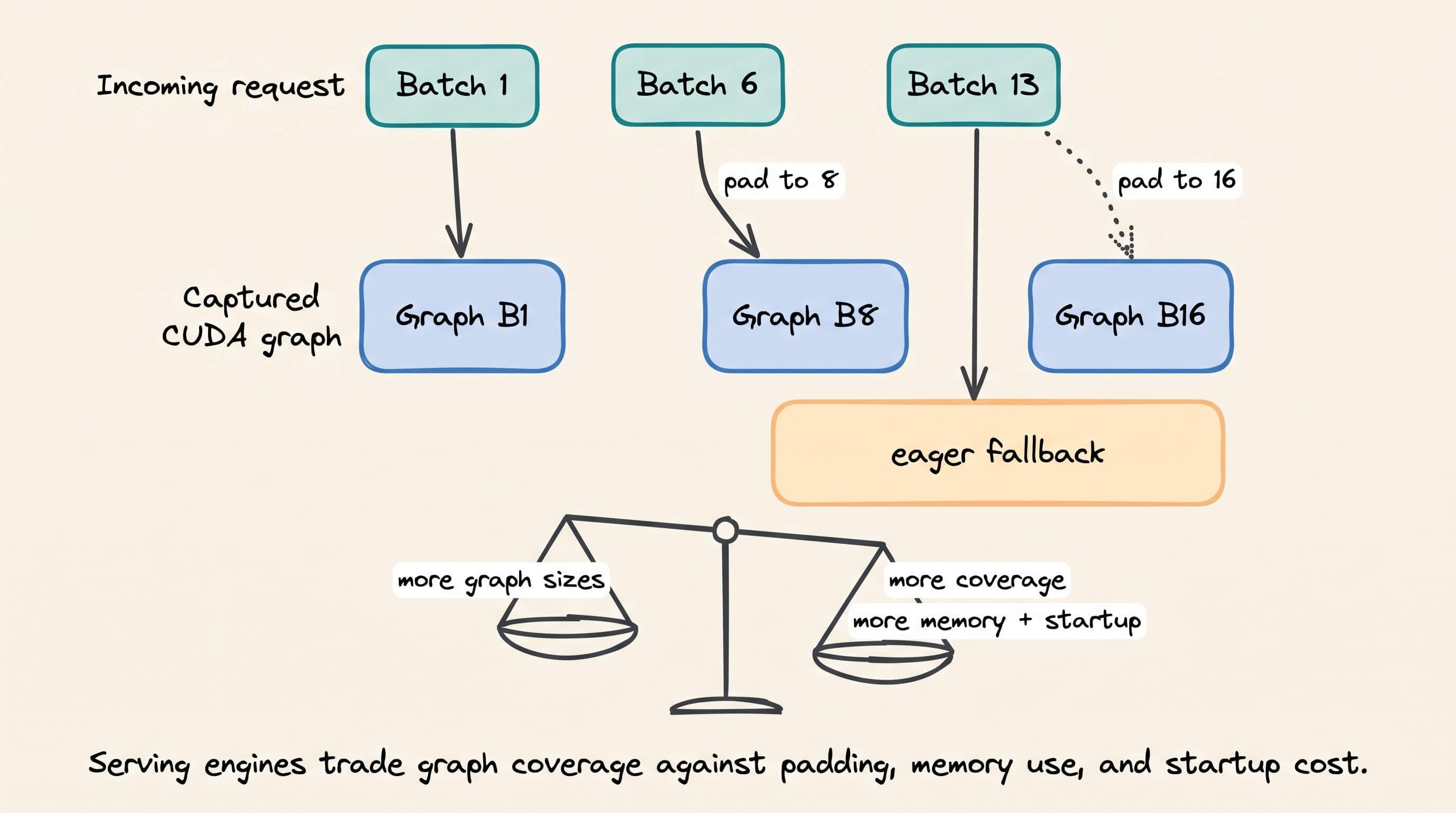
More captured graphs improve coverage, but require additional memory and startup time.
CUDA Graph replay works best when kernels are short, the execution path repeats, and launch overhead creates visible gaps in the GPU timeline.
In this case, the model is not doing less work but rather the system is submitting that work more efficiently.
https://www.dailydoseofds.com/llmops-crash-course-part-13/
In Part 13 of the LLMOps course, we covered the entire mechanics of LLM inference, from prefill and decode phases to KV caching, batching, and optimization techniques that improve latency and throughput.
RAG vs. Graph RAG vs. Agentic RAG
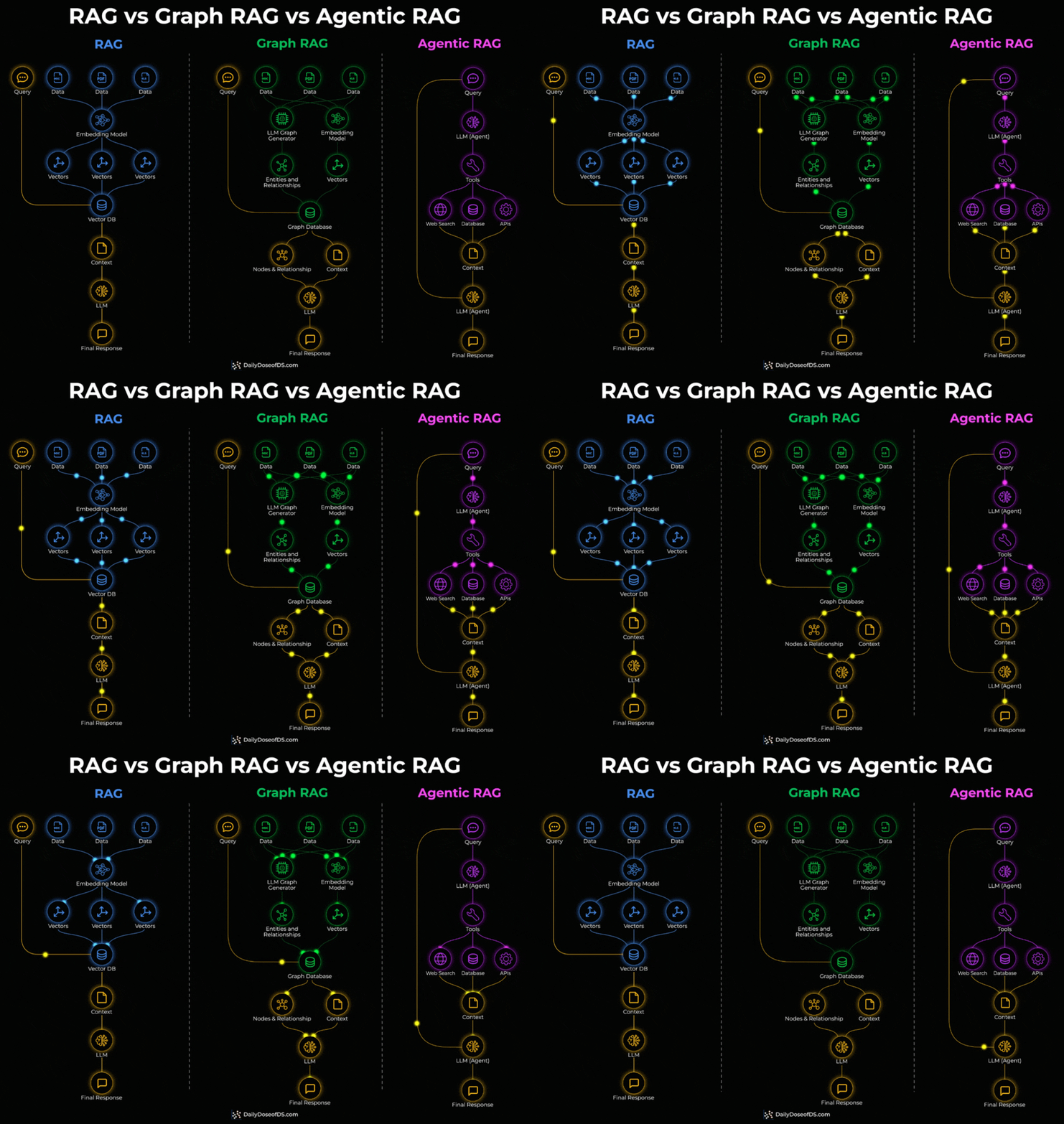
Standard RAG embeds documents into vectors and retrieves the most similar chunks via similarity search. For direct factual lookups, this works well.
But it breaks down when a query needs to connect facts spread across multiple documents. Similarity search retrieves individual chunks, not the relationships between them.
Graph RAG adds a knowledge graph layer on top.
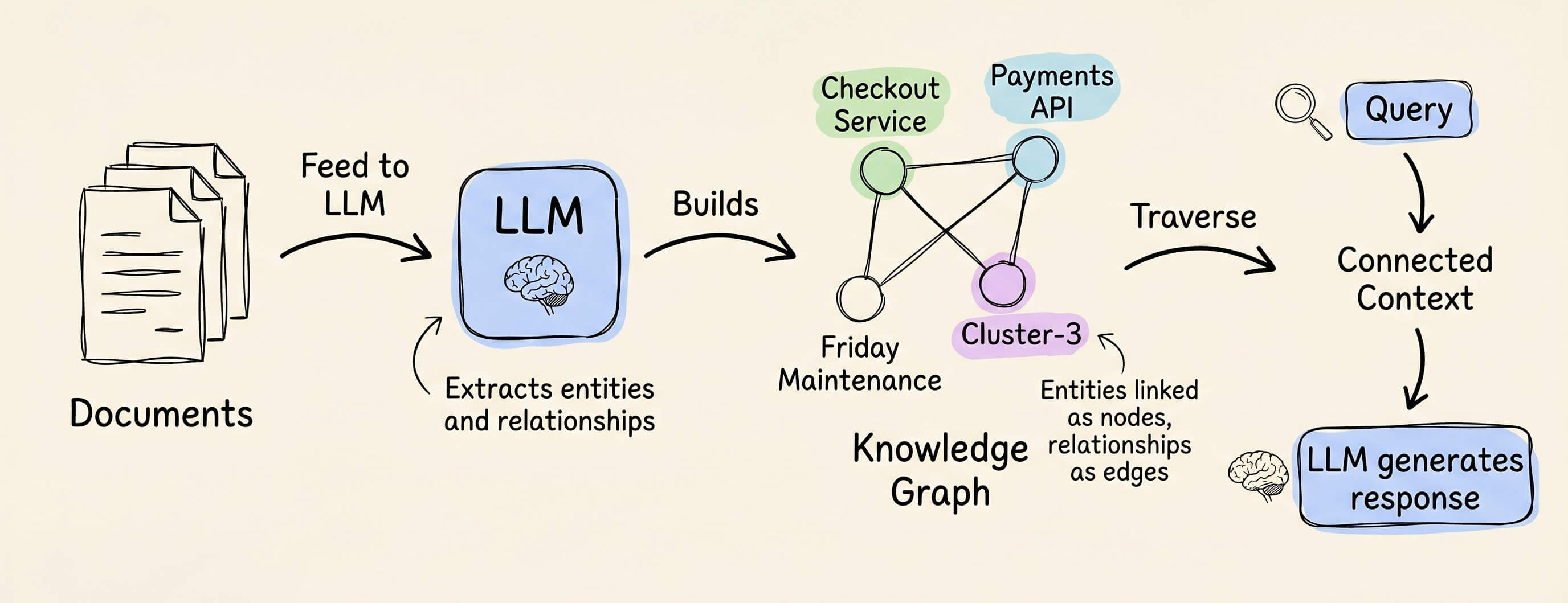
During indexing, an LLM extracts entities and relationships from the documents.
During retrieval, the system traverses these connections instead of relying on embedding similarity alone.
This is what enables multi-hop queries.
Say a vector DB stores three facts about internal services:
↳ “The checkout service uses payments API.”
↳ “The payments API runs on cluster-3.”
↳ “Cluster-3 is scheduled for maintenance on Friday.”
Someone asks: “Will the checkout service be affected by Friday’s maintenance?”
Vector search can likely retrieve facts 1 and 3 because the query mentions “checkout service” and “Friday maintenance.”
But it will miss fact 2, which connects the payments API to cluster-3.
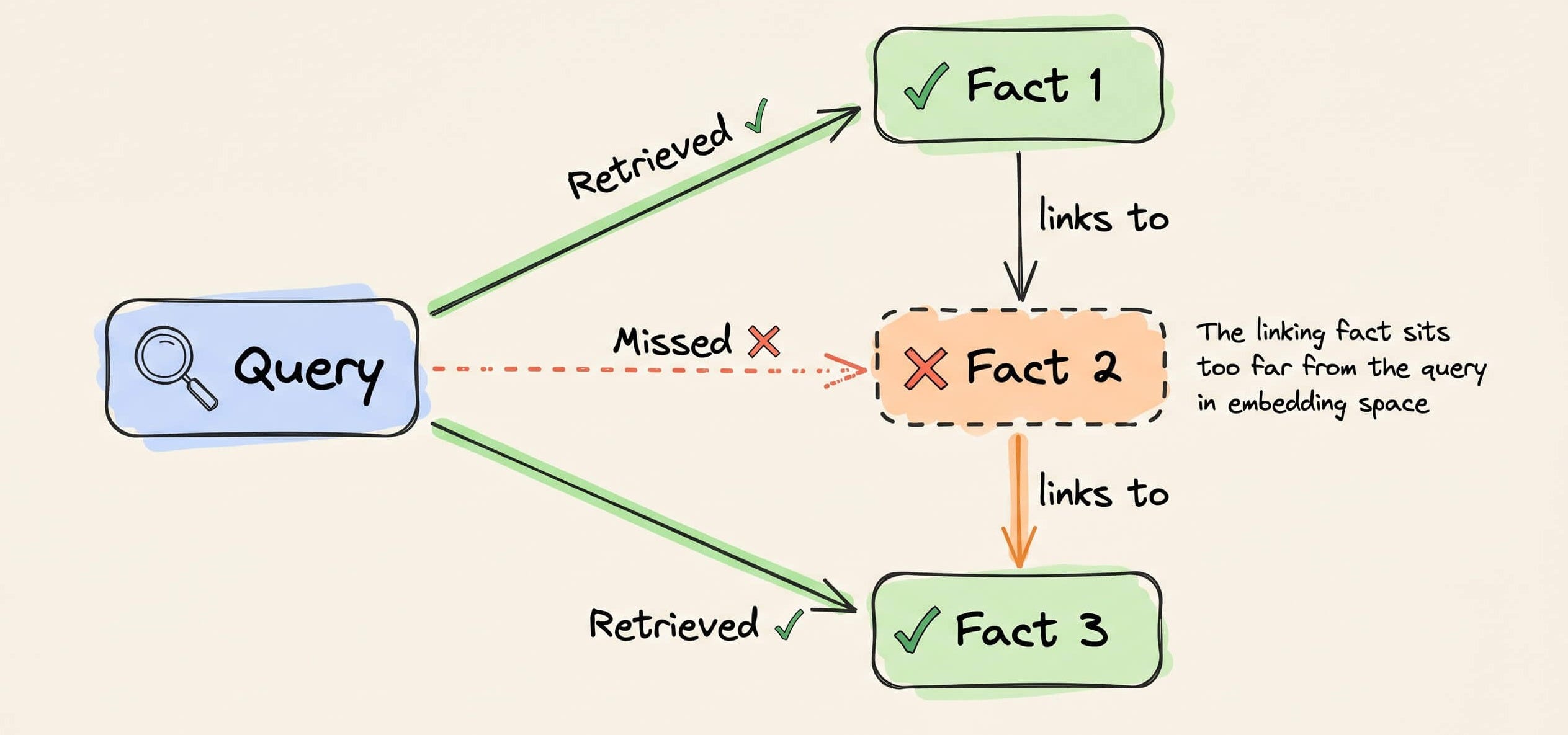
That middle fact sits too far from the query in embedding space. It mentions neither “checkout” nor “maintenance,” so it never makes it into the retrieved context.
A knowledge graph connects these as linked entities, and graph traversal finds the full path in one query.
Agentic RAG takes a different approach entirely.
Instead of a fixed retrieval pipeline, an LLM agent decides at query time which tools to invoke, which sources to query, and in what order.
Check the visual below again to understand the three architectures thoroughly.
One thing to note here is that these three aren’t levels of sophistication that you need to graduate through.
Instead, they solve different query types.
↳ Single-hop factual lookups → standard RAG
↳ Multi-hop relationship queries → Graph RAG
↳ Dynamic multi-source tasks with tool use → Agentic RAG
If you want to dive further, our full RAG crash course discusses RAG from basics to beyond:
👉 Over to you: Which RAG architecture are you running in production?
Thanks for reading!