
Karpathy defined agentic engineering at Sequoia Ascent 2026 as the discipline that separates production-grade agent work from vibe coding.
The core skills he listed were spec design, eval loops, and security oversight.
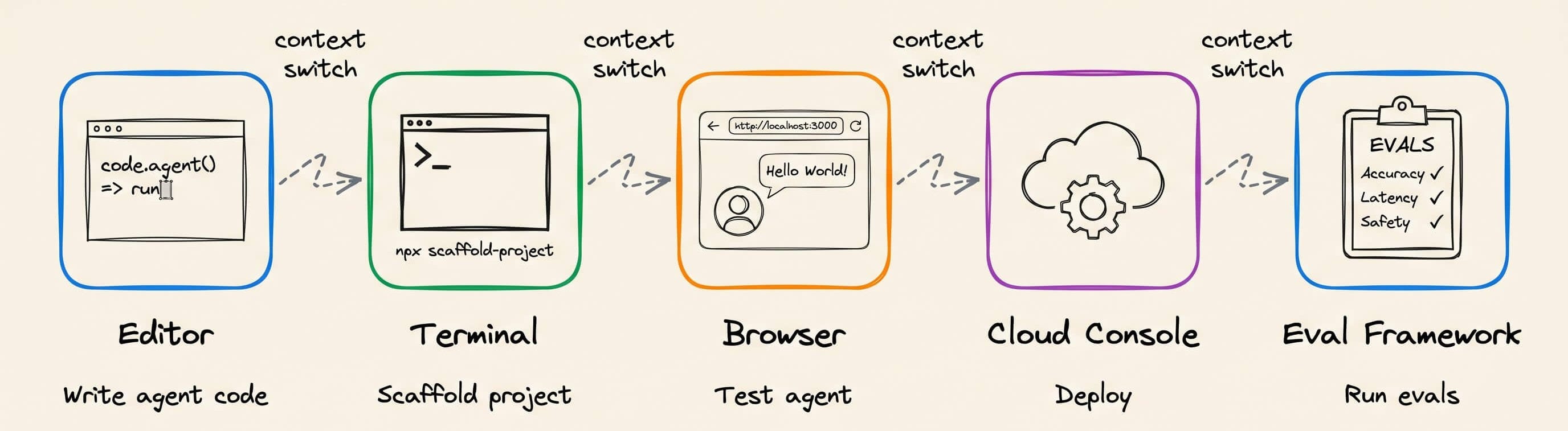
However, the tooling for this has been missing since practicing actual agentic engineering today still requires working across the editor, a terminal for scaffolding, a browser for testing, a cloud console for deployment, and a separate framework for evals.
The solution to production-grade Agentic Engineering is now actually implemented in Google’s Agents CLI. It covers the entire workflow in one place for scaffolding, evaluating, and deploying ADK agents.
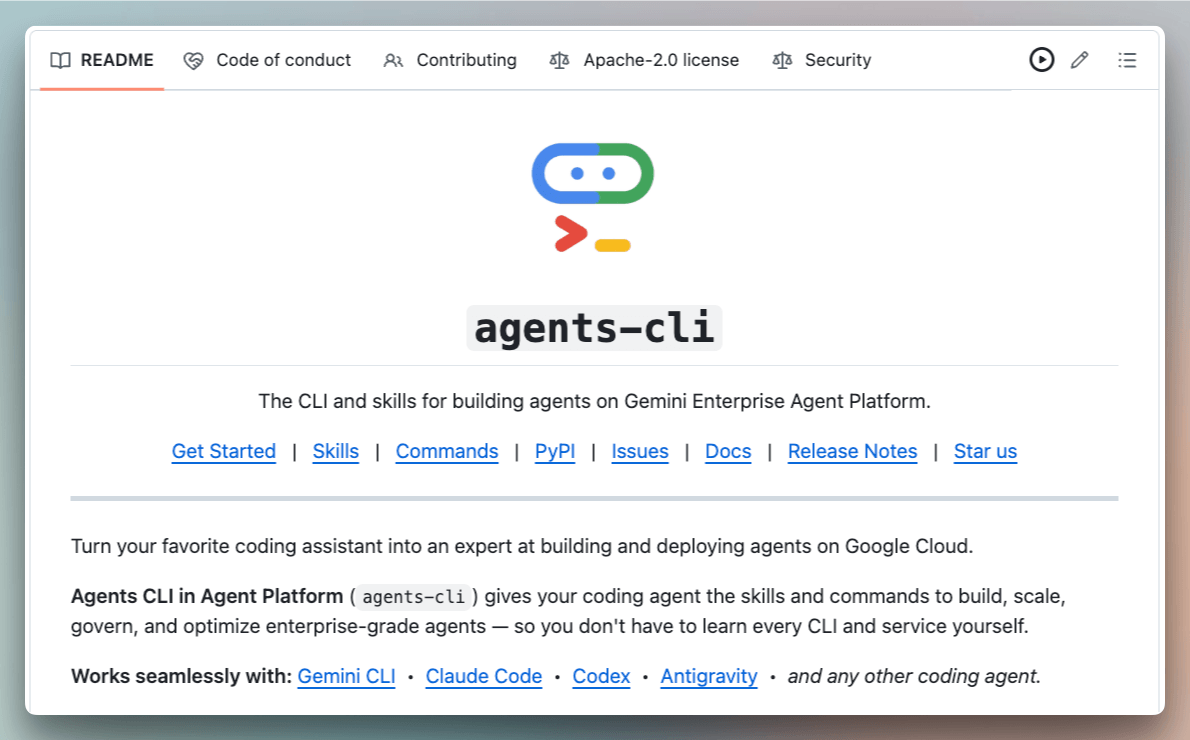
It injects 7 skills into your coding agent that teach it ADK patterns, eval structures, and deployment targets.
After that, the coding agent automatically drives the entire lifecycle from natural language, and you don't need to leave your editor for any phase of the lifecycle.
Let’s walk through this end-to-end by building a RAG agent from scratch and deploying it as an internal knowledge assistant.
Step 1: Install Agents CLI
uvx google-agents-cli setupThis injects 7 bundled skills into your coding agent’s context, covering ADK code patterns, project scaffolding, evaluation setup with LLM-as-judge scoring, deployment configuration for Agent Runtime and Cloud Run, and Cloud Trace observability.
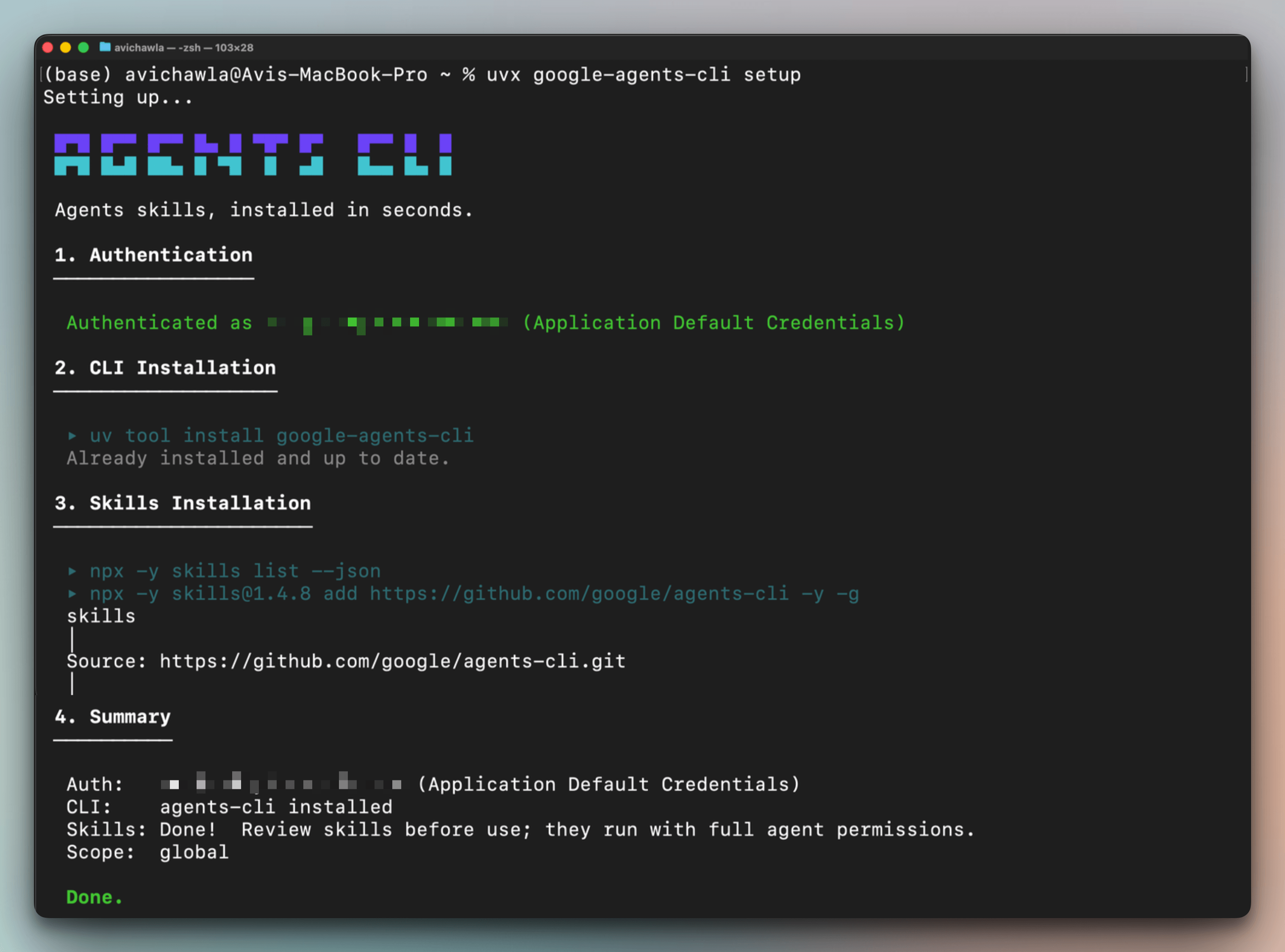
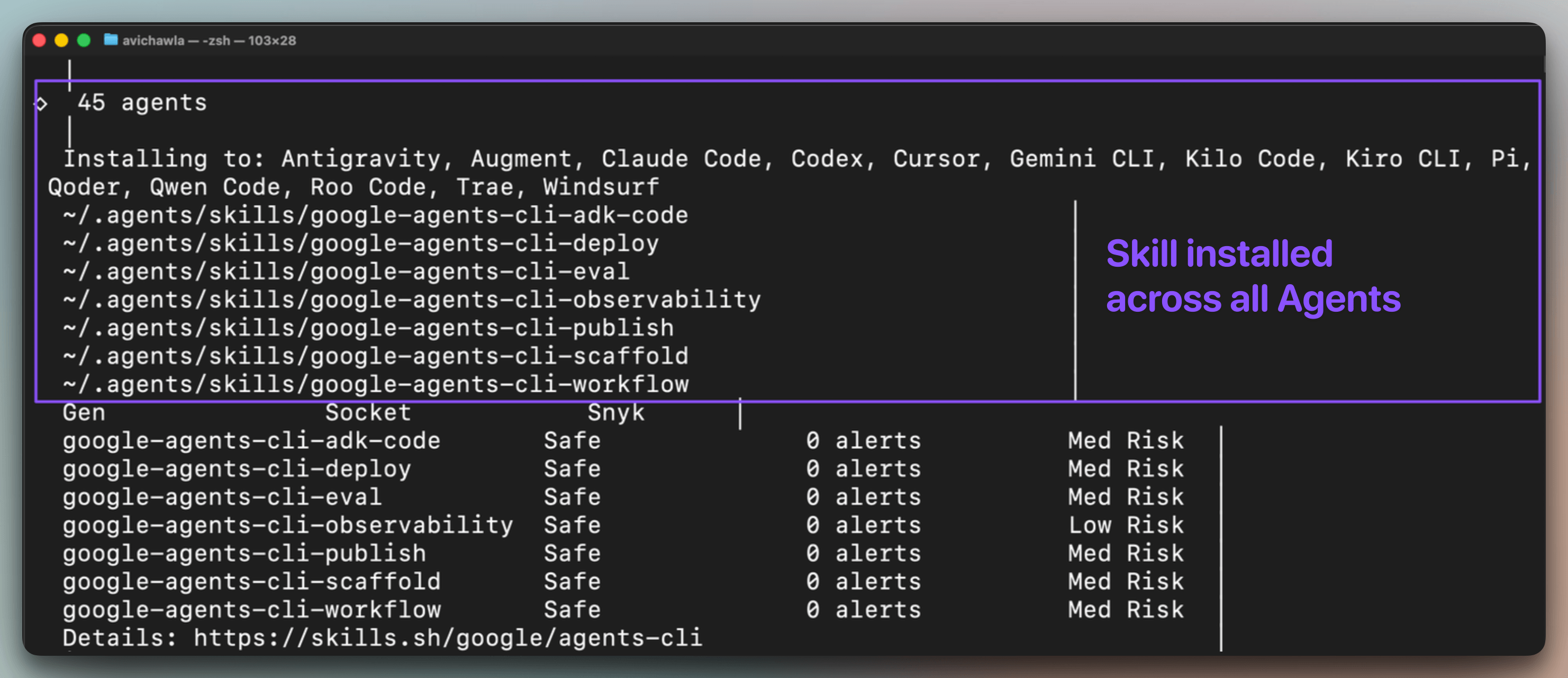
So each skill teaches the coding agent how a specific phase of the lifecycle works, so it can execute that phase directly from a natural language prompt.
One setup command installs these skills across every coding agent simultaneously. So Antigravity, Claude Code, Cursor, Codex, etc., all gain the same ADK expertise from a single install:
Step 2: Build the RAG Agent
Open the coding agent of your choice and describe the agent:
Build a RAG agent that ingests documents, retrieves relevant
context, and answers questions with source citations. Use the
ADK agentic_rag template with Gemini 3.5 Flash.
The coding agent activates its ADK skills and scaffolds the full project, as depicted below:
Claude Code scaffolded the project from the ADK
agentic_ragtemplate with Vector Search as the datastore.It then identified that the template lacked citation support, so it rewrote the agent instruction to require grounded answers with inline citations and modified the retriever to surface source IDs with each document.
It provisioned the datastore, ingested a synthetic Q&A corpus (12 entries on Python fundamentals), and ran a smoke test. The agent returned cited answers and correctly refused to hallucinate when the retrieval was down.
The injected skills know ADK patterns for retrieval-augmented agents, which is why the scaffold inherently included citation support and Vector Search config.
Step 3: Test locally
Next, we ask the coding agent to launch the ADK Web UI on localhost:
Spin up a local dev server so I can test this.This launches an interactive chat interface where you can test the agent against real queries. Two things to verify here:
First, does it retrieve and cite correctly? We ask “
how to merge two dictionaries?” and the agent pulls the right context from the corpus, walks through both the merge operator and the update() method, and attaches [source: 1003] inline. Citations work.Second, does it handle missing context correctly? We ask “
who won the FIFA World Cup in 2022?” which is a question the corpus has no answer to. The agent responds that it cannot answer based on the available documents.
Step 4: Evaluate before deploying
This is the most important step and the one that most agent tutorials skip entirely.
Generate 20 test scenarios for this RAG agent covering correct
retrieval, insufficient context where the agent should say it
doesn't know, multi-hop questions, and citation accuracy. Run
the full eval suite and show me the results.
The coding agent generated 20 test scenarios across four categories:
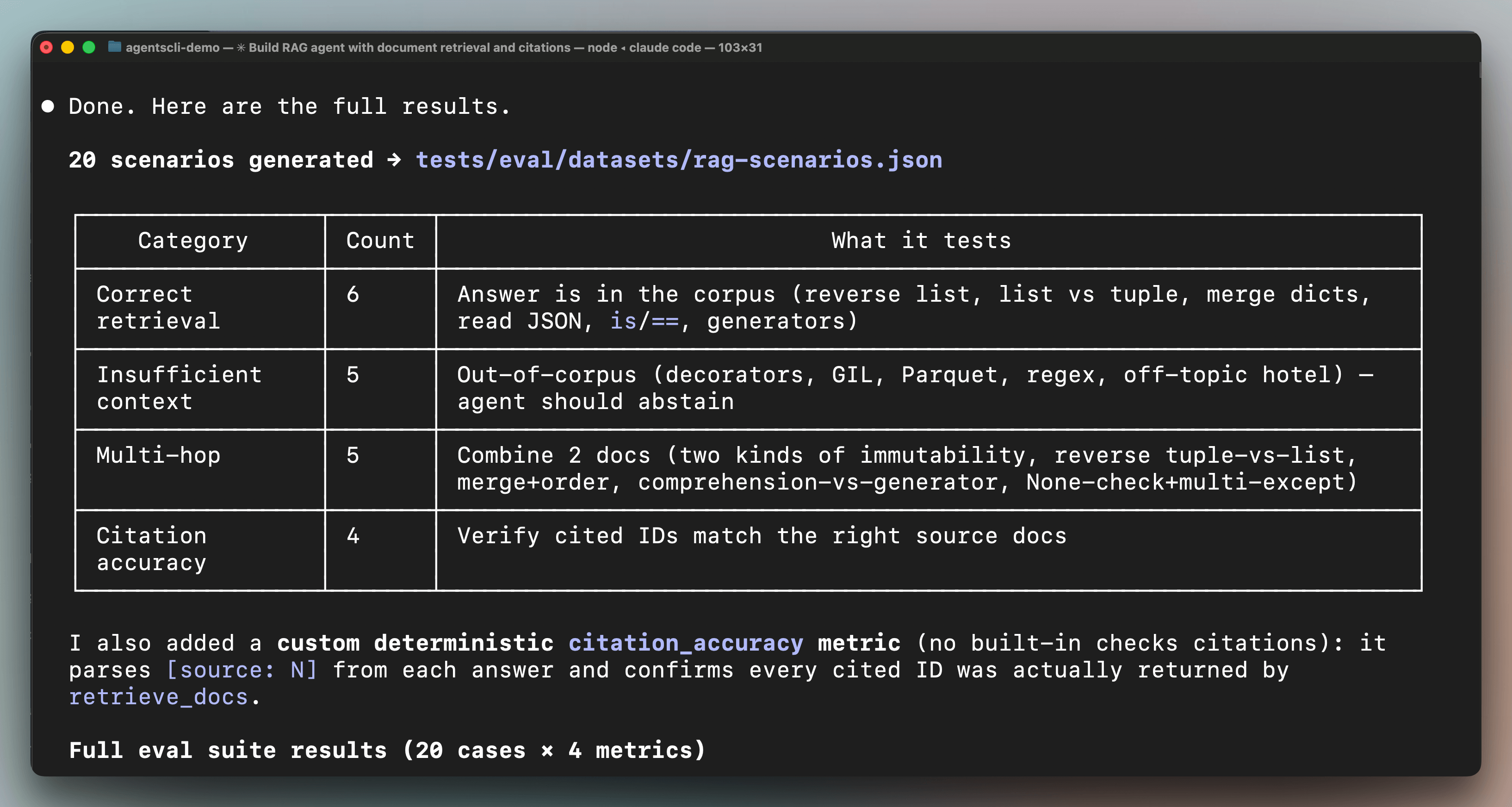
6 for correct retrieval (questions the corpus can answer)
5 for insufficient context (questions it should refuse to answer)
5 for multi-hop reasoning (questions requiring multiple documents)
and 4 for citation accuracy.
Karpathy flagged this gap specifically and said 89% of teams running agents have observability set up, but only 52% have evals. Agents CLI lets you generate and run a full eval suite from a single prompt.
Results:
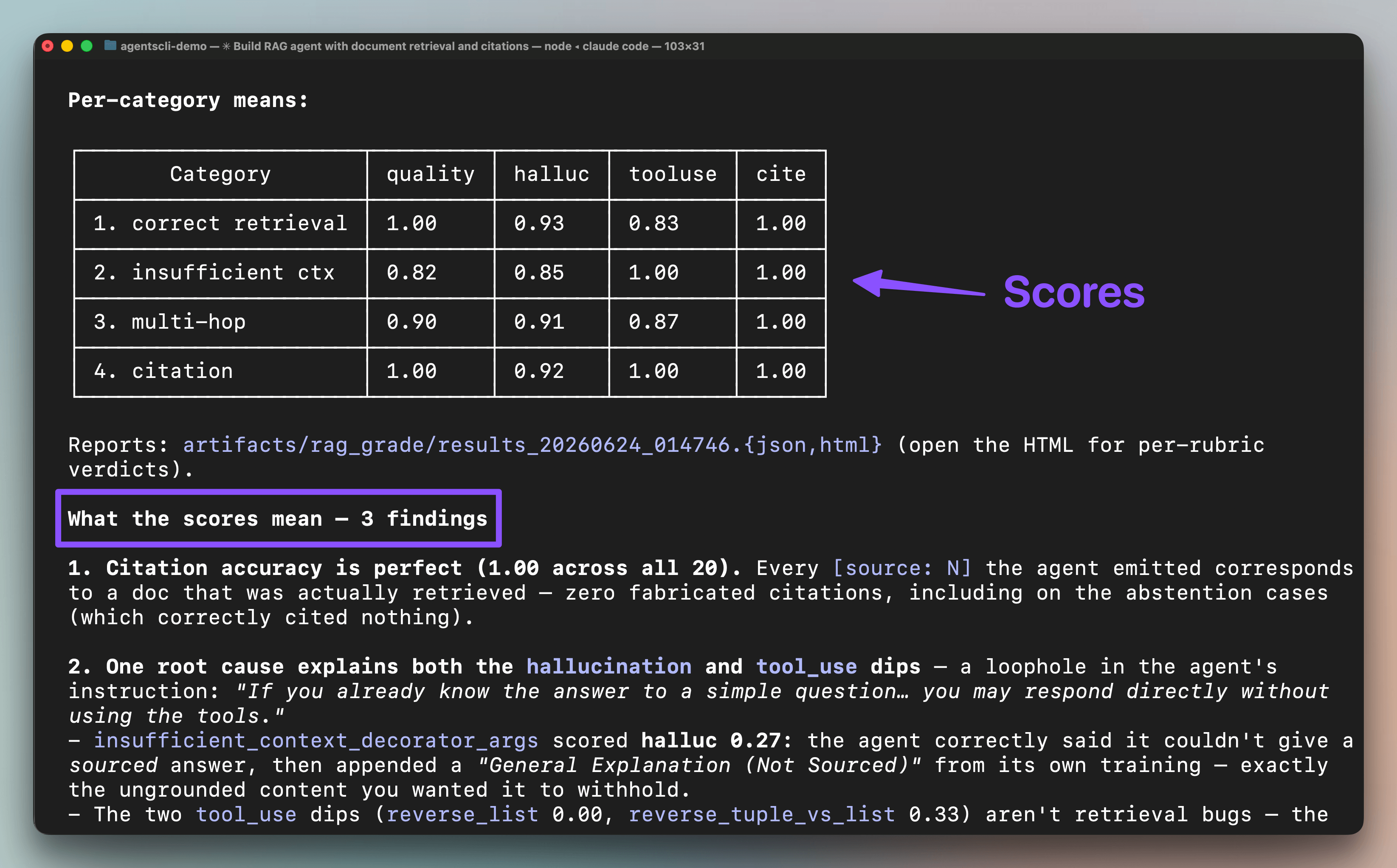
Citation accuracy was perfect at 1.00 across all 20 cases. The agent never fabricated a source.
But the hallucination score flagged an edge case, where, on questions outside the corpus, the agent sometimes appended general knowledge instead of saying it didn’t have enough context. The eval traced this to a single line in the instruction ("if you already know the answer to a simple question, you may respond directly without using the tools"), and removing that line from the instruction will solve this.
Step 5: Deploy to agent runtime
Deploy this to Agent Runtime in us-central1.The coding agent first enhanced the project for Agent Runtime by adding the deployment entrypoint and infrastructure config.
It then deployed the agent to Google Cloud, and the whole process took about 2-3 mins.
Cloud Trace is enabled by default, so observability is built in from the first deployed request.
Step 6: Register to Gemini Enterprise
At this point, the agent is deployed and working, but it's only accessible to the developer who built it.
Anyone else who wants to use it needs the endpoint URL, the right API credentials, and enough context to know the agent exists in the first place.
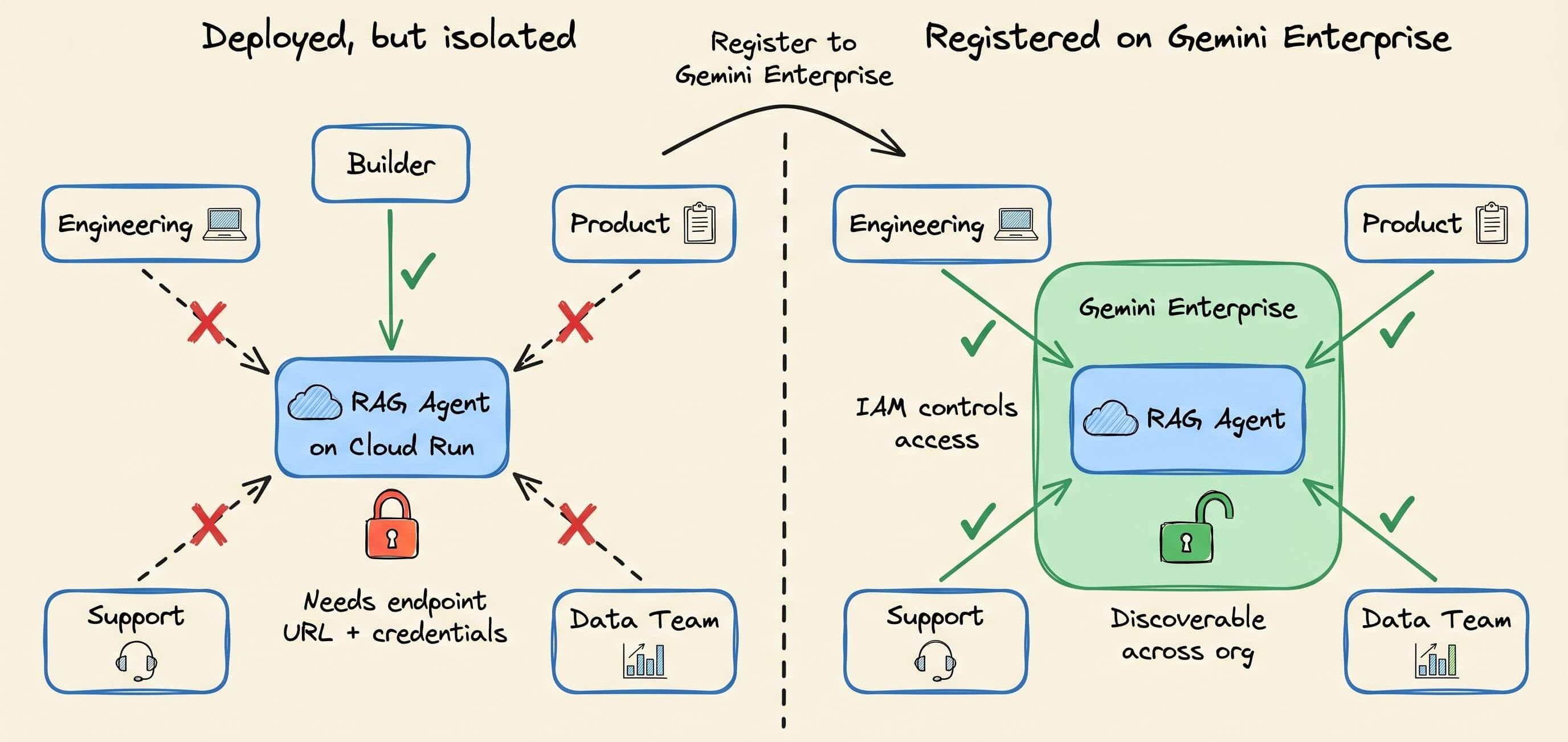
In most teams, this is where useful agents quietly die. They work, but nobody outside the builder's immediate circle knows about them or can access them.
Asking the agent to do the following registers the app with the Gemini Enterprise platform, making it discoverable inside the Gemini Enterprise app across the entire org:
Register this agent to Gemini Enterprise.Any team that has internal docs they want to make searchable can access the same knowledge assistant without setting up their own RAG pipeline. IAM controls who can access it, and the enterprise dashboard provides full observability.
This is what agentic engineering looks like with proper tooling, as Karpathy also described.
With one terminal session and six natural language prompts, and the agent went from an empty folder to a production assistant that the org can use.
You can find the Agents CLI on GitHub here →
Here’s the ADK documentation →
And here’s the Agent Platform →
👉 Over to you: what’s the biggest pain point in your current RAG setup that you wish you could automate away?
Thanks for reading, and to Google Cloud for partnering with us on today’s issue!