

In today’s newsletter:
The harness decides your token bill, not the model.
Kimi K3’s sandbox problem finally has an open-source fix.
The harness decides your token bill, not the model
A large share of an agent’s token bill is the model rereading things it already read.
That isn’t the model’s doing. The runtime around it decides what goes into every prompt and how often the model gets called.
For example, an agent queries a CRM at step four and gets back 400 rows. Those rows pile up in the conversation history.
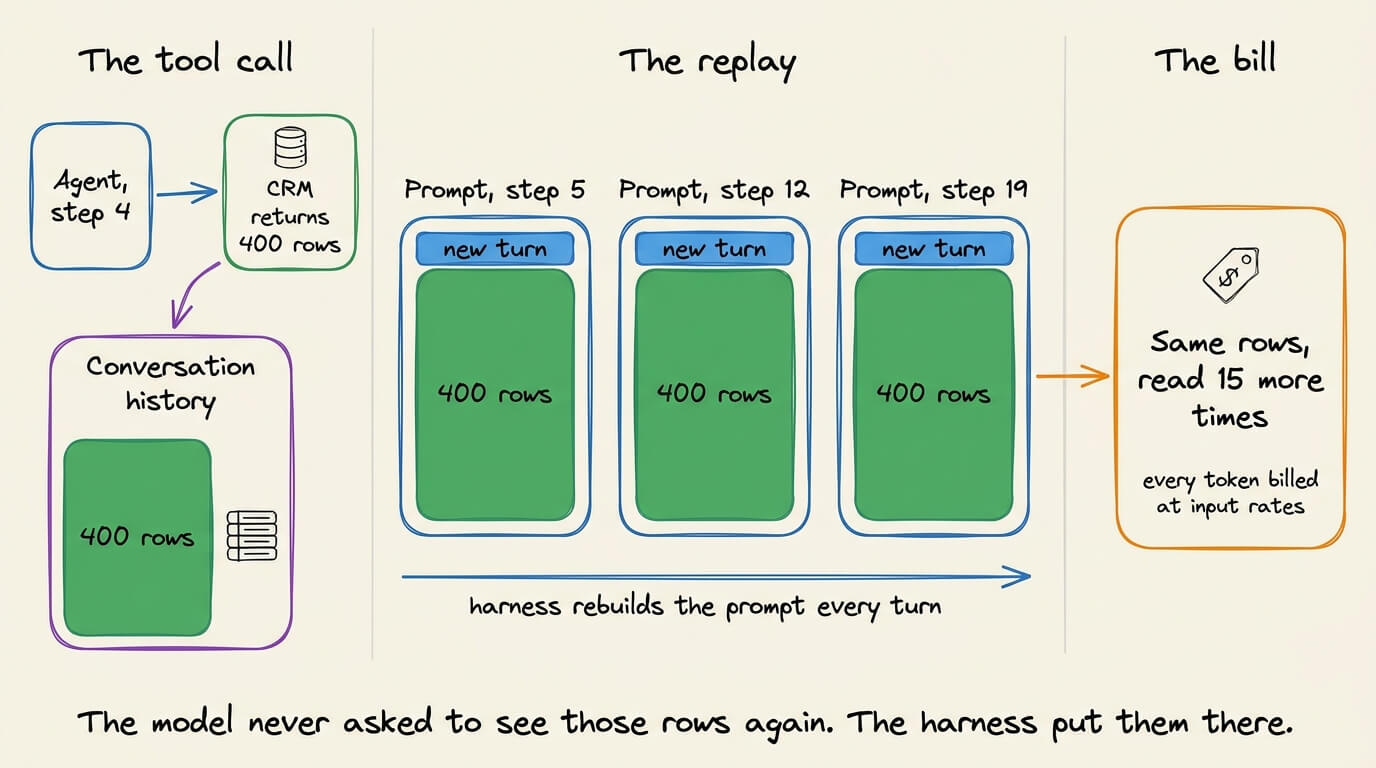
By step nineteen, the model has read those rows fifteen more times, and you pay input rates for every one of them.
It happened because your harness assembled that prompt on every turn and kept the rows in it.
That gives you two levers: how much context the harness carries forward, and how often it calls the model.
There are four practical ways to keep the prompt from growing:
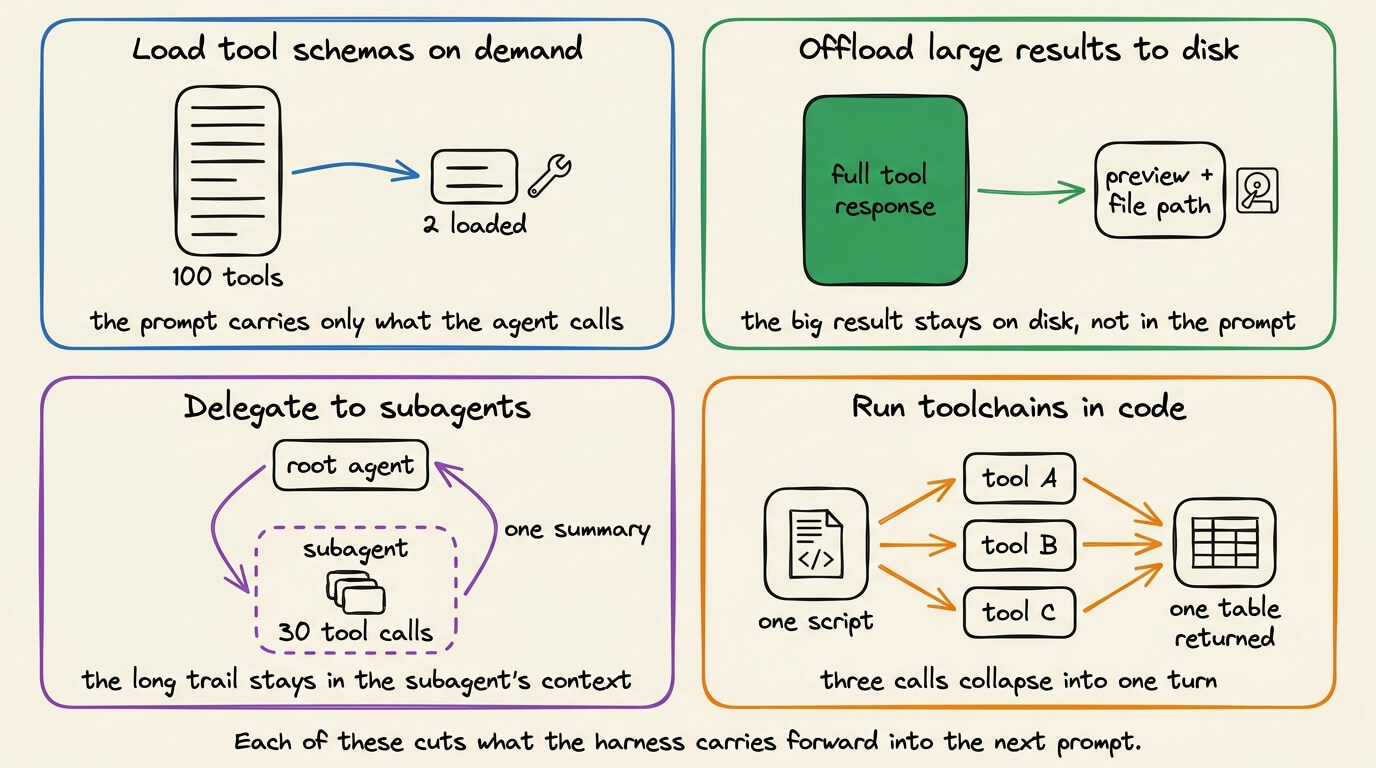
Load tool schemas on demand. A server with 100 tools doesn’t need to put all 100 into every prompt when the agent only calls two.
Offload large results to disk. Turn a large response into a short preview and a file path instead of replaying the entire result on every turn.
Delegate to subagents. Let a subagent spend thirty tool calls in its own context and return one summary to the root agent.
Run toolchains in code. One script calls three tools, joins the results, and returns a table instead of three turns each dragging a full response.
But reducing context is only half the job. You also need to control how often the model gets called.
A good harness should avoid unnecessary planning, verification, and reflection when the work can be completed in fewer steps.
TrueFoundry’s open-source agent harness, TrueForge, is built around both of those controls.

It sits between the model and the tools, deciding what goes into every prompt and when another model call is needed. It also breaks token usage down across the harness, skills, instructions, tools, and messages.
DevRev’s Enterprise-Bench is where this gets tested, on multi-step tasks of the kind where an agent pulls records from one system and reconciles them against another.
TrueFoundry ran TrueForge there against Claude Managed Agents, both on the same model, and both finished the same number of tasks.
The tie is the part that matters, because it means the gap underneath is not a quality tradeoff.
TrueForge reached that score on close to a third of the tokens, with roughly 40% fewer trips back to the model. For the same result, that comes out around 2.7x cheaper than Claude Managed Agents.
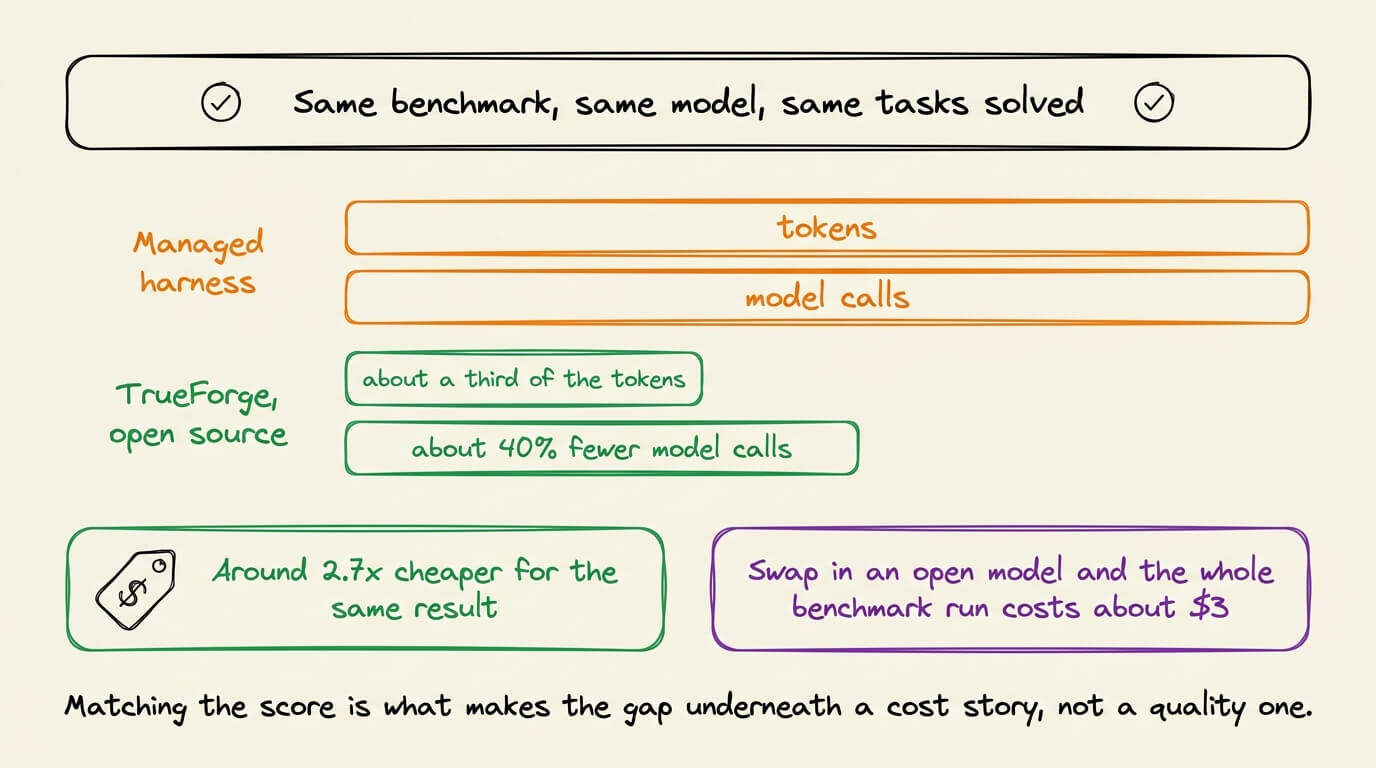
Swapping in an open model went further. TrueForge with GLM-5.2 scored a little higher than either setup above, and the entire benchmark run cost about $3 at list prices.
Since it’s open-source, you can swap the model underneath without rewriting the agent, and run the whole thing inside your own environment when the data cannot leave it.
All of this comes down to the runtime around the model, the context it carries, the tools it exposes, and how many times it goes back to the model.
That is what a production harness owns.
The full task list, the per-run numbers, and the MIT-licensed code are on GitHub:
(Don’t forget to star 🌟)
Kimi K3’s sandbox problem finally has an open-source fix
Training Kimi K3 required over 51 million sandboxes across 1.5 million images, and no existing tool could handle all three things they needed at once.
The three requirements were strong workload isolation, native GPU access inside the sandbox, and fast environment forking for parallel agent trajectories.
The Kimi team built AgentENV from scratch to get all three together.
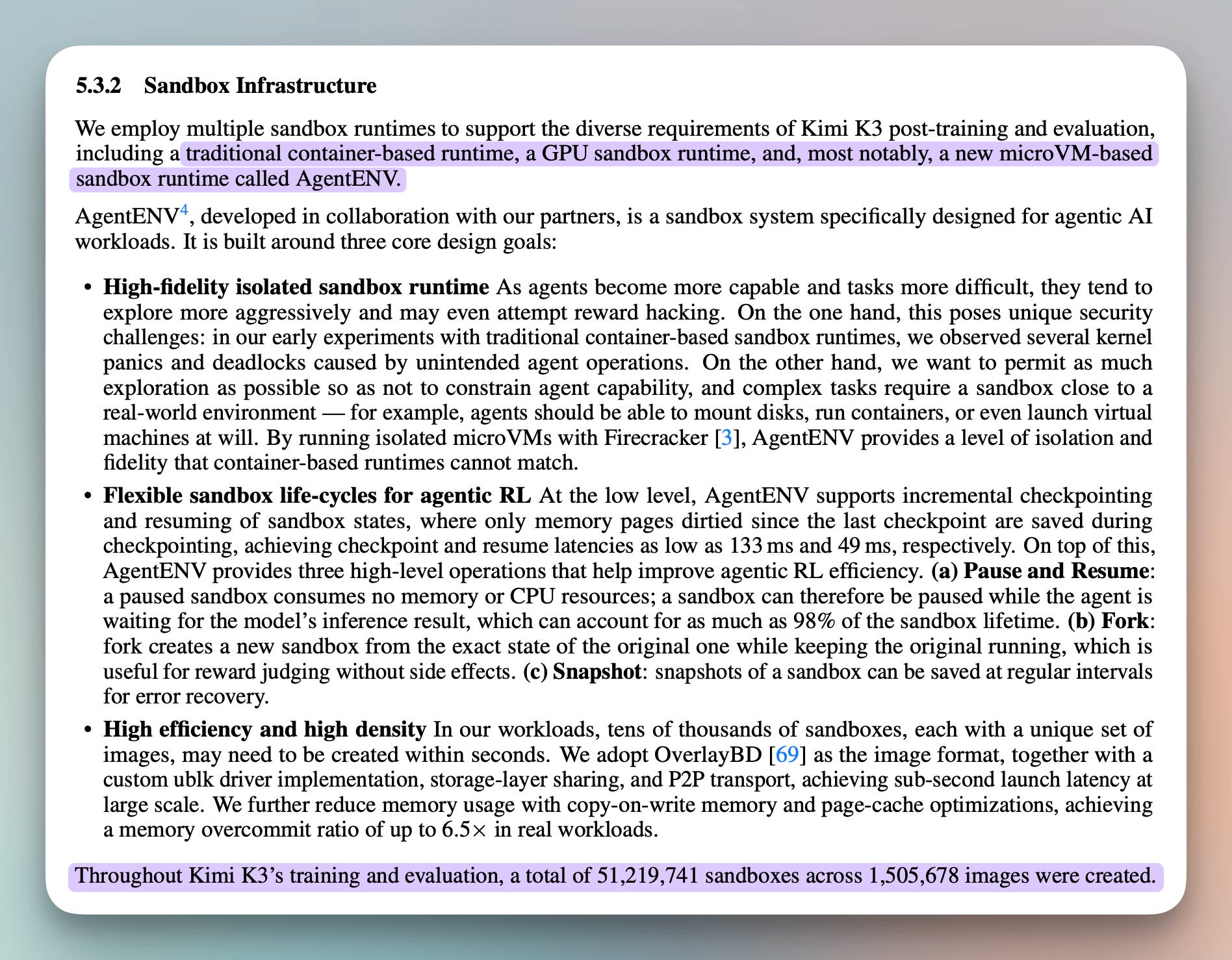
AgentENV runs isolated microVMs with Firecracker, supports forking a running sandbox from its exact state without side effects, and at peak was spinning up tens of thousands of sandboxes within seconds.
Building that took a dedicated infrastructure team. Most agents running today execute inside containers, which share the host kernel, the core layer of the operating system every process on that machine runs on.
Others run inside stitched runtimes that each solve one of the three properties but not all of them together.
smolvm (GitHub Repo) is an open-source VM runtime built to cover all three in a single binary.
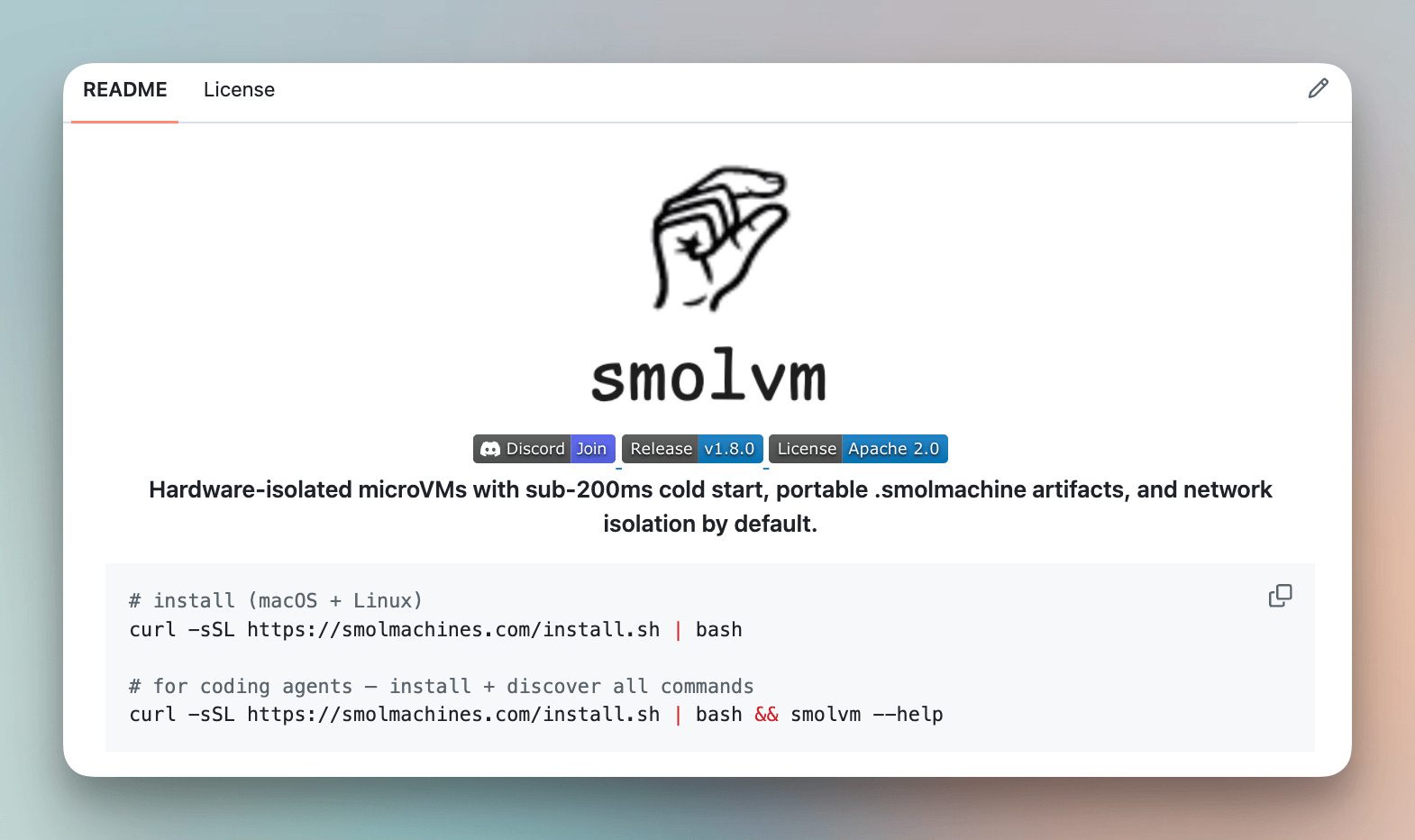
The way it works is that each workload runs in its own isolated VM with GPU access and the ability to fork the environment mid-run, with no separate runtimes to manage.
This article walks through setting up smolvm, building an isolated agent environment, and packing it into a single portable artifact.
But before the build, let's understand why getting all three sandbox properties right is harder than most teams expect.
The sandbox problem in agentic systems
Running one agent in a sandbox is manageable. Fifty parallel trajectories from the same checkpoint, each isolated and with GPU access, is where no single tool keeps up.
Consider a coding agent inside a container, executing code it just wrote. That code runs on the same kernel as every other process on the host.
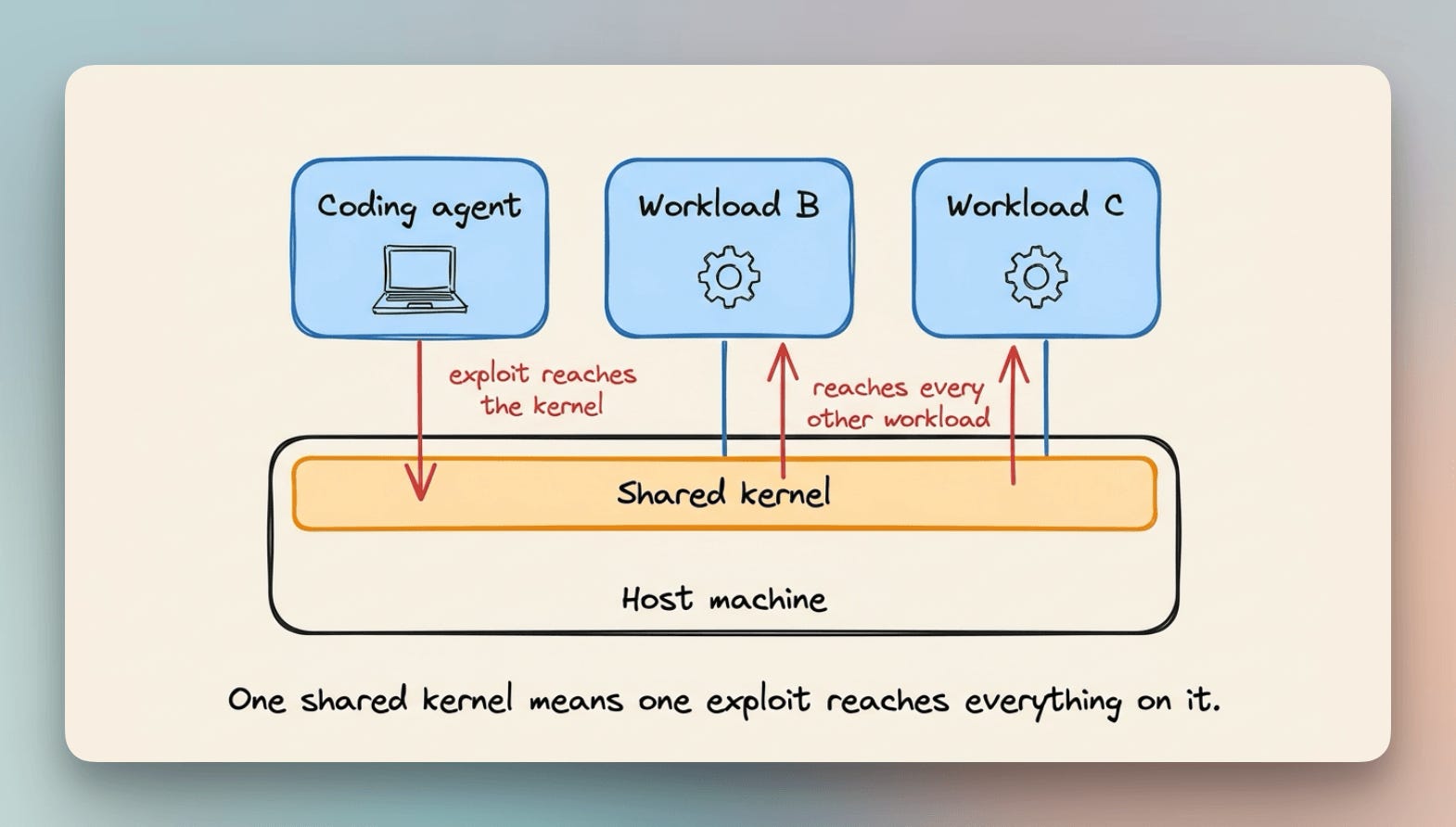
The container draws a process-level boundary around it, but the kernel underneath is shared. If that kernel gets exploited, every other workload on the machine is reachable too.
GPU access makes the picture worse. Most VM runtimes cannot expose a GPU inside the sandbox at all, and the container runtimes that can are back to sharing the host kernel.
So with today’s tools, gaining the GPU means giving the isolation back.
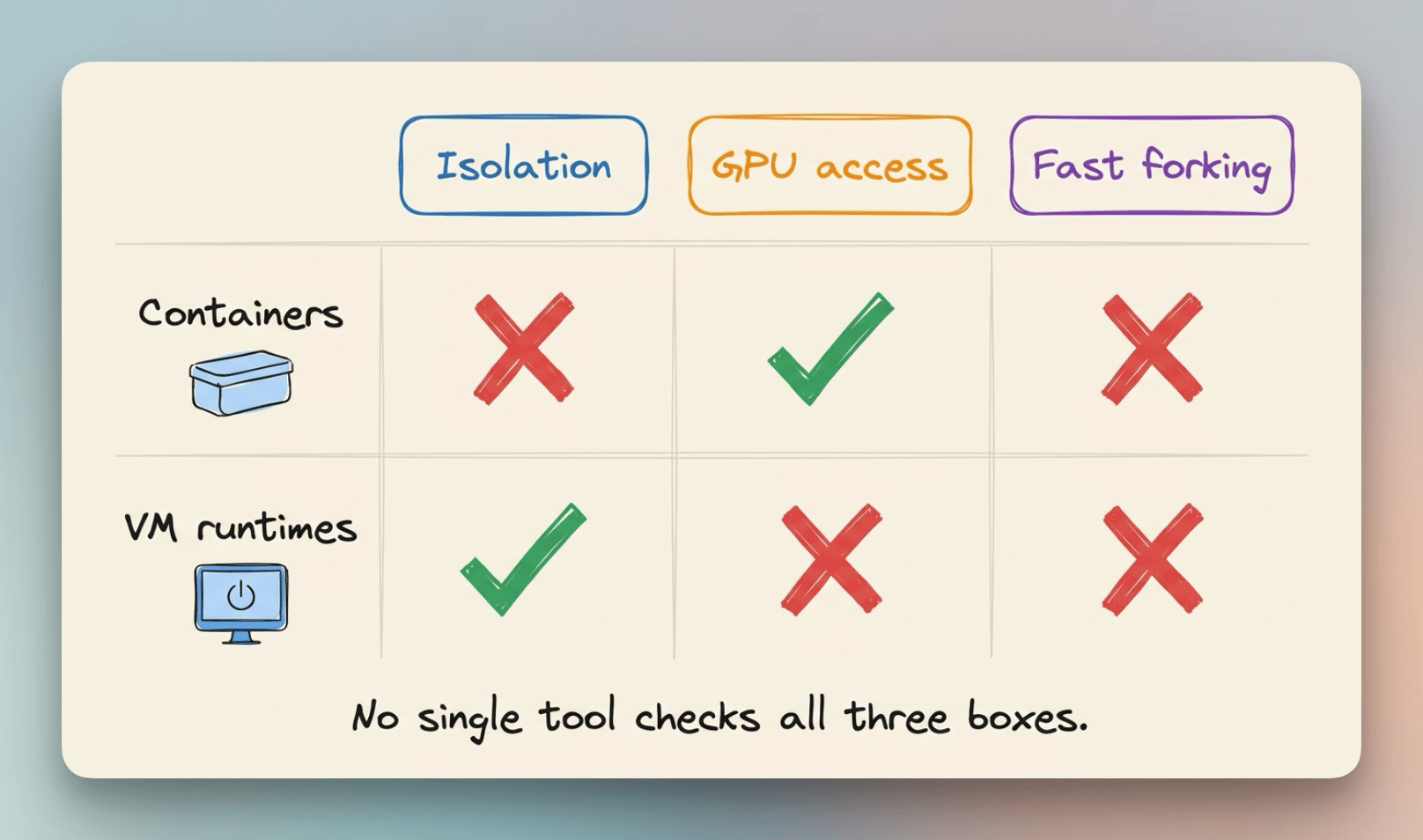
Forking is the property almost nothing supports.
Say you want to try five different next steps from the same point in an agent’s run. You either replay the whole run five times to get there, or you fork the live environment and throw away the copies you don’t need.
Most runtimes only give you the first option.
It works the same way as forking a repo on GitHub, you get an exact copy of the current state, and it runs independently from there. Nothing you do inside the fork touches the original.
This is the gap the Kimi team hit at 51 million sandboxes, and most teams building agentic systems hit it quietly, long before that scale.
smolvm covers all three from one runtime, without stitching anything together.
How smolvm works
smolvm gives every workload its own complete virtual machine, not a slice of the host’s.
If something goes wrong inside one, it stays there and never reaches the others.
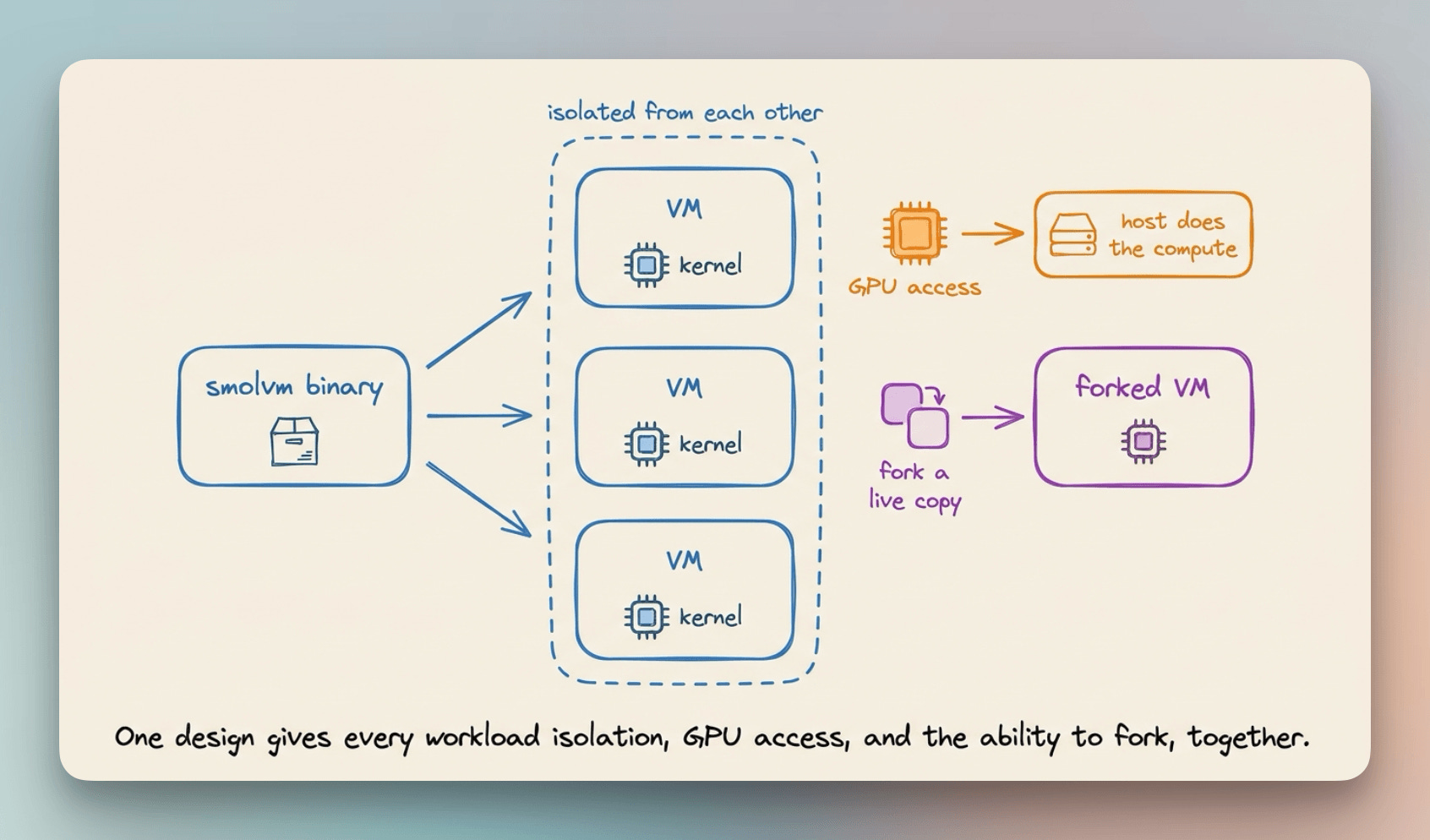
Think of it like a hotel instead of a shared apartment. Every guest gets their own room, their own walls, and their own utilities, instead of splitting one kitchen and one hallway with the rest of the building.
That kind of separation usually comes at a cost, a slow start while a full virtual machine loads its hardware before it is even ready.
smolvm skips that step and starts the machine directly, which is why it still boots in under 200ms, against the fifteen to thirty seconds a typical VM takes.
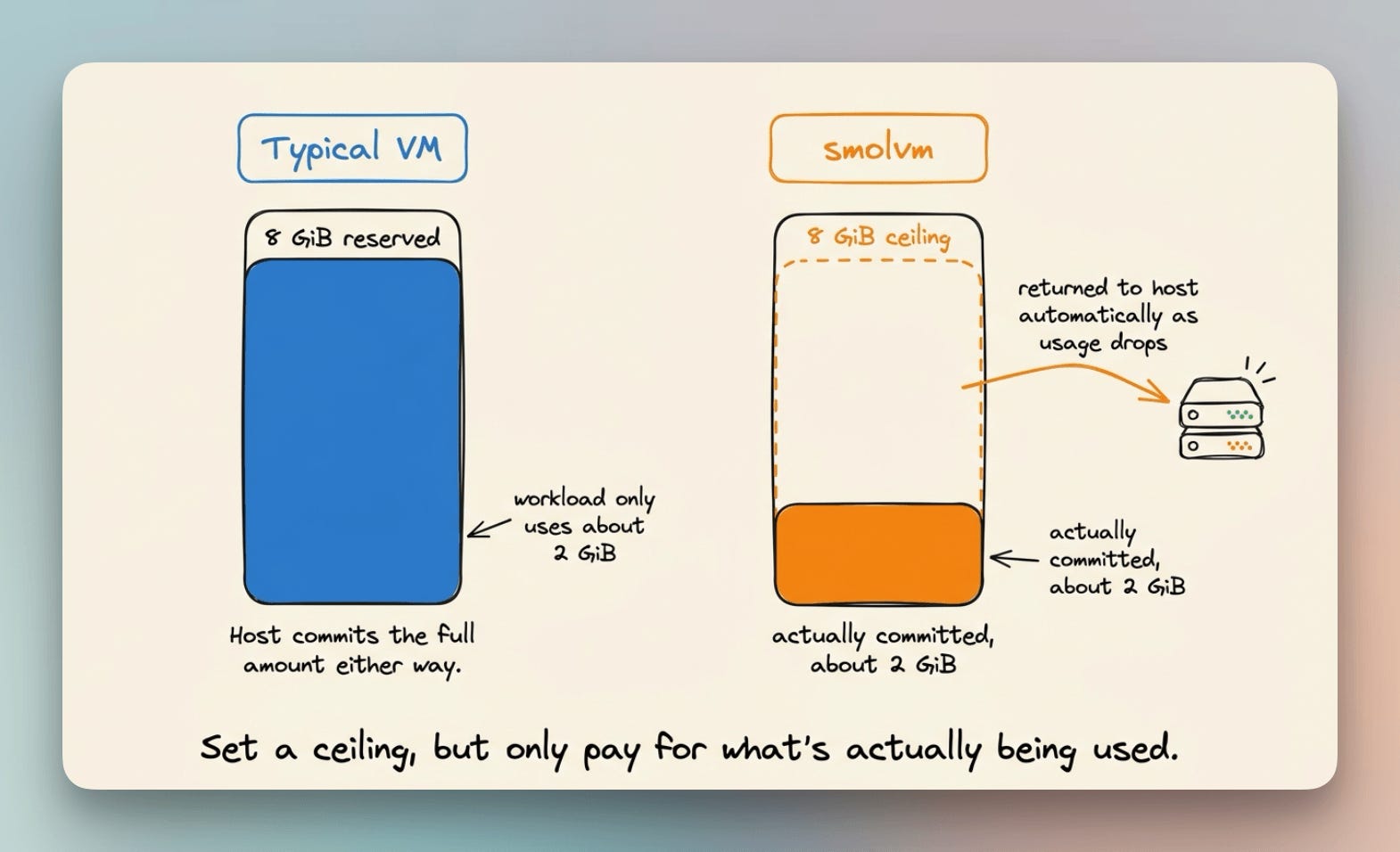
You also do not have to guess how much RAM or CPU a workload will need upfront.
Each machine defaults to 4 vCPUs and 8 GiB of RAM, but smolvm only holds onto what the workload is actually using at any moment and gives the rest back automatically as usage drops.
On top of the isolation, smolvm layers in a few more things:
OCI images, so anything on Docker Hub runs directly with no Docker installation needed.
GPU access, a real GPU inside the VM, with the host driver doing the actual compute.
Forking, save a running environment’s exact state and start an independent copy from it.
This walkthrough demos isolation and GPU access on the CLI. Forking is available today through the runtime and SDK.
Now let’s set it up, build an isolated agent environment with GPU access, and pack it into a single portable artifact that runs anywhere.
Setup
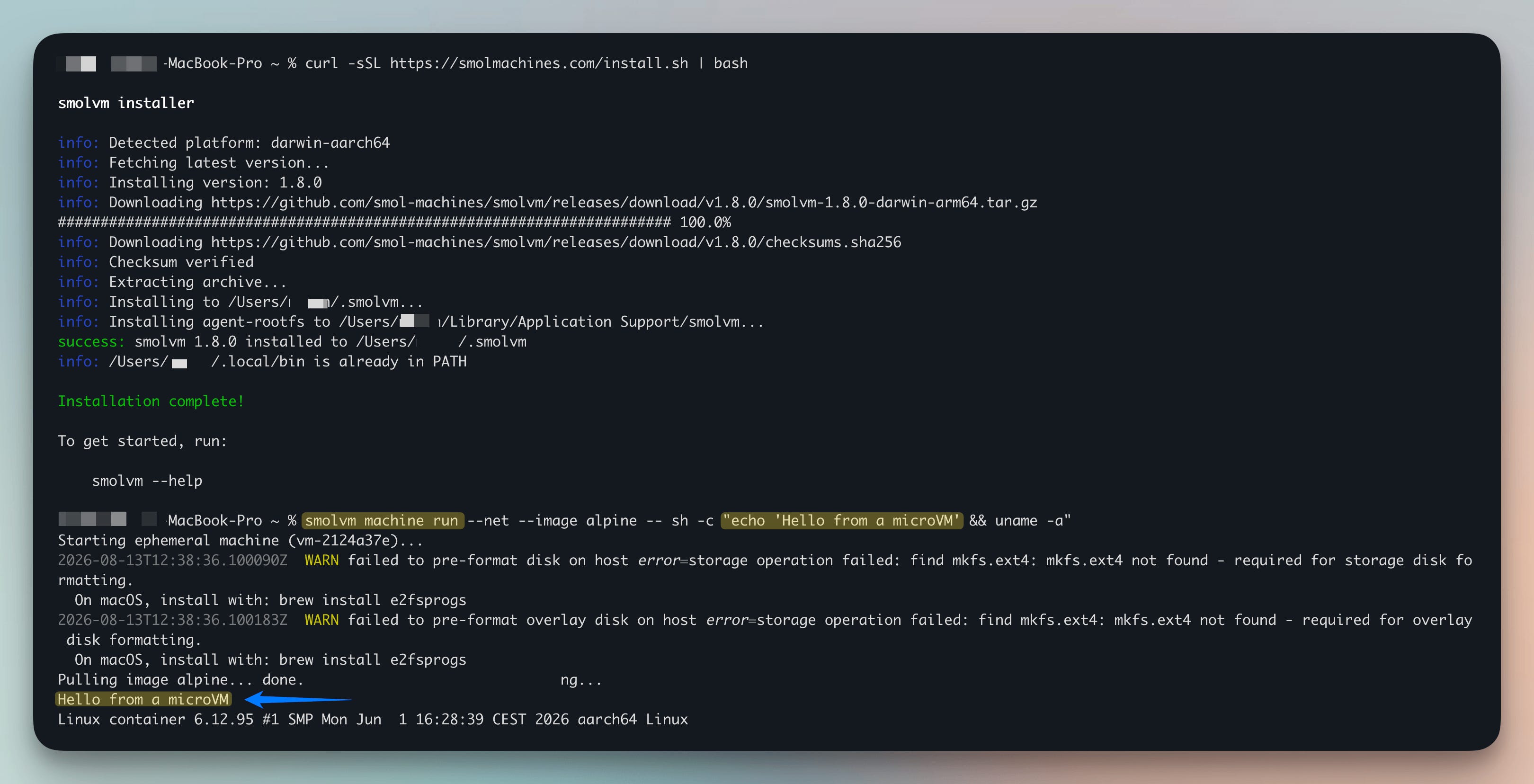
smolvm installs with one command on macOS and Linux:
curl -sSL https://smolmachines.com/install.sh | bashOnce installed, we spin up an ephemeral VM to verify the environment is running:
smolvm machine run --net --image alpine -- sh -c "echo 'Hello from a microVM' && uname -a"The VM runs the command and cleans itself up on exit. Nothing persists between runs unless we explicitly create a named machine.
For this walkthrough, we need a persistent environment. We use python:3.12-alpine as the base image so Python is available inside the VM from the start:
smolvm machine create --net --image python:3.12-alpine --name agentvm
smolvm machine start --name agentvm
From here we can run commands inside it and install packages, and the state survives restarts.
Verifying isolation and GPU access
On macOS, GPU support works out of the box with no extra installs.
On Linux, you’ll need to install a host Vulkan driver first from your system package manager:
# Alpine
apk add virglrenderer mesa-vulkan-intel

# Debian/Ubuntu
apt install virglrenderer0 mesa-vulkan-drivers
Once the host dependencies are in place (or on macOS, right away), we can launch a GPU-enabled VM:
smolvm machine run --gpu --net --image python:3.12-alpine -- python3 -c "import sys; print('GPU VM running Python', sys.version)"
The output confirms the guest has a working GPU device, with the host still doing the actual compute behind it.
For CUDA workloads on NVIDIA hardware, smolvm supports a separate --cuda flag. Unlike --gpu, which gives the guest a general graphics device, --cuda routes CUDA calls through the host NVIDIA driver without installing a driver inside the VM.
Network access is off by default. An agent running inside smolvm cannot reach the host network unless we explicitly pass --net, and even then we can restrict it to specific hosts only:
# no network by default, this fails
smolvm machine run --image alpine -- ping -c 1 1.1.1.1

# allowed host only, this succeeds
smolvm machine run --net --image alpine --allow-host registry.npmjs.org -- wget -q -O /dev/null https://registry.npmjs.org

# host not in allow list, this fails
smolvm machine run --net --image alpine --allow-host registry.npmjs.org -- wget -q -O /dev/null https://google.com
Each workload runs in its own VM with its own kernel. Even if agent code crashes or tries to read host files, it cannot reach anything outside its own VM.
The host filesystem, credentials, and network are invisible from inside unless explicitly shared.
With the environment built and the isolation verified, the next step is packing it up.
Packing it into a portable artifact
Once the environment is configured, we pack its entire state into a portable artifact:
smolvm pack create --image python:3.12-alpine -o ./agentvmThis produces two files. agentvm is a self-contained stub binary, and agentvm.smolmachine holds everything needed to rebuild the environment exactly as it is now.
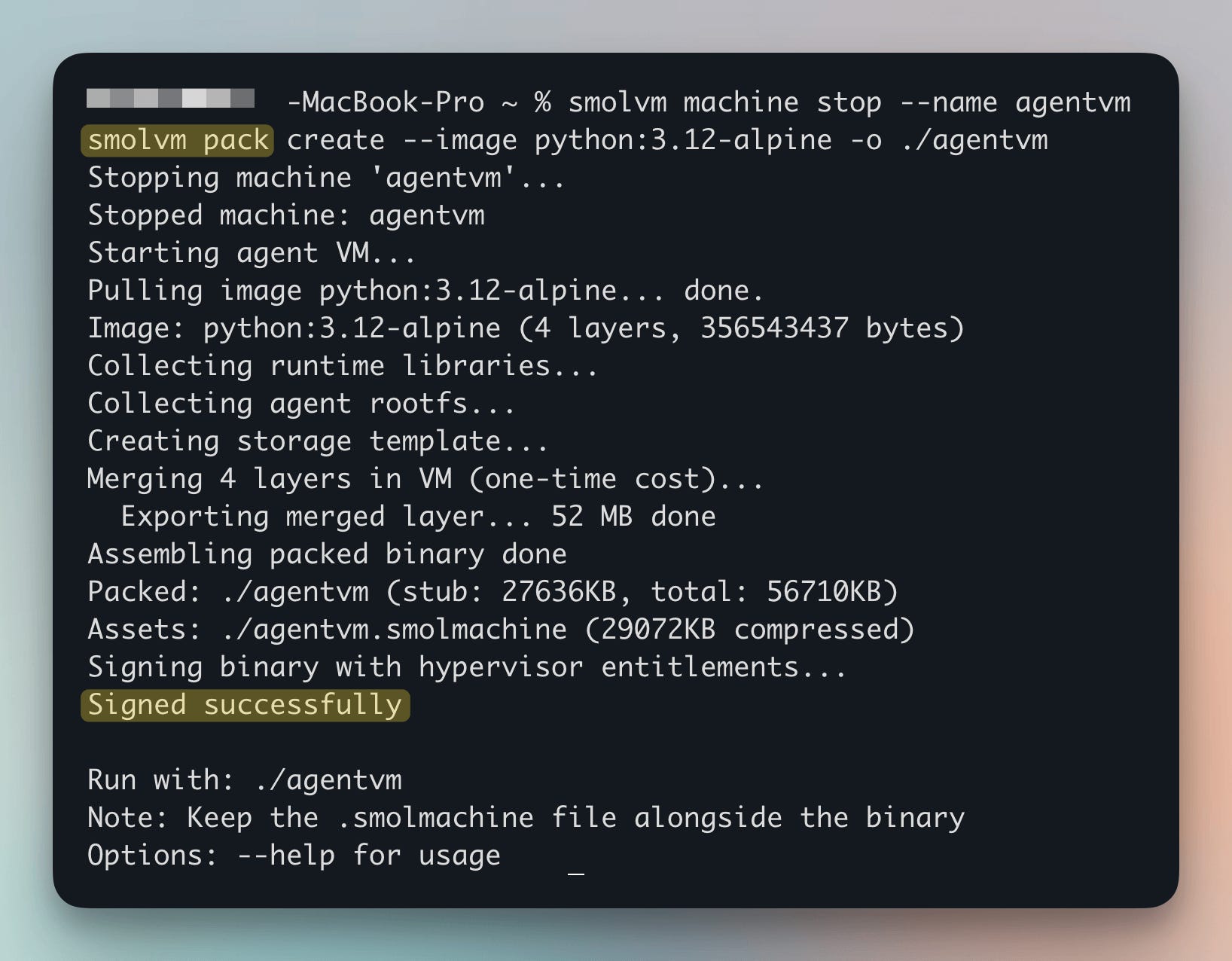
To share this environment, anyone with the .smolmachine file can create a named machine from it and start the exact same setup, with no image pull and no extra steps:
smolvm machine create --name agentvm-copy --from agentvm.smolmachine
smolvm machine start --name agentvm-copy
smolvm machine exec --name agentvm-copy -- python3 --version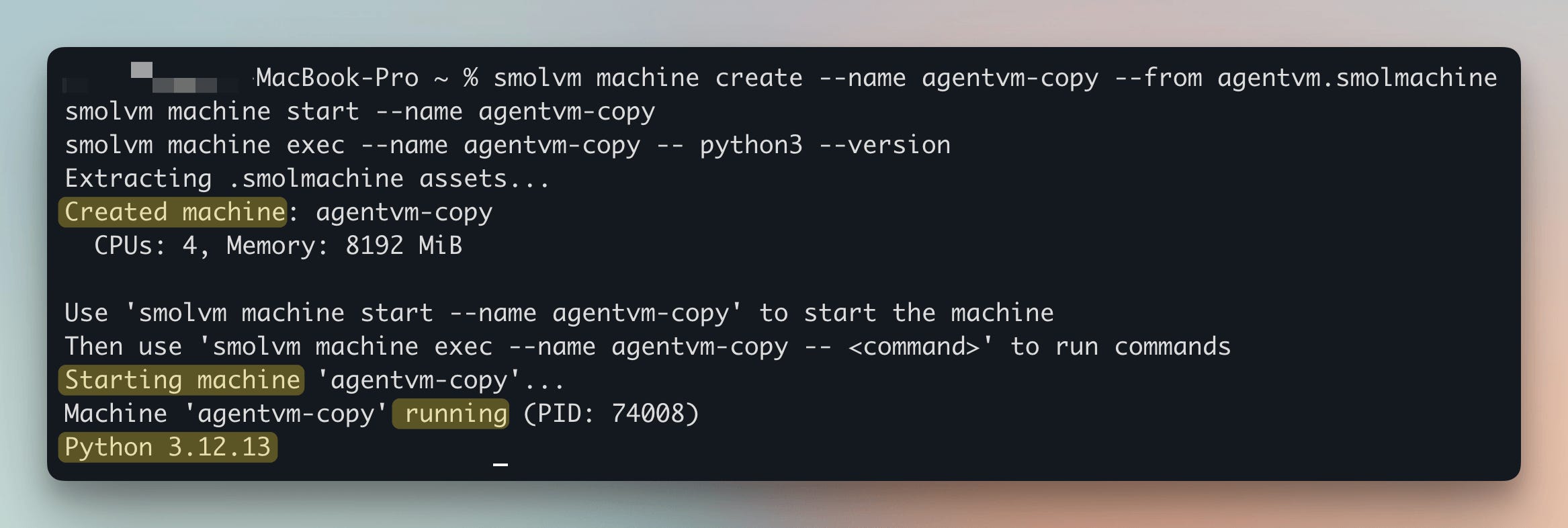
The Kimi team had to build custom infrastructure to get this same result.
Here, the same isolated environment with GPU access runs identically whether it's on a laptop, a teammate's machine, or a production server.
When containers are still the right call
smolvm is not a container replacement for every workload. Containers are faster to build and the ecosystem around them is larger.
For stateless services that do not execute untrusted code, the shared kernel is not a meaningful risk.
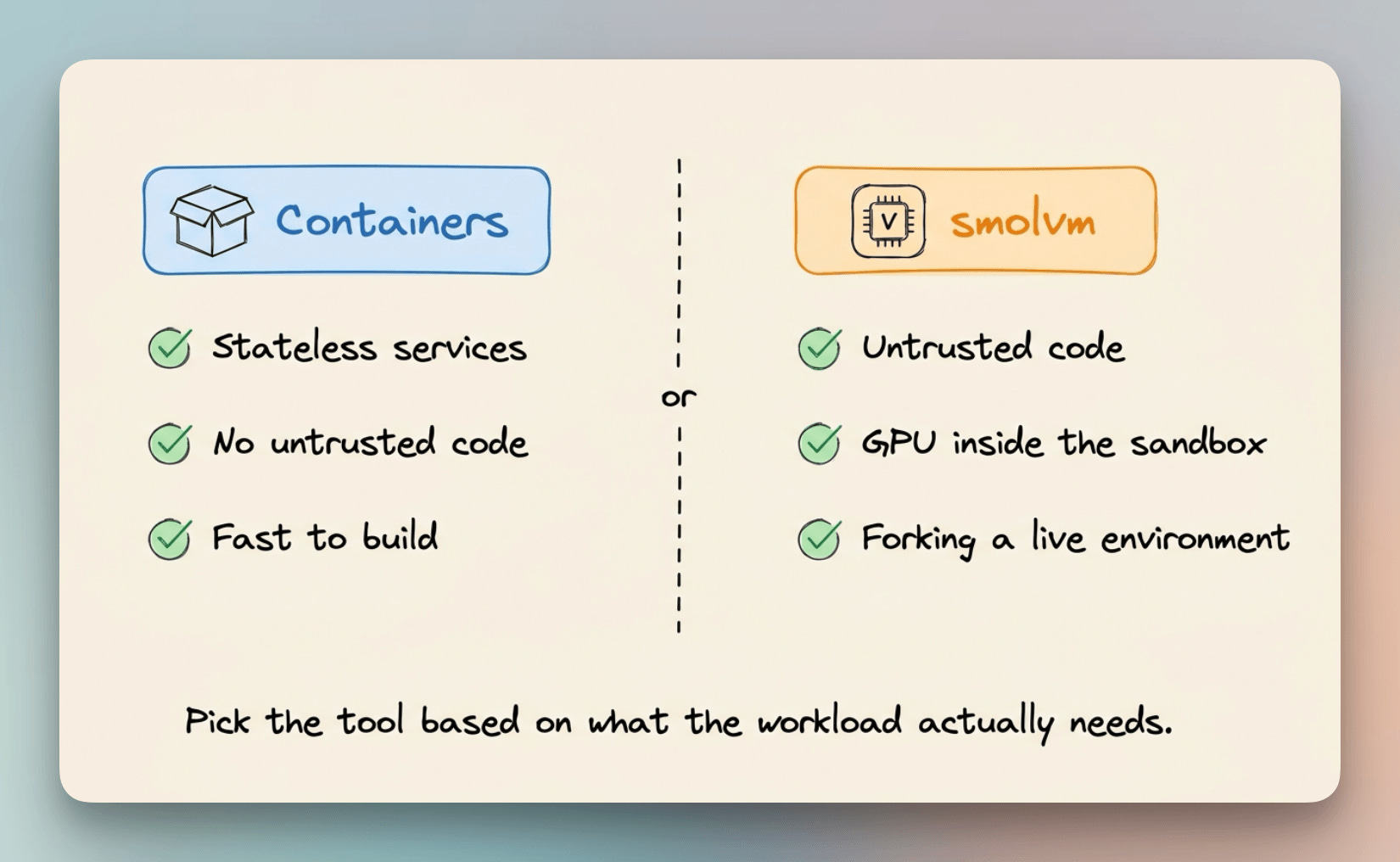
smolvm earns its place when the workload executes untrusted code, needs GPU access inside the sandbox, or needs to branch a live environment mid-run.
For agent systems that need all three, it is currently the only open-source option that covers them without stitching runtimes together.
What Kimi had to build, you can run today
The Kimi K3 paper describes 51 million sandboxes built on custom infrastructure that took a dedicated team to engineer.
The three properties they needed, isolation, GPU access, and fast forking, had no single open-source answer at the time.
In this walkthrough, we went from a single install command to a portable agent environment with GPU access and network isolation that boots anywhere in under 200ms.
None of that required a cloud dependency, a separate runtime for each property, or a dedicated infrastructure team.
smolvm is Apache-2.0 licensed and runs entirely on your own machine.
smolvm GitHub repo → (5.5k stars)
(Don’t forget to star it ⭐)
Good day!