

Automated release docs for engineering teams
Doc Holiday solves one of engineering’s most persistent problems: knowledge degeneration.
Every time code ships, the gap between what the product does and what the rest of the company knows widens. Documentation is usually the first thing to fall behind. The support team spends the next sprint answering questions that the last release already answered.
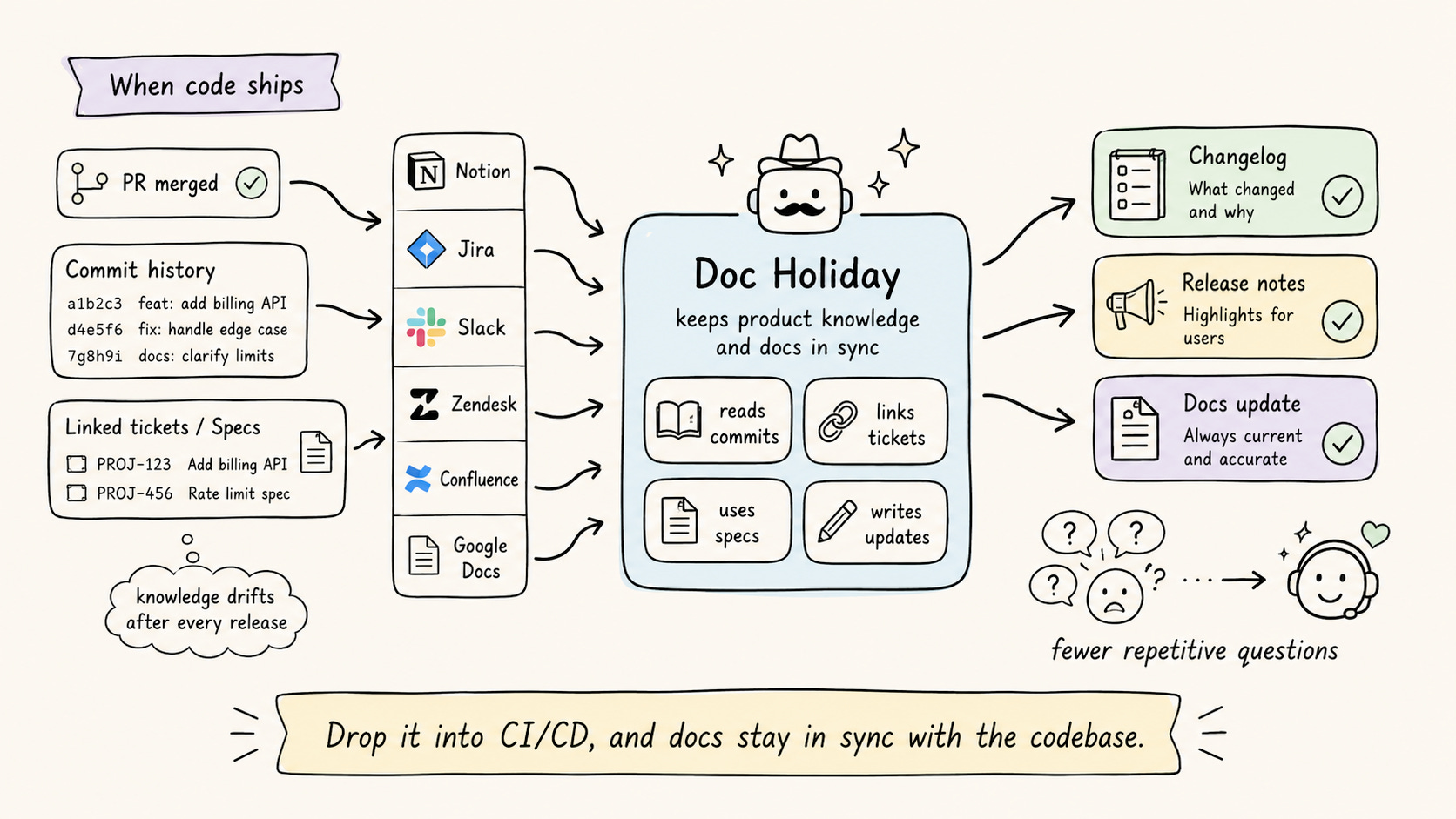
Drop it into your CI/CD pipeline and connect any upstream source, like Notion, Jira, Slack, Zendesk, Confluence, or Google Docs.
When a PR merges, it reads the commit history, linked tickets, and connected specs, then generates the changelog, release notes, and documentation updates automatically.
It keeps documentation in sync with the codebase without adding a step to the release process.
Get started with Doc Holiday here→
Thanks to Doc Holiday for partnering today!
Loop engineering, clearly explained!
Every agent, underneath whatever framework you’re using, runs the same loop.
while True:
    response = model(context)
    if response.has_tool_calls():
        context += run_tools(response.tool_calls)
    else:
        break
Send the context to the model
It responds with tool calls
Run those tools
Append the results to the context
And send it back.
It keeps going until the model replies without asking for a tool.
That loop is short, and it’s nearly identical across LangGraph, the OpenAI Agents SDK, and Claude Code, so nobody competes on the while statement.
This is exactly why the engineering effort moved somewhere else.
More specifically, the model and the loop are the parts you don’t write.
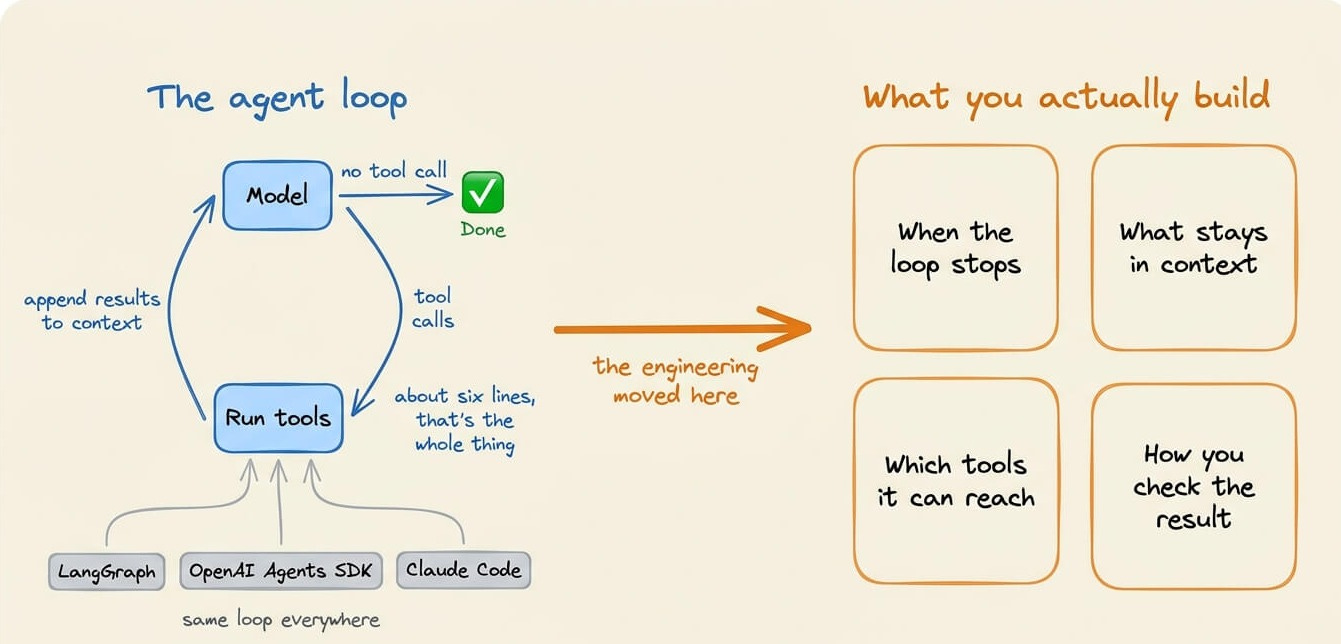
What you write is everything around it, like when the loop stops, what stays in the context, which tools the model can reach, and how you check the result.
So let’s go through the loop itself, then the four parts of it that are hard to get right.
Where the engineering actually moved
It moved outward, into the layers that wrap the model.
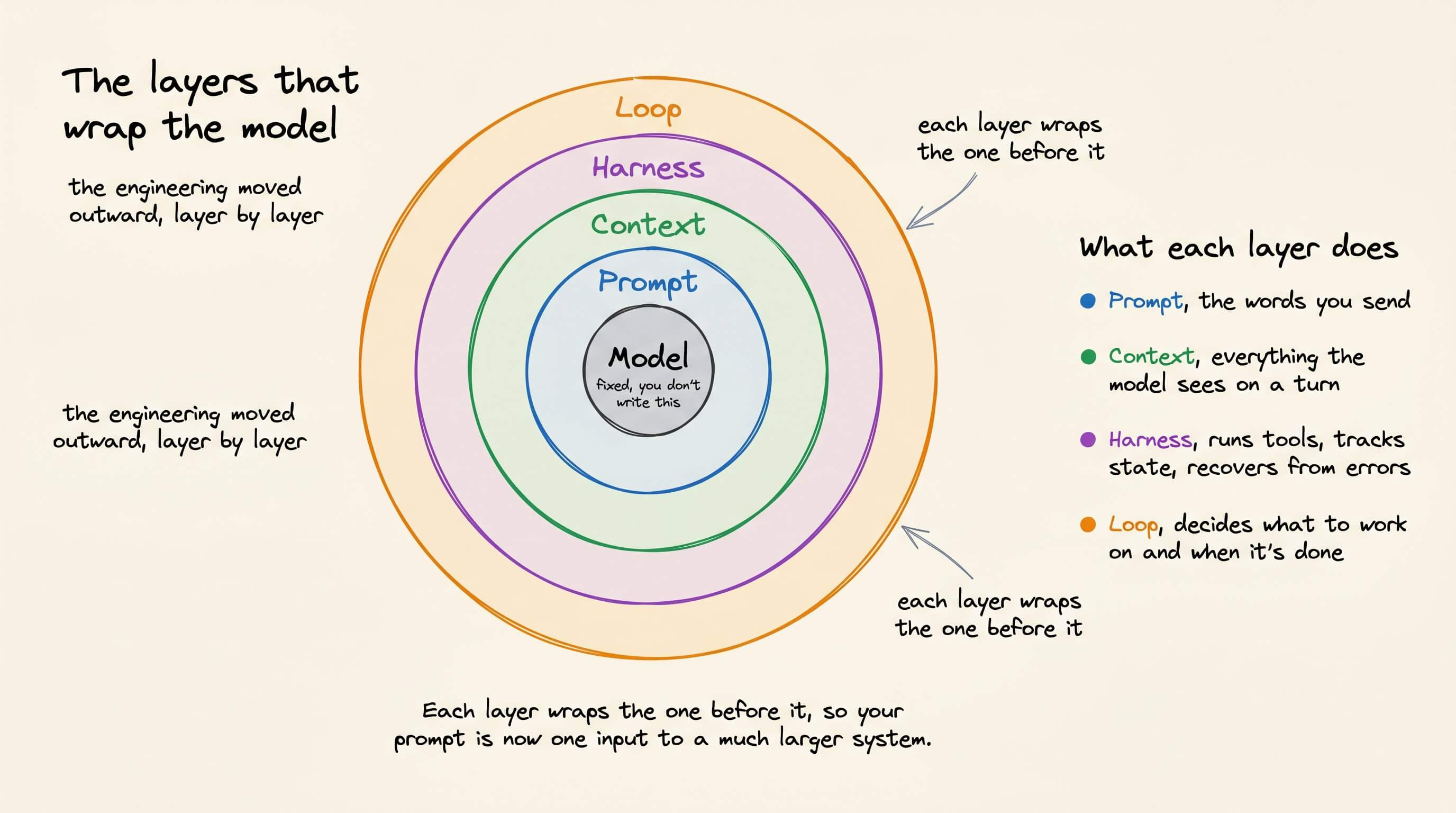
Prompt engineering is the words you send.
Context engineering is everything the model sees on a turn, not just your instructions.
Harness engineering is the code around the model that runs tools, tracks state, and recovers from errors.
Loop engineering is the outer cycle that decides what the agent works on and when it’s done.
Each layer wraps the one before it, so your prompt is now one input to a much larger system.
Here’s how these systems break today.
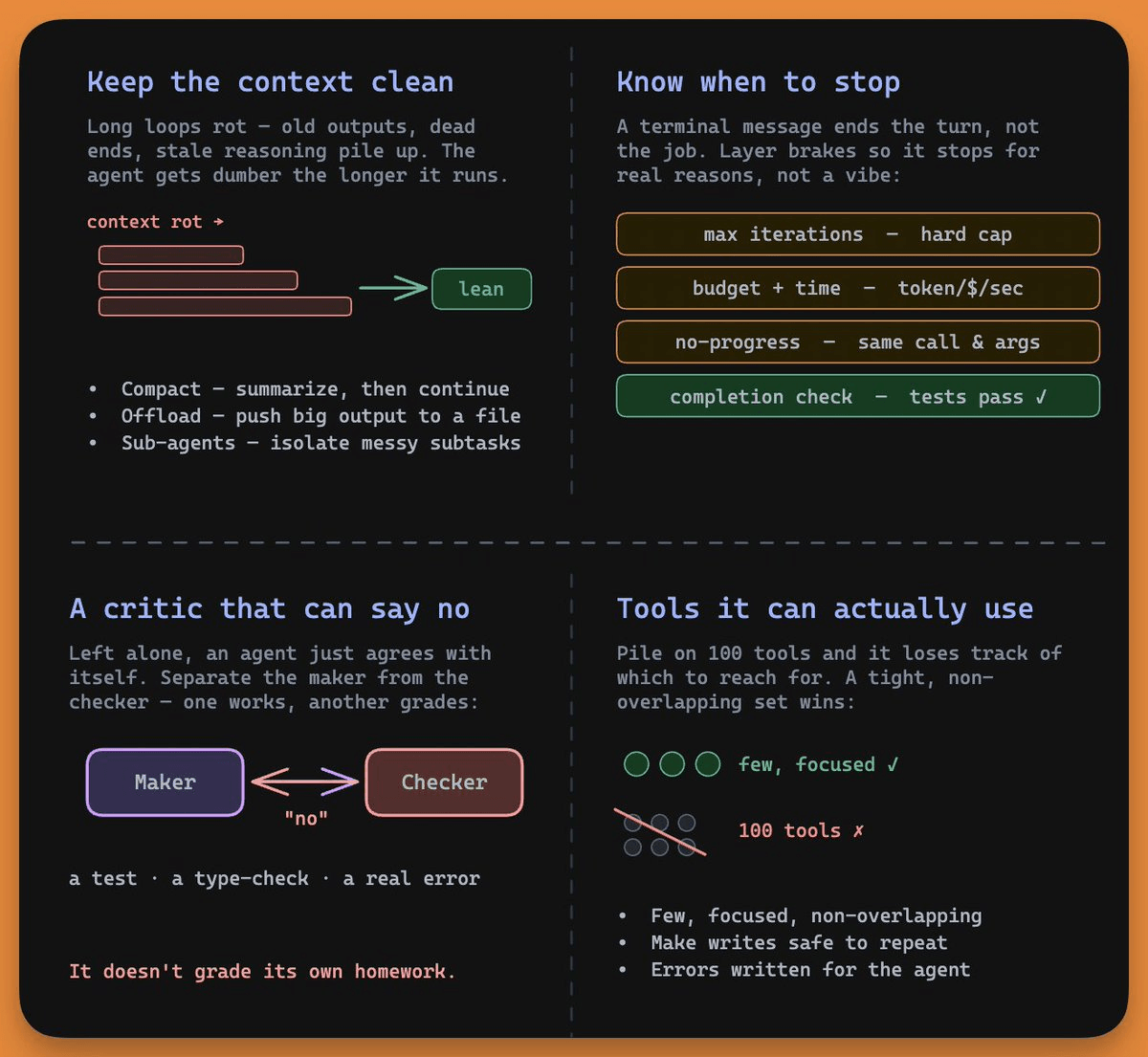
1) Ending a turn is not finishing the job
The loop stops on exactly one condition, when the model replies without a tool call. So it ends the moment the model decides it’s finished, which means the model is judging its own completion.
while True:
    response = model(context)
    if response.has_tool_calls():
        context += run_tools(response.tool_calls)
    else:
        break
That judgment is often wrong. A coding agent makes an edit, returns a confident summary with no further tool call, and the loop exits even though it never ran the tests, or ran them and they failed. The turn ended, but the task wasn’t done.
Since you can’t trust the model’s own stop signal, you add conditions it doesn’t control:
Max iterations, a hard cap so a stuck agent can’t run forever.
Budget and time limits, a ceiling on tokens, money, and wall-clock seconds.
No-progress detection, which catches the agent repeating the same call with the same arguments.
A real completion check, an automated condition that proves the job is done.
The completion check is super important, because it’s the only brake that replaces the model’s self-assessment with an objective signal.
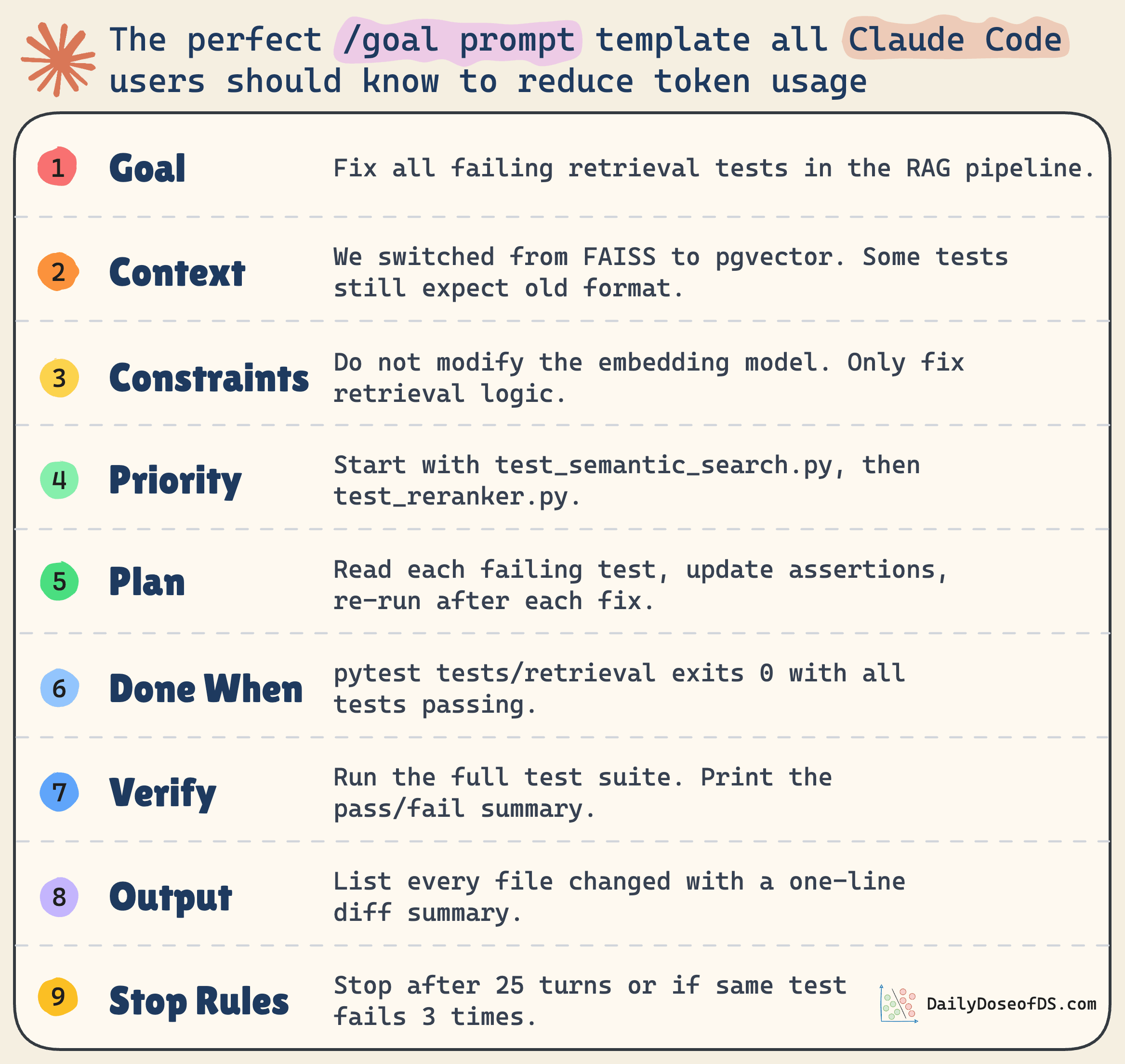
“Done” should mean the tests pass, not the model reporting that it’s done. Claude Code’s /goal command works this way, running the loop until a verifiable condition holds and using a separate model to confirm it.
2) Context rot and the doom loop
The longer a loop runs, the more its context fills with junk, like old tool outputs, abandoned dead ends, and stale reasoning. Model quality drops as that pile grows, which the field calls context rot.
The loop turns rot into a spiral, where a rotted context produces a worse decision, which adds more noise, which rots the context further.
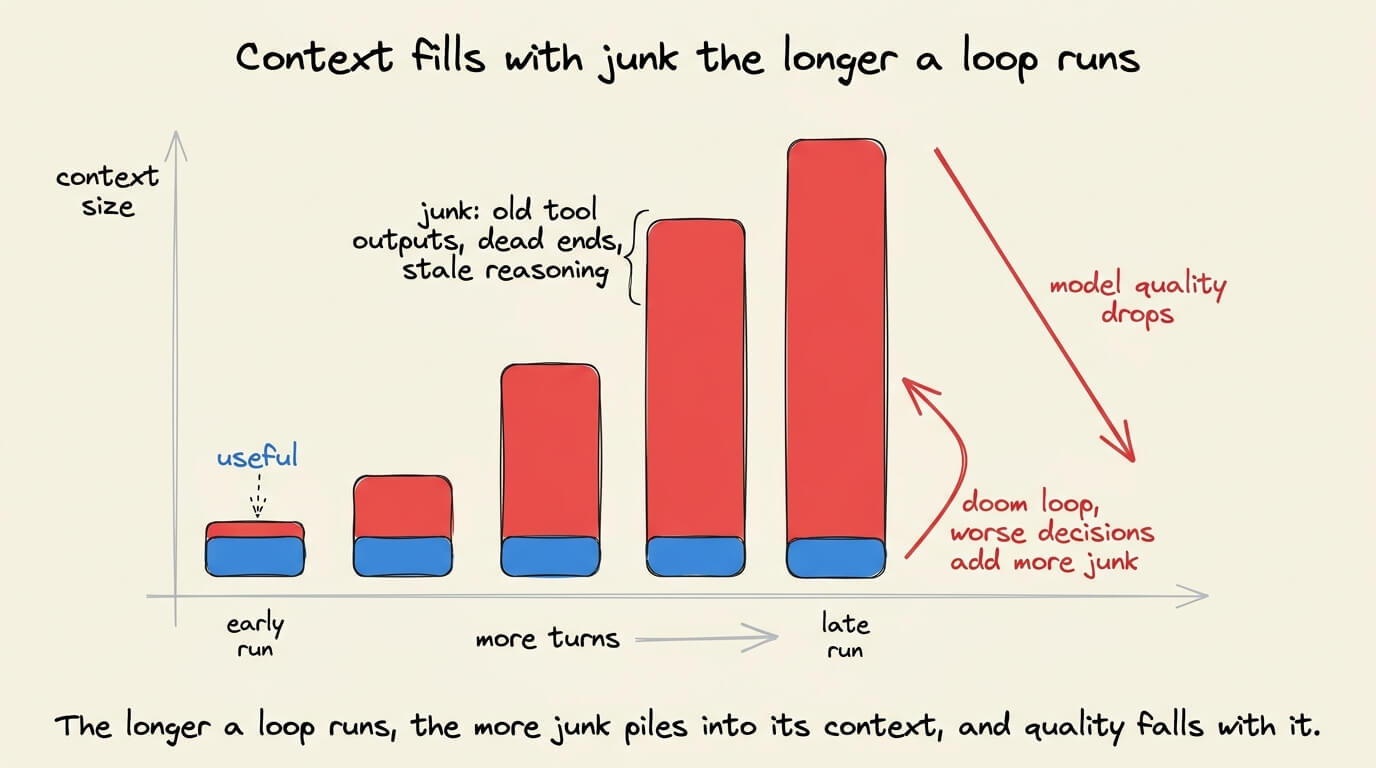
The community calls this the doom loop, and the agent gets less useful the longer it runs. LangChain added middleware specifically to detect doom loops in their harness.
You solve this by treating context as a budget, not a bucket:
Compaction, summarizing the conversation once it gets long, and continuing from the summary.
Offloading, pushing large outputs to a file, and keeping only the slice you need.
Sub-agents, handing a messy subtask to a separate agent so that only its clean result returns.
The instinct is to keep everything in case it matters later. The skill is knowing what to throw away.
3) Tool design changes inside a loop
Adding tools makes selection harder, not easier.
Give the agent a hundred overlapping tools and it loses track of which one to call, so a small set of focused, non-overlapping tools works better.
Anthropic’s rule of thumb is that if a human engineer can’t say for certain which tool fits, neither can the agent.
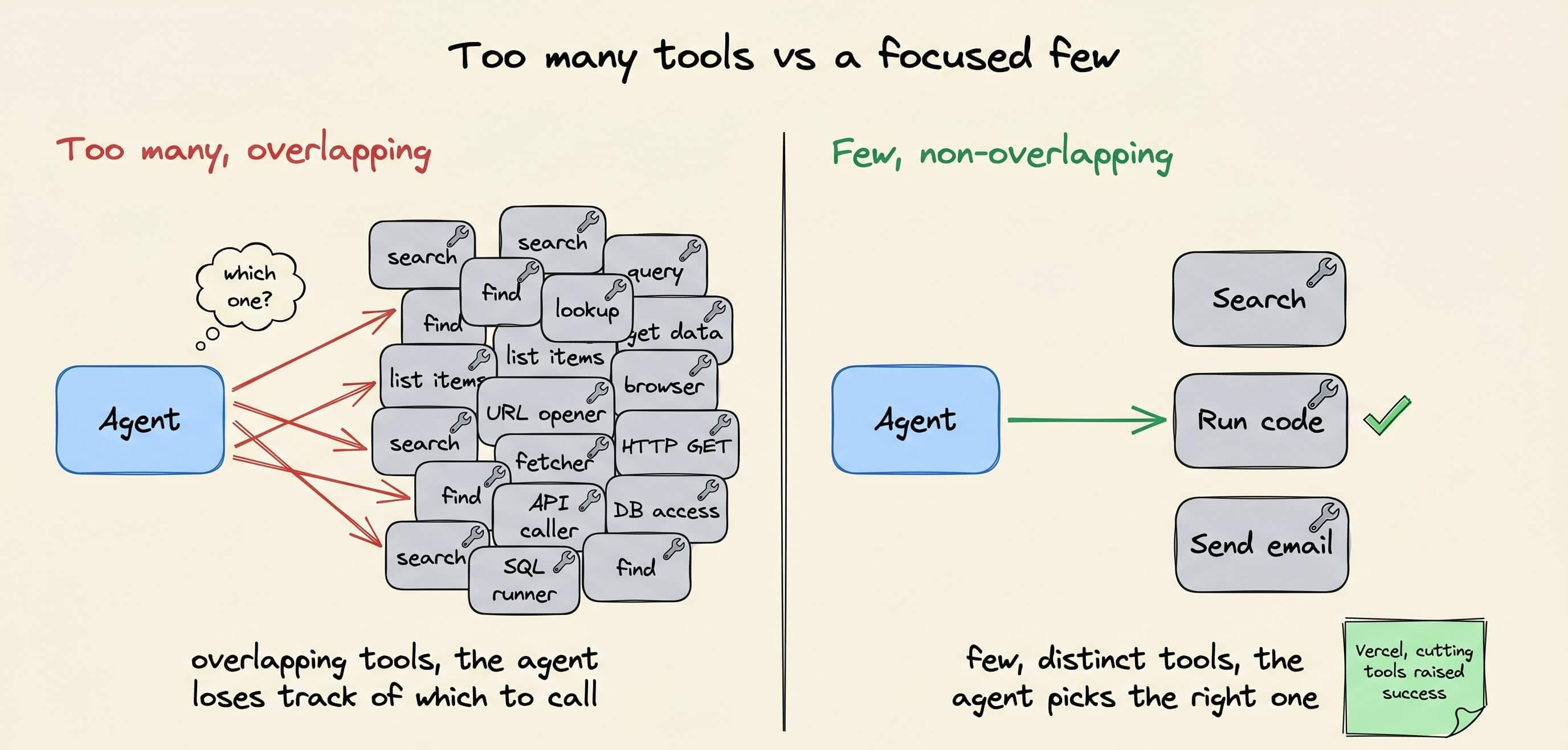
Vercel found that cutting an agent’s available tools raised its success rate.
Two more properties matter specifically because this is a loop, not a single call:
Writes have to be safe to repeat, since the loop retries a failed step, and a retried “create customer” that makes a second customer leaves you with duplicate records and double billing.
Error messages have to tell the agent what to do next, not just what went wrong, because in a loop, that message becomes the input to the next turn, so a vague error wastes a turn and a precise one fixes the bug.
4) Put something in the loop that can say no
The completion check from earlier is one case of a wider rule.
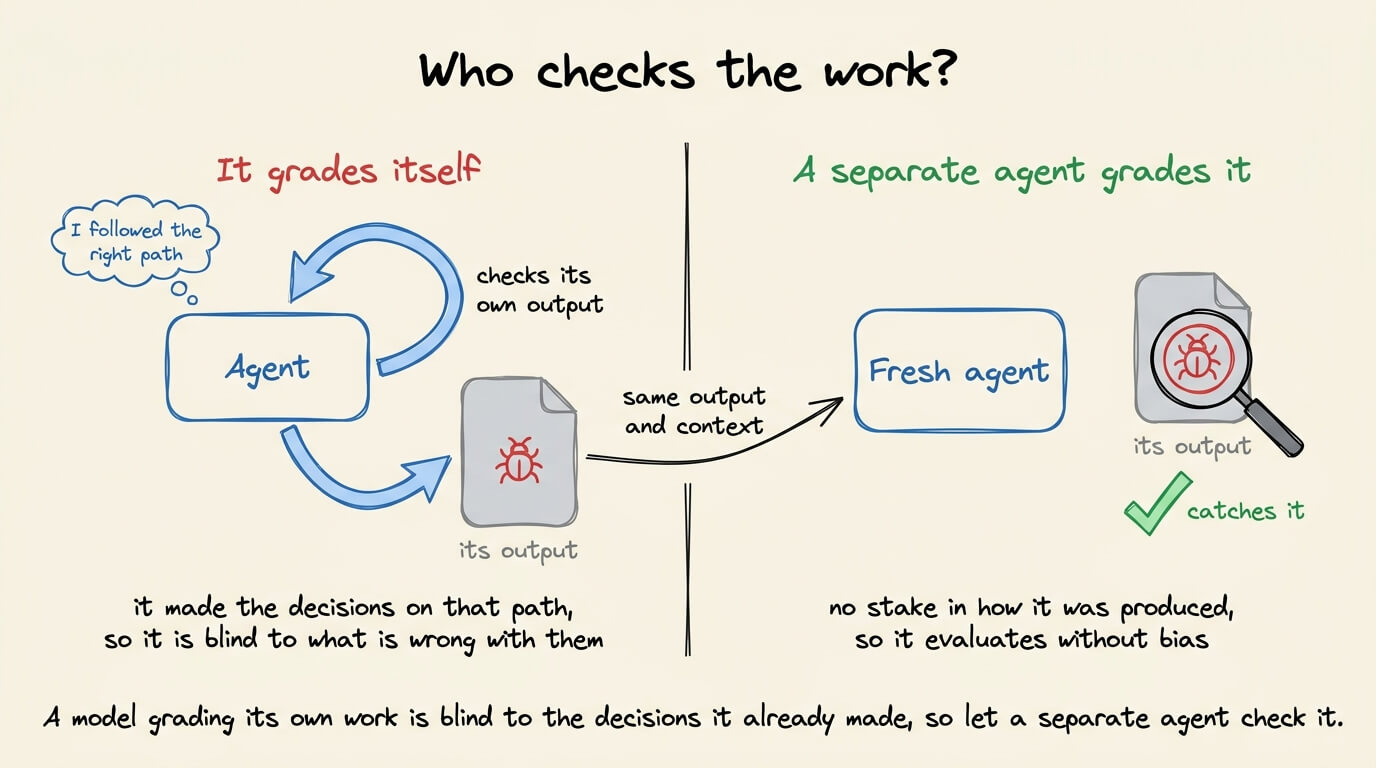
Whatever decides if the work is good can’t be the same model that produced it. A model asked to grade its own output will usually pass it, so a loop with no outside check is just an agent agreeing with itself.
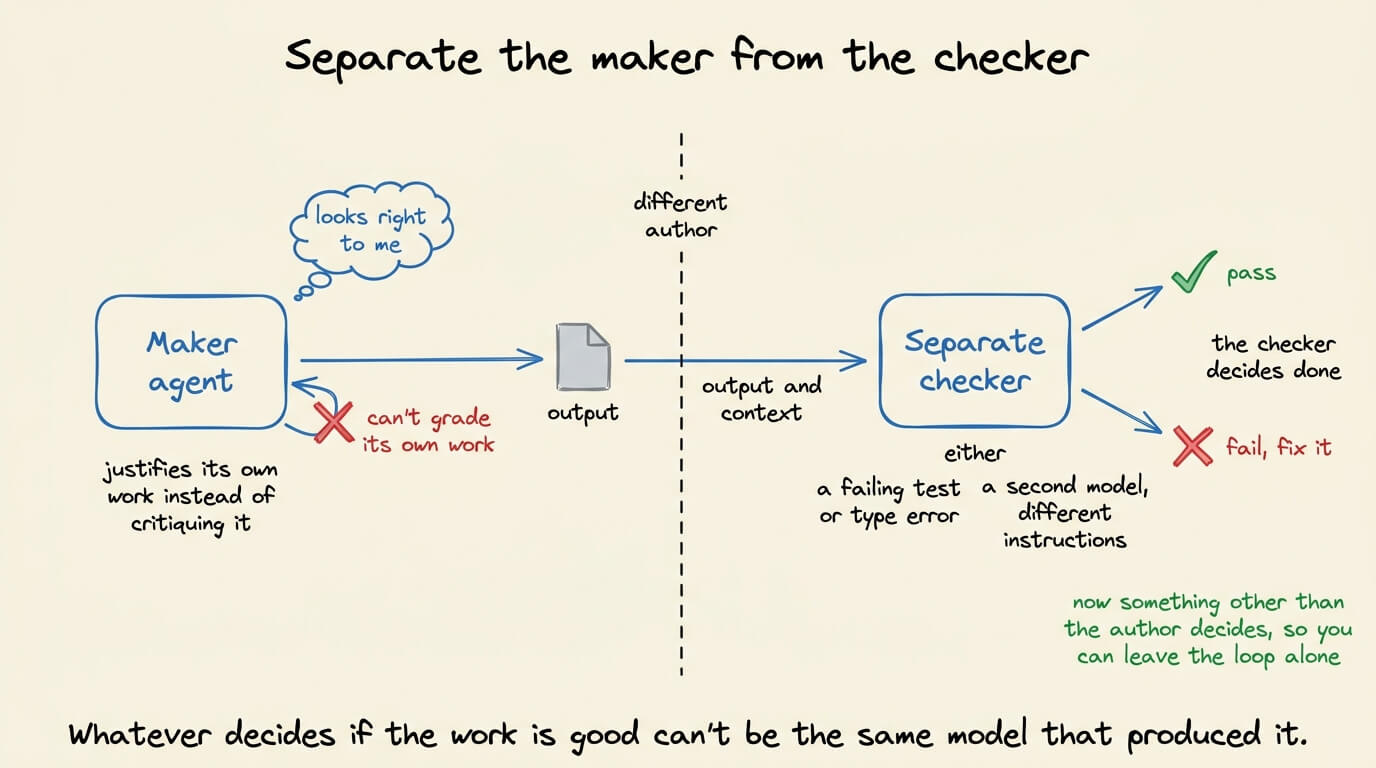
So you separate the maker from the checker. One agent writes the code, and a separate signal grades it, either something hard like a failing test or type error, or a second model running with different instructions.
That check is what lets you actually leave the loop alone, because now something other than the author decides when it’s right.
What is user’s job now?
Prompting steers the agent move by move.
Loop engineering involves building the system that steers it, and then stepping back. The work becomes three artifacts:
The goal is written as a success criterion that the agent can check itself against.
The loop, with brakes, so it stops for the right reasons.
The verifier, so “done” is proven, not claimed.
Karpathy said something along these lines too.
“Don’t tell it what to do, give it success criteria and watch it go.”
His AutoResearch project runs exactly this, an agent that tweaks a training script, measures the result, keeps what works, and discards what doesn’t, with no human editing the code between rounds. He arranges it once and lets it run.
You don’t need an overnight autonomous agent on day one. Build up to it:
Start with the basic loop and add a max-iteration cap, a timeout, and a cost ceiling immediately.
Define “done” as an automated check before you start, not a vibe afterward.
Protect the context, compacting long runs, offloading big outputs, and isolating messy subtasks.
Audit your tools, keeping them few and focused, making writes safe to repeat, and rewriting errors so an agent can act on them.
Put a critic in the loop, and only go fully hands-off once you trust the thing that says no.
The takeaway
Loop engineering isn’t a framework you install but rather a shift in where you spend effort.
The model is becoming a commodity, and the loop around it is where the engineering now lives.
The builders getting value this year stopped asking what to tell the agent and started asking what system would do the work without them.
👉 Over to you: what’s the first brake you’d add to a loop you already run, a completion check, a budget cap, or a separate verifier?
To dive deeper into harness engineering, we covered it in detail here →
Thanks for reading!
P.S. For those wanting to develop “Industry ML” expertise:

At the end of the day, all businesses care about impact. That’s it!
Can you reduce costs?
Drive revenue?
Can you scale ML models?
Predict trends before they happen?
We have discussed several other topics (with implementations) that align with such topics.
Here are some of them:
Learn everything about MCPs in this crash course with 9 parts →
Learn how to build Agentic systems in a crash course with 14 parts.
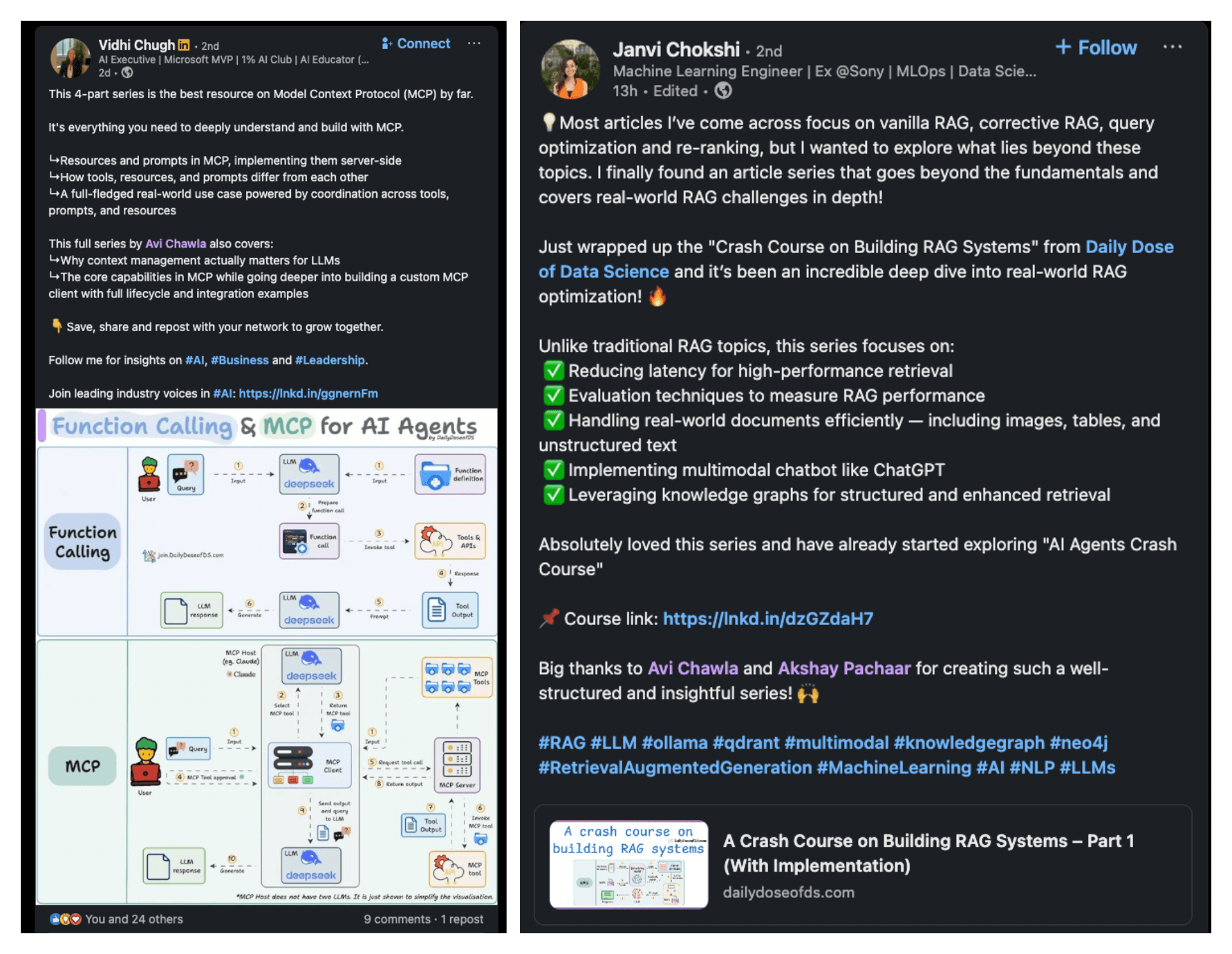
Learn how to build real-world RAG apps and evaluate and scale them in this crash course.
Learn sophisticated graph architectures and how to train them on graph data.
So many real-world NLP systems rely on pairwise context scoring. Learn scalable approaches here.
Learn how to run large models on small devices using Quantization techniques.
Learn how to generate prediction intervals or sets with strong statistical guarantees for increasing trust using Conformal Predictions.
Learn how to identify causal relationships and answer business questions using causal inference in this crash course.
Learn how to scale and implement ML model training in this practical guide.
Learn techniques to reliably test new models in production.
Learn how to build privacy-first ML systems using Federated Learning.
Learn 6 techniques with implementation to compress ML models.
All these resources will help you cultivate key skills that businesses and companies care about the most.