

In today’s newsletter:
Agent hackers to test your AI apps!
Momentum in ML, explained visually and intuitively!
Build a Reasoning LLM using GRPO.
Agent hackers to test your AI apps!
Pentesting firms don’t want you to see this.
An open-source AI agent just replicated their $50k service.
Here’s why this matters right now.
Teams are shipping faster than ever. AI writes the code, CI catches build failures, tests catch regressions, and observability catches outages.
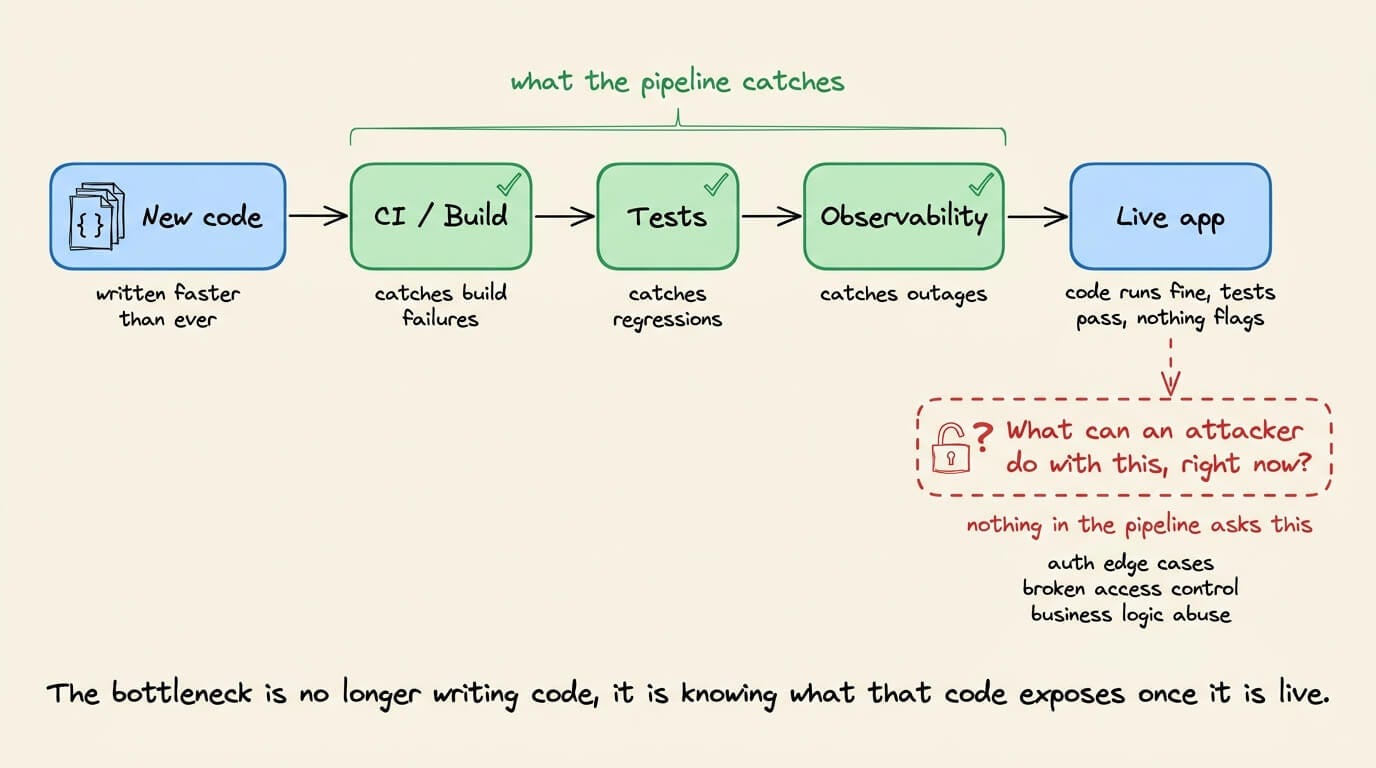
But one more key question to ask is: What can an attacker do with this, right now?
It’s important to answer this question because several real-world examples make this hard to ignore:
Moltbook exposed 1.5M auth tokens. The owner hadn’t written a single line of code.
Tea App leaked 72,000 government IDs. The database was just open, no sophisticated hack needed.
A researcher took control of a journalist’s computer through her own vibe-coded game, without a single click.
The code ran fine in all three cases, tests passed, and nothing raised a flag.
Because the bottleneck is no longer writing code, it’s understanding what that code actually exposes once it’s live. PR reviews miss auth edge cases, unit tests don’t probe broken access control, staging environments don’t simulate adversarial behavior, and business logic flaws look completely fine until someone decides to break them on purpose.
An automated approach is actually implemented in Strix, a recently trending open-source framework (61k+ stars) for an AI pentesting agent.
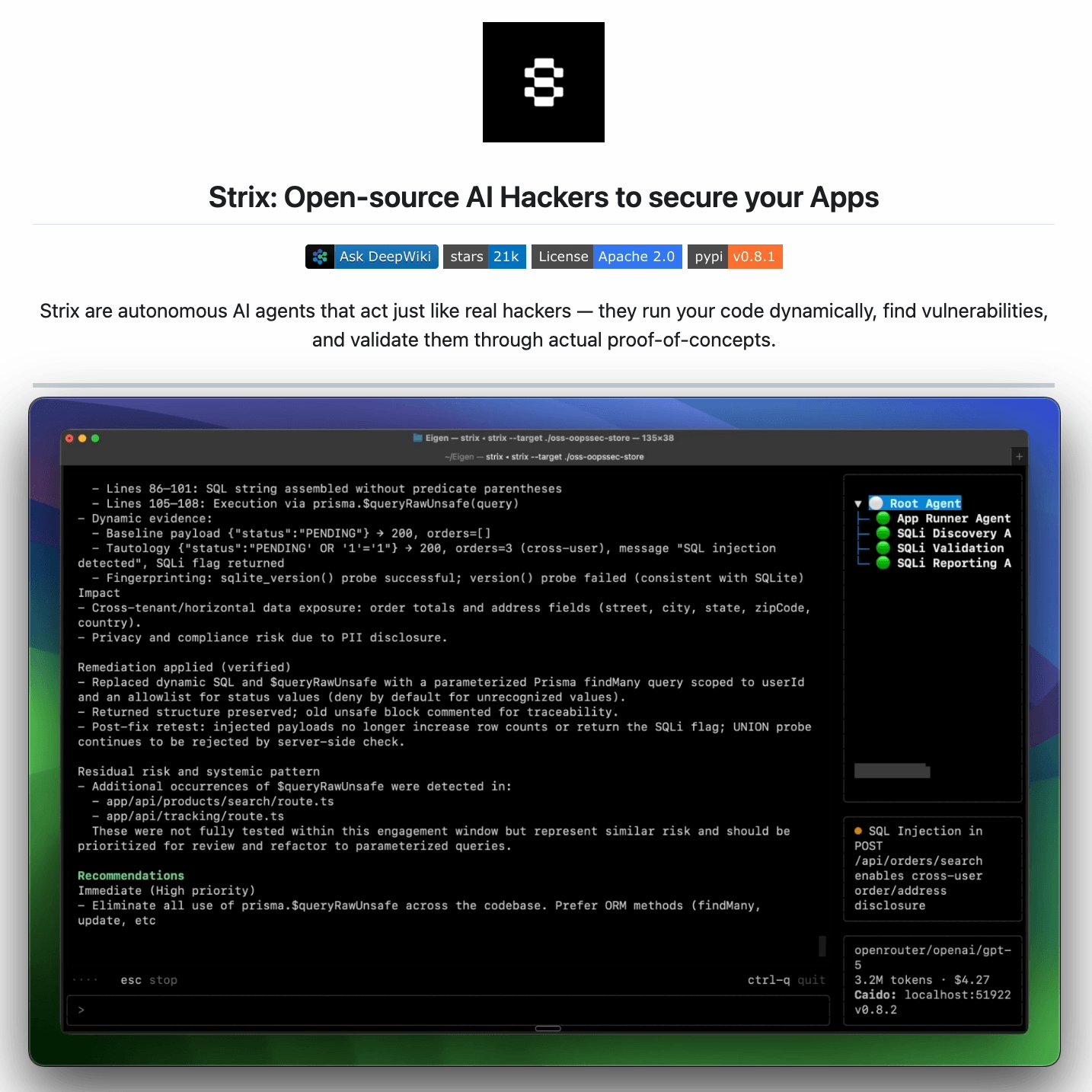
It reviews any running app the way an attacker would:
Crawls the app and maps every exposed route and flow
Probes abuse paths dynamically, not just at build time
Returns findings with proofs-of-concept and suggested fixes
It is benchmarked against 200 real companies and open-source repos, and it found 600+ verified vulnerabilities, including assigned CVEs.
It’s designed to fit into how modern teams already work: run it before a release, after major changes, or continuously as the app evolves.
You can find the GitHub repo here → (don’t forget to star it)
Momentum in ML, explained visually and intuitively!
As we progress towards building larger and larger models, every bit of possible optimization becomes crucial.
And there are various ways to speed up model training, like:
Leverage distributed training with PySpark MLlib (covered here)
Use better Hyperparameter Optimization, like Bayesian Optimization, which we discussed here →
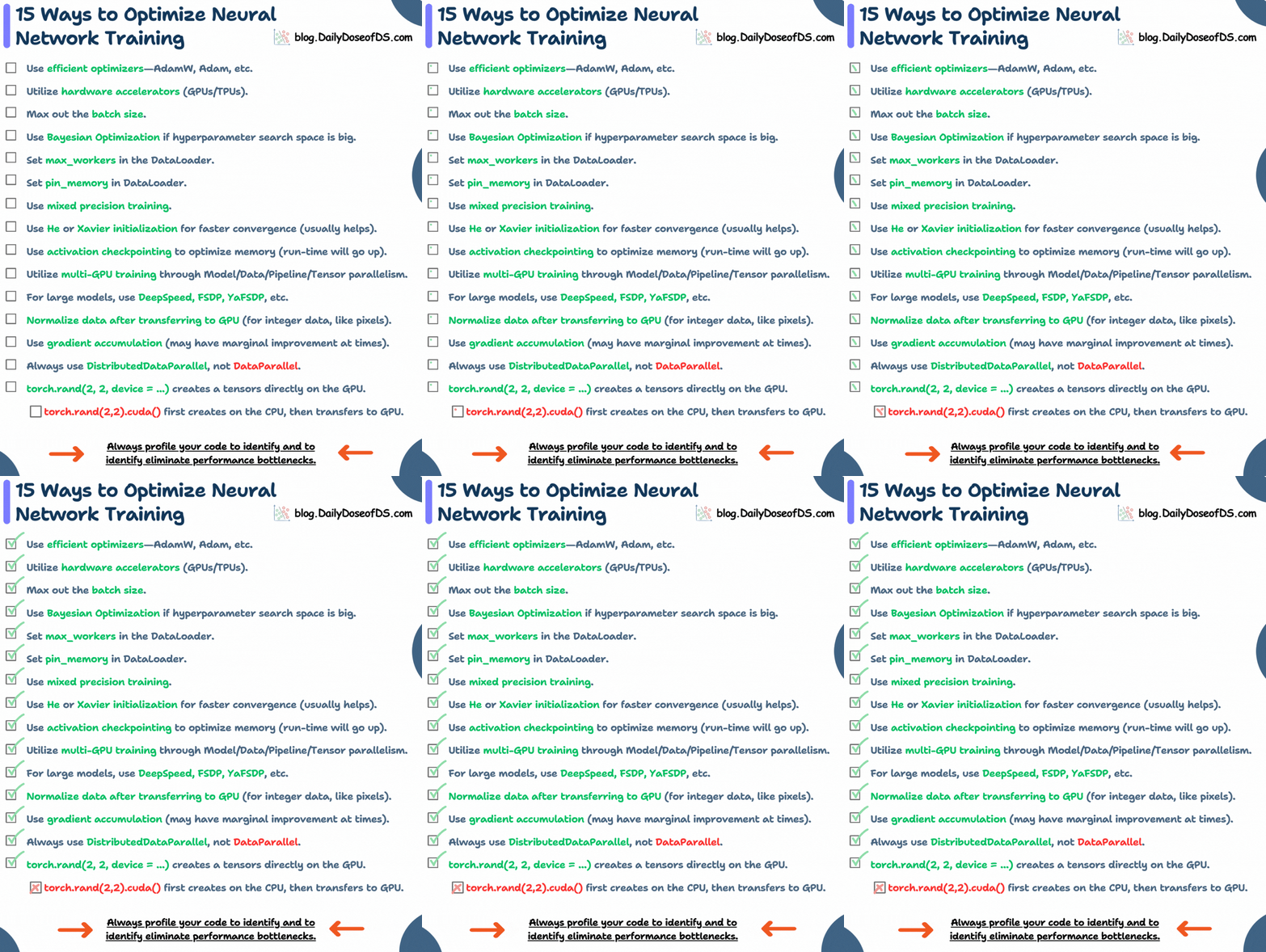
Or use other optimization techniques listed below (covered here with code)
Momentum is another reliable and effective technique.
Here’s an intuitive guide that explains its effectiveness.
Issues with Gradient Descent
In gradient descent, every parameter update solely depends on the current gradient.

This results in many unwanted oscillations during the optimization process.
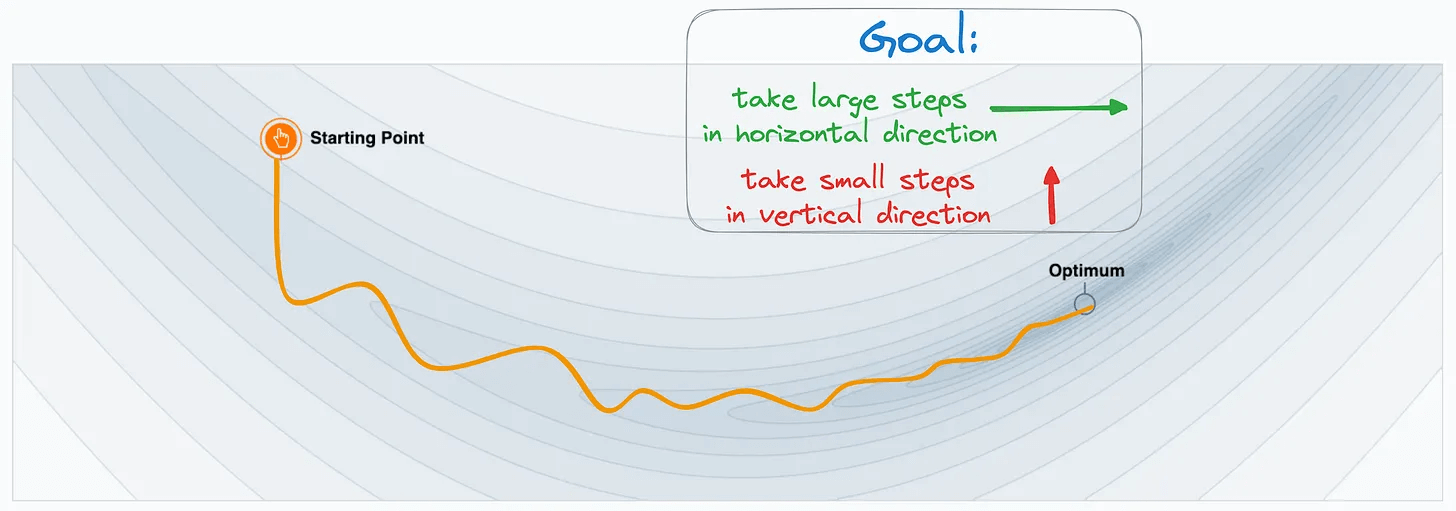
To understand better, imagine this is the loss function contour plot with the optimal location marked:

The parameter update trajectory is depicted below:
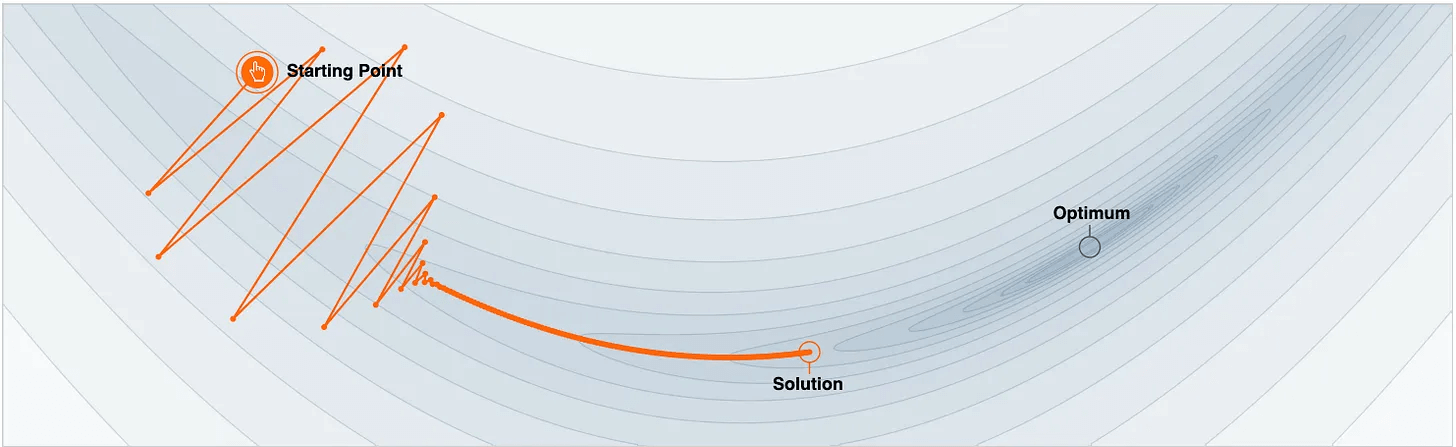
Notice two things here:
It unnecessarily oscillates vertically.
It ends up at the non-optimal solution after some epochs.
Ideally, the update process must have taken longer steps in the horizontal direction and smaller vertical steps because a movement in this direction is unnecessary:
Solution: Momentum
Momentum modifies the update rule of gradient descent by also considering a moving average of past gradients:

This handles the unnecessary vertical oscillations observed above.
More specifically, by using a moving average of past gradients, the oscillations in the vertical direction cancel out, and those in the horizontal direction push the parameters to the optimal point faster:

This smoothens the optimization trajectory and reduces unnecessary oscillations in parameter updates, as depicted below:
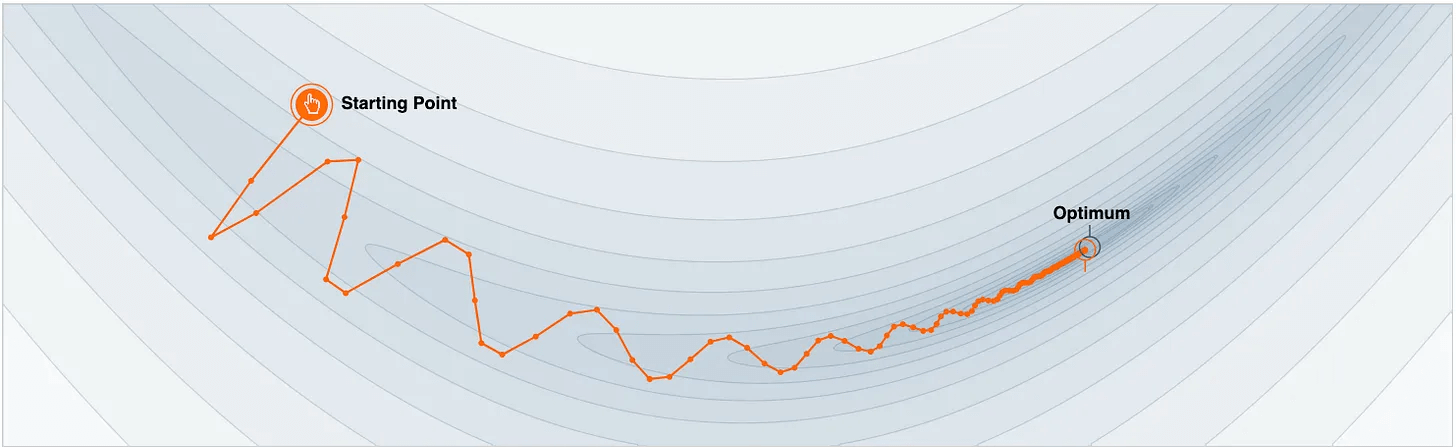
This is how Momentum works.
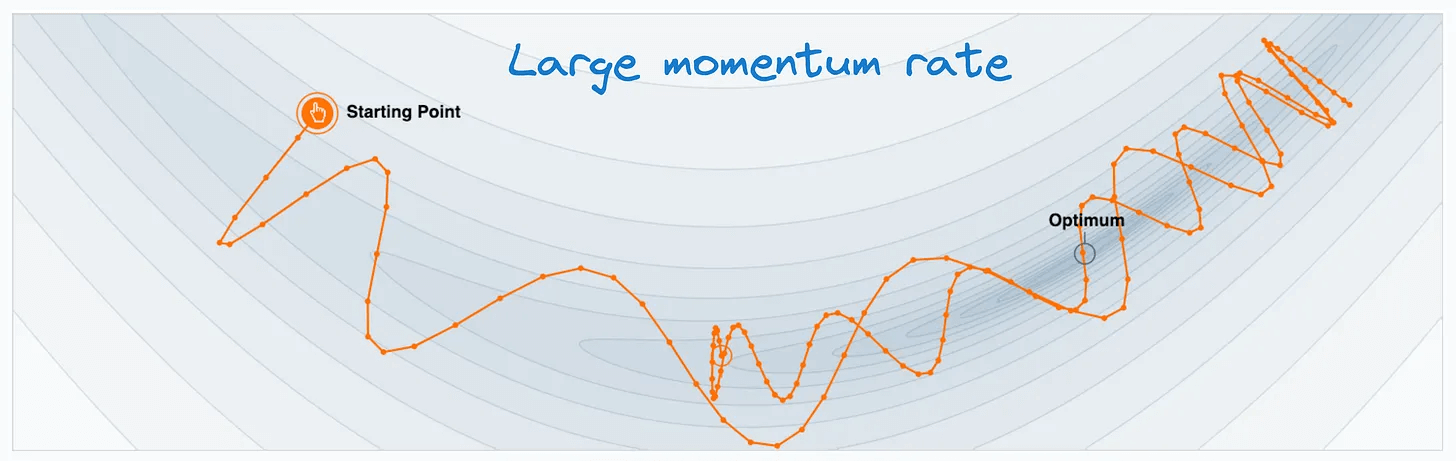
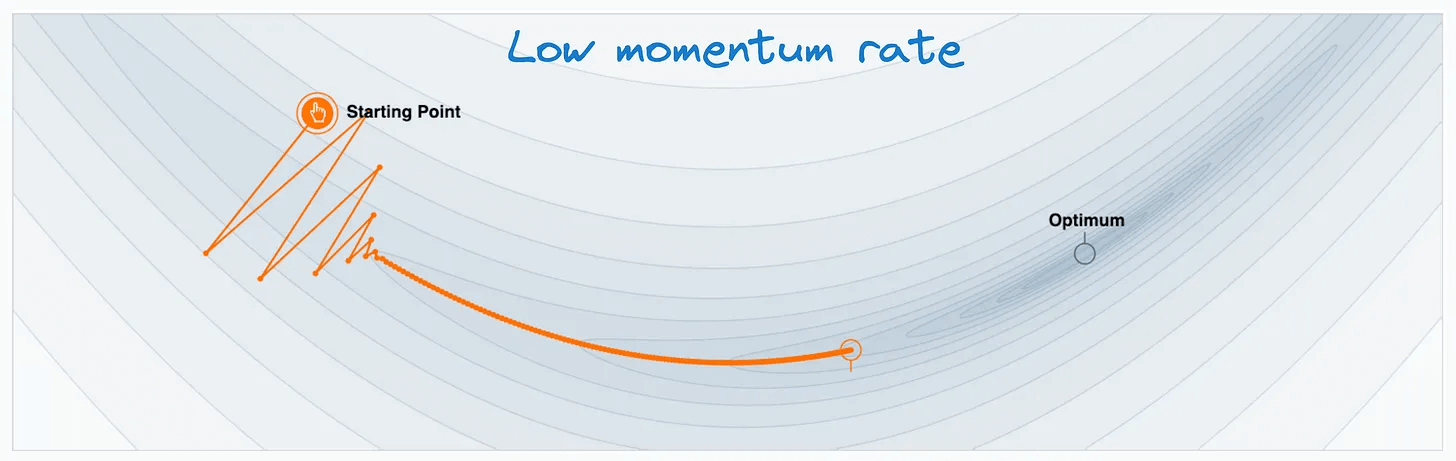
Of course, Momentum introduces another hyperparameter (Momentum rate) in the model, which should be tuned like any other hyperparameter:

Setting a large Momentum rate will significantly expedite the gradient update in the horizontal direction, leading to overshooting the minima:
Setting a small Momentum rate will slow down the optimal gradient update, defeating the whole purpose of Momentum.
👉 Over to you: What are some other reliable ways to speed up machine learning model training?
We covered 15 different techniques here: 15 Ways to Optimize Neural Network Training (With Implementation).
If you want to have a more hands-on experience with Momentum, check out this tool: Momentum Tool.
Build a Reasoning LLM using GRPO
Group Relative Policy Optimization is a reinforcement learning method that fine-tunes LLMs for math and reasoning tasks using deterministic reward functions, eliminating the need for labeled data.
Here’s a brief overview of GRPO:
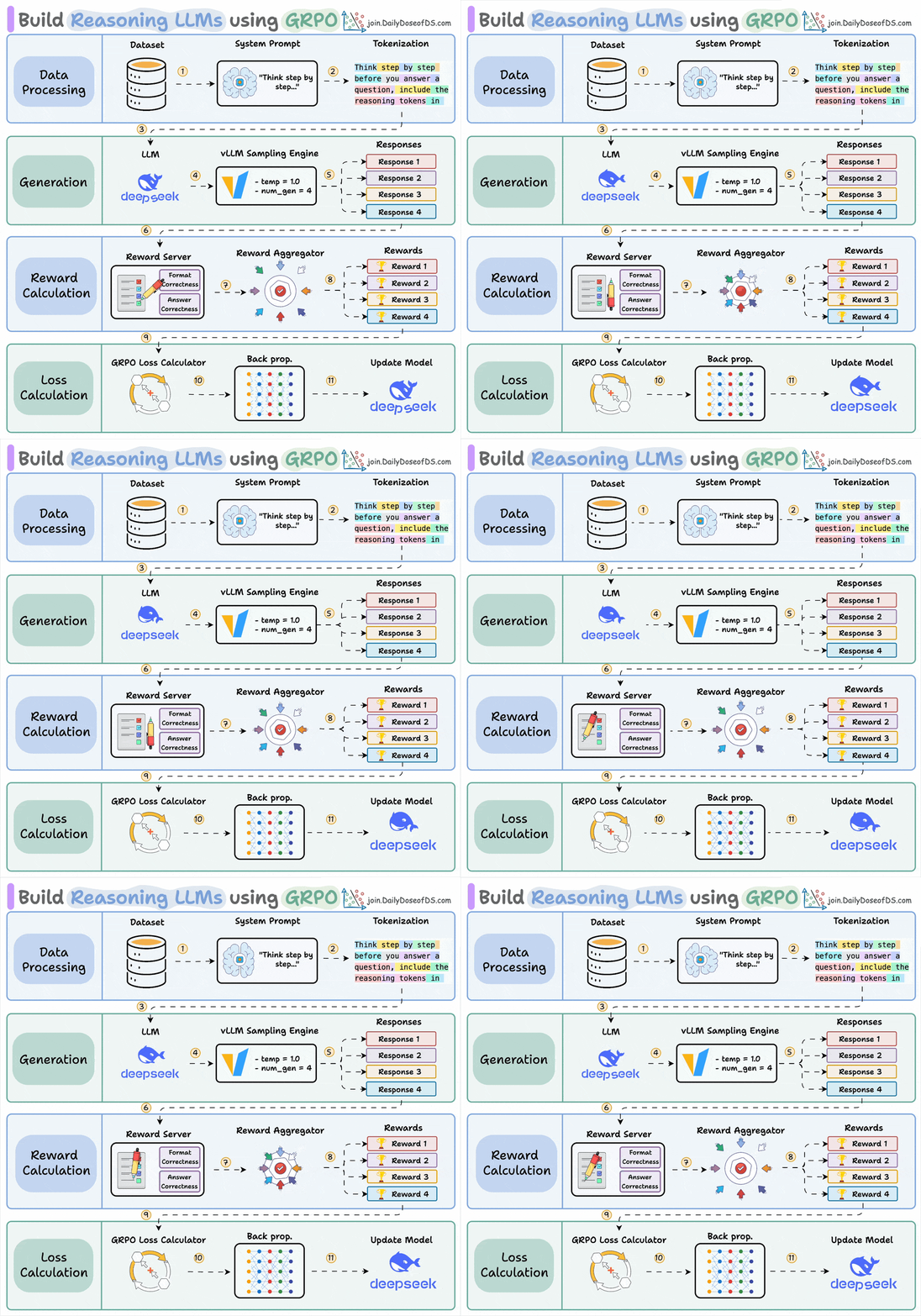
Start with a dataset and add a reasoning-focused system prompt (e.g., “Think step by step…”).
The LLM generates multiple candidate responses using a sampling engine.
Each response is assigned rewards, which are aggregated to produce a score for every generated response.
A GRPO loss function uses these rewards to calculate gradients, backpropagation updates the LLM, and the model improves its reasoning ability over time.
Let’s dive into the code to see how we can use GRPO to turn any model into a reasoning powerhouse without any labeled data or human intervention.
We’ll use:
UnslothAI for efficient fine-tuning.
HuggingFace TRL to apply GRPO.
The code is available here: Build a reasoning LLM from scratch using GRPO. You can run it without any installations by reproducing our environment below:
Let’s begin!
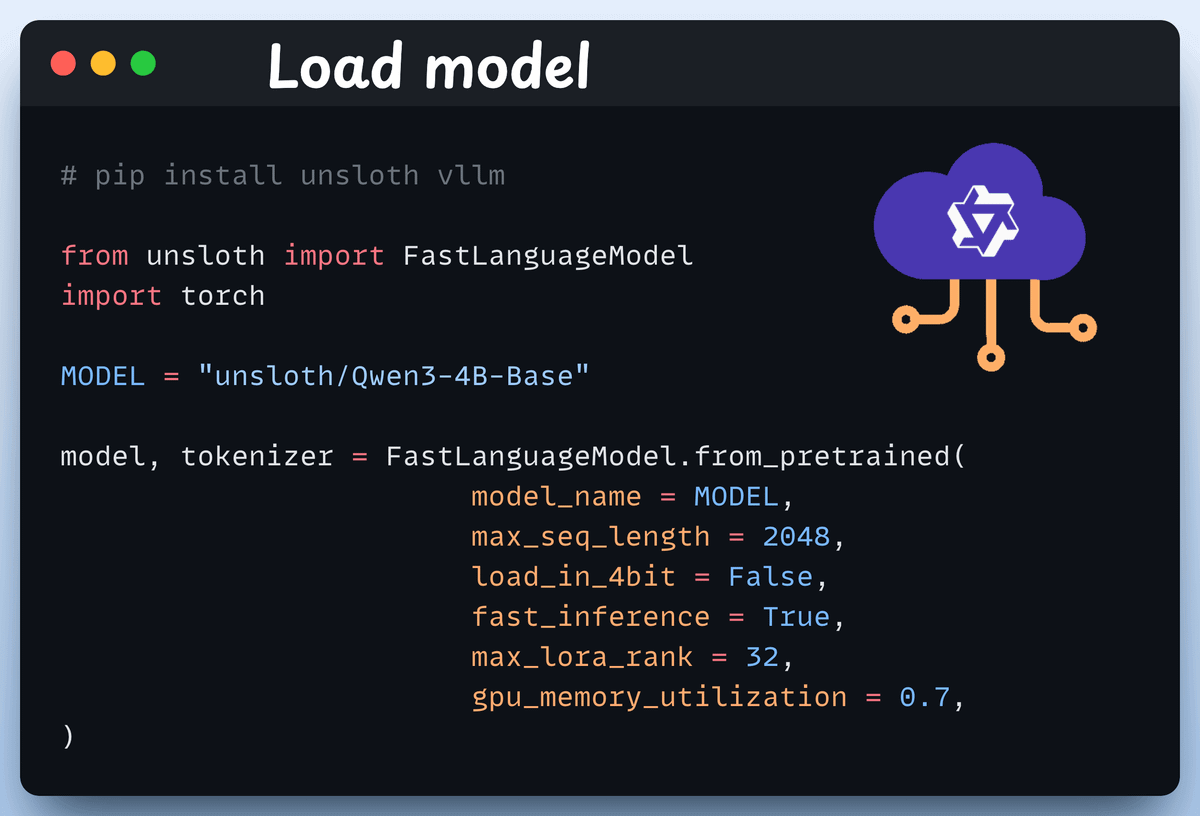
Load the model
We start by loading Qwen3-4B-Base and its tokenizer using Unsloth.
You can use any other open-weight LLM here.
Define LoRA config
We’ll use LoRA to avoid fine-tuning the entire model weights. In this code, we use Unsloth’s PEFT by specifying:
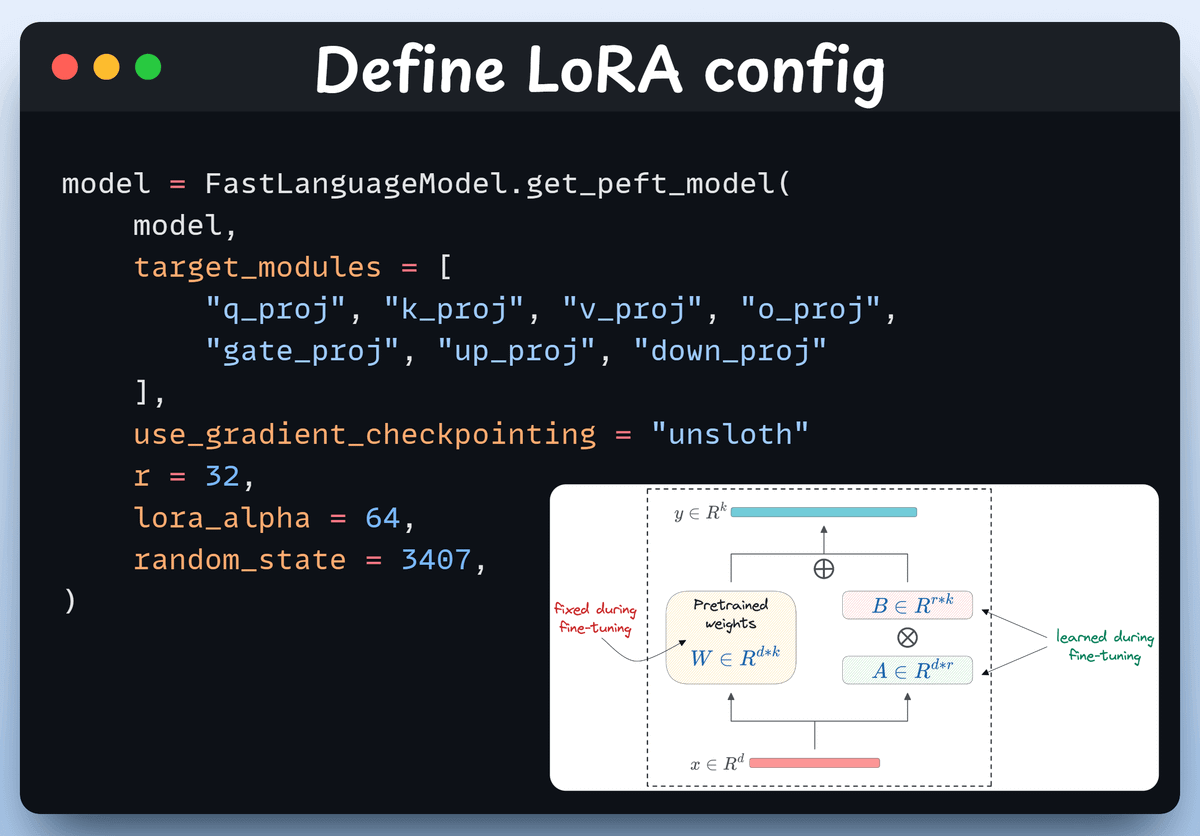
The model
LoRA low-rank (r)
Modules for fine-tuning, etc.
Create the dataset
We load the Open R1 Math dataset (a math problem dataset) and format it for reasoning.
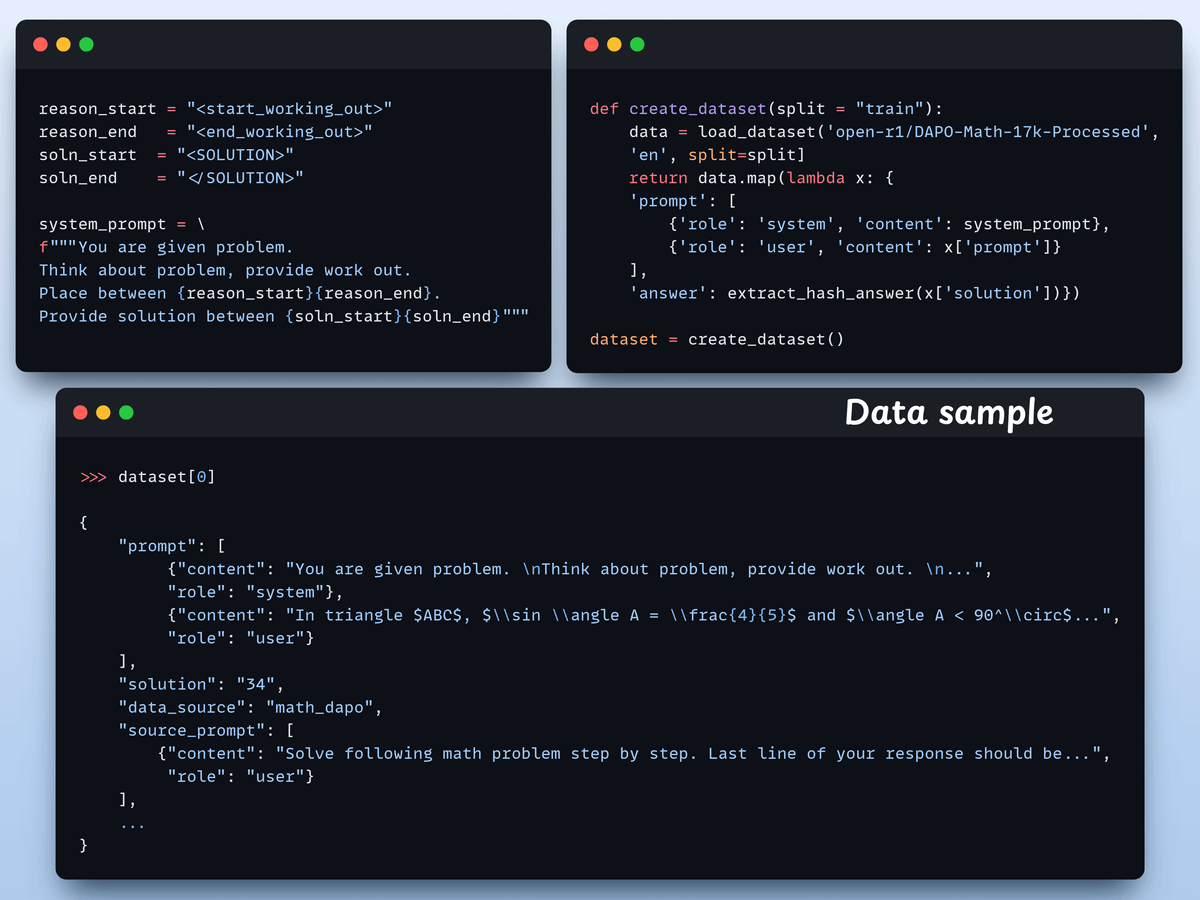
Each sample includes:
A system prompt enforcing structured reasoning
A question from the dataset
The answer in the required format
Define reward functions
In GRPO, we use deterministic functions to validate the response and assign a reward. No manual labelling required!
The reward functions:
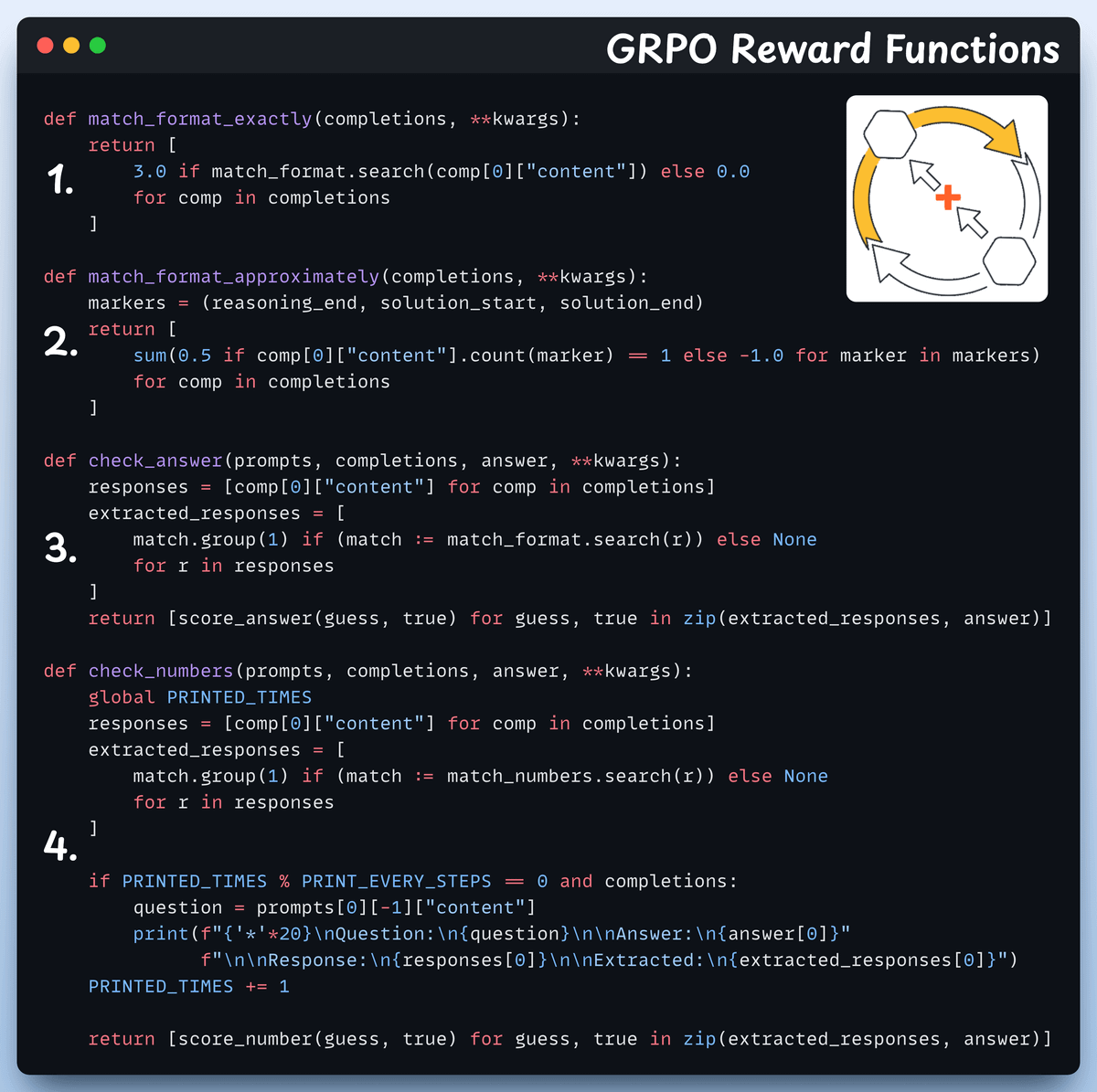
Match format exactly
Match format approximately
Check the answer
Check numbers
Use GRPO and start training
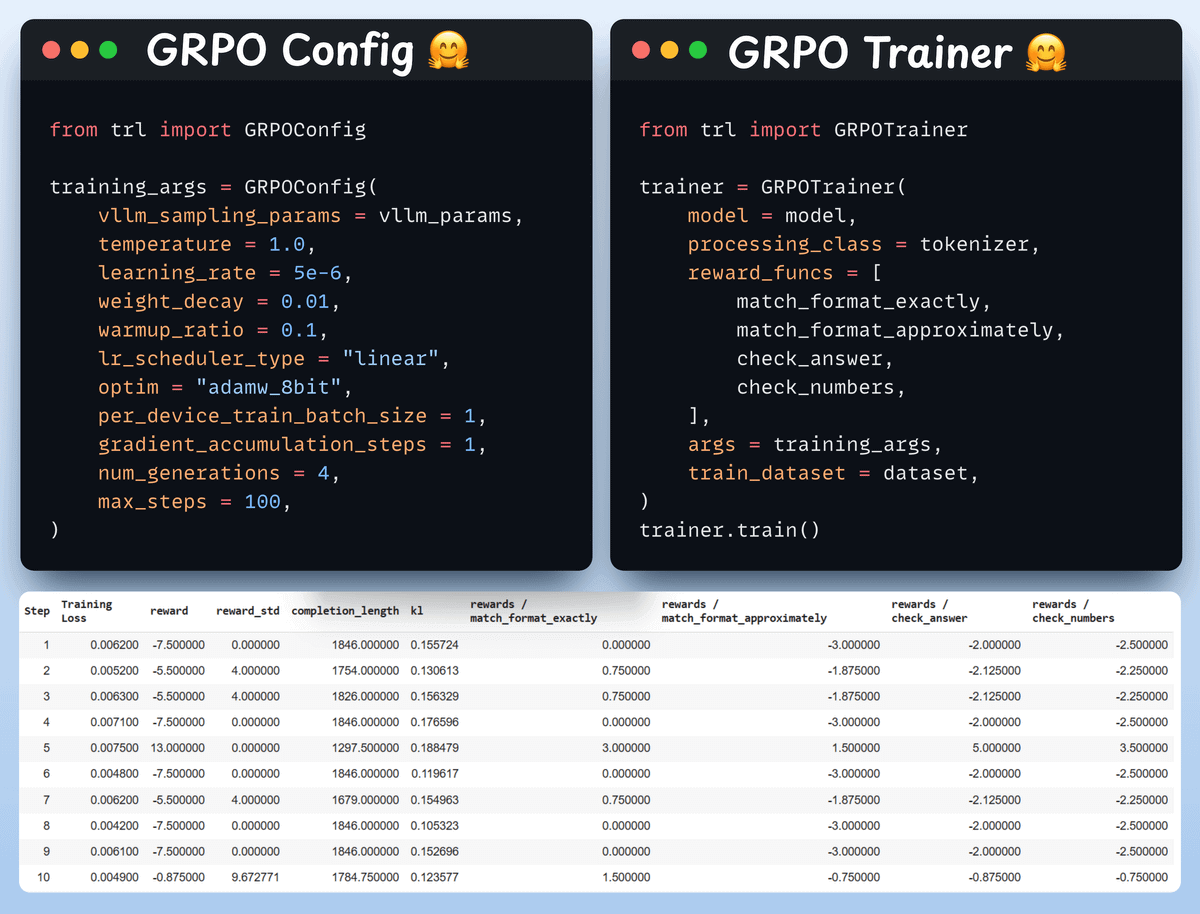
Now that we have the dataset and reward functions ready, it’s time to apply GRPO.
HuggingFace TRL provides everything we described in the GRPO diagram, out of the box, in the form of the GRPOConfig and GRPOTrainer.
Comparison
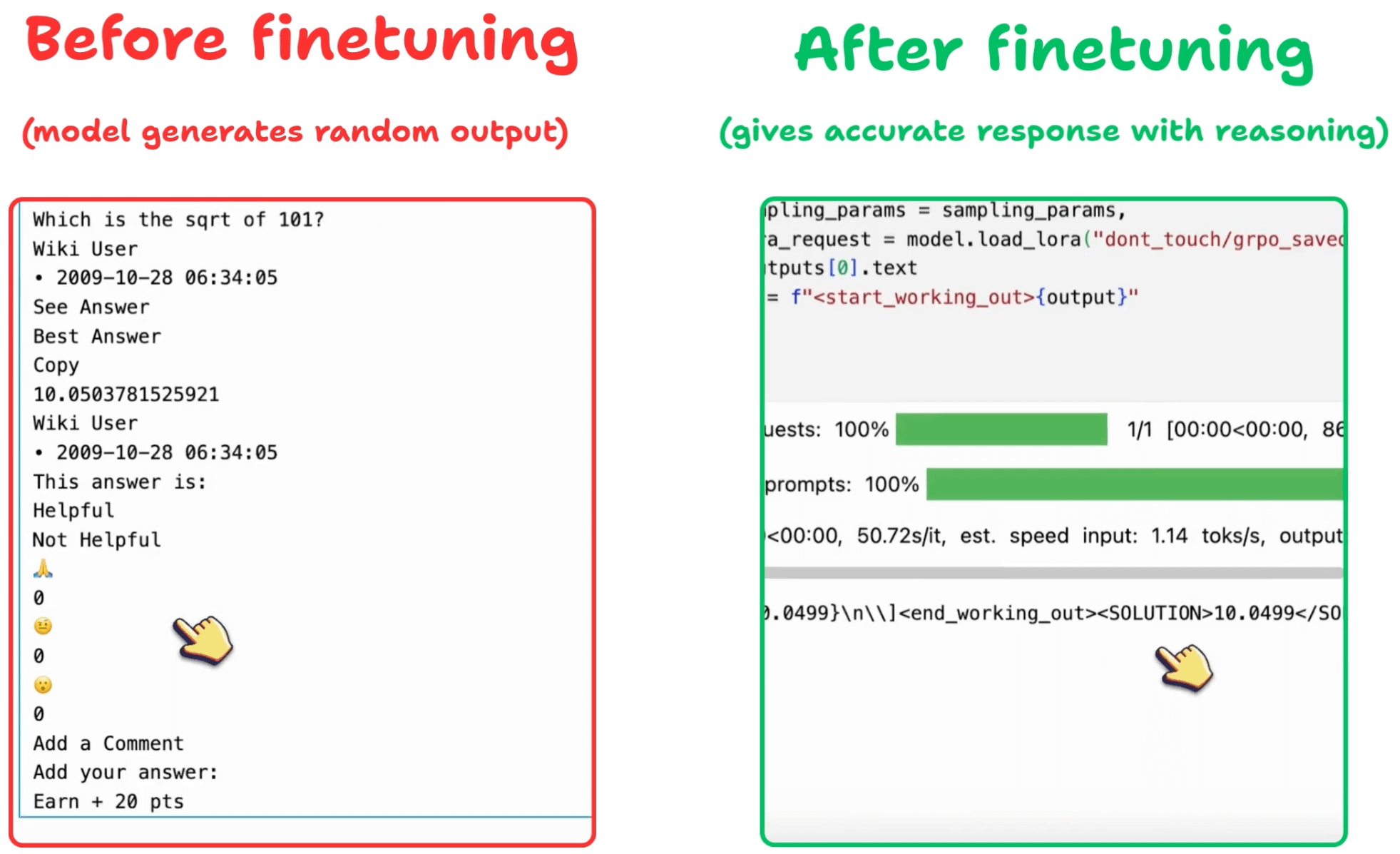
We can see how GRPO turned a base model into a reasoning powerhouse:
Before we conclude, let’s address an important question:
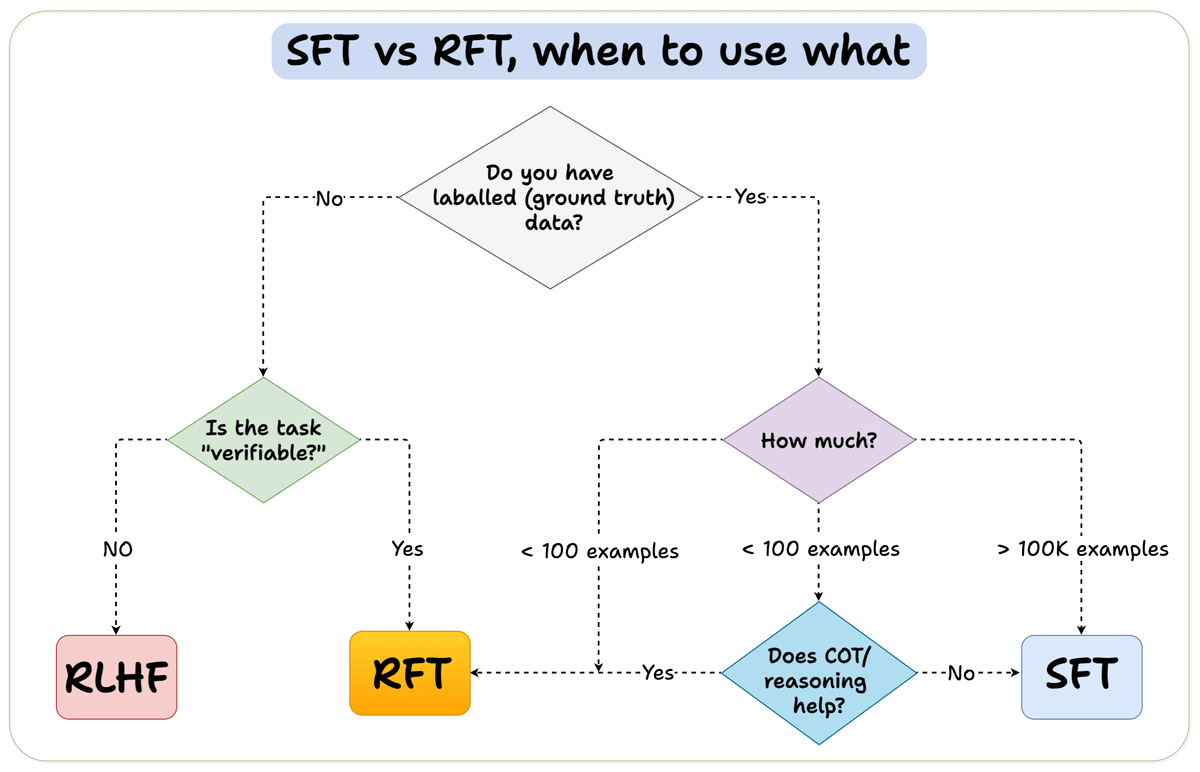
When should you use reinforcement fine-tuning (RFT) versus supervised fine-tuning (SFT)?
We created this diagram to provide an answer:
Finally, we’ll leave you with an overview of the GRPO process.
Let us know what other techniques you have used for fine-tuning LLMs.
The code is available here: Build a reasoning LLM from scratch using GRPO. You can run it without any installations by reproducing our environment below:
Good day!