

MiniMax Agent = Claude Cowork + Agent skills + Clawdbot
MiniMax just launched Agent Desktop, which is a desktop environment where AI agents can actually do work on your behalf.
They can browse the web, interact with files, and execute tasks across your local system.
What it can do:
Browse the web and gather information autonomously
Connect to emails, calendars, GitLab repos, and monitoring systems
Automate developer tasks like reading code, submitting MRs, and handling alerts
Run pre-built “Experts” or create custom ones for your specific workflows
MiniMax models have been quite impressive on agentic benchmarks, and this tool shows why.
New accounts also get 1000 free credits to test it out for free.
[New] Generative UI for Agents
Cursor, Claude, Lovable.
They share one thing in common that nobody talks about.
It’s called Generative UI.
And if you’re building an AI app right now, this is probably the most important pattern to understand.
Most AI apps today work the same way. User types a message and gets back text. It might be displayed nicely, but it’s still a conversation thread.
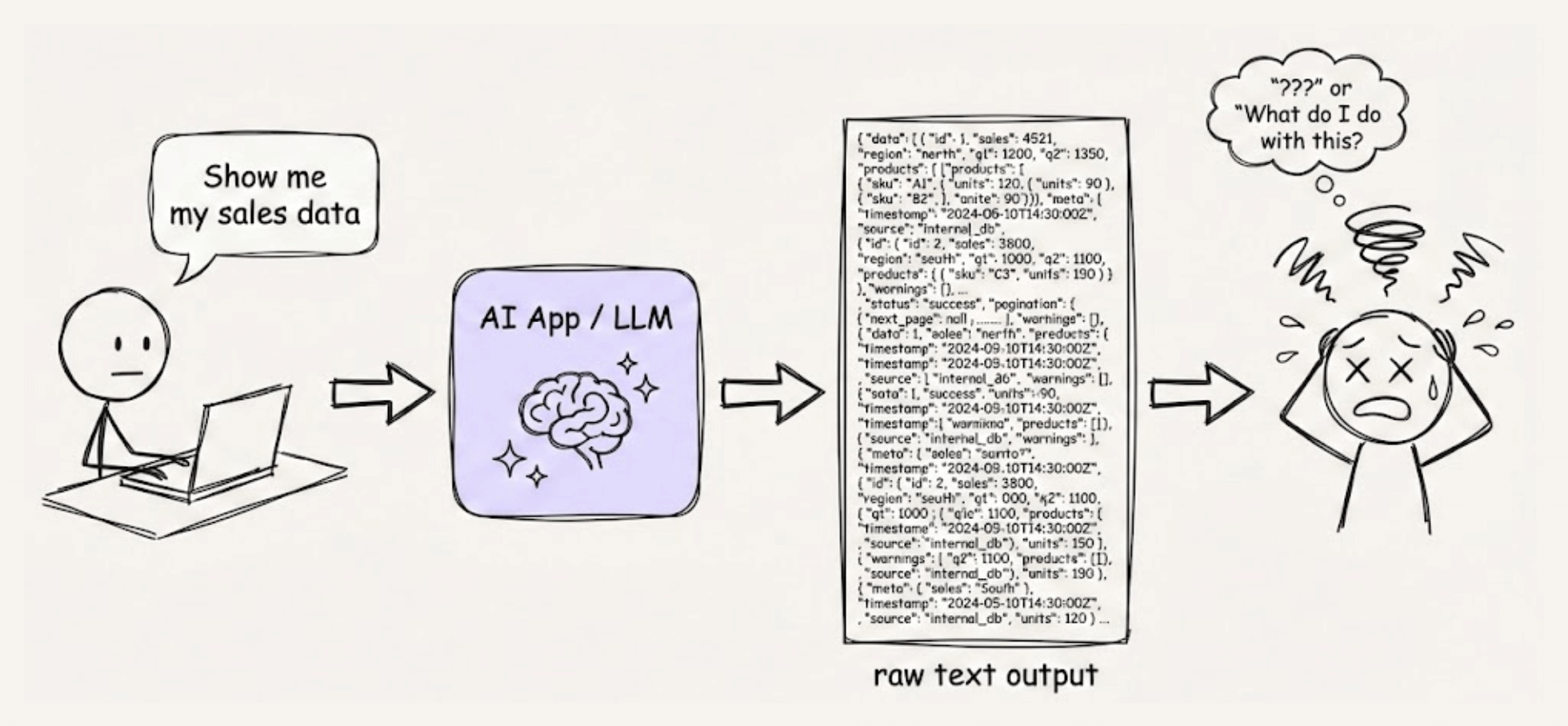
This worked for basic Q&A.
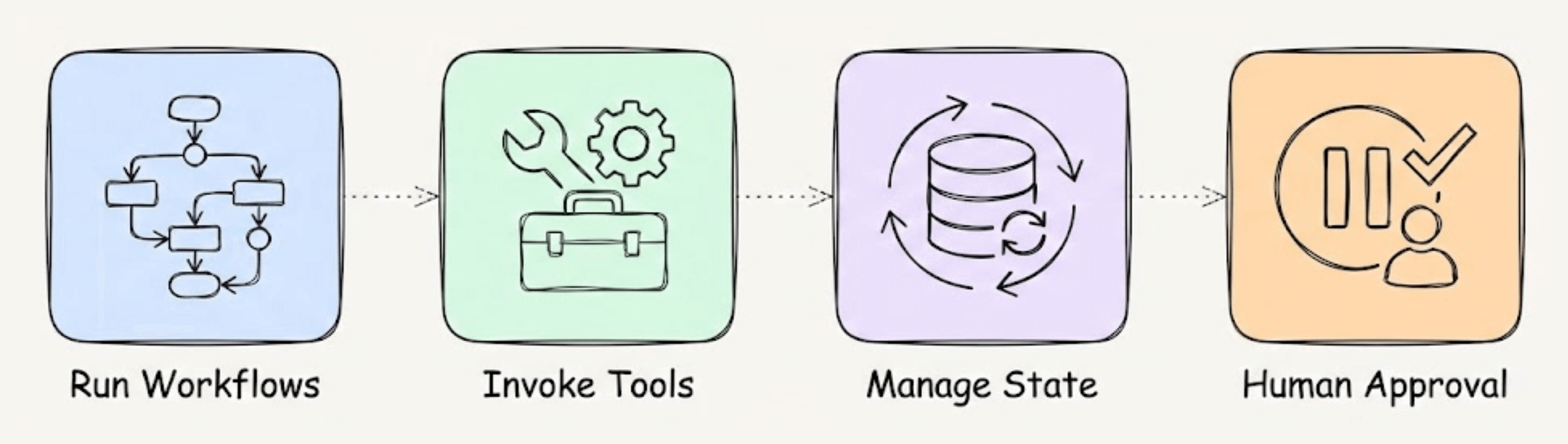
But Agents today run workflows, invoke tools, manage state, and pause for human approval. Chat wasn’t built for any of that.
The products mentioned above figured this out early. They don’t just respond with text. They let the Agent render actual UI components.
For instance, a weather tool should return a weather card, not text. A sensitive action must show a confirmation dialog and wait.
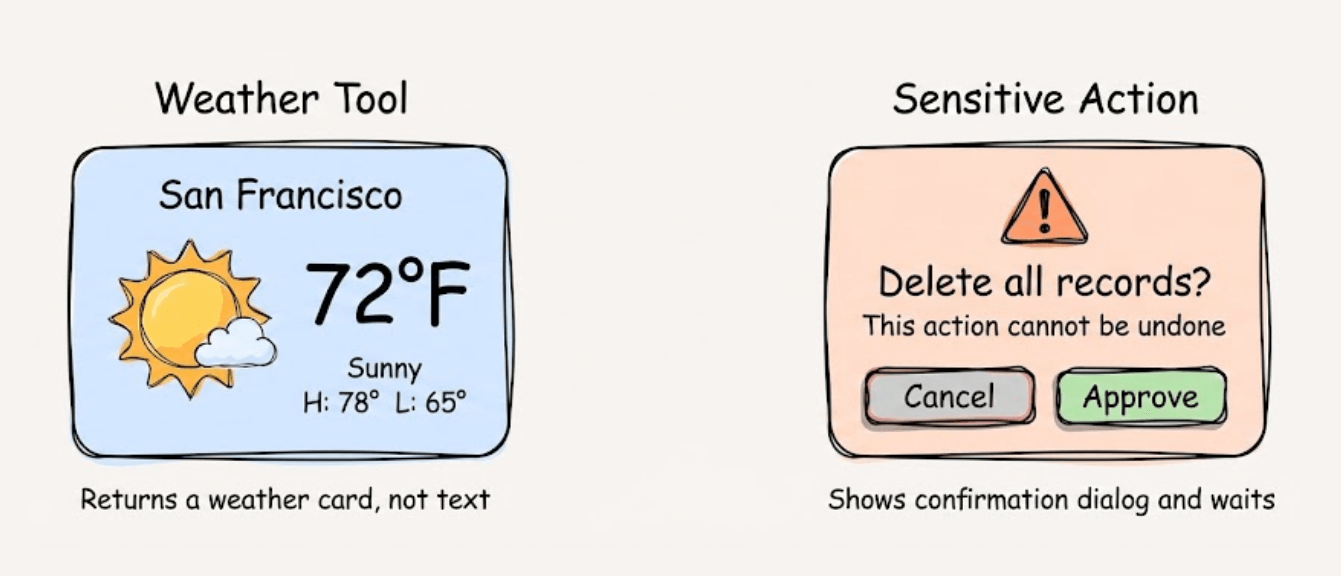
The Agent participates in the interface, not just the conversation.
To be clear, Generative UI is not LLMs generating raw HTML, not a fancier markdown chat, and not replacing your frontend with AI.
What actually happens is simpler. Developers pre-build components for common interactions like progress indicators, dialogs, data tables, and charts.
At runtime, the Agent picks the right one and fills in the data. The frontend already knows how to render it.
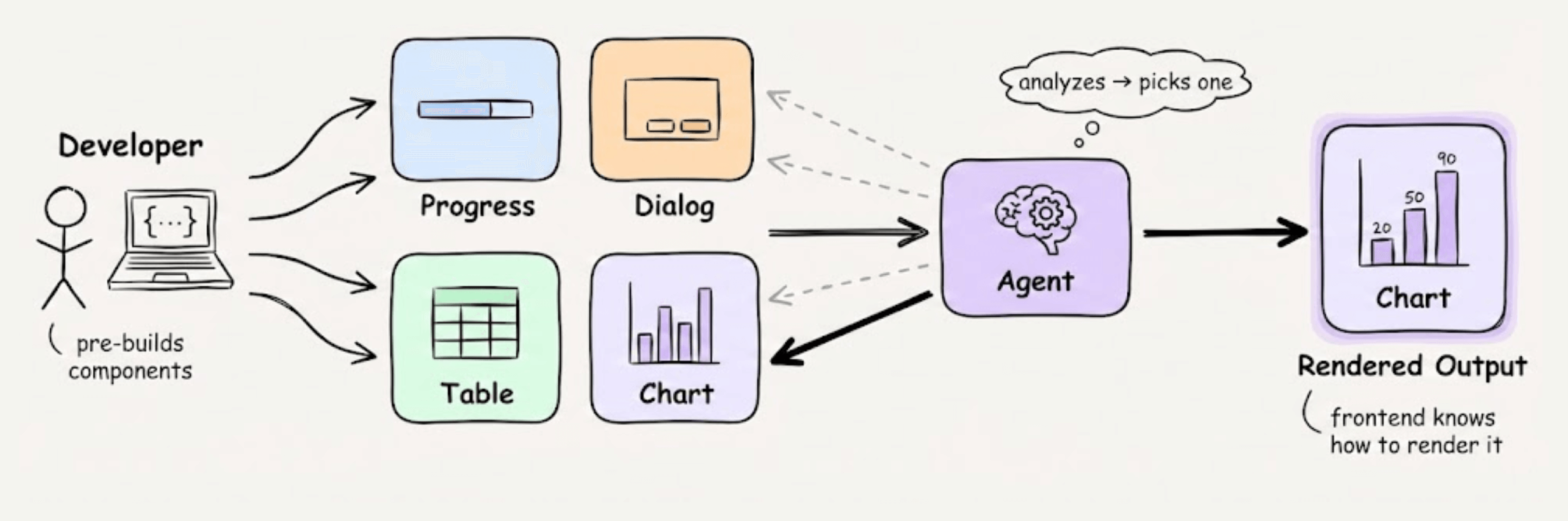
That’s how you get interactions that chat simply can’t support.
There are three flavors of Generative UI emerging right now:
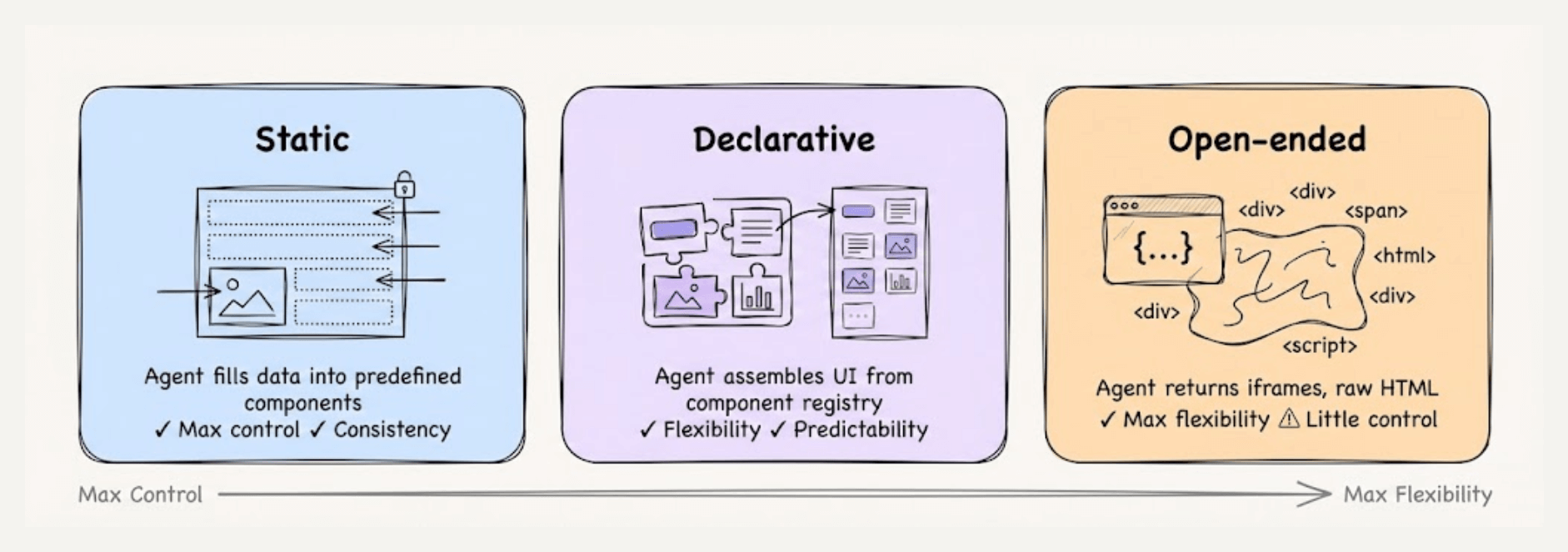
Static: Agent fills data into predefined components, giving max control and consistency.
Declarative: Agent assembles UI from a registry of components, giving flexibility and predictability.
Open-ended: The agent returns fully open-ended content, like iframes or raw HTML, giving max flexibility but little control.
But components alone aren’t enough. The Agent needs to push updates out and receive user decisions back. That requires real-time, bidirectional communication.
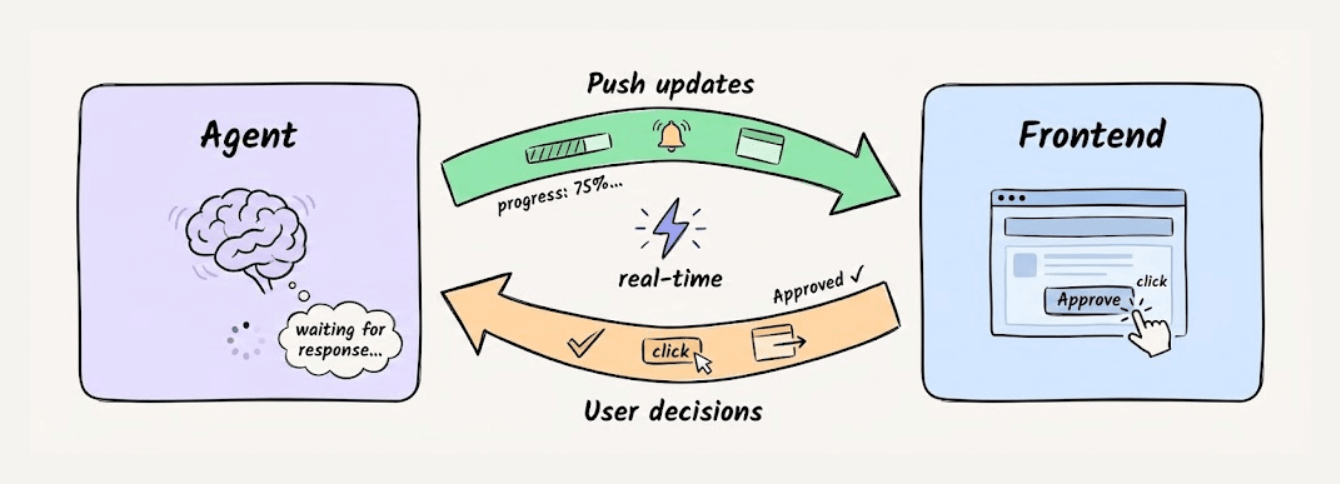
This is where specs like A2UI, AG-UI, and MCP Apps come in:
A2UI and MCP Apps define what the Agent wants to render.
AG-UI handles the real-time sync between Agent and the frontend.
Your app controls how everything looks and behaves.
Keeping these layers separate is what makes it practical since you can swap Agent frameworks without touching UI and update components without rewriting Agent logic.
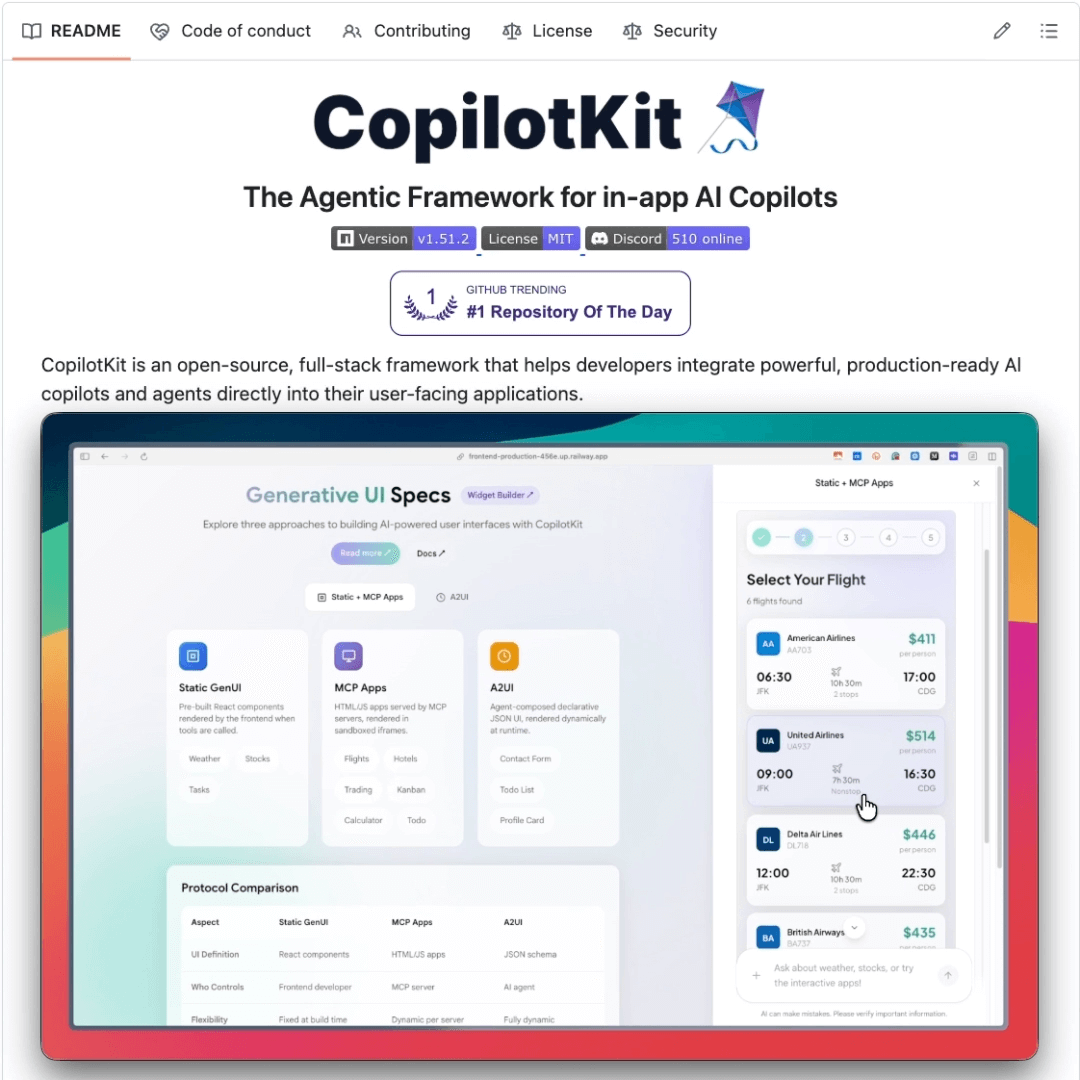
That’s a lot to build from scratch, but CopilotKit has already open-sourced this entire stack for React.
It has first-party integrations with LangGraph, CrewAI, Mastra, and most major Agent frameworks.
It supports AG-UI, A2UI, and MCP Apps out of the box. So instead of writing custom glue code for each protocol, you get a unified interface that you can bring into your app with a few lines of code.
I think this is exactly where AI apps are heading. Agents have outgrown chat, and the interfaces need to catch up.
CopilotKit is also doing a Generative UI Resources week with deeper technical content that’s worth following.
You can find a demo playground here if you want to try it yourself →
We’ll cover this in a more hands-on demo soon!
Thanks for reading!