

A voice agent you can keep talking to
A good voice sample lasts a few seconds. A useful voice agent has to carry that voice through follow-up questions and interruptions.
Deepgram’s Flux TTS keeps context from its earlier replies within the same streaming session.
The LLM tracks the conversation; Flux TTS carries the pacing and delivery of what the agent has already said. Deepgram reports that speech begins streaming in as low as 80 ms.
We recorded a conversation with its car dealership agent about hybrid and electric cars, then kept asking follow-up questions. The video lets you hear the voice across the exchange.
You can try Flux TTS yourself here → https://fandf.co/4r7TBnF
Thanks to Deepgram for partnering today!
Run any agent harness under one interface
When an agent product integrates one harness directly, its backend starts depending on that harness’s task format, event stream, session model, and filesystem behavior.
Unlike model routing, adding another harness is not a config/parameter change because it adds another runtime that plans work, calls tools, manages files, and decides when a task is complete.
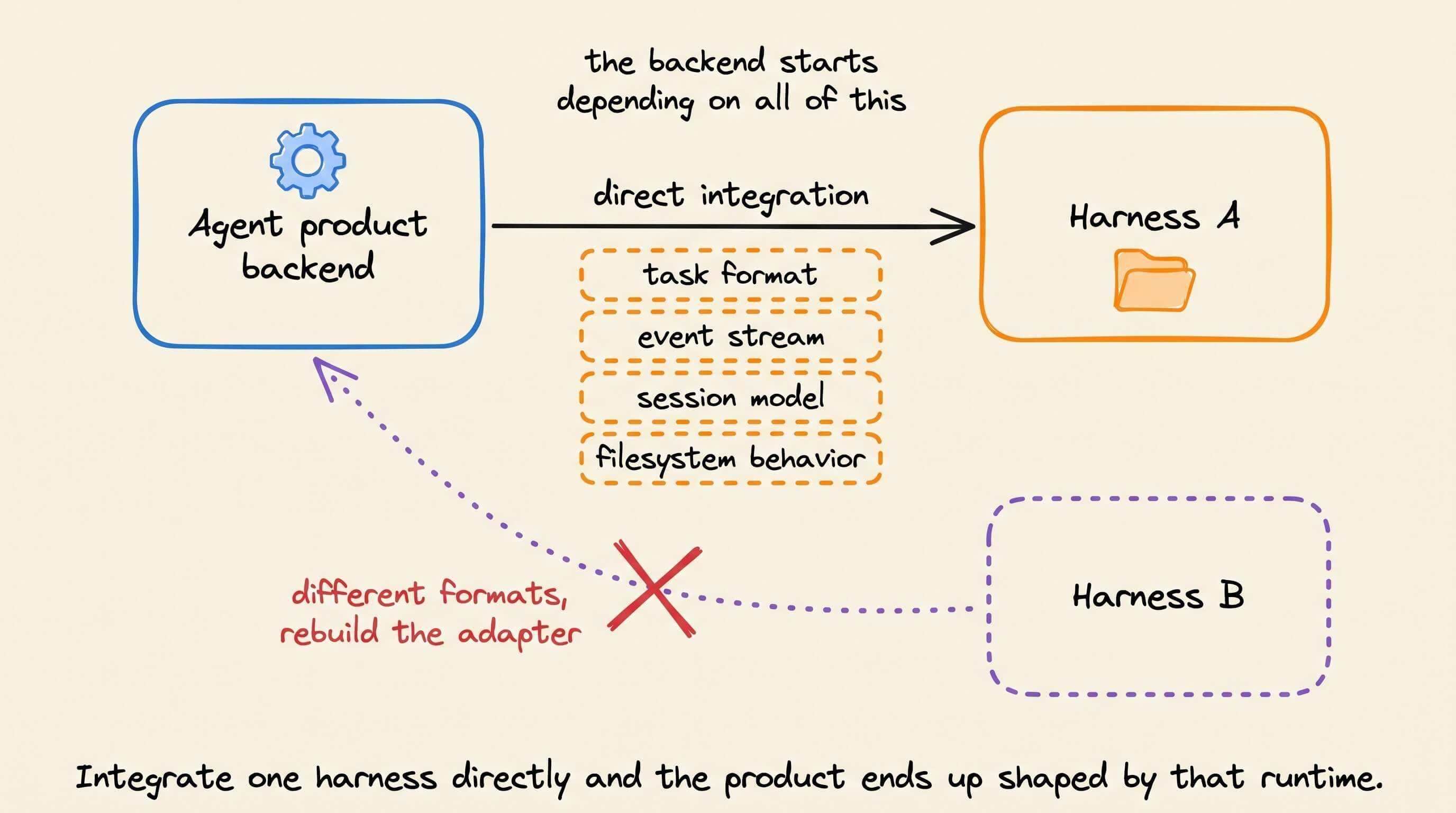
And supporting more than one runtime is critical since harnesses are built differently.
The right choice can depend on the task, required tools, provider access, available models, cost, latency, or usage limits. Like models, a product should be able to add or replace a harness without rebuilding the feature around it.
Model routing does not solve that problem. It chooses which model handles an inference request, while the same agent loop remains in place. Harness routing chooses the agent runtime that owns the complete task.
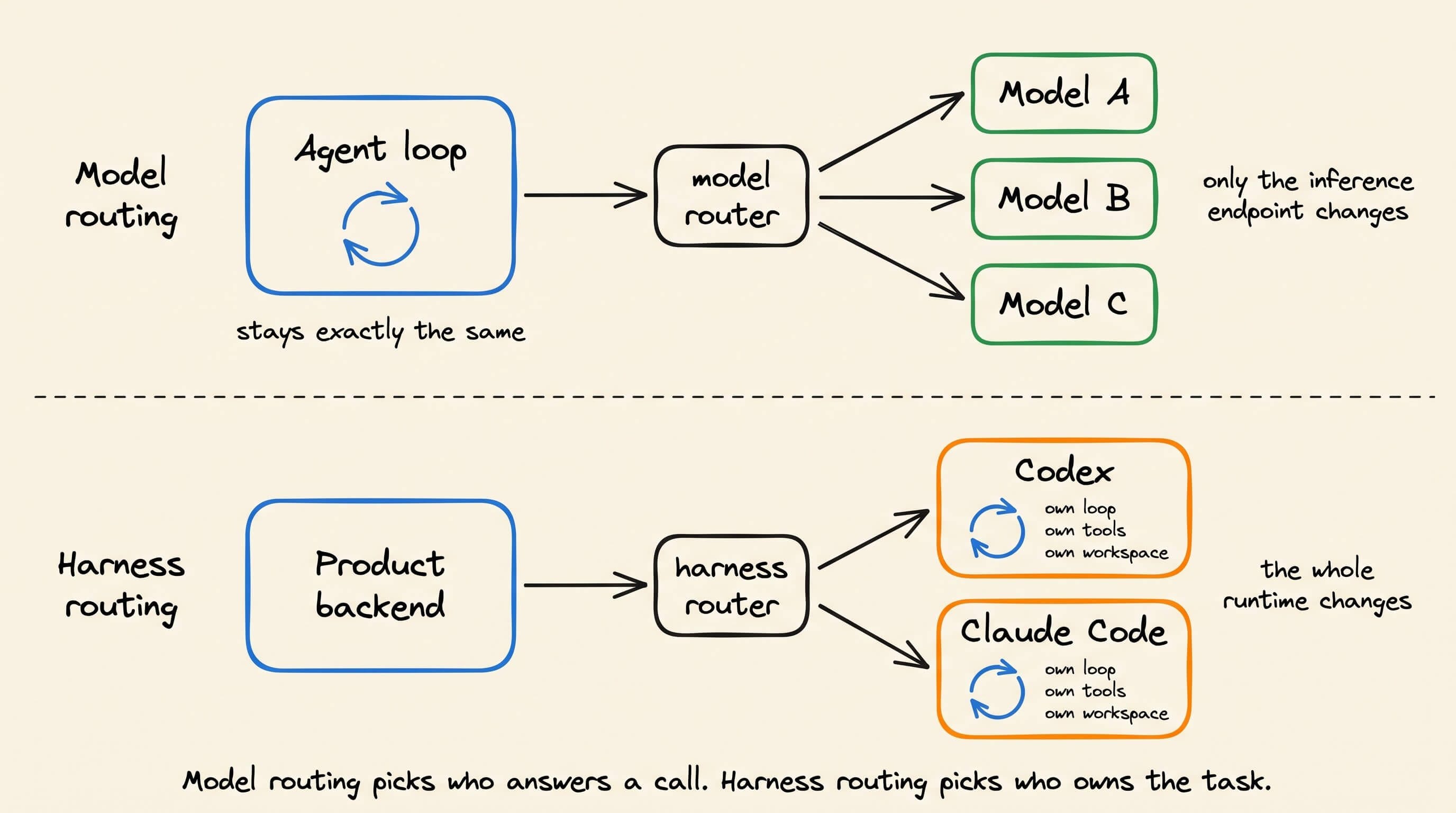
Today, let’s talk about the engineering behind that second form of routing. We will understand why products may need different harnesses, what must be standardized across them, and how the Unified Harness Protocol defines that contract.
We will then use HarnessRouter, an open-source UHP implementation, to run the same workflow through Codex and Claude Code.
Why a product may need another harness
Harnesses make different choices about tool execution, context management, permissions, skills, and supported models. The same harness may not provide the right tools or model support for every product feature.
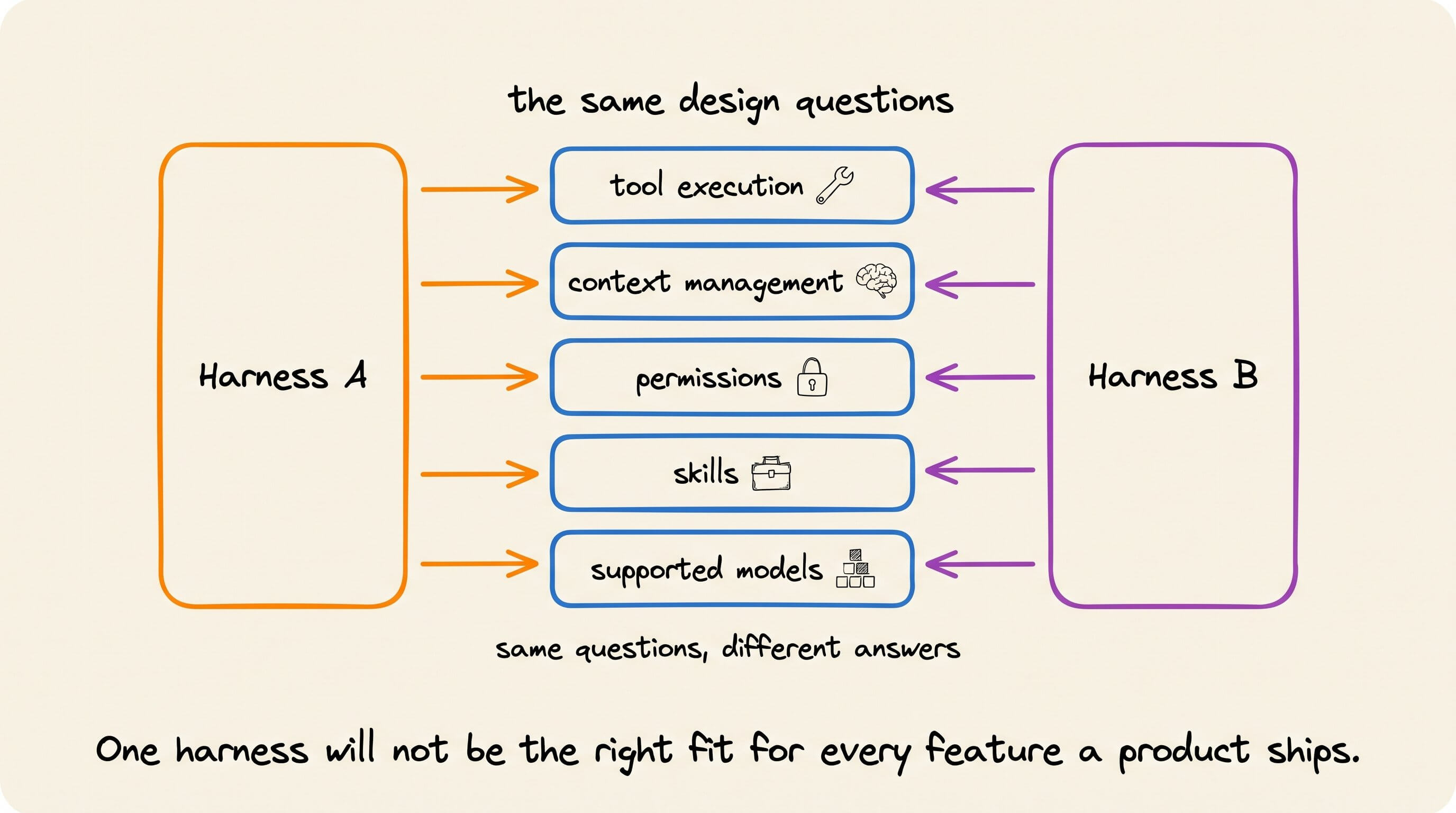
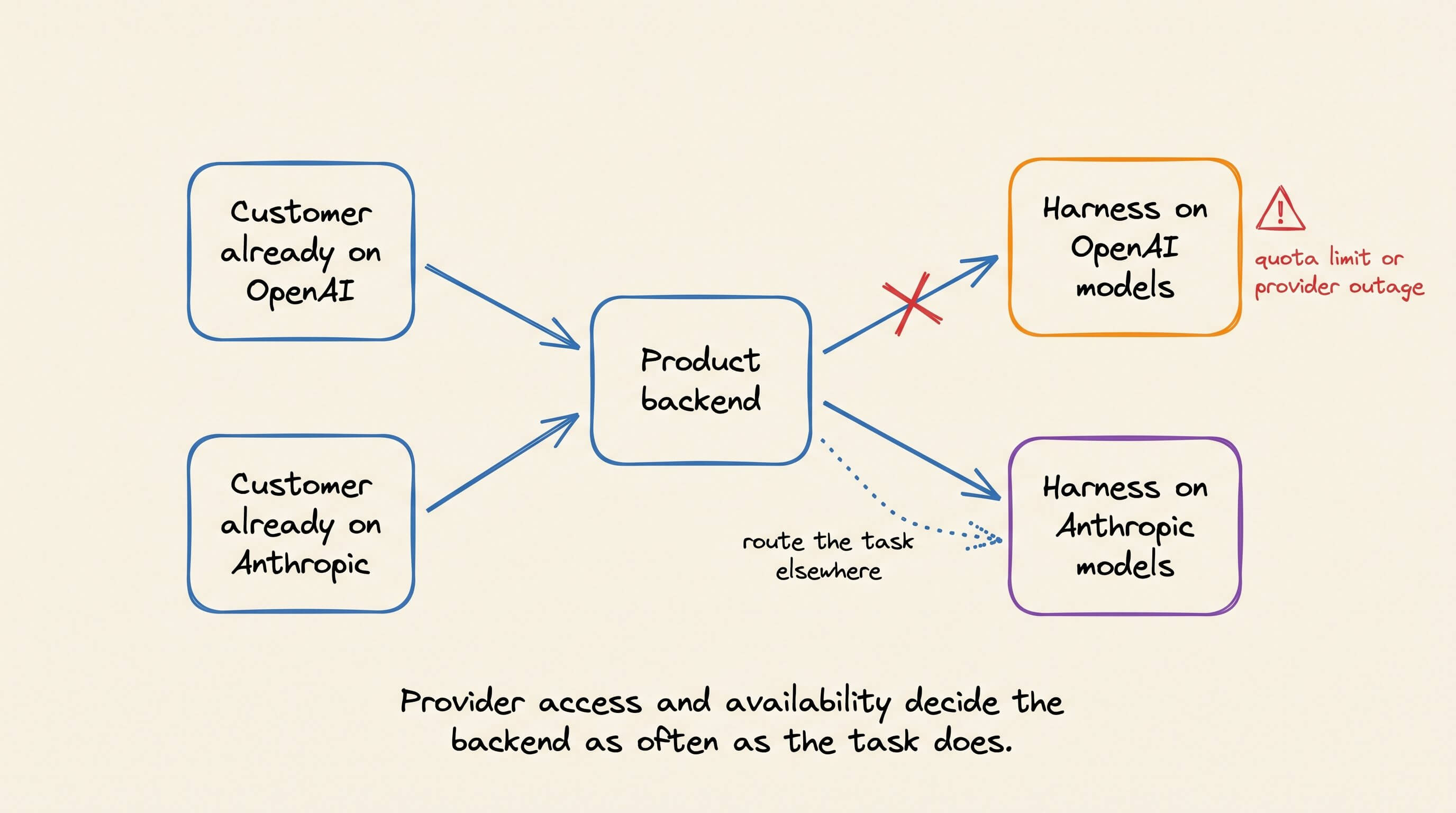
A product may also serve customers with different provider access. One customer may already use OpenAI models, while another is set up around Anthropic. A quota or provider outage can also make one backend unavailable.
Evaluation is another reason. Running the same task through two harnesses makes their cost, latency, tool use, and output easier to compare. The comparison is difficult when each backend requires different task and event code.
The goal is not to switch harnesses during every session but rather to keep the product from depending on one runtime.
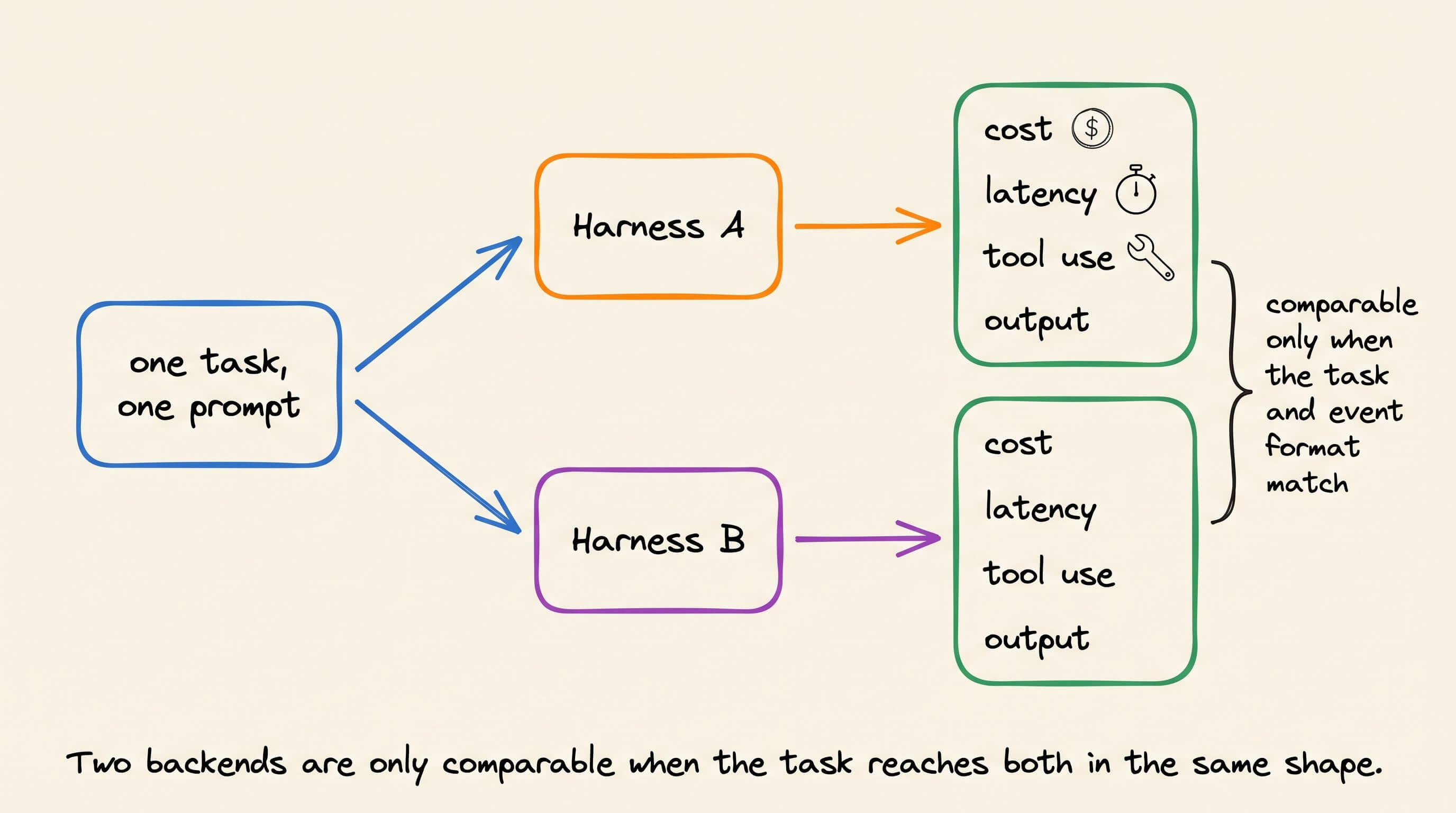
A team can select a harness per feature, offer a supported choice to customers, or replace a backend without changing the product workflow.
A model call does not run the whole task
A model API accepts input and returns generated output. The application still runs requested tools, starts follow-up model calls, and manages files, permissions, retries, and task state.
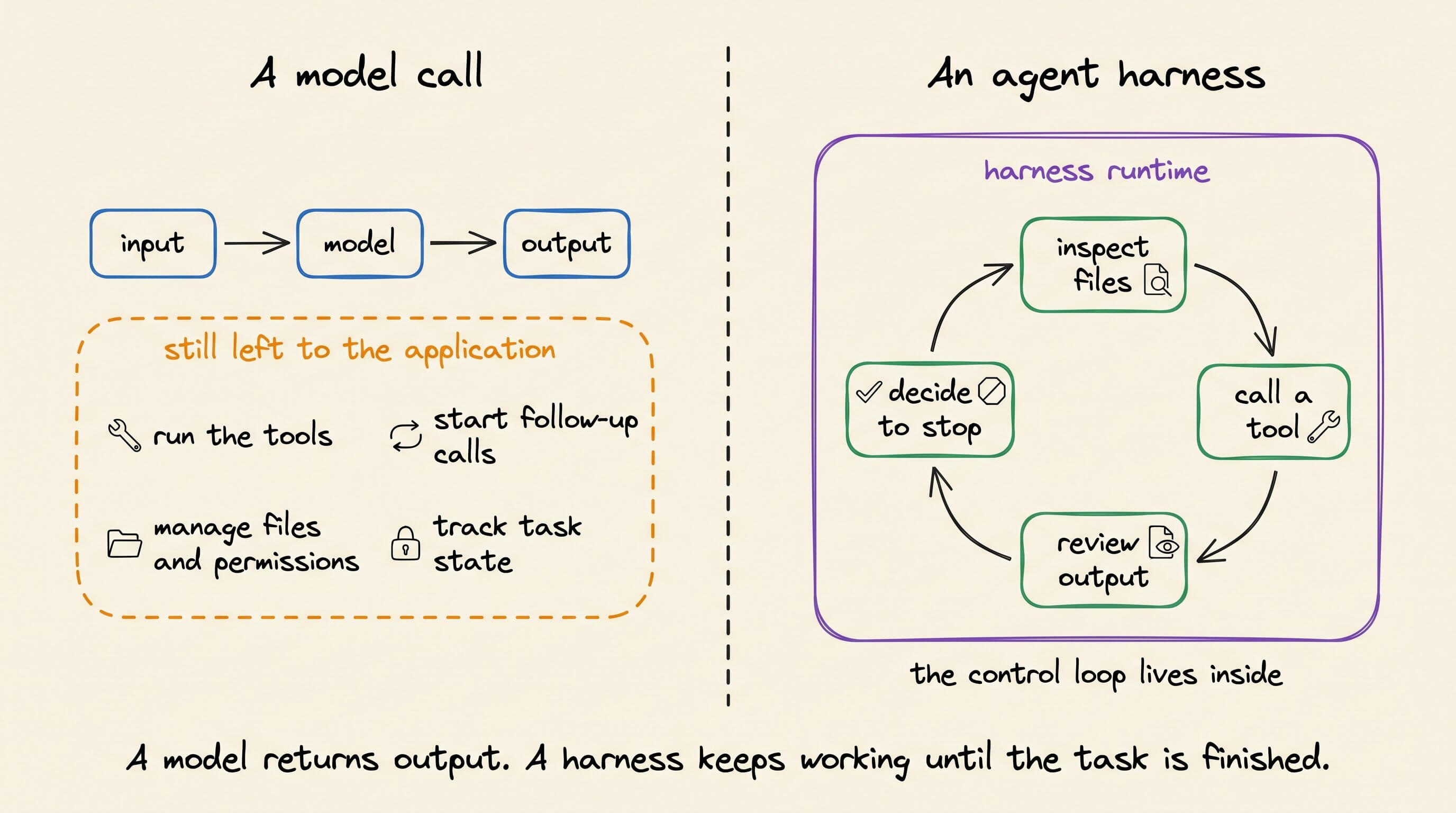
An agent harness includes this control loop. It can inspect files, call tools, edit a project, run commands, review the output, and decide when to stop.
Codex and Claude Code can use similar models and still behave differently. Their instructions, tools, context handling, permissions, and completion rules affect the run.
Model routing vs. harness routing
Model routing happens inside the inference layer. It chooses an endpoint based on price, latency, context length, availability, or measured quality. The application or harness still owns the agent loop.
Harness routing selects the runtime that owns the task. That choice can change the tools, skills, workspace, permissions, and event stream.
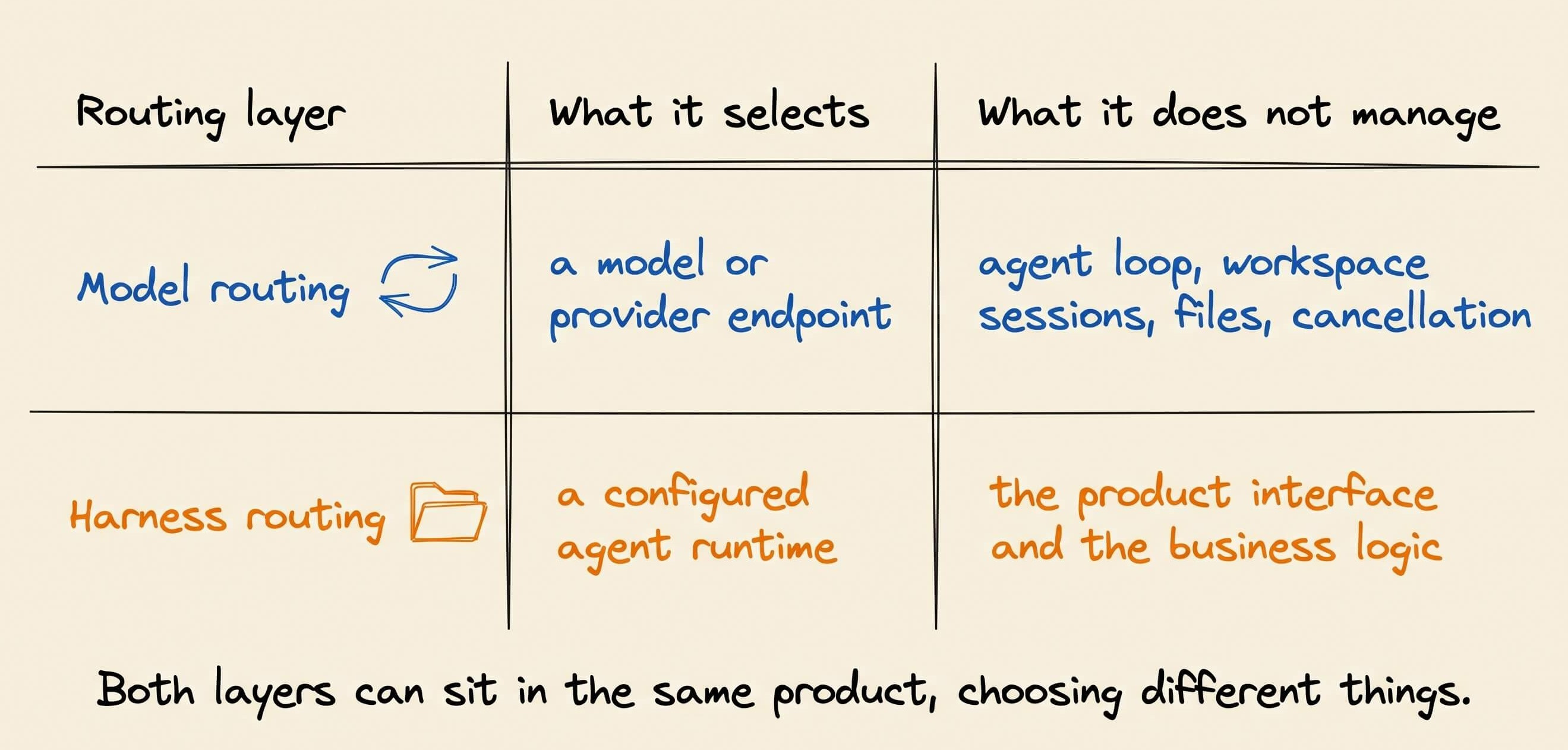
A product may use both routing layers. In UHP, model chooses the model, while metadata.harness_id chooses the configured harness.
What the product must handle for each harness
The first integration often starts as a small adapter that launches a process and reads its output. A product UI also needs live progress, session continuity, file uploads, download links, and access rules.
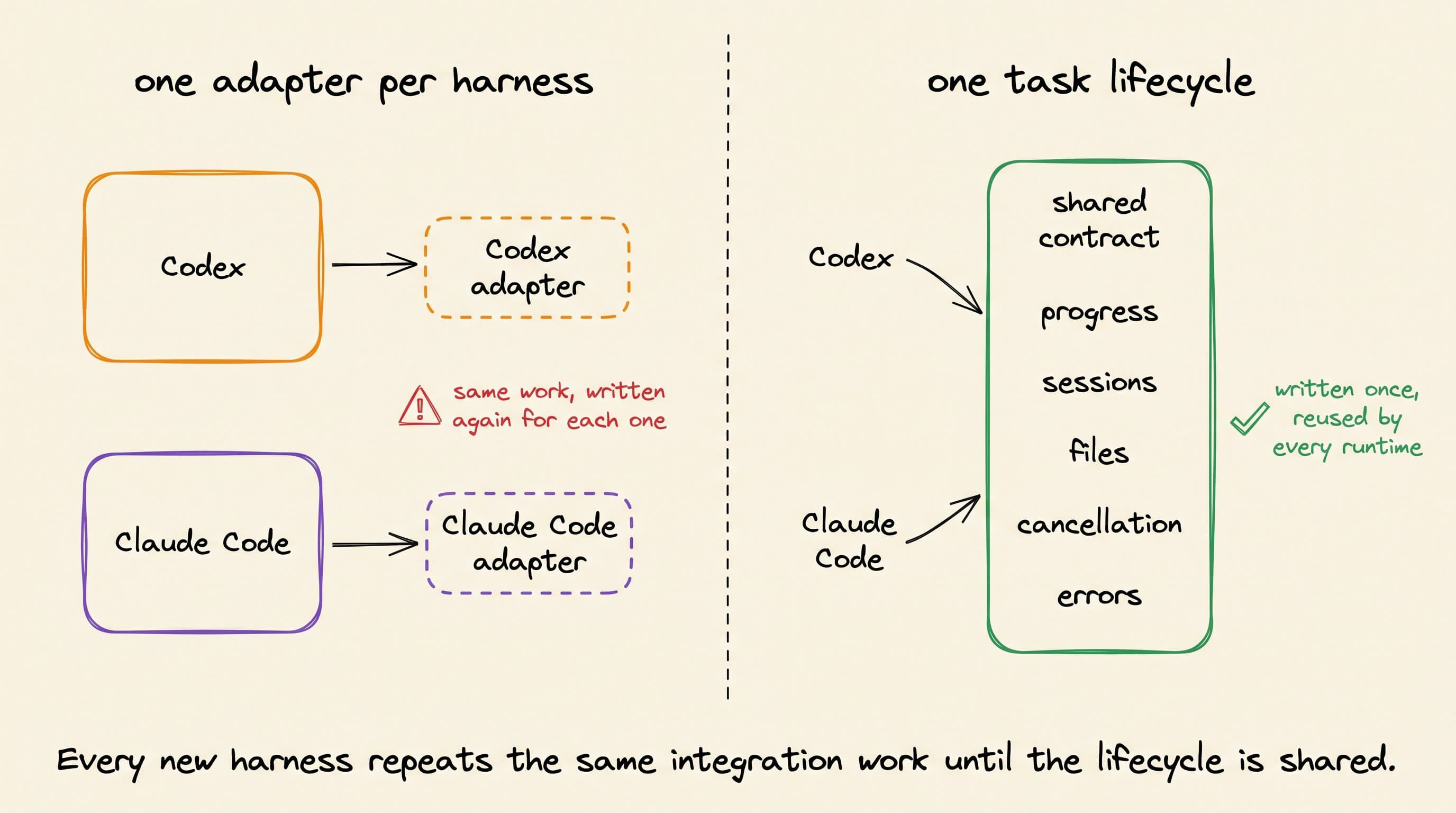
Cancellation needs a defined path because local processes, remote jobs, and sessions stop differently. Errors also need enough structure to separate provider failures, permission denials, time limits, missing files, and cancelled tasks.
Adding Claude Code beside Codex means building and maintaining these mappings again. The product needs one task lifecycle that both integrations can follow.
The task lifecycle defined by UHP
The Unified Harness Protocol defines the HTTP contract between an application and a harness server. It covers task creation, progress, sessions, files, cancellation, and errors without defining how the harness plans.
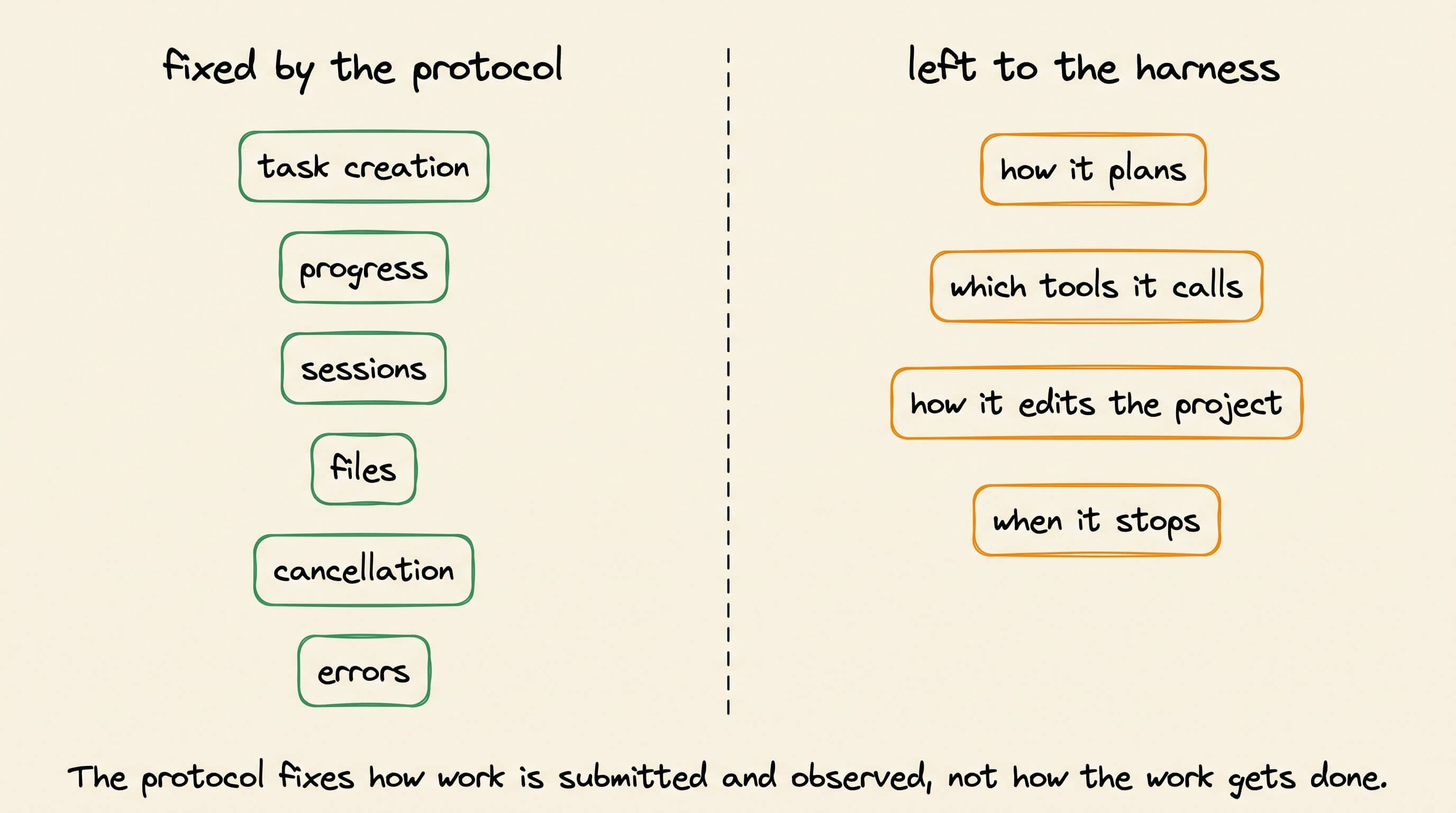
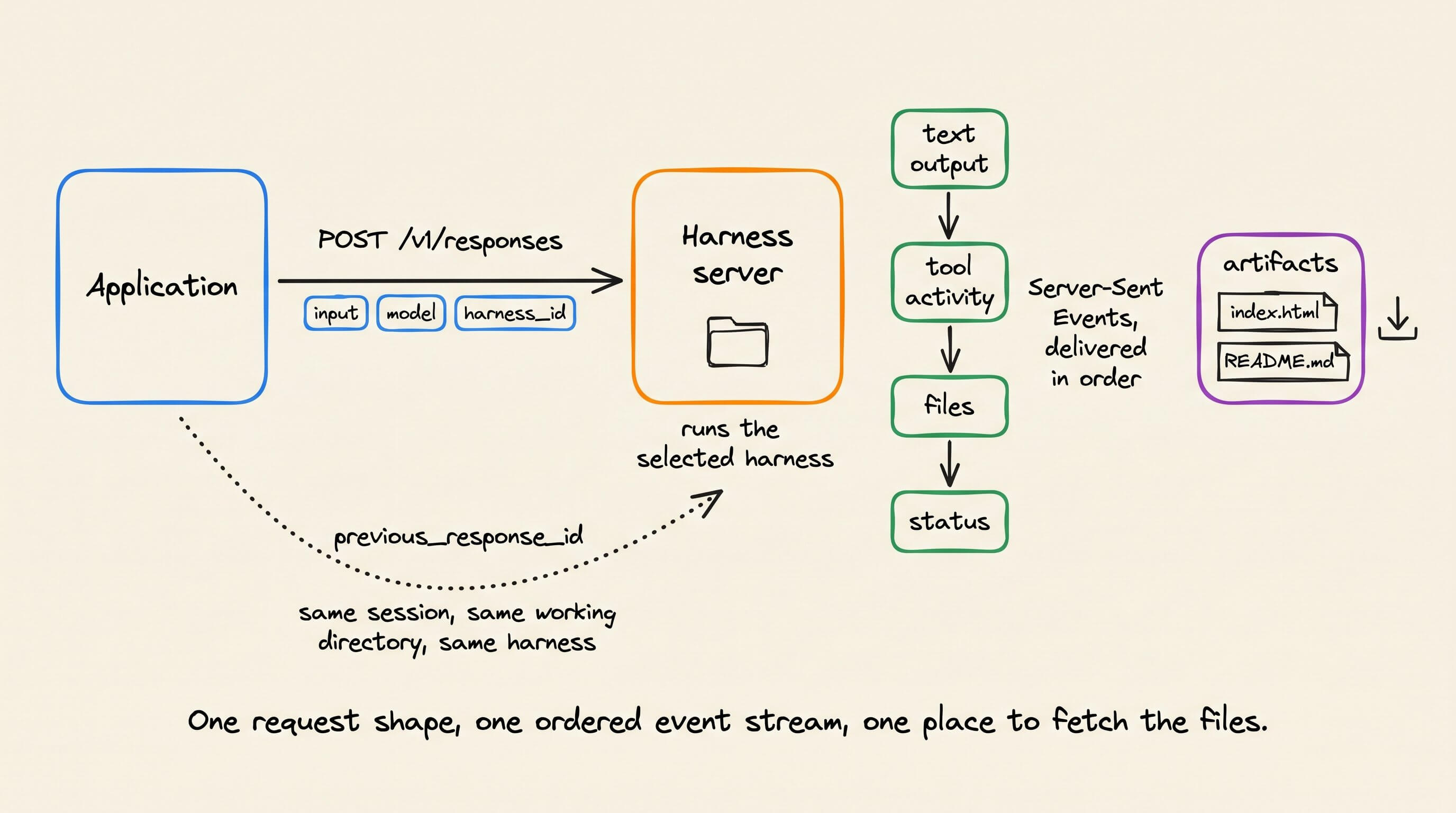
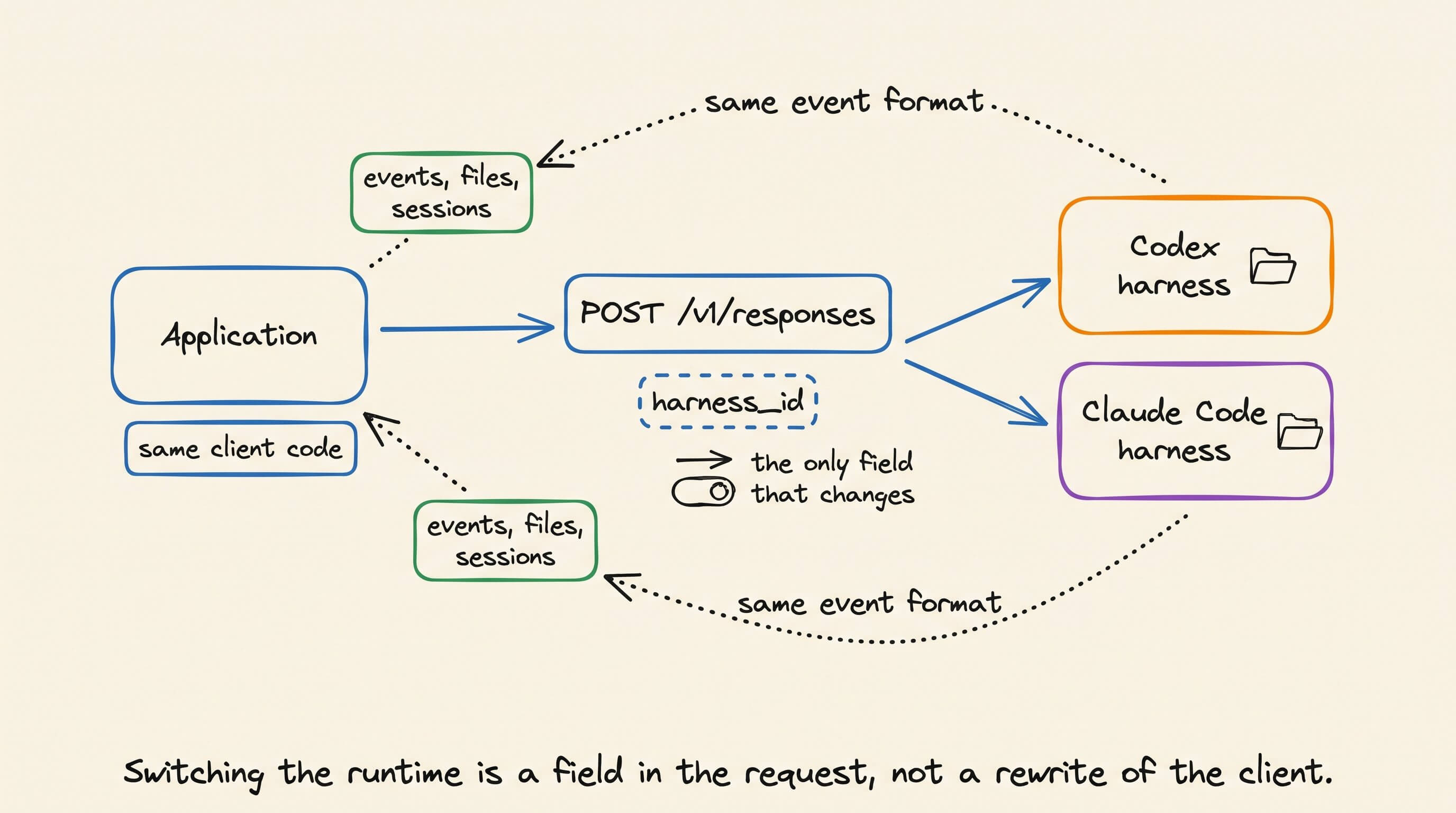
UHP uses an API shaped like the OpenAI Responses API. A client starts work through POST /v1/responses. The request includes the task input, model, configured Harness ID, and optional execution limits.
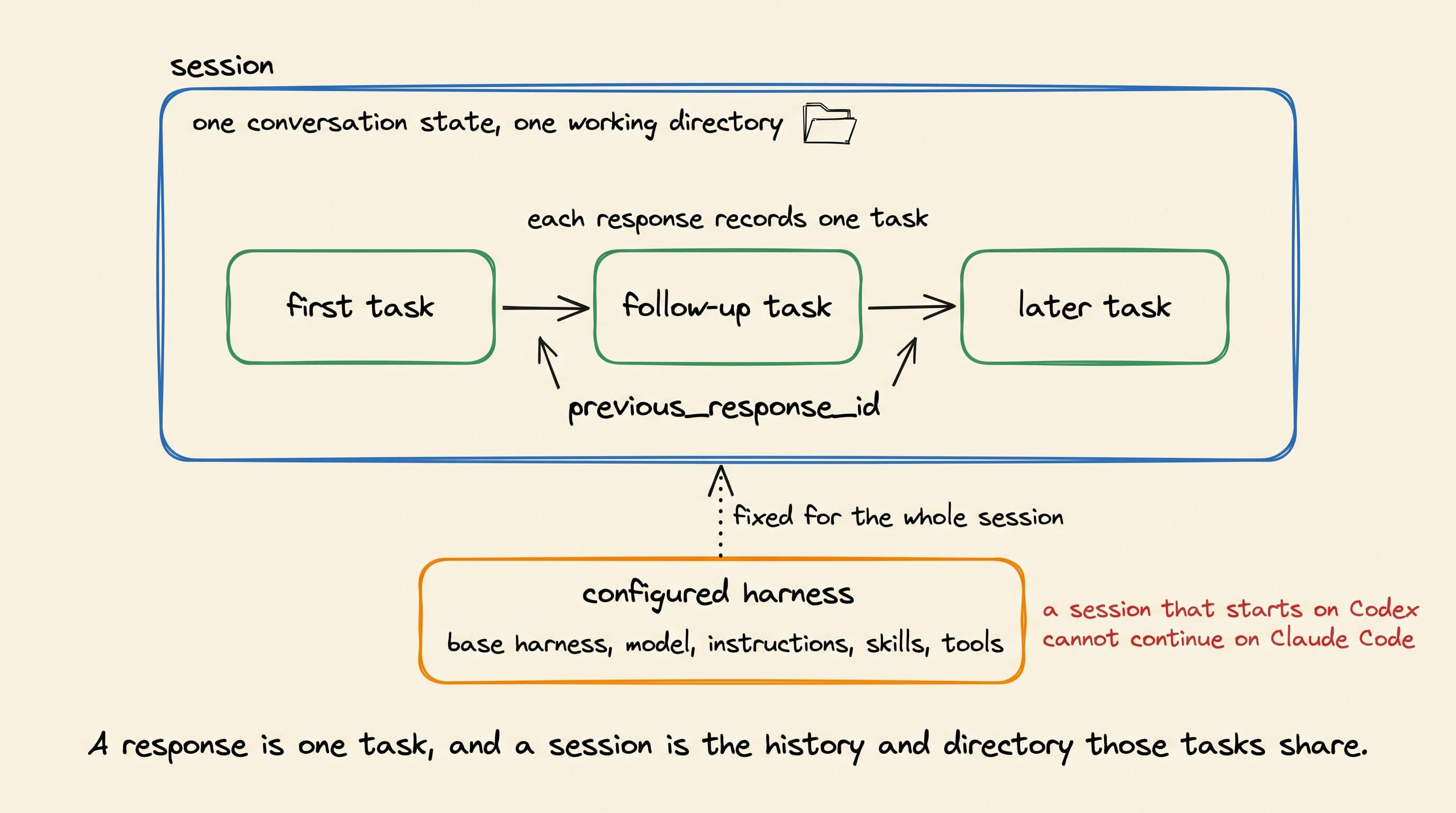
A response records one task. A session groups related responses that share conversation state and a working directory. A configured harness combines a base harness with its model, instructions, skills, tools, MCP servers, and limits.
Live tasks use Server-Sent Events, or SSE. Each event has a type and sequence number, so the client can process the stream in order.
The events report text output, tool activity, files, and task status. The application displays them without searching raw terminal lines for each event.
UHP accepts small files in the request and larger files through uploads. Generated files become artifacts that the application can list and download. The files specification defines those operations.
Follow-up tasks use previous_response_id. The server continues the same session with its conversation, working directory, files, and configured harness.
You can still hand off work to another harness. If Codex starts a task and you want Claude Code to take over, start a new session with Claude Code and pass it the relevant context, such as a summary of the work so far, the next instructions, and any files it needs. Think of it as handing a task to another developer: the work can continue, but Claude Code is not resuming Codex’s session.
For comparison, the application starts two sessions and gives both the same PDF and prompt. Each harness receives clear input instead of hidden state created by another runtime. The session specification documents this rule.
The current UHP version is 2026-09-12. The project publishes the written specification, OpenAPI 3.1 schema, JSON Schema definitions, and runnable conformance checks.
How HarnessRouter runs a task
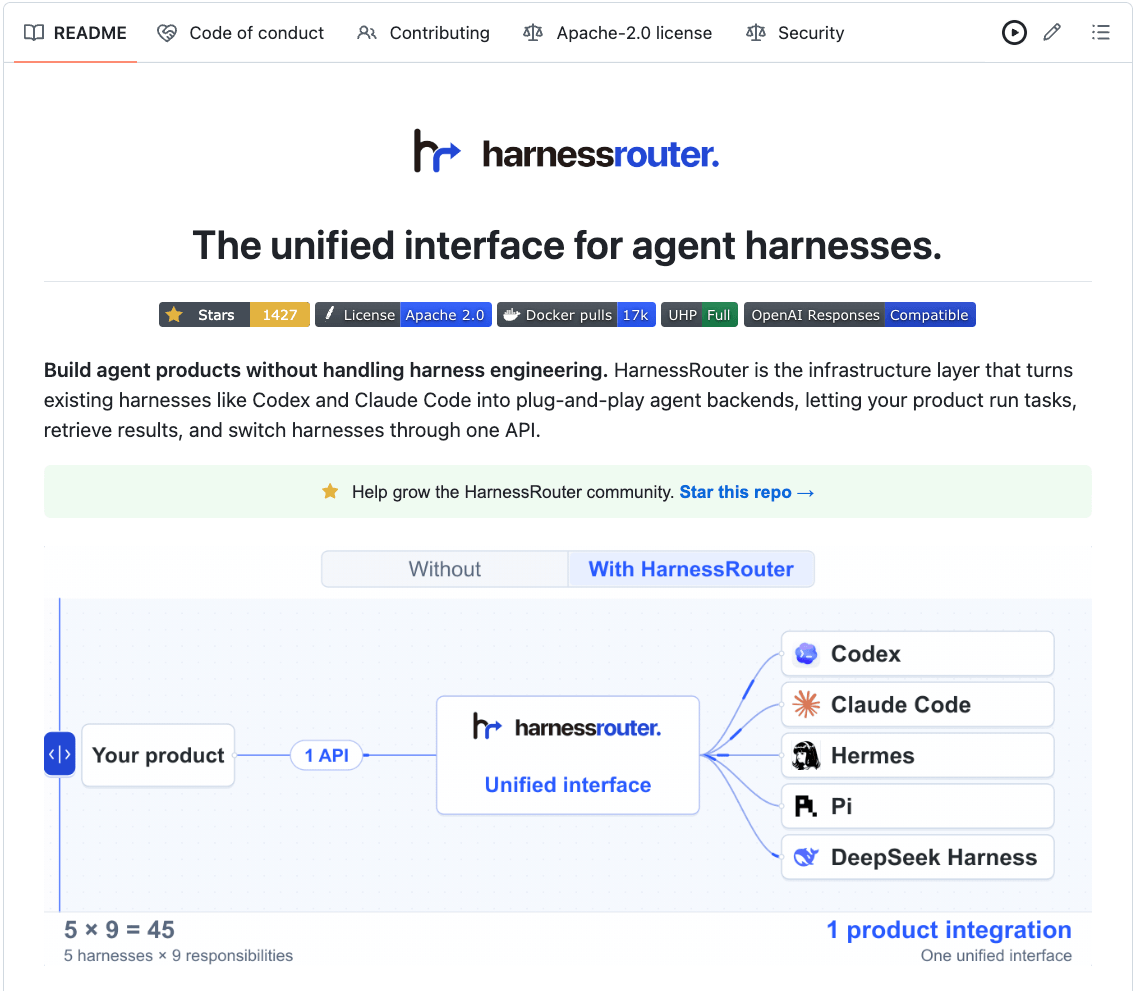
HarnessRouter (GitHub Repo) is a self-hosted UHP server. It receives a UHP request, reads the Harness ID, and starts the selected runtime. As the harness works, HarnessRouter records its output as UHP events, responses, sessions, files, and errors.
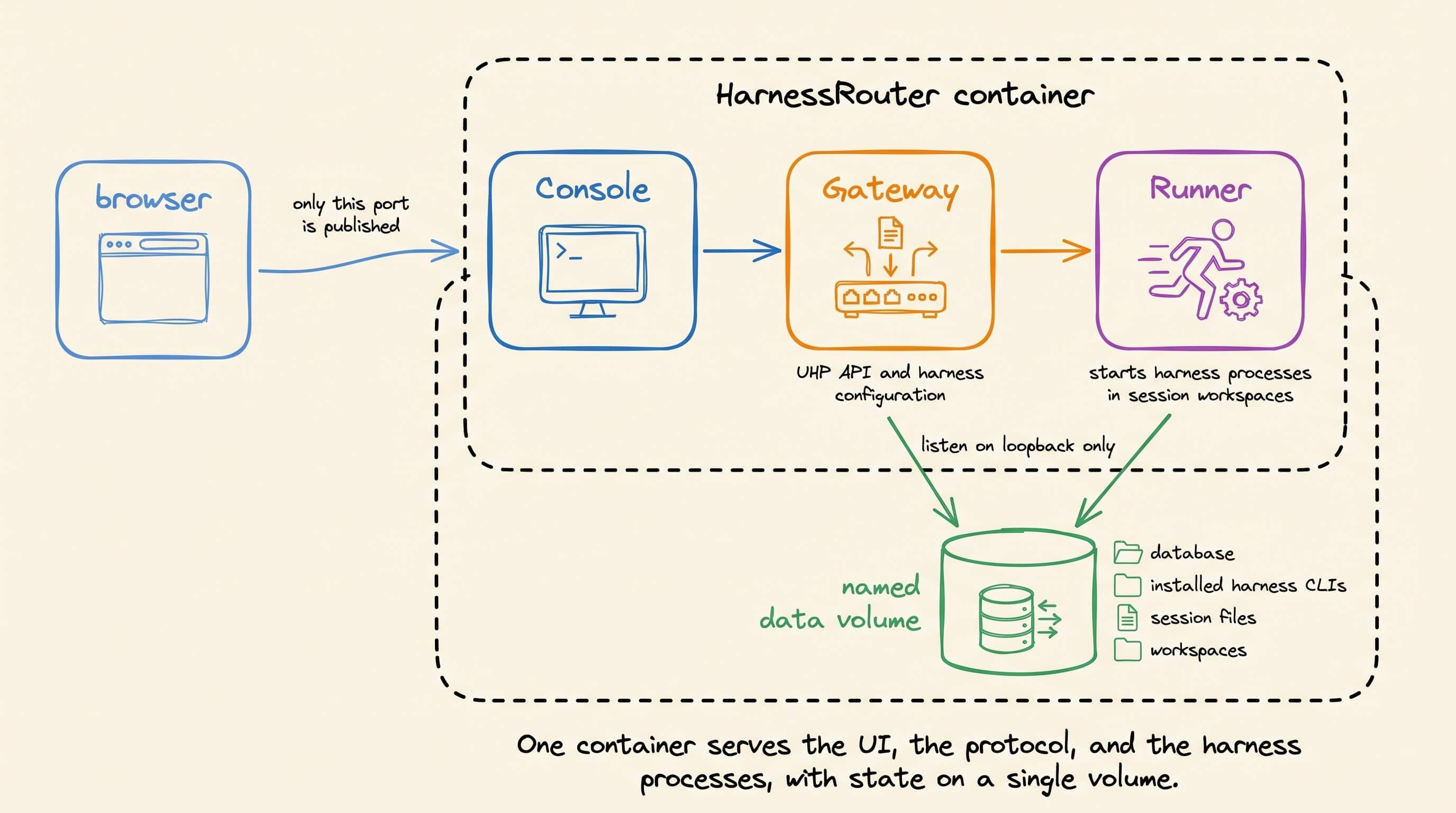
The Docker image contains three services.
The Console provides the browser UI. The Gateway handles the UHP API and harness configuration. The Runner starts harness processes inside session workspaces.
A named /data volume stores the database, installed harness CLIs, provider integrations, session files, and workspaces. Only the Console port is published. The Gateway and Runner listen on loopback inside the container.
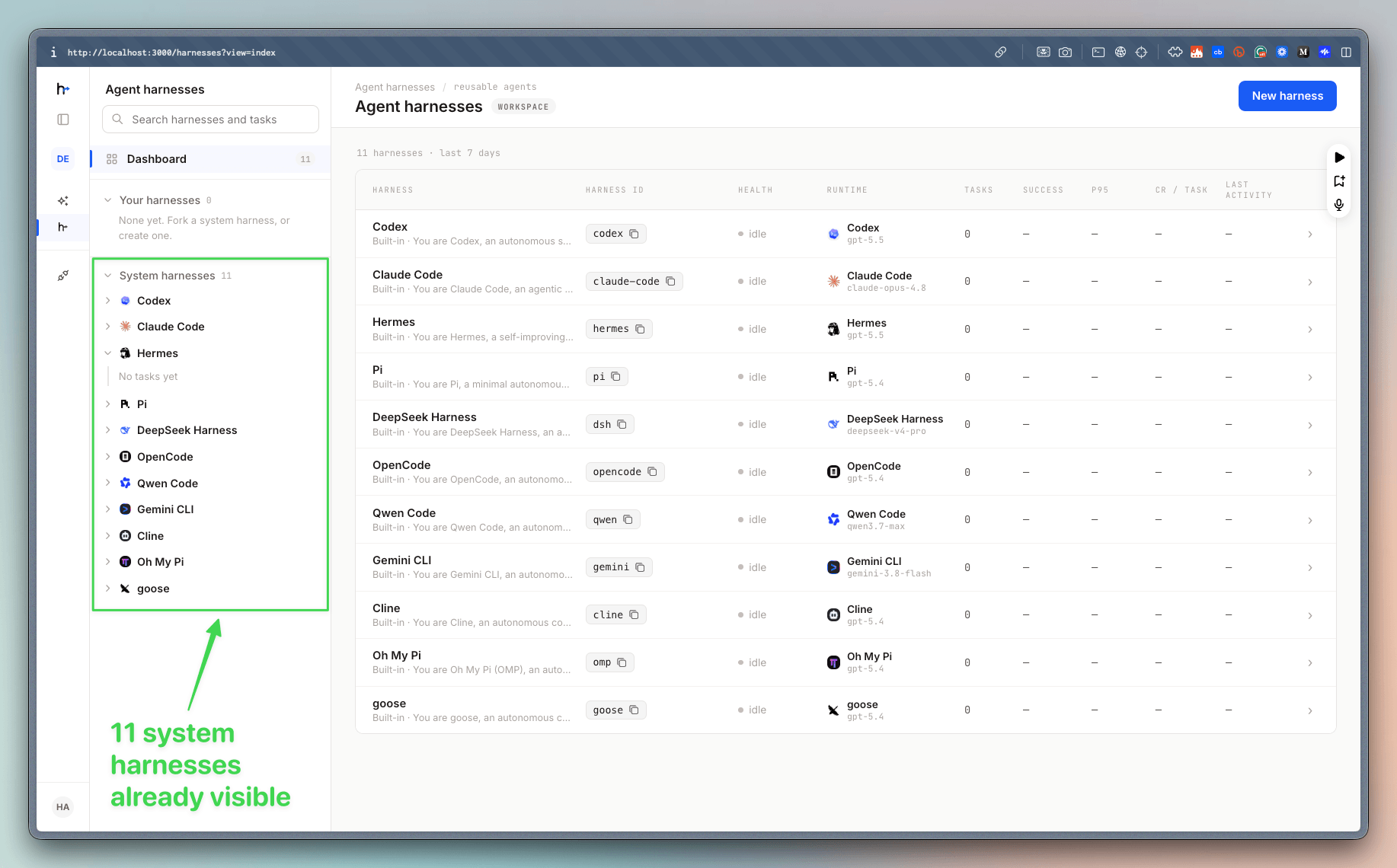
The self-hosting guide lists Codex, Claude Code, Hermes, DeepSeek Harness, Gemini CLI, OpenCode, Qwen Code, Cline, Goose, and other backends.
A built-in harness can run without a custom configuration. A custom harness starts with one base harness and adds a default model, instructions, tools, skills, and optional MCP servers. HarnessRouter gives the saved configuration a Harness ID.
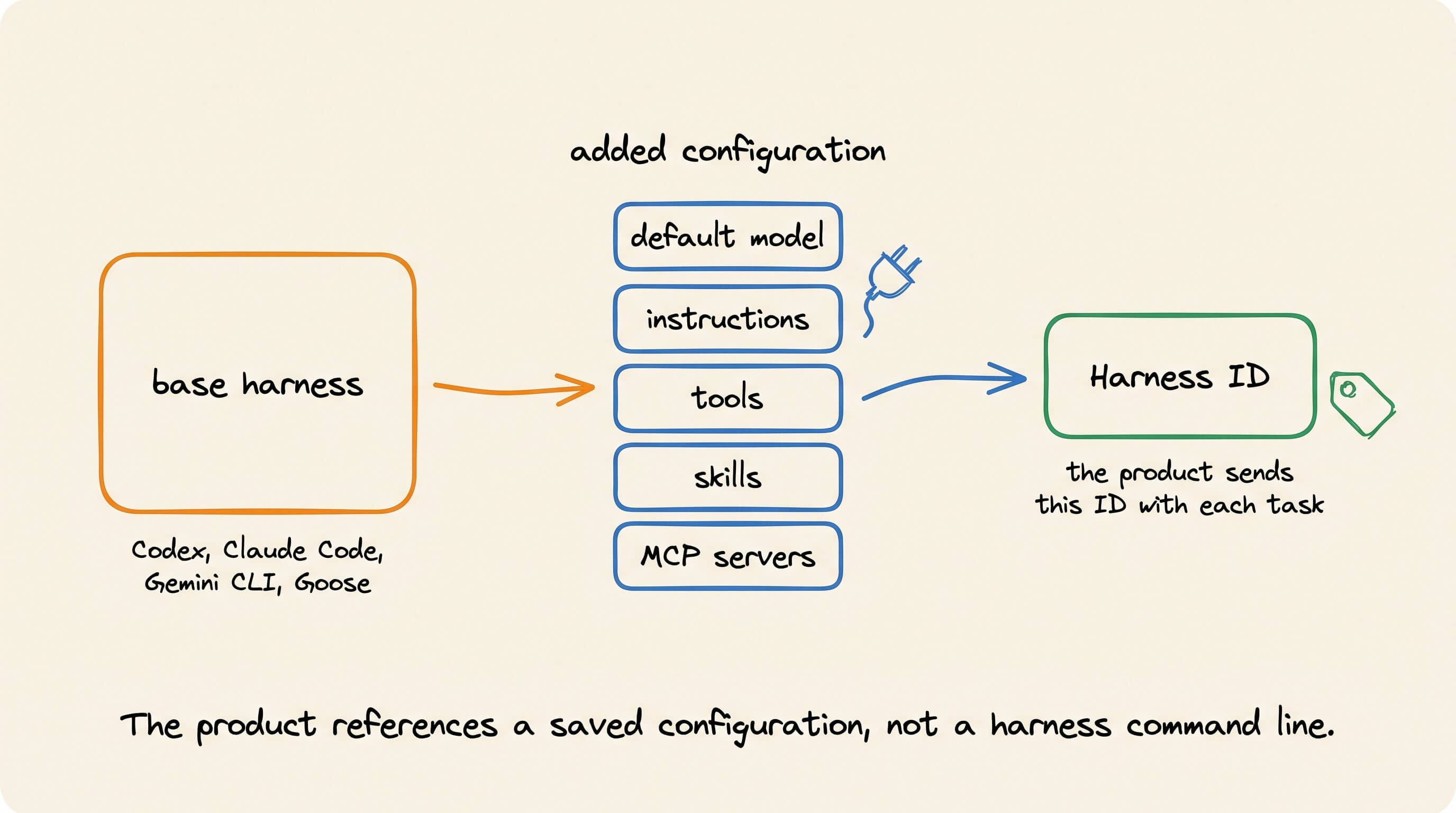
The product sends this ID with each new task. It does not need to launch the harness CLI or parse the harness output itself.
Running HarnessRouter locally
Community Edition requires Docker, about 4 GB of disk, and an API key for a supported model provider.
Start the container.
docker run -d --name harnessrouter \
  -p 127.0.0.1:3000:3000 \
  -v harnessrouter:/data \
  harnessrouter/harnessrouter
The 127.0.0.1 binding keeps the Console on the local machine. The named volume preserves its data across container restarts.
Follow the startup logs.
docker logs -f harnessrouterThe first run installs the enabled harness CLIs:
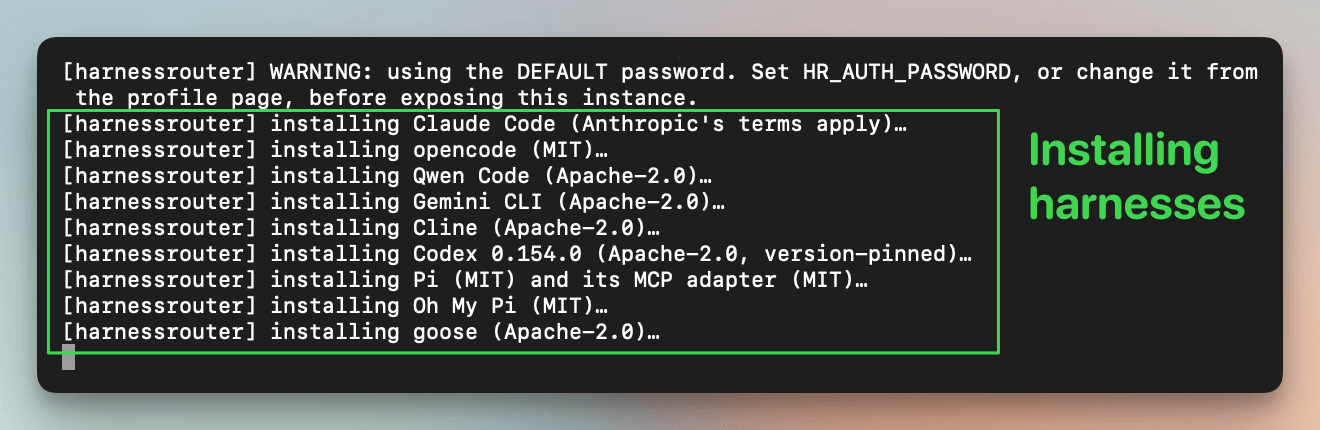
Wait for this message:
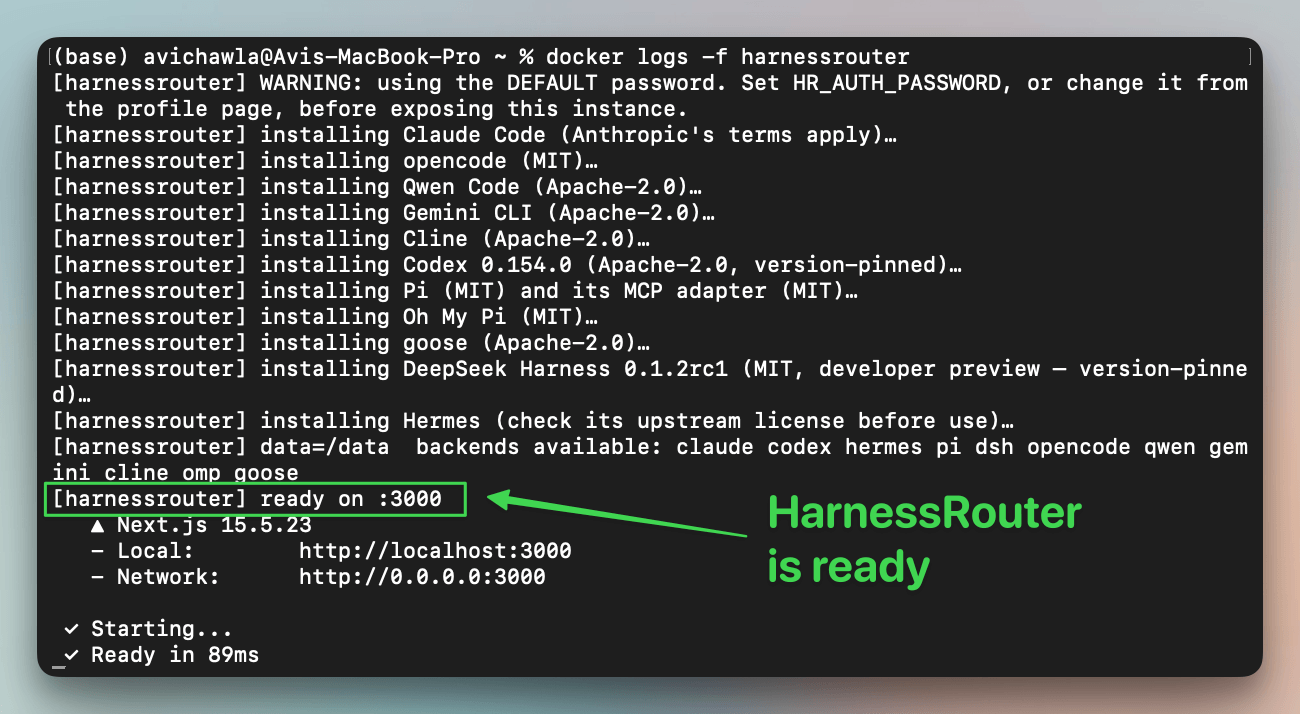
[harnessrouter] ready on :3000Open http://localhost:3000.
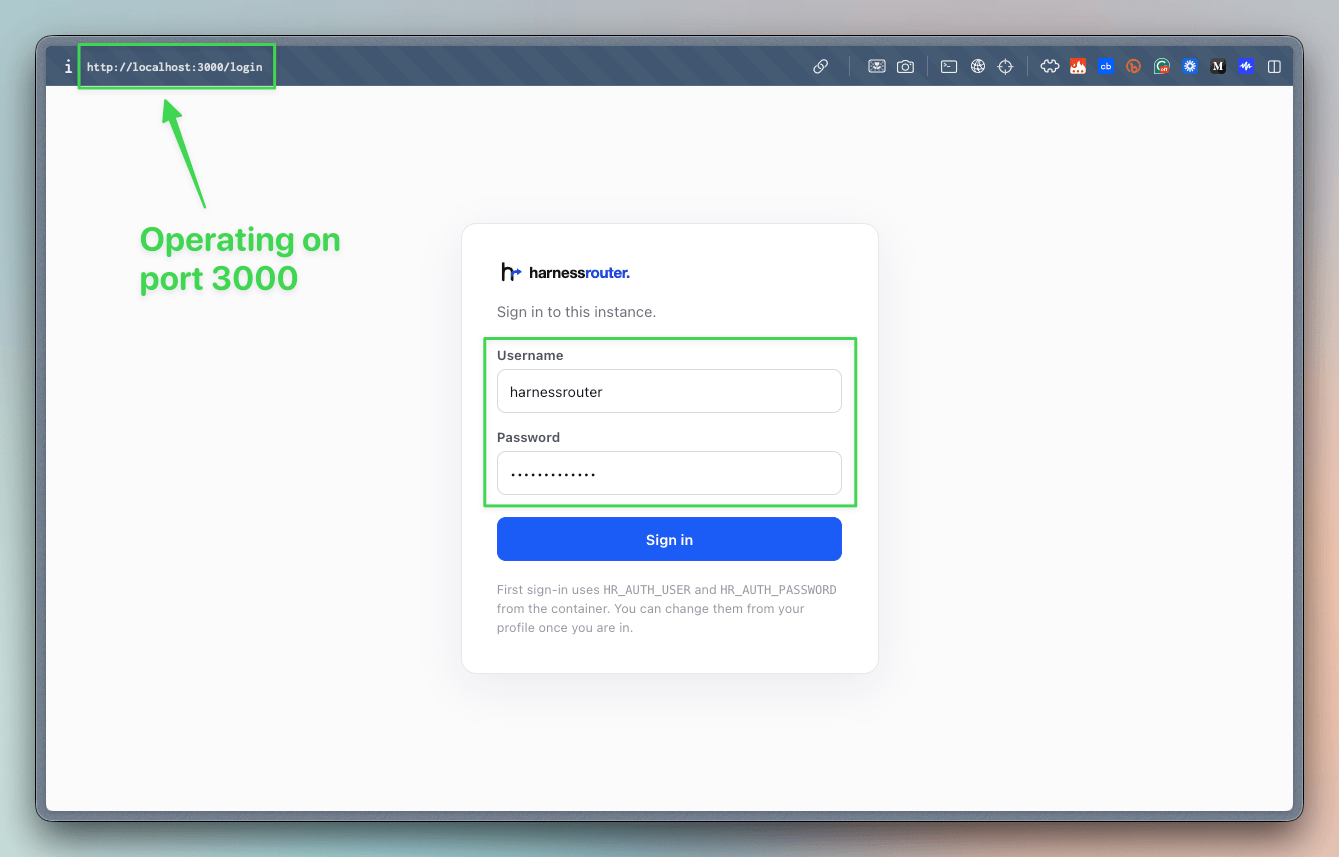
harnessrouter.Next, open Integrations in the left panel and select Add Integration. Choose a model provider and enter its API key:
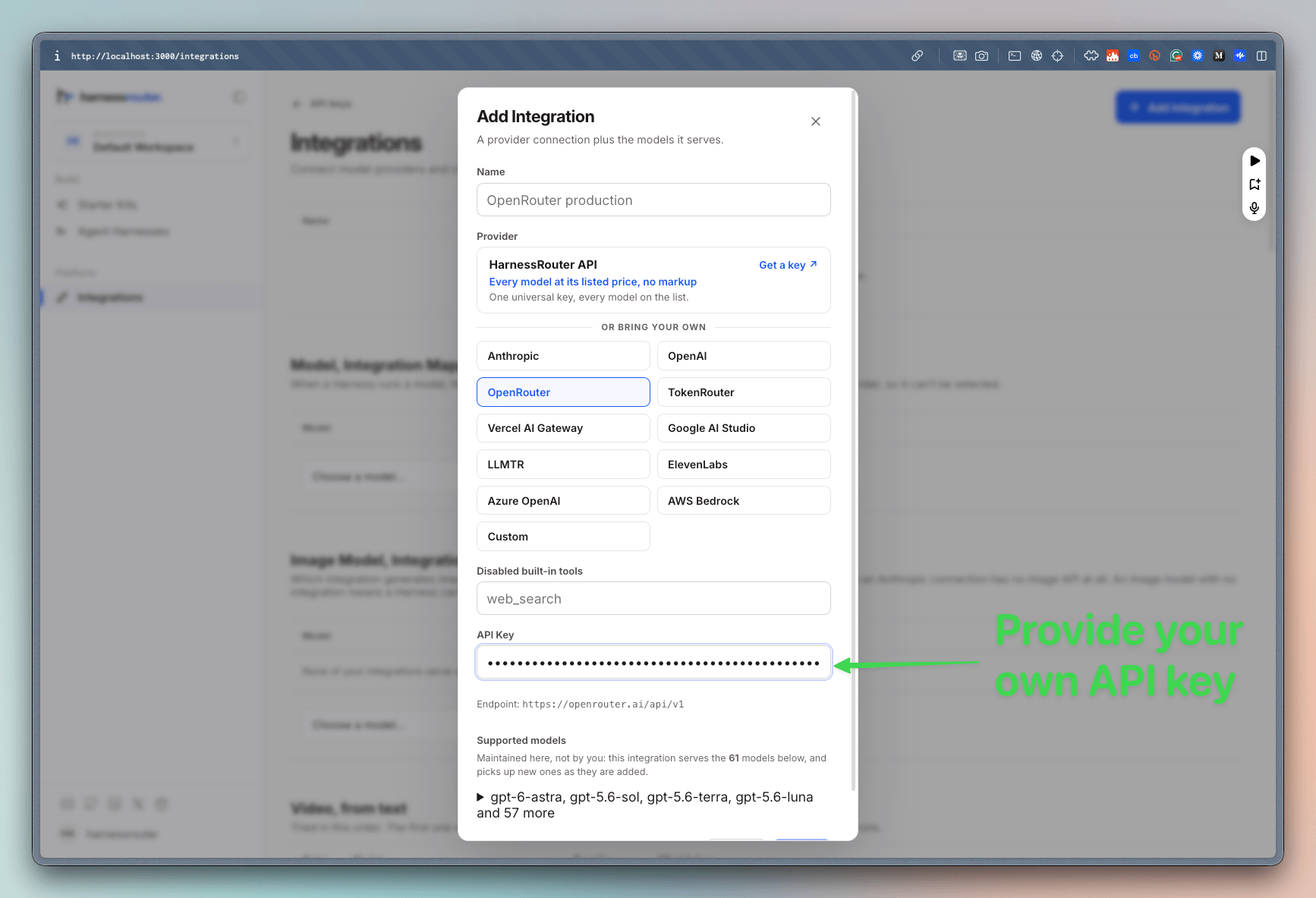
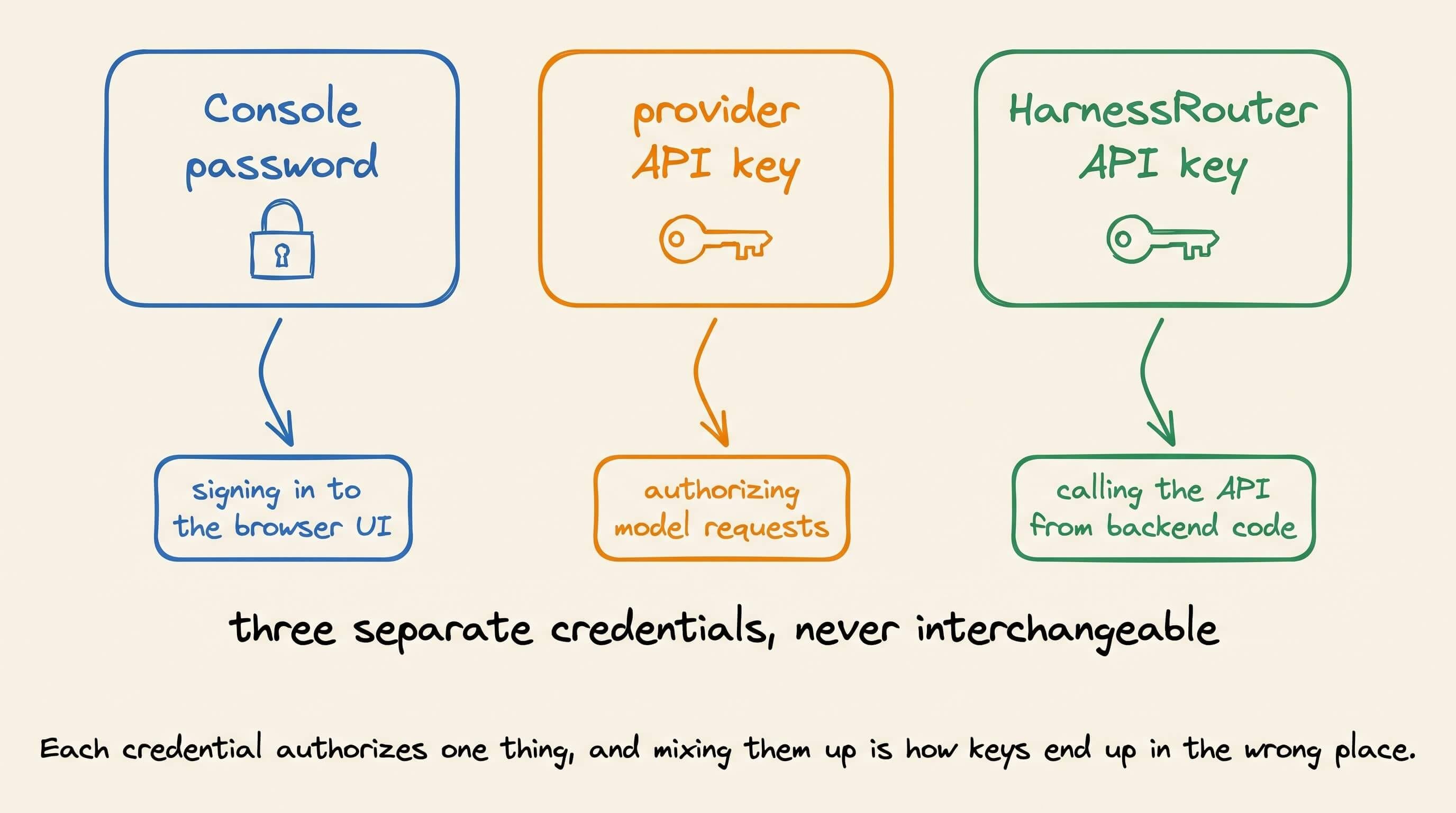
This key authorizes model requests. It is separate from the Console password and the API key later used by the application.
Open Agent harnesses in the left panel. You’ll see 11 built-in harnesses, including Codex, Claude Code, and Hermes. Select Hermes to create a task.
Select a model, create a task, and follow the run in the Console.
Files created by the harness remain attached to that session:
Configuring the paper workflow
Create two custom harnesses in the Console.
Paper Explainer with DeepSeek Harness
Paper Explainer with Claude Code
The first configuration uses DeepSeek Harness as its base harness. The second uses Codex. Both receive the same instructions and the same paper-explainer skill.
The skill defines the output expected by the paper application.
Read the uploaded research paper and identify its main mechanism.
Build a self-contained interactive explainer in index.html.
Include one controllable simulation with a short explanation beside it.
Use Three.js only when 3D interaction improves the explanation.
Create README.md with the source, assumptions, and run instructions.
Verify both files before completing the task.
The following video depicts this setup:
Upload the same paper to two new sessions. Run the same prompt through both configurations.
Turn the uploaded paper into an interactive visual explainer.
Recreate its main mechanism as a controllable simulation.
Return index.html and README.md.
The prompt, skill, and required files stay the same. Codex and DeepSeek Harness can still choose different plans, tools, and implementations.
The first part of the video above shows the HarnessRouter dashboard and how the application selected and ran the harness.
The final part of the video above shows what the agent produced.
Calling a harness from the application
After the task works in the Console, open http://localhost:3000/keys. Create a HarnessRouter API key and store it in backend code.
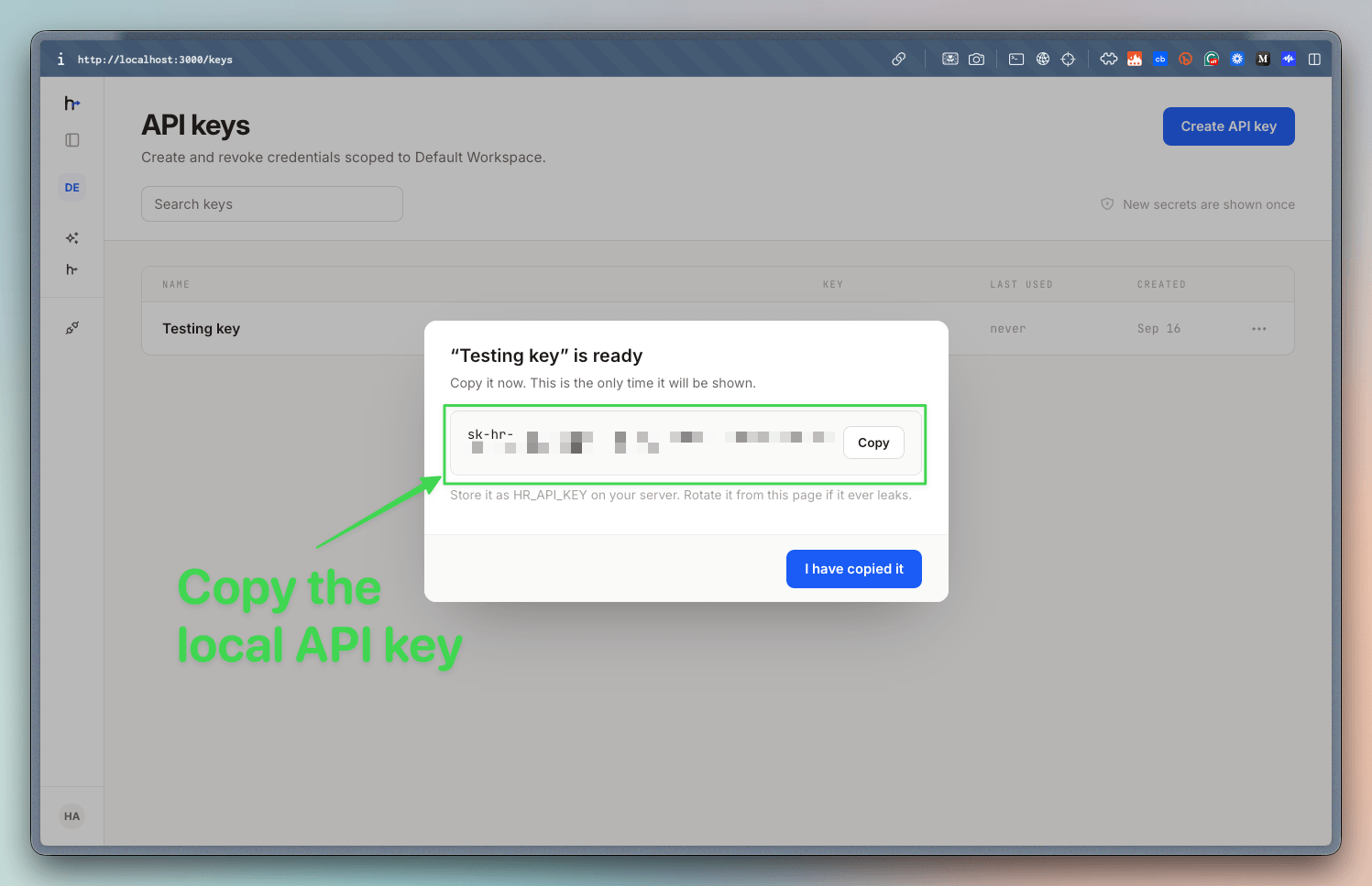
Set the local API address and the API key
export HARNESSROUTER_BASE_URL=http://localhost:3000/api/harness
export HARNESSROUTER_API_KEY=sk-hr-...
Send a task through the Responses-compatible endpoint.
curl --fail-with-body -sS "$HARNESSROUTER_BASE_URL/v1/responses" \
  -H "Authorization: Bearer ${HARNESSROUTER_API_KEY:?}" \
  -H "content-type: application/json" \
  -d '{
    "input": "Reply with exactly: it works.",
    "metadata": {"harness_id": "codex"},
    "model": "gpt-5.4-mini",
    "stream": false
  }'
Here’s that request running against the local endpoint, with the response printed in the terminal:
This invocation uses the built-in codex identifier from the repository quickstart. A custom configuration uses the Harness ID shown in the Console.
For another new task, changing metadata.harness_id selects another configured harness.
Here’s the demonstration with Hermes:
curl --fail-with-body -sS "$HARNESSROUTER_BASE_URL/v1/responses" \
  -H "Authorization: Bearer ${HARNESSROUTER_API_KEY:?}" \
  -H "content-type: application/json" \
  -d '{
    "input": "Reply with exactly: it works.",
    "metadata": {"harness_id": "hermes"},
    "model": "gpt-5.4-mini",
    "stream": false
  }'
As depicted above, the application keeps the same endpoint and event format. The same client can also continue sessions, retrieve files, and cancel work.
Session and security rules
The Unified Harness Protocol (UHP) standardizes the task lifecycle, but it does not make the harnesses behave the same. Different runtimes can choose different plans, tools, files, and models. The protocol gives the product one way to submit the work and inspect the result.
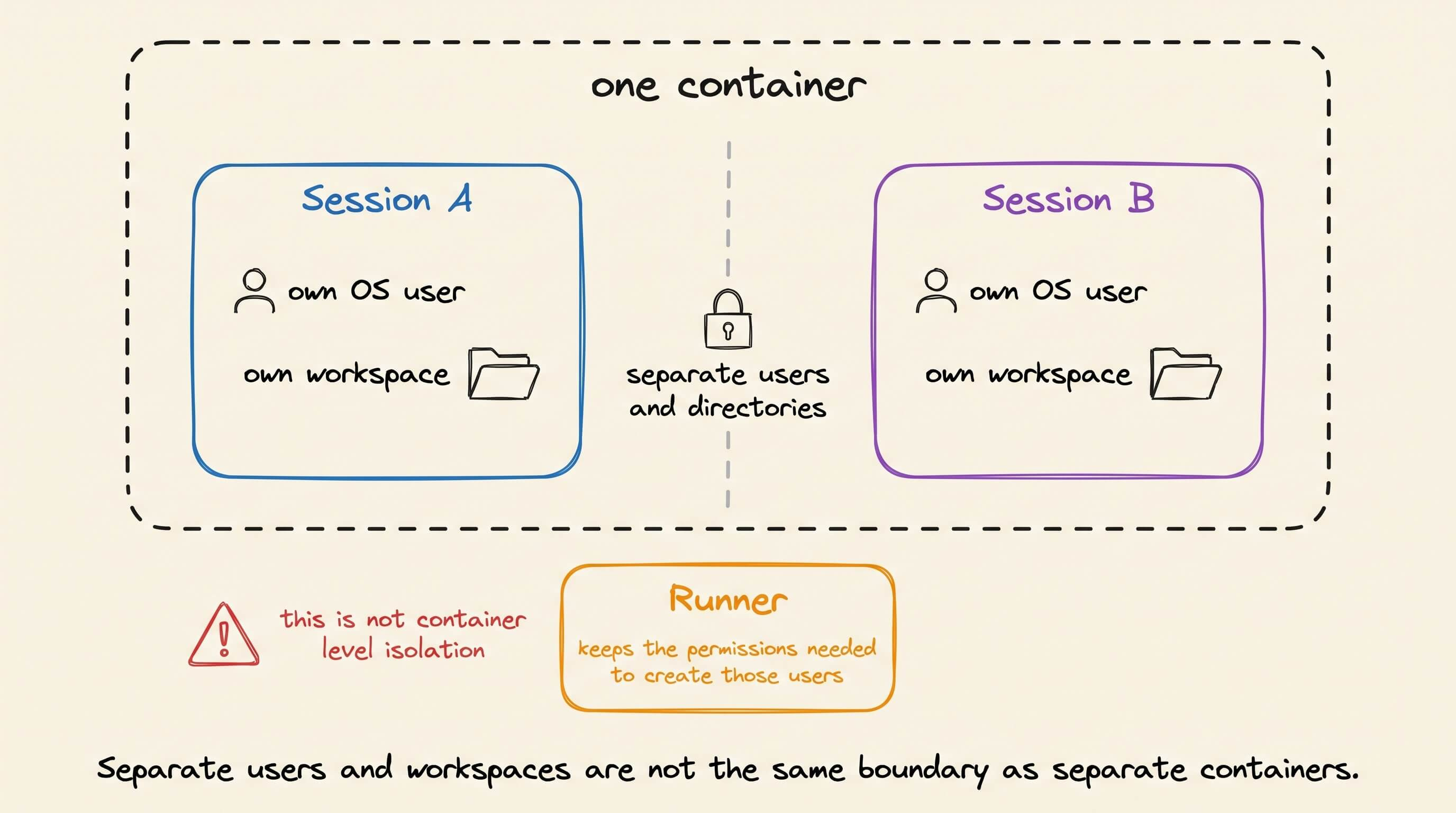
The local deployment also has a clear isolation limit. Sessions use separate operating-system users and workspaces. They do not run in separate containers. The Runner keeps the permissions needed to create those users, while each harness process runs as its assigned session user.
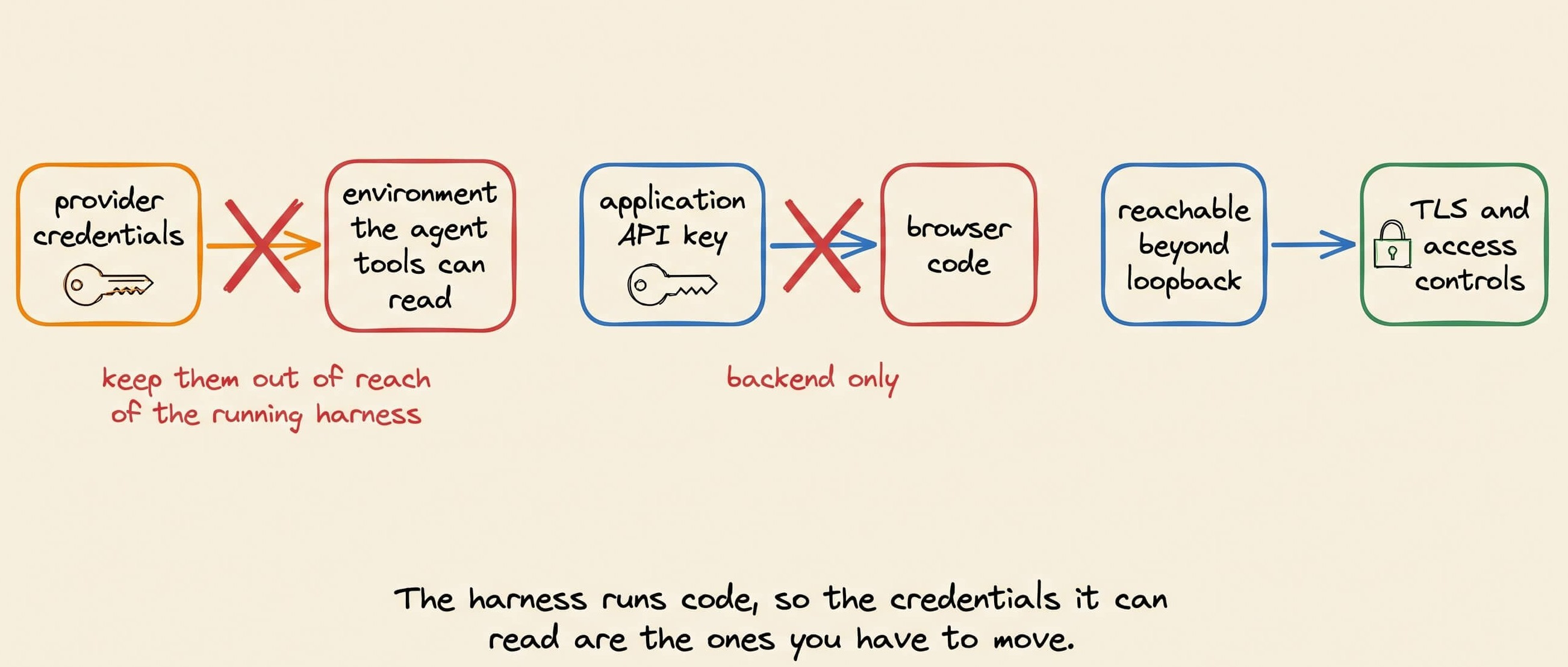
Provider credentials should stay outside environments that agent tools can read. Application API keys should never reach browser code. A deployment outside loopback also needs TLS and the controls described in the UHP security specification.
The two API calls above show why this matters when an agent becomes part of a product. Users may want to run a task with Codex, Claude Code, or Hermes.
Without a shared task interface, supporting each harness means writing another integration for progress, sessions, files, and cancellation.
HarnessRouter lets the product offer that choice in its own UI.
It sends the task through UHP, selects the harness, and receives the result through the same API.
The team can test those workflows locally before putting them in front of users. As harnesses change, the product has a way to support more of them without rebuilding its task flow each time.
HarnessRouter is Apache 2.0 licensed. The repository contains the self-hosted implementation, UHP schemas, and conformance tests.
GitHub Repo: github.com/HarnessRouter/harnessrouter.
(don’t forget to star it ⭐️)
Good day!