

In today’s newsletter:
Your agent hit a wall. Beacon handoff lets another one pick up where it left off.
System 1 vs. System 2 Agent Harnesses.
[Interview question] How MoE routing works across GPUs?
Your agent hit a wall. Beacon handoff lets another one pick up where it left off.
Coding agents are getting much better at solving complex engineering tasks. But they still have a basic problem: they’re stuck in their own tool.
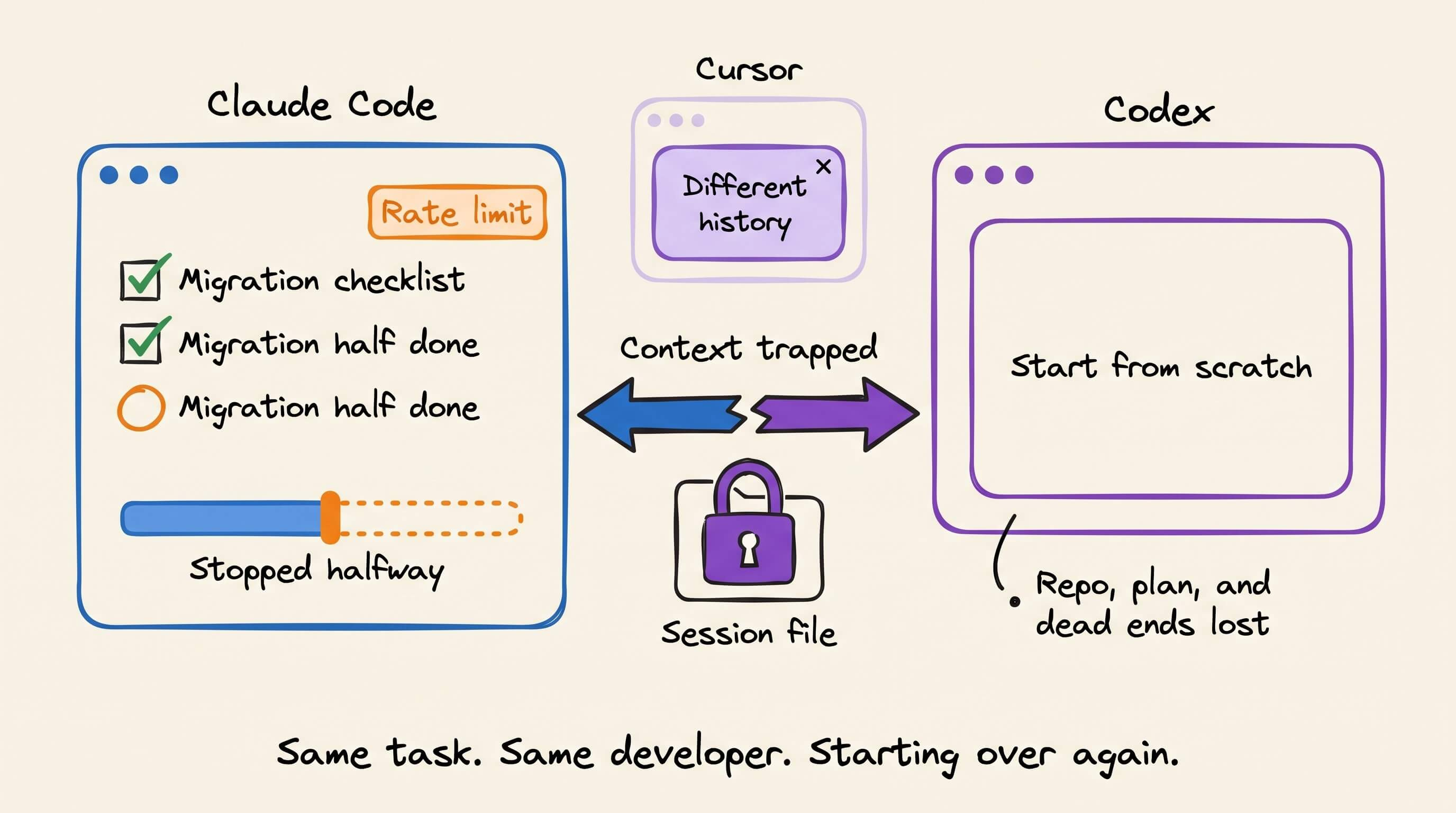
You might spend 30 minutes walking Claude Code through a tricky migration, then hit a rate limit halfway through. You want to finish in Codex, but Codex has never seen that conversation. So you re-explain the repo, the plan, and the dead ends, and it has to rediscover everything from scratch.
Every agent session builds up useful context, and most of that context stays trapped inside the tool that created it.
And now that developers switch between several coding agents in a single day, it’s worth asking:
Why does every switch mean starting over?
Beacon, built by Asymptote Labs, fixes that.
Beacon is an open-source self-improving memory layer that captures agent activity across Claude Code, Codex, Cursor, OpenCode, Cline, and 20+ agent harnesses. Its beacon handoff command lets you pick up any of those sessions again, in the same agent or a different one.
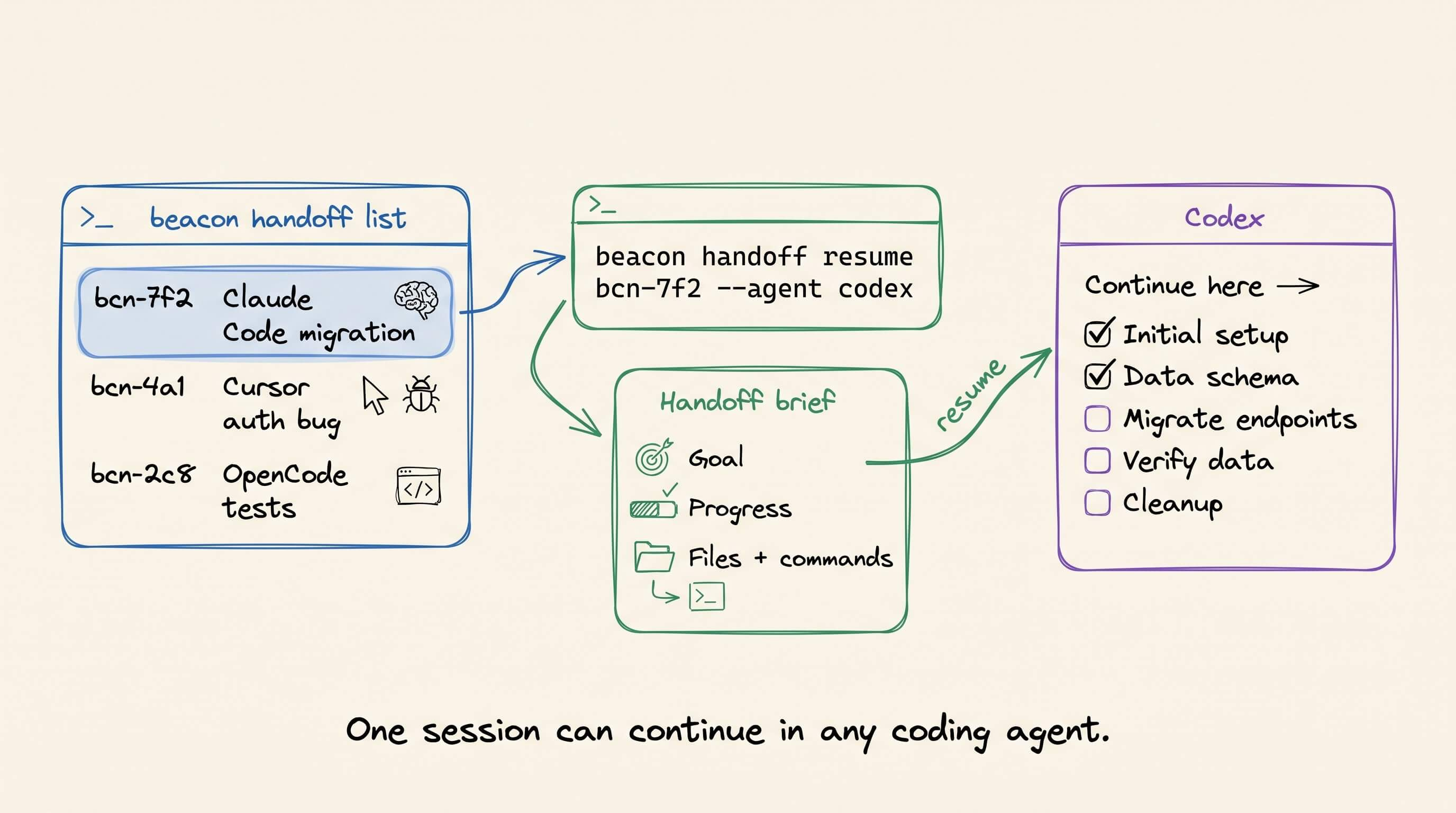
Run beacon handoff list to see your recent sessions, then beacon handoff resume to carry one forward. Beacon reopens the session with the runtime’s own resume command where it can. Otherwise, it writes a handoff brief (the goal, the progress so far, and the files and commands involved) and starts a fresh session in the agent you choose, pointed at that brief.
Here’s the repo: github.com/Asymptote-Labs/agent-beacon
(don’t forget to star it ⭐)
The important part is that Beacon sits across the harness layer.
Your Claude Code session can continue in Codex.
Your Cursor debugging can pick up in OpenCode.
Work started in one agent can be finished in any of them.
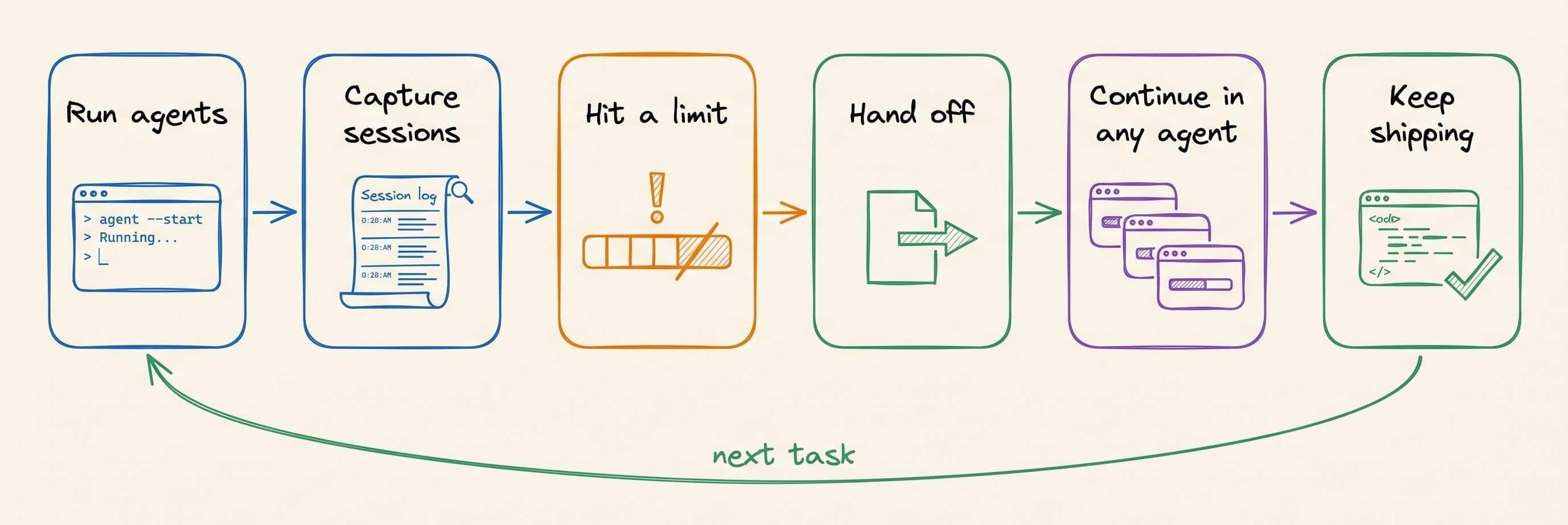
The loop looks like this:
Run agents → capture sessions → hit a limit → hand off → continue in any agent → keep shipping
Now imagine that across an entire engineering organization.
One engineer spends an hour with an agent narrowing down an obscure infrastructure issue, then gets pulled into a meeting. Normally, that progress disappears into a transcript that nobody else can open in their own tool.
With Beacon handoff, that session becomes a starting point: a brief the next engineer (or their agent) can pick up, whichever coding agent they use.
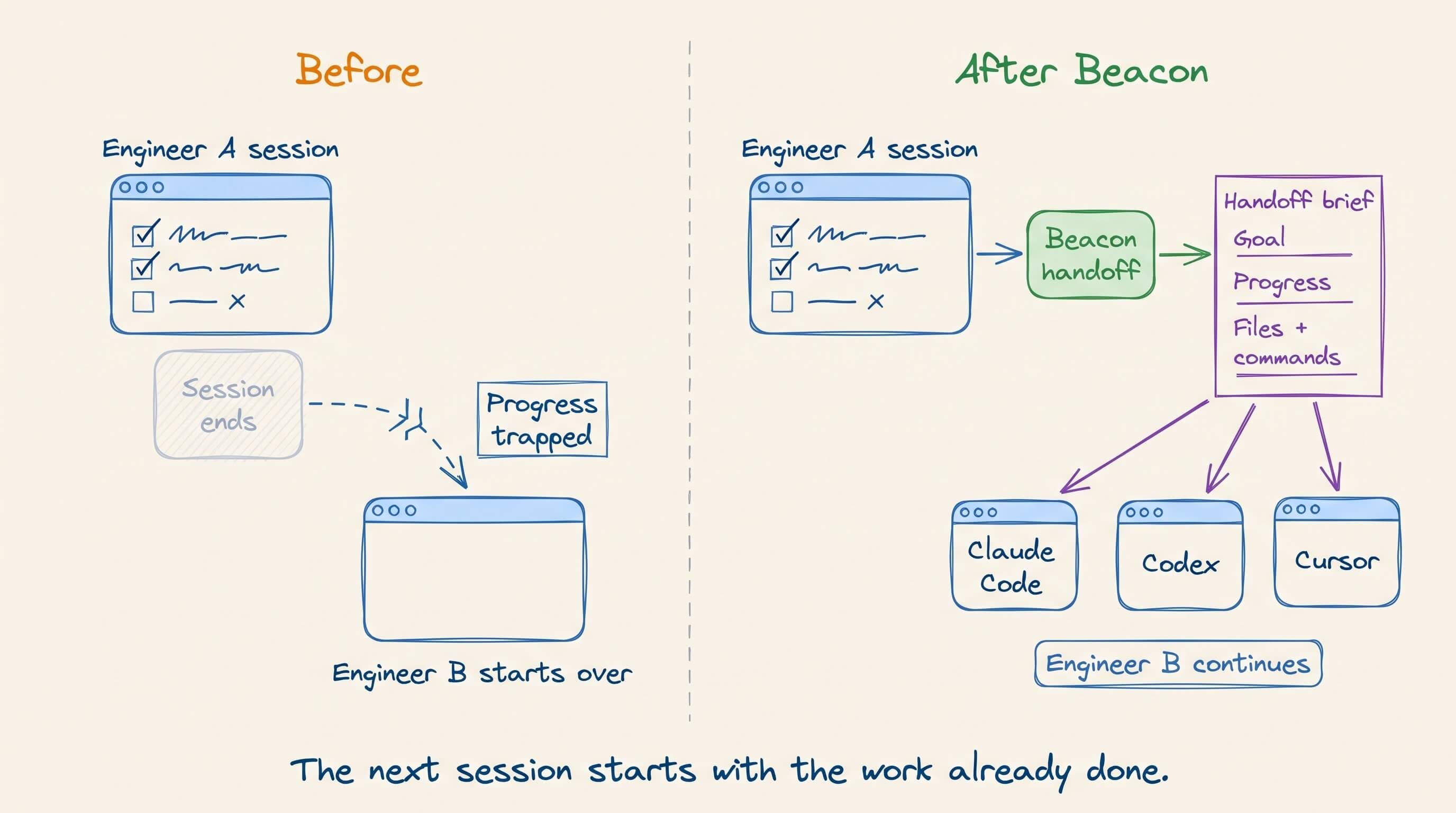
This turns agent sessions into something closer to a relay than a series of restarts. And because handoff works across harnesses, your progress is not locked inside a single AI coding tool.
It’s also local by design. Handoff reads each agent’s own session store on your machine, uploads nothing, and never turns off the target agent’s approval prompts.
You can switch agents without throwing away everything your previous agent figured out.
That is the core idea:
A task started by one agent never needs to be restarted from scratch by another.
Beacon captures every session.
Beacon handoff makes each one portable across every agent you use.
Beacon is fully open source, so you can try Beacon handoff with the coding agents you already use.
And if you like what the team at Asymptote Labs is building, give the repo a ⭐.
Thanks to Asymptote Labs for partnering today!
System 1 vs. System 2 Agent Harnesses
There are two different ways to put AI inside an application.
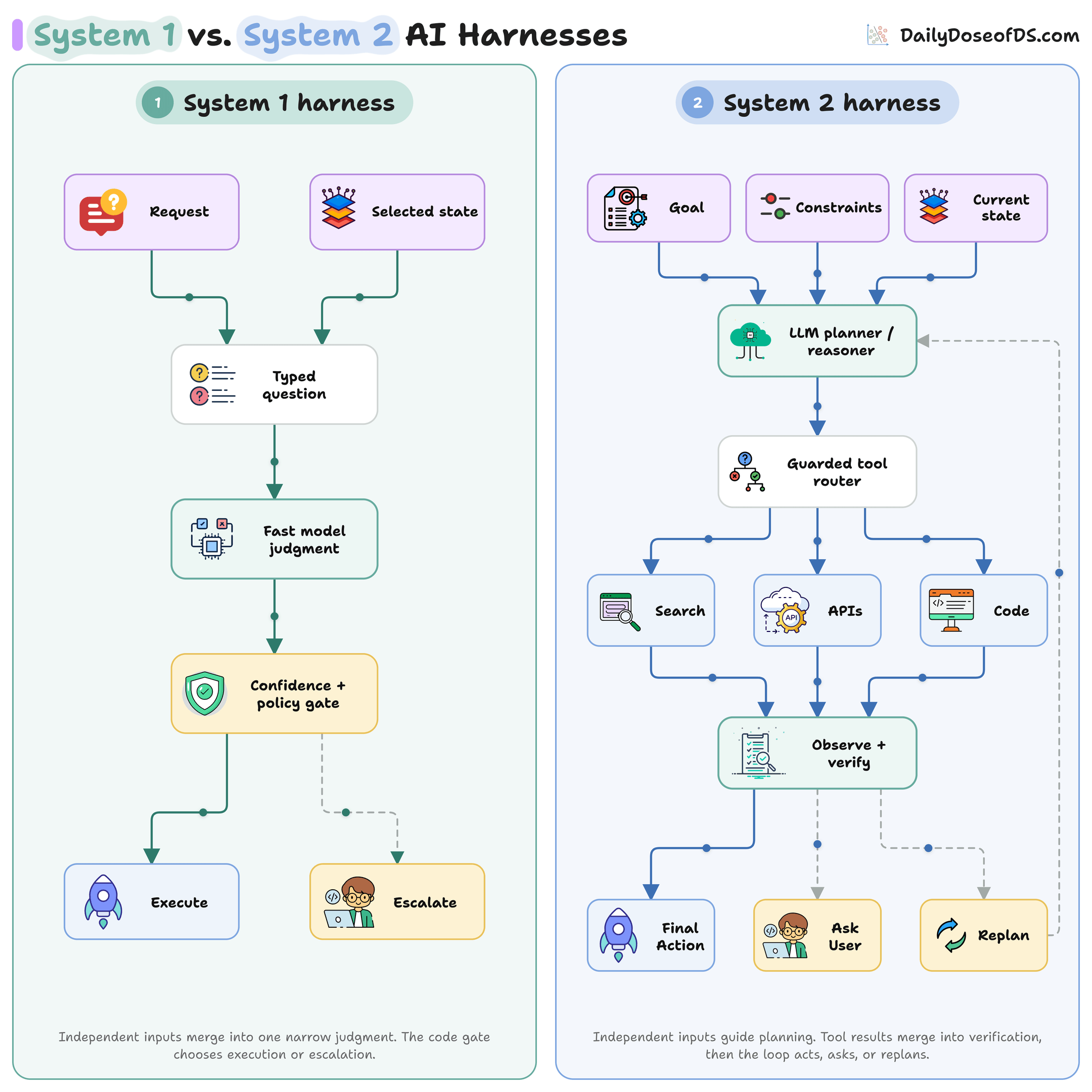
A System 1 harness asks the model to make a bounded judgment.
The app provides a request and relevant state. The model selects a constrained result such as a category, score, route, or extracted field.
Code checks confidence and policy before executing the result or escalating the case.
The model does not own the workflow. It selects from choices supplied by code.
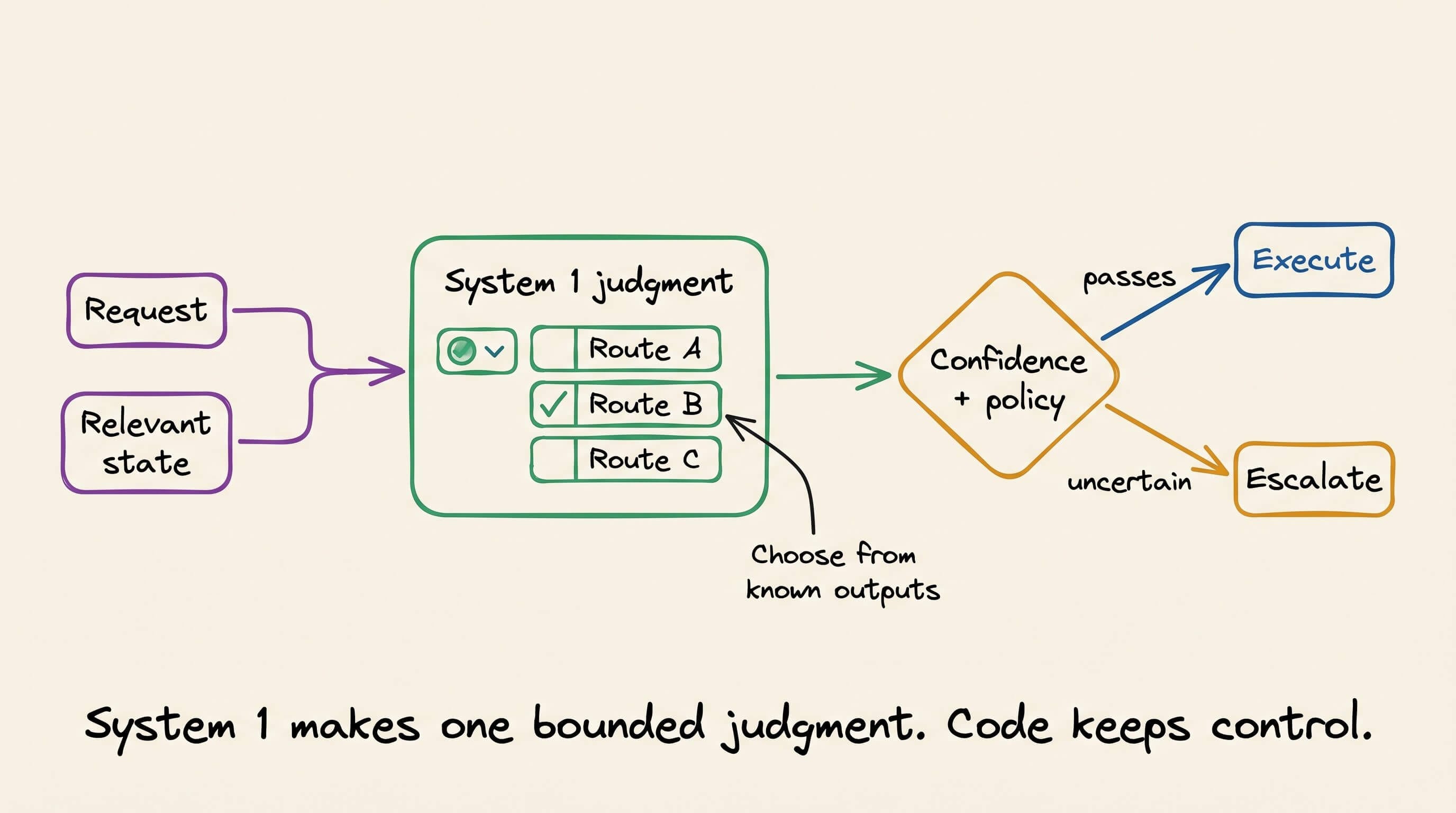
This works well for intent classification, model routing, risk gates, reranking, and other high-volume decisions where the possible outputs are known in advance.
Jev is designed for this System 1 role to make fast, bounded judgments while application code controls the workflow.
A System 2 harness handles work whose path cannot be specified upfront.
The LLM receives a goal, constraints, and current state. It plans the next step, while a guarded router controls which tools it can invoke.
Tool results return to the harness, which updates state and verifies progress. Each cycle can end in a final action, a question for the user, or another plan.
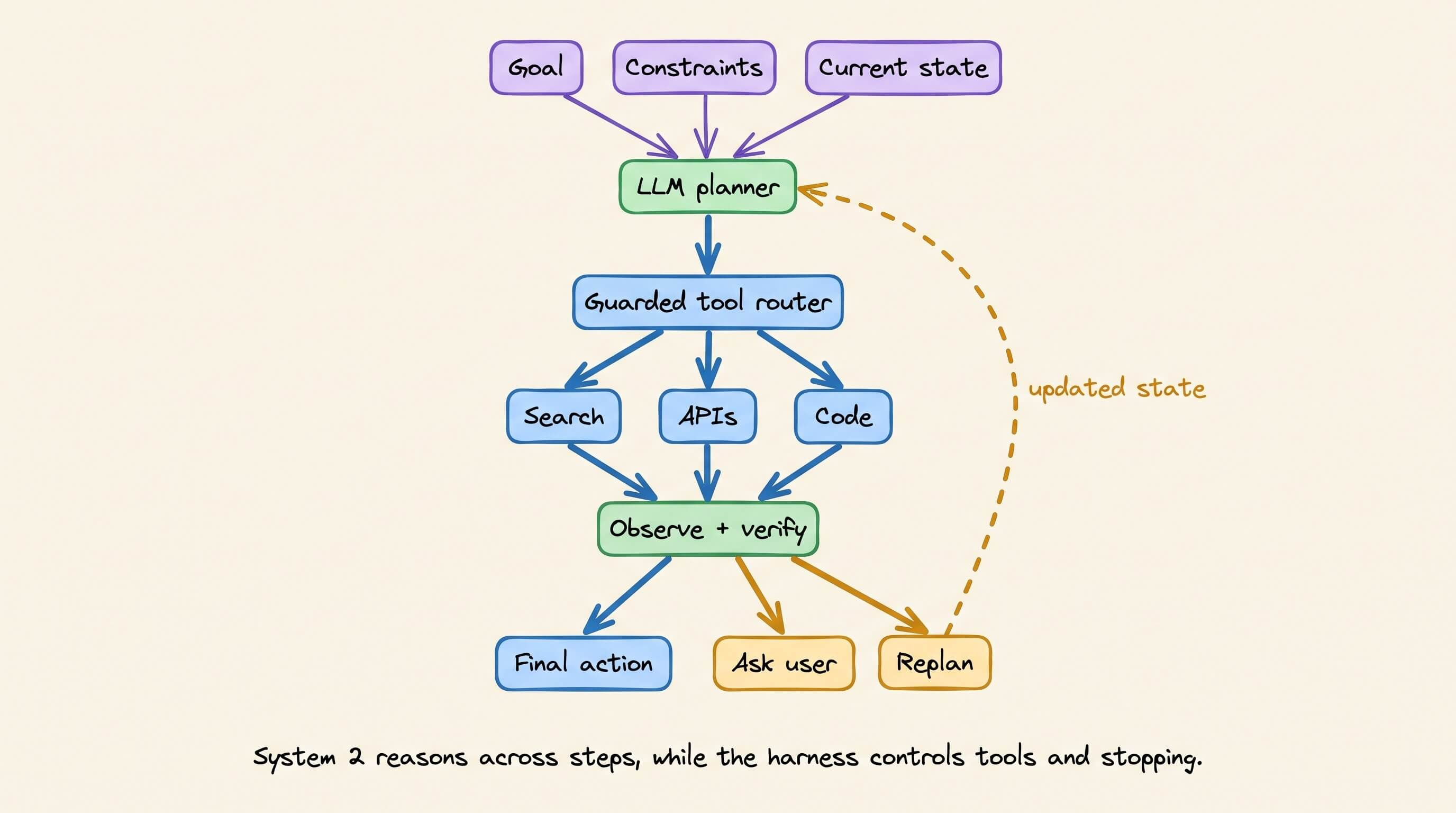
The LLM helps drive the workflow, but it should not have authority. Tool permissions, budgets, stop conditions, and final execution remain in application code.
This pattern is useful for coding, research, incident investigation, and other tasks involving several dependent actions.
So this is not primarily a small-model versus large-model distinction but rather a difference in control flow.
Most production apps need both: System 1 for fast, bounded judgments and System 2 for ambiguous or multi-step work.
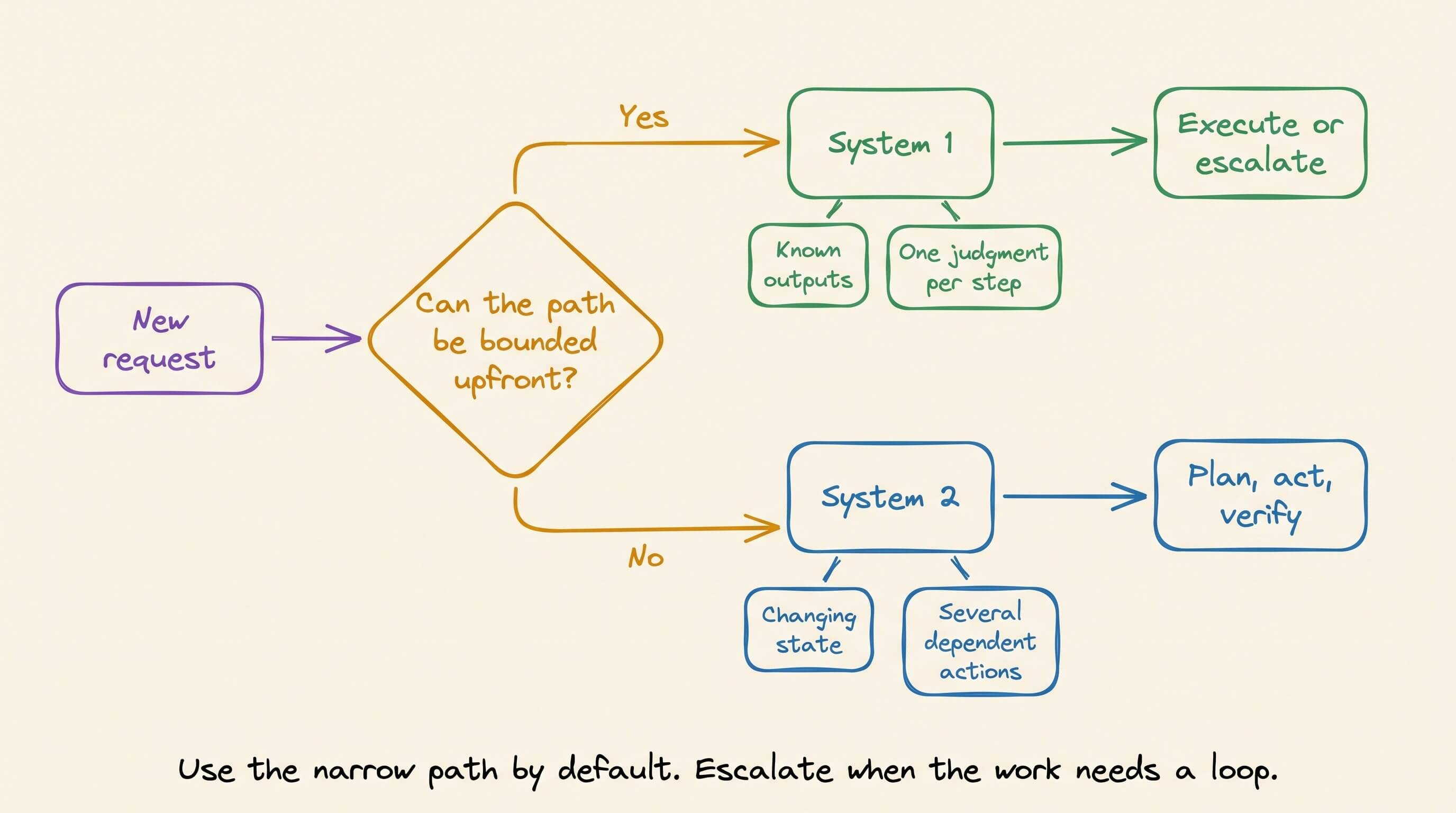
The next engineering problem is running both patterns without maintaining a separate execution layer for every harness.
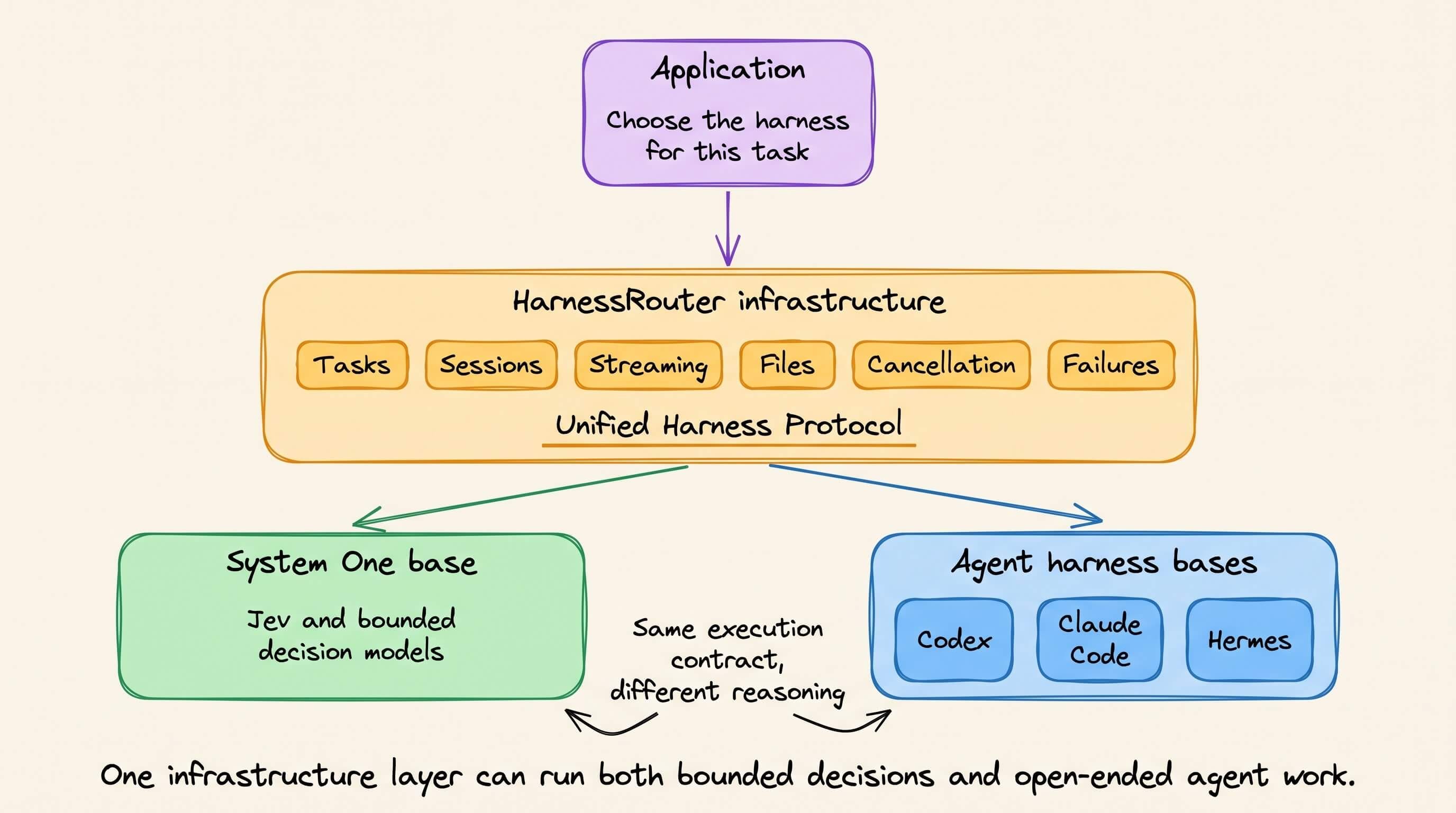
And the solution to this is now actually open-source and implemented in HarnessRouter.
It provides the infrastructure layer between an application and the harnesses that execute its work.
Its System One base can run Jev and other decision models that select finite actions using typed outputs and confidence gates.
Its agent-harness bases support runtimes such as Codex, Claude Code, and Hermes, which can plan, call tools, manage files, and complete open-ended tasks.
GitHub repo: http://github.com/HarnessRouter/harnessrouter
(don’t forget to star it ⭐)
HarnessRouter does not make these systems reason identically. Instead, it only standardizes the infrastructure surrounding their execution.
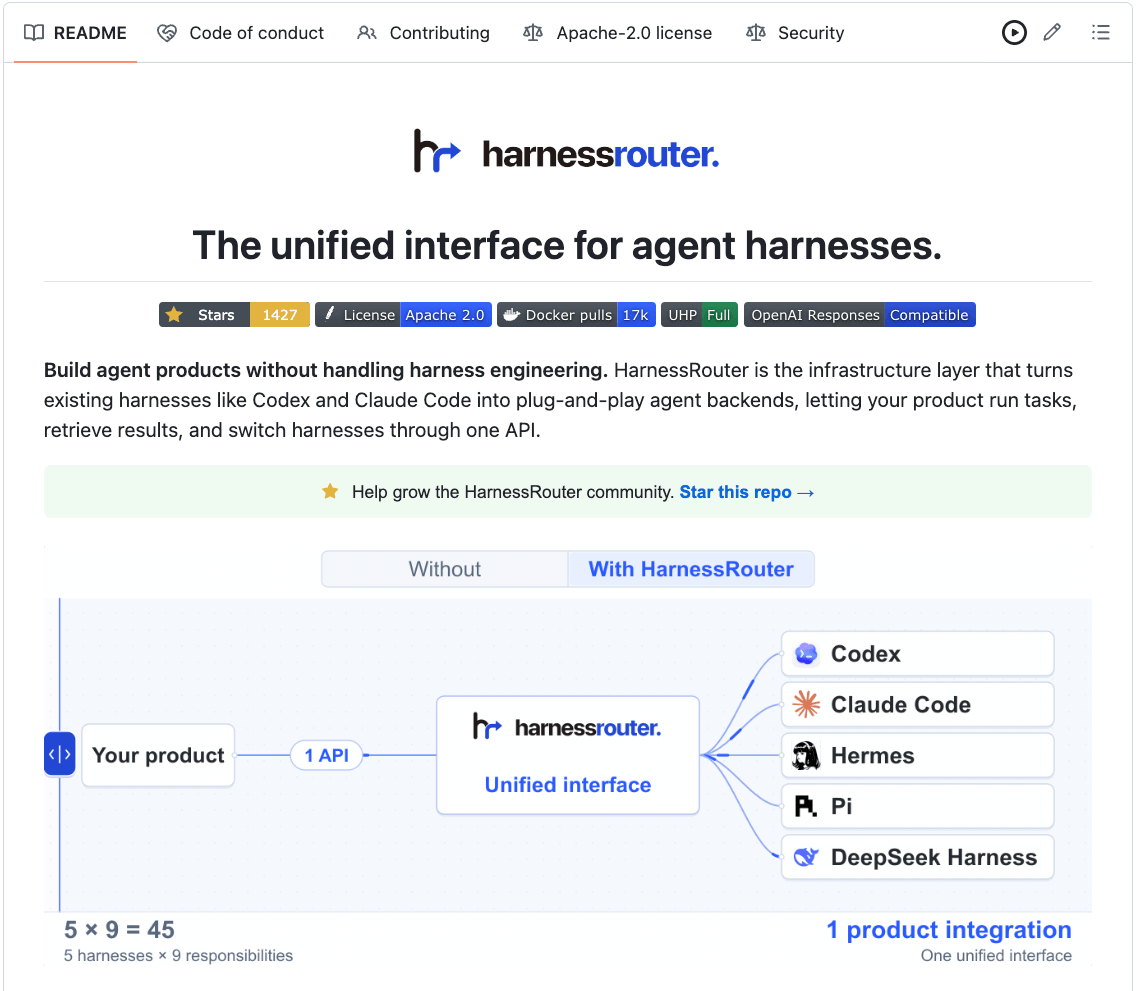
Through the Unified Harness Protocol, an application gets one contract for starting tasks, streaming progress, continuing sessions, exchanging files, cancelling work, and reporting structured failures.
This lets an application select the appropriate harness without rebuilding its task lifecycle around every runtime.
If you want to dive deeper, we wrote a detailed article explaining how HarnessRouter and the Unified Harness Protocol provide this infrastructure layer.
It covers why model routing is not harness routing, how tasks and sessions work across runtimes, the local setup, and a complete API call.
How MoE routing works across GPUs?
A good technical LLM interview question:
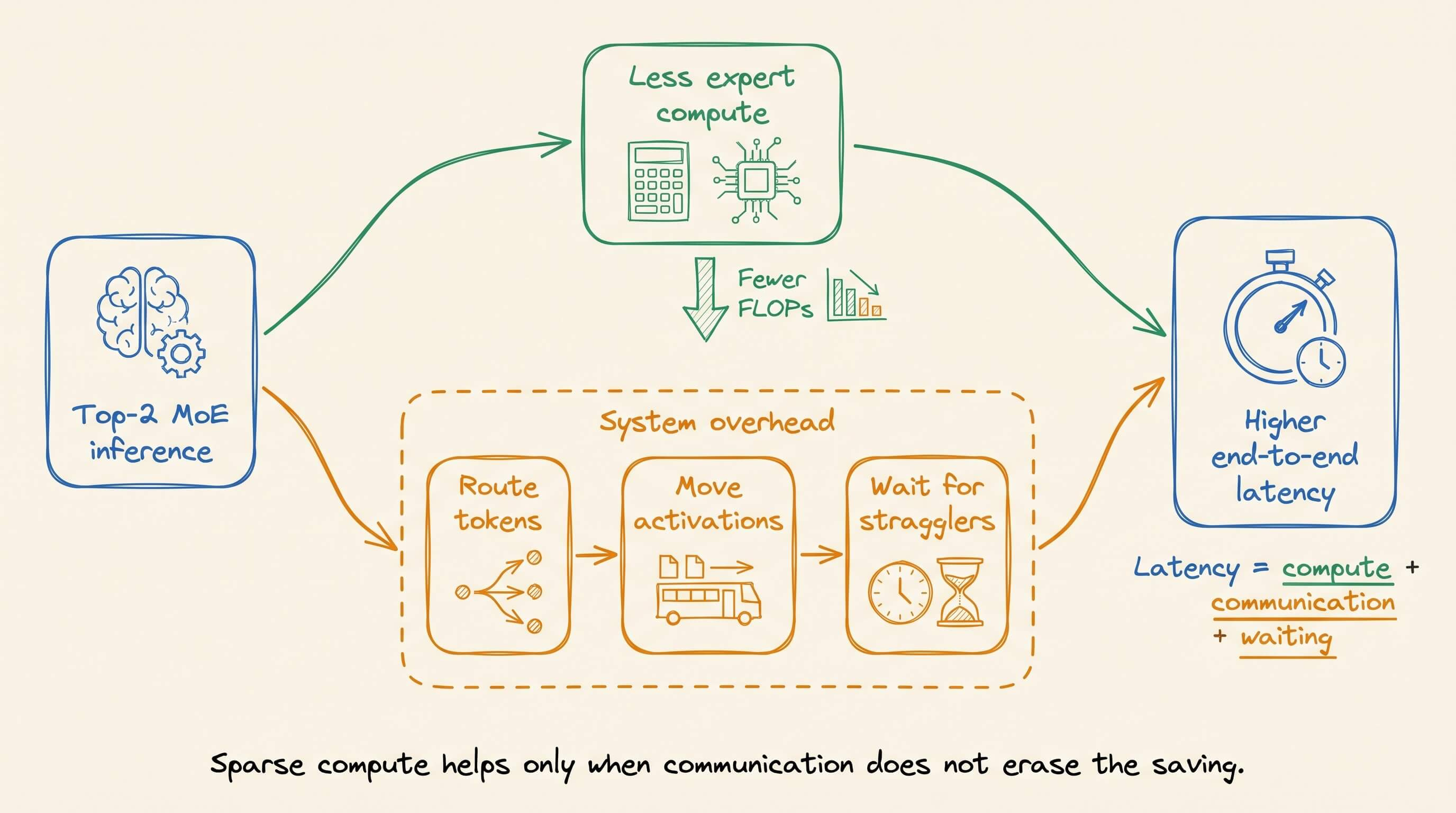
You replace a dense feed-forward layer with a top-2 MoE.
The profiler confirms that the MoE executes fewer FLOPs per token.
However, end-to-end inference latency has increased instead of decreasing.
Why did this happen?
Continue reading to learn more…
A standard Transformer applies the same feed-forward network to every token in a layer.
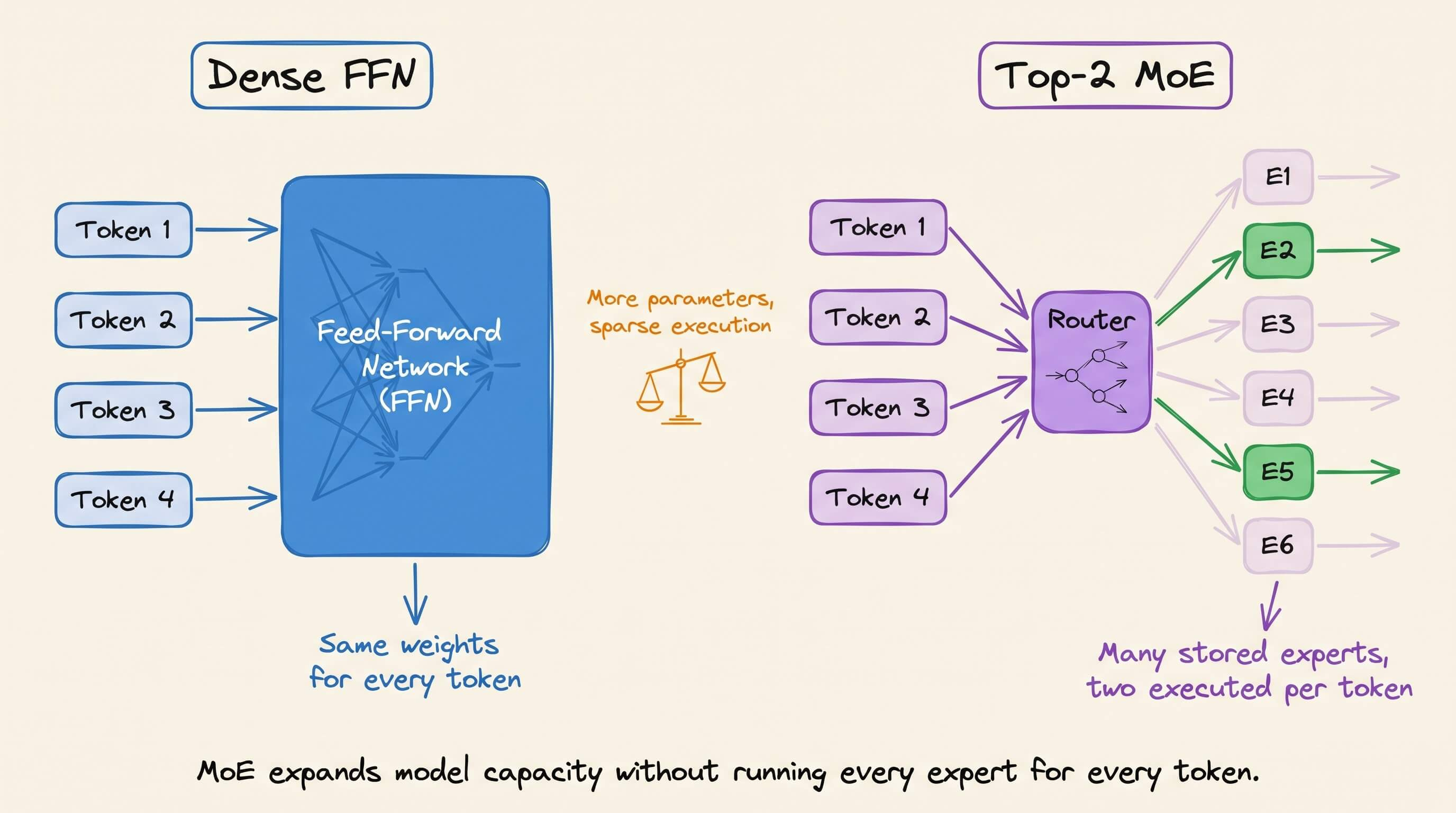
An MoE layer replaces that network with multiple experts. Each expert is a feed-forward network with its own weights.
A router reads each token’s hidden-state vector, scores the available experts, and selects the top two. It also produces a routing weight for each selection.
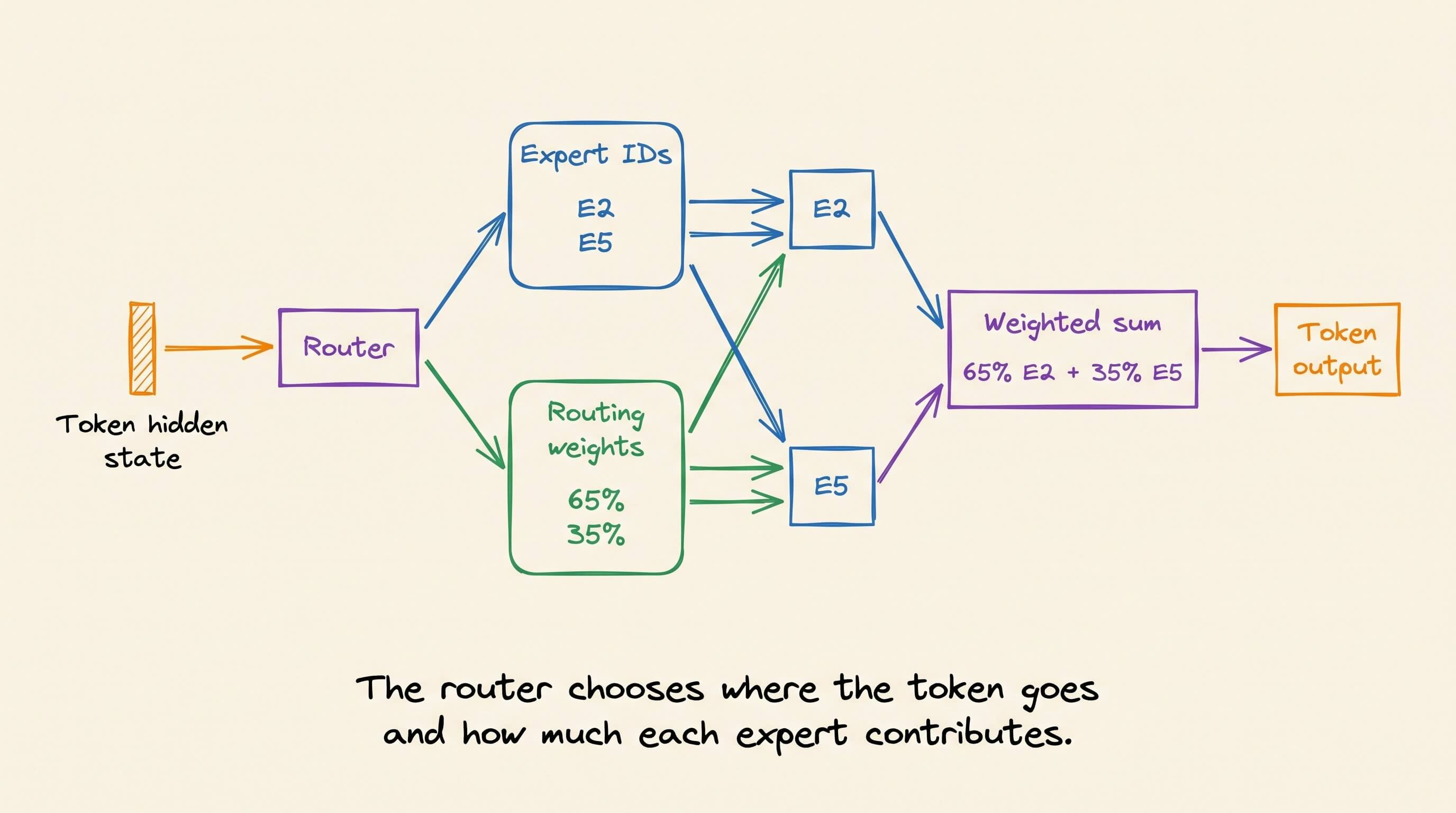
Only those selected experts process the token. The model therefore contains many expert weights while executing only a small subset for each token.
The serving system must move activations when the selected experts are stored on different GPUs.
The visual follows a batch that begins on GPU 0.
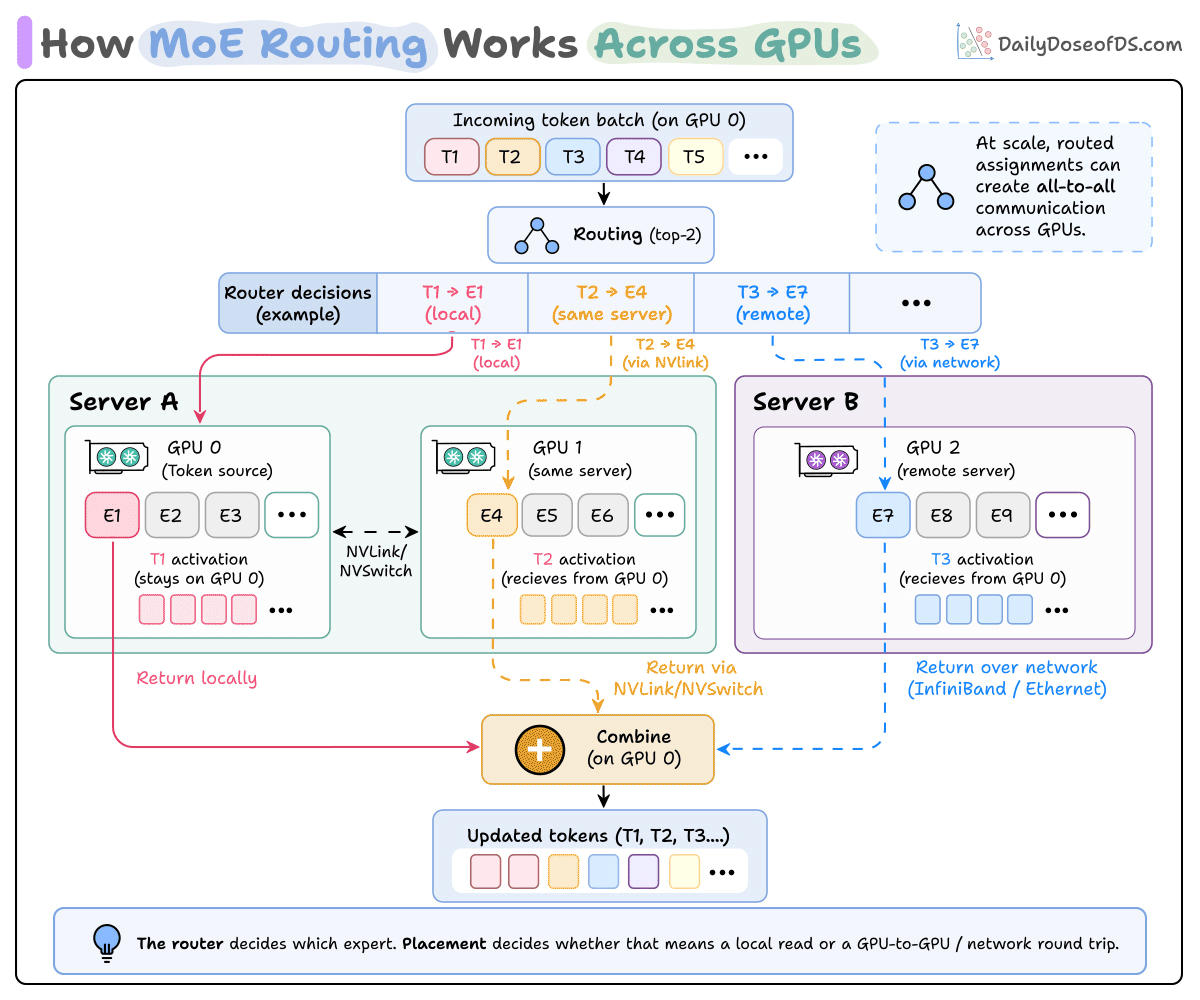
The router returns two expert IDs and two routing weights per token. One selected path is shown above for each example token to keep the diagram readable.
Token T1 selects E1 on GPU 0. Its activation remains in local GPU memory, where E1 processes it.
T2 selects E4 on GPU 1 in the same server. GPU 0 transfers the activation through NVLink, a high-bandwidth GPU-to-GPU connection. NVSwitch connects several GPUs through this fabric.
T3 selects E7 on GPU 2 in another server. Its activation crosses the cluster network through InfiniBand or Ethernet.
To be clear, the system transfers activation vectors, which are the numerical representations produced for a token by the preceding Transformer operations.
Each destination GPU runs its expert and returns the output to GPU 0.
GPU 0 multiplies both selected expert outputs by their routing weights, adds them together, and restores the original token order.
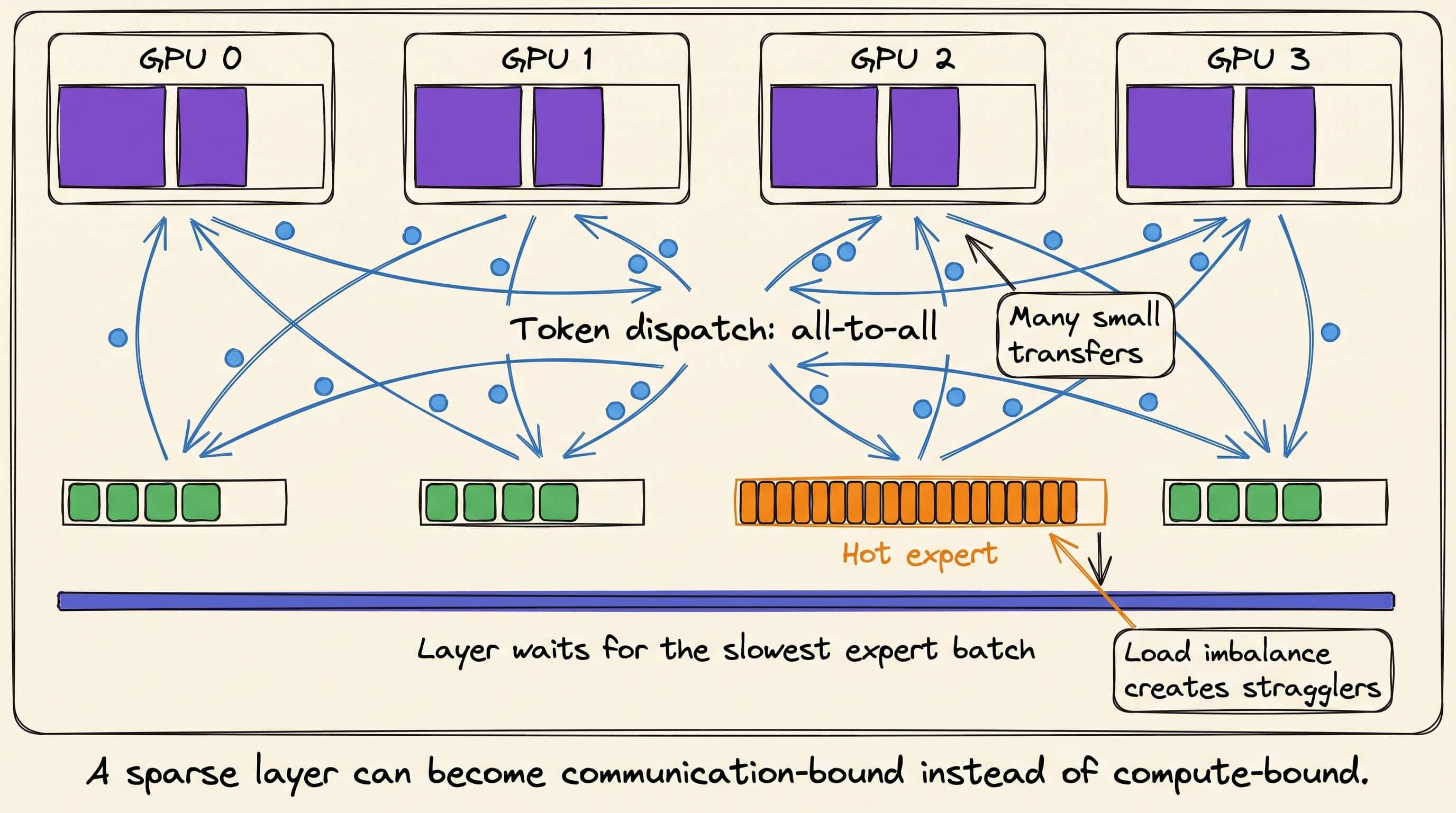
Different tokens can select different expert pairs. Across a batch, those assignments may involve every GPU storing experts.
Each GPU may therefore send activations to several GPUs while receiving activations for its own experts. This exchange is called all-to-all communication.
And there are several ways to optimize this.
For instance, keeping frequently selected experts within the same server reduces remote traffic.
Balanced routing prevents one GPU from delaying the layer.
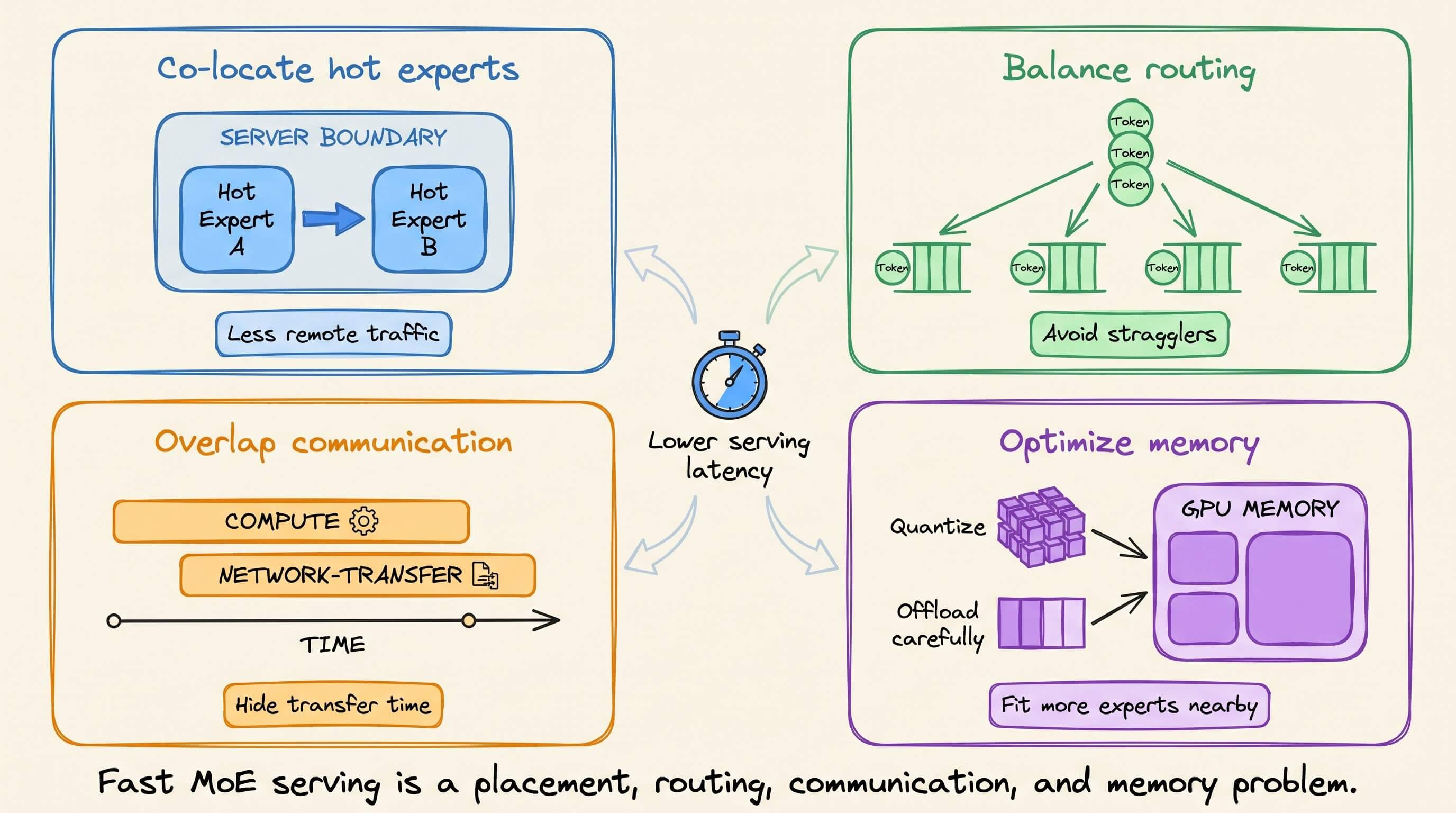
Communication overlap allows local expert computation to continue while remote activations move.
In this setup, sparse routing reduces expert FLOPs, but token dispatch and network communication erase part of that saving.
If you want to dive deeper, we recently covered MoE inference engineering, including routing, expert placement, token dispatch, load balancing, communication overlap, memory, quantization, and offloading.
Good day!