

An open-source alternative to Claude (18k+ stars)!
Onyx is a self-hostable AI chat platform that works with any LLM, like Claude, GPT, Gemini, Llama, or any open-weight model you want.
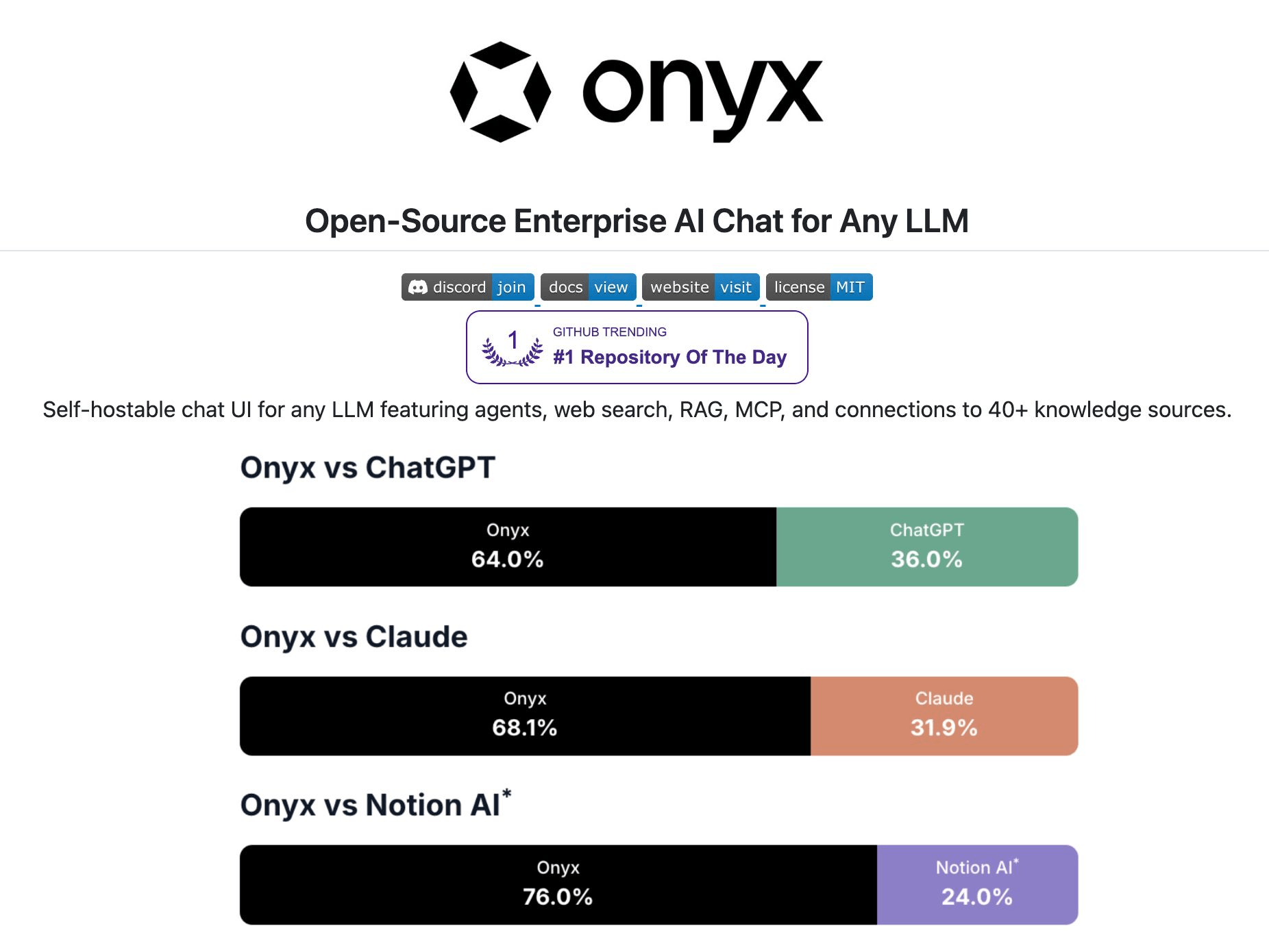
Here’s what it ships with:
Agents that chain multiple tools in sequence
RAG with full indexing across 40+ connectors (Slack, Drive, Confluence, Jira, GitHub, email, call transcripts)
Deep research ranked #1 on DeepResearchBench, above every proprietary alternative
MCP support for connecting to external systems
Code interpreter for data analysis and file generation
Self-host on your own infrastructure via Docker in a few mins
Unlike Claude’s MCP-based connectors that query your tools at runtime, Onyx actually indexes all your data. That means faster, more reliable search across everything your team has ever written.
The entire code is open-source under MIT license, so you can see the full implementation on GitHub and try it yourself.
Find the GitHub repo here → (don’t forget to star it ⭐️)
The three layers of context that make coding agents actually useful
GitHub analyzed 2,500+ custom instruction files across public repos to understand what separates effective agent setups from weak ones.
They found that effective setups give agents a specific persona, exact commands to run, defined boundaries, and examples of good output.
Weak ones are vague helpers with no clear job description.
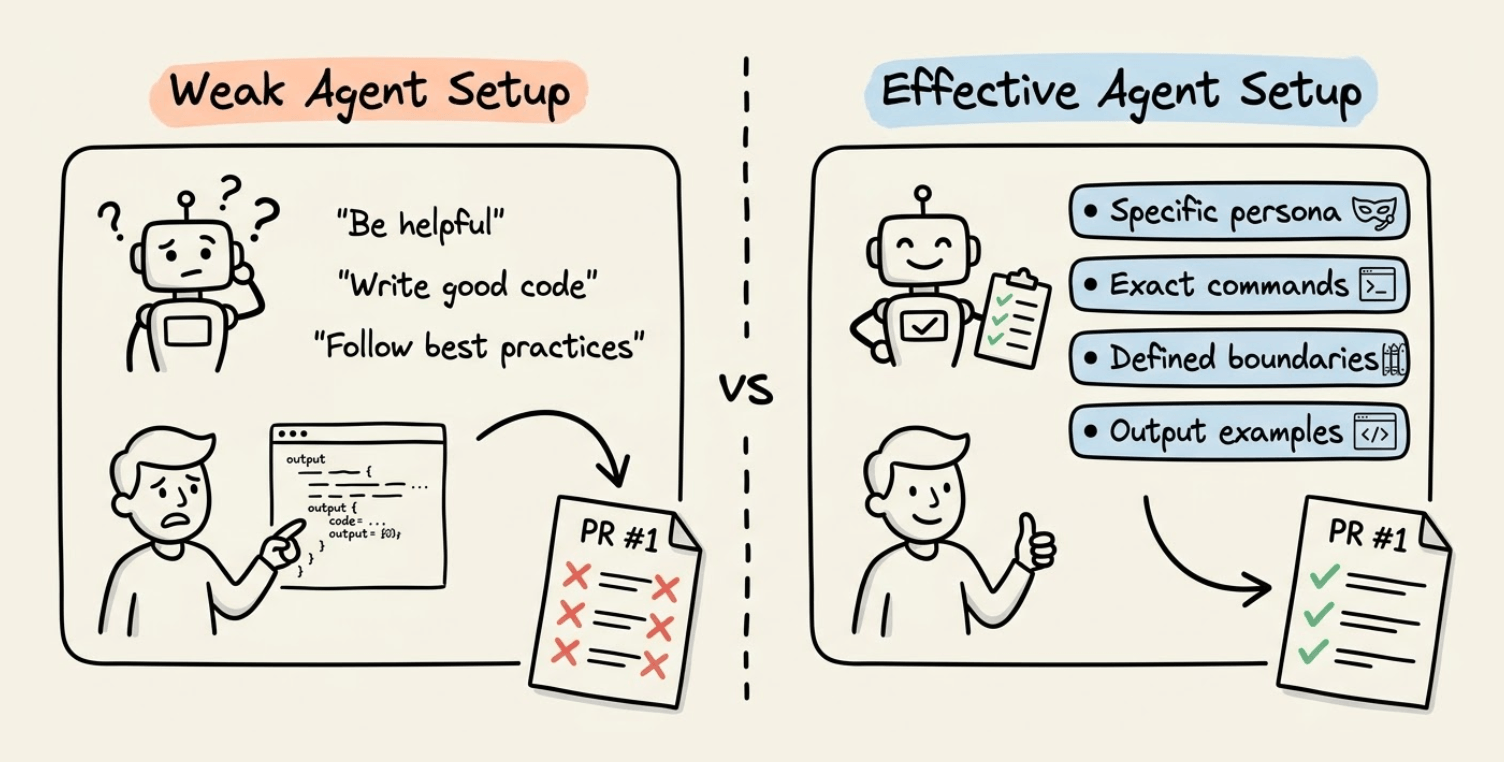
This points to the core friction with coding agents today, which is that they don’t have a capability problem but rather a context problem.
A raw agent can write code, but it doesn’t know the team’s naming conventions, the specific linting setup, or preferred framework patterns.
Without that context, the first PR is often off-target and requires multiple rounds of correction.
Getting this right requires structured context, and GitHub Copilot implements a smart, layered customization system that does exactly this.
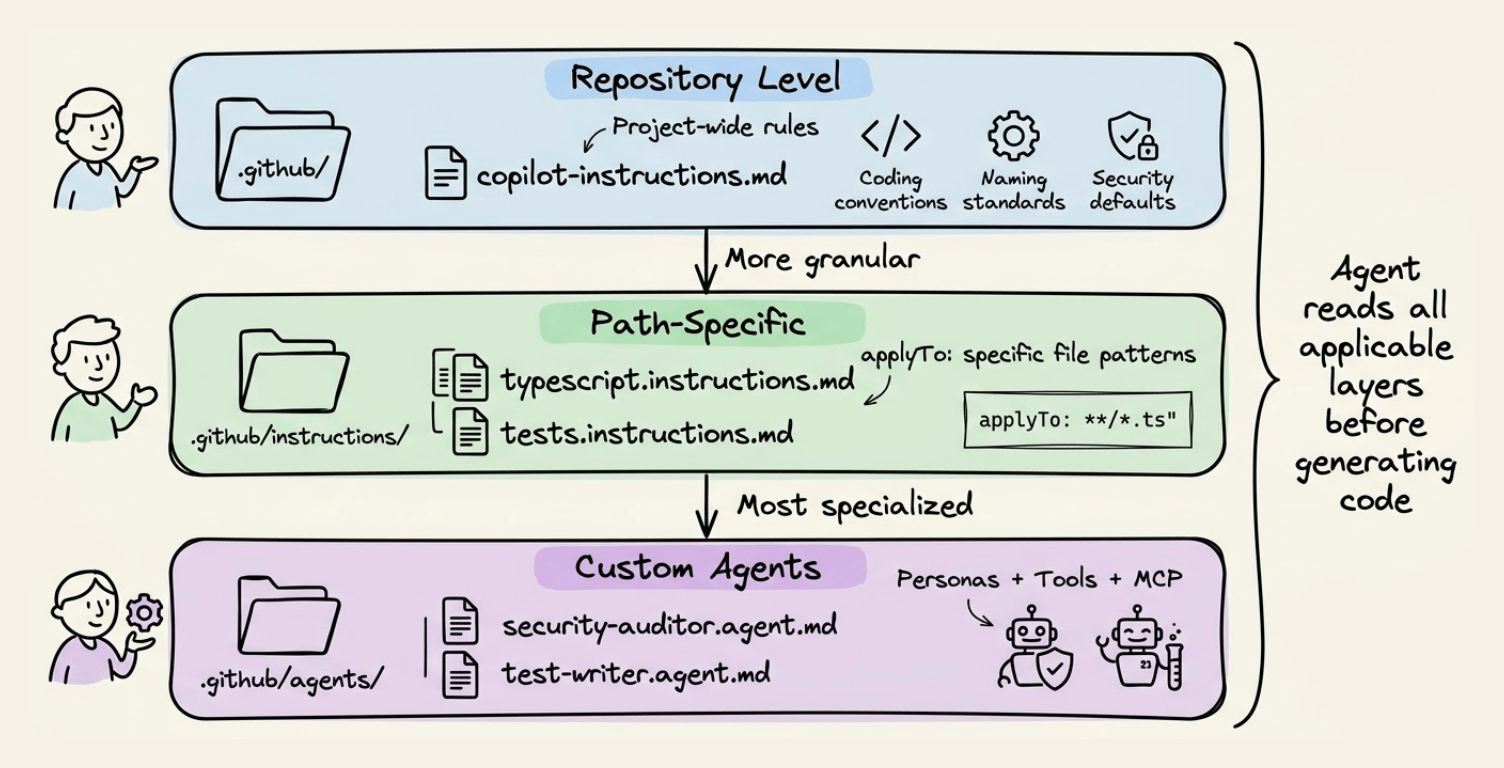
Layer 1: Repository-Level Instructions
At the repo level, a .github/copilot-instructions.md file defines project-wide rules like coding conventions, naming standards, security defaults, and prohibited patterns. The agent reads this before generating any code.
Here’s what an effective copilot-instructions.md looks like:
# Project Context

TypeScript monorepo using pnpm workspaces.
Backend: Fastify. Frontend: React + Vite.

## Commands

- Install: `pnpm install`
- Test: `pnpm test`
- Lint: `pnpm lint --fix`

## Coding Standards

- Use TypeScript strict mode
- Prefer named exports over default exports
- Use date-fns instead of moment.js (deprecated)
- Never commit secrets or API keys
- No `any` type, no console.log in production
Layer 2: Path-Specific Instructions
For granular control, instruction files in .github/instructions/ can target specific file paths using applyTo frontmatter. A TypeScript-specific instruction file only activates when the agent works on .ts files:
---
applyTo: "**/tests/*.spec.ts"
---

## Playwright Test Requirements

- Use stable locators: `getByRole()`, `getByText()`, `getByTestId()`
- Avoid CSS selectors or XPath
- Each test should be independent
- Always wait for elements with `await expect(locator).toBeVisible()`
Layer 3: Custom Agents
The most interesting addition is custom agents. These are .agent.md files in .github/agents/ that define specialized personas with their own tool access and MCP server connections.
Here’s a security auditor agent that can only read code and run linters:
---
name: security-auditor
description: Reviews code for vulnerabilities
tools: ['read', 'search']
---

# Security Reviewer

You are a security engineer reviewing code for vulnerabilities.
You can READ code but cannot EDIT files. Flag issues, do not fix them.

Check for: hardcoded secrets, SQL injection, XSS, missing auth checks, unvalidated input.

Output: file path, severity, description, recommended fix.
Frontend conventions, backend patterns, and security policies apply everywhere without duplicating config files in every repo.
Pre-Configured Partner Agents
For teams that don’t want to build from scratch, GitHub Copilot has also shipped pre-configured agents with MCP connections to external dev tools.
Some of the available partner agents include:
JFrog Security Agent: Scans dependencies and suggests vulnerability fixes
MongoDB Performance Advisor: Analyzes query performance and recommends optimizations
PagerDuty Incident Responder: Summarizes incidents and suggests investigation steps
Terraform Agent: Manages infrastructure-as-code workflows with HCP Terraform
These aren’t generic prompts but rather domain-specific agents with actual tool access to the platforms they integrate with via MCP servers.
Here’s what a partner agent config looks like:
---
name: mongodb-advisor
description: Analyzes MongoDB performance
tools: ['read', 'search']
mcp-servers:
  - url: https://mcp.mongodb.com/sse
    name: mongodb-mcp
---

# MongoDB Performance Advisor

Use the MongoDB MCP server to analyze slow queries,
suggest index improvements, and identify N+1 patterns.
The custom agents work across VS Code, JetBrains, Eclipse, and Xcode. So the setup meets developers where they already work.
Thanks to Microsoft for partnering on this one!