

Turn any website into a custom API
Claude Code has two built-in tools for the web, web_fetch and web_search, and neither is meant for true scraping:
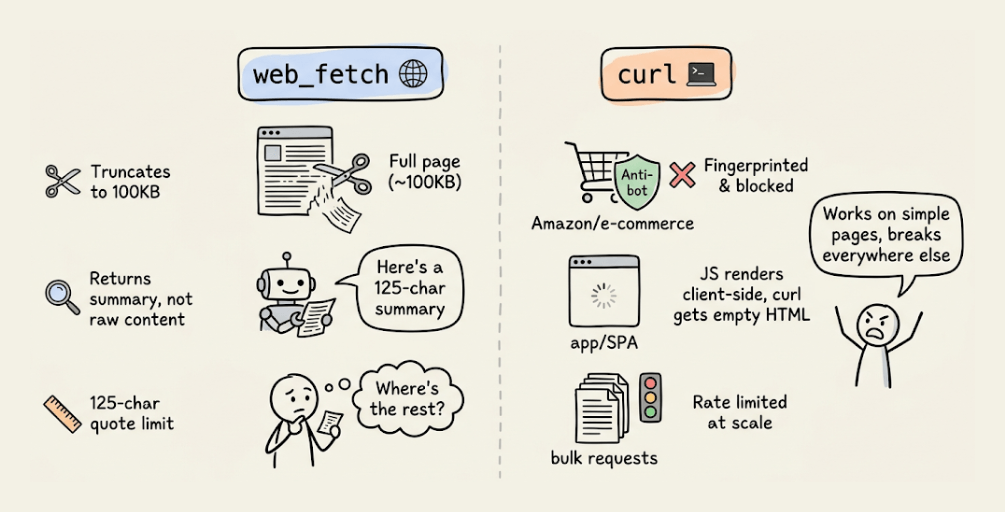
web_fetchruns the page through a smaller model and returns a summary capped at a 125-character quote, so you can’t pull full specs or thread content.web_searchreturns ranked results, not the page itself.curlreturns raw HTML but gets blocked on Amazon, LinkedIn, and most protected sites, and it can’t render JavaScript pages.
The Bright Data CLI has already been a reliable solution to handle this limitation.
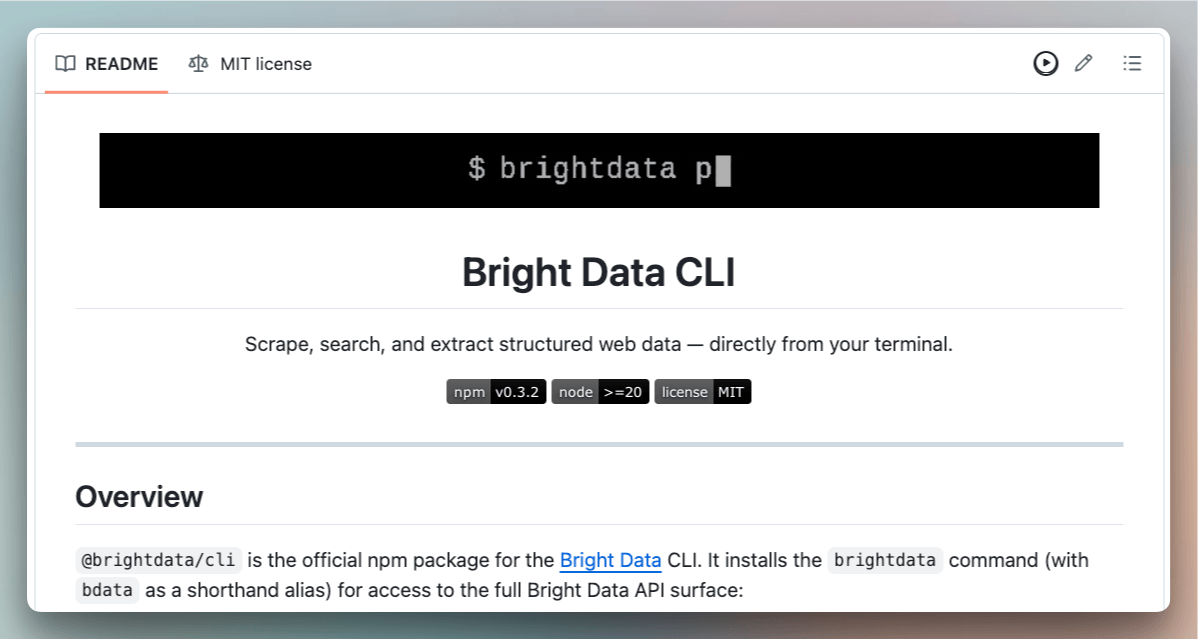
It provides a scraping infrastructure that handles bot detection, CAPTCHAs, and browser rendering.
It also has pre-built extractors for 40+ platforms (Amazon, LinkedIn, Instagram, TikTok, YouTube, Reddit, etc.), but for all other sites, you need to rely on standard markdown scraping. It returns the page as markdown that you parse field by field and rewrite whenever the site’s layout changes.
Scraper Studio is a new addition to the CLI now, where you give the CLI a site and the fields you want, and it generates a custom scraper, publishes it as an API, and repairs it when the page changes…all with natural language.
Let’s build a custom scraper ourselves.
Bright Data setup
Bright Data skills and CLI (open-source) add scraping infrastructure that handles everything web_fetch and curl can’t.
Start by installing the Bright Data skills and CLI:
npx skills add brightdata/skills

curl -fsSL https://cli.brightdata.com/install.sh | sh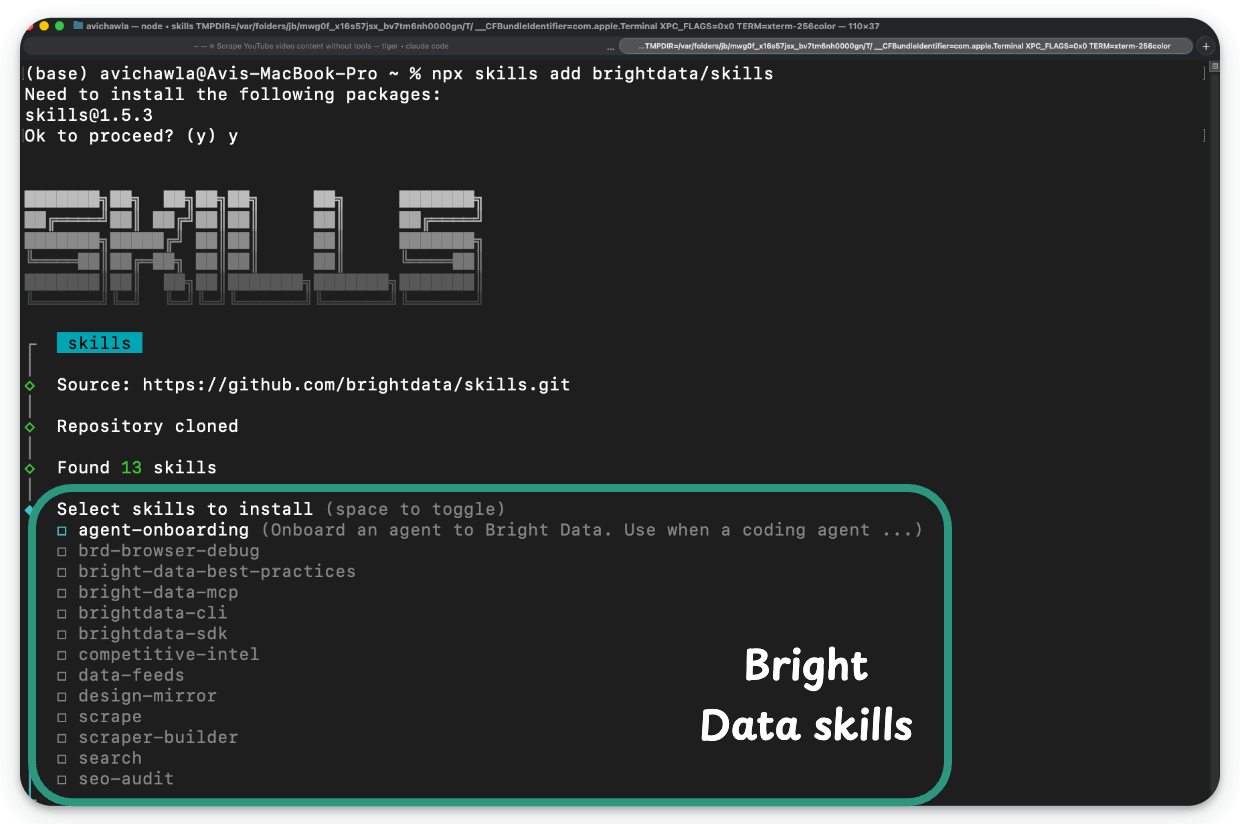
This installs several skills covering scraping, search, structured data feeds, MCP orchestration, SDK best practices, and the bdata CLI.
Building a custom scraper
This is how we prompt Claude Code:
Create a custom scraper using Bright Data scraper studio
for this page: https://blog.dailydoseofds.com/p/the-production-harness-for-ai-built.
Figure out the relevant fields you can extract
from this to build the custom scraper. Tell me the
API endpoint once done, name, wrap up it up in a python script
that can directly invokes the API endpoint.
The scraper-builder skill loads and first checks Bright Data's supported domains. Substack has no pre-built scraper, so this is a custom-scraper case:
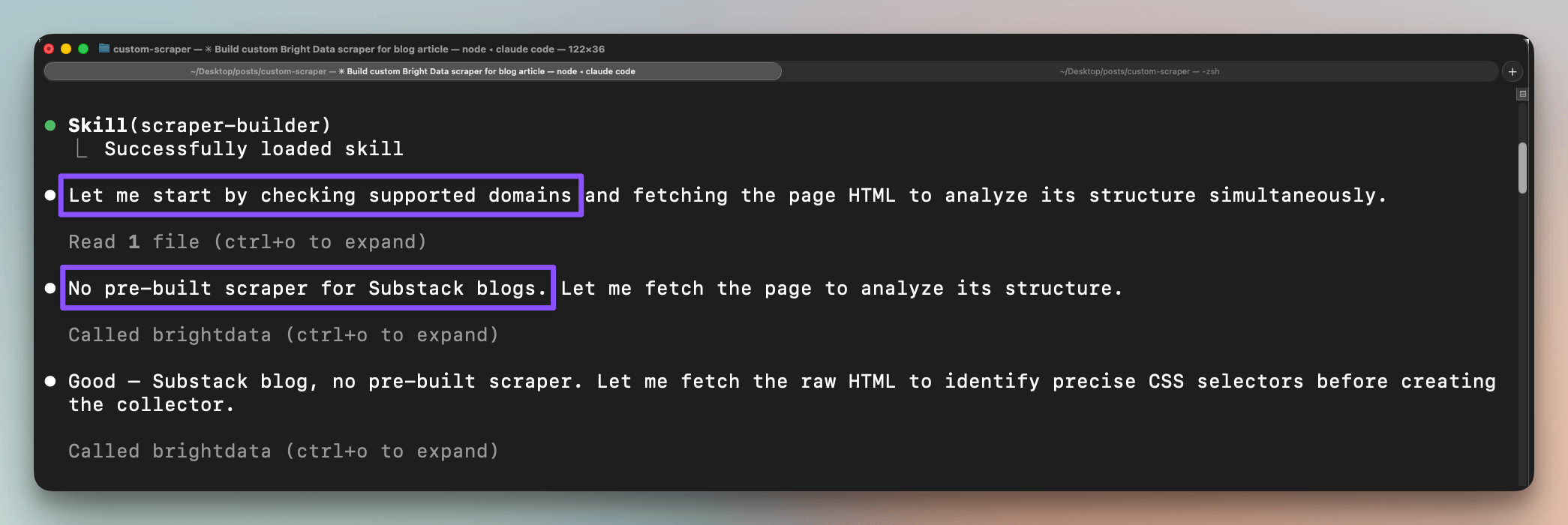
Claude Code then fetches the page and reads its structure to decide what to extract.
It then builds the collector with one CLI command:
brightdata scraper create
 "https://blog.dailydoseofds.com/p/the-production-harness-for-ai-built"
The CLI creates a template, triggers the AI generation, and returns a collector. To verify it, Claude Code runs the collector against the same URL:
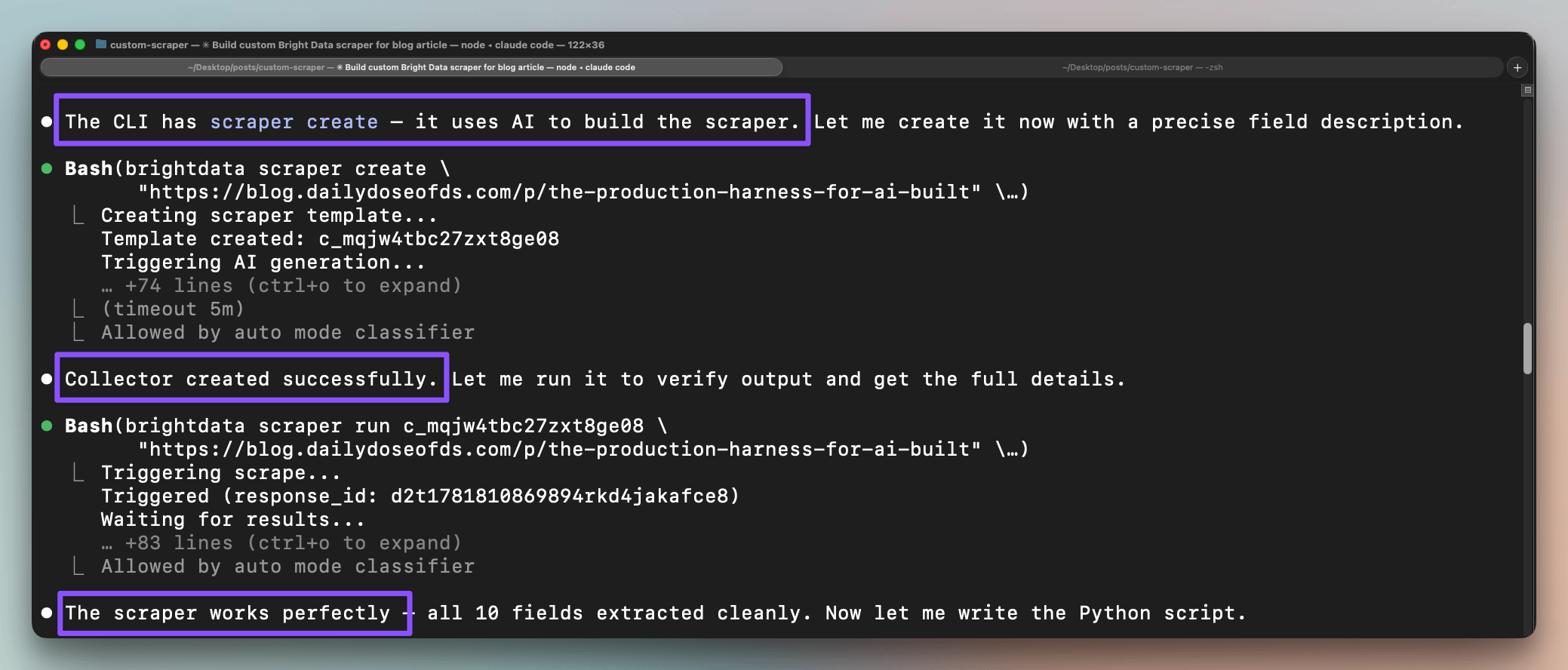
Finally, as instructed, Claude Code wraps those into a Python script that triggers the collector, polls for the response, and writes the records to JSON:
TRIGGER_URL = "https://api.brightdata.com/dca/trigger?collector=...&queue_next=1"
DATASET_URL = "https://api.brightdata.com/dca/dataset"
HEADERS = {"Authorization": f"Bearer {API_KEY}", "Content-Type": "application/json"}

def trigger(url):
    resp = requests.post(TRIGGER_URL, headers=HEADERS, json=[{"url": url}], timeout=30)
    resp.raise_for_status()
    return resp.json()["response_id"]

def fetch_results(response_id):
    while True:
        resp = requests.get(DATASET_URL, headers=HEADERS,
                            params={"id": response_id}, timeout=30)
        data = resp.json()
        if isinstance(data, list) and data:
            return data
        time.sleep(3)
From a one-line prompt, you end up with a named collector, a callable API, and a script that hits it, for a site that had no pre-built scraper.
So essentially, instead of a fixed catalog of scrapers, you can provision a new one for whatever site your project needs, generated from inside the agent that’s building the project.
The data source becomes something you spin up as you go, shaped to the exact fields you want. For anyone building against the open web, that is a strong thing to have one command away.
Note: None of this is locked to the terminal. Generating the collector, approving the fields, and publishing the API all run directly in the Scraper Studio dashboard, and that’s also where you repair a scraper in plain language when a page change turns a field into undefined.
Pre-built extractors cover 40+ popular platforms. For everything else, Scraper Studio turns a plain-language description into a custom scraper, a callable API, and a collector you own, whether you build it from the CLI or the dashboard.
Why Bright Data?
Building AI apps capable of interacting with real-time web data can feel impossible. Here are the challenges:
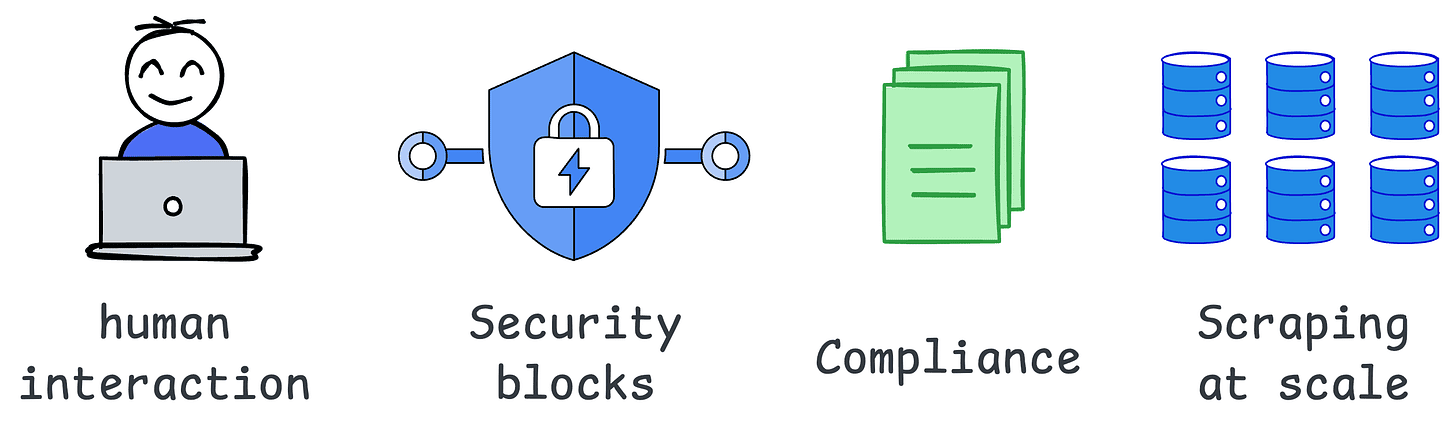
You must simulate human-like interactions.
You must overcome site blocks and captchas.
You must scrape accurate and clean data at scale.
You must ensure compliance with all legal standards.
Bright Data provides the complete infrastructure to handle data extraction, user simulation, and real-time interactions for your AI apps across the web.
With Bright Data, you can:
Access clean data from any public website with ease.
Simulate user behaviors at scale using advanced browser-based tools.
Enable AI models to retrieve real-time insights with a seamless Search API.
Resources to go deeper:
👉 Over to you: Which custom scraper will you build today?
Thanks to Bright Data for letting us use their scrapping infra and partnering with us on this demo.
Visual guide to Bi-encoders, Cross-encoders & ColBERT
So many real-world NLP systems, implicitly or explicitly, rely on pairwise sentence (or context) scoring in one form or another.
QA systems
Duplicate text detection systems, etc.
The visual depicts three popular approaches used in the industry to handle this:
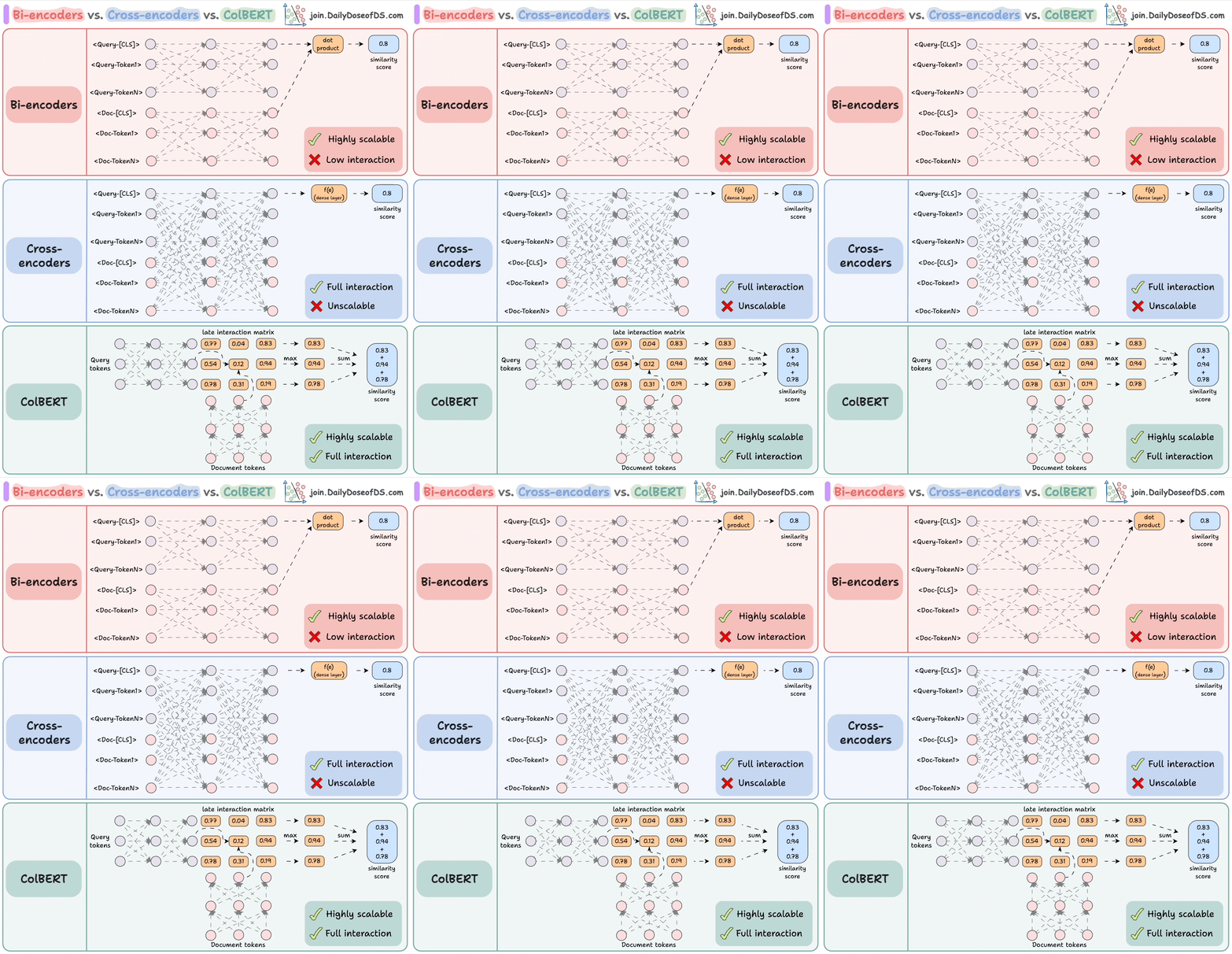
Let’s understand them one by one!
We covered them with implementation here:
1) Bi-encoders and Cross-encoders for sentence pair similarity scoring.
2) AugSBERT for sentence pair similarity scoring.
3) A deep dive into ColBERT and ColBERTv2 for improving RAG systems (with implementation).
1) Cross-encoders
These are conceptually one of the most powerful approaches.

Concatenate the query text and the document text.
Encode it using a BERT-like encoder model.
Apply a transformation (a dense layer) to the
[CLS]token representations to get a similarity score.
Since the model attends to both contexts, this produces an incredibly semantically expressive representation.
But it does not scale because if you have 1B documents, you must do 1B forward passes to determine the most relevant documents to a query.
2) Bi-encoders
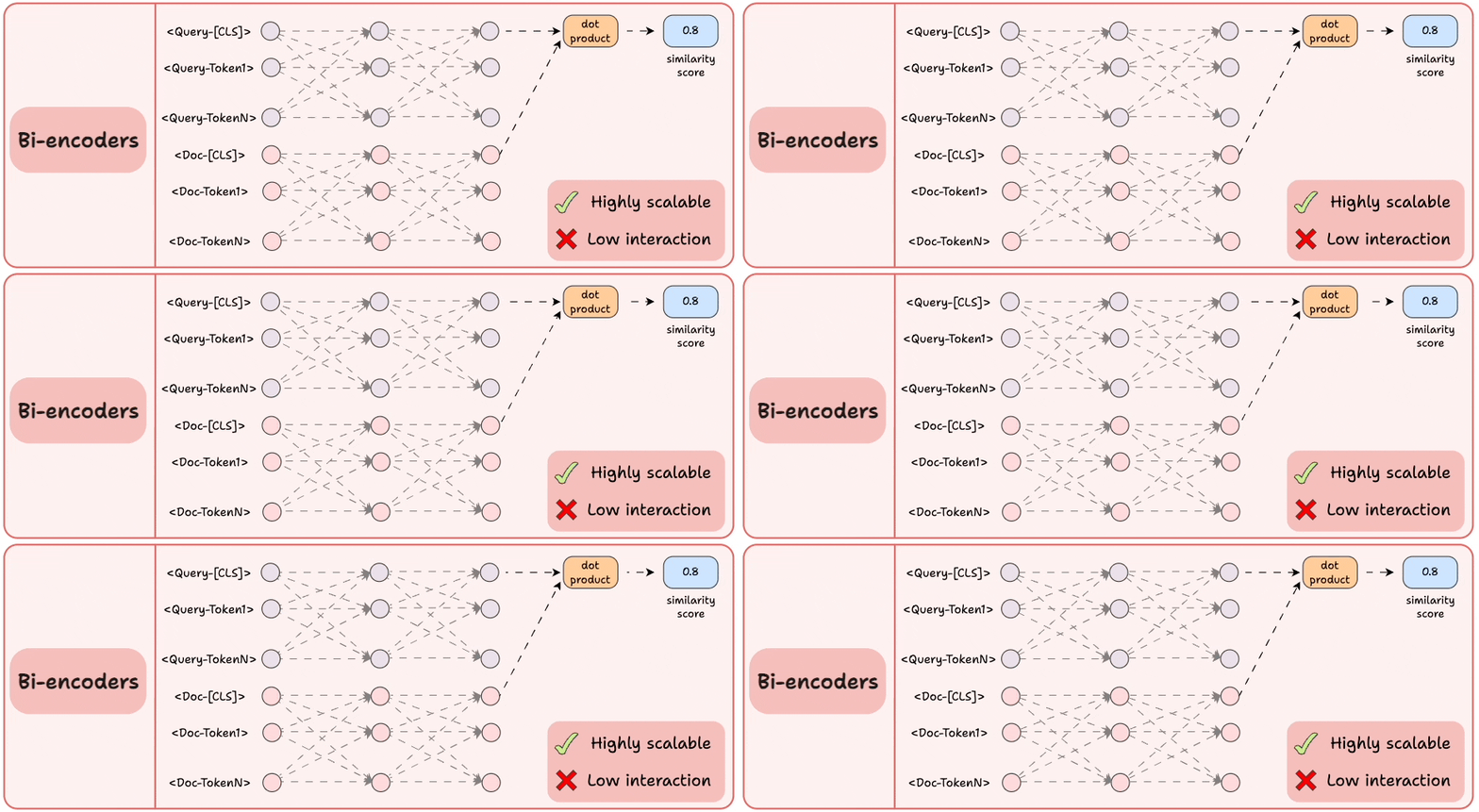
Encode the query and the documents separately.
Compute the cosine similarity between the
[CLS]token of the query and the document.
This is highly scalable since the document embeddings can be computed offline.
But we lose all the interaction and simply “hope” that the entire information about the query and the document is well summarized in the [CLS] token.
3) ColBERT
This brings together the power of cross-encoders and the scalability of bi-encoders.
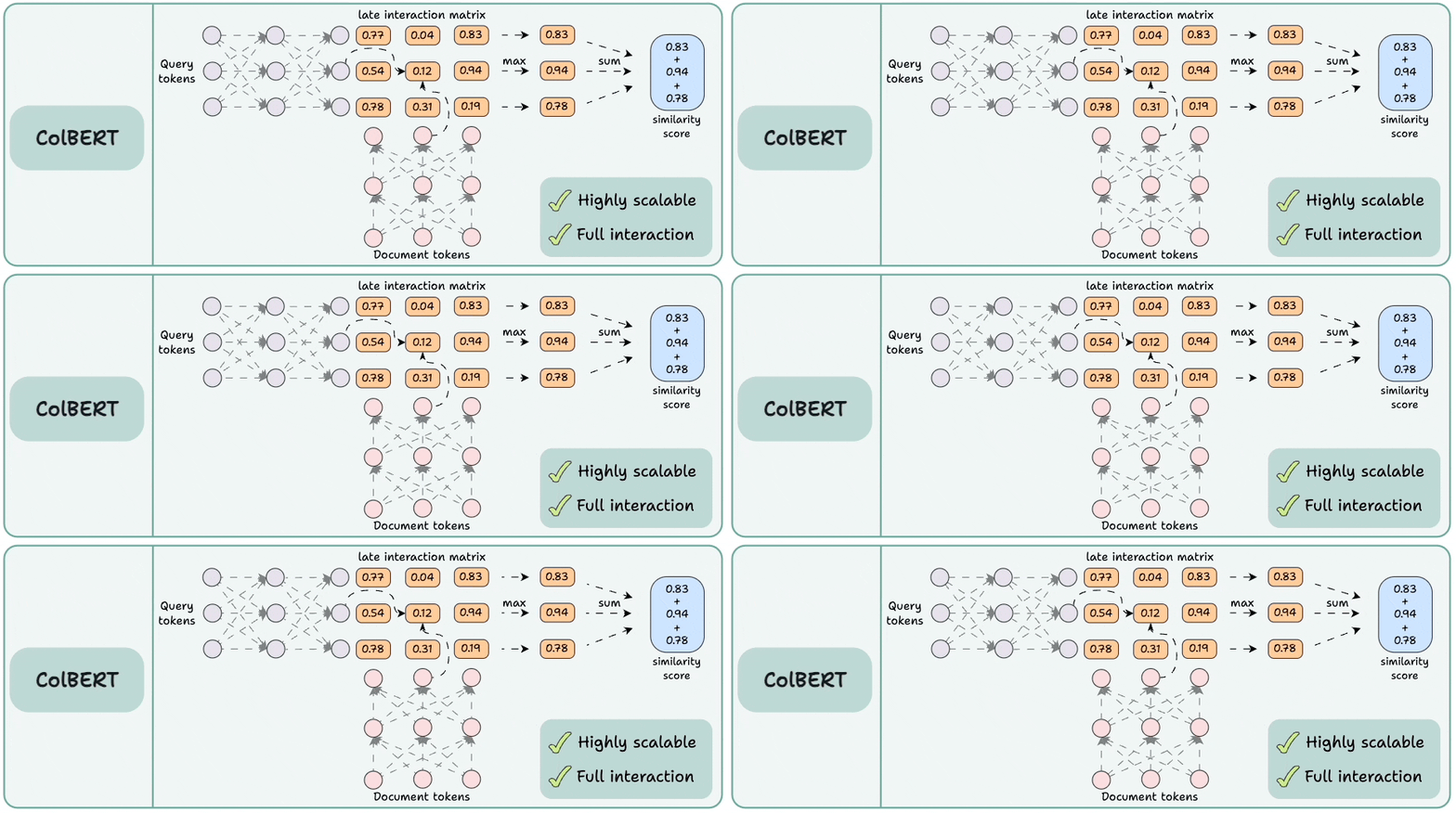
Encode the query and the documents separately.
Compute a late interaction matrix, which contains similarity scores (dot product) between all query tokens and all document tokens.
For every token, determine the max score across all document tokens.
Sum these max scores to get a matching score.
Advantages:
Like bi-encoders, it is highly scalable since document embeddings can be computed offline.
Like cross-encoders, it maintains cross-interactions between the query and the document tokens (called late interaction).
We covered them with implementation here:
Bi-encoders and Cross-encoders for Sentence Pair Similarity Scoring.
A deep dive into ColBERT and ColBERTv2 for improving RAG systems (with implementation).
Over to you: What are some other advantages of ColBERT?
Thanks for reading!