

Upgrading the HuggingFace Fine-Tuning Skill!
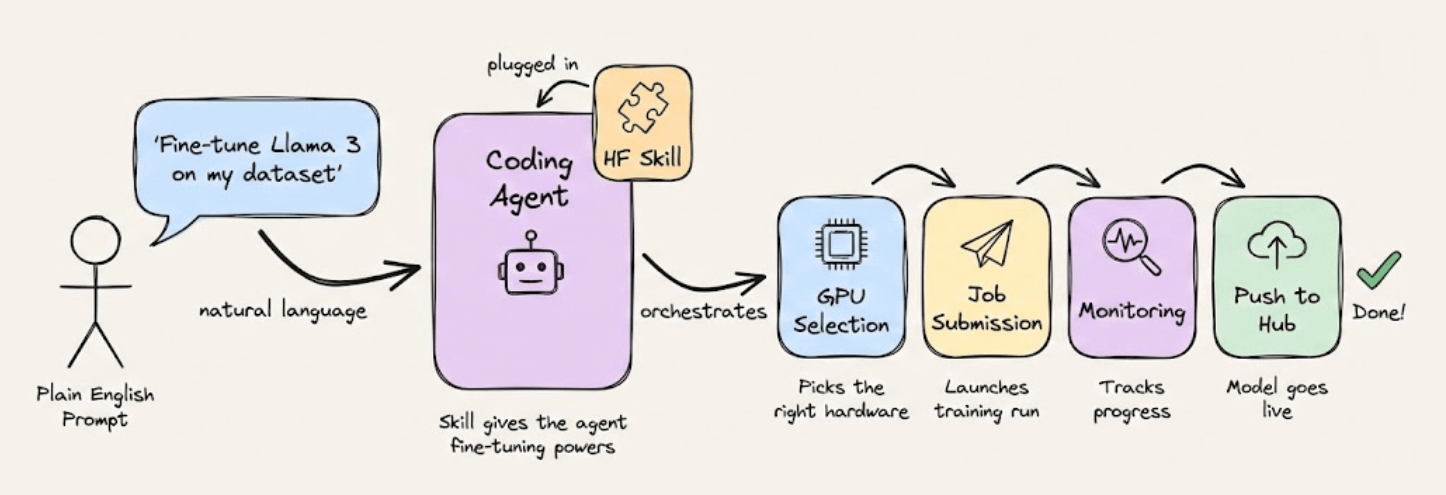
HuggingFace released a skill you can plug into Claude or any coding agent that lets you fine-tune open-source LLMs with plain English.
The agent handles GPU selection, job submission, monitoring, and pushes the finished model to the Hub.
But there’s a catch.
It assumes you already have a clean dataset on the HuggingFace Hub.
But most of the time, the data you actually want to fine-tune on lives on Twitter, LinkedIn, Reddit, Amazon, and other platforms behind anti-bot walls.
So we integrated Bright Data’s Web MCP into the skill so that the coding agent can scrape data from the web before kicking off the training job:
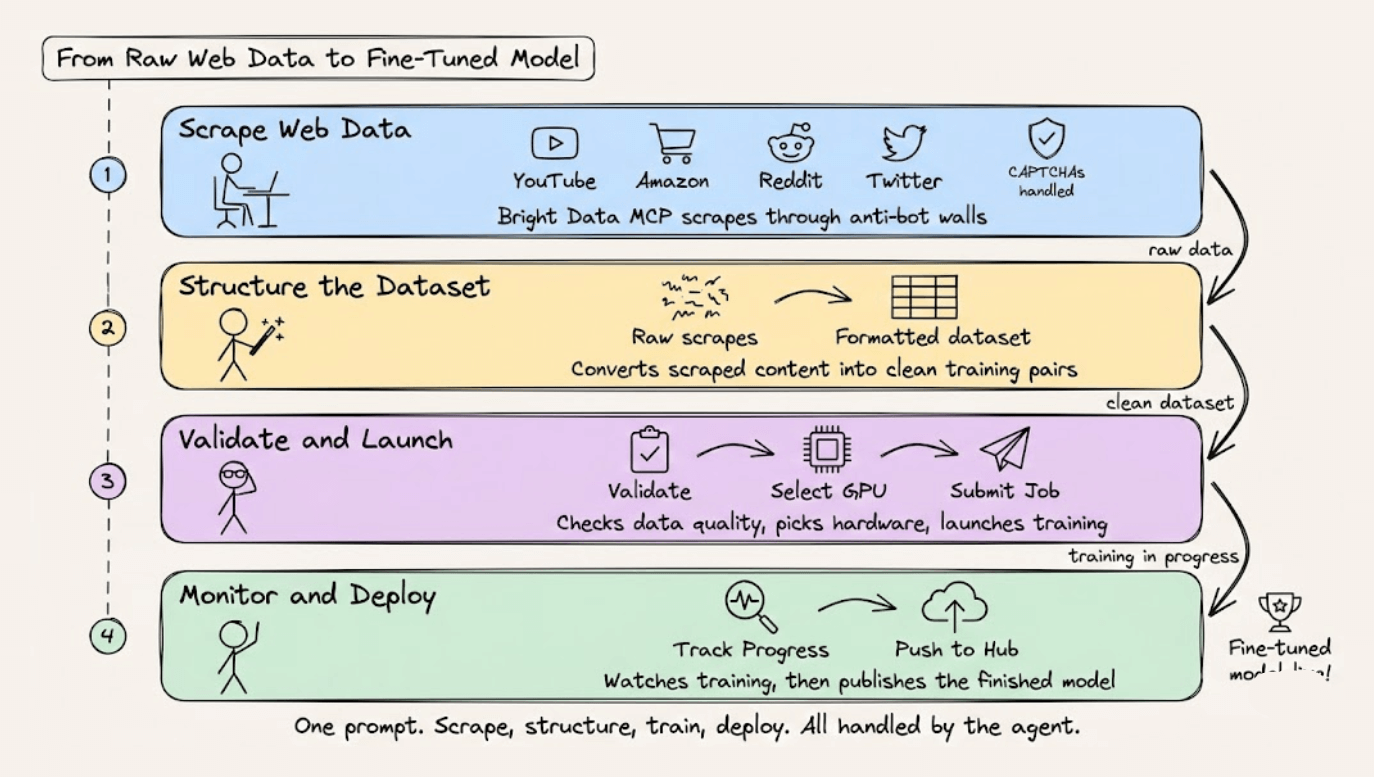
Scrape data from platforms like YouTube, Amazon, or Reddit, with CAPTCHAs and anti-bot systems handled automatically.
Structure the scraped content into a formatted fine-tuning dataset
Validate the dataset, select GPU hardware, and submit the training job to HuggingFace
Monitor training progress and push the finished model to the Hub
With this update, you can now tell Claude something like: “Scrape the top 500 Python discussions from Reddit, convert them into instruction-response pairs, and fine-tune Qwen3-0.6B on that dataset using SFT.”
And the agent takes it from there to do data collection, formatting, training, and deployment in one go.
The video below shows this in action:
The original HuggingFace skill did the training side really well, and we mostly didn’t touch that.
We just added the missing data collection layer using Bright Data’s MCP, which supports 60+ web data tools across 40+ platforms.
Why Bright Data?
Agents accessing the web struggle with IP blocks and CAPTCHA. Bright Data handles all of that behind the scenes.
It lets you scale scraping without getting blocked, simulate real user actions on complex sites, and work with both real-time and historical data from 40+ platforms.
You can find the GitHub repo of Bright Data MCP here →
And you can find the instructions to run it yourself in this GitHub repo →
GitHub Copilot: Your AI pair programmer across the entire dev lifecycle
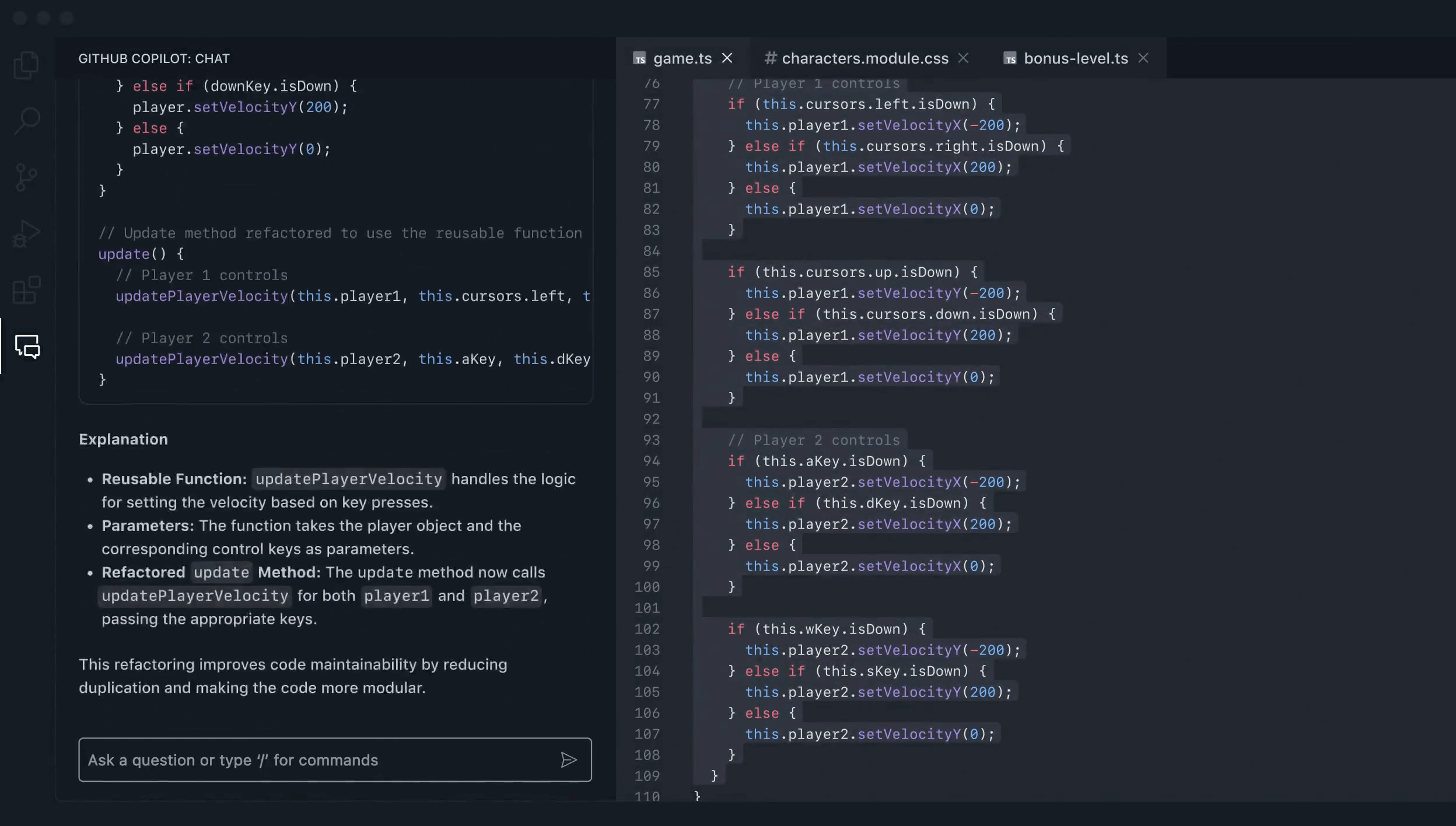
Switching between planning, coding, and deployment shouldn’t mean switching between a dozen tools.
GitHub Copilot has evolved into a full agentic AI pair programmer that helps you accelerate software innovation on any platform or code.
The workflow:
Plan and scaffold with natural language prompts in your IDE
Let Copilot handle spec-driven development, docs generation, and testing
Delegate app modernization and migration tasks
What makes it different:
GitHub Copilot meets software companies where they are, on any platform or in any code repository, and works with existing toolchains. The agent doesn’t just suggest code: it iterates, fixes errors, and pushes to PRs autonomously. Moreover, enterprise teams can get extensibility options and guardrails to customize agentic development at scale.
Thanks to Microsoft for partnering today!
6 types of contexts for Agents
A poor LLM can possibly work with an appropriate context, but even a SOTA LLM can never make up for an incomplete context.
That is why production-grade LLM apps don’t just need instructions but rather structure, which is the full ecosystem of context that defines their reasoning, memory, and decision loops.
And all advanced agent architectures now treat context as a multi-dimensional design layer, not a line in a prompt.
Here’s the mental model to use when you think about the types of contexts for Agents:
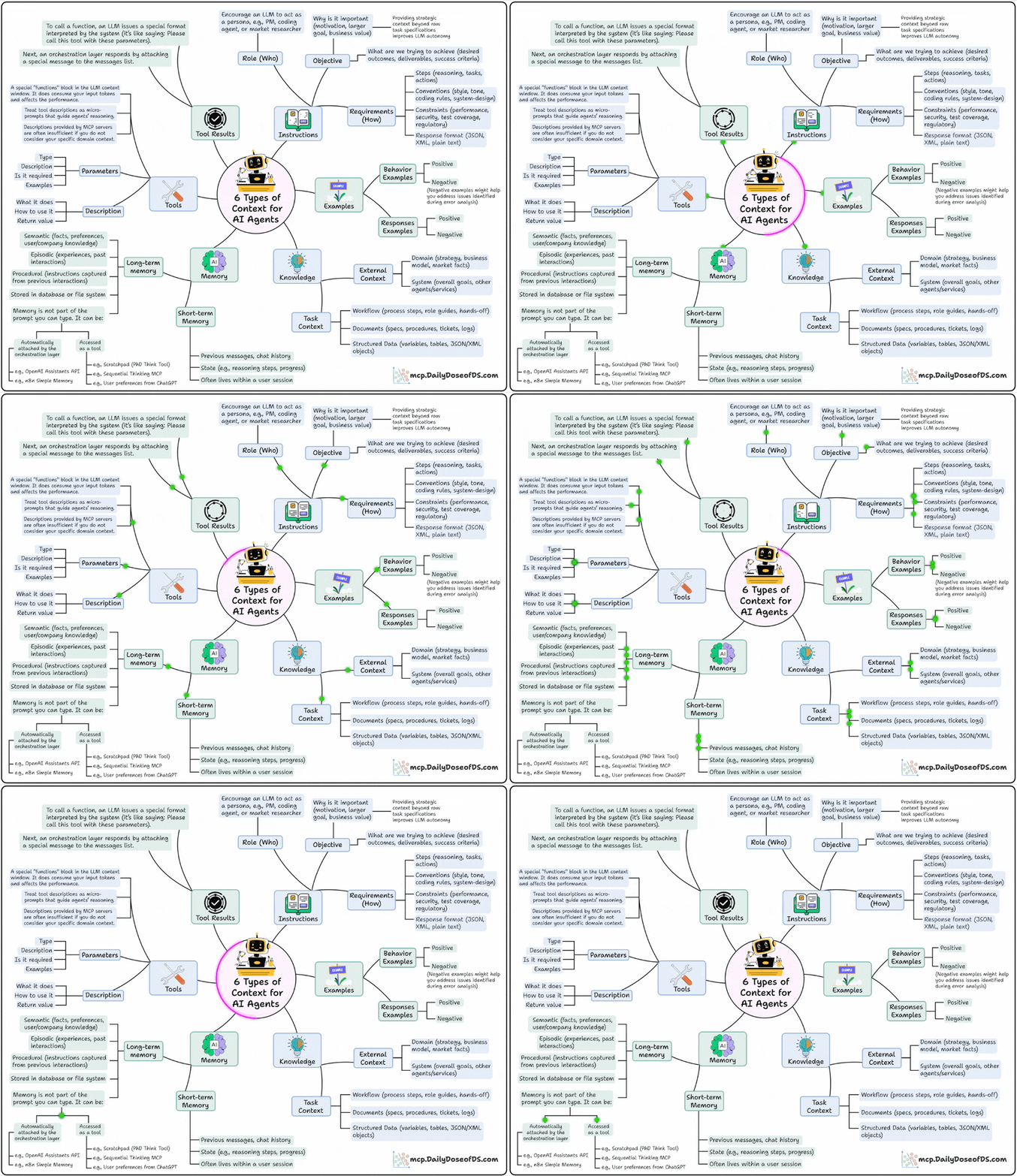
Instructions: This defines the who, why, and how:
Who’s the agent? (PM, researcher, coding assistant)
Why is it acting? (goal, motivation, outcome)
How should it behave? (steps, tone, format, constraints)
Examples: This shows what good and bad look like:
This includes behavioral demos, structured examples, or even anti-patterns.
Models learn patterns much better than plain rules
Knowledge: This is where you feed it domain knowledge.
From business processes and APIs to data models and workflows
This bridges the gap between text prediction and decision-making
Memory: You want your Agent to remember what it did in the past. This layer gives it continuity across sessions.
Short-term: current reasoning steps, chat history
Long-term: facts, company knowledge, user preferences
Tools: This layer extends the Agent’s power beyond language and takes real-world action.
Each tool has parameters, inputs, and examples.
The design here decides how well your agent uses external APIs.
Tool Results: This layer feeds the tool’s results back to the model to enable self-correction, adaptation, and dynamic decision-making.
These are the exact six layers that help you build fully context-aware Agents.
Btw, this isn’t theory, it’s exactly how systems like Claude Code, real-world agents, and effective memory tools are already working today.
Context engineering is becoming the core skill for anyone building long-horizon, multi-step agents.
We did a crash course to help you implement reliable Agentic systems, understand the underlying challenges, and develop expertise in building Agentic apps on LLMs, which every industry cares about now.
Here’s everything we did in the crash course (with implementation):
In Part 1, we covered the fundamentals of Agentic systems, understanding how AI agents act autonomously to perform tasks.
In Part 2, we extended Agent capabilities by integrating custom tools, using structured outputs, and we also built modular Crews.
In Part 3, we focused on Flows, learning about state management, flow control, and integrating a Crew into a Flow.
In Part 4, we extended these concepts into real-world multi-agent, multi-crew Flow projects.
In Part 5 and Part 6, we moved into advanced techniques that make AI agents more robust, dynamic, and adaptable, like Guardrails, Async execution, Callbacks, Human-in-the-loop, Multimodal Agents, and more.
In Part 8 and Part 9, we primarily focused on 5 types of Memory for AI agents, which help agents “remember” and utilize past information.
In Part 10, we implemented the ReAct pattern from scratch.
In Part 11, we implemented the Planning pattern from scratch.
In Part 12, we implemented the Multi-agent pattern from scratch.
In Part 13 and Part 14, we covered 10 practical steps to improve Agentic systems.
In Part 15, Part 16 and Part 17, we covered practical ways to optimize the Agent’s memory in production use cases.
Of course, if you have never worked with LLMs, that’s okay. We cover everything in a practical and beginner-friendly way.
👉 Over to you: Have we missed any context layer in this?
Thanks for reading!