

Researchers built a new AI inference engine
Researchers built a new AI inference engine that:
reduces self-hosting costs by ~4x
runs a full agentic pipeline on one GPU
is a drop-in for the OpenAI API
And it serves 20+ model architectures, not just LLMs.
Here’s the problem with engines like vLLM that it solves.
Most agent pipelines today run 4-5 small models under the hood:
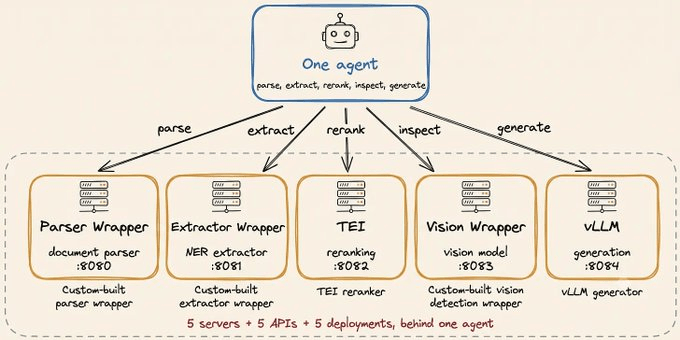
an embedder for retrieval
a reranker for precision
an extractor for entities
and an LLM for generation
The standard way to serve them is one server per model.
vLLM serves the LLM, TEI serves the embedder, and everything else gets a custom FastAPI wrapper.
Each server reserves its own slice of GPU memory and holds it whether traffic arrives or not. GPUs are billed by the hour, so idle time costs the same as busy time.
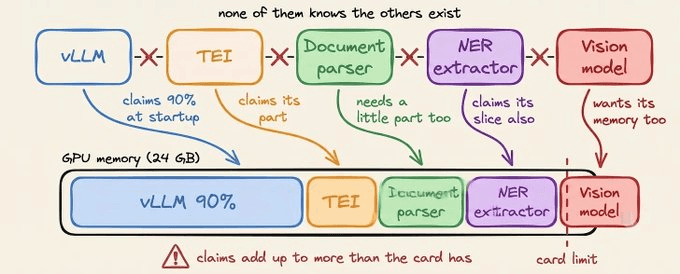
This is why switching to small models rarely reduces the bill. The cost is never in the calls but rather in maintaining the servers.
The structural fix is serving every model from one process that loads and evicts models based on traffic.
Superlinked open-sourced a new inference engine that does exactly that.
SIE (Superlinked Inference Engine) is an Apache 2.0 server that runs 85+ models behind one API.
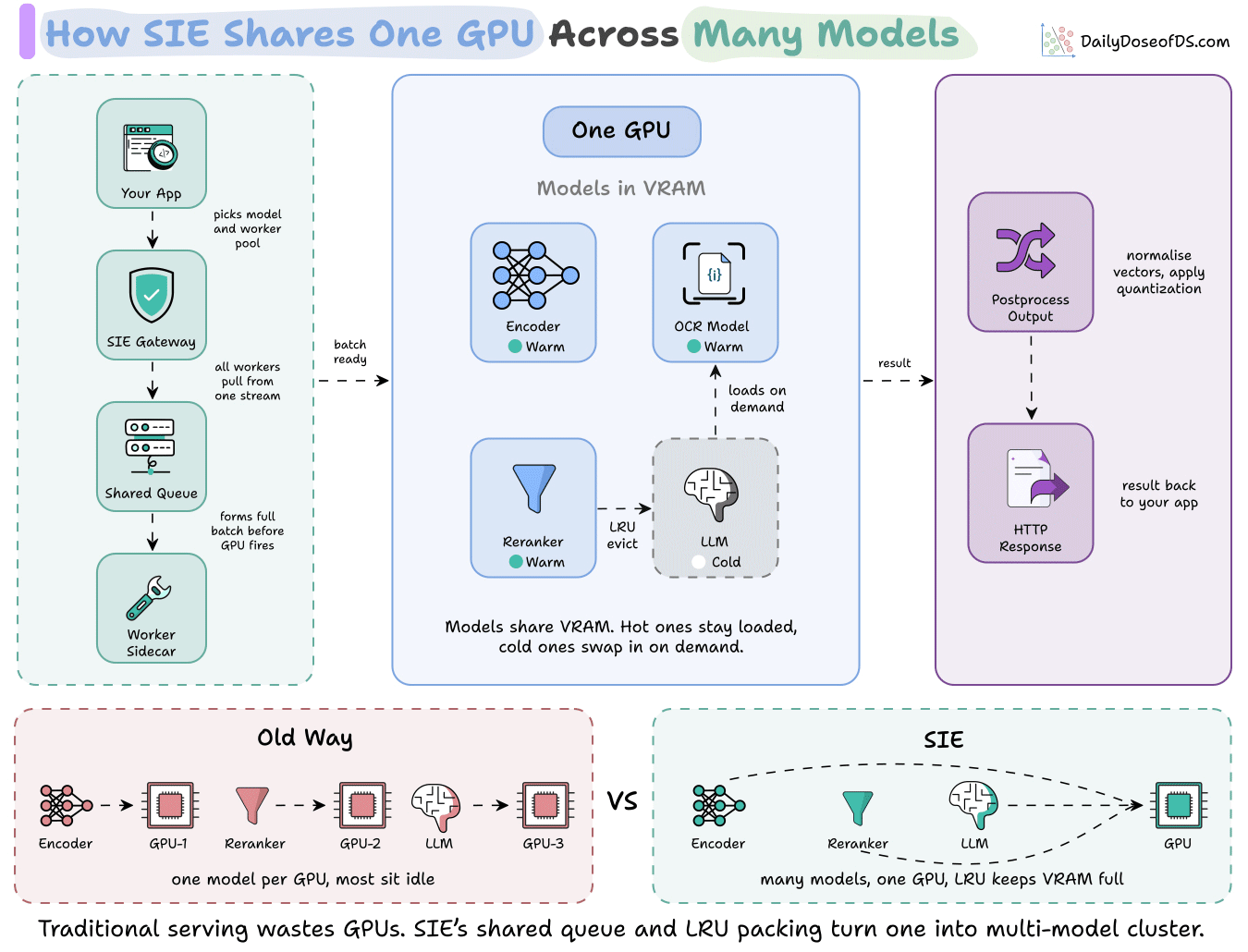
Four calls cover the whole pipeline:
encode()returns vectorsscore()returns relevance scoresextract()returns entity spansand
generate()runs small open LLMs.
Models load on first request and are evicted least-recently-used, so one GPU serves a rotating set of models instead of sitting siloed behind one.
It runs anywhere from a laptop to a Kubernetes cluster, and it plugs into Qdrant, Weaviate, Chroma, LanceDB, LangChain, and LlamaIndex.
You can find the repo here: https://github.com/superlinked/sie
(don’t forget to star 🌟)
WebMCP by Google, clearly explained!
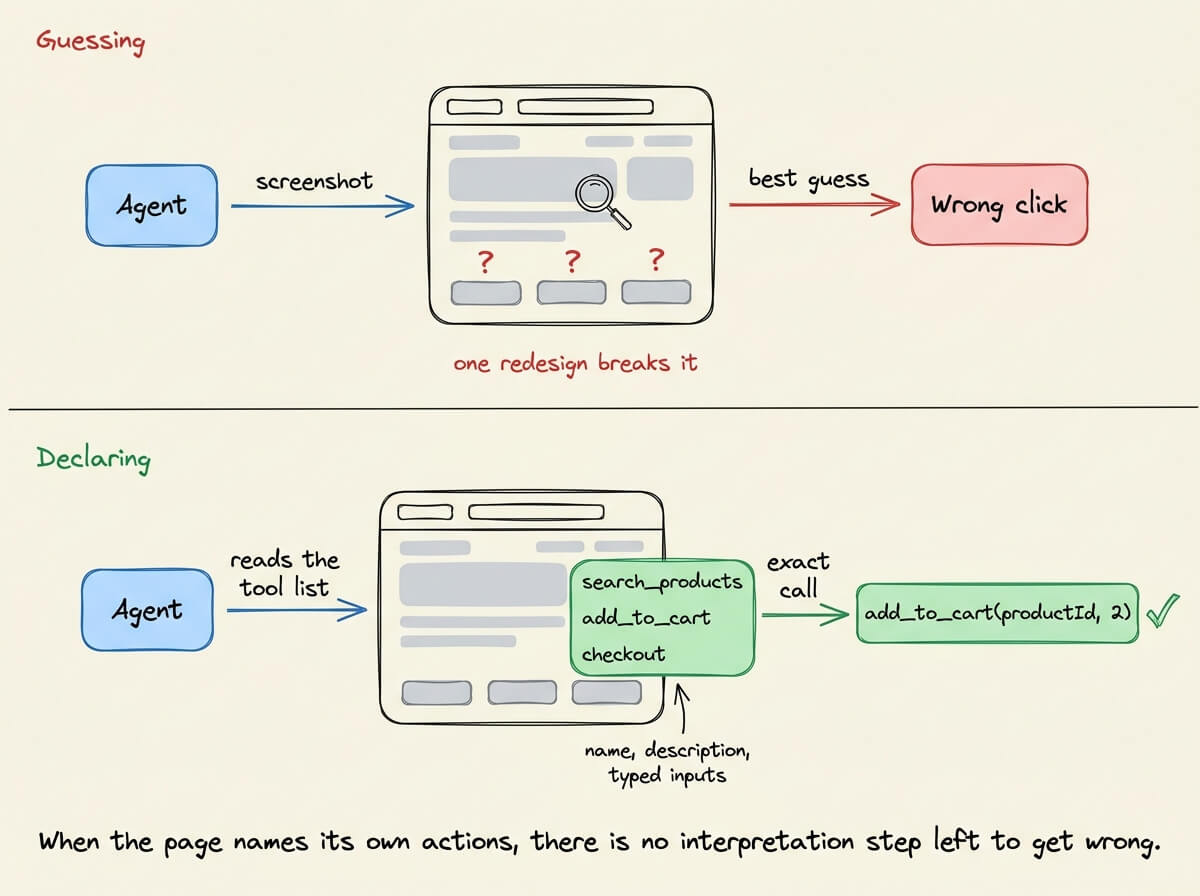
When an agent buys something on a website, they usually navigate it via screenshots.
It captures the page, finds something that looks like a button, clicks, waits, and captures again. It reads the screen the way a person would, only slower, and spends tokens in each turn.
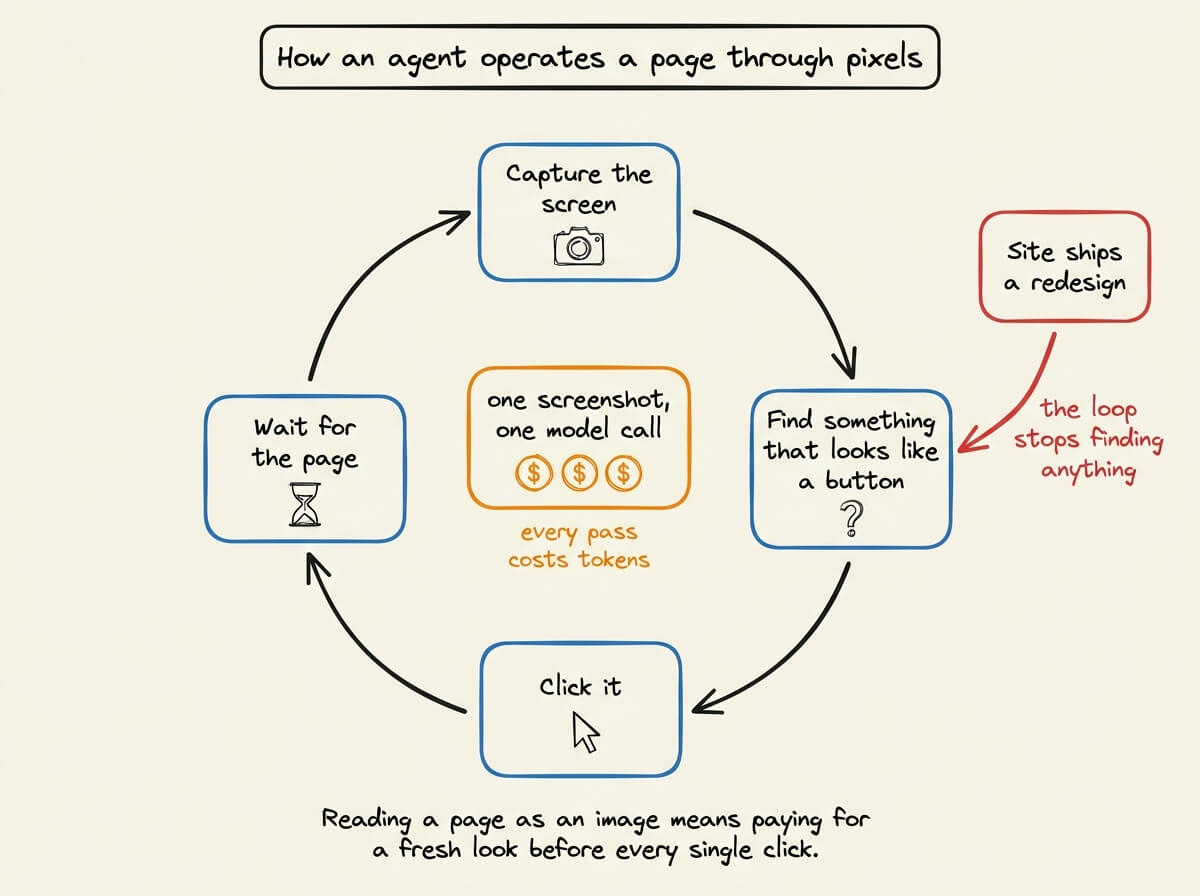
That works often in a demo, but it is fragile if the website is redesigned.
However, the website already knows exactly what it can do. It has a search, a cart, a checkout, a booking flow, and none of that is written down anywhere a program can read. All of it belongs to a layout that was built for people.
So the failure is not that agents read pages badly. Pages were never written for anything except people.
Here is an example.
WebMCP is a browser API from the Chrome and Edge teams that lets a site write those actions down.
The site names each action, search or add to cart, or book a slot describes it in words a model can read, and lists the inputs it accepts.
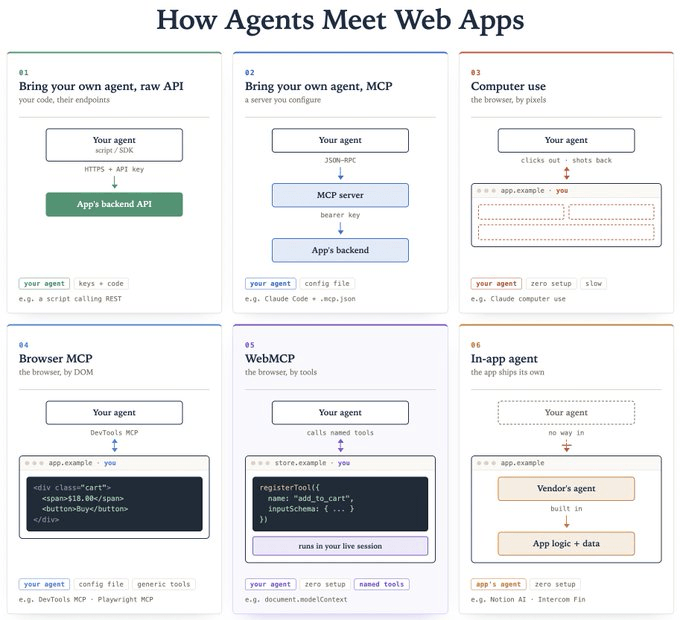
WebMCP is one of six ways an agent can reach an app. Going through all six in order shows why this one is the better bet.
Six ways an agent can reach an app
The six run from furthest away from the interface to closest to it.
The raw API. Your script hits the company’s backend directly with an API key. It is precise and fast, but you had to find the endpoints yourself, you manage the key, and the website is never involved.
A backend MCP server. The company builds a server that describes its actions as named tools, and your agent connects to it. Someone who understands the product defined those tools, which helps, though the user interface is still skipped.
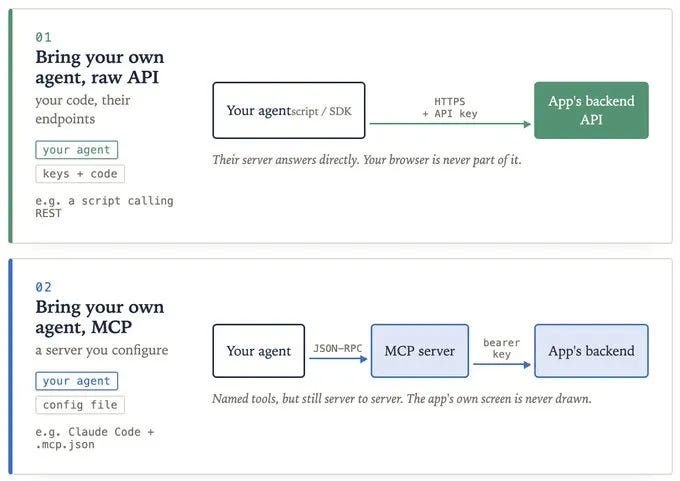
Computer use. Your agent sees the live page as an image and clicks around. There is nothing to set up. It is slow, every look costs money, and a layout change confuses it.
Browser automation. Your agent reads the page’s underlying code instead of a picture of it, which is more reliable than pixels. The tools are generic, so the agent still has to work out meaning from anonymous divs and buttons.
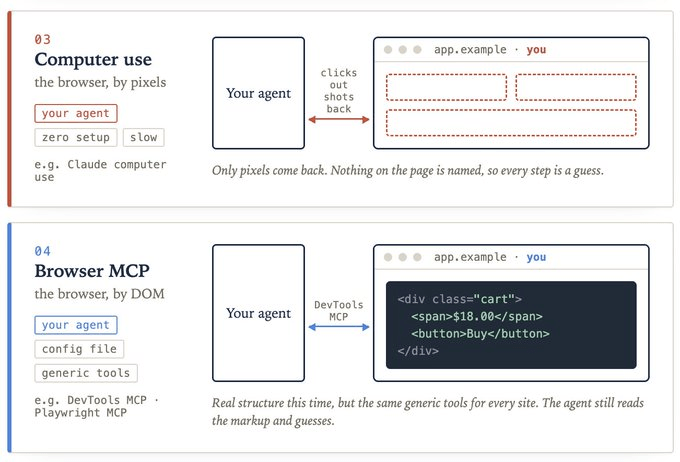
WebMCP. The page declares its own actions with names, descriptions, and typed inputs, and your agent calls them.
The site’s built-in assistant. The company ships its own chat box, picks the model, and pays for the tokens. Your agent stays outside, so you cannot bring your own agent to the site.
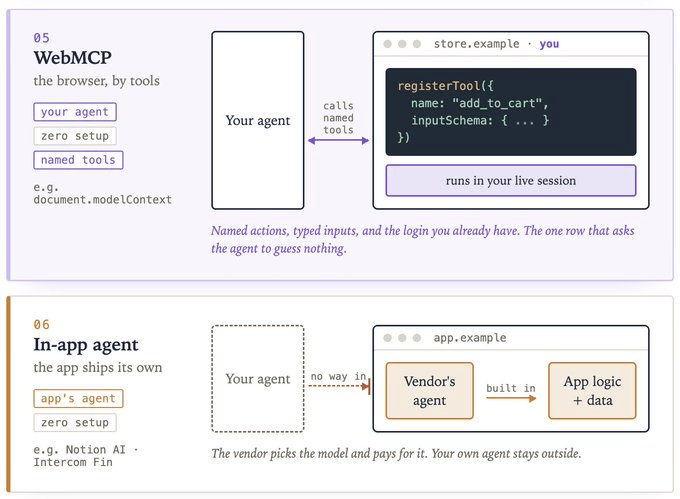
Problems with the six methods
Three things vary across them. They differ in whose agent does the work, in what the user has to configure before anything happens, and in what the agent receives once it arrives.
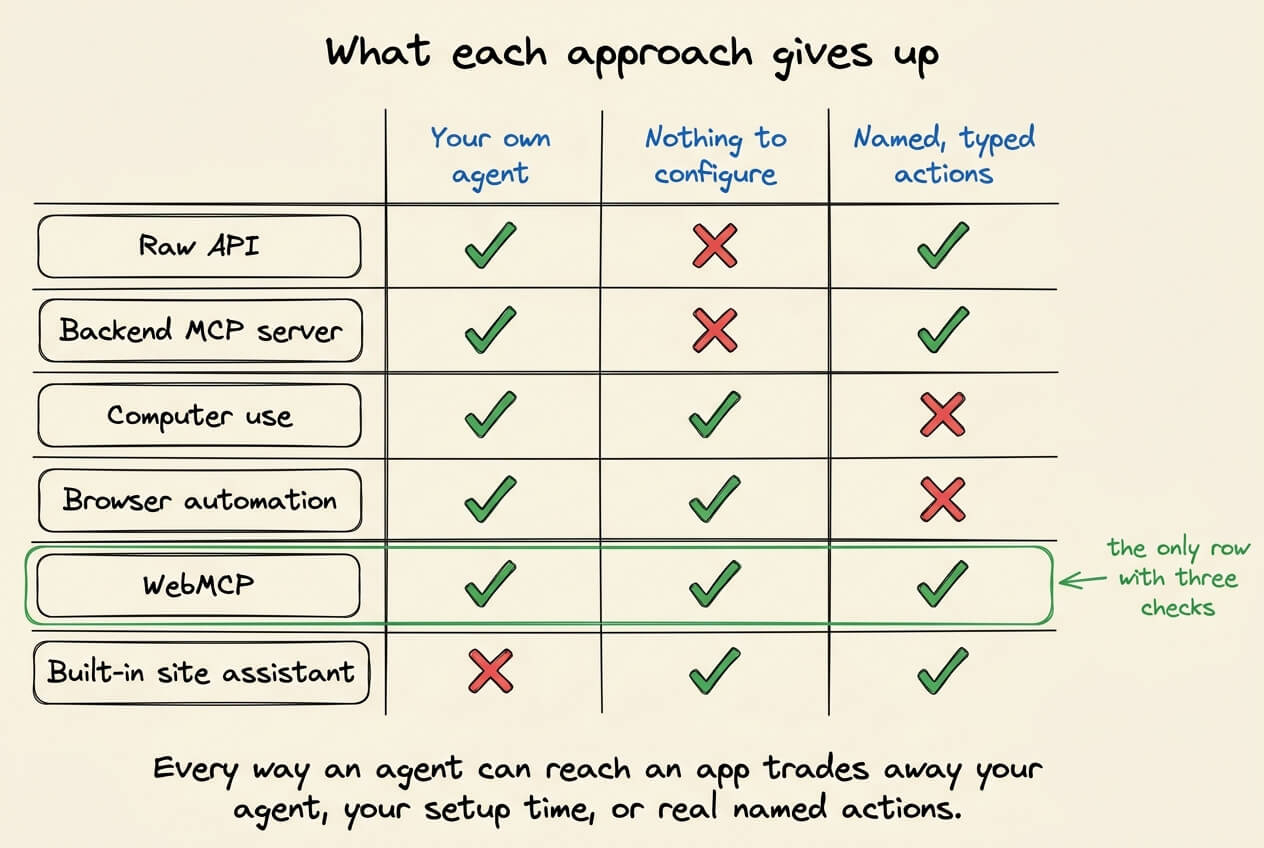
Every option except one gives up at least one of the three.
The raw API and the backend MCP server provide clean typed actions, but you do the configuring and the website itself never comes into it.
Computer use needs no setup and hands the agent pixels to work out on its own.
Browser automation gives structure, though it is the same generic structure for every site on the internet.
The built-in assistant is free and precise, and it is not your agent, so nothing it learns about you carries anywhere else.
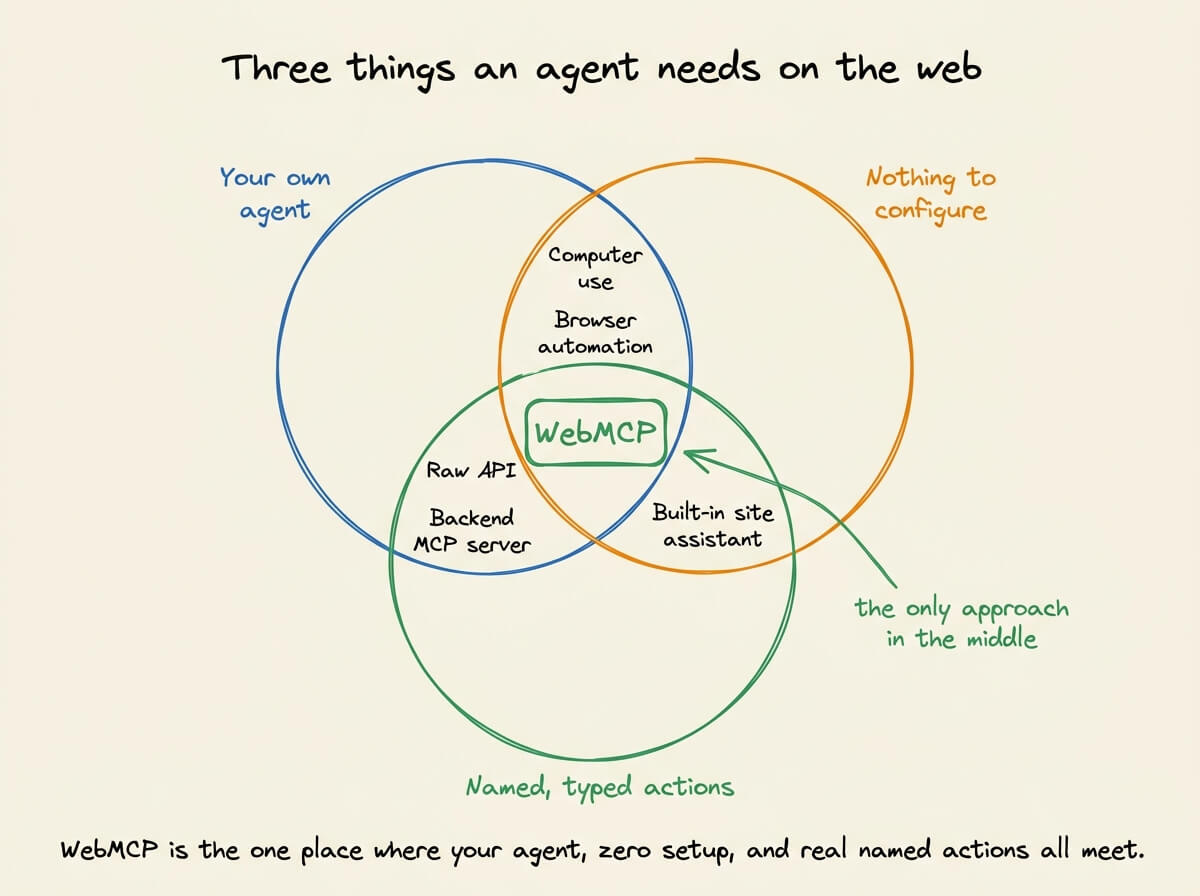
WebMCP keeps all three, since you bring your own agent, you configure nothing, and you get named actions instead of guesswork.
Why declaring is better
Instead of the agent working out what a button does, the site says what it does. A few things follow from that.
There is no guessing step. The agent gets a list of actions with typed inputs, so there is no interpretation stage where a wrong click quietly does the wrong thing.
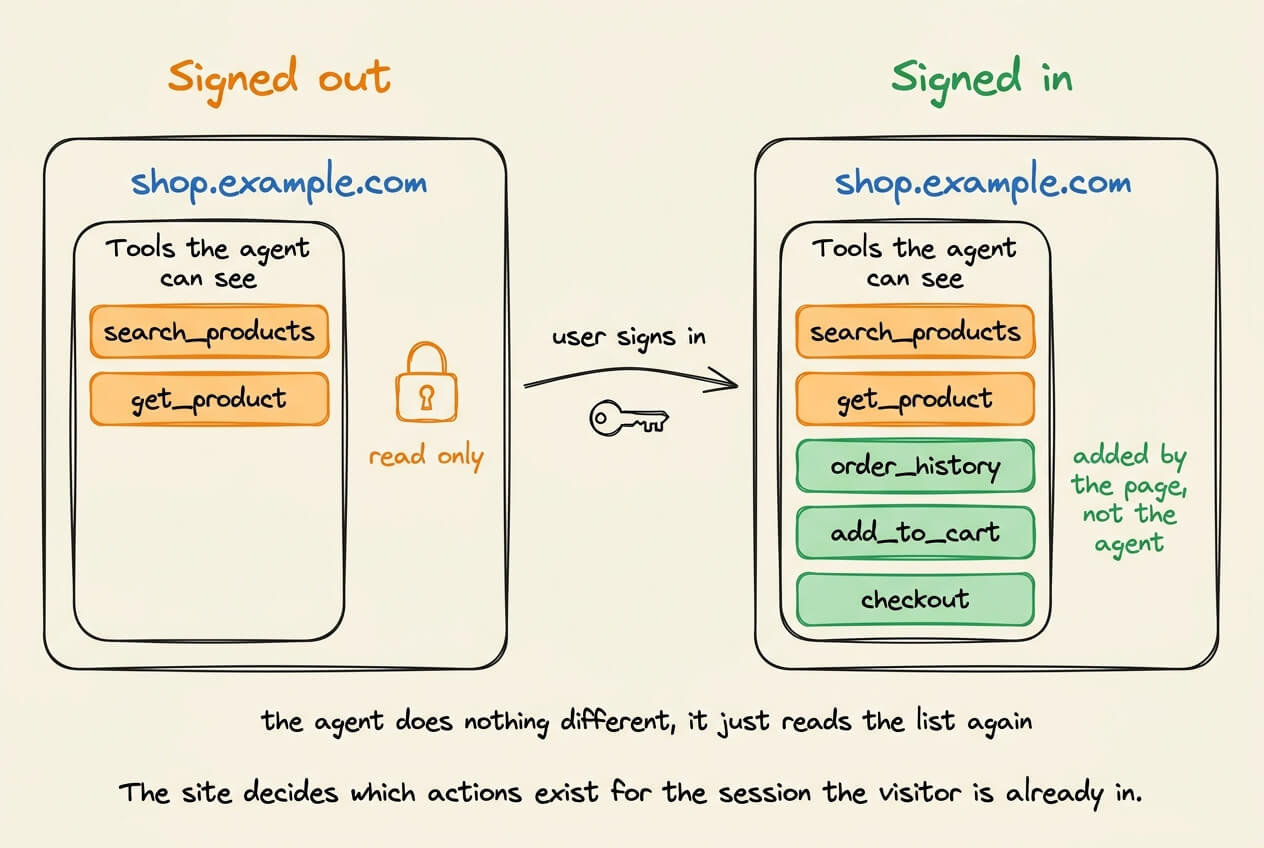
The action runs in the session you are already in. It executes inside your browser tab, so there is no API key for the agent to hold, no separate login, and no token to pass around. You are already signed in, so the agent already has access.
The available actions change with the page. A logged-out visitor’s agent sees a handful of read-only actions like search and product lookup. After signing in, the site adds the rest, including order history, cart, and checkout. Nothing special happens on the agent’s side, it just reads the list again.
Your interface stays in front of the user. The action runs on the visible page, so the user watches it happen, and your product does not get reduced to an API that somebody else’s chat window is calling.
Any model can invoke it. Inputs are described with JSON Schema, the same format Claude, GPT, and Gemini already use for tool calling, so you describe your actions once.
Setup in code
A tool is a plain JavaScript object handed to the browser. The code goes in your page’s own front-end script, the same JavaScript that already runs when someone loads the site. You register each tool once on page load, and from then on any agent visiting that page can see it and call it.
document.modelContext.registerTool({
  name: "add_to_cart",
  description: "Add a product to the shopping cart",
  inputSchema: {
    type: "object",
    properties: {
      productId: { type: "string" },
      quantity: { type: "number" }
    },
    required: ["productId"]
  },
  async execute({ productId, quantity }) {
    await addToCart(productId, quantity);
    return `Added ${quantity} to the cart`;
  }
});
There are four parts, and only one of them is new work.
The name is what the agent calls. The description is written in plain English, because a language model reads it to decide whether this is the right action. The schema says which inputs are valid, so bad arguments never reach your code.
The last part is the function that runs. It calls addToCart, the same function already sitting behind your own button, so you are not building a second version of your product for agents. You are pointing at the one you have.
If the thing you want to expose is already a form, you write no JavaScript at all. You add two attributes to the form markup already sitting in your HTML.
<form toolname="search_flights"
      tooldescription="Search available flights between two cities">
  <input name="from">
  <input name="to">
  <button type="submit">Search</button>
</form>
The browser reads the form, works out that it takes a from and a to, and builds the schema itself.
How to try this?
A site that tells an agent what it can do gets cleaner, more reliable results than a site that makes the agent guess from pixels.
It is still early. One browser family has shipped it, the standard is not final, and only the browser’s own agent calls these tools today.
The cost of trying is close to nothing. If you own a site, the cheapest place to start is a form you already have. You add the two attributes, open the page in a browser that supports the trial, and watch an agent use it.
The illustration below is a summary of how agents access web apps today.
Good day!
P.S. For those wanting to develop “Industry ML” expertise:

At the end of the day, all businesses care about impact. That’s it!
Can you reduce costs?
Drive revenue?
Can you scale ML models?
Predict trends before they happen?
We have discussed several other topics (with implementations) that align with such topics.
Here are some of them:
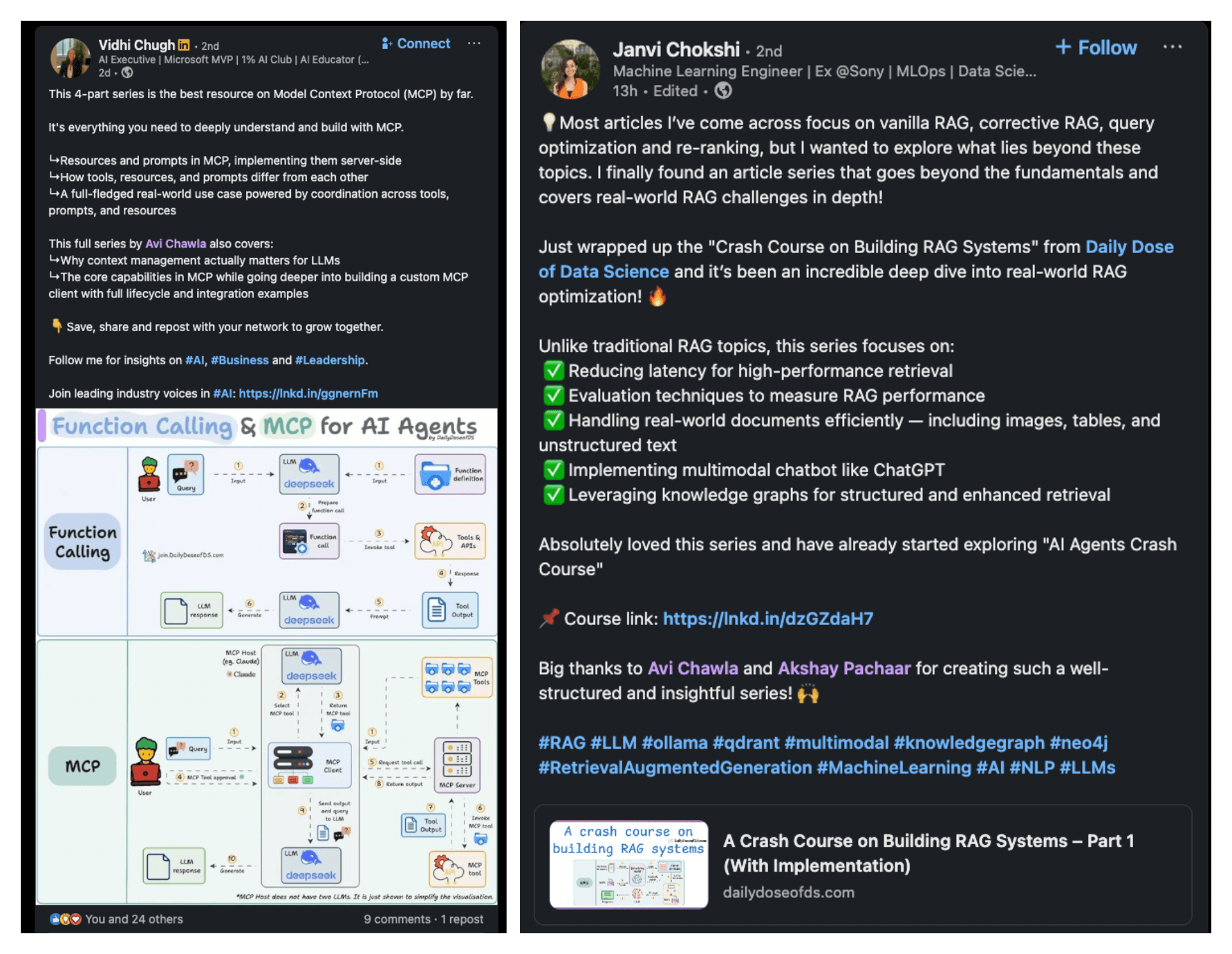
Learn everything about MCPs in this crash course with 9 parts →
Learn how to build Agentic systems in a crash course with 14 parts.
Learn how to build real-world RAG apps and evaluate and scale them in this crash course.
Learn sophisticated graph architectures and how to train them on graph data.
So many real-world NLP systems rely on pairwise context scoring. Learn scalable approaches here.
Learn how to run large models on small devices using Quantization techniques.
Learn how to generate prediction intervals or sets with strong statistical guarantees for increasing trust using Conformal Predictions.
Learn how to identify causal relationships and answer business questions using causal inference in this crash course.
Learn how to scale and implement ML model training in this practical guide.
Learn techniques to reliably test new models in production.
Learn how to build privacy-first ML systems using Federated Learning.
Learn 6 techniques with implementation to compress ML models.
All these resources will help you cultivate key skills that businesses and companies care about the most.