

In today’s newsletter:
Agent Memory 2.0 is here!
You’re using coding agents at half their power.
Agent Memory 2.0 is here!
Every agent harness implements its own memory today, so whatever Claude Code learns about you is gone once you switch to Codex.
Devs just open-sourced Harness Memory in HarnessRouter, where the entire memory actually belongs to the user, not to the harness.
Any harness can read and write it through one standard protocol, and the engine underneath is swappable: Mem0, Graphiti, Hindsight, ReMe, or your own.
In the video below, we gave a Claude Code agent some trip preferences. A fresh Codex session then recalled them and planned dinner around them, with no handoff code in between.
Memory loads at session start, gets searched on every turn, and is saved when the turn ends. Each user’s memory stays isolated, and recalled memory reaches the agent as data, not instructions.
Here’s the repo: https://github.com/HarnessRouter/harnessrouter
(don’t forget to star it ⭐)
This works because HarnessRouter already runs every harness behind one interface.
Sessions, streaming, files, and failures look the same whether the task goes to Claude Code, Codex, or Hermes, so memory could become one more shared layer instead of something each harness reinvents.
You’re using coding agents at half their power
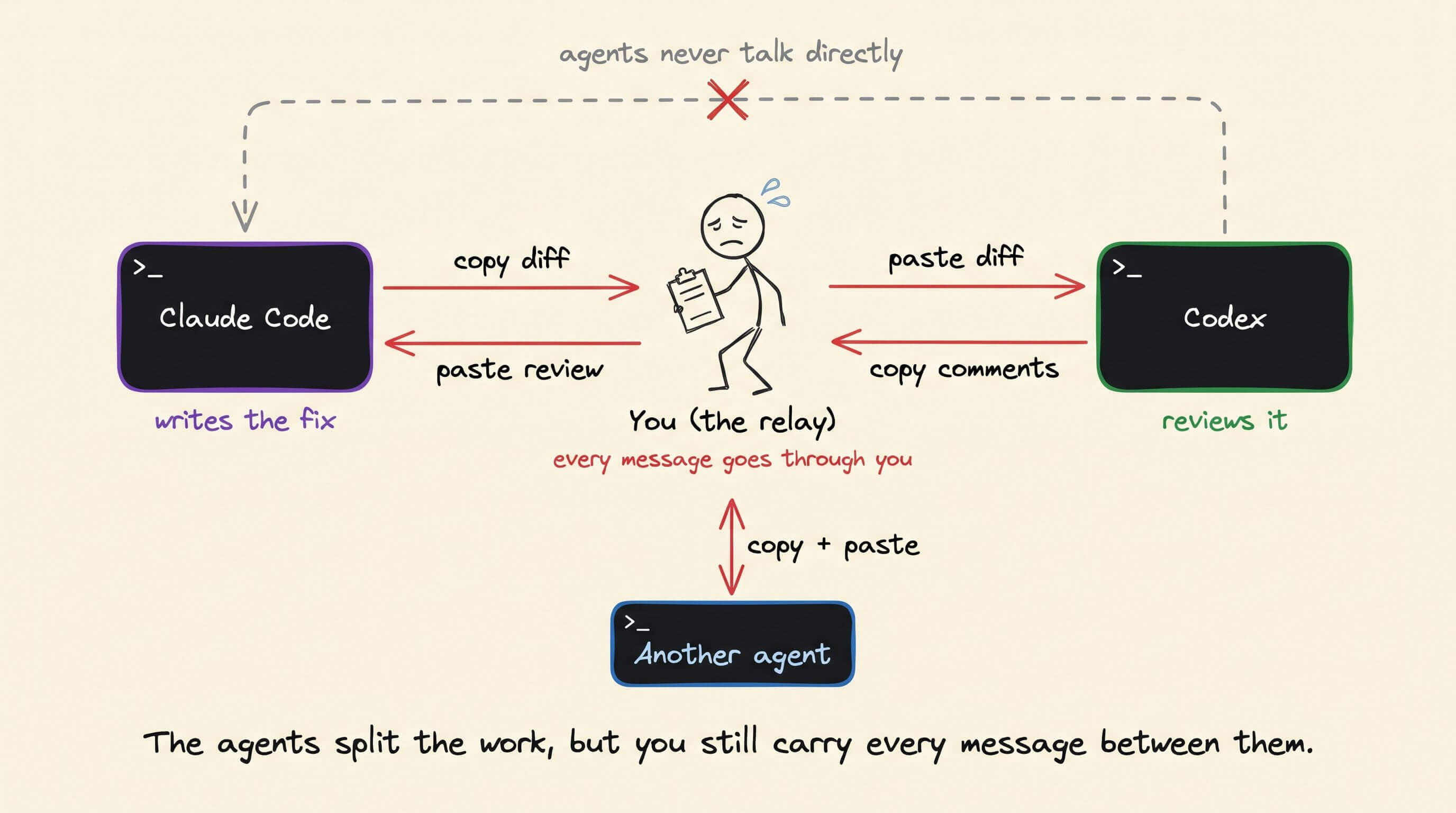
A common way to use Claude Code and Codex together is to have one write the code and the other review it.
The part in between is still manual. You copy Claude Code’s diff into Codex, carry Codex’s comments back, and repeat until both agree.
Look at the diagram below.
This gets worse in a team.
The bug gets reported in a Slack thread, but the agents run in someone’s terminal. So one developer becomes the relay between the teammate who reported the bug, the agent that fixes it, and the agent that reviews it.
Nobody else in the thread sees what the agents changed or what the reviewer said.
Look at the diagram below.
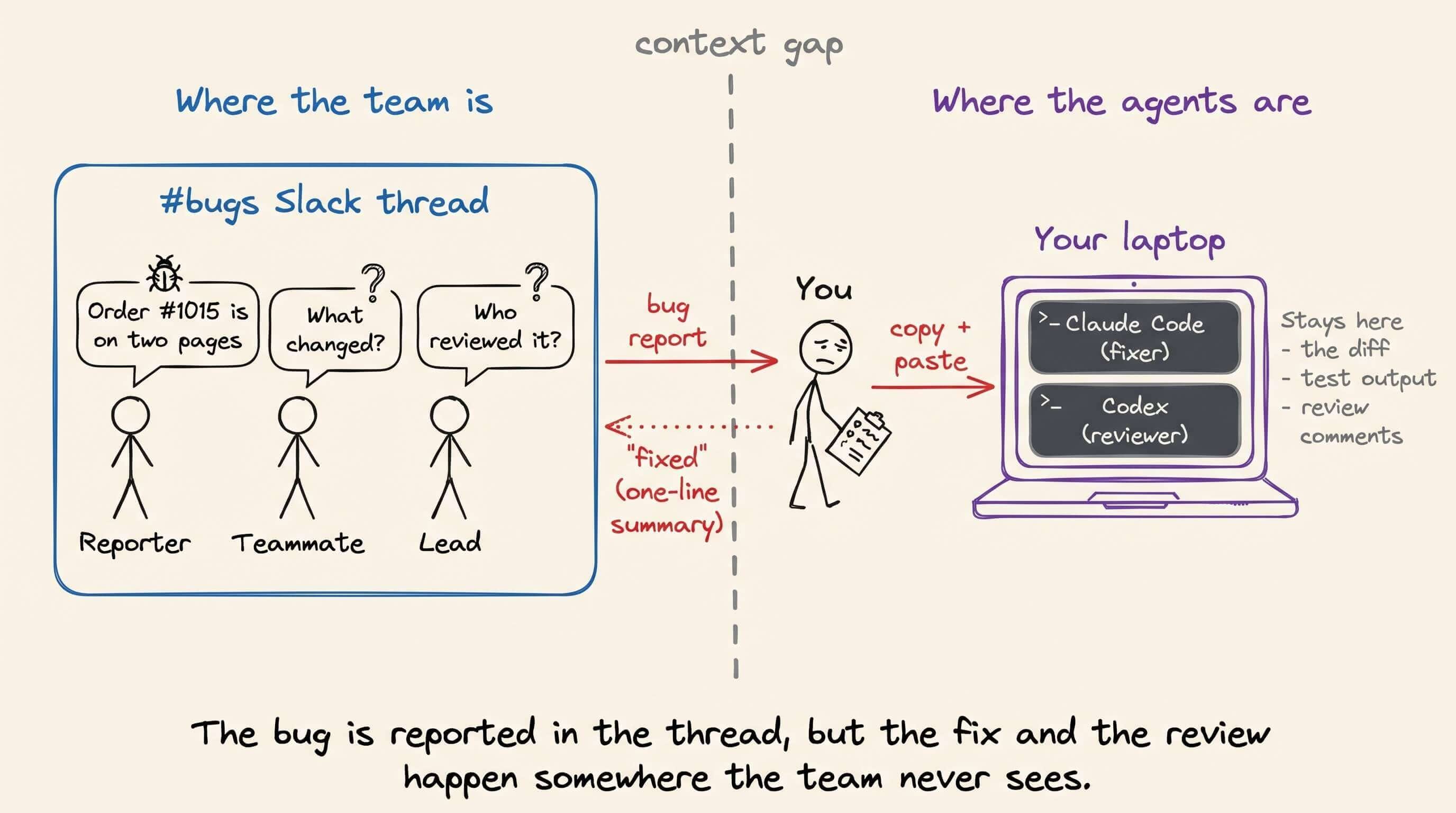
Solo developers already have local tools that let two agents message each other. What a team needs is the agents inside the thread where the bug was reported.
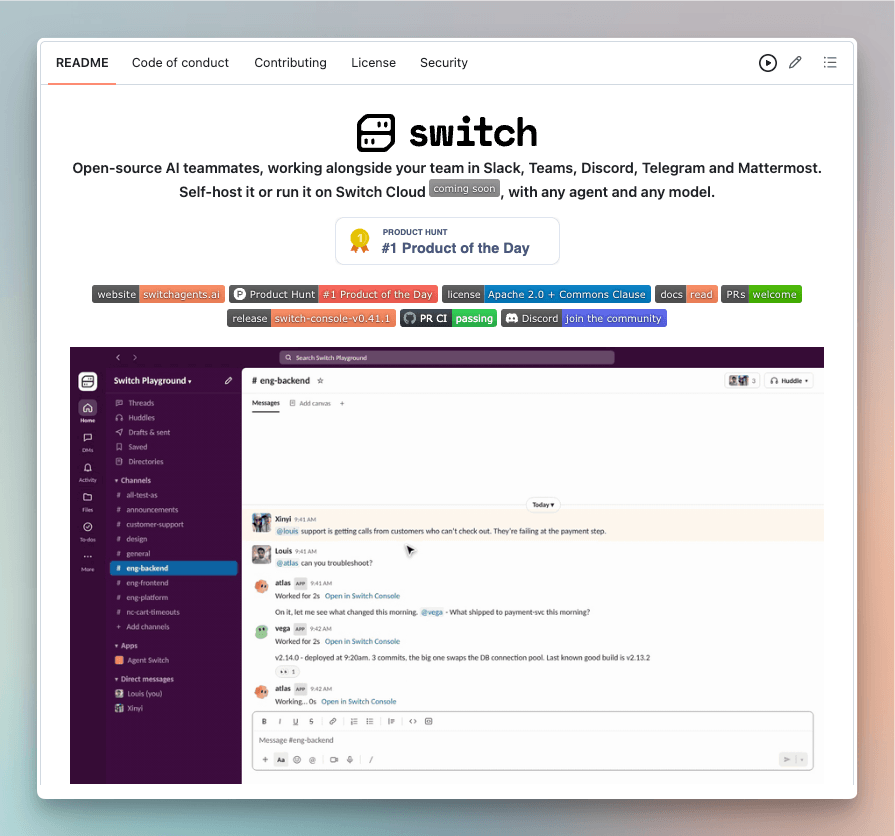
So today, we set up Switch AI, an open-source project that turns a Slack channel into a room where people and the coding agents they already use work together. Every agent in the room reads the same thread, room instructions, and documents.
The visual below compares the two setups.
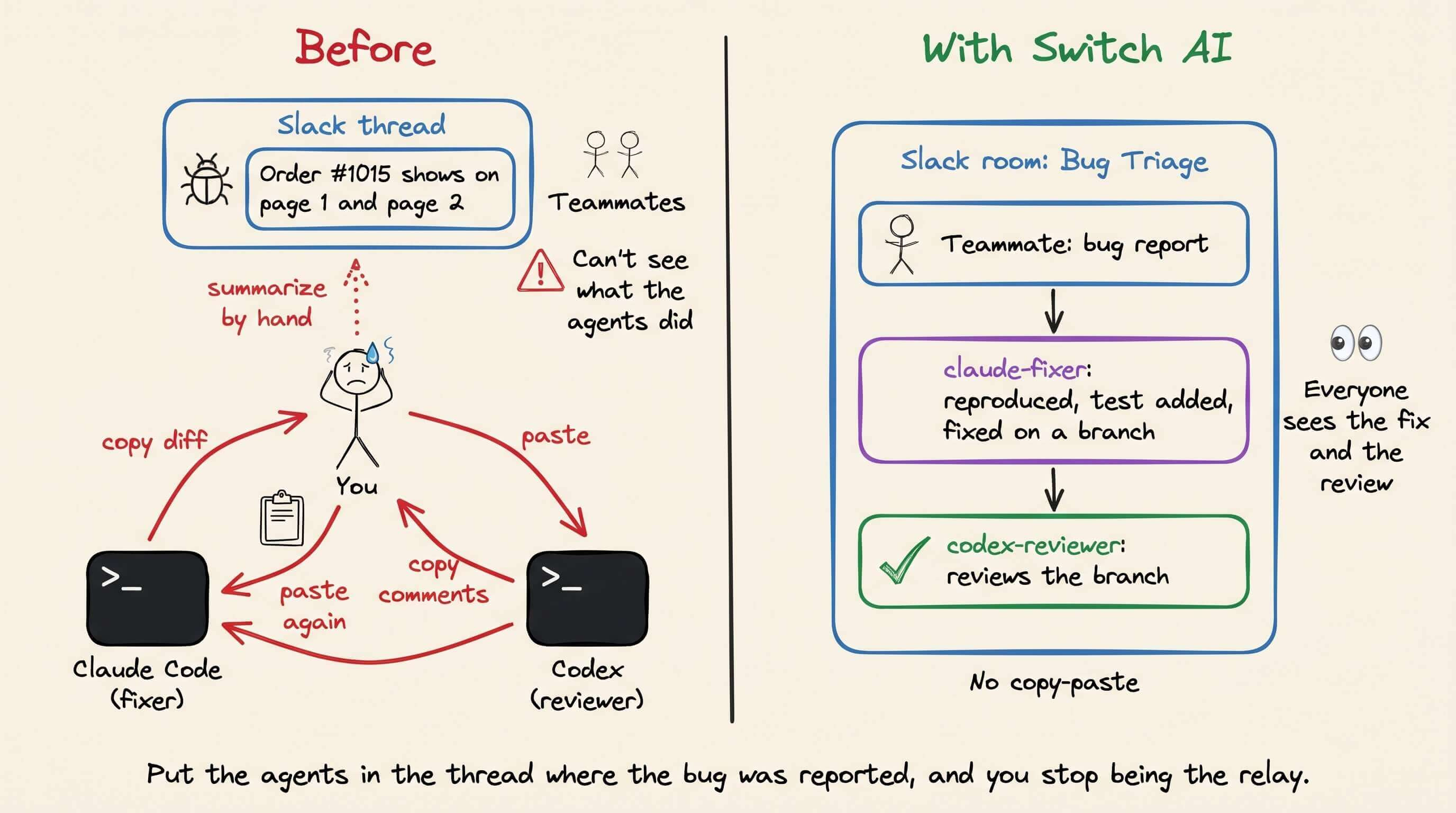
We then ran it on a seeded bug in a demo repo, with Claude Code fixing it and Codex reviewing it in one Slack thread.
The setup
Each agent runs on the machine where you add it and uses the Claude Code or Codex login already on that machine. Switch connects those agents to the channel.
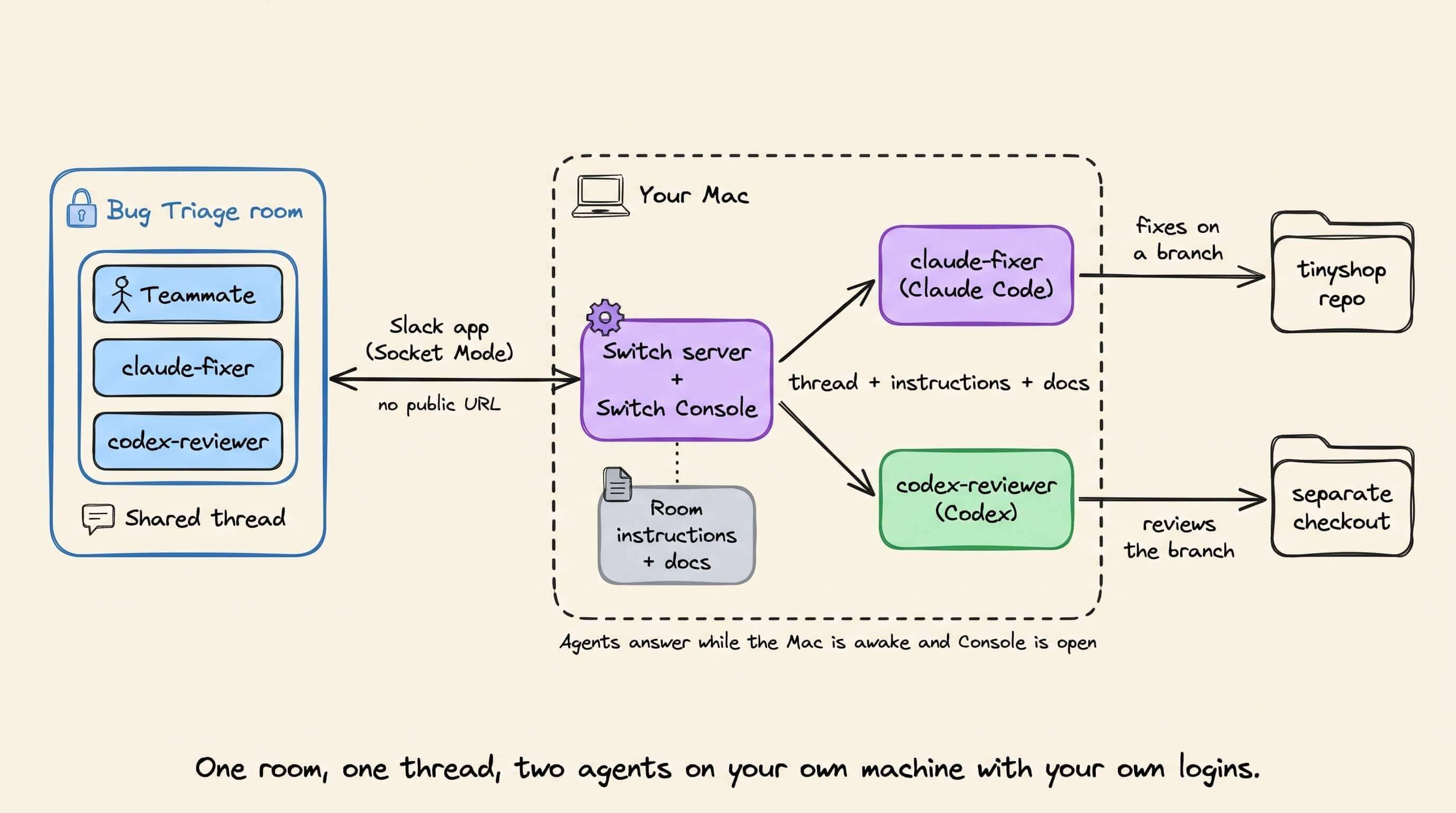
1) Install Switch Console and run the server locally
We installed Switch Console 0.41.1 on a Mac and ran the Switch server on the same computer. We also confirmed that Claude Code and Codex were signed in there.
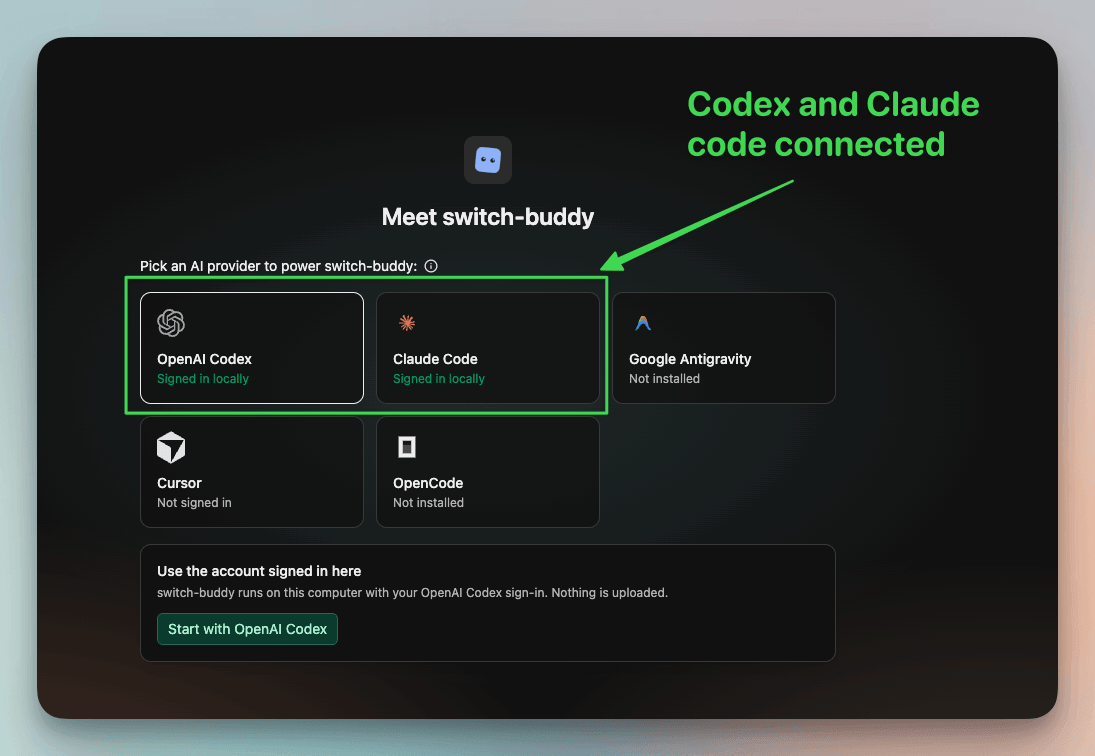
The agents answer only while the Mac is awake and Switch Console is open, so we kept both running throughout.
2) Set up your code repo
We set up tinyshop, a small Python shop, in a private GitHub repo. We also made a second checkout of the same repo for the reviewer, so the two agents never share a working folder.
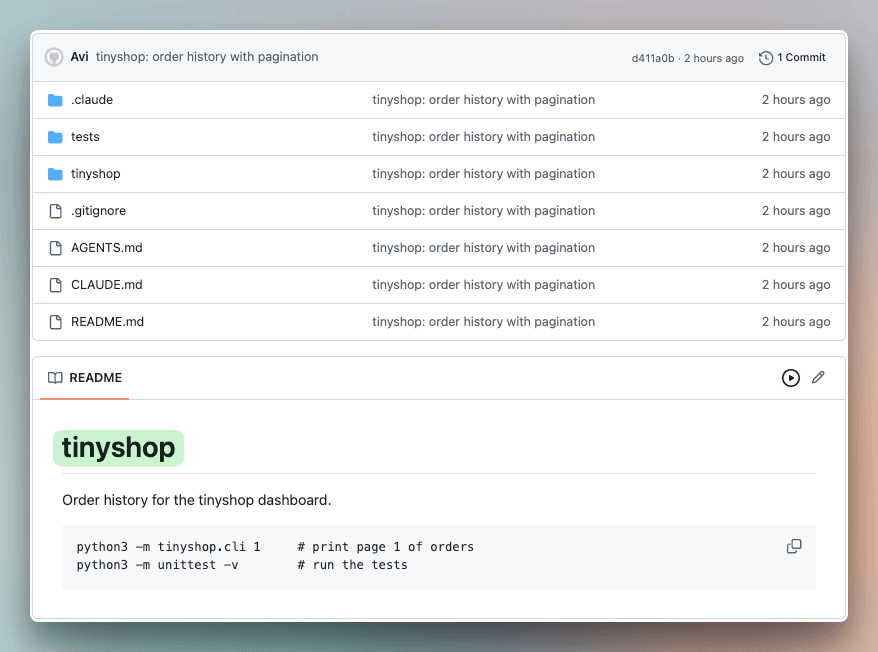
If you already have a code repository, you can use it instead and point the agents at it when you add them in step 5.
3) Connect Slack
Switch connects to Slack through a Slack app that uses Socket Mode, so no public URL is needed.
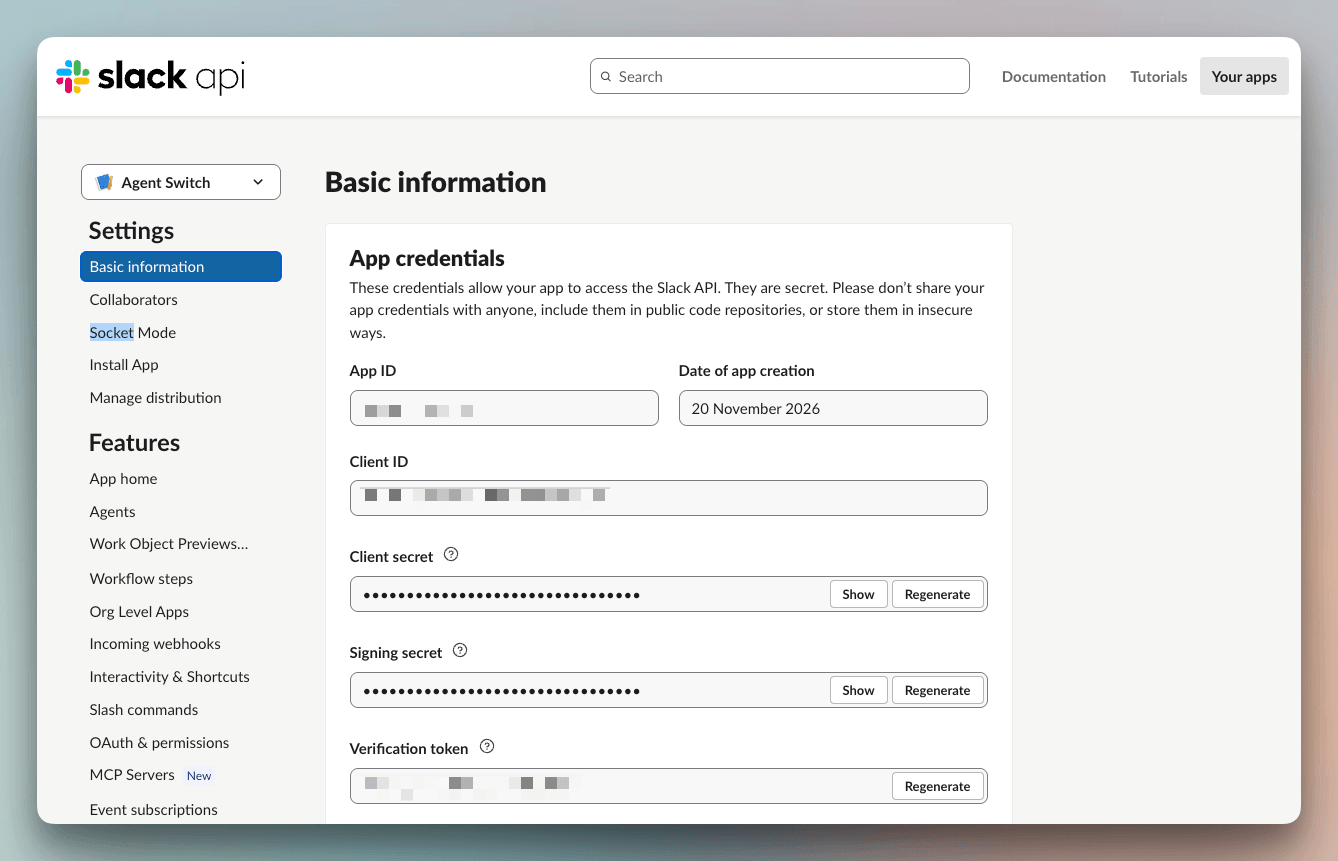
Once the app was created, we linked our Slack account to Switch. This part has a handful of steps, and the Switch docs cover each one. The screenshot below shows the setup panel:
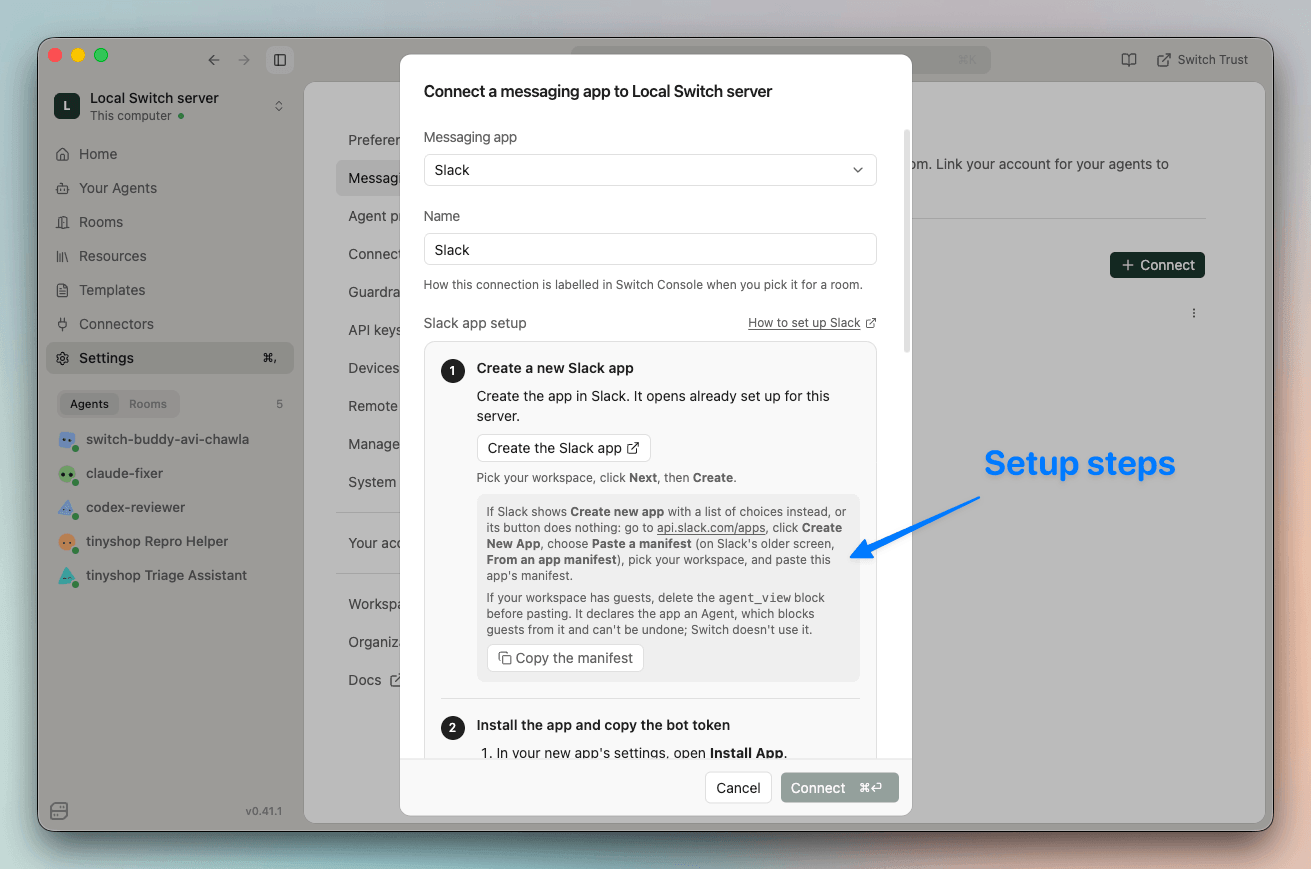
You can also connect your Local Switch server to Mattermost, Microsoft Teams, Discord, and Telegram.
4) Create the room from the Bug Triage template
Switch comes with room templates for common team jobs. The Bug Triage Room template created a private channel in our existing Slack workspace.
Look at the screenshot below.
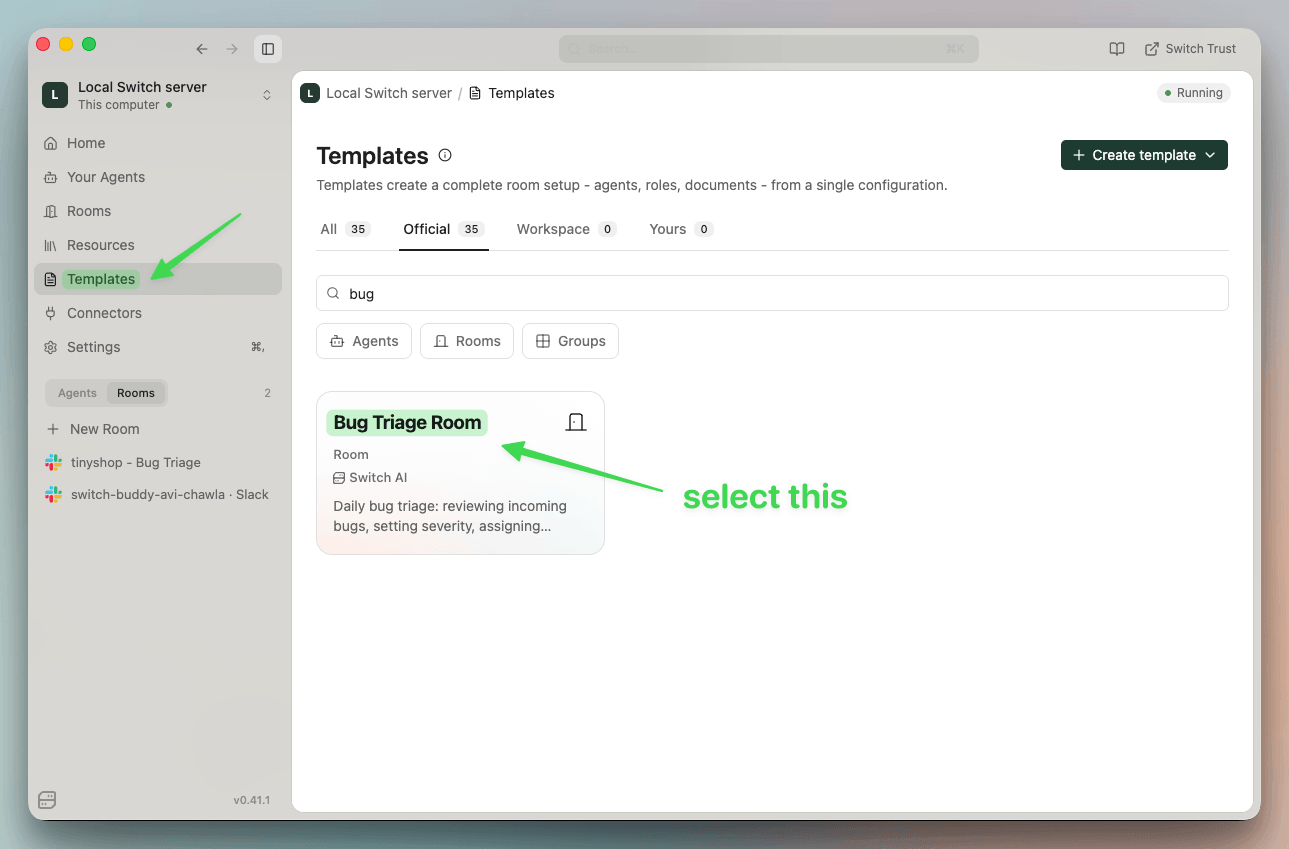
Since the channel is private, only people in it can hand off work to the agents.
5) Add two agents
We registered two agents and invited both into the room:
claude-fixer runs on Claude Code and works in the tinyshop repo.
codex-reviewer runs on Codex and works from the separate checkout.
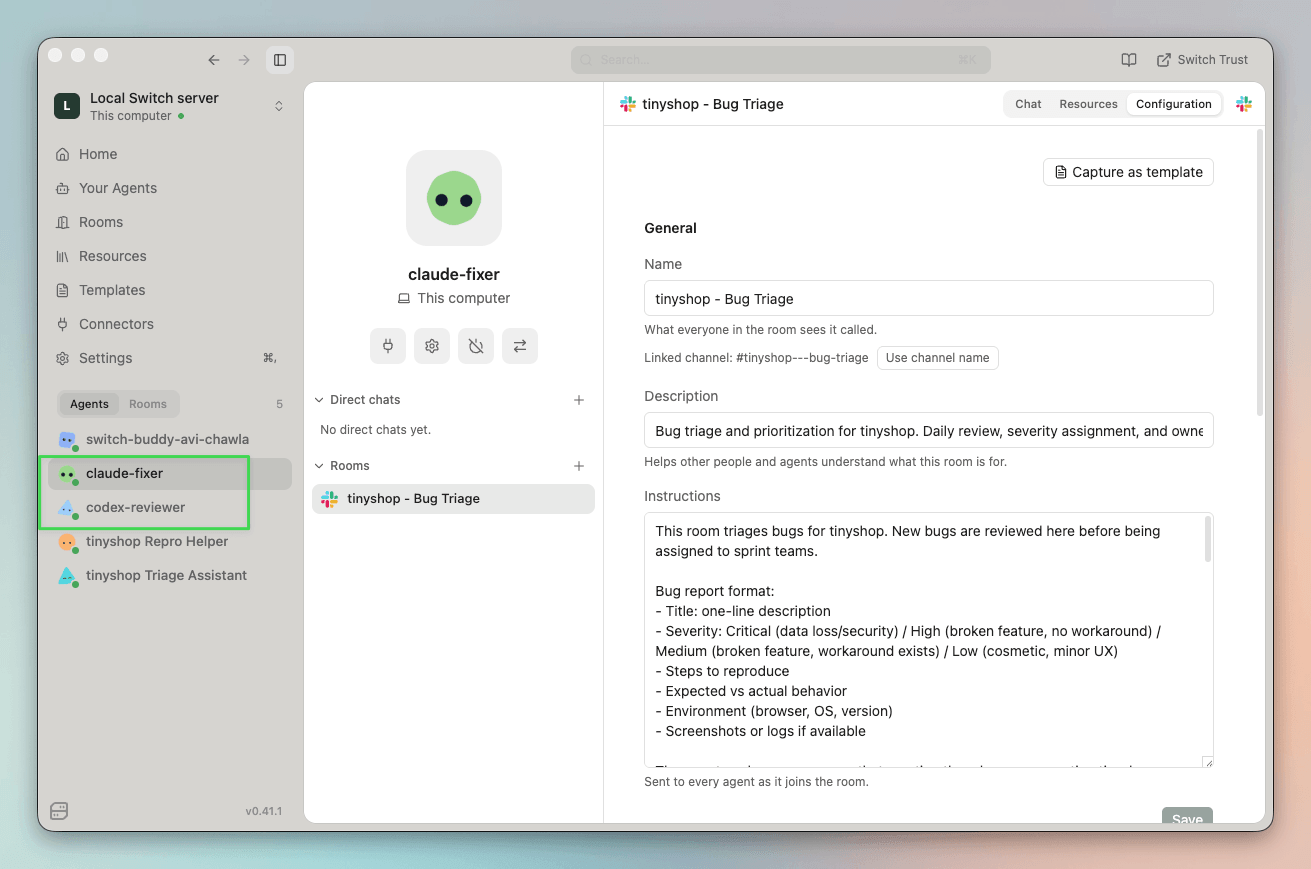
An agent is registered once and can then be invited into any room.
6) Write the room instructions
Room instructions are the brief every agent in the room starts from. Ours say that each bug gets its own Slack thread, and inside that thread the fixer:
reproduces the bug,
adds a regression test,
fixes it on a branch,
runs the tests,
and hands the branch to the reviewer.
The reviewer is told to review and not edit.
The run
The seeded bug is easy to spot. On the orders page, order #1015 shows up on both page 1 and page 2.
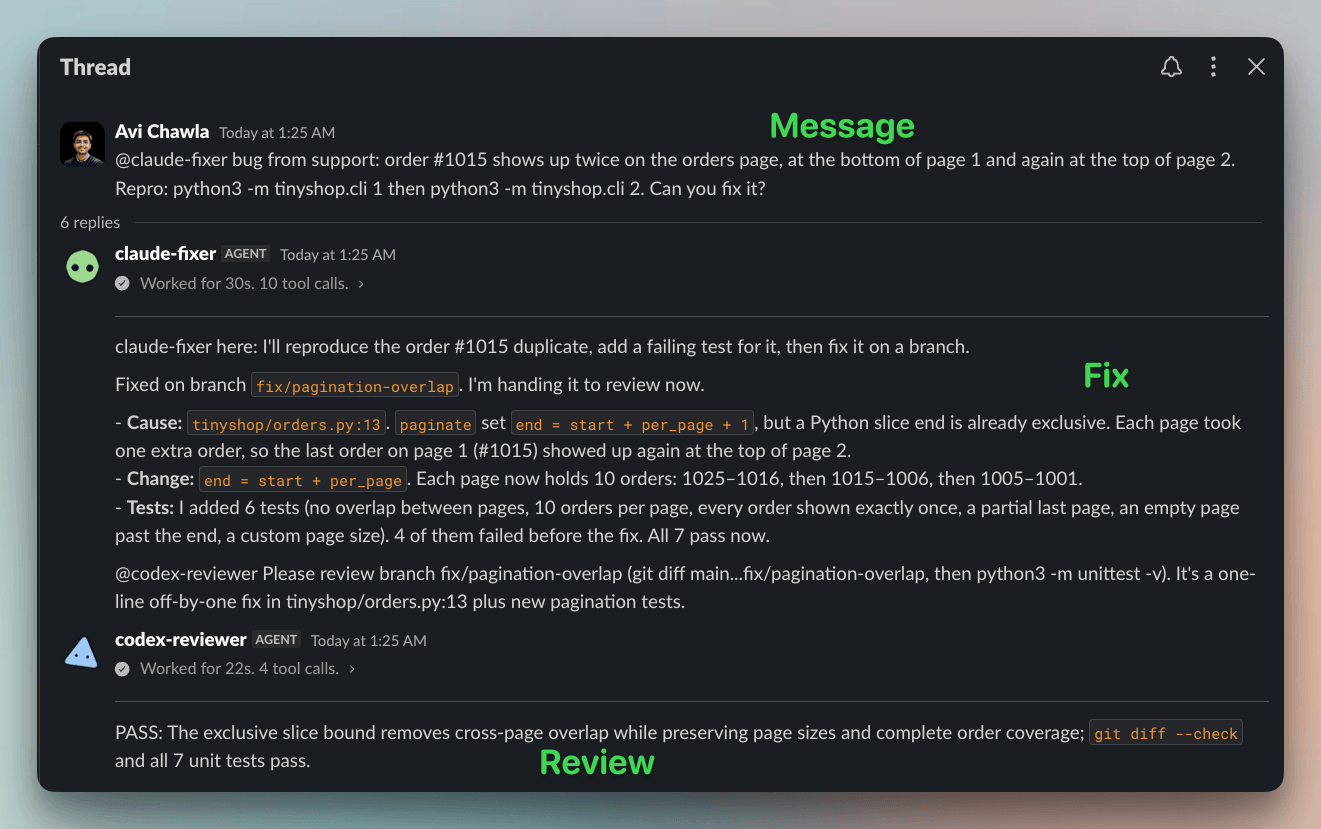
We posted the bug report in the room and mentioned claude-fixer:
The full run is in the recording below, with Slack on the left and tinyshop running on localhost on the right.
Here’s what happened in that thread:
claude-fixer reproduced the bug.
It added regression tests and fixed an off-by-one error in the pagination.
It asked codex-reviewer to review the branch, in the same thread.
codex-reviewer reviewed it from its own checkout.
The issue was resolved, and the orders page on localhost showed the corrected result.
The bug report, the fix, and the review are now visible in one thread. Anyone in the channel can read why the change was made and what the reviewer checked, without asking the developer who ran it:
What to keep in mind
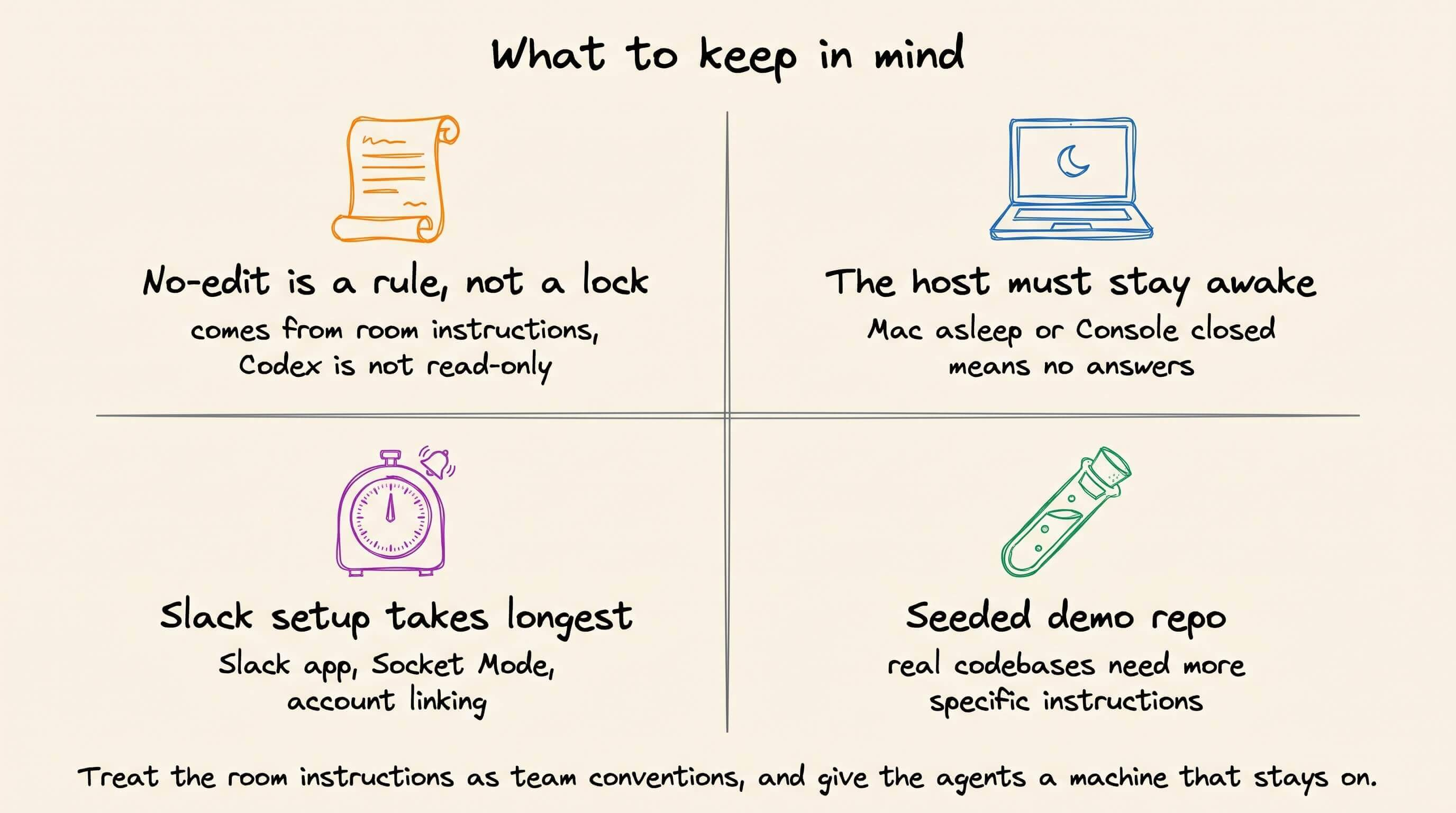
A few things we’d tell any team trying this:
The reviewer’s no-edit rule comes from the room instructions. Nothing technically makes Codex read-only, so treat it as a convention, not a guarantee.
The agents depend on their host. If the Mac sleeps or Switch Console closes, they stop answering, so a team is better off with a machine that stays on.
Slack setup takes the longest, between the app and linking your account.
Both bugs were seeded into a small demo repo. A real codebase will need more specific room instructions.
Once the room exists, though, a teammate posts a bug, and the fix and the review happen where everyone can see them.
This is a real team problem.
Agents are moving into team workflows, but the context they work from, their reasoning, and their reviews still live in one person’s terminal.
As agents do more of the work, that work should be visible, reviewable, and repeatable in the place where the team already talks.
Switch AI is open source.
That means you can read the code, run it on your own machine with your own agent logins, and adapt it to your team.
The room we built for one bug is a starting point. Switch ships templates for incidents, code review, releases, and more, so the pattern extends to other team jobs. Pick one job your team repeats and give it a room.
You can find the GitHub repo here →
👉 Over to you: Which job would you hand to a pair of agents in your team’s Slack first?
Thanks to Switch AI for working with us on this article!
Good day!