

Drag-and-drop UI to build AI agent workflows [open-source]!
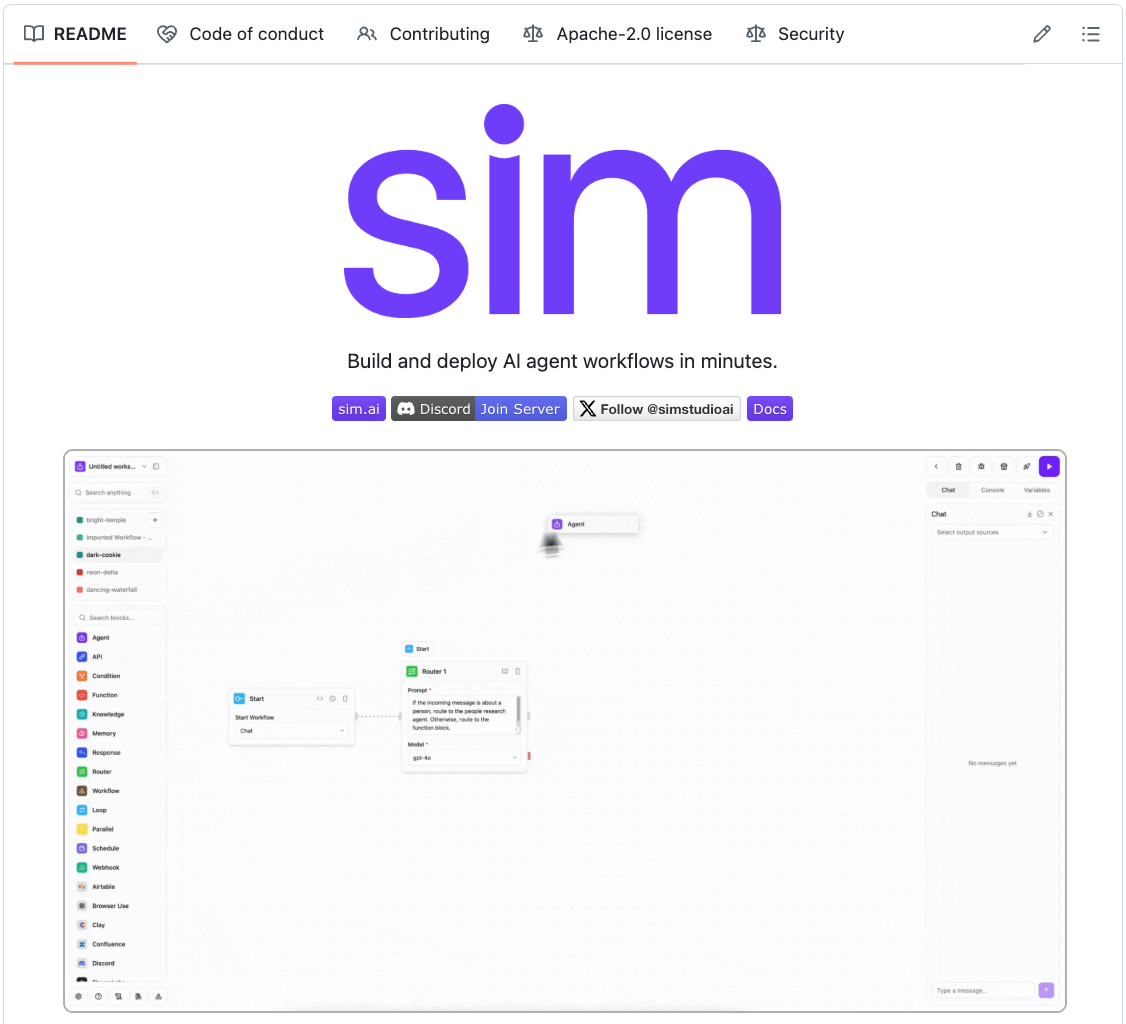
Sim is a lightweight, user-friendly platform for building AI agent workflows in minutes.
Key features:
Real-time workflow execution
Connects with your favorite tools
Works with local models via Ollama
Intuitive drag-and-drop interface using ReactFlow
Multiple deployment options (NPM, Docker, Dev Containers)
Based on our testing, Sim is a better alternative to n8n with:
An intuitive interface
A much better copilot for faster builds
AI-native workflows for intelligent agents
GitHub repo → (don’t forget to star)
Fine-tune Ultralytics YOLO26 object detection model
A few days back, we talked about YOLO26 and how it eliminates the need for Non-Maximum Suppression by producing clean, one-box-per-object predictions in a single pass.
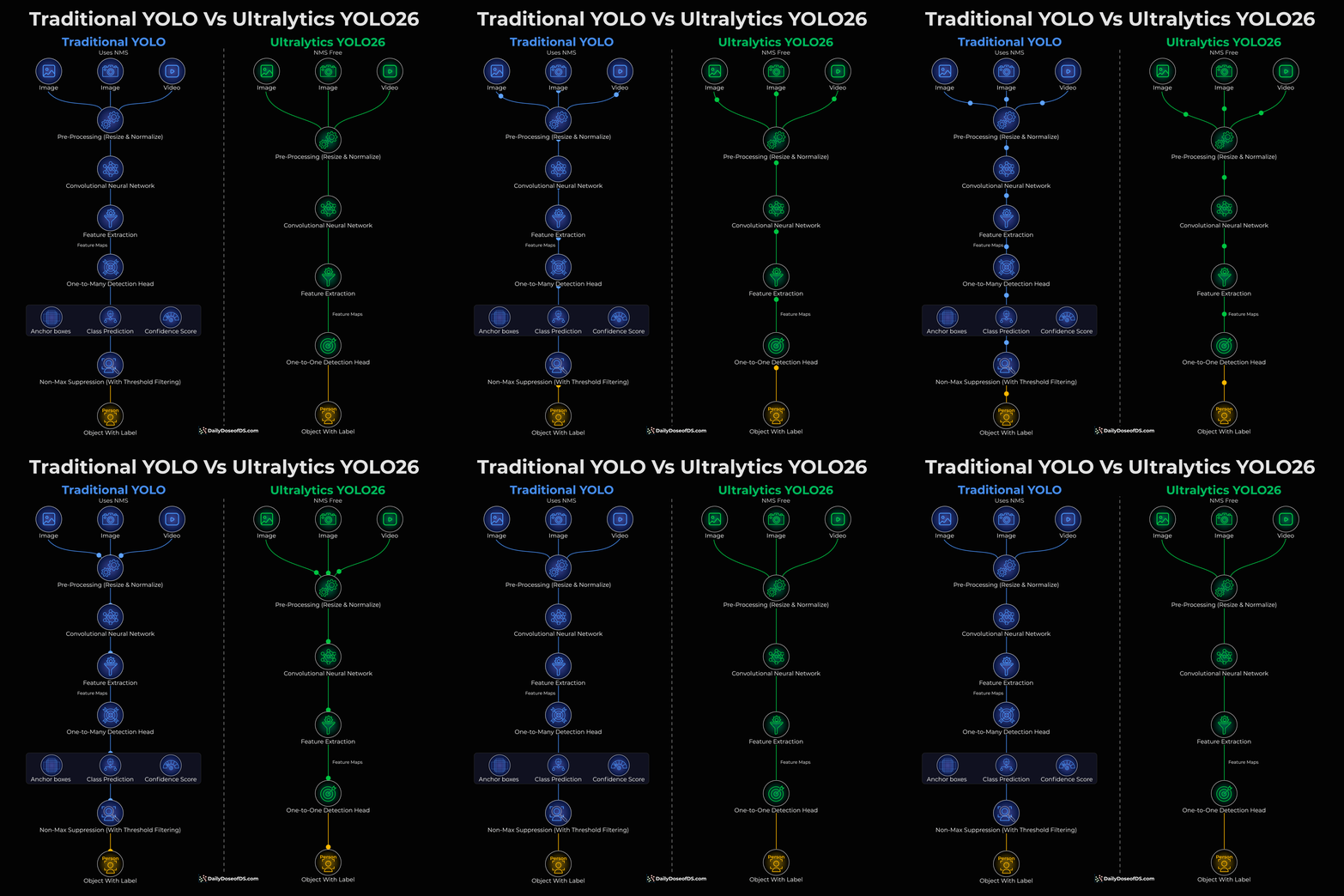
Today, let’s take it a step further and look at how you can fine-tune the YOLO26 model on a boxing punch-detection dataset and evaluate the results.
We’ll use:
Ultralytics for YOLO26 training, validation, and inference.
Roboflow for dataset hosting and download.
CometML for experiment tracking and logging.
This is the system overview:
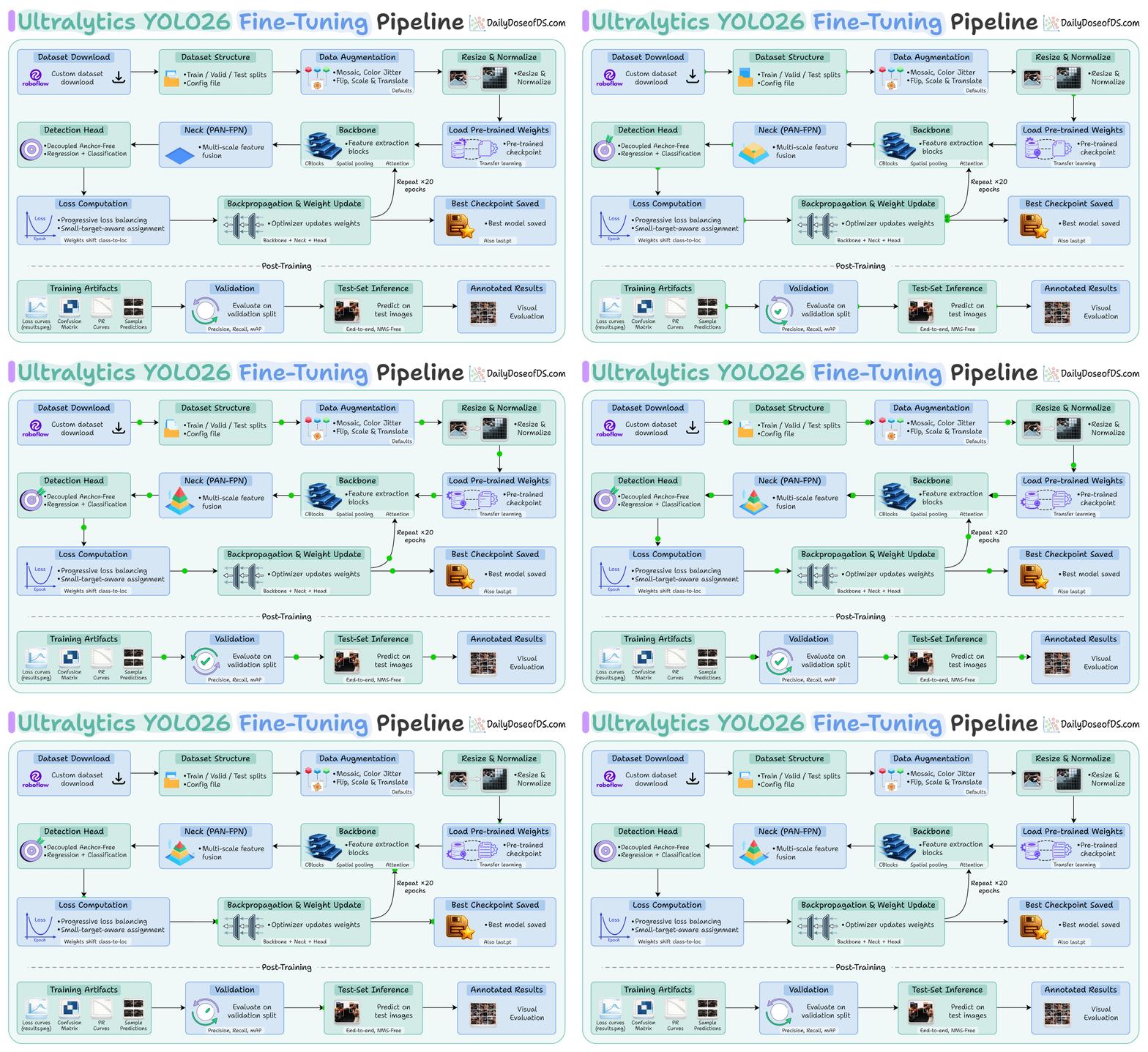
Download a custom dataset (YOLO26)
Fine-tune Ultralytics YOLO26 and log to Comet ML
Evaluthe ate best checkpoint on val (precision, recall, mAP)
Run test inference and show annotated predictions
Pretrained inference
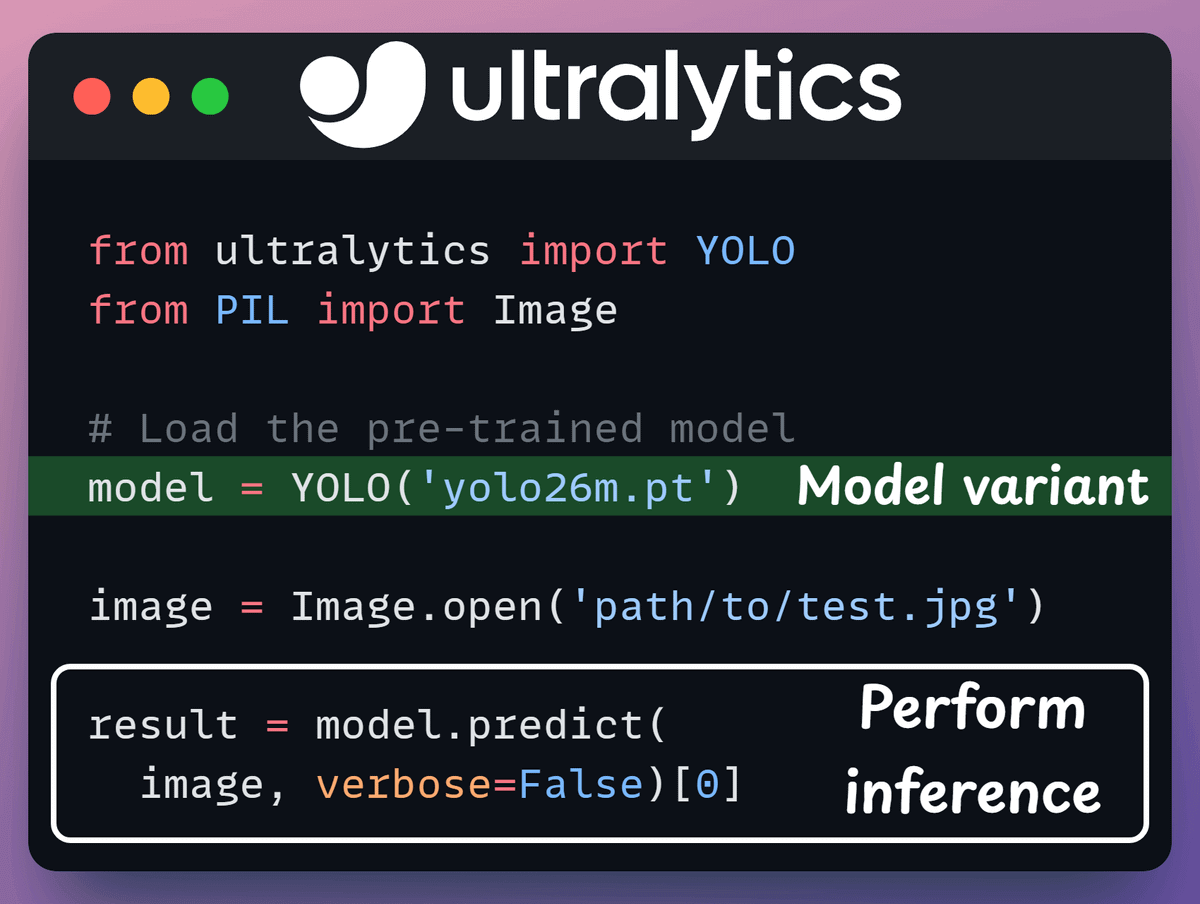
Before fine-tuning, let’s see what Ultralytics YOLO26 can do out of the box.
Load the pre-trained checkpoint, run a prediction on a sample image, and inspect the bounding boxes, confidence scores, and class IDs—all in just a few lines.
Check this code:
Download dataset
We grab a boxing punch-detection dataset from Roboflow Universe.
Key step: select ”yolo26” as the export format. This gives the correct directory structure and the data.yaml file Ultralytics expect without any manual formatting.
Check this code:

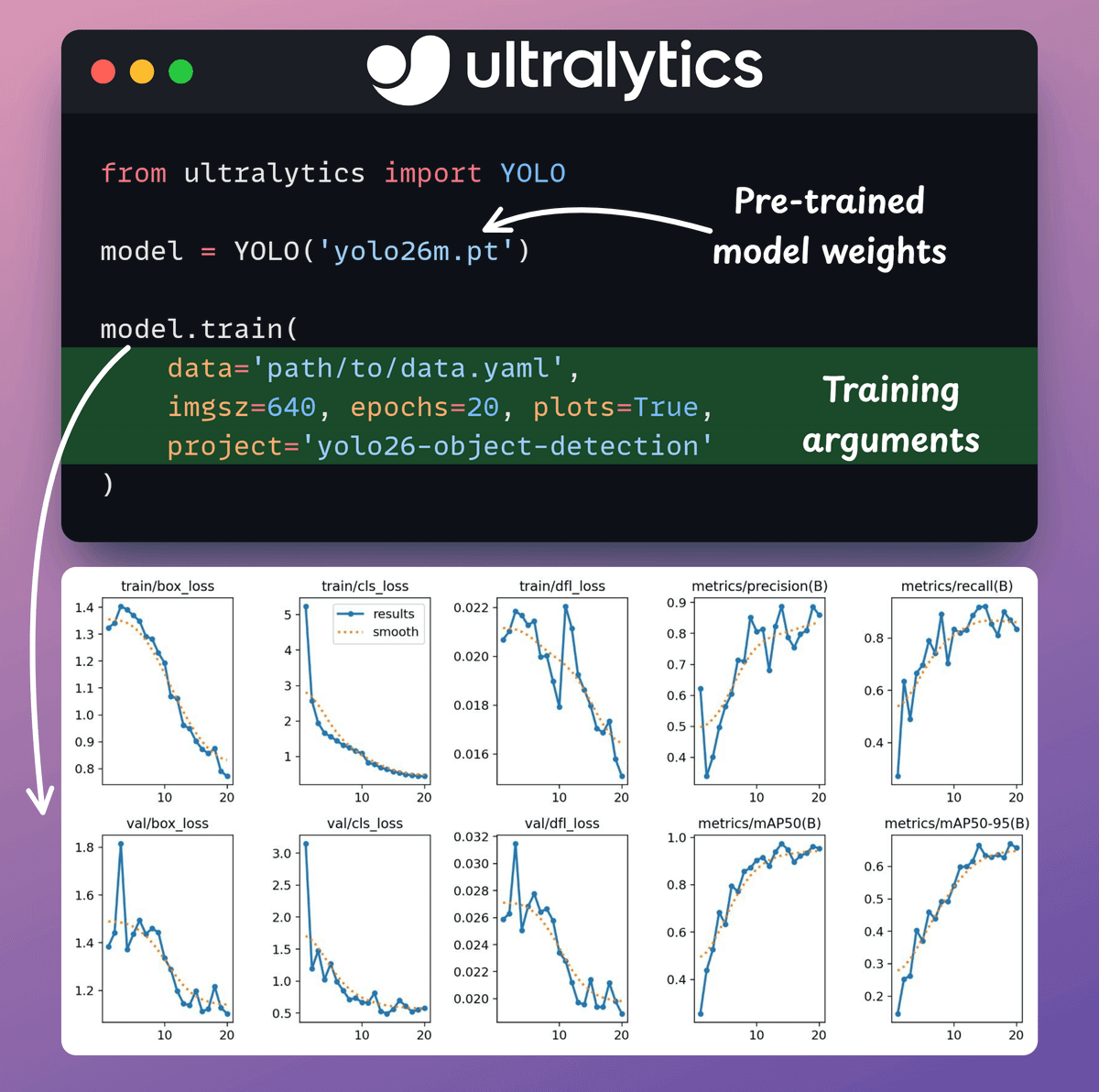
Fine-tune the model
Fine-tuning Ultralytics YOLO26 requires a single command to train for 20 epochs, starting from the pre-trained checkpoint.
Check this code 👇
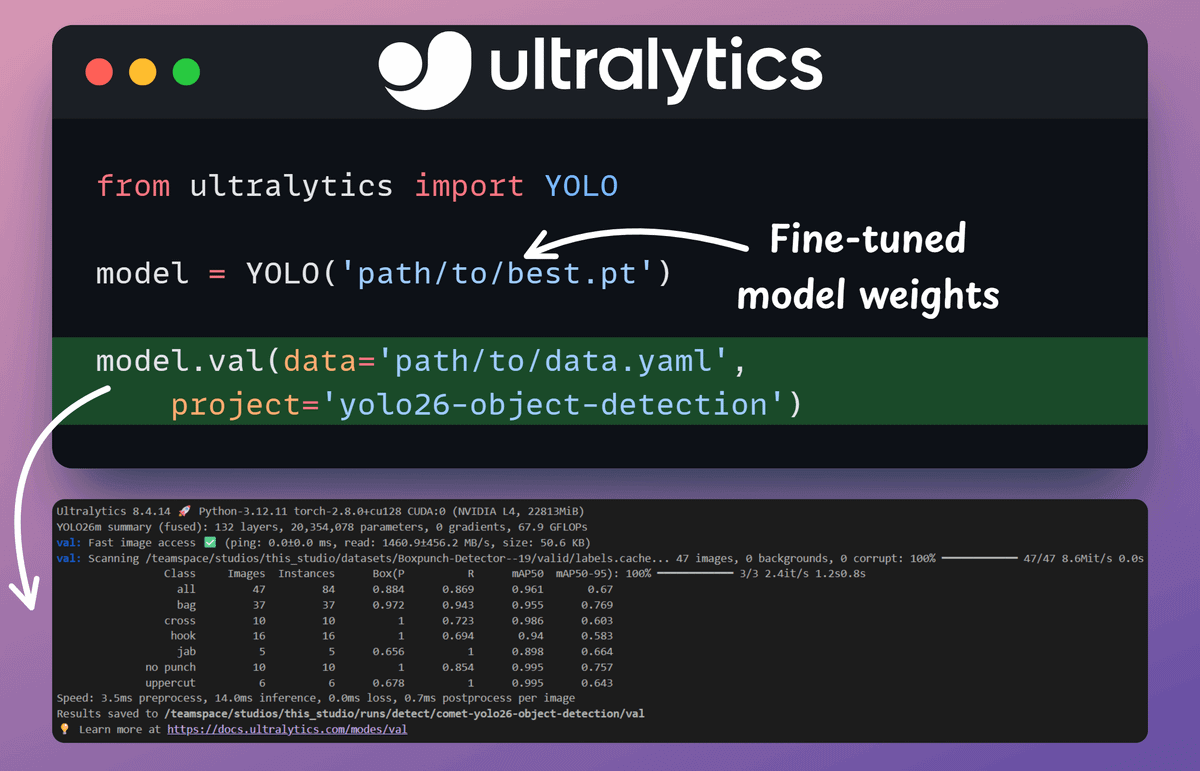
Model validation
Run validation on the best checkpoint to get the numbers that matter: precision, recall, mAP, and more, broken down by class.
This shows exactly where the model is strong and where it struggles.
Check this code 👇
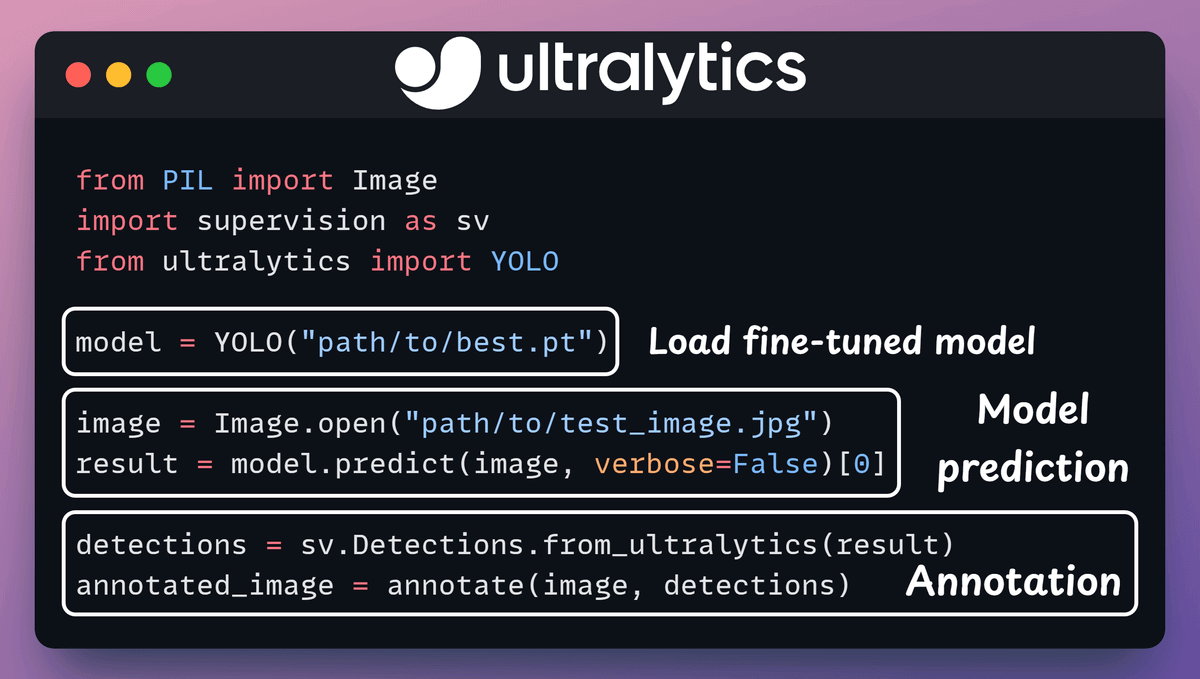
Test set inference
Time to put the fine-tuned model to work. Run predictions on held-out test images and visualize the results.
Check this code 👇
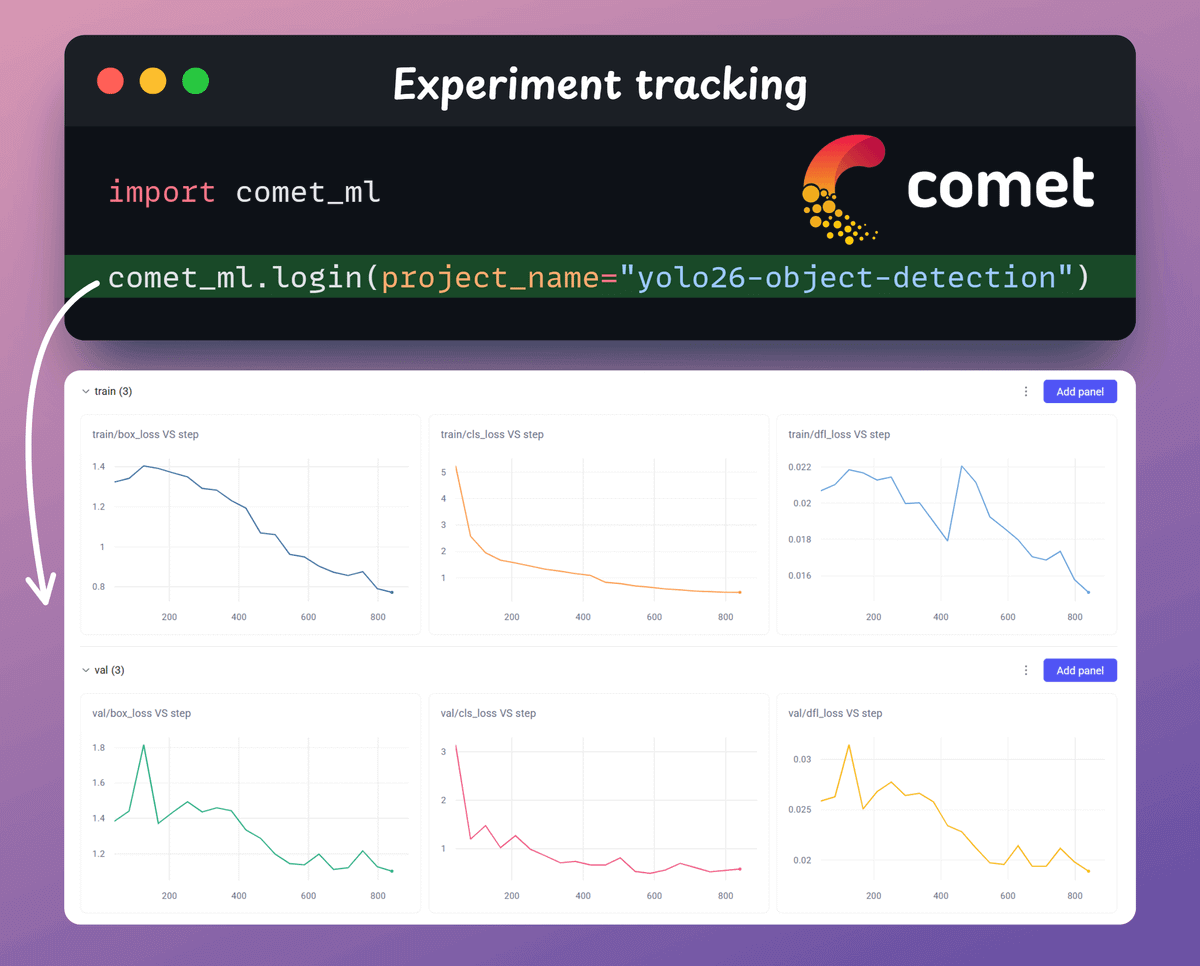
Experiment tracking
Every training run is tracked end-to-end with Comet ML: loss curves, confusion matrices, validation predictions, and more.
The above process shows how simple it is to carry out the fine-tuning process.
In just a few lines of code, we went from a pretrained YOLO26 checkpoint to a fully fine-tuned punch-detection model, with proper validation, test inference, and experiment tracking in place.
The video at the top depicts a real-time inference of the above fine-tuning process.
The same workflow applies to any custom dataset. Just swap the Roboflow link, adjust the class names, and you're good to go.
If you want to skip the local setup entirely, the Ultralytics Platform lets you train, manage datasets, and deploy YOLO26 models directly from the browser, with all 25 model variants available across detection, segmentation, pose estimation, and more. You can try it here →
The code for today’s issue is available here →
Thanks for reading!


