

AI agents can finally talk to your frontend (open-source)!
The AG-UI Protocol bridges the critical gap between AI agents and frontend apps, making human-agent collaboration seamless.
MCP: Agents to tools
A2A: Agents to agents
AG-UI: Agents to users
Here's a really good illustration of how it works!
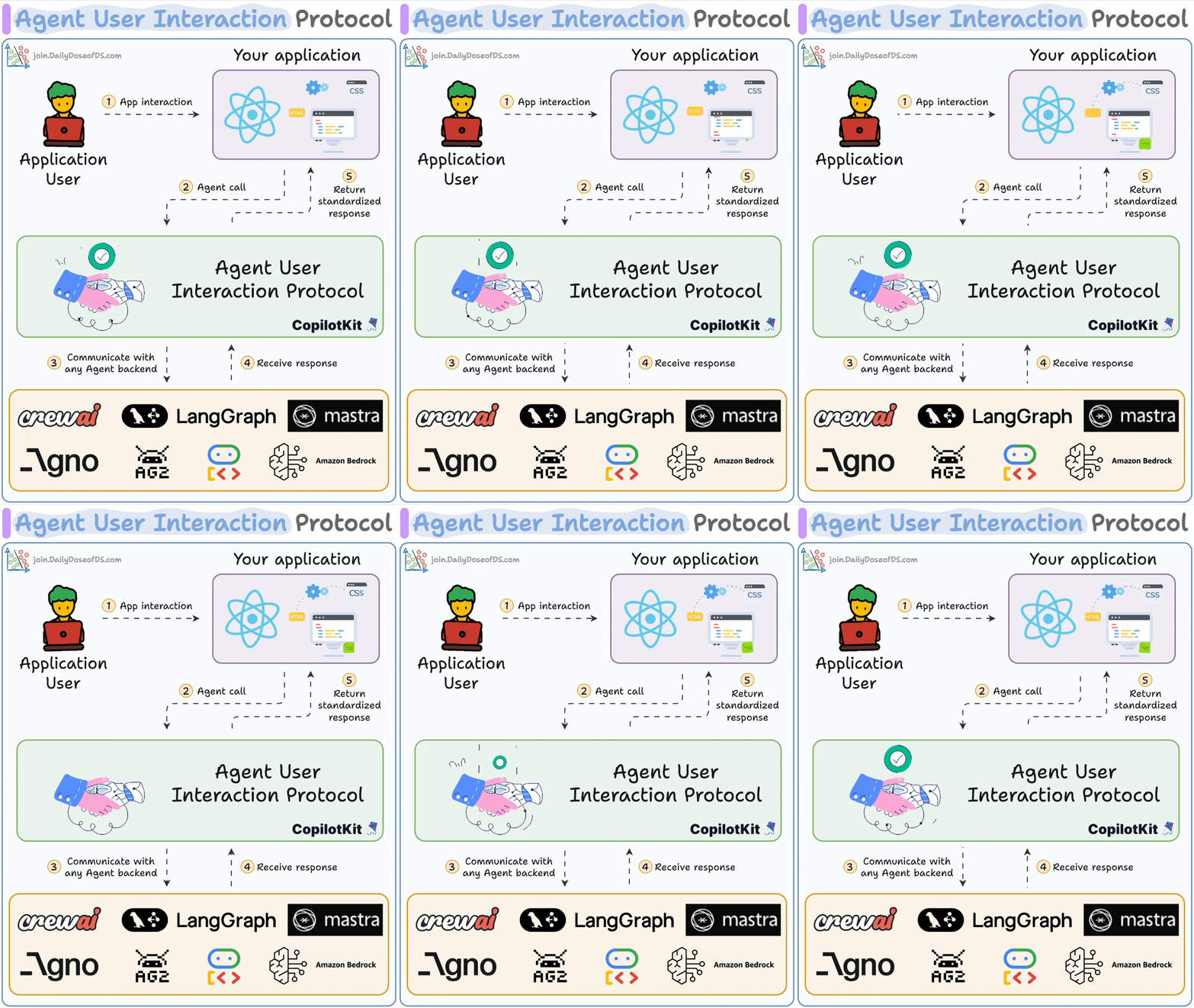
Key features:
Works with LangGraph, LlamaIndex, Agno, CrewAI & AG2.
Event-based protocol with 16 standard event types.
Real-time agentic chat with streaming.
Human-in-the-loop collaboration.
ChatUI & Generative UI.
GitHub repo → (don’t forget to star it)
[Hands-on] MCP-powered Agentic RAG
Today, we are showcasing another demo with MCP—an Agentic RAG.
In the video above, we have an MCP-driven Agentic RAG that searches a vector database and falls back to web search if needed.
To build this, we'll use:
Firecrawl to scrape the web at scale.
Qdrant as the vector DB.
Cursor as the MCP client.
Here's the workflow:
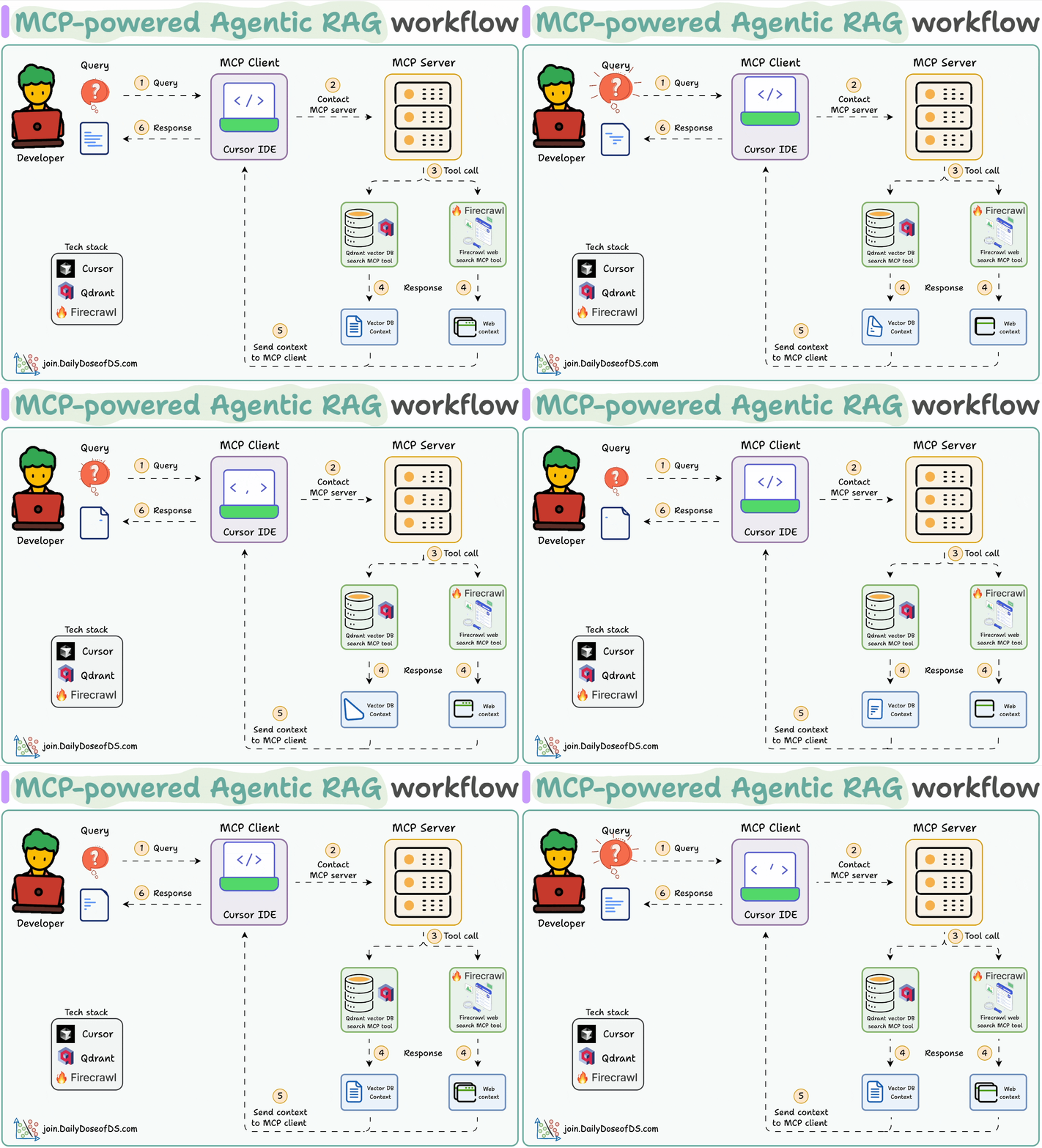
1) The user inputs a query through the MCP client (Cursor).
2-3) The client contacts the MCP server to select a relevant tool.
4-6) The tool output is returned to the client to generate a response.
The code is linked later in the issue.
Let's implement this!
#1) Launch an MCP server
First, we define an MCP server with the host URL and port.

#2) Vector DB MCP tool
A tool exposed through an MCP server has two requirements:

It must be decorated with the "tool" decorator.
It must have a clear docstring.
Above, we have an MCP tool to query a vector DB. It stores ML-related FAQs.
#3) Web search MCP tool
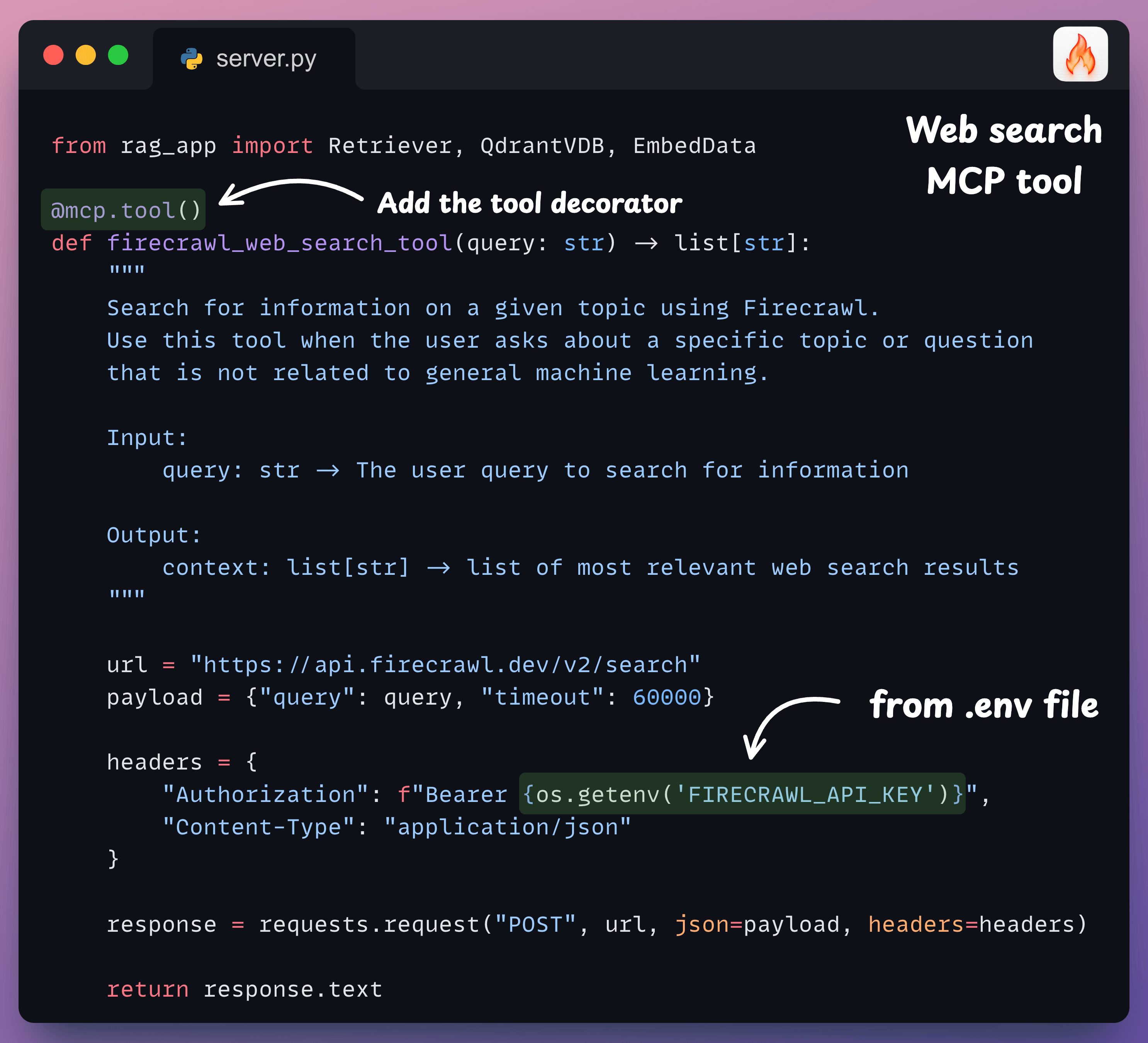
If the query is unrelated to ML, we need a fallback mechanism.
Thus, we resort to web search using Firecrawl's search endpoint to search the web and get relevant context.
#4) Integrate MCP server with Cursor
In our setup, Cursor is an MCP host/client that uses the tools exposed by the MCP server.
To integrate the MCP server, go to Settings → MCP → Add new global MCP server.
In the JSON file, add what's shown below👇
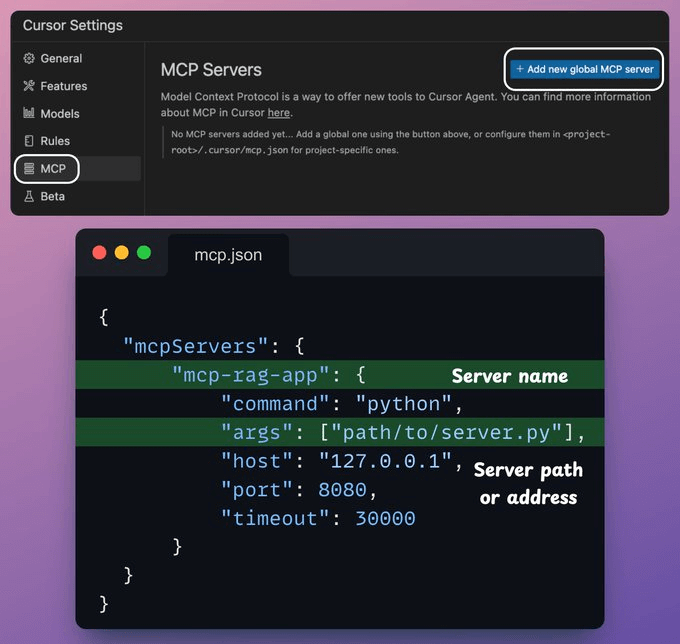
Done! Your local MCP server is live and connected to Cursor!
It has two MCP tools:
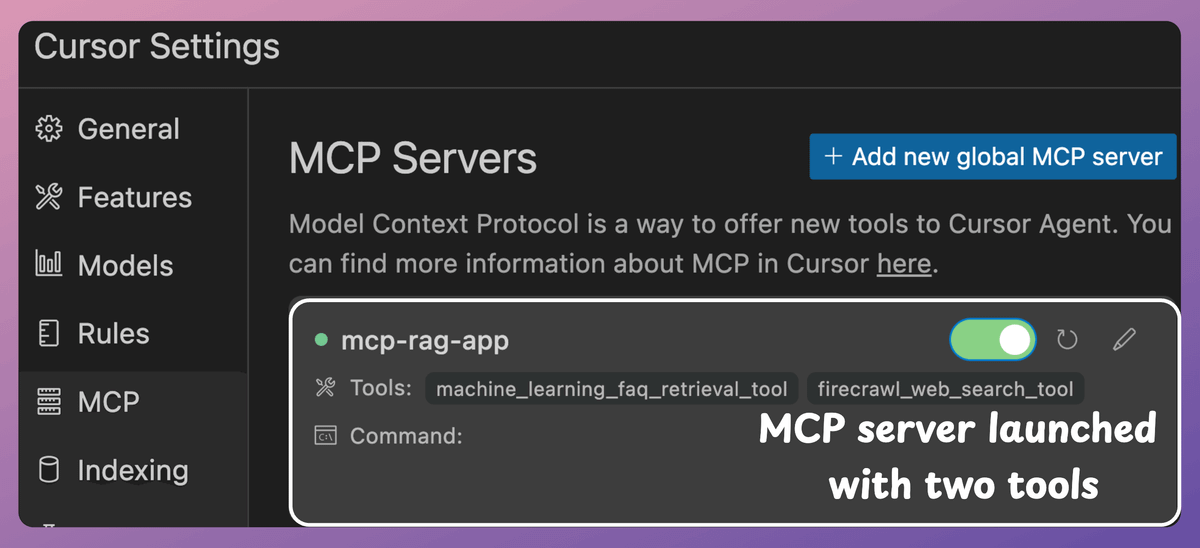
Firecrawl web search tool.
Vector DB search tool to query the relevant documents.
Next, we interact with the MCP server.
When we ask an ML-related query, it invokes the vector DB tool.
But when we ask a general query, it invokes the Firecrawl web search tool to gather data from the web.
Find the code in this GitHub repo: MCP implementation repo.
Thanks for reading!
P.S. For those wanting to develop “Industry ML” expertise:

At the end of the day, all businesses care about impact. That’s it!
Can you reduce costs?
Drive revenue?
Can you scale ML models?
Predict trends before they happen?
We have discussed several other topics (with implementations) that align with such topics.
Here are some of them:
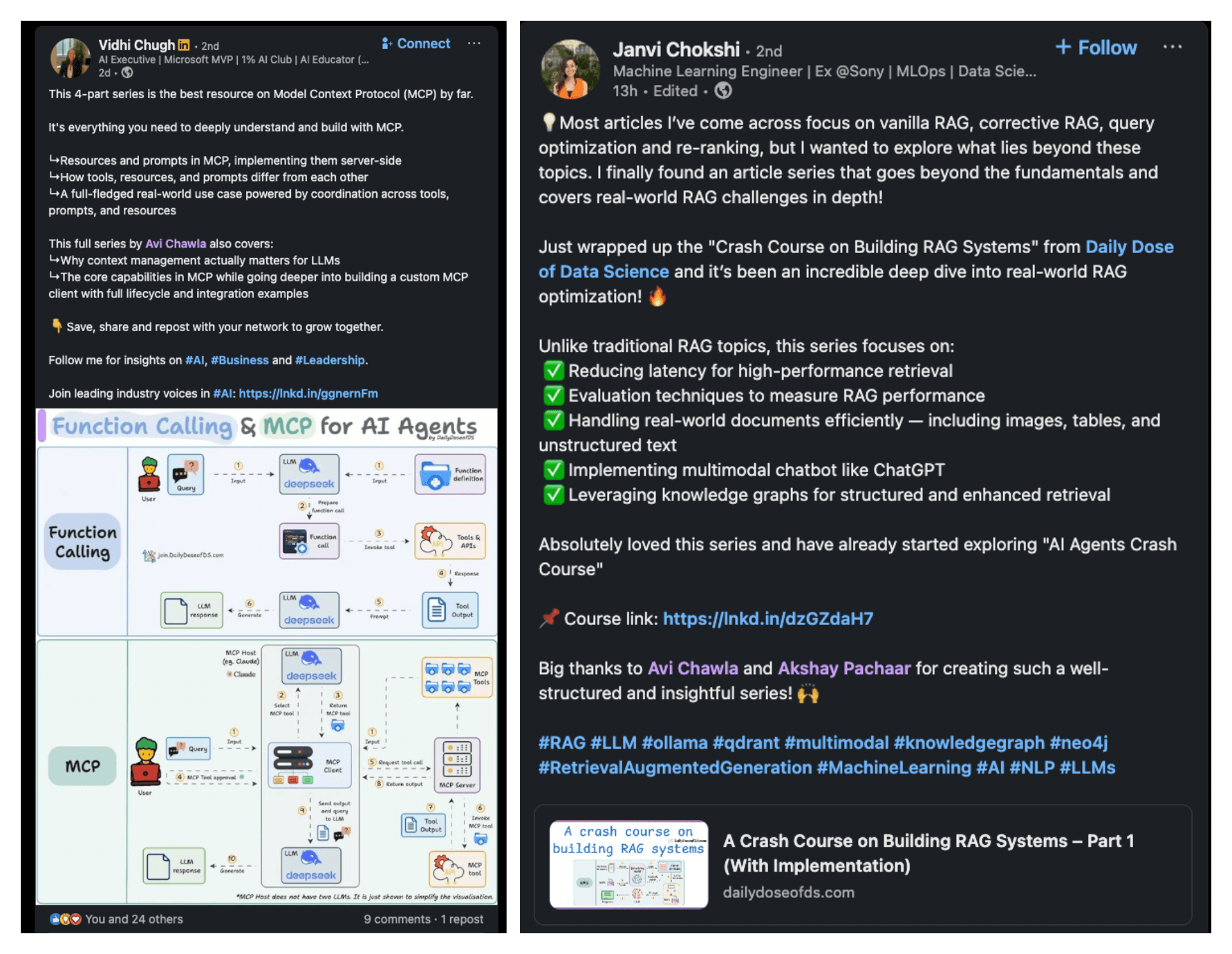
Learn everything about MCPs in this crash course with 9 parts →
Learn how to build Agentic systems in a crash course with 14 parts.
Learn how to build real-world RAG apps and evaluate and scale them in this crash course.
Learn sophisticated graph architectures and how to train them on graph data.
So many real-world NLP systems rely on pairwise context scoring. Learn scalable approaches here.
Learn how to run large models on small devices using Quantization techniques.
Learn how to generate prediction intervals or sets with strong statistical guarantees for increasing trust using Conformal Predictions.
Learn how to identify causal relationships and answer business questions using causal inference in this crash course.
Learn how to scale and implement ML model training in this practical guide.
Learn techniques to reliably test new models in production.
Learn how to build privacy-first ML systems using Federated Learning.
Learn 6 techniques with implementation to compress ML models.
All these resources will help you cultivate key skills that businesses and companies care about the most.


