

Agents exposed the biggest limitation of the web!
Most websites were never designed to be automated.
Every site has different HTML structures, login flows, and anti-bot protections. AI agents hit the same blockers devs have faced for decades.
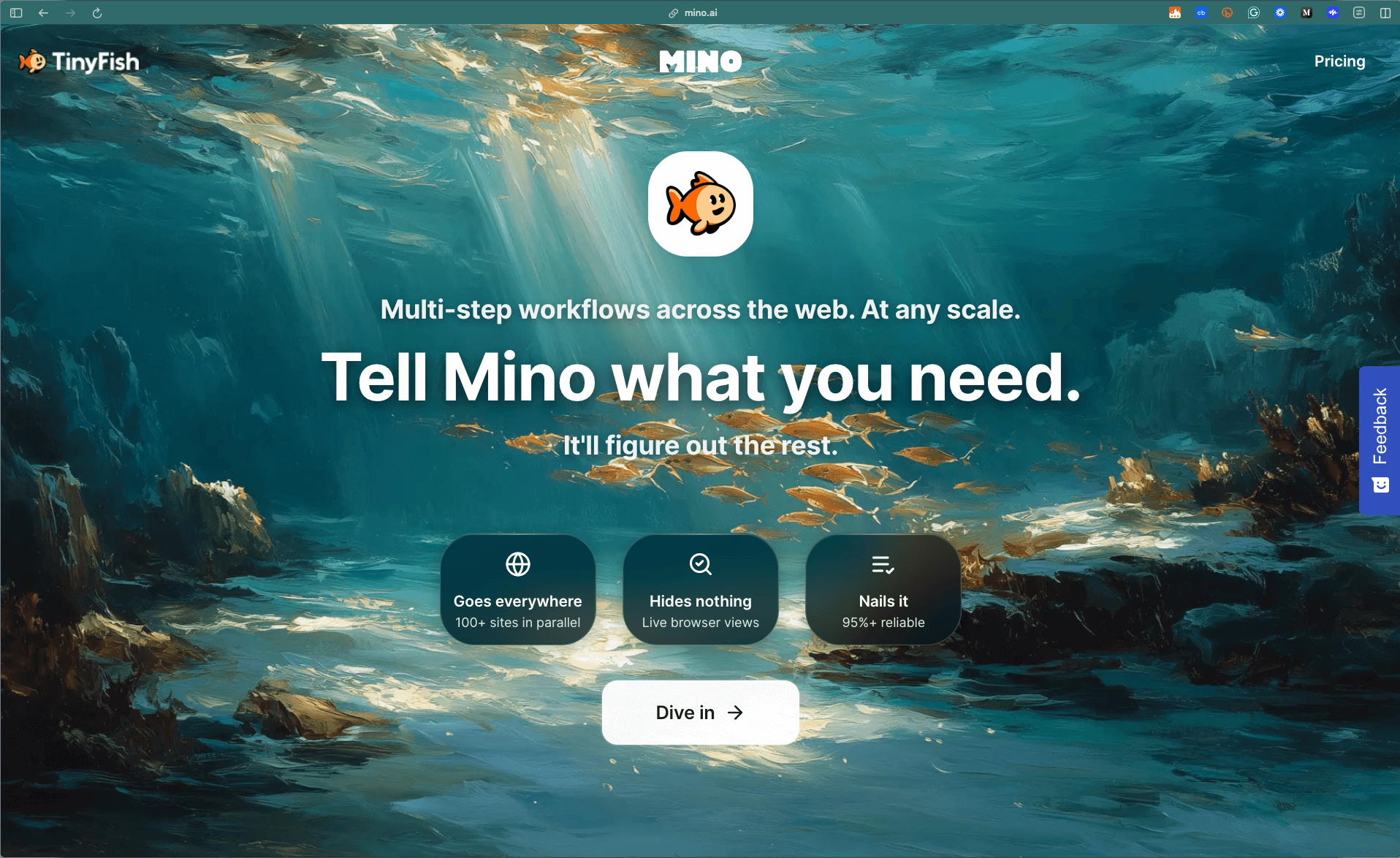
Mino solves this differently.
It gives you programmatic access to any website through browser automation and AI navigation. Send it URLs and a goal in plain English. Get JSON back.
The key difference: Most browser agents screenshot-reason-click on every action. Slow and expensive.
Mino uses AI to learn a website once, then executes it through deterministic code. First run figures out the site. Every run after that is code-level precision.
Performance: 85-95% success rates, 10-30 seconds per task, handles logins and anti-bot protection.
Thanks to TinyFish Mino for partnering today!
Build a Database Memory Agent with MongoDB and Voyage
If you strip away all the hype around agents, this is what they actually do:
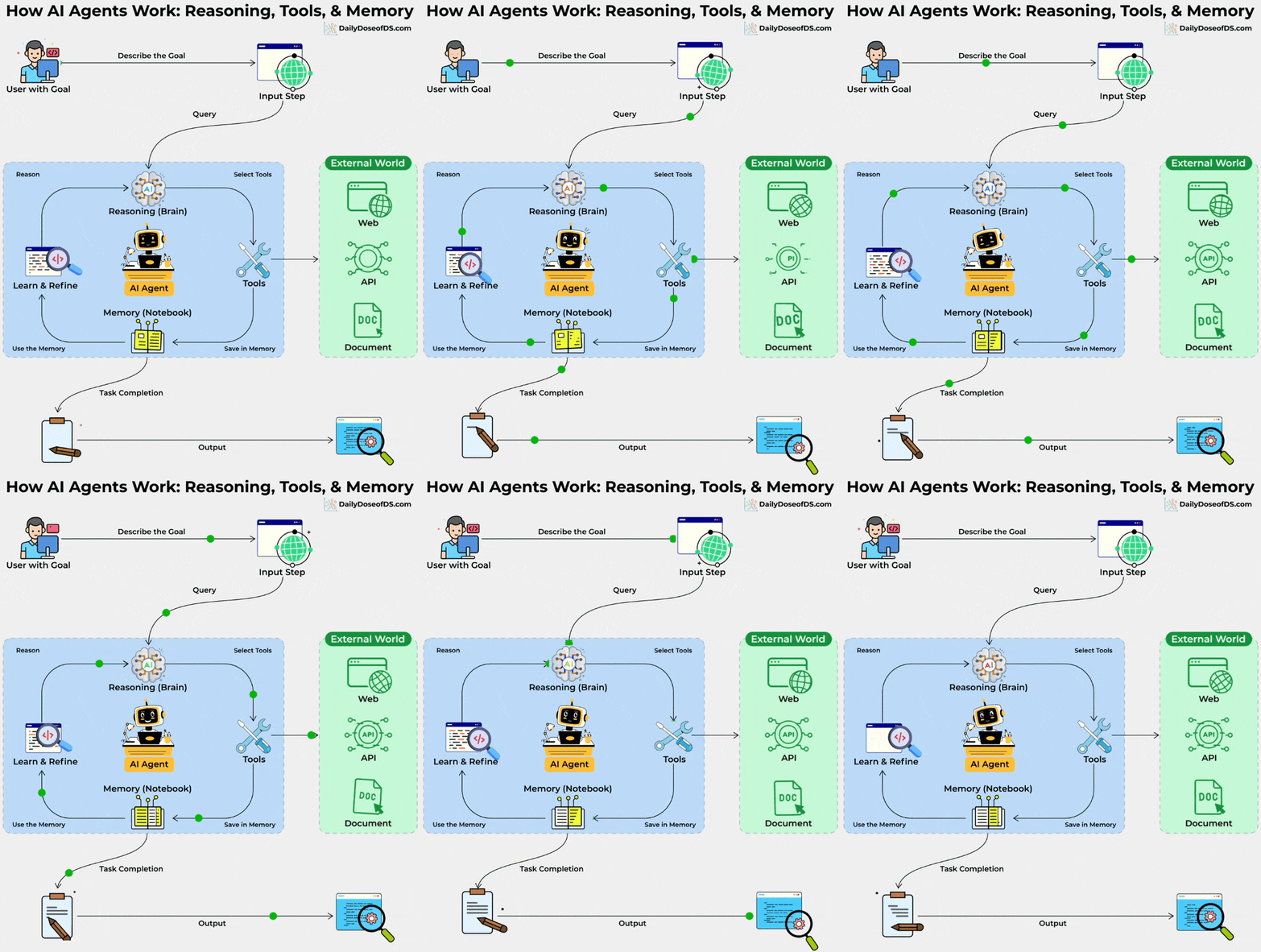
A user gives a goal.
The agent, powered by the LLM’s reasoning capabilities, thinks.
It pulls in the right tools.
It writes notes to its memory.
And over time, it becomes better at handling similar tasks.
The entire loop depends on how well you manage context.
However, most setups typically spin up separate services, like one for vector search, another for structured data, maybe Redis for sessions, and configuration scattered across multiple databases.
This becomes a maintenance nightmare in production.
In today’s issue, let’s wire this exact agent loop to a single backend using MongoDB. This will involve one database that handles vector search, tool data, and memory storage with the reliability you’d expect in production.
Today’s newsletter issue is inspired by a tutorial about Memory and Database for Agents available on MongoDB’s AI Learning Hub.
Let’s begin!
1️⃣ Configure the agent
We create a small config file that loads keys from the .env file and initializes the services the agent needs.
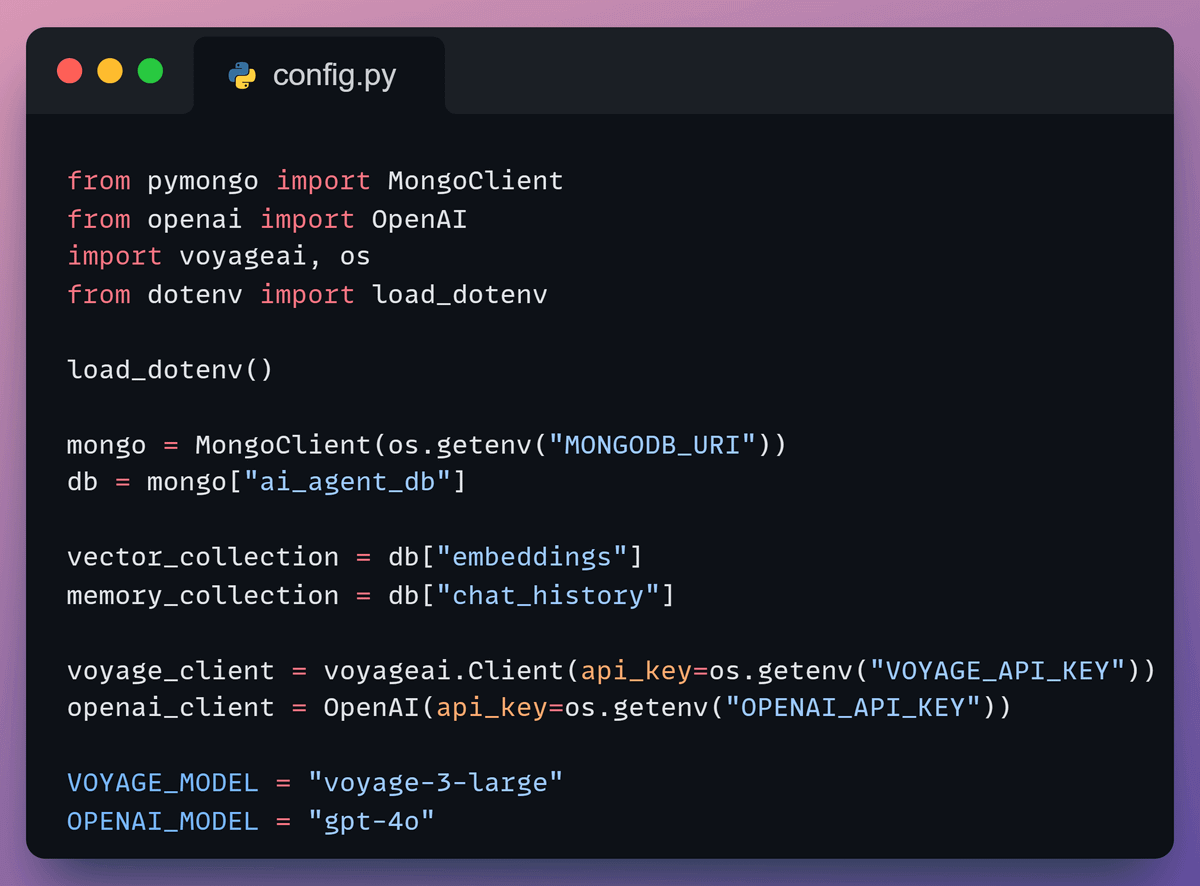
It connects to MongoDB for storage, Voyage AI for embeddings, and OpenAI for the LLM. These shared clients power the workflow.
2️⃣ Use MongoDB as a vector DB
Next, we prepare the vector store.
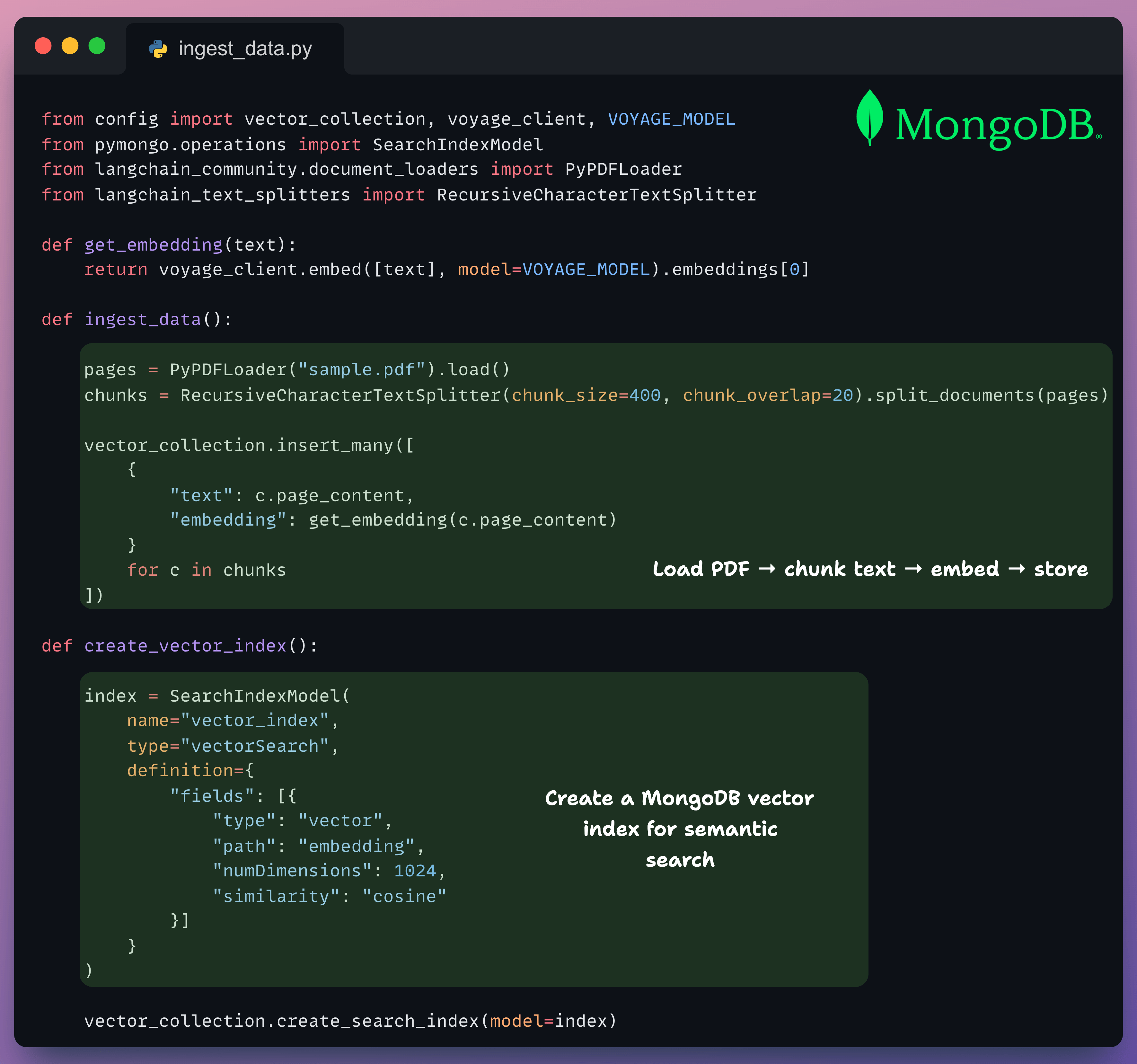
Load a PDF
Chunk the text
Embed each part with the voyage-3-large model
Store the embeddings, along with the chunk text, in MongoDB
3️⃣ Define tools
Now, we define two tools the agent can invoke:
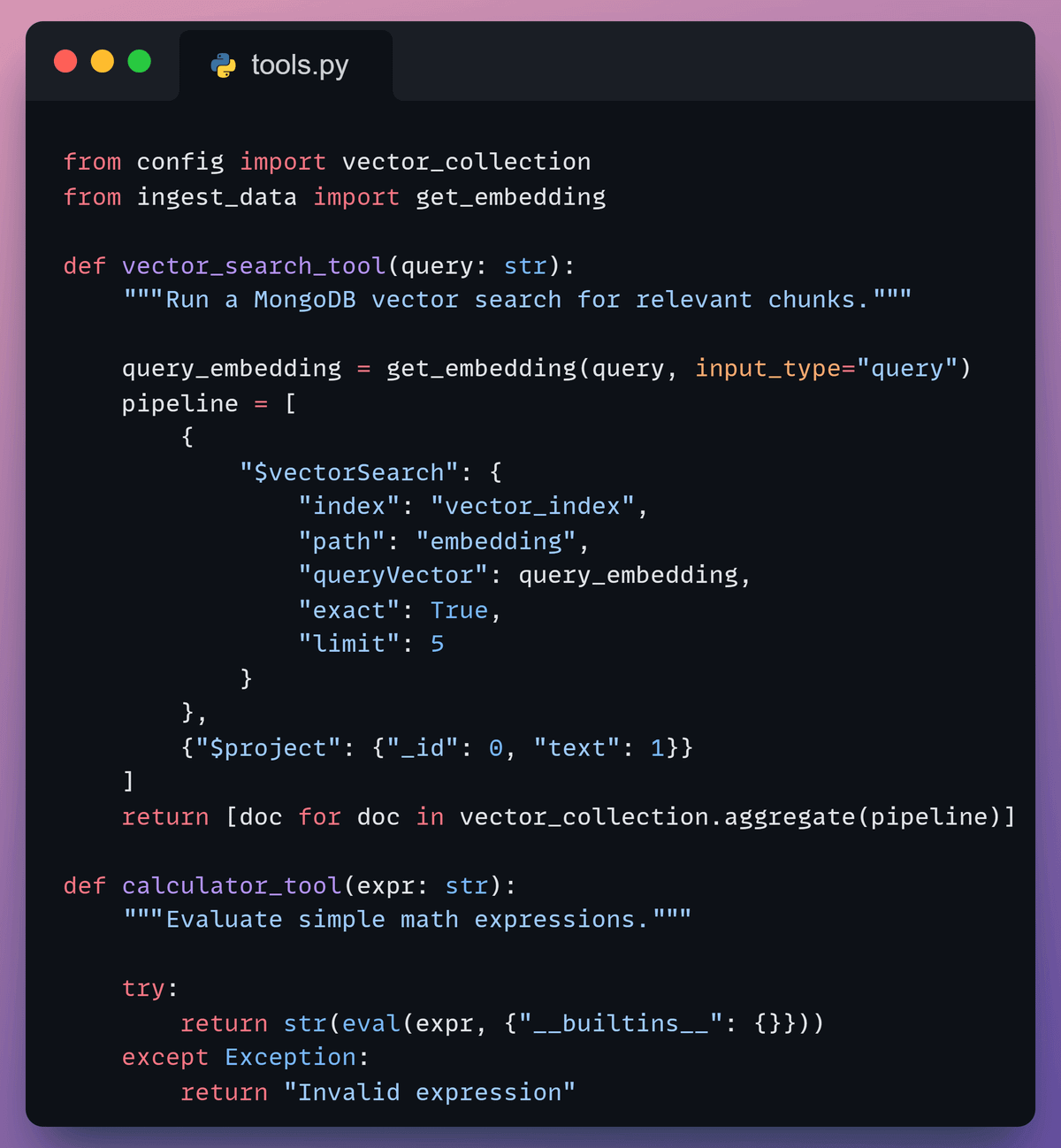
vector_search_tool: retrieves relevant chunks using MongoDB Vector Searchcalculator_tool: handles simple math
These tools let the agent decide whether it needs context or computation.
With the vector index created, the agent can retrieve the most relevant chunks, all within the same database that will handle your transactional data and session state.
4️⃣ Add memory
Then, we add memory so the agent can persist and retrieve relevant conversation context.
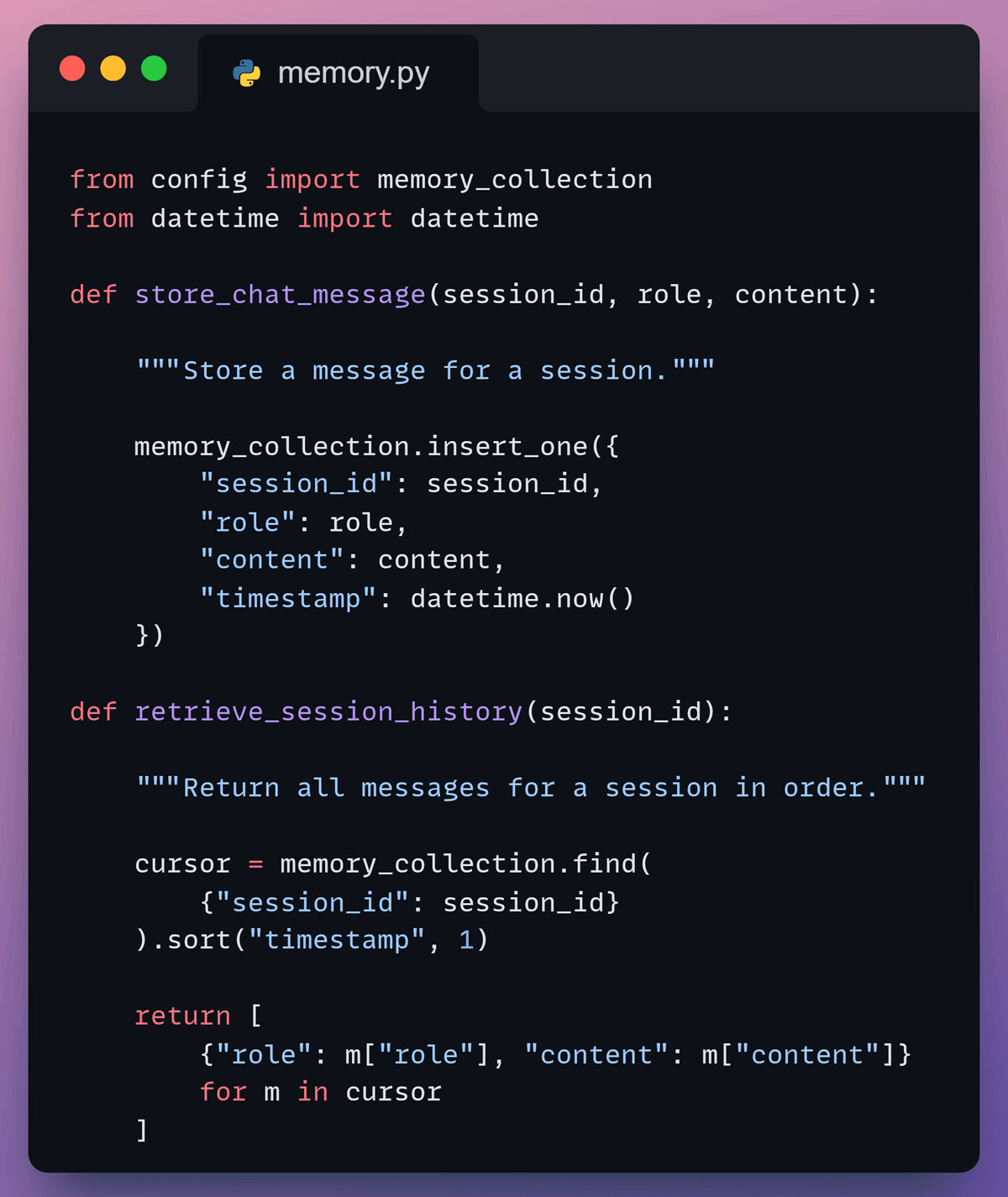
We store past interactions in MongoDB under a session ID, so the agent can recall earlier messages and maintain context across turns, and no separate session store is needed.
5️⃣ Add the planner
After that, we define the planner that drives the agent’s behavior.
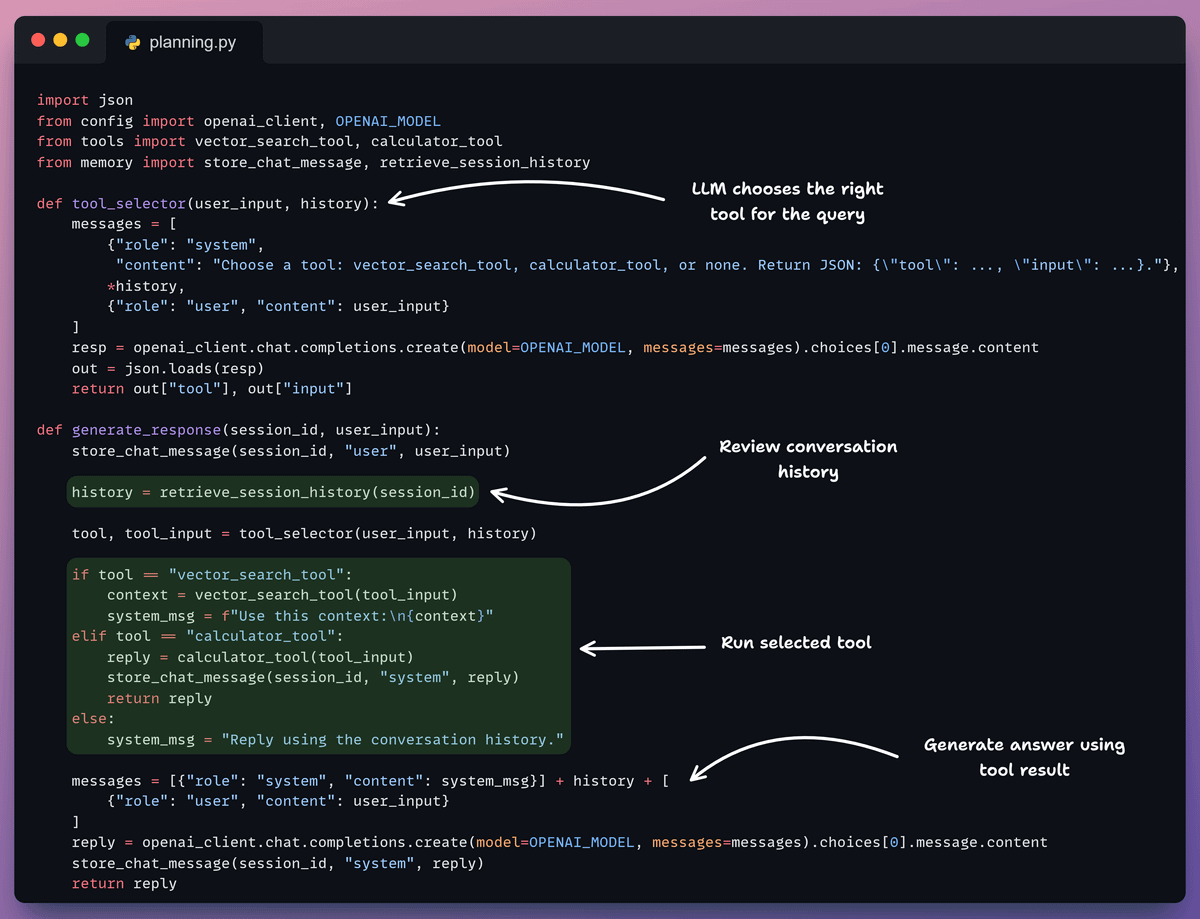
It retrieves the conversation history, lets the LLM choose a tool when needed, runs that tool, and uses the result to generate a grounded final answer.
6️⃣ Test the agent
Finally, we run the agent end-to-end.
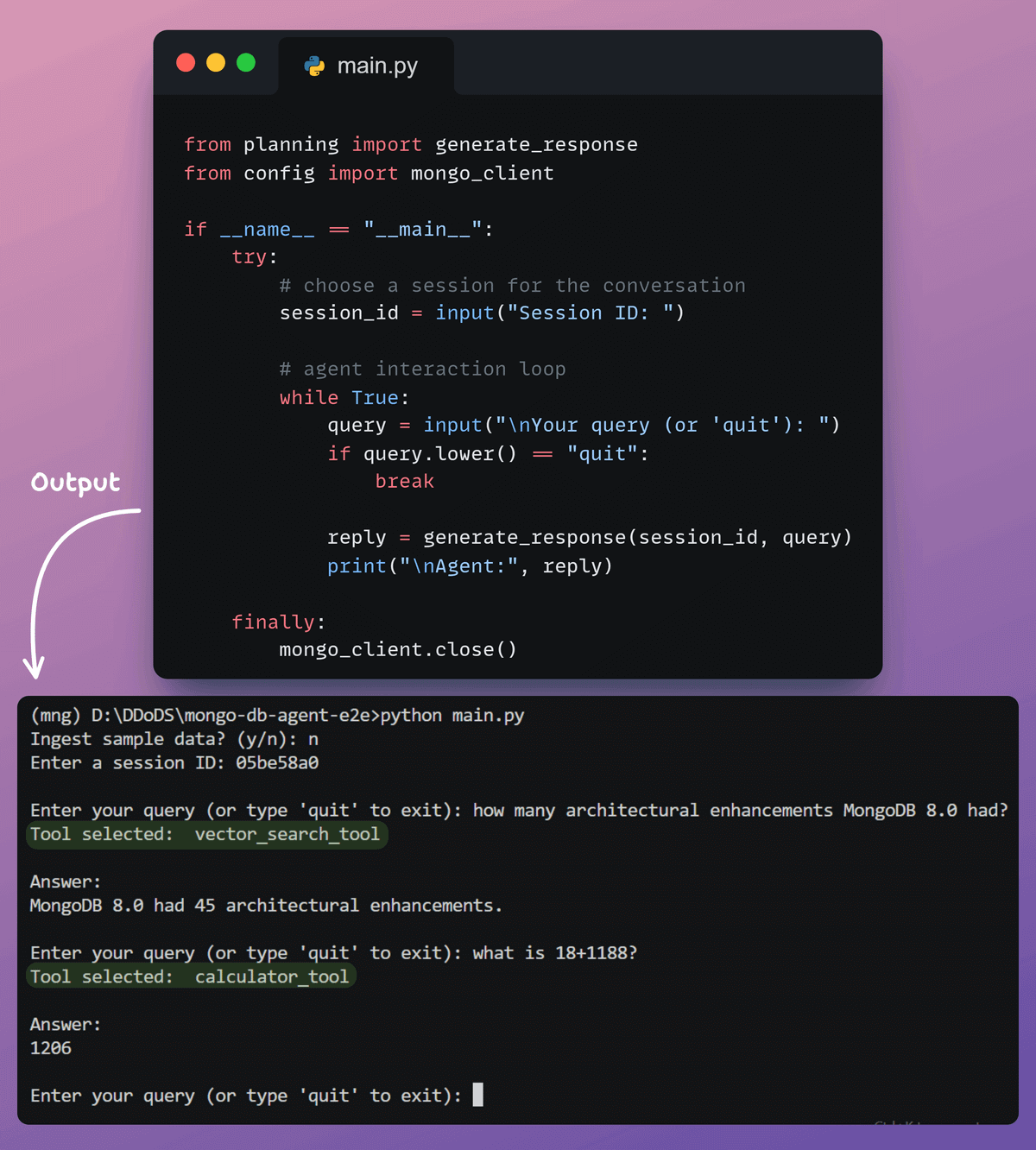
We start a session, send queries, and let the agent respond using memory and tools.
It gives you a clear view of how the planner chooses actions and produces the final answer.
This workflow is also wrapped in a simple Streamlit UI so you can interact with the agent and observe each step.
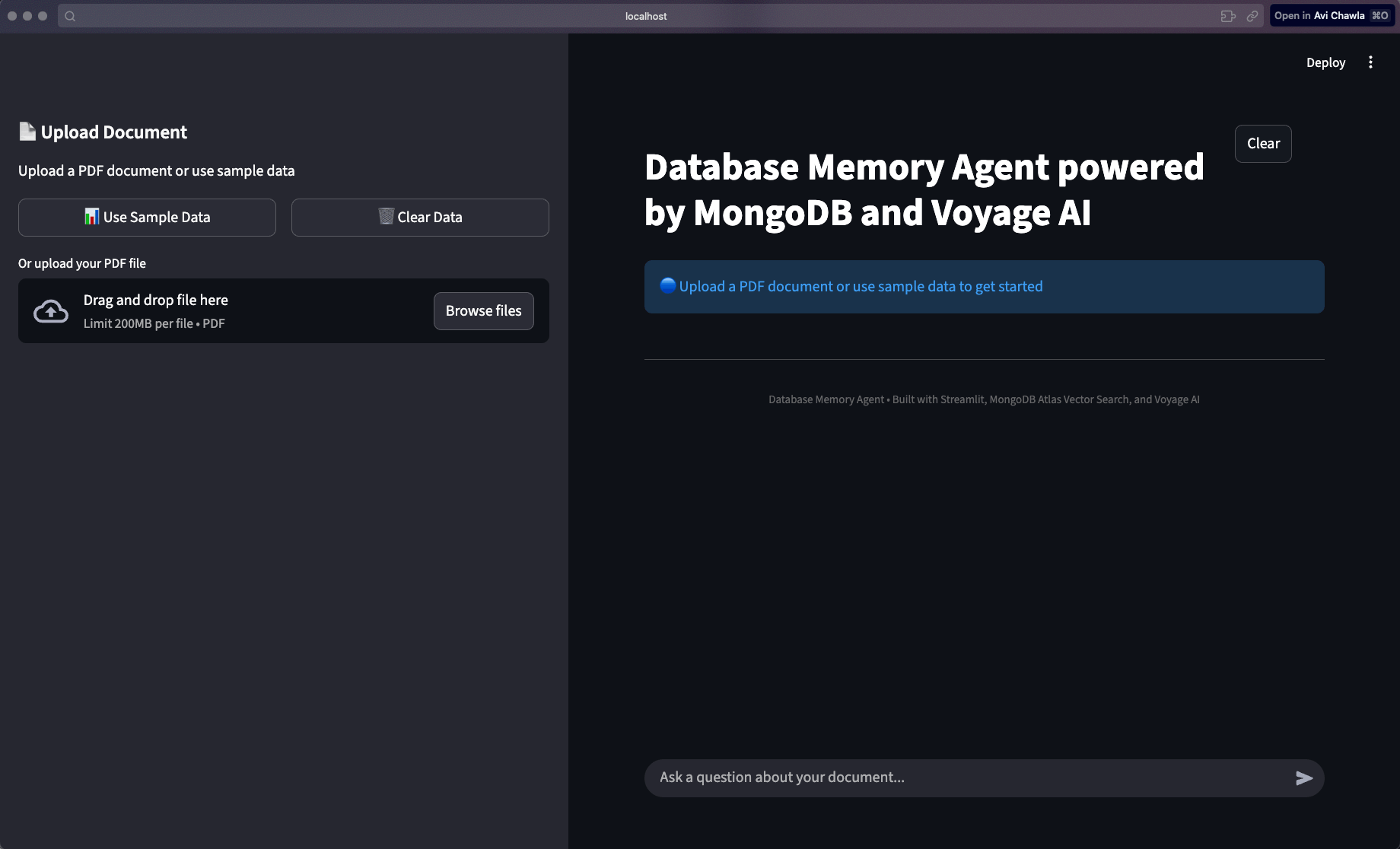
The key advantage is that everything runs through one battle-tested database.
Vector embeddings, the conversation memory (with potential tool outputs, if used), and user sessions all live in MongoDB. It’s the same database handling both operational workflows and vector search, without manual synchronization or the overhead of maintaining multiple systems.
Moreover, when you’re ready to ship to production, you’re not coordinating connection pools, backup strategies, and monitoring across three different databases. Instead, you’re managing just one.
You can swap in any embedding or LLM models you prefer, and the architecture stays clean.
Today’s newsletter was inspired by MongoDB’s AI Learning Hub, and they worked with us on today’s newsletter issue.
If you want to dive deeper into more AI engineering patterns like this…
It includes self-paced tracks, beginner guides, and skill badges to help you level up across key AI stacks like vector search fundamentals, RAG, and much more!
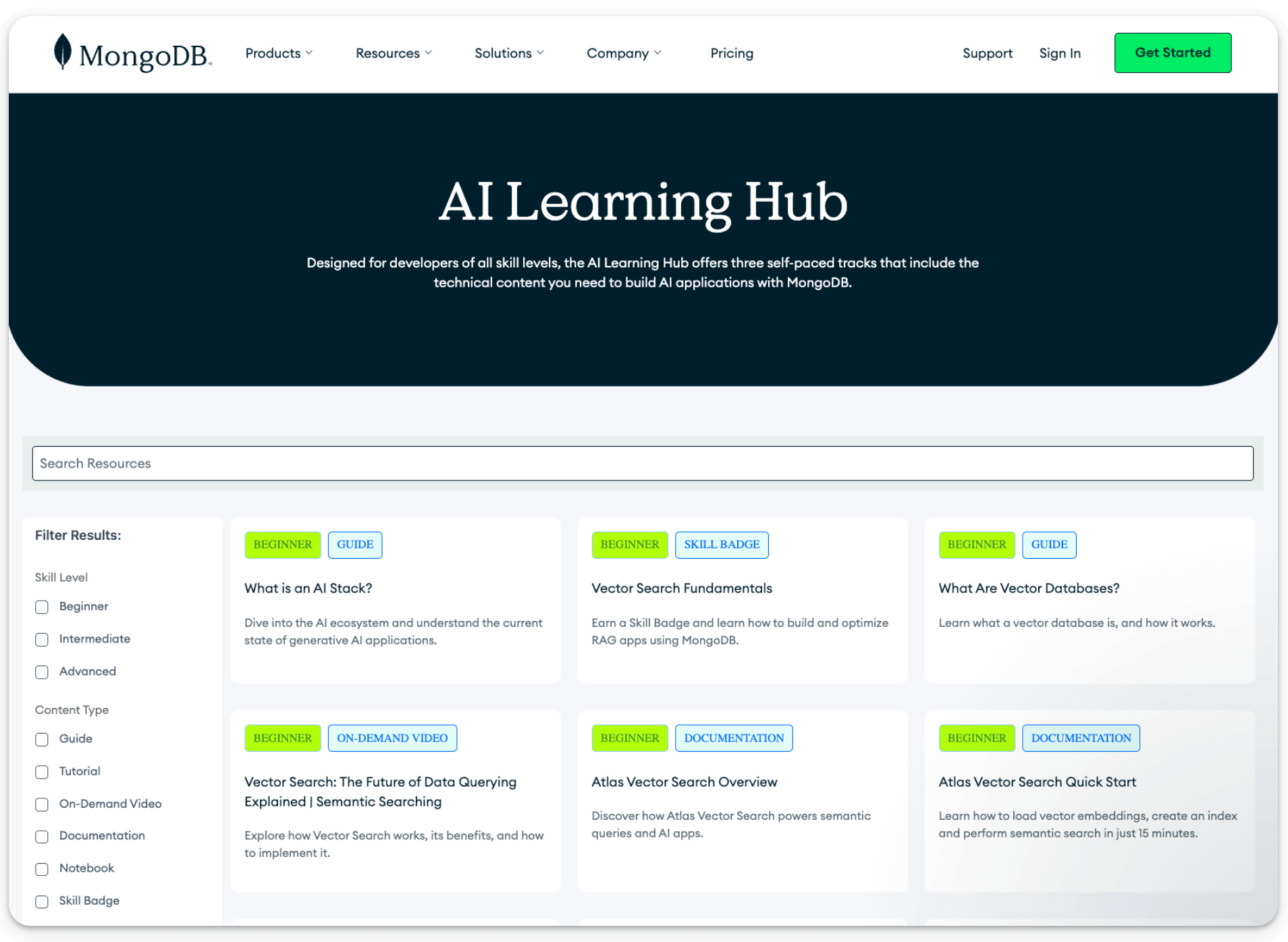
For instance:
What is an AI stack helps you understand the ecosystem behind generative AI apps.
Intro to Memory Management for Agents teaches how to manage memory in AI agents for better context and performance.
And there’s also a hands-on tutorial that guides you on how to build an AI agent using LangGraph.js and MongoDB.
You can find the full repository here →
Thanks for reading!


