

Build a Podcast Generator with MiniMax’s latest M2.1
MiniMax just dropped M2.1, and devs are calling it “Claude at 10% the cost.”
72.5% SWE-Multilingual. Beats Sonnet 4.5
88.6% VIBE-bench. Beats Gemini 3 Pro
We used it to build an AI studio that turns any website into a podcast, and have detailed the process in this video:
Here’s how it works:
You provide a website URL
Firecrawl scrapes the content
MiniMax M2.1 refines it and generates a podcast script
Speech 2.6 turns this into a multi-speaker podcast
You can find more details in the official announcement blog here →
And you find the code for this demo here →
[Hands-on] Run and Deploy LLMs on your Phone!
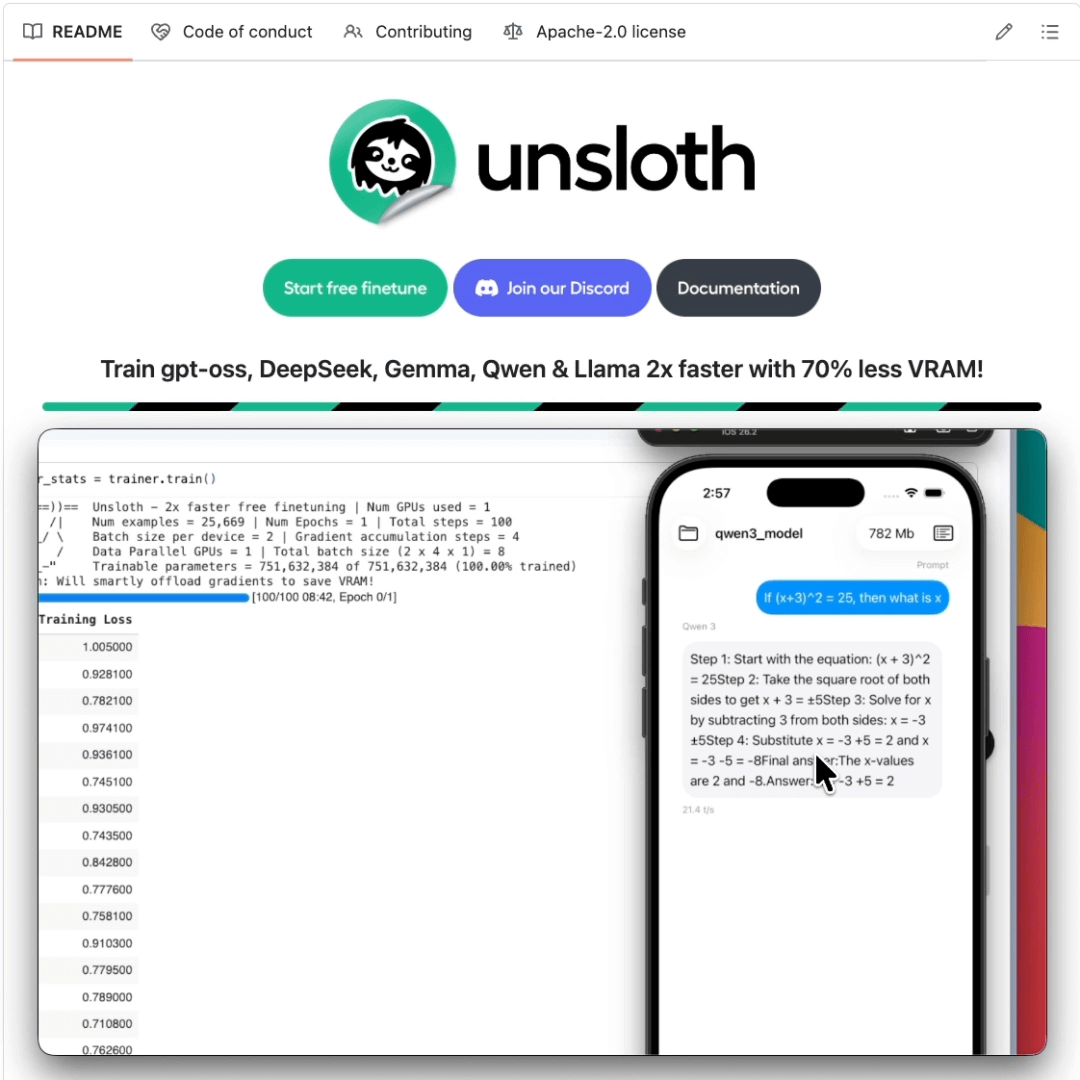
You can now fine-tune LLMs and deploy them directly on your phone.
Today, we are covering a step-by-step guide that shows how to fine-tune Qwen3 and then export it to a mobile-ready format, which can then run 100% locally on your iOS or Android device.
We’ll use:
UnslothAI for fine-tuning
TorchAO for phone-friendly quantization
ExecuTorch to run it on iOS
Let’s begin!
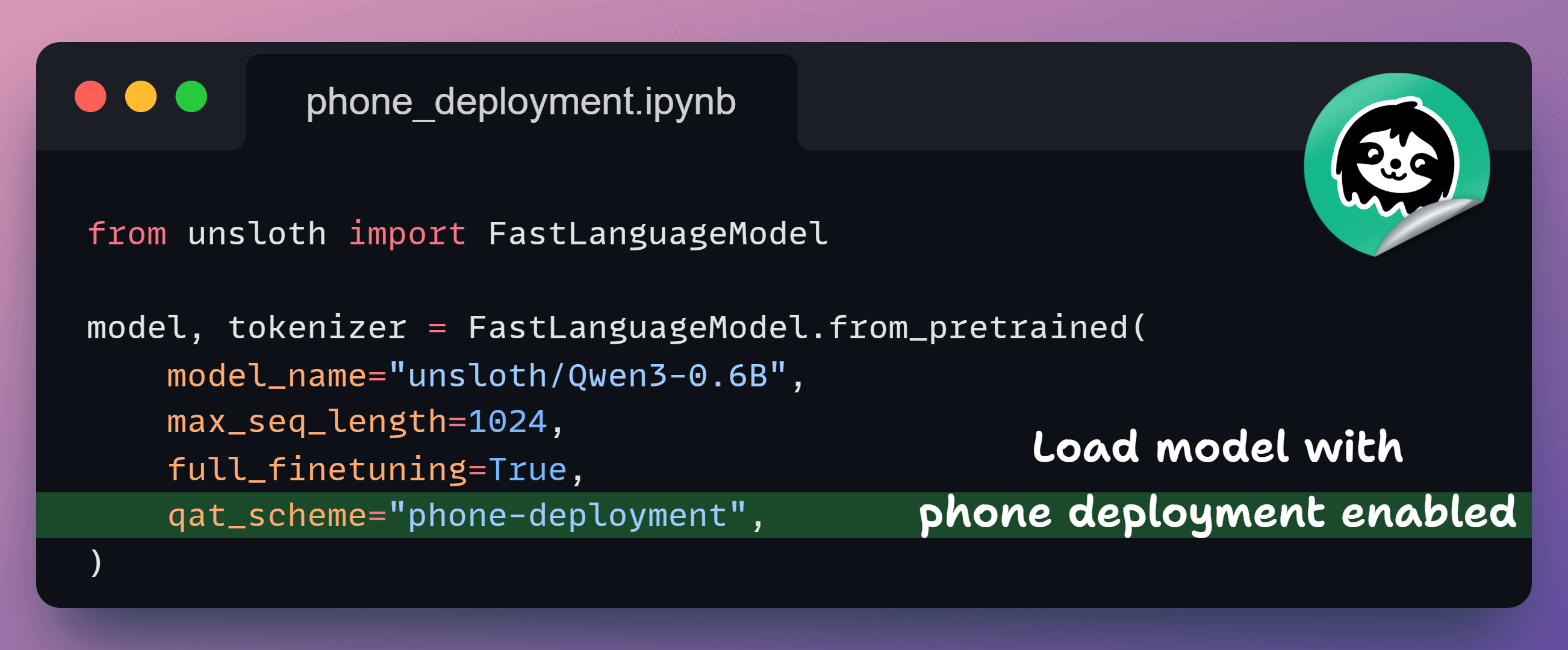
1️⃣ Load the model
First, we load Qwen3-0.6B in phone-deployment mode.
This enables quantization-aware training, so everything stays compatible with mobile export later.
2️⃣ Load datasets
Next, we decide what the model should learn.
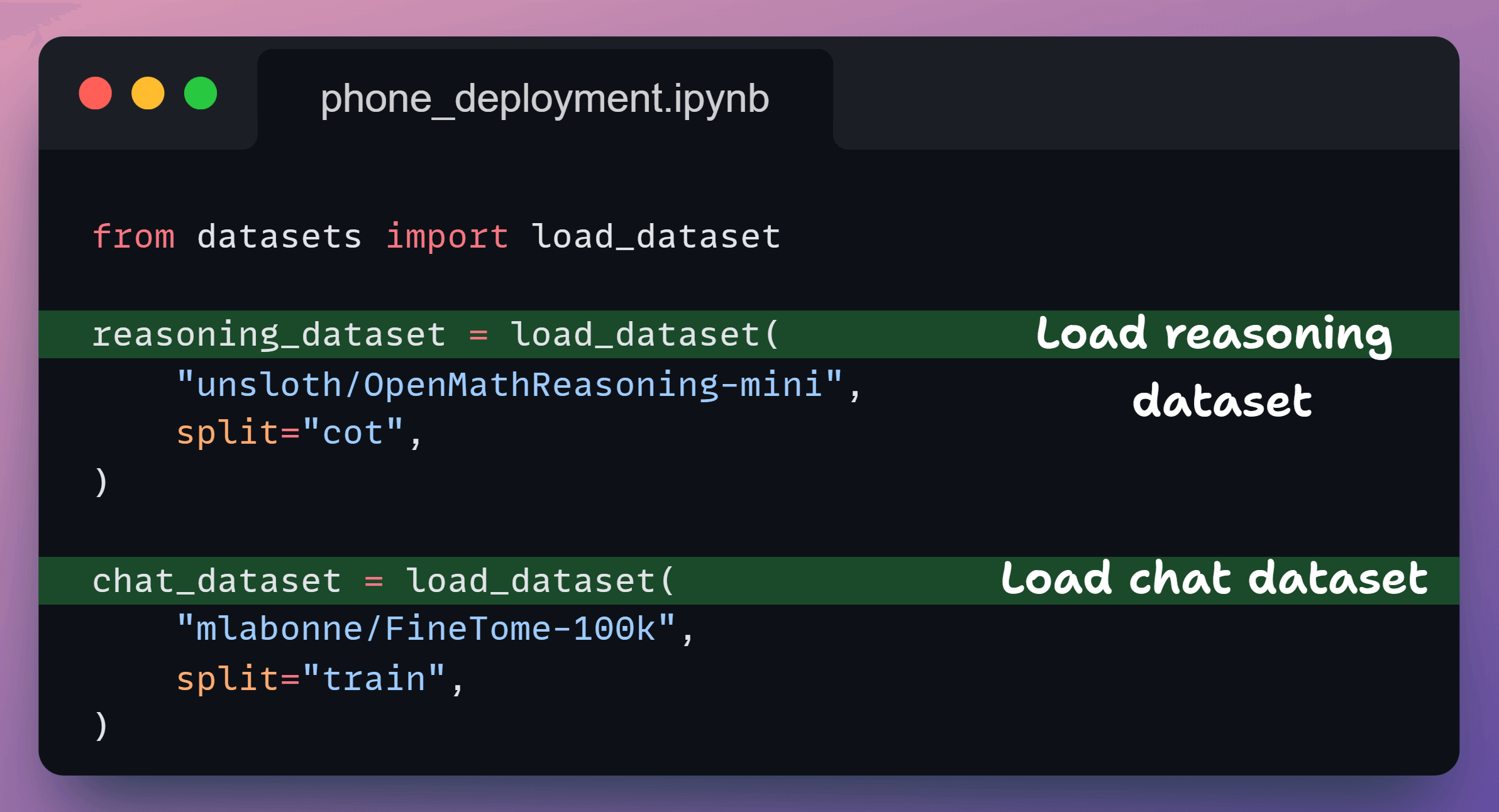
We load:
a reasoning dataset for enhanced capabilities
a chat dataset so it behaves like an assistant
At this point, both datasets are still raw.
3️⃣ Convert reasoning data
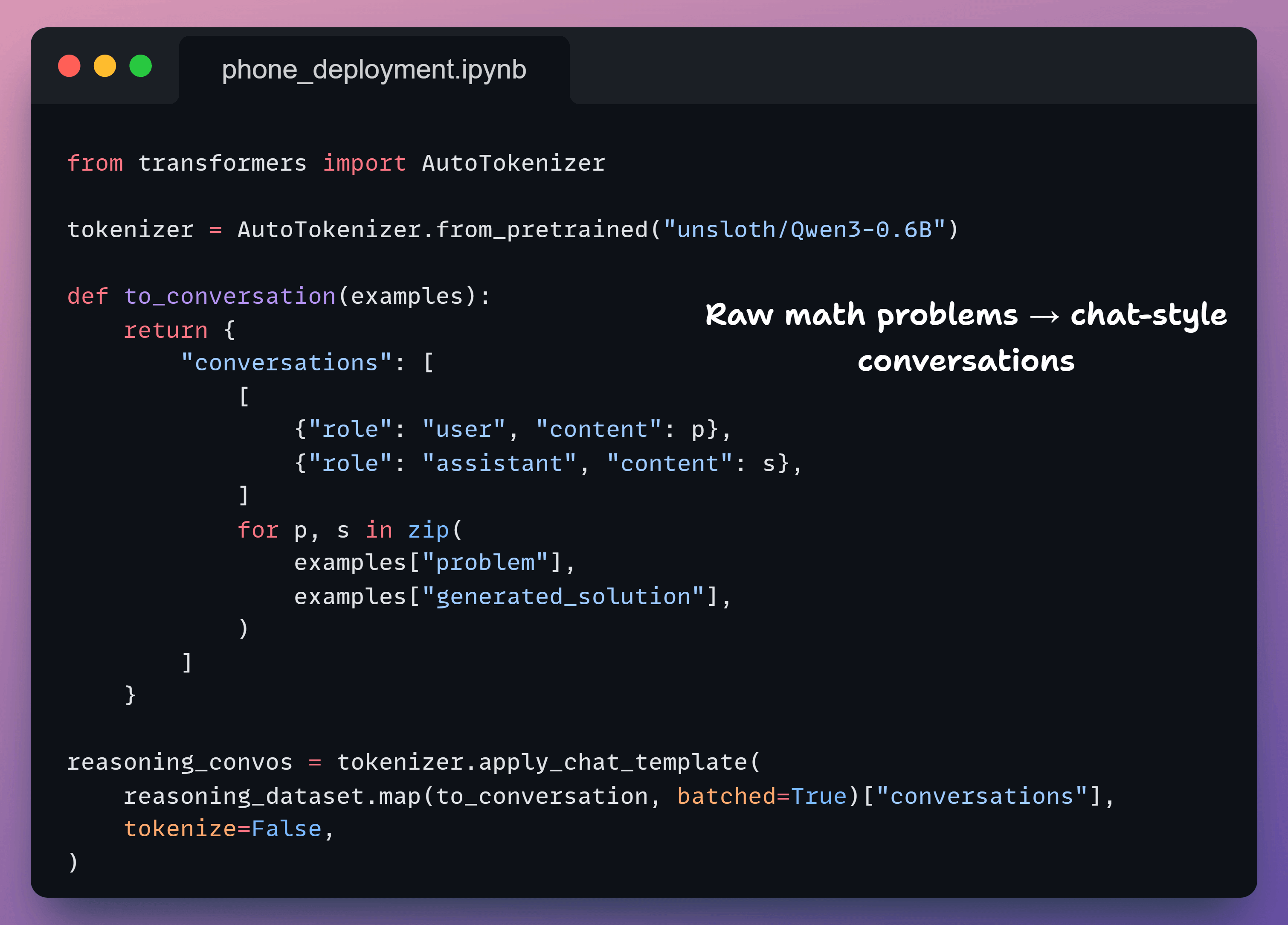
Now we convert the reasoning data into user → assistant conversations.
This teaches the model how to reason, not just the final answer.
4️⃣ Standardize chat data
Next, we convert them to the chat dataset format.
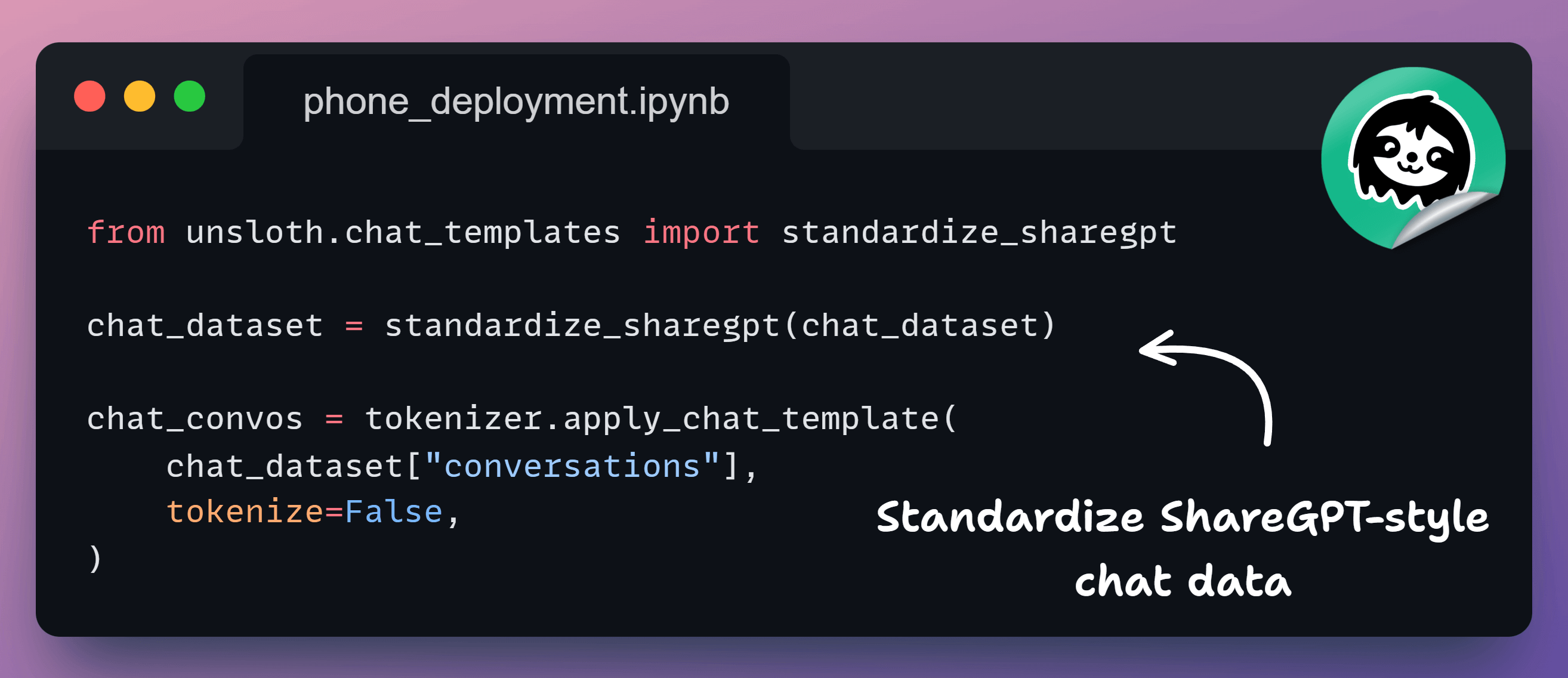
This ensures both datasets follow the same schema. At this point, reasoning and chat data look identical to the model.
5️⃣ Mix datasets
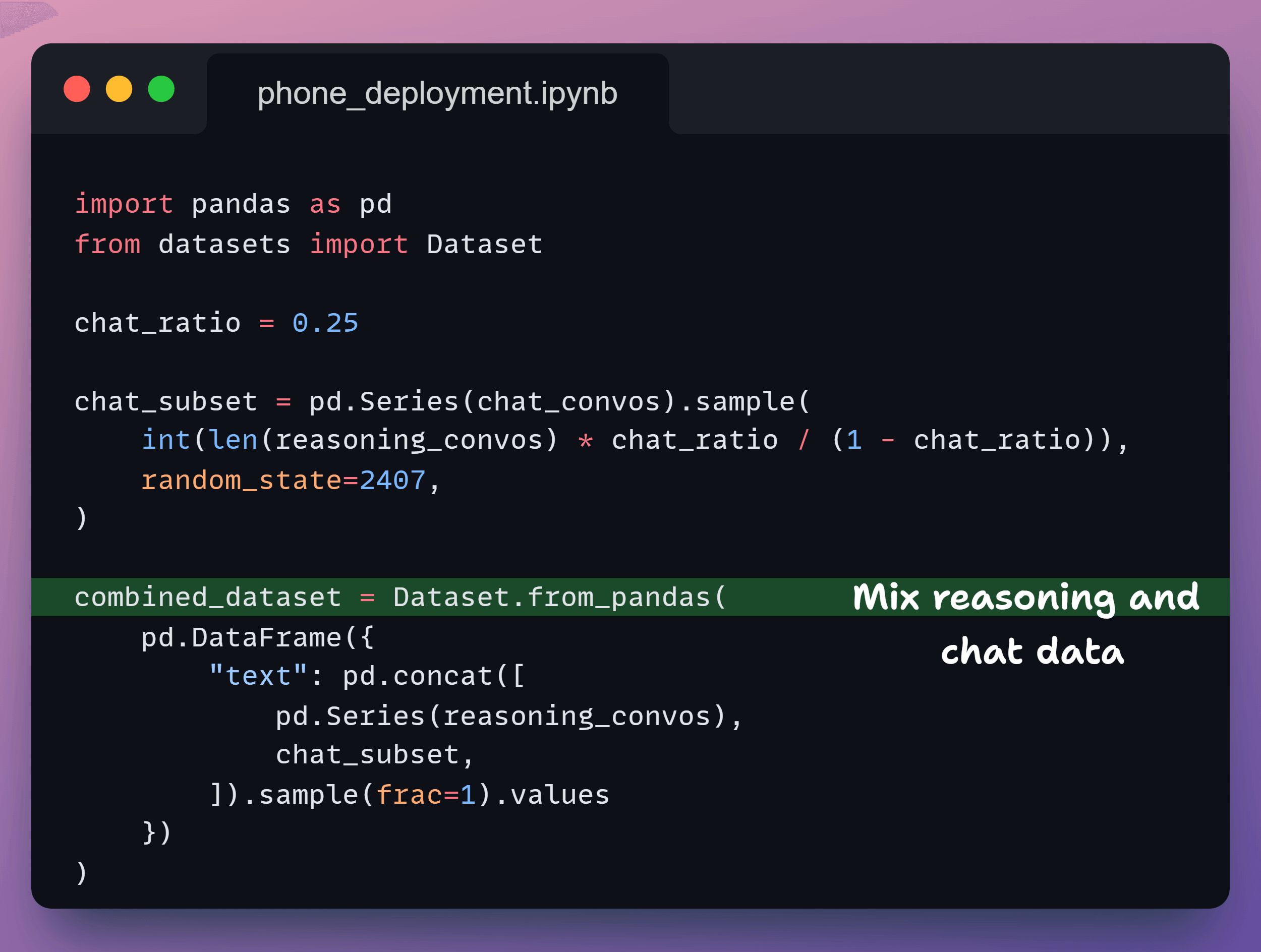
Now, we decide how much the model should reason versus chat.
We keep 75% reasoning so the model can think, and 25% chat so it talks naturally.
This gives us one clean dataset that does both.
6️⃣ Train the model
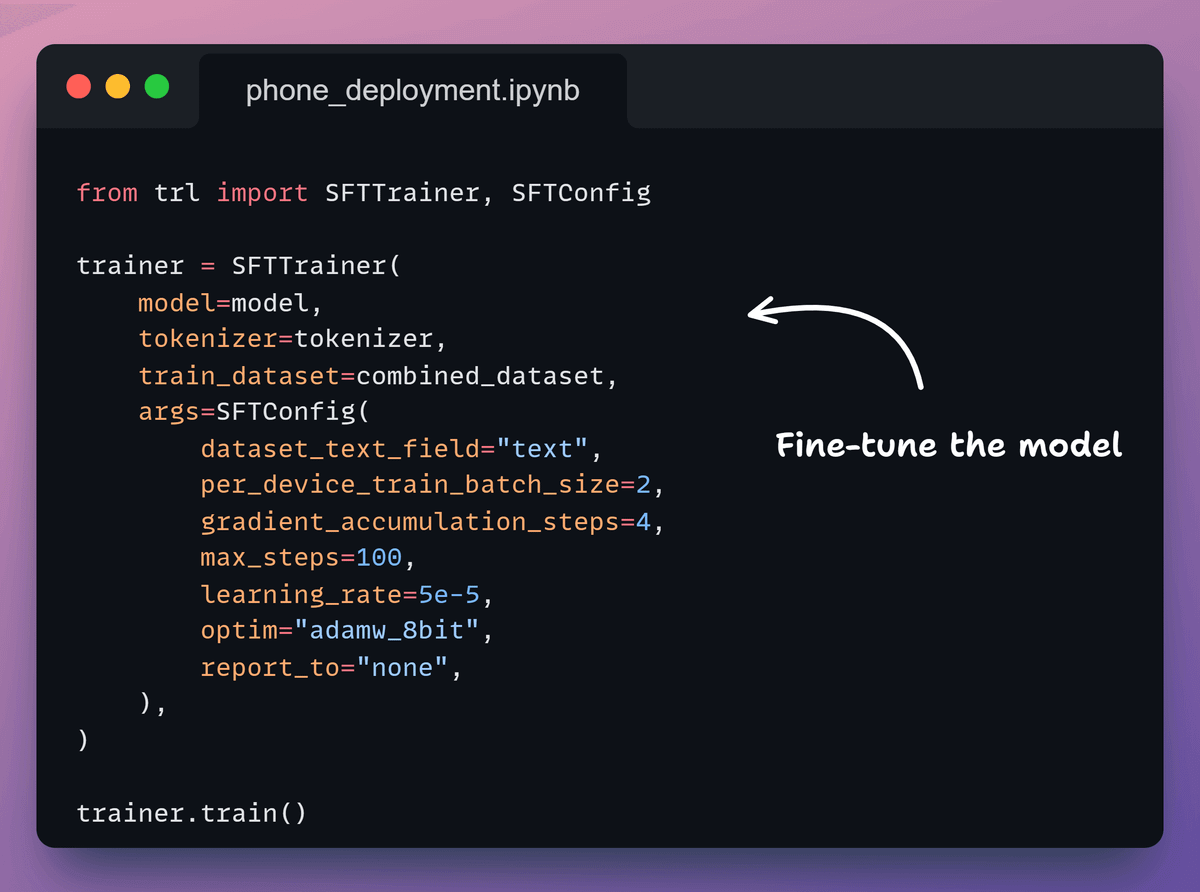
Next, we set up the trainer and start fine-tuning.
We keep the run short so we can move quickly to mobile export.
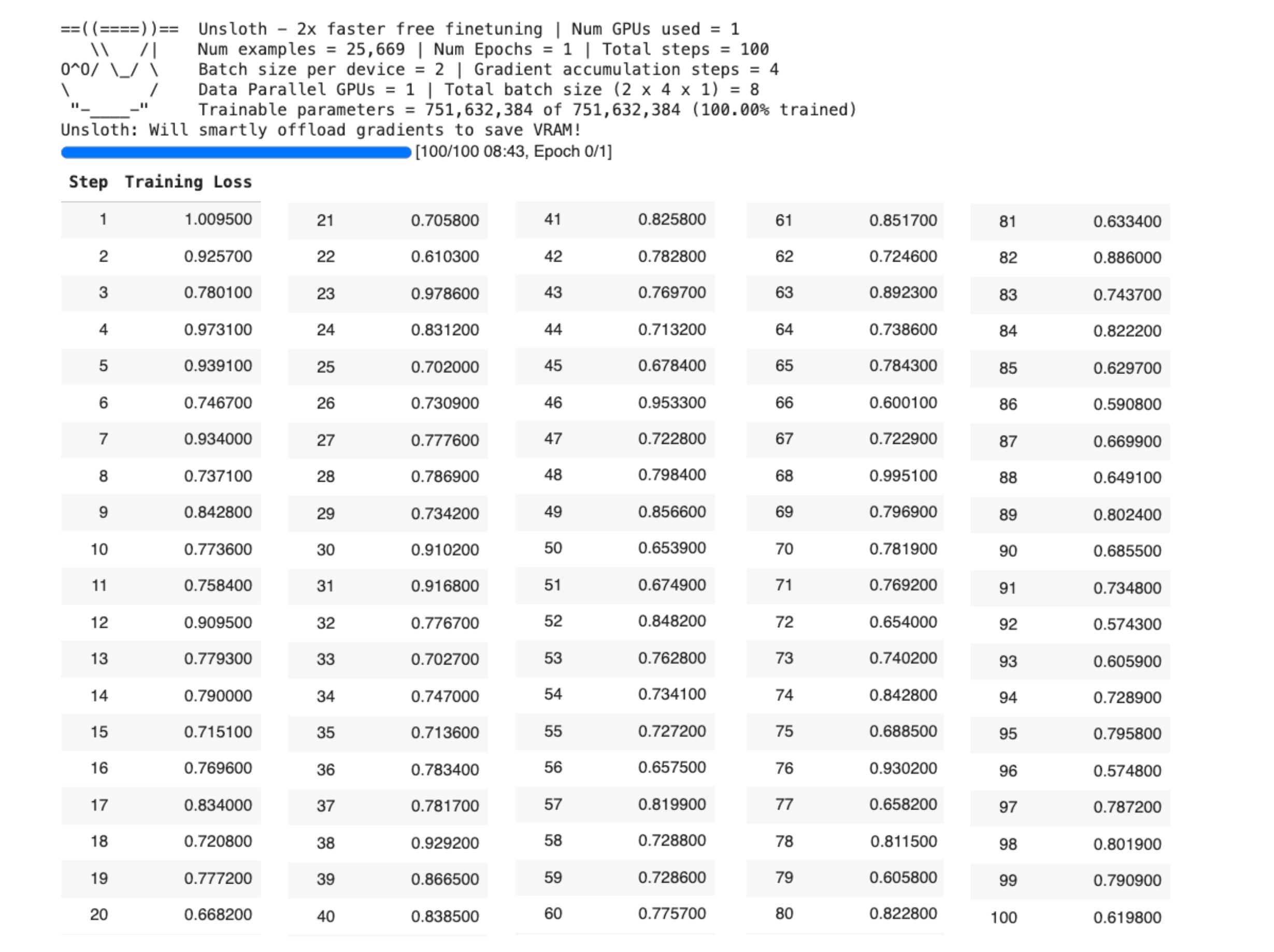
Here, the loss decreases, indicating that the model is being trained correctly.
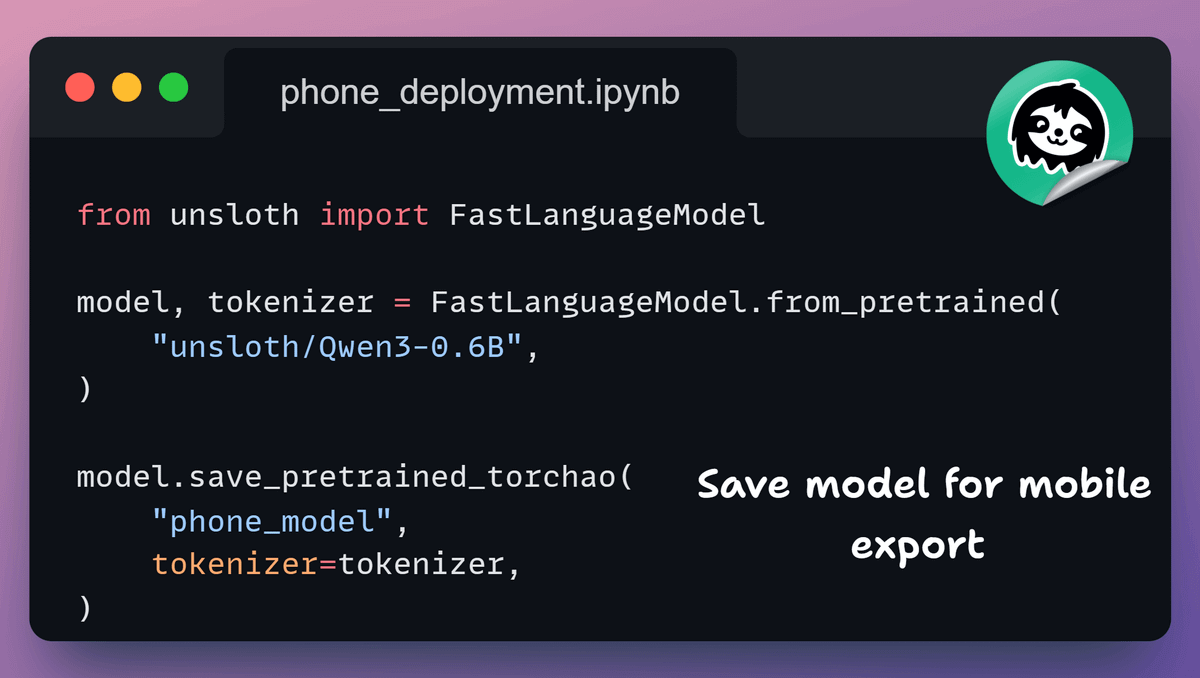
7️⃣ Save the model
Once training finishes, we save the model in TorchAO format.
This is exactly what ExecuTorch expects next.
8️⃣ Export to .pte
Now we export a single .pte file that iOS can load.
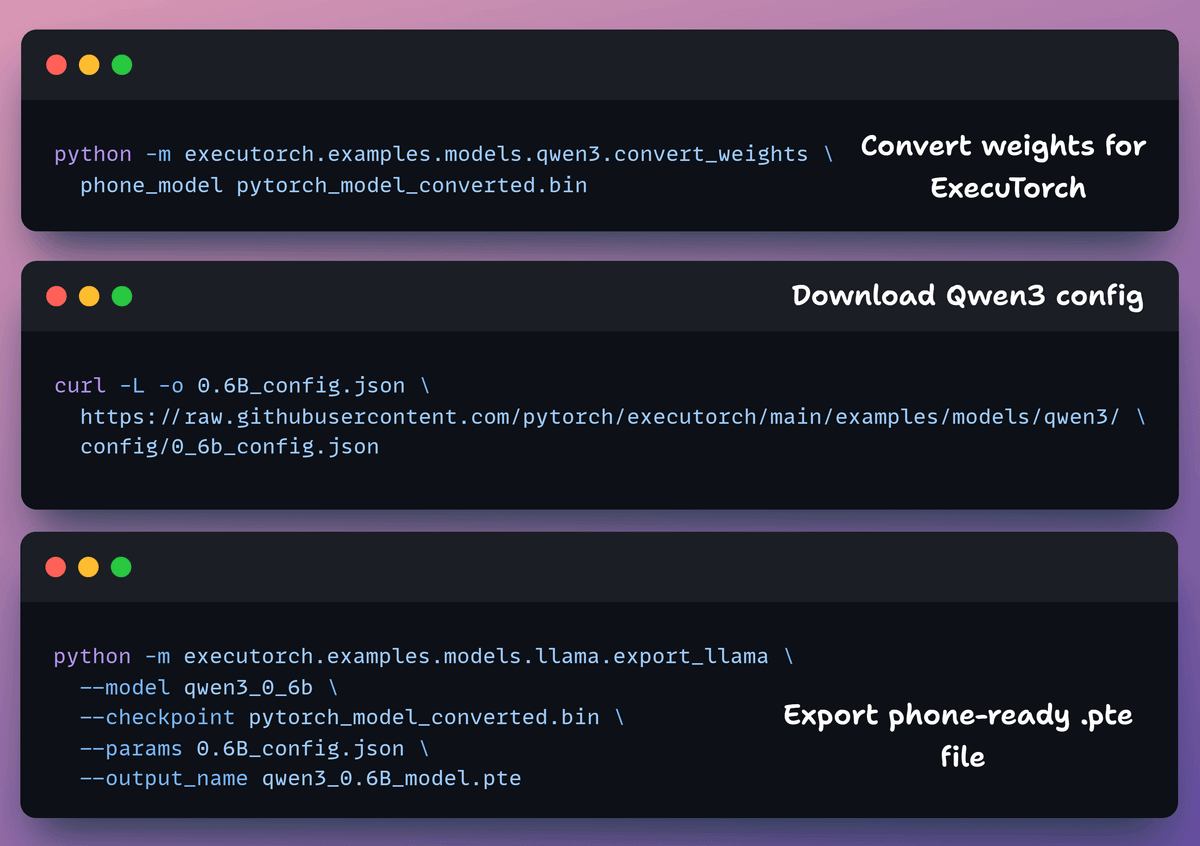
Here, we do three things:
convert weights
fetch the model config
Export the final artifact
Note: the .pte file is ~470 MB, which is expected for on-device models.
9️⃣ Run on iOS
Finally, we run the model with the ExecuTorch iOS demo app.
On the Simulator, we copy the .pte and tokenizer, load them in the app, and start chatting.
The Simulator needs no developer account. Physical iPhones require an increased memory limit in Xcode.
In the above video, we have Qwen3 running locally on an iPhone 17 Pro at ~25 tokens/s, powered by the same ExecuTorch runtime used in production across Meta apps like Instagram, WhatsApp, and Messenger.
Here is the colab notebook for the complete code →
And you can find more details in the Unsloth docs here →
The AI Agent tech stack
Building AI agents isn’t just about picking a model anymore. Instead, it’s about assembling the right stack across several critical layers.
We put together this visual breakdown that comprehensively maps out the current tech stack for these layers:
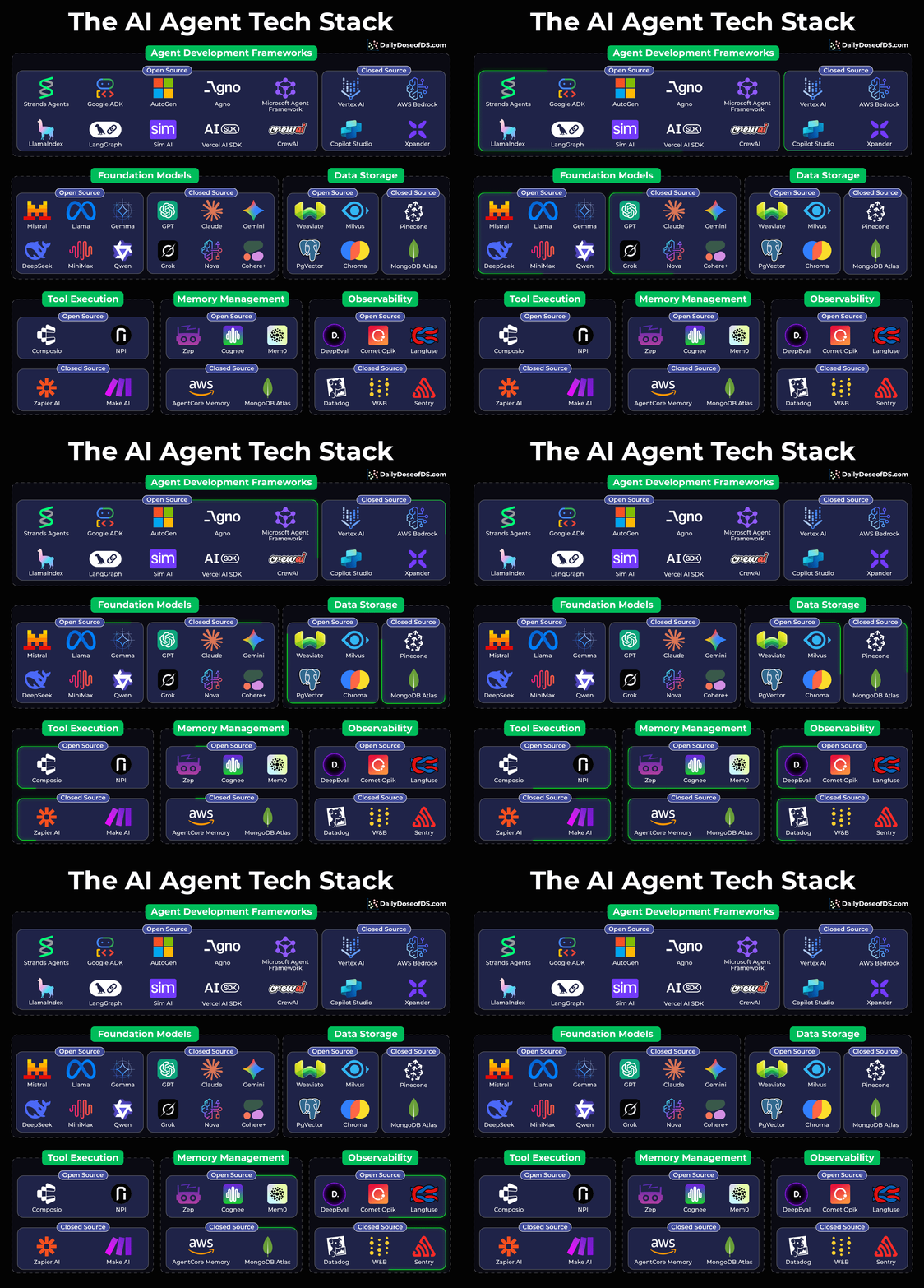
Agent Development Frameworks: This is where your agent logic lives. Open-source options like LangGraph, CrewAI, and Google ADK are battling it out with managed solutions like AWS Bedrock and Vertex AI.
Foundation Models: This is the brain of your operation. You’ve got open-weight models (Llama, Mistral, DeepSeek, Qwen) vs. closed APIs (Claude, GPT, Gemini). Your choice here shapes everything downstream.
Data Storage: Vector DBs are non-negotiable for most LLM apps.
Tool Execution: This layer defines how your agent does things. Composio is gaining serious traction for tool orchestration.
Memory Management: Mem0, Zep, and Cognee are solving the “how does my agent remember context across sessions” problem.
Observability: You can’t improve what you can’t measure. DeepEval and Opik for open-source tracing.
If you want to dive into Agent, we have covered everything in detail (and with implementation) in the AI Agents crash course with 17 parts:
In Part 1, we covered the fundamentals of Agentic systems, understanding how AI agents act autonomously to perform tasks.
In Part 2, we extended Agent capabilities by integrating custom tools, using structured outputs, and built modular Crews.
In Part 3, we focused on Flows, learning about state management, flow control, and integrating a Crew into a Flow.
In Part 4, we extended these concepts into real-world multi-agent, multi-crew Flow projects.
In Part 5 and Part 6, we moved into advanced techniques that make AI agents more robust, dynamic, and adaptable, like Guardrails, Async execution, Callbacks, Human-in-the-loop, Multimodal Agents, and more.
In Part 8 and Part 9, we covered everything related to memory for Agentic systems:
5 types of Memory from a theoretical, practical, and intuitive perspective.
How each type of Memory helps an Agent.
How an Agent retrieves relevant details from the Memory.
The underlying mechanics of Memory and how it is stored.
How to utilize each type of Memory for Agents (implementations).
How to customize Memory settings.
How to reset Memory if needed.
And more.
In Part 10, we implemented the ReAct Agentic pattern from scratch.
In Part 11, we implemented the Planning Agentic pattern from scratch.
In Part 12, we implemented the Multi-agent Agentic pattern from scratch.
In Part 13 and Part 14, we covered 10 practical ways to improve Agentic systems in production use cases.
In Part 15, Part 16 and Part 17, we covered practical ways to optimize the Agent’s memory in production use cases.
Of course, if you have never worked with LLMs, that’s okay.
We cover everything in a practical and beginner-friendly way.
Thanks for reading!


