

Connect any MCP server to your app with a single command!

CopilotKit released a 100% open-source MCP Client Component that lets you connect any MCP server to your React app with a single command.
Just run this command → npx copilotkit@latest init -m MCP
This will integrate two things:
The entire backend interface to connect to any new MCP server.
The frontend chat interface to interact with the MCP server.
Read the integration steps here →
Thanks to CopilotKit for partnering today!
Build Your Own MCP-powered ChatGPT App
ChatGPT has so many features that enhance its completions:
It can search/scrape the web.
It can do deep research.
It can maintain memory.
It can operate a browser session, etc.
Today, let us show you the 8 MCPs MCP servers we added to Claude to get ChatGPT-like capabilities:
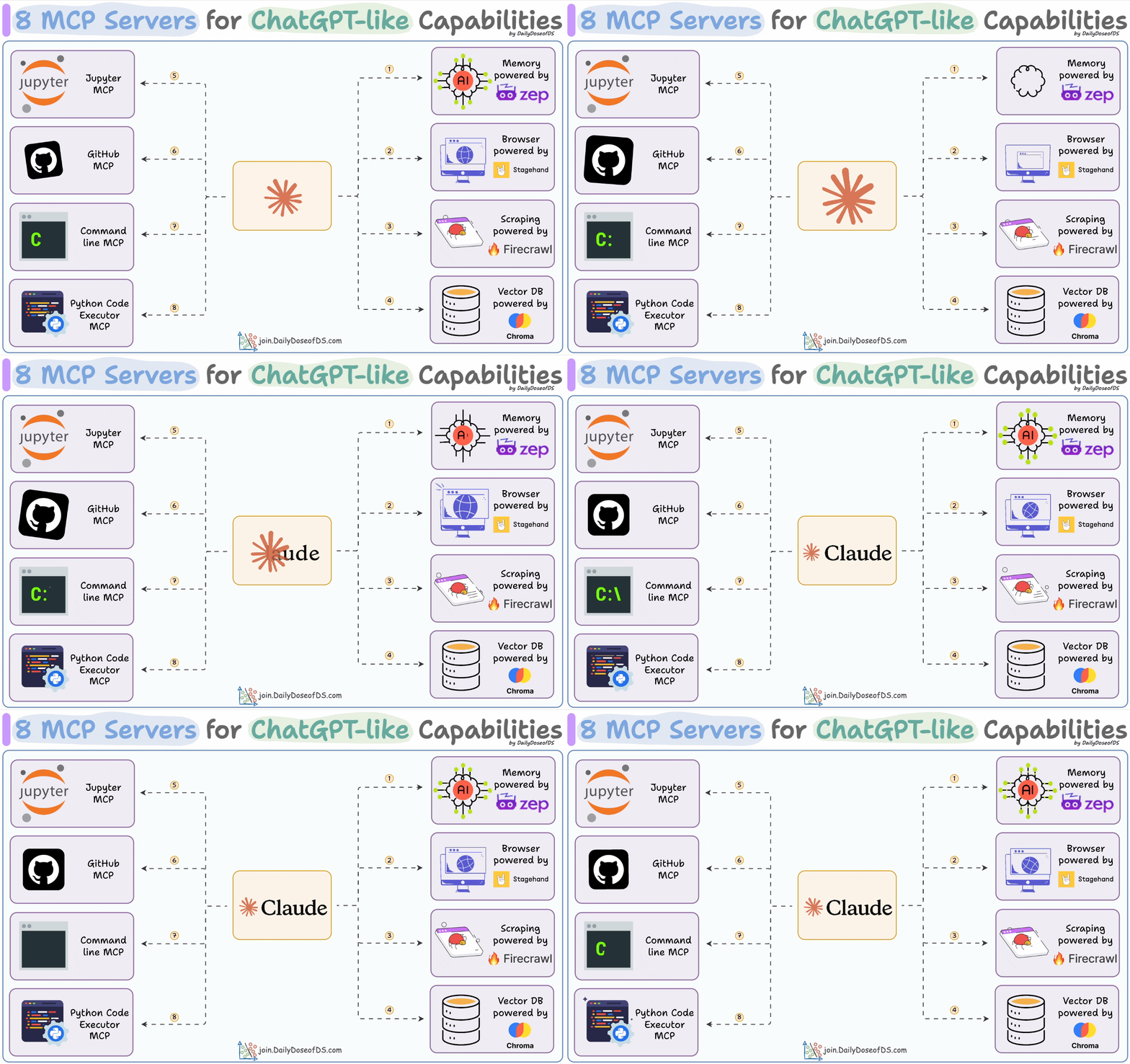
Zep MCP for memory
Firecrawl MCP for scraping
Stagehand MCP for browser access
Chroma MCP for vector DB
CLI access MCP
GitHub MCP access
Jupyter notebook MCP
Python code executor MCP.
Let’s begin!
1) Graphiti MCP server
Agents forget everything after each task. Open-source memory toolkit Graphiti by Zep lets Agents build and query temporally-aware knowledge graphs!
Tools include:
get, add, and delete episodes and entities
search nodes/facts, etc.
The video below shows a demo of this:
2) Stagehand MCP server
This open-source MCP server by Browserbase allows Agents to control a browser like humans. It delivers a more reliable alternative to OpenAI Operator. Tools include:
Navigate to a URL
Act on a page
Observe a page, etc.
The video below shows a demo of this:
3) Firecrawl MCP server
This MCP server by Firecrawl gives powerful web scraping capabilities to Agents using Firecrawl. Tools include:
Scraping
Crawling
Deep research, etc.
The video below shows a demo of this:
4) Jupyter MCP server
This MCP server lets you control Jupyter notebooks to:
Create code cells
Execute code cells
Create markdown cells
Use this for complex use cases where you can analyze full datasets by just telling Claude Desktop a file path.
The video below shows a demo of this:
5) Chroma vector DB MCP server
This open-source MCP server by Chroma allows the Agent to interact and retrieve data from a vector database. Tools include:
create, list, get, update, and delete collections.
add, query, update, delete documents, etc.
The video below shows a demo of this:
6) GitIngest MCP server
This is an MCP server to chat with any GitHub repo!
It is powered by GitIngest and has two tools:
git_directory_structure → to read the directory structure.
git_read_important_files → to read files.
The video below shows a demo of this:
7) Terminal MCP server
This MCP server gives Claude full terminal control. Tools include:
read/write/search/move files
execute a command
create/list directory
kill process, etc.
The video below shows a demo of this:
8) Python code executor MCP
This MCP server allows Agents to execute Python code within a specified Conda environment.
Agents get full access to libraries in the Conda environment.
The video below shows a demo of this:
These 8 MCP servers give ChatGPT-like capabilities to Claude:
Zep MCP for memory
Firecrawl MCP for scraping
Stagehand MCP for browser access
Chroma MCP for vector DB
CLI access MCP
GitHub MCP access
Jupyter notebook MCP
Python code executor MCP.
Try them today. We have shared the links above.
Thanks for reading, and we’ll see you next week!


